OpenMower is an open-source robotic mower conversion platform, not a finished retail appliance. It replaces the closed electronics in a compatible donor mower with custom hardware, ROS-based navigation, low-level firmware, an app, and RTK-GPS positioning. The best-supported first build is based on the YardForce Classic 500(B), with a typical project estimate of about €700 excluding the donor mower and any local RTK base station.
OpenMower is not a finished robotic mower you buy and install. It is an open-source conversion platform that replaces the closed control electronics in a compatible robotic mower with open software, custom hardware, low-level motor-control firmware, a web/mobile interface, and RTK-GPS navigation.
As an Amazon Associate I earn from qualifying purchases.
For most builders, the sensible starting point is a documented YardForce Classic 500(B) conversion. Other YardForce, SABO, John Deere, Husqvarna, Gardena, Fuxtec, and Redback models may be candidates, but compatibility depends on the exact chassis, production year, regional version, and available carrier board. This is a serious electronics, Linux, mechanical, and lithium-battery project—not a plug-and-play consumer appliance.
Recommended Free Tools
What OpenMower does
Conventional robotic lawn mowers often navigate by randomly changing direction when they encounter a perimeter wire or an obstacle. OpenMower is intended to replace that approach with map-aware navigation. The mower can be configured to work with mapped mowing areas, navigation areas, exclusion areas, docking positions, and app-based control.
#1 Best Overall

- Wireless, RTK-Free Setup — AI-Assisted Mapping with 360° 3D LiDAR: With AI vision and 360° 3D LiDAR, the mower auto-maps your yard in 3D with centimeter accuracy—no wires or RTK stations needed, even in complex layouts, under dim or harsh light. Power on and mow anywhere with ease.
- AI-Vision Powered 300+ Obstacle Avoidance: Powered by 3D point cloud data and advanced AI vision, the mower detects and avoids over 300 types of lawn obstacles—from large outdoor furniture to small yard items. Continuous algorithm upgrades enhance recognition accuracy and safety, ensuring smooth, worry-free mowing for your family and pets.
- Smart Height Adjustment: 1.2"–3.9", Fits All Needs: Adjust the cutting height directly from your MOVAhome App to match your ideal lawn style. With a simple tap, choose the perfect grass length—anywhere from 1.2" to 3.9"—for a consistently neat and well-groomed finish.
- Dual Maps & Up to 150 Managed Zones: Manage up to 2 independent maps—ideal for separate front and back yards or multiple properties. Set tailored mowing plans for each zone, saving time and removing the need for a second mower.
- All-Terrain Capability: Handles 45% Slopes, 23.6" Paths with Off-Road Wheels: The rear-wheel drive system and off-road wheels provide strong traction, climbing slopes up to 45% and overcoming obstacles up to 1.6" high and pits, with ease. It also handles uneven terrain, challenging weather, and maintains lawn-friendly operation.
Its central feature is RTK-GPS. With a suitable correction source, RTK can provide the precise positioning needed to record and follow mowing paths without a conventional perimeter wire. The system is designed around a GPS receiver on the mower, known as the rover, and corrections supplied either by a local stationary base station or by an external NTRIP service.
The project also describes obstacle detection and rain detection among its goals. Those should be treated as project capabilities under development or build-dependent features, not as guarantees that every OpenMower conversion will detect every obstacle or safely handle every weather condition.
OpenMower’s architecture
The system is divided into layers. That separation is important because navigation software, motor control, sensor processing, and emergency behavior do not all run in the same place.
What’s actually slowing this PC down?
Pick the symptom - the matching free tool is one click away.
| Layer | What it does |
|---|---|
| Web or mobile app | Provides the user interface for configuration, mapping, status, and control. It can run in a browser or on a phone. |
| MQTT on the local network | Connects the app to the mower’s ROS system over the local network. |
| ROS on the Compute Module | Handles high-level navigation, path planning, area coverage, docking decisions, and motion commands. |
| xbot and Ethernet link | Bridges the ROS layer and the low-level mower firmware. |
| STM32 and motor-control firmware | Reads sensors, handles GPS and IMU data, manages battery and charging functions, and controls the motors through the hardware. |
| xCore and xESC hardware | Provides the compute, communications, and electronic speed-control hardware used by the low-level system. |
| Model-specific carrier board | Connects the universal core to the donor mower’s power system, motors, charging hardware, connectors, sounder, accessories, and chassis wiring. |
Hardware version 2 uses a modular design. The universal core board contains a Raspberry Pi Compute Module 4 or compatible compute module, an STM32 microcontroller, Ethernet switching, an onboard IMU, configuration storage, and a SODIMM connector. The carrier board is specific to the mower or chassis family and handles the parts that cannot be standardized easily.
That modular approach is useful when the complete electronics assembly will not fit inside a donor mower. The universal-board documentation also describes configurable motor connections, screw-terminal or XT30 power connections, several GPS-module options, and the possibility of separating modules physically.
How the safety architecture is separated
The ROS computer makes high-level decisions, but it is not the only layer capable of stopping the machine. The firmware handles low-level safety states, and the emergency service can cut power independently of ROS. The project also describes emergency-stop behavior if the mower is lifted or crashes.
This separation is a good engineering feature, but it does not make an untested conversion safe. A software emergency stop is not a substitute for supervised testing, keeping people and animals away from the operating area, checking the blade and drive system, and complying with applicable local requirements.
Free tools Windows power users keep installed
One-click scans. No signup required.
Compatibility: choose the donor mower before buying electronics
Compatibility is the first major design decision. Do not buy a promising-looking mower and assume that an OpenMower board will fit it. The carrier board, mounting points, wiring, motor arrangement, battery and charging system, physical clearances, and chassis geometry all matter.
Best-supported donor: YardForce Classic 500(B)
The YardForce Classic 500 robotic lawn mower, specifically the Classic 500(B) reference platform, is the project’s best-supported donor. It is the mower associated with the original project work and the model named in the official shopping list.
That makes it the most defensible choice for a first build. It does not mean that every regional listing, suffix, production revision, or used example is identical. Confirm the exact model and physical configuration before purchase, and compare it with the current compatibility documentation.
Other YardForce models
In theory, YardForce models using the Core + Outer Frame Chassis and produced from 2019 onward may have compatible electronics that can be replaced with an OpenMower board. The documentation identifies the SA, SC, LUV, N, and NX lines as relevant families.
The Tool Desk
Outbyte PC Repair FREEClear out junk files and repair common Windows errorsFree Scan →Outbyte Driver Updater FREEFix the driver behind crashes, sound loss and screen glitchesFind Drivers →This is a compatibility lead, not a blanket guarantee. Regional versions and physical revisions can differ. Treat the year and family information as a starting point for verification rather than permission to order parts without checking.
YardForce families currently listed as incompatible
The documentation currently identifies the following YardForce families as not yet compatible because the OpenMower board does not fit their chassis:
- Amiro
- Compact
- EasyMow
- MowBest
- XPower
- MB
SABO and John Deere platforms
A dedicated SABO carrier board supports the SABO MOWit 500F Series I and II and the John Deere Tango E5 Series I and II. The documented conversion requires the carrier board, xCore, Compute Module 4, GPS equipment, and three ESCs.
The dedicated modification guide shows that this is a genuine mechanical conversion. It includes removing the housing, blade, display and charging connections, and original mainboard before installing the prepared GPS, compute module, carrier board, and mower wiring.
Do these 3 things before closing this tab:
1Scan for outdated or missing drivers - takes under a minute2Repair Windows errors before they cause bigger problems3Fix the driver behind crashes, sound loss and screen glitchesRank #2

- No Boundary Wire, Ready in Just 5 Minutes - Skip the hassle of digging and installing perimeter wires. GOAT O1000 RTK automatically maps your lawn with LiDAR-Enhanced RTK navigation, allowing quick setup in about 5 minutes and delivering accurate mowing for lawns up to 1/4 acre (10,890 sq.ft.)
- Precise RTK Navigation for Complete Lawn Coverage - Powered by RTK + Vision + 3D ToF technology, GOAT O1000 RTK maintains centimeter-level positioning to mow efficiently with fewer missed areas. Intelligent route planning delivers neat mowing patterns while maintaining reliable performance around trees and complex landscapes.
- Smart Obstacle Avoidance Protects Your Yard - Featuring AIVI 3D Obstacle Avoidance, GOAT intelligently detects lawn furniture, toys, trees, pets and other common yard obstacles. It safely navigates narrow passages as small as 2.3 ft and climbs slopes up to 45% (24°) for uninterrupted mowing.
- Fully Customizable Lawn Care from the ECOVACS App - Control every aspect of mowing directly from your smartphone. Create multiple mowing zones, set no-go areas, adjust cutting height and schedules, monitor mowing progress in real time, and enjoy hands-free lawn maintenance all season long.
- Take Back Your Weekends with Fully Automated Mowing - No more pushing heavy mowers or spending hours maintaining your lawn. GOAT O1000 RTK automatically follows customized mowing schedules, keeping your grass consistently healthy and neatly trimmed while you relax or spend time with family.
Universal-board candidates
The universal board is intended to support more platforms, and the documentation lists many Husqvarna and Gardena mowers along with Fuxtec and Redback models as known or likely candidates. These should not be read as guaranteed plug-and-play compatibility. Ask the project community about the exact mower, inspect the chassis, and verify that the required carrier-board or modular arrangement exists before committing to the build.
| Donor category | How to treat it |
|---|---|
| YardForce Classic 500(B) | Best-supported starting point and the clearest first-build recommendation. |
| YardForce SA, SC, LUV, N, NX, generally 2019 or later | Potentially compatible if the exact Core + Outer Frame Chassis version is confirmed. |
| YardForce Amiro, Compact, EasyMow, MowBest, XPower, MB | Currently listed as incompatible because the board does not fit the chassis. |
| SABO MOWit 500F and John Deere Tango E5, Series I and II | Supported through a dedicated carrier board and model-specific installation procedure. |
| Other Husqvarna, Gardena, Fuxtec, and Redback models | Promising candidates for the universal board, but exact compatibility requires community and physical verification. |
Parts required for a typical OpenMower build
The project estimates approximately €700 for a typical build, excluding the donor mower and an RTK base station. That is an estimate, not a fixed delivered price: electronics availability, shipping, regional taxes, donor condition, and whether you assemble or source the boards will change the total.
The project describes a typical YardForce-class build as achievable in a weekend, while a custom chassis can take considerably longer. The stated skill level is intermediate electronics, Linux, and mechanical work.
Robot-side components
| Component | Role and buying notes |
|---|---|
| Compatible donor mower | The mechanical platform, battery, wheels, blade system, charging hardware, and chassis. The YardForce Classic 500(B) is the documented reference. |
| OpenMower hardware | Typically the mainboard or appropriate carrier board, xCore, and three ESCs. Confirm the hardware revision and mower-specific board before ordering. |
| Raspberry Pi Compute Module 4 with Wi-Fi | The on-mower computer running the operating system and ROS. At least 2 GB RAM is identified for running the software; 4 GB or more is recommended for development. At least 16 GB of storage is required. |
| RTK GPS receiver and antenna | The mower-side rover receiver. The documentation names the ArduSimple RTK2B GPS as a reference option and mentions UM9XX receivers as alternatives. |
| Storage | CM4 Lite systems require a microSD card. The documented minimum is 16 GB, with 32 GB recommended. A CM4 with onboard eMMC storage has a different storage arrangement. |
| Wi-Fi accessories, if needed | A Linux-compatible USB Wi-Fi dongle and a left-angle USB adapter are listed as optional accessories where reception or internal clearance is a problem. |
For builders assembling around a Raspberry Pi Compute Module 4 with Wi-Fi, check the RAM, storage method, Wi-Fi configuration, and current availability before ordering. A CM4 Lite and an eMMC-equipped module are not interchangeable in every installation step because the Lite version uses removable storage.
A 32GB microSD card for Raspberry Pi is the more practical choice for a CM4 Lite build than the documented 16 GB minimum, provided the card is suitable for the operating system and the installation instructions for the selected software version.
Hardware kit or self-sourced electronics?
The project publishes PCB designs and bills of materials, so experienced builders can source and solder many components themselves. The documentation also points users toward community hardware availability for those who would rather obtain assembled hardware.
An OpenMower V2 hardware kit should therefore be treated as a community-sourced or availability-dependent option, not as a universally stocked retail product. Confirm what is included—mainboard, carrier board, xCore, ESCs, connectors, and any preassembled parts—before comparing kit pricing with self-sourcing.
Do you need an RTK base station?
No—not always. OpenMower can use an external NTRIP correction service instead of a base station that you build yourself. Whether that is practical depends on the country, local coverage, network connection, service availability, and any subscription or access requirements.
Quick wins for a faster PC:
Clear out junk files and repair common Windows errorsFree Scan →Scan for outdated or missing drivers - takes under a minuteDriver Scan →Repair Windows errors before they cause bigger problemsFix Now →If no suitable NTRIP service is available, the project documents a local base-station arrangement using:
- Another RTK GPS receiver and antenna
- A Raspberry Pi computer
- Storage
- A power supply
- A reliable network or data connection
- RTKBase software
A Raspberry Pi RTK base station is therefore optional equipment for builders who lack an external correction service. It is not part of the basic €700 robot-side estimate. The local base must be stationary and external to the mower; the mower’s rover receiver cannot serve as its own fixed reference while it moves around the property.
For the rover or base receiver, the parts list names the ArduSimple RTK2B GPS and antenna as a reference option. It also mentions a UM9XX GPS module, including modules sourced from WitMotion, as an alternative for builders who are comfortable checking receiver compatibility and configuration. Neither option should be assumed to work merely because it is marketed as an RTK-capable GPS module; verify the supported hardware and software path for the selected OpenMower version.
How RTK-GPS enables wire-free mowing
A normal standalone GPS receiver estimates position from satellite signals. RTK improves that estimate by comparing the rover’s observations with corrections from a known reference. Under suitable conditions, this can produce centimeter-level positioning, which is why RTK is central to OpenMower’s mapping and path-following approach.
PC Slower Than It Used to Be?
A free scan shows the junk files, broken settings and background clutter dragging Windows down - then fixes them in one click.Free scan · Windows 10 & 11Outdated Drivers Are Slowing You Down
One free scan finds every outdated or missing driver and matches the right update for your exact hardware.Free scan · exact hardware matchRTK is not a magic accuracy switch. The result depends on:
- Clear satellite visibility at the mower and base or correction source
- The quality and stability of the correction link
- The antenna installation and configured offsets
- Nearby trees, walls, buildings, vehicles, and other obstructions
- The configuration of the receiver and OpenMower software
The documented operating procedure calls for the mower to be outdoors with an unobstructed view of the sky while establishing the RTK solution. The procedure says that acquiring an RTK Fixed solution can take up to approximately 30 minutes. A yard that is open in one section and heavily obstructed beside a wall or under trees may not deliver the same positioning quality everywhere.
Build and setup sequence
The exact wiring, firmware, operating-system image, and mechanical steps depend on the donor and hardware revision. The following is the practical order in which the project should be approached.
1. Verify the donor and hardware revision
Start with the exact mower model, suffix, production year, chassis, and regional version. Then identify the matching carrier board and current OpenMower software, operating-system, and hardware combination. Do this before buying a mower or ordering a kit.
Rank #3
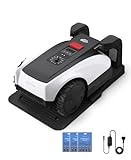
- RTK Precision Navigation for Wire-Free, Accurate Mowing. Powered by advanced RTK technology, this robotic lawn mower delivers centimeter-level positioning accuracy without the need for perimeter wires. It follows efficient, systematic mowing paths instead of random movement, ensuring full lawn coverage, cleaner lines, and a consistently even cut.
- CARE Version Upgrade – Extra Blades for Long-Term Performance. The O1000 RTK CARE bundle includes 36 additional replacement blades, significantly extending maintenance cycles and keeping cutting performance sharp over time. Ideal for homeowners looking for lower long-term cost, fewer interruptions, and consistently clean results.
- RTK Extension Cable Included – Stronger Signal, Flexible Setup. Comes with an RTK extension cable that allows optimal antenna placement for improved satellite signal reception. This ensures more stable positioning, better boundary accuracy, and reliable performance, even in complex yard environments with trees or obstacles.
- Smart Auto Mapping & Multi-Zone Lawn Management. Automatically scans and maps your yard, enabling precise multi-zone management through the app. Customize mowing schedules, define different cutting areas, and optimize efficiency for front yard, backyard, and side zones with ease.
- Fully Automated Lawn Care – Set It and Forget It. From intelligent path planning to automatic recharging, the mower handles everything on its own. Enjoy a hands-free lawn care experience, saving time and effort while maintaining a perfectly trimmed lawn every day.
The documentation exposes versioned archives including:
- ROS v1.2.0 with Hardware v2 and OS v2
- ROS v1.1.1 with Hardware v2 and OSv2RC3
- ROS v1.0.2 with Hardware v1 and OS v1
These version references are useful when identifying an existing build, but archived documentation is no longer actively maintained. Use the current documentation as the authority for a new conversion rather than copying an old guide because its parts, firmware, and wiring may not match the latest hardware.
2. Read the architecture, safety, and legal information
Before opening the mower, understand which board controls the motors, where battery power enters, how charging is handled, how the emergency service works, and what the selected carrier board expects. Read the project’s safety and legal material as part of the build plan, not as an afterthought.
3. Obtain the complete parts set
Collect the donor mower, carrier board or hardware kit, xCore, three ESCs, Compute Module 4, GPS receiver and antenna, storage, and any Wi-Fi or base-station equipment. Account for connectors, mounting hardware, wiring, and enclosure clearances specific to the donor. A parts list that looks complete on paper can still fail mechanically if the board or antenna cannot be mounted without interfering with the blade, battery, charger, or housing.
4. Prepare the electronics
Assemble or inspect the mainboard, xCore, Compute Module, GPS module, and ESC hardware. If you are self-sourcing, compare the published bill of materials and PCB information with the current hardware revision. If you obtain community-supplied hardware, confirm whether it is assembled, tested, and supplied with the required connectors and firmware.
5. Remove the OEM control hardware
Open the donor mower and remove the original mainboard and any components that the OpenMower design replaces. Preserve the wiring and fasteners until the new installation is understood. Photographing connectors before disassembly is a sensible workshop practice, but do not rely on photographs instead of the model-specific wiring documentation.
The SABO and John Deere guide illustrates the level of mechanical work involved: housing screws must be removed, the blade is removed with a 5 mm Allen key, display and charging cables are disconnected, and the OEM mainboard is removed with Torx tools before the new GPS, compute module, and carrier board are installed.
6. Install the carrier board and compute system
Mount the appropriate carrier board, connect the xCore and ESCs, install the Compute Module, and fit the GPS antenna where it has the best practical view of the sky. Reconnect the mower wiring according to the donor-specific guide. Check clearances around moving parts, high-current wiring, the battery, charger, and housing before closing the mower.
7. Install the supported operating system and firmware
Use the current supported operating-system image and firmware combination for the hardware revision. Configure the Compute Module, Wi-Fi, mower parameters, GPS, antenna offsets, and motor-controller settings as directed by the current documentation. Avoid mixing an archived ROS release with a newer board or firmware unless the project specifically documents that combination.
8. Establish corrections and an RTK Fixed solution
Set up the local stationary base or configure the external NTRIP correction service. Take the mower outdoors with an unobstructed sky view and wait for the required solution state. The documented procedure allows up to approximately 30 minutes for an RTK Fixed solution, so failure to obtain it immediately is not automatically a hardware fault.
9. Initialize orientation
Once positioning is established, initialize the mower’s orientation by moving it as required by the operating procedure. Position alone does not tell the system which direction the mower is facing; the orientation step gives navigation a usable starting state.
10. Record the working areas
Use the app to record the mowing areas, navigation areas, exclusions, and docking position. Start with a manageable test area and verify that the recorded boundaries correspond to the physical yard. A map is only as good as the position solution and the person recording it.
11. Test controlled operation before autonomous mowing
Test communication, motor response, stopping behavior, GPS quality, and docking behavior under supervision. Keep people, pets, and bystanders away from the test area. Do not move directly from a successful software installation to unattended mowing: verify the complete machine, including the blade system, charging behavior, emergency behavior, and loss-of-connection response.
Independent reader supportYour contribution helps us test, update, and keep practical guides available for everyone.Common failure points and what they mean
| Symptom | Likely area to check | What not to assume |
|---|---|---|
| The mower will not obtain RTK Fixed | Open-sky conditions, antenna placement, base or NTRIP corrections, receiver configuration, and network connectivity. | Do not assume the GPS receiver is defective before checking the correction source and environment. |
| GPS quality falls near trees or walls | Satellite visibility, multipath and obstruction effects, antenna position, and correction-link stability. | Do not promise centimeter-level performance throughout an obstructed yard. |
| The app cannot control the mower | Local Wi-Fi, MQTT communication, Compute Module networking, and the ROS service. | Do not treat a failed app connection as a motor or GPS failure without isolating the layers. |
| The board does not fit or connectors do not align | Exact donor chassis, regional revision, and carrier-board selection. | Do not force a board into a model that is only listed as a possible candidate. |
| Motors respond incorrectly | ESC wiring, motor-controller configuration, firmware version, and donor-specific settings. | Do not continue autonomous testing until motor direction and stopping behavior are understood. |
| Charging or battery behavior is abnormal | Battery wiring, charger implementation, carrier-board connections, and configuration. | Do not improvise around lithium-battery or charger problems. |
| Maps or paths do not line up with the yard | RTK state, orientation initialization, antenna offsets, and the recorded area boundaries. | Do not assume a visually plausible map is accurate enough for unattended operation. |
Safety and legal issues
OpenMower combines a moving blade, high-current motor electronics, autonomous behavior, outdoor operation, and a lithium battery. The official project warns that builders create their own charger and must understand lithium-battery risks. It also makes clear that the project is continuously evolving and that builders are responsible for understanding their modifications, troubleshooting the result, and applying updates when needed.
Rank #4

- Centimeter-Level RTK Cloud Accuracy: Commercial-grade RTK Cloud technology delivers centimeter-level positioning for this robotic lawn mower with no local antenna installation and no additional cloud costs.
- Auto Mapping for More Complete Coverage: Vision AI helps the robot lawn mower understand lawn shapes and boundary types, then automatically maps your yard for smooth paths, closer edge-following, and fuller coverage from day one.
- AI Obstacle Avoidance with Neural Processing: Vision AI recognizes and understands common yard objects, using a trained neural network and up to 10 trillion operations per second to help mowing stay smooth, safe, and uninterrupted.
- Infinite Zone Mowing & App Remote Control: Create unlimited mowing zones, set custom paths, define no-go areas, edit your map, and monitor your remote control lawn mower from the app anytime.
- Reliable Navigation Even in Shade: RTK Cloud provides centimeter-level accuracy in open areas, while V-SLAM sensor fusion with Vision AI helps maintain precise navigation in shaded or partially covered lawn spaces.
- Supervise initial operation. Keep people and animals out of the operating area while testing and mapping.
- Verify emergency behavior. The independent emergency service is valuable, but confirm the actual behavior of your assembled machine before relying on it.
- Treat the blade as dangerous whenever the mower is energized. Disconnect power and follow the donor and project procedures before mechanical work.
- Do not assume weather safety. Rain detection is listed among project goals, but weather behavior depends on the build and implementation. Do not assume the mower is weatherproof or safe to leave unattended in changing conditions.
- Protect the battery and charger. Stop if charging, heat, wiring, swelling, odor, or battery behavior is abnormal. Lithium-battery work requires appropriate knowledge and precautions.
- Check local rules and intellectual-property restrictions. The project’s legal information tells users to check patents and local laws in their region.
The project disclaims warranties and liability for damage, safety, legality, and performance. Its legal page identifies the published work as Creative Commons Attribution-NonCommercial-ShareAlike 4.0 International and states that selling the design or products based on it requires consent. That matters if a contractor, maker space, or business intends to build and sell conversions rather than modify one for private use.
Is OpenMower worth building?
OpenMower makes sense when the goal is to learn, modify, and control a robotic machine—not simply to obtain a reliable lawn-care appliance. It offers a compelling combination of open software, modular hardware, map-based navigation, local app control, and RTK positioning. It can also extend the usefulness of a compatible donor mower that would otherwise remain tied to its original control system.
Quick wins for a faster PC:
Fix the driver behind crashes, sound loss and screen glitchesFind Drivers →Repair Windows errors before they cause bigger problemsFix Now →The trade-off is responsibility. You must identify a compatible chassis, source or assemble electronics, install Linux-based software, configure GPS corrections, understand motor control, solve mechanical fitment, test safety functions, and maintain the system as the project changes. A consumer mower’s warranty, polished weather behavior, and guaranteed compatibility are replaced by flexibility and hands-on control.
Best recommendation: begin with a YardForce Classic 500(B), use the current documentation rather than an archived guide, confirm hardware availability, and verify the exact regional mower before spending money. Consider another donor only after the carrier-board fit, wiring, motor arrangement, and community support have been confirmed.
OpenMower buying checklist
Confirm before ordering
- Exact donor mower model, suffix, production year, and regional version
- Matching OpenMower carrier board or a documented universal-board arrangement
- Current ROS, operating-system, hardware, and firmware combination
- Compute Module 4 memory, Wi-Fi, and storage configuration
- Whether the CM4 requires a 16 GB or preferably 32 GB microSD card
- RTK rover receiver, antenna, and antenna-offset requirements
- Local NTRIP availability or the need for a stationary base
- Three ESCs and all donor-specific cables, connectors, and mounting hardware
- Battery, charging, and enclosure clearances
- Ability to perform supervised testing and ongoing troubleshooting
Optional items
- Raspberry Pi, storage, power supply, and RTK receiver for a local base station
- Linux-compatible USB Wi-Fi dongle
- Left-angle USB adapter for internal clearance
- Alternative UM9XX GPS module, after confirming compatibility
Final verdict
OpenMower is one of the more interesting open-source lawn-robot projects because it addresses the part closed consumer mowers usually hide: navigation, motor control, mapping, and hardware integration. RTK-GPS can make wire-free, map-aware mowing possible, but only when the rover, correction source, antenna installation, software, and yard environment all cooperate.
For a technically capable builder, the project is a credible robotics conversion platform. For someone seeking a guaranteed appliance, it is the wrong product category. Choose the donor first, budget beyond the headline electronics estimate, plan for testing and maintenance, and treat safety and legal checks as part of the construction—not paperwork after it.
What’s actually slowing this PC down?
Pick the symptom - the matching free tool is one click away.
Frequently Asked Questions
Is OpenMower a complete robotic lawn mower?
No. OpenMower is an open-source conversion platform that replaces the electronics and software in a compatible donor mower. It requires mechanical work, electronics, Linux configuration, GPS setup, and supervised testing.
Which mowers are compatible with OpenMower?
The YardForce Classic 500(B) is the best-supported starting point. Some YardForce Core + Outer Frame Chassis models from 2019 onward may work, while Amiro, Compact, EasyMow, MowBest, XPower, and MB are currently listed as incompatible. SABO MOWit 500F and John Deere Tango E5 Series I and II have dedicated support. Other models need verification.
Does OpenMower require an RTK base station?
Not necessarily. OpenMower can use an external NTRIP correction service. A local stationary RTK base is needed when a suitable external correction service is unavailable or unsuitable in the builder’s region.
How much does an OpenMower conversion cost?
The project estimates approximately €700 for a typical build, excluding the donor mower and RTK base station. Actual costs vary with the mower, hardware availability, shipping, regional taxes, and whether boards are self-sourced or community-supplied.
Does RTK-GPS guarantee centimeter accuracy everywhere?
The documented procedure says to establish an RTK Fixed solution outdoors with an unobstructed sky view. It can take up to approximately 30 minutes, and performance can degrade near trees, walls, buildings, or other obstructions.
Who should build an OpenMower?
It is best suited to builders comfortable with electronics, Linux, mechanical disassembly, robotics, and iterative troubleshooting. It is a poor fit for anyone seeking a manufacturer warranty, guaranteed weather behavior, or turnkey compatibility.
The Bottom Line
Bottom line: OpenMower is best approached as a serious DIY robotics conversion, with the YardForce Classic 500(B) as the safest documented starting point. It can provide RTK-based, wire-free mapped mowing, but compatibility, correction coverage, battery safety, software maintenance, and supervised testing remain the builder’s responsibility.
Quick Recap
Product prices and availability are accurate as of the date/time indicated and are subject to change. Any price and availability information displayed on Amazon at the time of purchase will apply.
Recommended Free Tools

