Recommended Free Tools
Verdict: MNML AI is a useful browser-based visualization platform for rapidly generating architecture and interior-design concepts, presentation options, virtual staging images, and marketing visuals. It is not a replacement for CAD, BIM, technical rendering, construction documentation, or professional design judgment. Its best use is turning sketches, photographs, viewport captures, and references into fast visual alternatives—provided you verify geometry, dimensions, materials, and client expectations yourself.
Because MNML AI uses credits and its product pages show changing feature and version labels, start with the advertised free credits and test representative project inputs before committing to a subscription.

As an Amazon Associate I earn from qualifying purchases.
What is MNML AI?
MNML AI is a specialized, browser-based AI visualization service for architects, interior designers, visualizers, real-estate professionals, students, and design firms. Rather than functioning as a general-purpose image generator, it organizes image-generation and editing workflows around architectural and interior-design tasks.
Its stated toolset includes interior and exterior redesign, sketch-to-render generation, landscape and masterplan visualization, virtual staging, render enhancement, upscaling, AI animation, floor-plan and room-planning workflows, project organization, team collaboration, and an API for developers.
MNML says it was founded in 2023 and claims more than 2.4 million designers and over 12 AI design tools. Those are company-provided claims, not independently audited user or performance figures. The company describes its rendering technology as ArchDiffusion with ARX technology. Version labeling is currently inconsistent across its official materials: the company and main site reference ArchDiffusion v4.2, the Interior AI interface displays v4.4 options, and parts of the documentation still refer to v4.1. Treat the live interface, rather than one universal version number, as the practical reference.
Who is MNML AI for?
Interior designers
Interior designers are likely to see the clearest immediate benefit. A photograph, rough sketch, screenshot, or existing render can become a starting point for comparing furniture layouts, styles, lighting moods, flooring appearances, furnishing density, and decorative directions. This is particularly useful when preparing client option boards or exploring alternatives before investing time in detailed modeling.
The limitation is important: a visually convincing room may contain altered dimensions, impossible furniture proportions, incorrect openings, or materials that do not behave as they would in the real space.
Quick wins for a faster PC:
Scan for outdated or missing drivers - takes under a minuteDriver Scan →Repair Windows errors before they cause bigger problemsFix Now →Architects
Architects can use MNML AI for early façade studies, massing communication, exterior style exploration, site storytelling, and sketch development. A viewport capture from software such as SketchUp or Revit can provide the visual base for alternative treatments.
However, the evidence supports image-based compatibility more clearly than deep, bidirectional integration with every application named in MNML’s marketing. “Works with SketchUp, Revit, Blender, 3ds Max, Lumion, V-Ray, and Twinmotion” should not automatically be read as a native plugin, live model connection, or dependable geometry-preserving workflow.
Visualization artists
Visualizers may benefit from enhancement, upscaling, alternative styles, and rapid post-production concepts. MNML can help generate directions that would otherwise require manual modeling, material changes, lighting setups, and compositing.
It should supplement—not silently replace—a controlled rendering pipeline when camera continuity, exact materials, repeatable views, and client approvals matter.
What’s actually slowing this PC down?
Pick the symptom - the matching free tool is one click away.
Real-estate marketers and virtual stagers
Virtual staging and room transformation are natural use cases. They can help communicate the potential of an empty property or create marketing variations quickly. Every image should be labeled or presented responsibly where local advertising rules or buyer expectations require disclosure, especially when the generated scene changes the actual room or view.
Students and small studios
Students, freelancers, and small practices may value the browser workflow because it avoids setting up a large local rendering system. Free credits make experimentation relatively low risk, but credit consumption can become significant when many outputs are discarded.
Rank #2

- PREMIUM 68LB/100GSM SKETCH PAPER FOR DRY MEDIA: Fuxi's sketch paper pad has 100.8gsm, 155μm-thick paper with a bright white diagonal-tooth surface for erasing, shading and blending. Fuxi sketching paper works with graphite, colored pencils, charcoal, pens, light ink and oil pastels. Fuxi makes sketch paper for kids to use at school or at home; this drawing paper pad supports classwork and practice as sketch paper for drawing. Not for watercolor, alcohol markers, acrylic paint or heavy wet media.
- DIAGONAL-TOOTH TEXTURE & REPEATED-ERASING PERFORMANCE: Fuxi sketchpad 9x12 uses 100.8gsm, 155μm bright white paper. Its diagonal tooth grips graphite, colored pencil and charcoal for clean lines, shading and blending. High-strength surface sizing withstands repeated erasing during figure studies, still-life drawing, landscapes and urban sketches. This sketchpad for kids suits class practice; at home, it works as a sketchpad for drawing, while roomy pages support detailed studies for adults
- TOP SPIRAL BOUND & LAY-FLAT: The Fuxi 9x12 sketchbook has a top coil that flips smoothly and stays above the page, helping reduce wrist contact for left- and right-handed users. The 9x12 spiral sketchbook opens flat for sketching, shading, notes and art class. Pages detach neatly for homework, sharing or display. Fuxi's spiral sketchbook 9x12 is a sketchbook for drawing that combines the roomy workspace expected from an art sketchbook 9x12 with a 9x12 spiral bound sketchbook format.
- THOUGHTFUL DOUBLE-SIDED HARDCOVER DESIGN & TRUE-TO-SIZE 9X12 SHEETS: The Fuxi sketchbook 9x12 measures 13.2 x 9 x 0.7 in; each micro-perforated sheet removes cleanly at a full 9 x 12 in. With 100 sheets (200 usable sides), this perforated sketch book 9x12 features drawing paper 9 x 12 in size for class and home practice. Rigid front and back covers help protect pages in backpacks and give this double sided hardcover sketchbook a firm drawing surface for class, travel or sketching without a desk.
- ACID-FREE 98% BRIGHT WHITE DRAWING PAPER: Made with 100gsm sheets, Fuxi white drawing paper for kids keeps pencil lines, shading and color clear. This drawing paper pad works as a drawing pad for kids at school or home. The drawing book for kids supports doodles and classwork, while the drawing notebook for kids keeps sketches and ideas together. As an art drawing pad, it gives beginners and artists room for dry-media practice. Acid-free pages help reduce yellowing over time.
Larger firms
MNML lists team workspaces, shared credit pools, role controls, centralized billing, SSO/SAML on higher tiers, dedicated support, custom MSAs and DPAs, and an uptime SLA on its enterprise offering. Firms should still review retention, data processing, subcontractors, training use, output rights, and procurement terms before uploading confidential client material.
MNML AI’s main tools
Interior AI
The displayed Interior AI interface accepts JPG, PNG, and WebP images and supports up to four reference images. Its controls include room type, interior style, render mode, camera angle, furnishing density, plants, accessories, lighting, floor appearance, people, ambience, time of day, annotations, and aspect ratio.
Do these 3 things before closing this tab:
1Repair Windows errors before they cause bigger problems2Fix the driver behind crashes, sound loss and screen glitches3Clear out junk files and repair common Windows errorsThe interface also presents output styles such as photorealistic, CGI, CAD, freehand sketch, illustration, and watercolor. MNML advertises generation in approximately 15 seconds and output up to 8K in relevant workflows. These are vendor-stated capabilities, not guaranteed service levels or proof that every image contains genuine 8K detail.
This tool is strongest for style and atmosphere studies. Test carefully if the room must preserve an existing wall, window, stair, built-in cabinet, appliance, or specified piece of furniture.
Exterior AI
Exterior workflows are intended for façade alternatives, material studies, architectural-style changes, and early massing presentations. A hand sketch, model viewport, or exported image can be transformed into a more polished exterior concept.
Use it to discuss design direction, not to establish final cladding quantities, structural logic, window schedules, drainage, fire strategy, accessibility, or planning compliance.
Free tools Windows power users keep installed
One-click scans. No signup required.
Sketch to Image
Sketch-to-image is one of MNML AI’s most compelling concepts. Hand-drawn sketches, digital linework, clay views, and viewport captures can be combined with prompts, styles, and lighting choices to communicate an idea before a complete model exists.
The trade-off is design drift. AI may change proportions, openings, rooflines, structural members, circulation, or the relationship between rooms. A successful image communicates an interpretation of the sketch; it does not prove that the underlying design survived unchanged.
Render enhancement and upscaling
Enhancement can be useful for improving the apparent detail of an existing Lumion, Enscape, V-Ray, or similar render, or for preparing a larger image for a presentation board or marketing campaign. MNML advertises enhancement and upscaling workflows up to 8K.
Rank #3

- CONVENIENT DESIGNS FOR SKETCH DRAWING: The sketchbook designs with durable spiral bound and die cut line per each inner paper, you can detach paper without any trouble. Also, the 8.5x11 inches 90gsm high quality sketch paper provide perfect drawing experience
- PREMIUM AND DURABLE PAPER: The sketchbook includes 80 sheets 90gsm paper, the durable sketch paper provides perfect drawing and writing experience, great idea for all drawing method, such as, pencil, pastels, charcoal, gel pen and so on
- LARGE SIZE WITH PROTECTIVE COVER: 1 pack of 8.5x11 inches sketchbook, the large size provides multiple functions, to meet all your drawing requirements, it can offer unique prefect painting experience for you. Also, the waterproof hardcover with PU material makes protection function for high quality art works
- QUALITY ENSURE: All of the components are under our door-to-door quality control system; quality assurance process delivers outstanding quality and durability
- GREAT GIFT: An ideal gift for you to find more sketch drawing necessary tools easy way and ideas here. It provides a unique and practical present
Inspect enlarged images at full size. AI enlargement may invent brick texture, window divisions, foliage, furniture details, reflections, or edge geometry. If the image represents a product, finish, or construction detail, compare it with the original render and approved specification.
Masterplan and landscape tools
Masterplan and landscape generation can help explain a site concept from an aerial or diagrammatic viewpoint. They are useful for early urban-design storytelling, landscape mood boards, and presentations where the goal is to communicate character and intent.
An attractive aerial image does not establish correct boundaries, grading, planting quantities, access routes, ownership, service areas, or planning compliance. Keep measured drawings and authoritative site data separate from the AI image.
Virtual staging and room planning
Virtual staging can furnish empty rooms or generate alternative decorative directions. Room-planning tools may help clients understand possibilities before the final specification is complete.
Do not let a staged image imply that a particular sofa, light fitting, finish, or layout is included unless it has been checked and specified. AI-generated furniture can resemble a real product without being that product.
PC Slower Than It Used to Be?
A free scan shows the junk files, broken settings and background clutter dragging Windows down - then fixes them in one click.Free scan · Windows 10 & 11Outdated Drivers Are Slowing You Down
One free scan finds every outdated or missing driver and matches the right update for your exact hardware.Free scan · exact hardware matchVideo Animate AI
MNML advertises one-click creation of 10-second animations at 1080p. This could be useful for social media, concept narratives, and presentation openers.
Before using an animation with a client, inspect for temporal artifacts, camera-path jumps, warped geometry, inconsistent windows, changing furniture, flickering textures, and unstable reflections. A short moving image can expose errors that are easy to miss in a still.
Studio, editing, and API features
The official documentation lists render modes including Balanced, Creative, and Ultra, along with masking, inpainting, erasing, cropping, extending, enhancement, and animation guides. Labels and locations may change as the product develops.
MNML also offers a separate architecture API at mnmlai.dev. Its API pricing page displays credit packs including 500 credits for $49, 1,000 for $99, 2,500 for $249, and 5,000 for $499. Confirm rate limits, retention, commercial rights, output ownership, and whether API terms differ from the consumer Studio product.
Rank #4

- BEST-SELLING HARDCOVER JOURNAL: This classic 5.6" x 8" vegan leather journal features a durable and water-resistant cover, 160 blank pages, inner expandable pocket, sticker labels, ribbon bookmark & elastic closure band.
- PREMIUM PAPER: Made with high-quality, 100 gsm acid-free paper in light ivory color, our journal paper is thicker than average notebooks & note pads, so you can confidently use most pens, pencils, and markers without ghosting and bleed-through.
- LAY FLAT DESIGN FOR WRITING EASE: Our thread-bound, blank page notebook is designed to lay flat, making it easier to write or sketch for both right and left-handed users. It’s the perfect notebook for drawing, sketching, note taking and journaling.
- INNER POCKET: Includes an expandable inner storage pocket to store appointment cards, notes, receipts, and more. Personalize your journal cover & spine with the sheet of sticker labels included.
- VERSATILE BLANK NOTEBOOK: Ideal for free-form journaling, sketching, or writing. Whether you're capturing ideas, doodling, or crafting a beautiful junk journal or scrapbook the blank pages offer the flexibility to perfectly personalize your work.
How to use MNML AI in a professional workflow
- Create an account and use the free allowance first. Confirm the current signup, trial, credit, and export terms rather than relying on an older review.
- Choose a representative input. Use a real room photograph, rough plan, sketch, viewport capture, or existing render—not only an easy promotional example.
- Select the relevant workflow. Interior, exterior, sketch, landscape, masterplan, staging, enhancement, or animation will produce different controls and expectations.
- Set the render mode and design controls. Adjust style, room type, camera, furnishing, lighting, references, and annotations where available.
- Generate multiple variants. Save both successful and failed outputs. A single attractive image does not demonstrate repeatability.
- Correct selectively. Use masking, inpainting, erasing, crop, extender, or enhancement tools where they are available.
- Check the image against the source. Compare camera position, wall and window locations, floor area, roofline, furniture, materials, and circulation.
- Export with context. Mark concept imagery clearly when showing it to a client, and retain the original model, drawing, render, or photograph as the authoritative source.
Quality: what MNML AI can and cannot be trusted to do
Visual realism
MNML’s stated proposition is fast, polished visualization. It is plausible for mood, atmosphere, and early presentation work. “Photorealistic” describes the appearance of the output, not its dimensional or physical accuracy.
Geometry and camera fidelity
This is the decisive professional question, and the public product material does not establish an independent geometry-preservation benchmark. AI can alter camera perspective, room proportions, openings, stairs, railings, roof geometry, curtain walls, and repeated windows.
For controlled design development, compare the generated image against a locked viewport and use conventional rendering or an integrated tool for approved views.
Materials and products
Generated materials may look convincing while being technically wrong. Stone veining, timber joints, tile layouts, glazing reflections, metal finishes, and fabric textures can all be invented or distorted. Never use the image alone for procurement, FF&E schedules, quantities, or product approval.
Common artifact zones
Pay particular attention to mirrors, transparent façades, dark scenes, white-on-white rooms, glass partitions, stairs, balustrades, complex roofs, narrow rooms, extreme wide-angle photographs, accessibility features, historic styles, and existing furniture that must remain unchanged.
Independent reader supportYour contribution helps us test, update, and keep practical guides available for everyone.Pricing and credits
As observed on August 18, 2026, MNML’s public pricing page uses subscription plans based on credits, with monthly and annual billing. The page states that main tools may consume 10 credits per design, while auxiliary tools may consume 1–5 credits. Top-up credits are available.
Unused credits can roll over, subject to a maximum of two months’ allowance. The page gives rollover examples of 2,000 credits for Lite, 6,000 for Plus, and 20,000 for Studio. The main product page advertises free credits or a free start without requiring a credit card, but check the current signup flow before relying on that offer.
MNML generally does not offer refunds because users receive free credits to test the service, according to its stated policy. Annual billing is displayed as 17% off. The exact consumer plan prices were not exposed in the available pricing capture, so check the live checkout before purchasing; do not rely on older articles quoting specific monthly prices.
The practical cost is not the price per generation alone. Track credits per usable image. If a 10-credit generation produces one acceptable option after several discarded attempts, the effective cost is much higher than the headline plan suggests.
Best Value
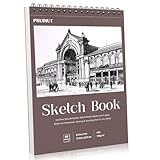
- 【Professional Grade 8.5x11 Sketchbook for All Artists】Premium 68lb/100g/m2 acid-free paper resists bleed and smudge. Great for dry media like pencil, charcoal and pastel. 50 smooth sheets for beginners and professionals. Perfect sketchbook for drawing, sketching projects
- 【Spiral Binding Portable Design with Tear Line】Durable spiral binding design allows 360° page turns, and pre-perforated tear edge design allows for clean paper tears (no scissors required). 8.5x11 sketchbook size fits standard portfolio. Back hardcover doubles as outdoor/desktop drawing board
- 【Versatile Drawing Supplies for Dry Media】Thick, non-yellowing paper pairs well with colored pencils, gel pens, markers and charcoal. Acid-free surface extends the life of your work. Our sketchbooks meet studio and classroom standards. A great gift for art students and creative people
- 【Durable 8.5x11 Sketchbook with Extras】Premium matte cover protects pages, reinforced spiral spine for durability. Built-in backboard for easy drawing on your knees or uneven surfaces. Classic size that fits in a backpack - ideal travel sketchbook for inspiration anytime, anywhere
- 【Multi-Purpose Artist Sketchbook Set】8.5x11 sketchbook, perforated pages make it easy to create frameable artwork. Compatible with all dry media - from quick sketches to detailed illustrations, to meet a variety of artists' creative projects
Enterprise pricing
MNML currently lists the following enterprise tiers:
| Plan | Listed price | Credits | Seats |
|---|---|---|---|
| Team Starter | $349/month | 30,000 | Five team seats plus one IT admin |
| Team Growth | $999/month | 100,000 | 15 seats plus one IT admin |
| Enterprise Scale | $2,999/month | 300,000 | 30 seats plus one IT admin |
These are vendor-provided commercial terms. Verify current pricing, contract terms, taxes, security commitments, SSO/SAML availability, data-processing agreements, retention, and the stated 99.9% uptime SLA during procurement.
MNML AI versus Veras and LookX
| Tool | Best fit | Main distinction |
|---|---|---|
| MNML AI | Fast browser-based concepting, interiors, staging, enhancement, and varied visualization tasks | Broad standalone architecture-focused toolbox with credit-based generation |
| Veras | Firms already working in structured AEC software | Deeper ecosystem around Revit, SketchUp, Rhino, Archicad, Vectorworks, Forma, Allplan, Enscape, V-Ray, and Corona; features include Design Lock and selection-based editing |
| LookX AI | Style-focused users and teams interested in custom model training | Architecture-specific generation with SketchUp and Rhino plugins, style references, upscaling, prompt assistance, and custom-model features |
Veras is the stronger candidate when preserving a structured model and fitting an established AEC workflow are more important than having many standalone browser tools. Pricing observed on August 18, 2026 included Starter at $16.90 per month billed annually and Pro at $29 per month billed annually, with a 14-day trial and 100 Chaos credits; verify the live page because prices and credit behavior can change.
The Tool Desk
Outbyte Driver Updater FREEFix the driver behind crashes, sound loss and screen glitchesFind Drivers →Outbyte PC Repair FREEClear out junk files and repair common Windows errorsFree Scan →LookX is worth considering when SketchUp or Rhino plugins, custom style training, and reference-image workflows are priorities. Its current paid pricing was not reliably visible in the available official material, so check its live site before comparing cost.
Pros and cons
Pros
- Architecture- and interior-design-specific workflows.
- Fast generation of concept alternatives.
- Useful room, furnishing, lighting, ambience, and reference controls.
- Support for sketches, photographs, screenshots, and exported views.
- Enhancement, upscaling, masking, inpainting, and animation workflows.
- Browser access without a large local rendering setup.
- Team and enterprise options for larger organizations.
Cons
- It is not technically authoritative.
- Geometry, camera position, openings, furniture, and materials may drift.
- Credit costs can rise quickly when generations are discarded.
- Version labels and documentation are not fully consistent.
- Marketing compatibility does not prove native integration with every listed application.
- Independent quality and accuracy benchmarks are limited.
- Privacy, retention, commercial-use, and output-rights terms require plan-specific review.
Who should use MNML AI?
- Freelancers and small studios: Yes, if you need quick concept visuals and can validate every client-facing image.
- Interior designers: Yes, especially for style exploration, staging, atmosphere, and option boards.
- Architects: Yes for early massing, façade, sketch, and presentation studies; no as a replacement for BIM or technical visualization.
- Visualization artists: Potentially, for ideation and enhancement, but compare it with your existing render and post-production workflow.
- Students: Useful for experimentation and portfolio ideation, subject to credit, rights, and disclosure limits.
- Large firms: Consider it only after a security, privacy, procurement, and repeatability review using real project inputs.
Who should avoid it?
MNML AI is a poor fit if your primary requirement is exact geometry, approved product representation, repeatable multi-view output, reliable dimensional documentation, or a fully native BIM rendering pipeline. It should not be the sole source for construction documents, permit drawings, structural decisions, code analysis, accurate floor plans, as-built verification, FF&E schedules, material quantities, or final dimensions.
It may also be unsuitable for confidential projects unless the applicable plan’s data-processing and retention terms have been approved. Do not upload sensitive client images merely because a free trial is available.
Final verdict
MNML AI is worth trying for architects and interior designers who need fast visual exploration rather than technical certainty. Its strongest value is reducing the time needed to produce plausible design directions, room alternatives, staged scenes, mood images, and early presentation material.
The Tool Desk
Outbyte PC Repair FREERepair Windows errors before they cause bigger problemsFix Now →Outbyte Driver Updater FREEFix the driver behind crashes, sound loss and screen glitchesFind Drivers →The recommendation is conditional: use the free credits, measure the cost per usable image, test difficult geometry and real project inputs, and compare the result with an integrated alternative such as Veras if model continuity is central to your practice. Keep the CAD/BIM model, measured drawings, specifications, and conventional rendering pipeline in control of every technical or contractual decision.
Quick Recap
Product prices and availability are accurate as of the date/time indicated and are subject to change. Any price and availability information displayed on Amazon at the time of purchase will apply.




