Recommended Free Tools
Verdict: The Makera Z1 is a compelling first enclosed CNC mill for small parts, prototypes, PCBs, jewelry, plastics, wood, aluminum, brass, and copper. Its cast frame, probing, quick-change tooling, enclosure, and guided software make it more approachable than a typical DIY gantry CNC. But it is not a miniature industrial machining center: the standard model has a 200 × 200 × 100 mm work area, a 150 W spindle, requires external dust collection, and may outgrow Makera’s software when projects become complex.
At the observed U.S. price of $1,099 on sale—against a listed regular price of $1,199—the Z1 is best understood as a compact, light-duty precision machine rather than a high-throughput metal mill. Pricing and preorder status can change; check the official product page before buying.
As an Amazon Associate I earn from qualifying purchases.
What the Makera Z1 is—and is not
The Makera Z1 is an enclosed, three-axis desktop CNC mill. Unlike a 3D printer, which builds a part layer by layer, a CNC mill removes material from a block, sheet, or blank using a rotating cutter. That makes it useful for making small brackets, fixtures, tags, enclosures, PCB features, jewelry components, knobs, prototypes, and precision wood or plastic parts.
It is designed for creators, educators, product designers, jewelry makers, 3D-printer owners, and small studios—not for full-size signs, furniture panels, large molds, production steel parts, or industrial machining rates. Makera positions the Z1 below the Carvera and Carvera Air in its desktop CNC range.
#1 Best Overall

- Smart and Affordable Desktop CNC Machine: Carvera Air is a smart and affordable desktop CNC machine designed for makers, hobbyists, and small workshops. Mill, carve, and engrave with ease using our intuitive Makera CAM software for creating prototypes, custom parts, jewelry, electronics projects, and DIY crafts
- Compact Size with Professional Workspace: Carvera Air features a 11.8" x 7.9" x 5.1" work area for detailed CNC machining while maintaining a compact fully enclosed footprint of 19.7" x 17.7" x 17.7". The enclosed design helps reduce noise, contain chips and dust, and improve safety for home workshops, desktops, maker spaces, labs, and small studios
- Quick Tool Changer Switch Tools in 10 Seconds: Speed up your workflow with the built-in quick tool changing system. Change milling bits in just 10 seconds, making multi-step machining faster and easier for CNC jobs that require multiple tools such as engraving, drilling, and cutting in a single project. Spend less time setting up and more time creating
- High Precision CNC with Auto Probing & Leveling: Carvera Air is designed for industrial-level accuracy in a desktop CNC machine. Spindle runout < 0.0004in, Motor resolution 0.0002in, automatic probing and surface leveling. The system automatically calibrates your workpiece, ensuring accurate cuts even on uneven materials for precision parts, PCB milling, and detailed engraving
- Smart CNC Control with Cross-Platform Software: Control your CNC machine easily with Wi-Fi or USB connectivity. Makera CAM software supports MacOS and Windows. Makera Controller compatibility includes iOS, Android, MacOS, Windows, and Linux. Carvera Air also integrates with popular CAD/CAM software including Fusion360, SolidWorks, and VCarve Pro for both beginners and professional makers
The Z1’s creator-focused features reduce setup friction, but they do not remove the need to understand cutters, feeds and speeds, workholding, chip evacuation, toolpaths, and measurement.
Makera Z1 versus Z1 Pro
Makera lists both machines on the same product page, so it is easy to accidentally attribute the Pro’s specifications to the standard Z1.
| Specification | Makera Z1 | Makera Z1 Pro |
|---|---|---|
| Three-axis work area | 200 × 200 × 100 mm | 300 × 200 × 130 mm |
| Spindle | 150 W, up to 13,000 RPM | 200 W, up to 13,000 RPM |
| Stated spindle runout | 0.01 mm | Less than 0.01 mm |
| Stated resolution | 0.02 mm | 0.01 mm |
| Motion system | Linear rails and ACME lead screws | Linear rails and ball screws |
| Motors | NEMA 17 stepper motors | Closed-loop stepper motors |
| Maximum travel speed | 1,200 mm/min | 4,000 mm/min |
| Approximate weight | 17 kg / 37.5 lb | 30 kg / 66 lb |
| Optional fourth axis | 80 mm diameter × 150 mm length | Approximately 92 mm diameter × 200 mm length |
The standard Z1 is the sensible choice when parts fit comfortably within its envelope and the priority is a lower-cost, compact machine. The Z1 Pro deserves consideration when the extra capacity, ball screws, closed-loop motors, and 200 W spindle will be used regularly. Buying the standard model for a project that barely fits is a false economy.
What’s actually slowing this PC down?
Pick the symptom - the matching free tool is one click away.
Size and workspace: the first buying question
The standard Z1 offers a work area of 200 × 200 × 100 mm, or roughly 7.9 × 7.9 × 3.9 inches. Its approximate external footprint is 350 × 470 × 450 mm, and it weighs about 17 kg. Gantry clearance is listed at approximately 115 mm. The enclosure makes it suitable for a workshop, studio, classroom, or carefully planned desktop installation, but the machine still needs room for cables, dust extraction, access, and ventilation.
This is enough space for small aluminum brackets, camera or electronics fixtures, jewelry-scale components, PCB work, plaques, knobs, and prototypes. It is not enough for a full-size sign, guitar body, furniture component, large mold, broad panel, or many one-piece product enclosures.
The Z1 Pro increases the working area to 300 × 200 × 130 mm and weighs approximately 30 kg. That is a meaningful capacity improvement, not merely a cosmetic upgrade, but it also demands a stronger bench and more permanent workspace.
Why the mechanical design matters
Makera’s central mechanical claim is the Z1’s one-piece cast frame. A rigid frame resists the cutting forces that can make lightweight CNC machines deflect. Deflection can produce chatter, poor surface finish, dimensional errors, and broken tools—especially when cutting aluminum or brass.
Quick wins for a faster PC:
Repair Windows errors before they cause bigger problemsFix Now →Scan for outdated or missing drivers - takes under a minuteDriver Scan →Clear out junk files and repair common Windows errorsFree Scan →Rank #2

- READY TO CREATE OUT OF THE BOX: Skip the lengthy assembly of traditional CNC kits. Cubiko comes pre-assembled and is designed for beginners, helping you move from unboxing to your first CNC project faster with a simpler setup and learning experience.
- ENCLOSED FOR DESKTOP CNC PROJECTS: The integrated enclosure helps contain chips and debris while reducing operating noise, making Cubiko better suited for home workshops and maker spaces. Opening the cover automatically pauses operation for added protection during use.
- EASIER AUTO Z-PROBING SETUP: Spend less time manually finding the Z-zero point. Enter your material thickness and Cubiko automatically sets the tool height, simplifying one of the most important setup steps before engraving, carving, and milling.
- SMART SURFACE MAPPING FOR PCB MILLING: Cubiko measures multiple points across the work surface and compensates for small height variations during machining, helping maintain more consistent engraving depth for PCB traces and other precision projects on uneven surfaces.
- VERSATILE MATERIALS & FLEXIBLE CONTROL: Create projects in wood, acrylic, PCB, plastics, and suitable soft metals with ±0.1 mm positioning accuracy. Control Cubiko through the Genmitsu App, WiFi, compatible PC software, or offline control for a flexible desktop CNC workflow.
The Z1 also uses linear rails, screw-driven motion, closed-loop spindle control, and a quick-change tool system. The Pro adds ball screws and closed-loop stepper motors. Independent coverage has viewed the Z1’s cast construction and rigidity favorably, although that is review evidence rather than an independently standardized laboratory accuracy test; see the Hackster review.
Rigidity is important, but it does not guarantee perfect parts. Stock must be secured, the material must be flat and correctly located, cutters must be sharp, and cutting parameters must suit the material and tool.
Spindle capability: precise light cuts, not industrial production
The standard Z1 has a 150 W spindle with a maximum speed of 13,000 RPM, closed-loop control, built-in air cooling, and an integrated 1/8-inch collet. The Z1 Pro uses a 200 W spindle at the same maximum speed. Makera lists optional collet sizes on its product page.
Spindle wattage is not a direct measure of accuracy, but it is a practical limit on material-removal rate. The Z1 can make precise light cuts, engrave, mill PCB stock, and perform small aluminum operations. It cannot remove material as quickly as a larger CNC router with a 1.5 kW or 2.2 kW spindle.
The Tool Desk
Outbyte Driver Updater FREEFix the driver behind crashes, sound loss and screen glitchesFind Drivers →Outbyte PC Repair FREERepair Windows errors before they cause bigger problemsFix Now →Do not buy it expecting deep metal cuts, aggressive roughing, large hardwood work, routine steel machining, or production throughput. Its sweet spot is small, controlled work where repeatability and convenience matter more than speed.
Materials: capable does not mean ideal
Makera lists the Z1 for aluminum, brass, copper, hardwoods, softwoods, MDF, plywood, foam, PVC, ABS, acrylic, polycarbonate, HDPE, carbon fiber, FR4, and PCB materials. With the optional laser module, it can also work with materials such as wood, plastic, fabric, leather, and cardboard.
- Aluminum, brass, and copper: credible target materials for small parts, provided the cutter, workholding, feeds, speeds, and chip evacuation are appropriate.
- Wood and plastics: accessible starting materials, but dust and chips still require extraction and cleanup.
- FR4 and carbon fiber: abrasive materials that can produce hazardous fine dust; use suitable extraction and protection.
- Steel and titanium: Makera does not advise prolonged processing and the standard Z1 should not be treated as a steel machine.
- Glass and stone: listed outside the machine’s suitable material range.
The useful distinction is between “the tool can touch this material” and “this is a sensible production material for this machine.” The Z1 is a light-duty small-metal machine, not a general-purpose metalworking mill.
Rank #3

- Smart and Affordable Desktop CNC Machine: Carvera Air is a precise and versatile desktop CNC mill for milling, carving, and engraving. Easy to use with user-friendly software. Endless Materials | Quick Tool Changer | Auto Probing and Leveling | Optional 4th Axis and Laser supported | All-in-one CAM Software
- 4th Axis Module for Expanded Capabilities: The 4th axis module expands your capabilities, enabling cylindrical machining, double-sided objects, and 3D shapes. With a rotary work area of 3.6 inch diameter x 7.9 inch length (9.2cm x 20cm), Carvera Air supports true 4th-axis simultaneous machining for crafting detailed 3D models
- Quick Tool Changer for Efficient Workflow: Speed up your workflow with the quick tool changer, switching tools in just 10 seconds. Whether milling wood, plastics, or metals, transitions between tools are seamless for advanced multi-step projects
- Precision Auto-Probing and Leveling System: With auto-probing and leveling, Carvera Air ensures precise calibration and flawless cuts on uneven materials. The closed-loop spindle control (0-13,000 RPM) and spindle runout less than 0.01mm guarantee exceptional accuracy and surface quality, even for high-complexity machining
- Cross-Platform Software Compatibility: Operate your CNC effortlessly with WiFi or USB connectivity. The intuitive Makera CAM software supports Mac OS and Windows; The Controller supports iOS, Android, Mac OS, Windows, and Linux, and integrates with popular CAD/CAM tools such as Fusion360, SolidWorks, and VCarve Pro
What the automatic features really provide
The Z1 combines quick tool changing, automatic probing, automatic leveling, a built-in camera, guided CAM workflows, remote control through the Makera app, the Makerables project-sharing platform, and AI Craft for model customization.
Free tools Windows power users keep installed
One-click scans. No signup required.
These features can reduce manual tool-length measurement, repeated leveling, controller setup, and the initial CAM learning curve. They are especially useful for a first CNC buyer moving from 3D printing into subtractive manufacturing.
They do not eliminate the fundamentals. You still need to choose a suitable cutter, secure the stock, select feeds and speeds, understand climb and conventional milling, clear chips, inspect the toolpath, set the origin, measure the finished part, and manage noise, dust, and heat. Automatic probing cannot rescue stock that flexes or moves.
Software: friendly at the start, less complete for advanced work
Makera provides Makera Studio as its consumer CAM software and lists compatibility with Fusion 360, SolidWorks, AutoCAD, VCarve Pro, Aspire, Illustrator, and other CAD/CAM tools. The company also offers a mobile controller app, Makerables, and AI Craft.
Makera Studio may be sufficient for straightforward profiles, pockets, engravings, PCB work, and simple reliefs. However, independent testing found limitations in complex 3D workflows, including inconsistent 3D-mesh boundary handling, limited milling-strategy choices, and a lack of direct solid-CAD support in the tested workflow. Those findings are discussed in the Hackster hands-on coverage.
The result is an important nuance: the Z1 can be beginner-friendly mechanically while still requiring serious CAM knowledge for demanding work. Users making complex solids, production-style 3D parts, indexed fourth-axis work, or intricate fixtures may prefer Fusion 360 or another established CAM package.
AI-assisted model generation is a convenience, not a substitute for checking geometry, simulating toolpaths, selecting cutting parameters, and inspecting the finished part.
Rank #4

- START YOUR CNC JOURNEY – The Genmitsu 3018-PRO is a compact desktop CNC router machine designed for beginners, makers, and DIY projects. Its upgraded assembly reduces setup complexity while the raised base improves stability, giving you an approachable way to learn CNC carving, engraving, and milling
- CREATE WITH MULTIPLE MATERIALS – Take on CNC projects in wood, acrylic, PVC, plastic, PCB, and soft aluminum with the right bits and cutting settings. From signs and custom parts to circuit board prototypes, this 3-axis CNC milling machine gives makers room to explore different applications
- PROVEN GRBL CONTROL – Built around open-source GRBL control for a flexible CNC workflow with extensive community resources. Use Candle to control movement and run G-code files, making it easier to learn the fundamentals of CNC machining and move from your first test cut to custom projects
- COMPACT SIZE, PRACTICAL WORKSPACE – The 300 x 180 x 45 mm XYZ working area provides useful capacity for small woodworking, engraving, PCB milling, and prototype projects without taking over your workbench. A practical mini CNC machine for home workshops, classrooms, and maker spaces
- WORK WITH OR WITHOUT A COMPUTER – The included offline controller lets you operate basic CNC functions and run compatible G-code files without keeping a computer connected. Use computer-based GRBL control when you want a more complete workflow, giving you flexibility for different projects and setups
What “industrial precision” means here
Makera publishes a spindle runout figure of 0.01 mm, resolution of 0.02 mm, and repeatability of 0.002 mm for the standard Z1. The company also states that the machine can maintain the same tolerance accuracy in aluminum alloys and brass.
Those are manufacturer specifications, not a guarantee that every finished part will measure within 0.01 or 0.02 mm.
Do these 3 things before closing this tab:
1Fix the driver behind crashes, sound loss and screen glitches2Clear out junk files and repair common Windows errors3Scan for outdated or missing drivers - takes under a minute- Resolution is the smallest commanded movement or machine increment.
- Spindle runout describes how far the rotating tool deviates from a perfect axis.
- Repeatability describes how closely the machine returns to a position.
- Part accuracy is the final dimensional result after tooling, workholding, material deflection, temperature, feeds and speeds, backlash, tool wear, calibration, and operator setup are included.
The fair conclusion is that the Z1 uses industrial-style mechanical features and publishes unusually tight figures for a creator-oriented machine in this price class. It should not be described as a replacement for a vertical machining center or as proof that every job will achieve production tolerances.
Fourth-axis expectations
The optional fourth-axis module is listed at 80 mm diameter × 150 mm length for the standard Z1 and approximately 92 mm diameter × 200 mm length for the Pro. It can support rotary engraving, small handles, knobs, ornaments, jewelry, and indexed machining.
A rotary module is not automatically equivalent to simultaneous four-axis machining. The practical result depends on the controller, CAM package, post-processor, tool clearance, and geometry. Some operations may be indexed—machining one face at a time—rather than continuous simultaneous rotary cutting. Community reports have raised concerns about fourth-axis limitations and complex rotary workflows; these are anecdotal and should not be treated as universal failures.
Independent reader supportYour contribution helps us test, update, and keep practical guides available for everyone.Ownership cost: the $1,099 machine is not a complete setup
Observed U.S. storefront prices around August 2026 were:
Crashes, No Sound, or Screen Glitches?
Random freezes, missing sound and display glitches usually trace back to one bad driver. Find and replace yours safely.Free scan · under a minuteWindows Errors? Fix Them Before They Spread
Repair common Windows errors and clear accumulated junk for a smoother, more stable PC - no reinstall needed.Free scan · no reinstall| Configuration | Observed price |
|---|---|
| Z1 machine | $1,099 sale / $1,199 regular |
| Z1 plus 3D wired probe | $1,188 sale / $1,298 regular |
| Z1 plus low-profile vise | $1,188 sale / $1,298 regular |
| Z1 plus Cyclone Dust Collector Lite | $1,458 sale / $1,598 regular |
| Z1 plus fourth-axis module | $1,368 sale / $1,498 regular |
| Z1 plus probe, vise, dust collector, and fourth axis | $1,727 sale / $1,896 regular |
These totals exclude cutters, collets beyond the included configuration, clamps or fixtures, raw stock, shipping, tax, regional duties, and any external CAD/CAM subscription. The listed accessories include a $359 sale-price Cyclone Dust Collector Lite, $269 fourth-axis module, $89 wired probe, $89 low-profile vise, $139 laser module, and $109 vacuum bed. Prices and availability are not permanent.
Best Value
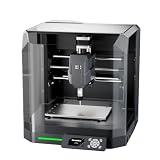
- Pre-Assembled Desktop CNC for Learning & DIY Projects: Ships factory-assembled to reduce setup time and help users get started faster with CNC workflows. Compatible with Genmitsu App, Fusion 360, Candle, Easel, and Carveco for flexible engraving and carving projects.
- Auto Z-Probing & Height Mapping Support: Supports automatic Z-probing and surface mapping workflows to assist with PCB milling, engraving, and uneven material setup. Proper calibration and conductive probe connection are required for optimal probing performance.
- Designed for Wood, Acrylic, PCB & Light-Duty Metal Projects: Suitable for engraving and light carving applications on wood, acrylic, PCB boards, plastics, and selected soft metals using appropriate tooling and machining parameters.
- One-Piece Frame for Stable Engraving Performance: Built with a reinforced integrated frame structure to improve stability during desktop CNC carving and engraving operations. Ideal for hobby projects, prototyping, maker workshops, and creative CNC applications.
- Enclosure Design with Dust & Noise Reduction: Includes a protective enclosure designed to help contain dust and reduce operating noise. The cover-open stop function pauses machine operation when the enclosure is opened for additional user safety.
Makera’s product page says the standard Z1 requires an external dust collector. Enclosed therefore does not mean dust-free or maintenance-free. Budget for extraction and tooling before comparing the Z1 with a larger machine.
Z1, Z1 Pro, or something else?
Choose the standard Z1 if:
- Your parts fit within 200 × 200 × 100 mm.
- You mainly work with wood, plastic, PCB stock, aluminum, brass, or copper.
- You want an enclosed, compact first CNC.
- You value guided setup over cutting speed.
- You are comfortable making relatively light cuts.
- You will use external CAM if Makera Studio becomes limiting.
Choose the Z1 Pro if:
- You need the 300 × 200 × 130 mm envelope.
- You expect to machine aluminum or brass frequently.
- Ball screws and closed-loop motors justify the higher cost.
- You have space for a 30 kg machine.
- You want more headroom before outgrowing the platform.
Choose a larger open-frame CNC if:
- Part size is your main constraint.
- You cut signs, furniture parts, cabinet components, or sheets.
- You need a stronger router or spindle.
- You accept more noise, dust, assembly, tuning, and maintenance.
A Genmitsu 3030- or 4040-class machine may provide substantially more working area for comparable money, but typically with a less appliance-like experience; see the capacity discussion in Maker Hacks’ Genmitsu coverage.
Consider a Carbide 3D Nomad if:
You prioritize an established enclosed desktop CNC ecosystem and mature workflow, accept a small work area, and do not specifically need Makera’s quick-change tooling or AI-oriented features.
Consider Bantam Tools if:
You prioritize polished workflow, education, and prototyping support over purchase price. Bantam’s desktop mill occupies a premium position, as discussed by All3DP.
Consider Carvera Air if:
You want to remain in Makera’s ecosystem but need more capability and can justify a much higher price. Makera’s lineup places Carvera Air above the Z1 in work volume and spindle power.
Safety and maintenance
Read the Z1/Z1 Pro manual before operating the machine.
- Keep the enclosure closed while the spindle is moving.
- Wear appropriate eye and hearing protection during setup and maintenance.
- Treat metal chips as sharp and potentially hot.
- Use suitable dust extraction for wood, plastics, MDF, FR4, and carbon fiber.
- Do not machine materials the manufacturer excludes.
- Secure stock firmly and verify the origin, stock dimensions, toolpath, and clearance height.
- Never reach into the machine while a tool is moving.
- Keep an emergency-stop or stop procedure accessible.
- Understand that enclosure filtration does not automatically make hazardous dust harmless.
- If installing the laser module, follow its separate laser-safety requirements.
Who should buy the Makera Z1?
The Z1 is a strong fit for a first-time CNC buyer, a 3D-printer owner adding subtractive manufacturing, a jewelry maker producing small parts, a PCB hobbyist, or a product-development studio prototyping compact components. It is also attractive to educators who want an enclosed, guided machine rather than a bare gantry requiring extensive setup.
It is a poor fit for a business whose constraint is production capacity, for a woodworker making large projects, for an experienced machinist seeking steel capability, or for anyone whose parts exceed the standard work envelope. Those buyers should spend their budget on a larger or more powerful machine instead of paying for convenience they cannot use.
Bottom line: The Makera Z1 brings credible industrial-style features to a creator-scale CNC, but “industrial precision” should be read as a description of its mechanical design and published specifications—not as a promise of industrial capacity or production accuracy. If your projects are small and you value enclosure, automation, and guided setup, it is a genuinely interesting machine. If your projects are large, heavy, steel-based, or production-oriented, the Z1 is the wrong tool regardless of how attractive its headline specifications look.
Quick Recap
Product prices and availability are accurate as of the date/time indicated and are subject to change. Any price and availability information displayed on Amazon at the time of purchase will apply.




