Do these 3 things before closing this tab:
1Repair Windows errors before they cause bigger problems2Fix the driver behind crashes, sound loss and screen glitches3Clear out junk files and repair common Windows errorsTo replace an existing electrical receptacle, turn off the correct breaker, verify the receptacle is de-energized, document and inspect the existing wiring, install a device matched to the circuit and location, secure the box and faceplate, then perform a cautious functional check. This is not the same as adding a new outlet or circuit: unfamiliar, damaged, ungrounded, shared-neutral, or obsolete wiring is a reason to stop and call a qualified electrician.
Replacing an existing electrical receptacle is sometimes a manageable maintenance task—but only when you are dealing with a known, grounded, de-energized branch circuit and wiring you can confidently identify. The procedure is different when you are adding a new outlet, installing a new cable or box, working on a GFCI, dealing with an ungrounded or obsolete system, or changing a panel.
As an Amazon Associate I earn from qualifying purchases.
This guide focuses on replacing an existing receptacle in an existing electrical box. It does not make every electrical installation a do-it-yourself project. Electrical safety rules require appropriate precautions around equipment that may be energized, and a qualified electrician is the right choice whenever the circuit or wiring is uncertain.
Quick wins for a faster PC:
Fix the driver behind crashes, sound loss and screen glitchesFind Drivers →Repair Windows errors before they cause bigger problemsFix Now →First decide: replacement or new outlet installation?
A replacement means removing a damaged, worn, or outdated receptacle and installing a compatible device in the same box, without changing the circuit wiring. A new installation may involve:
#1 Best Overall

- 【 Multi Function USB Outlet】- Securing onto the wall design. Fit duplex outlet perfectly, just plug in to use. You get 5 AC outlet splitter (3 sides) with wide space in between; 4 USB charger ports; using the screw at the middle to secure it onto the wall for duplex outlet, so it is not pulled out when pulling the plugged in devices and loss power. Note: this works on duplex outlet only, other types of outlet like GFCI outlet cannot be secured onto the wall. Best Ideal Stocking Stuffers for Adults.
- 【The Groove Design on The Back and Wide space 】- 5 AC outlets with 2.1 inches long space in between, larger than standard 1.5-inch socket. Larger spacing makes it easier to use for all kinds of equipment. The groove at the back make it flush against the wall perfectly, good for all Duplex Receptacle Outlet. NOTE: This product can be used on wall outlet with space lager than 1 inches in between, This product cannot be used on outlets with more than 2 set of parallel sockets.
- 【 Smart Charge with USB A & USB C 】- 4 USB Charging ports, Each USB A port features 5V/2.4A Max output. USB C charging port features 5V/3A MAX. Built in smart technology, detecting charging devices and deliver optimal charging speed automatically, compatible with Kindle and most USB devices. NOTE: The UCB-C port is not Quick Charger 3.0, doesn't support any other devices which need 9~22V charging voltage.
- 【Reliable Surge Protector Circuit】: This Outlet Extender provides 1680 joules of surge protection for electronic devices and serves as a reliable Power Strip Multi Plug Adapter(The “Protected” indicator light turns on to indicate that your devices are protected).
- 【 Our After Sale Service 】- ETL Certified, Our friendly and reliable customer service will respond to you within 24 hours. You can purchase with confidence, with our 30-day return and 12-month warranty.
- Running a new cable;
- Cutting in a new electrical box;
- Extending a branch circuit;
- Drilling through framing or routing cable;
- Changing a breaker or modifying the panel; or
- Adding a receptacle where no receptacle previously existed.
Those are not simply larger versions of a receptacle replacement. They require evaluating circuit load, conductor size, cable routing and support, box fill, required GFCI and tamper-resistant protection, accessibility, permits, and local code requirements. Do not assume that the nearest receptacle can always supply another one.
Tools and materials
For a straightforward existing-receptacle replacement, gather:
- A replacement receptacle with the correct voltage and amperage rating;
- A compatible faceplate or, where required, a weatherproof cover;
- A non-contact voltage tester or other appropriate voltage-testing instrument;
- A screwdriver that fits the device and cover screws;
- A flashlight and labels or tape for identifying conductors;
- A wire stripper or cutter only if sound conductors need their ends prepared;
- Approved wire connectors and grounding pigtails when the wiring method requires them; and
- A receptacle tester or GFCI tester for an additional diagnostic check—not as proof that the entire installation is safe.
A GFCI receptacle belongs on this list only when the location, existing protection, and applicable code call for GFCI protection. Do not buy a device solely because it fits the wall opening. Circuit rating, grounding, location, device listing, and required protective features all matter.
Choose the correct receptacle
Inspect the existing device before disconnecting it. Identify whether it is a standard duplex receptacle, a GFCI with TEST and RESET buttons, a tamper-resistant device marked TR, a weather-resistant receptacle, or a two-slot nongrounding receptacle. Also note how many cables enter the box; multiple cables may indicate that this receptacle feeds devices farther downstream.
standard grounding-type receptacle
Use a standard grounding-type receptacle only when the circuit has a suitable grounding means, the box and wiring are appropriate, the device rating is compatible with the circuit, and the location does not require additional protection. Do not apply the oversimplified rule that every 20-amp circuit automatically requires a 20-amp receptacle. Device and circuit ratings must be matched under the applicable electrical code and the device listing.
GFCI receptacle
A ground-fault circuit interrupter is designed to disconnect power rapidly when it detects a potentially dangerous imbalance in current. GFCI protection is commonly required in locations associated with water and other specified hazards, but the exact requirements depend on the applicable code and jurisdiction.
A GFCI receptacle has separate LINE and LOAD terminals. LINE receives power from the source. LOAD is used only when you intentionally want the GFCI to protect downstream receptacles or other devices. A LINE/LOAD reversal can prevent the device from operating or providing the intended protection. Follow the wiring diagram supplied with the specific device rather than copying a standard receptacle’s terminal arrangement.
Rank #2
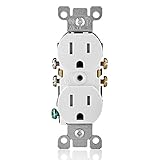
- Shutter mechanism inside the receptacle blocks access to the contacts unless a two-prong plug is inserted, helping ensure hairpins, keys, etc., will be locked out
- TR symbol on residential receptacles assures they meet the 2008 NEC requirement
- Ultrasonic heavy-duty construction offers long, trouble-free service life
- Heavy-gauge, rust-resistant steel mounting strap
- Shallow design for maximum wiring room
Tamper-resistant receptacle
Tamper-resistant receptacles, identified by the TR marking, have internal shutters that help prevent foreign objects from being inserted into the slots. They are used broadly in dwelling-unit applications under applicable electrical-code requirements. Tamper resistance is a device feature; it does not replace GFCI protection where GFCI protection is required.
Weather-resistant receptacle and cover
Outdoor, damp, and wet locations require equipment identified for the environment. Use a weather-resistant receptacle where required and install the appropriate weatherproof cover. An ordinary indoor receptacle and standard wall plate are not automatically suitable outdoors. The cover must also protect the receptacle in the conditions in which it will be used.
Two-slot or ungrounded receptacle
A two-slot receptacle may indicate that the box or cable has no equipment-grounding means. Do not install a grounding-type receptacle and imply that it is grounded. Never create a grounding path by connecting a ground wire to a neutral conductor or by improvising a connection to an ungrounded box.
Under specified conditions, replacement rules may allow a nongrounding replacement or a GFCI-type replacement marked “No Equipment Ground.” A grounding-type receptacle supplied through GFCI protection may also require specific markings. These choices depend on the actual wiring and applicable code, so an ungrounded or two-slot installation is a strong reason to stop and consult a qualified electrician.
How to replace an existing electrical receptacle
1. Inspect and document the installation before disconnecting anything
Look for cracks, scorch marks, melted plastic, corrosion, water intrusion, loose mounting, a missing faceplate, and signs that the receptacle has been overheating. A damaged receptacle or missing faceplate is a safety hazard, not merely a cosmetic problem.
Before loosening a terminal, photograph the existing wiring and label conductors if necessary. Note which cables enter the box and where each conductor is connected. A photograph preserves identity, but it does not prove the previous installation was correct.
2. Switch off the circuit and verify that power is off
- At the service panel, switch off the breaker believed to supply the receptacle.
- Do not trust the panel directory by itself; labels can be inaccurate.
- Before removing the faceplate or touching conductors, test the receptacle with an appropriate voltage tester.
- When following the tester manufacturer’s instructions, verify the tester on a known energized source before the check and again afterward.
- Recheck whenever the wiring configuration changes or you are about to handle a conductor.
If the receptacle remains energized, stop. Possible explanations include a mislabeled breaker, a shared-neutral or multiwire branch circuit, a backfed circuit, or an incorrect assumption about which device the breaker controls. Do not guess which conductor is safe. Prevent accidental re-energization where practical, and obtain qualified help if the circuit cannot be positively isolated.
Rank #3

- Terminal screws accept up to no.12 and quickwire accept no.14 copper or copper clad wire
- Double wipe power contacts for maximum conductivity and plug retention
- Heavy gauge, rust resistant steel mounting strap
- Shallow design for maximum wiring room
- Break off tabs allow easy two circuit conversion
3. Remove the old receptacle carefully
Remove the faceplate, loosen the screws holding the receptacle to the box, and pull the device forward slowly. Keep conductors separated and supported so they do not slip back into the box or contact one another.
The Tool Desk
Outbyte Driver Updater FREEFix the driver behind crashes, sound loss and screen glitchesFind Drivers →Outbyte PC Repair FREERepair Windows errors before they cause bigger problemsFix Now →Inspect the insulation and exposed copper. Stop if the insulation is brittle, burned, melted, wet, contaminated, or nicked; if the conductors are too short for a secure termination; or if the box is loose, damaged, severely overcrowded, or lacks a suitable grounding arrangement. Aluminum, knob-and-tube, cloth-insulated, and other unfamiliar legacy wiring also warrant professional evaluation rather than improvised connections.
4. Connect a conventional grounded receptacle
For a conventional grounded receptacle, the usual terminal mapping is:
| Conductor | Typical terminal |
|---|---|
| Black or red hot conductor | Brass-colored terminal |
| White neutral conductor | Silver-colored terminal |
| Bare or green equipment-grounding conductor | Green grounding terminal |
Color is a useful convention, not conclusive proof of conductor identity. Inspect the circuit and preserve the arrangement only when it is understood and correct.
- Prepare a clean conductor end only if the insulation and copper are sound.
- Form the conductor around the screw in the direction the screw tightens, when using a screw-terminal connection.
- Make the hot, neutral, and grounding connections to the correct terminals.
- Use only termination methods permitted by the receptacle’s instructions.
- Do not place two conductors under one terminal unless that terminal is specifically listed for that use.
- Where multiple grounding conductors are present, use a properly sized grounding pigtail arrangement when required by the wiring method and code.
Do not treat the device yoke as a substitute for a compliant grounding connection unless the installation method and applicable code specifically permit it.
5. If installing a GFCI, identify LINE and LOAD first
When more than one cable enters the box, do not assume which conductors are the incoming supply. Identify the source cable before making connections. Connect the source conductors to the GFCI’s LINE terminals. Connect conductors to LOAD only when downstream protection is intended and the manufacturer’s diagram confirms the arrangement.
Rank #4

- 【10 IN 1 USB Wall Outlet Extender】- 6 AC outlet adapter (3 side, 15A/125V/1875W) with built-in 1800 Joules surge protector and 4 USB charging ports (2 USB C, total output DC 5V/3.1A), 180 degree rotating AC plug. The grounded indicator light that assures your devices are secure. WARNING: Please read the user manual before use.
- 【Wide Space & Rotating AC plug】 - Unique 3-Side space-saving design surge protector, 6 AC outlets with wide space in between, are separated enough to fit big plugs without blocking each other. The swivel power strip can turn left and right 90 degrees, no worry for horizontal or vertical sockets. Compact design (5.7*1.9*1.7 Inch), easy to carry.
- 【USB-C Smart Charging Ports】- With built-in smart IC technology, high-speed USB ports automatically detect charging devices and deliver optimal charging speed, USB A up to 2.4A/5V per port, USB C up to 3A/5V max. One is enough.
- 【1800J Outlet Surge Protector】- The multiple plug outlet provide surge protector electrical spikes. 3 complementary Surge Protection Circuits, TVS(transient voltage suppressor) MOV(metal oxide varistor) GDT(gas discharge tube), with response speed less than 1Ns, and minimum energy-absorbing capacity of 1800 Joules, much more quickly and reliably than the traditional MOV surge protector circuit.
- 【Multi Safety Protection】 - Certified by ETL. USB outlet splitter prevent your electric devices from over-current/over-charge/ short circuit/over-heated. Fire-resistant ABS shell (1382℉), and high-quality component can improve durability and safety. For your safety, ensure that the current power DO NOT exceed the rated power of 1875W/15A, or it may cause short circuit and fire explode hazards
Do not use the standard black/brass, white/silver sequence as a substitute for the GFCI wiring diagram. If the device will not reset after a wiring change, or if you cannot confidently distinguish incoming from downstream conductors, turn off the circuit and call an electrician.
6. Fold the conductors and secure the device
Fold the conductors carefully into the box without sharply crushing, scraping, or over-bending the insulation. The receptacle should sit straight and be secured firmly to the box. Do not force a device into an overcrowded box. Excessive pressure is a stop condition: the box and conductor volume need to be evaluated.
Install a properly fitted faceplate. Never leave a receptacle in service with a missing or damaged faceplate.
7. Restore power and perform a cautious functional check
- Install the faceplate before re-energizing the circuit.
- Restore power at the service panel.
- Check that the receptacle functions as intended without unusual heat, noise, odor, sparking, or looseness.
- If it is a GFCI, press TEST and confirm that power is interrupted.
- Press RESET and confirm that power is restored.
- Follow the device manufacturer’s instructions for indicator lights and test intervals.
A receptacle tester can provide an additional check for some conditions, such as certain open-ground or reversed-hot/neutral indications. It cannot prove that the box is properly grounded, the circuit is correctly sized, every conductor is safe, the wiring topology is correct, or local code requirements have been met. Treat it as a diagnostic aid, not a certification of the installation.
If a GFCI will not reset, trips immediately, shows a fault indication, or behaves differently from its instructions, switch off the circuit. A repeated trip is a warning that requires diagnosis—not a nuisance to defeat.
Independent reader supportYour contribution helps us test, update, and keep practical guides available for everyone.Common mistakes to avoid
- Trusting the breaker label without testing: Verify de-energization at the receptacle and again as needed.
- Assuming the old wiring is correct: Use the photograph as a reference, then inspect the actual conductors and terminals.
- Connecting hot to silver or neutral to brass: Follow the conventional terminal mapping for a standard device, while investigating anything inconsistent or unidentified.
- Reversing LINE and LOAD on a GFCI: Identify the incoming supply and follow the device diagram.
- Installing a 20-amp receptacle without confirming the circuit: Match the receptacle to the circuit design, rating, device listing, and applicable code.
- Treating a GFCI as an equipment ground: GFCI protection does not create an equipment-grounding path, and required markings still apply.
- Using an indoor device or ordinary cover outdoors: Select equipment identified for damp or wet locations.
- Assuming a plug-in tester proves the installation is safe: It is only one additional diagnostic check.
- Continuing with damaged or obsolete wiring: Heat damage, brittle insulation, unknown conductors, and unsafe boxes require evaluation.
When to call an electrician
Stop the project and arrange qualified electrical service if:
Best Value

- FAST & EASY – Wire up to 3.5X faster than traditional screw devices. Just open the lever, insert the wire, and snap it closed—the ‘click’ confirms a secure connection. Works with 12 AWG and 14 AWG stranded or solid copper wire
- CONVENIENT COLOR-CODED LEVER TERMINALS – Simplify your electrical projects with color-coded levers that identify wire placement to help prevent miswiring
- ADVANCED TECHNOLOGY PROVIDES A SECURE CONNECTION – Enjoy complete peace of mind with secure, reliable connections every time. The innovative Lever design locks wires firmly in place, eliminating loose connections
- PRECISION-ENGINEERED STRAP – Unique tongue-and-groove alignment system for quicker trim-out in multi-gang setups. Accommodates larger midway size wallplates with custom tabs at the top and bottom that can be removed for use with standard size wallplates
- MATCH YOUR STYLE - Compatible with Decora Midway and Standard Sized Wallplates and coordinates seamlessly with other Leviton Decora electrical devices for a clean, professional look
- You cannot positively identify the circuit or it remains energized;
- The box contains more conductors than you can confidently identify;
- The circuit may be a multiwire branch circuit or shared-neutral arrangement;
- The wiring is aluminum, knob-and-tube, cloth-insulated, brittle, burned, wet, or unfamiliar;
- There is no grounding means and you are unsure which replacement option is permitted;
- The work involves a new cable, new box, circuit extension, breaker, or panel;
- A GFCI or breaker trips repeatedly;
- The box is loose, damaged, overcrowded, or inaccessible; or
- You are uncertain about permits, inspections, or the locally adopted electrical code.
Electrical codes and permits
Electrical codes and permit requirements vary by jurisdiction. The National Electrical Code is a model code, and your state, county, city, or authority having jurisdiction may adopt a different edition or add local amendments. Check with the local building department before beginning work. Do not assume that every receptacle replacement is permit-free or that a rule from another state applies where you live.
What’s actually slowing this PC down?
Pick the symptom - the matching free tool is one click away.
Quick pre-energizing checklist
- Is this a replacement in an existing box rather than a new circuit?
- Is the circuit positively identified and de-energized?
- Are the conductors sound, long enough, and correctly identified?
- Does the device match the circuit rating, grounding arrangement, and location?
- If it is a GFCI, are incoming conductors on LINE and intentional downstream conductors on LOAD?
- Are all connections secure and made by an approved termination method?
- Is the receptacle straight, fully secured, and covered by an intact faceplate?
- Has the GFCI TEST/RESET function been checked where applicable?
- Have local permit and inspection requirements been confirmed?
Frequently Asked Questions
How do I safely turn off power before replacing an outlet?
Turn off the circuit at the service panel, then verify the receptacle is de-energized with an appropriate tester before removing the faceplate or touching conductors. Do not rely solely on the breaker directory. If power remains present or the circuit is uncertain, stop and call a qualified electrician.
Can I install a GFCI receptacle if there is no ground wire?
A GFCI receptacle provides ground-fault protection but does not create an equipment-grounding path. An ungrounded replacement may require a nongrounding device or a properly marked GFCI replacement under applicable rules. Do not connect a ground wire to neutral to improvise a ground.
What is the difference between LINE and LOAD on a GFCI?
Connect the incoming supply to LINE. Use LOAD only for conductors that are intentionally being protected downstream. Identify the source cable and follow the wiring diagram supplied with the specific GFCI device.
Does a receptacle tester prove an outlet is safe?
No. A plug-in tester can identify some wiring conditions, but it does not prove that the box is properly grounded, the circuit is correctly sized, every conductor is safe, or the installation meets local code.
Free tools Windows power users keep installed
One-click scans. No signup required.
When should I call an electrician to install or replace a receptacle?
Call an electrician if the circuit remains energized, wiring is damaged or unfamiliar, the box is overcrowded, the circuit may have a shared neutral, there is no grounding means you understand, or the work involves a new cable, box, circuit extension, or panel.
The Bottom Line
Replace an existing receptacle only when the circuit is positively de-energized, the wiring and grounding are understood, and the replacement device matches the circuit and location. A GFCI or plug-in tester cannot compensate for unidentified conductors, damaged wiring, an overcrowded box, or an incorrect circuit. When any of those conditions is present, stop and use a qualified electrician.
Quick Recap
Product prices and availability are accurate as of the date/time indicated and are subject to change. Any price and availability information displayed on Amazon at the time of purchase will apply.

