Choose a data-center backup power system by starting with the loads that must stay online and the length of time they must remain powered—not by selecting a UPS model first. Map the complete path from utility service through switchgear, UPS equipment, generators, and power distribution; then compare protection, runtime, redundancy, efficiency, growth, and maintainability against your site’s requirements. Exact UPS capacity, battery autonomy, generator sizing, and fuel reserve require site data and qualified engineering.
Start with the loads and the continuity target
A backup system is only as well designed as the requirements it is meant to meet. Before comparing equipment, determine which IT and facility-support loads require uninterrupted or conditioned power, what happens if each load is lost, and how long those loads must remain available during an outage.
As an Amazon Associate I earn from qualifying purchases.
Inventory the loads
Build an inventory of current critical IT equipment and the facility systems that support it. Record each load’s capacity and identify whether it needs power conditioning, continuity through a transfer, or no UPS protection. Do not assume every circuit needs the same protection or that all equipment should sit behind one UPS arrangement. The U.S. Department of Energy’s Federal Energy Management Program (DOE FEMP) recommends evaluating which equipment requires UPS protection before choosing equipment and capacity.
Include both the initial installation and planned future loads. Also consider how the system will operate while the data center is lightly loaded. A design based only on the day-one peak can behave inefficiently or leave too little room for expansion; one sized around a speculative future peak can leave equipment persistently under-loaded.
#1 Best Overall

- Valued Carpenter Pencil Set: You will get 2 pcs solid carpenter pencils with 26 piece 2.8 mm refills, 1 replaceable sharpener, 1 plastic storage box.The complete carpenter pencils combination allows you to finish your work faster and more easily
- Deep Hole Marker Pencil: The deep-hole construction pencils adopts 45mm elongated tip design, which is more convenient to mark in the small hole or in other tight areas that other carpenter markers cannot reach
- Carpenter Pencils with Sharpener: The sharpener is screwed into the top of the work pencil, which won't get lost either. Built-in pencil sharpener that keep the lead with pointed and smooth to Improves line of sight in fine work
- Stronger Solid Lead: This work pencil is matched with a 2.8 mm thick lead , which is much thicker and stronger during the drawing process of construction work, it will not break or damage easily
- Marks on Various Surfaces: 3 colors solid construction pencil can marks on various surfaces,such as metal, plastic, wood, paper etc. Ideals for woodworkers, contractors, craftsmen, builders, merchants and masons
- List the IT loads that are essential to continued operation.
- Identify facility-support loads that must continue for the protected IT equipment to remain usable.
- Separate loads that need uninterrupted, conditioned power from those that can tolerate an interruption or use another arrangement.
- Document current demand, expected growth, and periods of partial loading.
For a useful inventory, distinguish what is installed now from what is forecast, and document the assumptions behind each forecast. The design team needs a view of the normal operating load as well as plausible future demand; a single peak figure does not show how long equipment may operate at a lower load. That distinction matters both for capacity planning and for comparing efficiency. If a proposed design is based on growth that has not yet arrived, ask how the system performs in the interim and how additional capacity would be incorporated when it is needed.
Define what “continuity” means at your site
Set an explicit outage scenario and response target. For example, determine whether the UPS is expected to bridge an interruption until generator power is available, support an orderly shutdown if generation is unavailable, or serve both purposes under different conditions. The required UPS runtime depends on that operating plan; it cannot be selected reliably from a generic runtime figure.
UPS and generator decisions belong in one continuity plan. DOE defines an uninterruptible power supply as “a power system for maintaining continuity of load power in case of input power failure.” That describes the UPS function, but not the facility’s complete outage strategy. The planned bridge time, protected loads, generator operation, and any shutdown procedure must fit together.
Quick wins for a faster PC:
Clear out junk files and repair common Windows errorsFree Scan →Fix the driver behind crashes, sound loss and screen glitchesFind Drivers →Repair Windows errors before they cause bigger problemsFix Now →Before requesting a design or quotation, make the continuity objective concrete: identify which loads remain in service, what the expected transition to alternate power is, and what the plan calls for if that alternate source is unavailable. Those assumptions are more useful than asking for a generic number of minutes. The same runtime may not be appropriate for two facilities with different protected loads or outage procedures, and available DOE guidance does not support a single runtime target for all data centers.
Map the entire electrical path
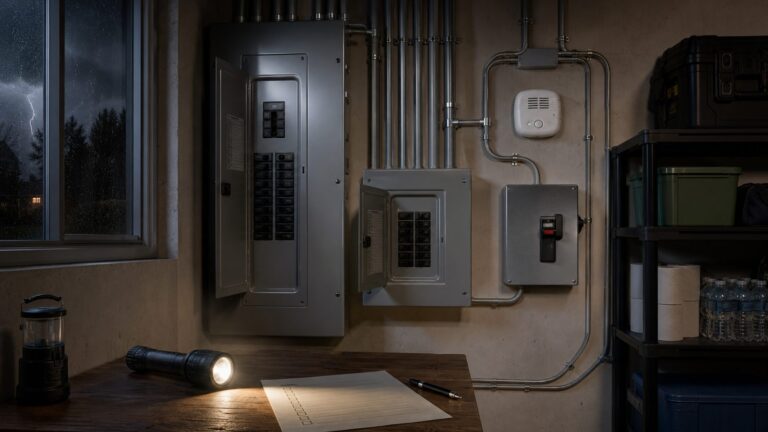
Trace power from its source to each protected load, including the normal path, alternate source, transfer or paralleling arrangements, and distribution equipment. DOE’s typical data-center path includes utility service, switchboard and switchgear, alternate power such as a generator, paralleling equipment such as multiple UPSs and PDUs, and auxiliary conditioning equipment.
Represent the path in a one-line diagram or another engineering drawing that makes the intended normal and backup routes clear. The drawing should account for the installed configuration, planned expansion, and low-load operation. A UPS cannot compensate for a weakness elsewhere in the path, and redundant equipment does not provide the intended protection if both routes depend on the same vulnerable component.
| Path element | Question to resolve |
|---|---|
| Utility service | What is the normal source, and what input conditions must the system accommodate? |
| Switchboard and switchgear | How is power controlled and distributed, and what equipment or route could interrupt service? |
| Alternate source | How does the generator fit into the outage sequence and the facility’s operating plan? |
| UPS and paralleling equipment | Which loads are protected, how are multiple units arranged, and what is the intended response if a unit is unavailable? |
| PDUs and downstream distribution | How does power reach the protected equipment, and are there shared dependencies along the route? |
| Auxiliary conditioning | Which applications need additional conditioning, and is it included where required? |
Look for single points of failure and maintenance constraints
For each part of the route, ask what happens if it fails, is being serviced, or cannot be used during an outage. Record shared components and the intended maintenance path: a system’s continuity target should account for planned maintenance as well as equipment faults. The right architecture depends on the consequences of losing a load and the site’s operational requirements, not simply on how many UPS units are installed.
What’s actually slowing this PC down?
Pick the symptom - the matching free tool is one click away.
Transfer behavior, protection coordination, and the interaction between utility, UPS, and generator equipment are engineering questions, not assumptions to settle from a product description. Have qualified project engineers validate that the planned sequence and protective arrangements work for the site.
Rank #2

- Ergonomically Designed: Work in tight areas with a compact design that gets into tough spots
- Compact and Lightweight: Both tools are designed to fit into difficult to reach spaces. The 1/4" impact driver has a length of 5.55 in. and weighs just 2.8 lbs, while the 1/2" drill/driver measures only 7.5 in. and weighs 3.6 lbs
- Both the DEWALT impact driver and electric drill driver feature integrated LED work lights with a convenient 20-second delay, ensuring enhanced visibility in dimly lit or challenging work areas
- One-Handed Loading - Keep one hand free with a 1/4 in. hex chuck that accepts 1 in. bit tips
- Power drill cordless with 1/2" single sleeve ratcheting chuck provides tight bit gripping strength, making bit changes faster and more secure
Review the drawing as an operating plan, not just an equipment list. For each route, the team should be able to explain how power reaches the load during normal service, during a utility interruption, and while equipment is unavailable for maintenance. This helps reveal whether an apparent backup path shares a dependency with the normal path. It also gives engineers a clear basis for checking transfer behavior and protection coordination rather than relying on assumptions about how separately selected components will interact.
Choose the UPS arrangement and conditioning level
Once the protected loads and power path are understood, compare UPS options against the level of conditioning those loads need, the required continuity, and the desired failure and maintenance behavior. DOE FEMP advises selecting the lowest level of power conditioning needed for the application. More conditioning is not automatically better if the application does not require it, while using less than the load needs can undermine the protection objective.
Compare the decision factors together
| Decision factor | What to establish |
|---|---|
| Protected load and power quality | Which equipment is behind the UPS, and what conditioning does it require? |
| Continuity and runtime | How long must protected loads remain powered before generation or an orderly shutdown takes over? |
| Redundancy and failure behavior | What happens when a unit or part of the distribution path is unavailable, including during maintenance? |
| Present and future demand | What are the current loads, partial-load conditions, and credible expansion needs? |
| Efficiency across the load range | How does the proposed arrangement perform at normal, light, and future loads? |
| Scalability and modularity | Can capacity be added to match actual growth, and how does the approach fit persistent under-loading? |
| Monitoring and maintenance | What power-use data can be collected, and what maintenance do the system’s components require? |
| Generation and distribution fit | Does the UPS arrangement work with the generator, paralleling equipment, and downstream power path? |
Use the factors as a combined comparison rather than a checklist where one standout feature decides the purchase. A candidate may meet the stated capacity need but be inefficient at the facility’s usual load, or appear highly efficient while relying on an operating mode that does not fit the required conditioning. Similarly, equipment redundancy alone does not establish end-to-end continuity if a shared distribution component remains a dependency. Ask for the assumptions behind each proposal and compare alternatives against the same load profile and operating scenarios.
Compare redundancy with actual load
Redundancy can improve continuity, but its effect on loading and efficiency must be considered at the same time. DOE warns that a large UPS paired with an identical 100%-capacity redundant unit can run at a low load factor. If the protected demand is modest relative to installed capacity, both systems may operate well below their design loading even though the architecture meets its redundancy objective.
Compare candidate arrangements at the actual expected load, not just at rated capacity. Include the normal operating condition, a partial-load condition, the intended growth case, and the operating condition that results when equipment is unavailable. A redundancy choice that looks sufficient in a capacity-only comparison may be a poor fit for the site’s load profile or energy goals.
Ask engineers to show how the chosen redundancy approach changes the load carried by each UPS in those scenarios. The aim is not to minimize redundancy regardless of risk; it is to understand the trade-off between the continuity objective, installed capacity, and operation at expected loads. DOE’s example of a large UPS paired with an identical 100%-capacity redundant unit is a warning against evaluating capacity in isolation, not a rule that a particular redundancy arrangement is always wrong.
Consider modularity when demand is uneven or growing
Modular UPS systems merit consideration when future growth is expected or when a facility is likely to remain under-loaded for a substantial period. DOE FEMP specifically recommends considering modular systems in those circumstances. Modularity can help align installed capacity with demand, but it does not remove the need to evaluate redundancy, efficiency, maintenance, and the complete power path.
Recommended Free Tools
Ask how the proposed capacity changes as new loads are added, whether the system can be maintained in the intended operating state, and how its efficiency varies across the design range. Avoid treating “modular” as a guarantee of lower energy use or a universally preferable architecture; the answer depends on the installation and operating profile.
Rank #3

- 【Great Compatibility】This Katerk 1/4 inch hex shank bit holder is specifically designed for 1/4 inch hex shank drill bits. It's compatible with most 1/4 fast hex handles, hex sockets, various electric screwdrivers, and handheld screwdrivers. The bit holder makes it a valuable addition for any handyman.
- 【Secure and Safe】Built with a secure backup nut design, each drill bit holder securely locks onto your bits, ensuring they stay firmly in place. Additionally, our bit holder incorporates a high-quality steel ball rolling design that holds up to several kilograms of weight, ensuring your various drill bits don't fall off.
- 【Easy One-Handed Operation】The bit holder for impact driver allows you to change bits single-handedly, simplifying your workflow. Its multi-color design further allows for quick identification of the drill bit you need.
- 【Compact and Convenient】Thanks to its compact size, this 1/4 inch bit holder is easy to carry around. The bit holder allows for easy attachment to various tools, making this a convenient addition to your construction accessories. The Katerk bit holder is cast from high-quality alloy material, promising a long product lifespan. Despite its rugged strength, the bit holder remains lightweight, making it portable.
- 【Cool Christmas Gift For Men Stocking Stuffers】 This screwdriver bit holder, driver bit holder, impact bit holder, can be given as a gift to your loved one, especially for anyone involved in construction or electrical work. It's a must-have for stocking stuffers for men and women, tools gifts for dad, tech gadgets for men, gifts for dad, gifts for him, gifts for husband, gifts for boyfriend, cool gadgets for men, and cool gifts for dad.
For a modular proposal, compare the planned starting configuration with the later growth configuration. Confirm how the provider expects capacity to be added and how the arrangement will be assessed for redundancy and efficiency at each stage. For a non-modular alternative, establish how it handles the same growth assumptions and the current partial-load period. The point is to compare the service life of the design, not just the day-one equipment configuration. DOE’s guidance supports considering modularity for growth or persistent under-loading, but it does not say that every growing facility should use a modular UPS.
Evaluate efficiency at the loads you expect to run
UPS efficiency changes with loading. A rating at one operating point does not establish how the system will perform when the data center is lightly loaded, when demand is typical, or after future expansion. DOE FEMP recommends looking for efficiency across the design range and collecting power-use data so the facility can understand performance in operation.
The DOE’s 2024 Best Practices Guide for Energy-Efficient Data Center Design says double-conversion UPS efficiency reached 95% or higher in 2023, compared with 85% to 90% in the 1990s. These are broad guide figures, not a promise for every unit or a substitute for checking a proposed system’s performance at the site’s expected loads.
Windows Errors? Fix Them Before They Spread
Repair common Windows errors and clear accumulated junk for a smoother, more stable PC - no reinstall needed.Free scan · no reinstallOutdated Drivers Are Slowing You Down
One free scan finds every outdated or missing driver and matches the right update for your exact hardware.Free scan · exact hardware matchThe same DOE guide gives two illustrative savings examples. For a described 15,000-square-foot data center with IT equipment at 100 W per square foot, improving UPS efficiency from 90% to 95% corresponds to a calculated annual reduction of 768,421 kWh, or about $90,000 at $0.12/kWh; the dollar figure uses that stated electricity rate, and the calculation does not include additional cooling savings. Separately, the guide presents 13,000 kWh in annual savings for a 100-kW load as an example associated with a higher UPS load factor. Neither figure is a site-specific forecast: actual savings depend on the installation, loading, and energy cost.
These examples help frame why the comparison matters, but they should not be copied into a project budget as guaranteed savings. The 15,000-square-foot example depends on its stated IT density, efficiency change, and electricity rate, while the 100-kW example is tied to a higher load factor. A facility should instead compare its own load profile and energy cost with performance information for the systems under consideration. DOE recommends power-use data collection, which can also help operators compare expected and actual operation after installation.
Check any economy or line-conditioning mode carefully
Some double-conversion systems can reach up to 99% efficiency in a line-conditioning or economy mode, according to DOE. This is a mode-specific potential, not a universal efficiency rating for double-conversion UPSs. Before relying on it, engineers should evaluate how the mode fits the application’s power-conditioning needs, continuity target, and operating plan.
Ask for operating data across the expected load range and clarify which mode and conditions apply to each quoted efficiency figure. Comparing systems at different load levels or in different operating modes can make a headline number misleading.
When reviewing a mode-specific claim, get the conditions in writing: identify the mode associated with the figure and the load range represented by the data. Then have the project engineers assess the mode against the actual application rather than treating a maximum figure as the system’s everyday performance. This keeps an efficiency comparison connected to the power-quality and continuity requirements established at the start of the project.
Rank #4

- Long Nib and Deep Hole Marker: Our mechanical carpenter pencil with 45mm nib is designed for easy marking of deep holes or narrow areas. These construction pencils are the great choice for woodworking tools, construction tools, carpenter tools, contractor tools, wood carpentry tools and architect tools
- Extra Refills in 2 Colors for Versatile Marking: The construction mechanical pencil comes with 12 extra 2.8mm refills, including 6 red and 6 black refills. The black refill is suitable for light surfaces, while the red wax is perfect for dark surfaces. Our carpenter mechanical pencil makes sure that you'll have an ample supply for extended use
- Built-in Sharpener: Our construction pencil comes with a built-in sharpener to ensure the mechanical pencil tip is always sharp and ready for use. Never buy an extra pencil sharpener again. A great tool for any woodworker pencil, contractor pencils. The refill can easily be extended or retracted with a simple click of the pencils mechanical, allowing you to work more efficiently and accurately
- Portable Clip Design: Our deep hole construction pencil features a portable clip design, easy to carry and attach to your pocket or tool box, so that you can keep the carpenter pencils mechanical close at hand, making it a convenient tool to have on the go. Great gifts choice for carpenters
- Stronger Pencil Lead: The black refills are made of lead, sturdy and smooth. The red refills are made of wax, clear and light. These marking pencils are much thicker and stronger than normal pencils during the marking process of construction work, suitable for various surfaces, such as glasses, metal, boards, floors, walls, furniture, etc. The written marks can be easily wiped with a wet paper towel when needed
Coordinate runtime, batteries, and generation
Choose required UPS runtime in the context of the site’s response to a utility interruption. The UPS maintains load power when input power fails; the generator is an alternate source in the broader distribution path. The required bridge interval therefore depends on which loads are protected and on how the facility expects to move from normal power to generation, or to an orderly shutdown if that is the plan.
Do not infer battery autonomy, generator capacity, or fuel reserve from the UPS rating alone. Those requirements depend on site-specific load profiles, outage assumptions, location, and engineering constraints. The available DOE guidance supports treating generation and UPS equipment as parts of the same path, but it does not establish a universal runtime or generator-sizing value.
- Define the loads that must remain powered through an outage and the required bridge time.
- Specify how the generator and UPS are expected to interact during the outage sequence.
- Determine what the operating plan requires if generation is unavailable or cannot support the intended transition.
- Have qualified engineers validate battery autonomy, generator and fuel requirements, transfer behavior, and protection coordination against the site conditions.
Batteries and capacitors require upkeep as part of the continuity plan. DOE FEMP advises maintaining them according to manufacturer instructions. Include those maintenance responsibilities in the facility’s operational planning rather than treating installed equipment as a set-and-forget safeguard.
A request for “how long should the UPS run?” therefore needs a site answer, not a catalogue answer. Establish whether runtime is intended only as a bridge to generator power, whether it must also support an orderly shutdown, or whether different loads have different roles in the response. Those decisions determine the scope engineers must validate. Available DOE guidance does not provide a universal battery duration, generator capacity, or fuel reserve, so quoting one without the site’s load and operating assumptions would create false precision.
Use a practical selection sequence
A documented selection process keeps equipment choices tied to the facility’s needs and makes trade-offs visible to owners, engineers, and operators.
- Inventory critical loads. List IT and facility-support equipment, capacity, and the degree of conditioning or uninterrupted service each load requires.
- Set continuity assumptions. State the outage conditions to plan for and the required runtime before generation or orderly shutdown is expected to take over.
- Draw the full power path. Map utility service, switchgear, UPSs, generators, paralleling arrangements, PDUs, and auxiliary conditioning. Mark dependencies and intended maintenance routes.
- Compare redundancy against demand. Check normal, partial, growth, and equipment-unavailable loading conditions rather than selecting capacity in isolation.
- Assess efficiency and operations. Compare efficiency across the expected load range, available power-use data, conditioning needs, monitoring, maintenance, and expansion approach.
- Validate the design with qualified engineers. Confirm capacity, protection coordination, transfer behavior, battery autonomy, generator and fuel requirements, and applicable local code and site requirements.
Carry the same assumptions through every alternative. If one proposal assumes a different protected load, growth case, or outage response than another, their stated capacity, runtime, or efficiency may not be comparable. A useful evaluation records what each option protects, the expected loading conditions, how the generator and distribution path fit, and what engineering validation remains. It should also identify the maintenance obligations, including manufacturer-directed care for batteries and capacitors.
What a sound decision cannot be reduced to
There is no universally best UPS topology or single efficiency-maximizing design for every data center. DOE FEMP’s July 26, 2024 guide states: “No design guide can offer ‘the most energy-efficient’ data center design, but these guidelines can provide efficiency benefits for a wide variety of data center scenarios.” Site conditions and operating profiles shape the answer.
Do these 3 things before closing this tab:
1Repair Windows errors before they cause bigger problems2Fix the driver behind crashes, sound loss and screen glitches3Clear out junk files and repair common Windows errorsA rack-mounted UPS may be relevant to a small server room or edge site, but that does not make a consumer rack unit a substitute for a facility-level data-center power design. The reviewed DOE guidance does not establish a particular brand, model, wattage, or runtime as the right purchase. For a full facility, use the load inventory, continuity plan, and engineered power-path review to define the specification before evaluating products.
Best Value

- Milwaukee Ink all Fine Point Marker, Black, 4 Per Pack
- 4 per pack Features Clog Resistant Marker Tip Writes through Dusty, Wet and Oily Surfaces Durable Marker Tip for Writing on Concrete, OSB and Rough Surfaces
- Clog resistant tip writes on dusty, wet and oily surfaces and is optimized for rough surfaces such as OSB, cinderblock and concrete
- Hard hat clip- attaches for easy access
- Quick dry time with reduced smearing and marking
For a small server room or edge installation, a rack-mounted UPS can be a relevant product category to investigate. Still, the category label alone does not establish whether a unit protects the intended load or meets a continuity requirement. No specific model, brand, wattage, or runtime is supported here, and a consumer rack UPS should not be presented as a whole-data-center solution. Define the application first, then use qualified engineering for the facility’s capacity, autonomy, generation, and code requirements.
Frequently Asked Questions
What size UPS do I need for my data center?
Start by inventorying the critical IT and facility-support loads, their capacity, the conditioning they need, and current as well as expected future demand. Then compare candidate arrangements at normal, partial, growth, and equipment-unavailable loads. No universal UPS rating is provided by this guidance; exact capacity requires site data and qualified engineering.
How long should a data-center UPS run?
Set runtime from the outage plan: determine whether the UPS must bridge the transition to generator power, support an orderly shutdown if generation is unavailable, or do both under different conditions. The required interval depends on protected loads and site operating assumptions; there is no universal runtime supported by this guidance.
The Tool Desk
Outbyte Driver Updater FREEFix the driver behind crashes, sound loss and screen glitchesFind Drivers →Outbyte PC Repair FREERepair Windows errors before they cause bigger problemsFix Now →Should I use a modular UPS?
Consider modular systems when future growth is expected or the facility may remain under-loaded for a substantial period. Compare efficiency across the design range, redundancy, maintenance, and the full power path. Modularity may help align capacity with demand, but it is not automatically the most efficient or appropriate choice.
Can I use a rack-mounted UPS for an entire data center?
DOE guidance supports a rack-mounted UPS as a potentially relevant category for a small server room or edge site, not as a substitute for a facility-level power design. No particular product, wattage, or runtime is established. Define protected loads and the continuity plan before evaluating equipment.
What should engineers validate before the system is selected?
Have qualified project engineers validate capacity, protection coordination, transfer behavior, battery autonomy, generator and fuel requirements, and applicable local code and site requirements. They should also check how the UPS, generator, paralleling equipment, and downstream distribution work together.
The Bottom Line
Choose backup power by specifying protected loads and continuity first, then evaluate the complete utility-to-load path, UPS and generator coordination, redundancy, efficiency at real operating loads, and future growth. No generic model or runtime fits every facility. Validate capacity, battery autonomy, generation, transfer behavior, and code requirements with qualified project engineers.
Free tools Windows power users keep installed
One-click scans. No signup required.
Quick Recap
Product prices and availability are accurate as of the date/time indicated and are subject to change. Any price and availability information displayed on Amazon at the time of purchase will apply.