Windows Errors? Fix Them Before They Spread
Repair common Windows errors and clear accumulated junk for a smoother, more stable PC - no reinstall needed.Free scan · no reinstallCrashes, No Sound, or Screen Glitches?
Random freezes, missing sound and display glitches usually trace back to one bad driver. Find and replace yours safely.Free scan · under a minuteGoogle has ended the Nest Protect and Nest × Yale Lock product lines, but neither product was immediately shut down. Nest Protect production ended, while sales of the Nest × Yale Lock ended as remaining inventory was sold. Existing devices were set to continue working under Google’s stated support policies.
The urgent question for homeowners is therefore not simply whether Google discontinued them. It is whether a Nest Protect has reached its 10-year replacement date, or whether a Nest × Yale Lock still has reliable local operation and the required Nest Connect bridge.
As an Amazon Associate I earn from qualifying purchases.
What Google actually discontinued
Google announced the changes on March 28, 2025. The two products received different treatment:
What’s actually slowing this PC down?
Pick the symptom - the matching free tool is one click away.
| Product | Google’s action | What existing owners should expect |
|---|---|---|
| Nest Protect | New production ended; remaining stock could be sold while supplies lasted. | Existing alarms were to continue working and receive software and security updates through their normal expiration dates. |
| Nest × Yale Lock | Sales ended; remaining inventory could be sold while supplies lasted. | Existing locks were to retain lock functionality and continue receiving security updates under Google’s stated policy. |
Google’s announcement did not say that existing alarms or locks would immediately stop functioning. The products launched years ago—Nest Protect in 2013 and Nest × Yale Lock in 2018—so discontinuation means the end of production or sales, not an instant service shutdown. Google’s stated support also does not guarantee unlimited future support.
#1 Best Overall

- Compatible with Google's Nest Protect Alarm
- Sends alerts to your phone if smoke and CO are detected through the First Alert app
- Interconnect so when one alarm sounds, all compatible alarms in the home sound
- Notifies when the batteries are low, eliminating late night chirps
- Voice alerts with Heads-Up warning tells you the type and location of danger in your home
Nest Protect owners: check the date before replacing it
An in-date Nest Protect does not need to be replaced merely because Google stopped manufacturing new units. Existing alarms should continue operating through the expiration date printed or indicated on the device, according to Google.
Second-generation Nest Protect alarms should be replaced after 10 years from the date of manufacture. An alarm that still powers on or remains visible in an app is not necessarily safe to keep in service after that deadline.
- Remove or inspect each alarm and find its manufacture or replacement date.
- Replace any unit that has reached its 10-year life, announces end of life, fails a test, or reports a sensor, battery, or connectivity fault.
- Choose a battery or hardwired replacement that matches the existing installation.
- Test the new alarm and confirm its room assignment and alerts in the relevant app.
Do not confuse internet connectivity with safety. A Nest Protect’s local alarm and wireless interconnection are separate from remote app notifications. Test the alarm according to the manufacturer’s instructions even if it appears online.
First Alert’s Nest Protect replacement information explains the 10-year replacement rule and the SC5 transition.
Do Nest Protect alarms still interconnect?
Nest Protect alarms can communicate wirelessly with compatible Protect units. If one detects dangerous smoke or carbon-monoxide levels, other compatible alarms can announce the emergency. Google documents this wireless interconnection system.
A replacement project may leave a home with a mixture of Nest Protect and newer alarms. Google and First Alert identify the First Alert SC5 as the partner replacement intended to work with existing second-generation Nest Protect units. First Alert says supported SC5 models can interconnect with Nest Protect through Google Home, with a Google Account required.
That does not mean every First Alert or BRK alarm will interconnect with Nest Protect. Confirm the exact model, Nest Protect generation, app requirements, and regional compatibility before buying.
Quick wins for a faster PC:
Repair Windows errors before they cause bigger problemsFix Now →Fix the driver behind crashes, sound loss and screen glitchesFind Drivers →Rank #2

- Real-Time Ring App Notifications: Home or away, get smoke or low battery warnings (no subscription required)
- Over 25% faster smoke detection (based on internal testing vs a leading competitor)
- Optional Ring subscription (sold separately) with 24/7 smoke monitoring for $5/month
- No Wiring Needed: Operates on 2-AA alkaline batteries (included) for simple use throughout your home
- Whole Home Smart Connectivity: Get mobile alerts for every Kidde alarm in your home through wire-free interconnectivity — when one alarm sounds, they all do. (Check the user guide for more information)
First Alert SC5: the intended Nest Protect replacement
First Alert offers SC5 versions for battery-powered and hardwired installations. The company advertises the SC5 as providing:
- Smoke and carbon-monoxide detection
- Mobile alerts through the First Alert app
- Google Home compatibility
- Compatibility with specified existing Nest Protect alarms
- Voice alerts and early-warning features
- The same mounting bracket as Nest Protect
- A quick-connect adapter for supported hardwired installations
These are First Alert’s manufacturer claims. The SC5 should be viewed as a designated replacement path, not as proof that every Nest Protect feature, setting, app screen, sound, or physical behavior is identical.
Before installing one, verify:
- Whether the existing alarm is battery-powered or hardwired
- Whether the wiring connector and interconnect arrangement are supported
- Whether local fire and electrical codes permit the installation
- Whether the alarm location is appropriate for both smoke and CO detection
- Whether Google Home and the First Alert app meet your notification needs
A shared mounting bracket does not make every electrical installation a drop-in replacement. Do not modify household wiring unless the work is performed by someone qualified and complies with local requirements. See First Alert’s replacement guide and compatibility information.
When should a homeowner replace Nest Protect?
Keep using it for now when:
- It is less than 10 years old.
- It passes testing and has no end-of-life warning.
- The battery, sensors, and connectivity are reliable.
- You are comfortable continuing with the Nest ecosystem.
Replace it promptly when:
- It has reached its manufacture-date expiration.
- It announces that it has reached end of life.
- It fails testing or reports a sensor or battery problem.
- You want a currently manufactured alarm with a clearer supply outlook.
After installation, test the replacement, confirm that alarms interconnect as intended, and verify room names and notifications. Dispose of the old alarm according to local rules and the manufacturer’s guidance.
What happens to an existing Nest × Yale Lock?
An existing Nest × Yale Lock was not automatically bricked by Google ending sales. Google said existing locks would continue receiving security updates and retain lock functionality.
The keypad remains important because it can operate locally even when the lock loses its cloud connection. However, remote locking or unlocking, phone notifications, and app-managed access depend on connectivity to the relevant service.
Nest Connect is required for Wi-Fi connectivity
Google’s current support documentation says that Nest Connect is the bridge used to connect the Nest × Yale Lock to Wi-Fi. Nest Guard can no longer serve as the lock’s bridge. Owners who previously relied on Nest Guard needed to replace that connection with Nest Connect.
Rank #3
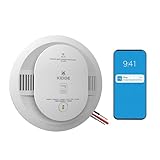
- Double the Detection: Alerts you to both smoke and carbon monoxide (CO)
- Real-Time Ring App Notifications: Home or away, get smoke, CO or low battery warnings (no subscription required)
- Over 25% faster smoke detection (based on internal testing vs a leading competitor)
- Optional Ring subscription (sold separately) with 24/7 smoke and CO monitoring for $5/month
- Whole Home Smart Connectivity: Get mobile alerts for every hardwired alarm in your home by adding just one Kidde smart detector; check the user guide for more information
This is separate from the Nest × Yale Lock discontinuation. Nest Secure support ended in an earlier transition, but that does not mean the lock’s keypad stops working. Without a working Nest Connect, the lock may still accept codes locally while losing cloud-dependent app features.
Do these 3 things before closing this tab:
1Scan for outdated or missing drivers - takes under a minute2Clear out junk files and repair common Windows errors3Fix the driver behind crashes, sound loss and screen glitchesGoogle also announced that some features, including passcode management, would move from the Nest app to Google Home. Treat this as a feature transition rather than an assurance that every Nest-app workflow has already migrated identically.
See Google’s Nest × Yale Lock support page for current bridge and connectivity requirements.
Independent reader supportYour contribution helps us test, update, and keep practical guides available for everyone.Should you replace the Nest × Yale Lock?
Keeping it is reasonable when:
- The lock fits the door and operates reliably.
- The keypad, batteries, and mechanical parts are working properly.
- Remote access and notifications still work when needed.
- You have a Nest Connect rather than relying on Nest Guard.
- You do not need newer Matter-based or cross-platform features.
Consider replacing it when:
- The lock repeatedly loses connectivity or has keypad failures.
- Nest Connect is unavailable or unreliable.
- You want Matter or broader smart-home platform support.
- The lock no longer fits the door or its mechanical operation is deteriorating.
- The Google Home access-management workflow does not meet your needs.
What replaces Nest × Yale Lock?
Google and Yale announced a Yale Smart Lock with Matter as the forward-looking Google Home option. Matter is designed to improve interoperability among supported smart-home platforms, but it does not make the new lock a guaranteed one-for-one replacement.
Before buying, check:
- Deadbolt type, backset, door thickness, and available clearance
- Whether the door is standard, mortise, multipoint, sliding, or glass
- Whether a hub, bridge, Matter controller, or other hardware is required
- Support for guest codes, temporary codes, activity logs, auto-lock, and offline operation
- Compatibility with Google Home and any other platform you use
- Whether passcodes, automations, and existing installation hardware can be transferred
Google’s compatible-device directory also lists smart-lock brands such as Yale, Schlage, August, Level, Aqara, Eufy, and Kwikset. Compatibility is model-specific; a brand appearing on the list does not guarantee the same features as Nest × Yale.
Recommended Free Tools
Keep using, replace, or wait?
| Your situation | Practical action |
|---|---|
| Nest Protect is under 10 years old and passes testing. | Keep using it and monitor its expiration date. |
| Nest Protect is expired or reports end of life. | Replace it promptly with a compatible battery or hardwired alarm. |
| Nest × Yale works and has Nest Connect. | There is no immediate replacement requirement. |
| Nest × Yale relied on Nest Guard for connectivity. | Install Nest Connect if cloud access and notifications are important. |
| You want broader smart-home interoperability. | Investigate a Matter-compatible lock, checking fit and hub requirements first. |
| You want minimal cloud dependence. | Consider conventional code-compliant smoke alarms or a lock with dependable local controls. |
Bottom line for homeowners
Google ended the product lines, not the immediate usefulness of every device already installed. Replace a Nest Protect because it is expired, unsafe, or failing—not simply because production ended. Replace a Nest × Yale Lock when its hardware or connectivity no longer meets your needs, or when you deliberately want a newer Matter-based system.
For Nest Protect owners, the First Alert SC5 is the manufacturer-designated replacement route, but wiring, model compatibility, app behavior, and local code still require checking. For Nest × Yale owners, a functioning lock with Nest Connect does not require an emergency replacement, while a Yale Matter lock is a successor direction rather than a guaranteed hardware or feature-for-feature retrofit.
Quick Recap
Product prices and availability are accurate as of the date/time indicated and are subject to change. Any price and availability information displayed on Amazon at the time of purchase will apply.

