An accurate early estimate for a fast-track job is not a single precise number. It is a documented forecast tied to the design information available on a stated date, an estimate class, explicit assumptions, and a project-specific analysis of risk. Because design, procurement, and construction overlap, the estimate must show what is known, what is provisional, and what event will change the forecast.
The practical goal is decision-quality information: an owner can authorize the next package, a designer can see the cost effect of a decision, and the contractor can plan procurement without mistaking an early forecast for a guaranteed final cost.
As an Amazon Associate I earn from qualifying purchases.
What “accurate” means when design and construction overlap
Fast-track work changes the meaning of accuracy. A conventional estimate may be prepared after a relatively complete design, while a fast-track estimate is issued to support decisions before every drawing, specification, and subcontractor price exists. Accuracy therefore has three dimensions:
Free tools Windows power users keep installed
One-click scans. No signup required.
- Traceability: every quantity and price can be traced to a drawing, model, specification, quote, database entry, or stated assumption.
- Fitness for the decision: the estimate is detailed enough for the decision being made, but does not imply a level of certainty the design cannot support.
- Controlled change: later estimates explain what changed in scope, design maturity, market pricing, schedule, or risk rather than simply replacing the previous total.
Use the estimate to answer a defined question: Is the project affordable? Should a package be released? Which design option is lower risk? Is a trade commitment justified? An estimate that answers none of those questions, or hides its basis, can be numerically tidy and still be misleading.
#1 Best Overall

- ADVANCED CONSTRUCTION MATH SOLUTIONS: Solve all your dimensional math quickly and accurately with the award-winning CM Pro construction calculator's powerful built-in solutions for completing layouts, plans, bids, estimates and more, directly in the building units you prefer
- EFFORTLESS UNIT CONVERSION: Work in and convert between all common building dimension formats including feet-inch-fractions, decimal feet-inches, yards and metric, with area and volume calculations, plus weight-per-volume and D:M:S to decimal degree conversions
- TIME-SAVING RIGHT ANGLE FUNCTIONS: Built-in functions for right angles provide instant solutions for square-ups, rafters (common, hip, valley, jacks), rake-walls, slopes, angles and more, plus complete stair layout and advanced solutions for arcs, arches, circles, and columns
- PREVENTS COSTLY MATERIAL WASTE: Built-in solutions for roofing, drywall, studs, blocks, concrete footings and board-feet lumber estimating, plus compound miter functions help you avoid errors when working with crown molding and other pricey millwork
- COMES COMPLETE: Comes with a rugged Armadillo Gear protective case, pocket reference guide, two long-life batteries and a full one-year limited warranty for daily professional use
AACE International’s classification system provides a useful structure. Its generic Recommended Practice 17R-97 defines five classes, Class 5 through Class 1, ordered from least to most defined by the maturity of project-definition deliverables. The building and general construction application is set out in Recommended Practice 56R-08. Classification is a description of the information available, not a promise of a particular percentage accuracy.
Assign an estimate class before choosing a number
Start by recording the project-definition maturity at the estimate date. The following is a practical interpretation of the AACE progression; the exact deliverables should be agreed by the project team for the building type and procurement route.
| Class | Relative definition | Appropriate use on a fast-track project | What the label does not mean |
|---|---|---|---|
| Class 5 | Least defined; concept or very early feasibility information | Screening alternatives, testing an order-of-magnitude budget, deciding whether to develop the concept | It is not a bid-ready price or a guaranteed cost band. |
| Class 4 | Early design and developing scope | Comparing systems, setting an initial funding target, planning design and procurement work | More drawings do not automatically remove market, schedule, or scope risk. |
| Class 3 | Intermediate definition with key systems and quantities emerging | Authorizing major packages, establishing a control budget, making significant design decisions | The class alone does not establish the estimate’s accuracy range. |
| Class 2 | Advanced definition; most major scope is developed | Preparing procurement strategies, negotiating packages, and refining the construction budget | Unresolved interfaces and market conditions can still move the result materially. |
| Class 1 | Most defined; design and deliverables are near complete for the intended purpose | Supporting final procurement, bid evaluation, or a detailed control estimate | Even a highly defined estimate remains exposed to execution and commercial risk. |
AACE’s Professional Guidance Document No. 01 explains that an accuracy range requires quantitative risk analysis. The estimate class is a starting description of definition maturity, not an accuracy guarantee. Record the class, the evidence for assigning it, and the intended decision in the estimate cover sheet.
Build a basis of estimate that a fast-track team can audit
The basis of estimate is the handoff between the people producing a number and the people relying on it. For each issue, capture the following in plain language.
1. Scope snapshot
List the building areas, use, capacity, site boundaries, enabling work, temporary facilities, demolition, utilities, and commissioning included. Identify the drawing and model revision, specification sections, narratives, and room or equipment schedules used. State the estimate date and the pricing location. If a package is not yet designed, identify the performance requirement and the person responsible for developing it.
2. Quantity and pricing basis
Show the quantity source and unit for each major work package. Separate measured quantities from allowances and factors. Identify whether a price is a subcontractor quotation, a recent project comparison, a catalog or database rate, a labor-and-material build-up, or a professional judgment. Record quote dates, validity periods, freight assumptions, taxes, duties, and escalation treatment where they apply.
Rank #2

- WORKS IN UNITS THAT WORK FOR YOU -- enter dimensions directly in feet, inches, fractions, yards and meters including square and cubic formats and then instantly convert to any standard building unit you prefer for consistent solutions that makes sense to you
- SET A PROJECT’S MATERIAL REQUIREMENTS to define and use stored values for estimating, including custom tile size, grout gaps, board widths, fence post spacing, paint coverage and more so you can quickly determine your material requirements and costs
- BUILT-IN FUNCTION KEYS help you easily find the number of boards or posts based on standard board lengths and stored measurements, so you get the fencing or decking material quantities you need to finish the job without costly overages or underages
- FIGURE OUT FLOORING REQUIREMENTS with built-in standard carpet roll lengths, linoleum square and roll sizes, custom tile sizes with various grout widths to quickly calculate coverage area and square yards you need based on an entered or calculated floor area
- Works directly in yards, feet, inches, fractions and meters – including square and cubic formats. No need to convert to decimals.
3. Assumptions and exclusions
Write assumptions as testable statements: for example, a stated soil condition, a utility capacity, a specified finish level, or an assumed procurement lead time. Put exclusions in a separate list so an excluded item cannot be mistaken for a zero-cost item. Flag owner-furnished equipment, design fees, permits, insurance, financing, land costs, and contingencies according to the project’s agreed cost definition.
Do these 3 things before closing this tab:
1Scan for outdated or missing drivers - takes under a minute2Repair Windows errors before they cause bigger problems3Fix the driver behind crashes, sound loss and screen glitches4. Unresolved decisions
Create a decision log for items such as structural framing, façade system, energy targets, fire protection strategy, equipment capacity, phasing, and temporary works. For each item, show the decision owner, due date, cost-sensitive alternatives, and the estimate line affected. This prevents a provisional choice from becoming an invisible commitment.
5. Estimate boundaries
Define the project cost categories included in the total and show interfaces between design, procurement, construction, commissioning, and operations. A fast-track estimate often combines packages prepared at different design maturities; identify those boundaries rather than presenting the total as uniformly developed.
Use a repeatable fast-track estimating workflow
- Define the decision and class. State whether the issue supports feasibility, funding, package release, procurement, or cost control. Assign the appropriate maturity class and list the deliverables supporting it.
- Freeze the information date. Archive the drawing, model, specification, schedule, quote log, and design assumptions used. New information belongs in the next update unless the team formally reissues the current estimate.
- Choose a method for each work package. Early packages may use area or capacity relationships, assemblies, or historical comparisons; more-defined packages can use measured quantities and detailed labor, material, and equipment build-ups. Record why the method fits the available information. Do not imply that one method is universally superior.
- Structure the estimate by work breakdown and procurement package. Align the estimate coding with the schedule and bid packages so a design revision can be isolated. Keep general conditions, temporary works, logistics, and commissioning visible rather than burying them in trade rates.
- Integrate schedule and market conditions. Map each package to its planned release, fabrication period, site sequence, and installation window. Note long-lead items, escalation exposure, overtime or shift assumptions, site access limits, and the effect of partial design release on subcontractor pricing.
- Reconcile quantities and interfaces. Check that architectural, structural, and MEP quantities describe the same scope. Test penetrations, supports, finishes, equipment connections, controls, and commissioning responsibilities—the interfaces most likely to fall between packages.
- Quantify uncertainty and risk. Maintain a risk register with probability, cost or schedule effect, owner, mitigation, and trigger. Use quantitative risk analysis when a project-specific range is required, as recommended in AACE guidance. Keep base estimate, identified risk, and contingency treatment distinguishable.
- Review independently. Have a person who did not build the estimate test the basis, quantities, omissions, arithmetic, escalation, and risk logic. Resolve differences in a review log; do not silently average competing numbers.
- Issue the estimate with a change log. Show the current total, major package values, assumptions, exclusions, unresolved decisions, risk treatment, estimate class, and the changes from the prior issue. Set the next update date and the information needed to improve definition.
Communicate uncertainty without false precision
Readers need to know both the central forecast and why it could move. A useful estimate summary separates facts from judgments.
| Estimate statement | How to express it |
|---|---|
| Known scope | Identify the approved requirement, document revision, and measured or quoted basis. |
| Provisional scope | Name the unresolved decision and show the allowance or alternative used. |
| Market exposure | State quote age, validity, supplier coverage, escalation assumption, and long-lead risk. |
| Schedule exposure | Explain the effect of sequencing, acceleration, overtime, winter conditions, or extended preliminaries. |
| Risk range | Provide a range only when its assumptions and quantitative risk analysis are documented; do not attach a universal accuracy percentage to the estimate class. |
| Update trigger | Specify the event that requires re-estimating, such as a 50% design submission, a geotechnical finding, a system selection, or receipt of trade bids. |
AACE’s building and general construction practice states: “The estimate accuracy range is driven by many other variables and risks, so the maturity and quality of the scope definition available at the time of the estimate is not the sole determinate of accuracy; risk analysis is required for that purpose.” Attribute that principle to the project-specific risk process, not to the class label.
Compare successive estimates on consistent dimensions
On a fast-track job, the question is rarely whether the latest total is higher or lower. Compare each issue on the same axes:
Rank #3

- Construction Calculator with Writing Tablet:Equipped with a flip-page writing pad for quick note-taking, it requires no paper or pen, making it both eco-friendly and convenient. The thick, phone-like material provides strong, phone-level protection, keeping your calculator safe from drops and harsh construction environments
- 200+ Engineer Functions: For Mixed Dimension Calculations and Conversions,Area & Volume,Brick and Block,Concrete, Boards, Flooring, and Wall Stud,Drywall Sheet Count,Circle Area, Circumference, and Arc Properties,Compound Miter,Polygon Tiling,Roofing Material,Foundation Correction,Right Angle and Rafter,Roof Pitch and Angle Conversions,Common Rafter Length,Common/Hip/Jack Rafter and Spacing,Stair Layout,Rake Wall Calculations
- Precision for Every Construction Mind: More than 200 functions, designed specifically for engineering professionals, has 45 fast rebound hard PC buttons are reasonably distributed, more than other engineering calculator.It supports custom parameters.and has 3 storage registers for more convenient and smooth use
- Big Screen & Energy-Saving:With a 3" 12 digits large screen,Higher clarity and lager than other calculators.Clearer reading, fewer errors,8-12 minutes of no operation automatically shut down without worrying about energy consumption
- All-in-One Fit: Suitable for most people including builders, carpenters, concrete workers, contractors and DIY home renovators, roofers, architects, interior decorators, construction estimators, engineering students, etc
- Definition maturity: Which drawings, specifications, quantities, and packages were added or revised?
- Methodology: Did a package move from a parametric allowance to measured quantities or competitive quotations?
- Scope: Was the change caused by an owner decision, design development, code requirement, or an omission correction?
- Market and schedule: Did quote coverage, lead times, labor availability, logistics, or phasing change?
- Uncertainty treatment: Were allowances converted to defined scope, risks retired, or new risks identified?
Prepare a variance table showing the prior value, current value, absolute change, percentage change where meaningful, and explanation. A change caused by scope growth is not the same as a change caused by better pricing information.
Independent reader supportYour contribution helps us test, update, and keep practical guides available for everyone.Common failure modes and practical fixes
Calling an estimate “95% accurate” because it is Class 3
Why it fails: AACE does not make class a guaranteed accuracy percentage; project-specific risks also drive the result.
Fix: State the class, explain the design maturity, and document quantitative risk analysis behind any range.
Quick wins for a faster PC:
Clear out junk files and repair common Windows errorsFree Scan →Scan for outdated or missing drivers - takes under a minuteDriver Scan →Blending allowances into firm quantities
Why it fails: Decision-makers cannot see which costs are supported by design and which represent unresolved choices.
Fix: Tag allowances, alternates, and provisional sums in the estimate and decision log.
Using one method for every package
Why it fails: A concept-level quantity and a quoted long-lead item do not have the same evidence.
Rank #4
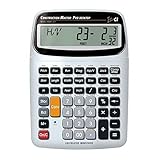
- SOLVE ALL YOUR DIMENSIONAL MATH: Quickly and accurately with the award-winning CM Pro-Desktop construction calculator's powerful built-in solutions for building; and full trig functions with sine, cosine, tangent, arcsine, arccosine and arctangent
- EFFORTLESS CONVERSION BETWEEN BUILDING FORMATS: Work in and convert between all common building dimension formats: feet-inch-fractions, decimal feet-inches, yards and metric -- including area and volume. Plus weight-per-volume and D: M: S to decimal degree conversions too
- TIME-SAVING BUILT-IN FUNCTIONS: Right angles give you instant solutions for square-ups, rafters (hip, valley, jacks), rake-walls, slopes, angles and more. Plus complete stair layout, advanced solutions for arcs, arches, circles, columns and more
- PREVENT COSTLY MATERIAL WASTE: Built-in solutions for roofing, drywall, studs, blocks, concrete footings and board-feet lumber estimating. Plus compound miter functions help avoid errors when working with crown molding and other millwork
- PROFESSIONAL CONSTRUCTION TOOL: Reduces headaches, saves time and prevents expensive material errors on your projects, from the office to the field. Comes with a large digits on easy-to-see multi-position tilt display LCD, easy-to-follow user's guide, plus a pocket reference guide in Spanish, full-size keys, long-life battery
Fix: Select the method that matches each package’s information maturity and disclose the method in the basis.
Ignoring temporary works and logistics
Why it fails: Overlapping design and construction can require remobilization, protection, storage, temporary utilities, and extended supervision.
Fix: Tie general conditions and temporary works to the schedule and package release plan.
Updating the total without preserving the previous basis
Why it fails: The team loses the ability to distinguish design development from estimating error.
Fix: Archive each issue and publish a variance and change log with the new information date.
What’s actually slowing this PC down?
Pick the symptom - the matching free tool is one click away.
Presenting a range with no explanation
Why it fails: A range can look scientific while hiding arbitrary assumptions.
Best Value

- Professional Feet-Inch-Fraction Conversions for Construction: Master complex field measurements instantly. Precision-engineered for high-precision Feet-Inch-Fraction conversions, this is the essential Contractor Calculator validated by architects, builders, and woodworkers
- Integrated LCD Writing Tablet for Instant Notes: Never lose a measurement or formula again. Solve memory limits and mode-switch data loss with this Construction Calculator with Writing Tablet, a dedicated Engineering Tool for field derived steps. Whether you are jotting down field dimensions or calculating complex loading requirements, the scratch-pad allows you to bypass data loss and mode-switching pain
- Multi-Trade Versatility for Carpenters, Electricians & Pipefitters: Built for the diverse demands of the field. Instantly adapt to any job site with one-click multi-unit conversion between different trades. From Pipefitter Calculator slope calculations to Electrician Calculator and Machinist Calculator scientific functions
- Heavy-Duty Protective Cover & High-Contrast Engineering Display: Optimized visibility under any condition. Say goodbye to screen glare. Our Engineering Calculator features a High-Contrast Display for superior readability from bright outdoor job sites to dim study desks. Encased in a Heavy-Duty Protective Cover, the unit is built to withstand the rigors of your backpack and backpack, preventing input errors and ensuring precise, bug-free Basic Math Accuracy
- Perfect Professional Gift with Unmatched Cost-Efficiency: The ultimate choice for value and utility. Premium professional performance at an accessible price point. Whether looking for Engineer Gifts, Carpenter Gifts, or Graduation Gifts for Engineers, it is the most trusted tool for students, apprentices, and seasoned pros alike
Fix: Identify the risk drivers, distributions or scenarios used in the quantitative analysis, and the decisions that would narrow the range.
A governance routine for rolling estimates
Set a regular estimating cycle that follows design and procurement gates. At each gate, the estimator should receive a controlled document set, update the work breakdown, retire or add risks, and reconcile the estimate to the schedule. The owner, designer, construction manager, and major trade partners should sign off on assumptions—not on an implied guarantee of final cost.
Use a single change-control register for scope, design, schedule, and commercial changes. Give every change an identifier, originator, date, affected package, estimate impact, and approval status. When a package is released for bidding, replace its allowance with bid information only after confirming scope alignment and quote qualifications.
Recommended Free Tools
Keep an estimate narrative with every issue. A future reader should be able to answer: What did the team know? What did it assume? What was excluded? Which risks were quantified? What must happen before the next estimate can be more definite?
Professional references for the classification framework
AACE International’s 17R-97: Cost Estimate Classification System describes the generic five-class framework; the listing shows an original date of August 7, 2020 and an editorial revision of February 17, 2025: AACE 17R-97.
For building and general construction applications, see 56R-08: Cost Estimate Classification System – As Applied in Engineering, Procurement, and Construction for the Building and General Construction Industries, listed August 7, 2020: AACE 56R-08.
AACE’s Professional Guidance Document No. 01 – Guide to Cost Estimate Classification Systems, revision shown as August 29, 2022, explains how the generic and industry-specific practices relate and why accuracy ranges require quantitative risk analysis: AACE Professional Guidance Document No. 01.
Quick Recap
Product prices and availability are accurate as of the date/time indicated and are subject to change. Any price and availability information displayed on Amazon at the time of purchase will apply.

