Do these 3 things before closing this tab:
1Repair Windows errors before they cause bigger problems2Scan for outdated or missing drivers - takes under a minute3Clear out junk files and repair common Windows errorsShort answer: the Epson Home Cinema 5050UB is still a compelling cinematic projector when it is discounted or certified refurbished and installed in a dark, permanent home theater. It is much harder to justify at Epson’s displayed U.S. new-product price of $3,799.99 (checked August 18, 2026), because it uses a lamp, lacks built-in streaming, tops out at 60 Hz, and displays pixel-shifted rather than native 4K. Epson’s Certified ReNew listing showed the same model at $1,399.99, making warranty-backed refurbished stock the strongest value signal. Prices and availability change quickly.
What the 5050UB is—and what “4K” means
The 5050UB is a three-chip Epson 3LCD projector with native 1920×1080 panels. Epson’s 4K Enhancement system shifts pixels diagonally to increase perceived detail and accepts 4K inputs, but it does not place three native 3840×2160 panels in the optical path. Epson describes the technology on its official product page, while the user guide identifies the native display resolution as 1920×1080.
That distinction matters most when comparing prices and sitting close to a very large screen. Pixel-shifted 4K can look highly detailed at normal theater distances; it should not be marketed as native 4K. The practical question is whether its sharpness, contrast and installation flexibility justify the price for your room.
Key specifications
| Feature | 5050UB specification or qualification |
|---|---|
| Display system | Epson 3LCD, three-chip optical engine |
| Native panels | 1920×1080 |
| 4K operation | Epson 4K Enhancement pixel shifting; accepts 4K signals |
| Brightness | 2,600 lumens color and 2,600 lumens white, rated measurements that vary by mode and conditions |
| Contrast | Up to 1,000,000:1 dynamic contrast under Epson’s specified test conditions; typical on-screen contrast varies |
| HDR | HDR10 and HLG; 10-bit HDR processing; no Dolby Vision or HDR10+ |
| Color | Epson claims 100% DCI-P3 in Digital Cinema mode; wide-gamut operation can reduce usable brightness |
| Light source | 250-watt UHE replaceable lamp |
| Rated lamp life | Up to approximately 3,500 hours in High mode or 5,000 hours in Eco mode |
| Lens | Powered focus, zoom and horizontal/vertical lens shift; approximately 2.1× zoom and lens memory |
| Installation range | Approximately 50–300 inches; throw ratio about 1.35:1–2.84:1 |
| Noise | About 31 dB High and 20 dB Eco |
| Inputs | Two HDMI 2.0 ports; external streaming hardware required |
| 3D | Active 3D with compatible RF glasses |
| Size and weight | Approximately 24.7 pounds; intended for a shelf or sturdy permanent mount |
Specifications are from Epson’s product information, its manual and ProjectorCentral’s specification listing. Brightness, color coverage and lamp life are not guarantees of a particular image in every room.
#1 Best Overall

- 4K PRO-UHD (1) Projection Technology – A new type of 4K home theater experience utilizing advanced processing for resolution enhancement, color and image processing – resulting in an exceptional 4K home theater experience
- True 3-Chip Projector Design – Advanced 3LCD technology displays 100% of the RGB color signal for every frame. This allows for an outstanding color gamut while maintaining excellent brightness, without any “rainbowing” or “color brightness” issues some may see with other projector technologies
- Pixel-Shift Processor – Advanced pixel-shifting processor precisely controls three high-definition LCD chips to parallel process millions of pixels of information. This new type of resolution enhancement technology (1) results in an exceptionally sharp 4K visual experience
- HDR Processor – Full 10-bit HDR (2) color processing accepting 100% of the HDR source information to faithfully reproduce HDR content for an exceptional visual performance
- Digital Imaging Processor – Real-time 12-bit analog-to-digital video processing for smooth tonal transitions, while helping to eliminate banding, blocking and other compression artifacts from the final visual performance. This powerful processor faithfully reproduces the source material the way it was intended to be shown
Movie performance: where the 5050UB still makes sense
The 5050UB’s strongest argument is a dark-room movie image. Independent testing by RTINGS describes deep blacks, useful shadow detail and accurate out-of-box color. Its three-chip LCD design also avoids the rainbow artifacts that some viewers notice on single-chip DLP projectors.
The UltraBlack-oriented optical design favors contrast and cinematic depth over the punchiest living-room presentation. It does not create OLED-level black: room reflections, screen material, picture mode and lamp age all raise the effective black floor. Bright scenes can lose some depth, lighter colors may look less forceful, and ordinary 60-Hz sources can show motion judder. Those limitations are less distracting for films in a controlled room than for fast sports or daytime television.
A 100- to 120-inch screen is a sensible target for many dedicated theaters. A 150-inch image is possible, but brightness and HDR headroom diminish as screen size increases, especially after the lamp has aged.
HDR in 2026: capable, but no longer advanced
The projector accepts HDR10 and HLG and provides a 16-step real-time HDR adjustment. Brightness and wide color are useful foundations, but this is an older processing platform without HDR10+ or Dolby Vision. HDR quality depends on screen size, gain, room darkness, source tone mapping and picture mode; it is not a fixed property of the projector alone.
- Use a smaller image or darker room when HDR appears dull.
- Try Epson’s HDR picture options and adjust the HDR level for different movies or streaming services.
- Digital Cinema or other wide-gamut modes may improve color volume while reducing available brightness.
- A 100-inch screen generally gives HDR more comfortable headroom than a very large 150-inch screen.
For buyers who watch mostly modern HDR streaming content and want less manual adjustment, Epson’s newer LS11000 is the more current platform. Its official page lists laser illumination, HDR10+, an 8.29-million-pixel on-screen 4K display and 4K HDR up to 120 Hz: Epson LS11000.
Rank #2

- 4K PRO-UHD (1) Projection technology — a new type of 4K home theater experience, utilizing advanced technologies for resolution Enhancement, color and image processing
- True 3-chip projector design — Advanced 3LCD technology displays 100 percent of the RGB color signal for every frame without any “rainbow effect” or color brightness issues
- 4K resolution processing — pixel-shifting technology precisely controls three individual, high-definition LCD chips to parallel process millions of pixels
- Full 10-bit HDR (2) — accepts 100 percent of the HDR source information to faithfully reproduce HDR content for an amazing visual performance, Plus hog support
- Digital video processing — Real-time, 12-bit analog-to-digital video processing for smooth tonal transitions; helps eliminate banding, blocking and other compression artifacts from the final visual performance
Gaming: playable at 4K/60, not a competitive model
ProjectorCentral lists approximately 22.5 ms input lag at 4K/60 and 28 ms at 1080p/60. That is playable for many console owners, but it is materially slower than current gaming-focused projectors. RTINGS also characterizes the projector as limited to 60 Hz, with controller latency and motion blur that are more apparent in fast games.
Good matches
- Role-playing and strategy games
- Sports titles
- Cinematic single-player games
- Console gaming where 4K/60 is sufficient
Look elsewhere for
- Competitive shooters and fighting games
- High-refresh PC gaming
- 4K/120, VRR or ALLM
- The lowest possible controller latency
Installation flexibility is a major advantage
The motorized lens is unusually useful for a permanent theater. Powered focus, powered zoom, powered horizontal and vertical shift, and lens memory make it easier to align the image and switch between aspect ratios without physically moving the projector. ProjectorCentral lists approximately ±96% vertical and ±47% horizontal lens shift, with a throw ratio around 1.35:1–2.84:1.
Lens shift preserves image geometry and resolution, so it should be the first solution when the projector is above, below or beside the screen. Vertical keystone correction is a fallback for installations that cannot be physically aligned, not the preferred way to square the picture.
Confirm throw distance and shift limits before buying. The 5050UB is a large, roughly 24.7-pound component that needs a sturdy ceiling mount or shelf; it is not a portable living-room projector. It supports front, rear and ceiling projection, but it lacks automatic screen adaptation and a carrying case, limitations noted by RTINGS.
Streaming, audio and system requirements
Do not expect a built-in smart-TV interface, Wi-Fi streaming menu or Bluetooth audio system. Plan on an external source such as an Apple TV 4K, Roku, Google TV Streamer, Fire TV device, Blu-ray player or an AV receiver with streaming apps. Streaming options include Apple TV 4K, Roku players, Google TV Streamer and Amazon Fire TV.
Rank #3

- TRUE 3 CHIP PROJECTOR DESIGN – Advanced 3LCD technology displays 100% of the RGB color signal for every frame. This allows for outstanding color gamut while maintaining excellent brightness, without any “rainbowing” or “color brightness” issues seen with other projection technologies
- 4K RESOLUTION PROCESSING – Advanced pixel shifting technology precisely controls three individual high definition LCD chips to parallel process millions of pixels. This new type of resolution enhancement technology results in an exceptionally sharp 4K visual experience
- HDR PROCESSING – Full 10 bit HDR (3) color processing accepting 100% of the HDR source information to faithfully reproduce HDR content for an exceptional visual performance.Lamp type: 250 W UHE
- DIGITAL IMAGING PROCESSING – Realtime 12 bit analog to digital video processing for smooth tonal transitions, while helping to eliminate banding, blocking, and other compression artifacts from the final visual performance. This powerful processor faithfully reproduces the source material the way it was intended to be shown
- OUTSTANDING BRIGHTNESS – Capable of displaying 4K content at an incredible 2,400 lumens for both color and white brightness (2). This not only provides for a wider performance envelope but allows for an exceptional HDR performance
This adds another HDMI device and cost, but it also means the streaming platform can be replaced without replacing the projector. A complete installation may additionally require a screen, ceiling mount, AV receiver, speakers and electrical work.
Lamp ownership and used-projector risk
Epson rates the 250-watt UHE lamp for up to approximately 3,500 hours in High mode or 5,000 hours in Eco mode. These are estimates; brightness falls with use, and mode, ventilation and environment affect life. Eco mode lowers noise and heat while reducing light output. ProjectorCentral identifies the replacement as ELPLP89 / V13H010L89; verify the part number and current availability with Epson before ordering.
What’s actually slowing this PC down?
Pick the symptom - the matching free tool is one click away.
For a used unit, inspect or test all of the following:
- Confirm total lamp hours, current lamp mode and whether the lamp is genuine.
- Display a neutral white or gray image and look for dust blobs, colored patches, uneven brightness or panel-convergence errors.
- Test both HDMI inputs, the source’s 4K output and HDCP handshakes.
- Run powered zoom, focus, horizontal/vertical shift and lens-memory functions through their full ranges.
- Check the remote, 3D capability, original accessories and physical vents.
- Prefer a documented warranty and return window; an anonymous marketplace listing with unknown hours can erase the apparent bargain.
Never reset the lamp timer to conceal usage. Reset it only after installing the correct replacement lamp.
Price and value in the U.S.
Epson’s product page displayed $3,799.99 for a new 5050UB when checked August 18, 2026, with “Where to Buy” and “Notify Me” signals that indicate stock may be volatile. Epson’s Certified ReNew page displayed $1,399.99 at the same time: Certified ReNew listing.
Rank #4
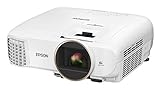
- Bright ideal for a variety of lighting conditions, the projector has 2,500 lumens of equal color and white brightness (1)
- Widescreen Full HD 1080p entertainment up to 11 feet (132 inches diagonal) or more over 4x larger than a 60 inch flat panel
- Amazing dynamic contrast ratio: up to 60,000:1 for even richer detail in dark scenes and enhanced projection technology image enhancement and frame interpolation for smooth, sharp, true to life images
- Wireless screen mirroring : mirror device photos, videos and apps using Miracast (Android/Windows 8.1/10)
- Stream HD TV, movies, videos and games: supports MHL enabled devices (2) for mirroring and charging (3). Color Processing : Full 10 bits. Lamp Type:200 W UHE.Fan Noise: 29 dB to 37 dB
| Approximate U.S. price and condition | Decision |
|---|---|
| Under $1,500, certified refurbished | Strong value if warranty, lamp condition and return terms are clear |
| $1,500–$2,000, new or low-hour used | Reasonable for a dark-room movie installation |
| $2,000–$2,500 | Buy only when lens flexibility, contrast, 3D or installation fit is especially valuable |
| Around $3,800 new | Usually compare newer laser and native-4K-display alternatives instead |
| Used with unknown hours or no return protection | Risky unless the price can absorb a lamp or optical repair |
These are decision thresholds, not guaranteed market prices. Include the screen, mount, streamer, sound system, installation and future lamp when comparing total cost.
The Tool Desk
Outbyte Driver Updater FREEScan for outdated or missing drivers - takes under a minuteDriver Scan →Outbyte PC Repair FREERepair Windows errors before they cause bigger problemsFix Now →Alternatives worth considering
Epson Home Cinema LS11000
The LS11000 is the natural step up for buyers who want laser operation, no routine lamp replacement, HDR10+, a full 8.29-million-pixel on-screen 4K display and 4K HDR up to 120 Hz. Epson’s U.S. page showed $4,499.99, discounted to $3,799.99 when checked. It is a newer, lower-maintenance and more feature-rich choice, but do not assume it wins every black-level comparison; a discounted 5050UB can still offer attractive contrast per dollar.
BenQ HT4550i
The BenQ HT4550i uses a smaller DLP chassis and 4LED illumination, advertises 4K HDR and 100% DCI-P3 coverage, and includes Android TV-related smart functionality. It is worth considering when convenience, LED longevity and gaming-oriented features matter more than the Epson’s extensive motorized lens controls. BenQ’s current price and stock should be checked directly because a reliable price was not established here.
Epson Home Cinema 3800
The 3800 is a lower-cost, brighter Epson alternative with 4K Enhancement, HDR/HLG and Bluetooth audio. RTINGS describes the 5050UB as having better contrast and wider color, while the 3800 offers more brightness and convenience features.
Native-4K projectors and televisions
Sony and JVC native-4K projectors address buyers who specifically want native panel resolution, stronger HDR processing or higher-end black levels, but they generally occupy a substantially more expensive class unless a current deal is verified. In a bright room or for daily television, a large OLED, mini-LED or LED TV usually delivers stronger HDR impact, instant startup and lower maintenance. The projector’s advantage is a much larger, cinema-like image.
Best Value

- 4K Display Technology¹ — Produces a full 8.29-million-pixel on-screen image for exceptional picture clarity without sacrificing brightness
- High Picture Brightness — Unique 3-Chip 3LCD projection engine powered by a laser array light source produces 2,500 Lumens of Color Brightness (IDMS Rated) and 2,500 Lumens of White Brightness (ISO Rated)³
- Advanced HDR10+ Capability — Full 10-bit color processing for HDR, HDR10², HDR10+² and HLG content, including Epson Precision 16-step real-time HDR picture adjustment
- Exceptional Black Contrast — An outstanding 1,200,000:1 dynamic contrast ratio produces an overall sharper picture, while revealing deeper shadow detail and sharper distinction between light and dark scenes
- Epson RX Picture Processor — Powerful 32-bit video processing technology handles real-time color, contrast, HDR, frame interpolation and resolution enhancement for an exceptional picture
Common problems and practical fixes
No 4K signal
Check the HDMI cable, source resolution, AV-receiver pass-through, projector HDMI settings and HDCP compatibility. Connect the source directly to the projector to isolate a receiver or switch.
HDR looks dim or washed out
Confirm that the source is actually outputting HDR, try another picture mode, adjust Epson’s HDR level, darken the room or reduce screen size, and test another player. Wide-gamut modes, source tone mapping, screen gain and room reflections can all reduce apparent brightness; a poor HDR result is not automatically a projector defect.
The image is crooked
Level the mount and reposition the projector, then use lens shift. Apply vertical keystone only when physical alignment is impossible.
Colored blobs or uneven panels
Inspect a neutral test image. Persistent blue, yellow, green or magenta areas can indicate optical or panel damage that calibration will not cure. Use the return policy on a used purchase.
PC Slower Than It Used to Be?
A free scan shows the junk files, broken settings and background clutter dragging Windows down - then fixes them in one click.Free scan · Windows 10 & 11Crashes, No Sound, or Screen Glitches?
Random freezes, missing sound and display glitches usually trace back to one bad driver. Find and replace yours safely.Free scan · under a minuteFan noise or shutdowns
Eco mode is quieter but dimmer. Keep vents unobstructed and do not install the projector in an unventilated cabinet. A lamp warning should be addressed with the correct replacement lamp, followed by a timer reset.
Who should buy the 5050UB?
- Movie-first buyers with a dedicated or substantially darkened room
- Owners planning a roughly 100- to 120-inch screen
- Installations that benefit from powered zoom, focus, lens shift and lens memory
- Viewers who want active 3D and do not mind sourcing compatible RF glasses
- Casual or single-player gamers satisfied with 4K/60
- Buyers who can obtain certified-refurbished or deeply discounted stock
Who should skip it?
- Anyone expecting native 4K panels
- Bright-room or daylight television use
- Built-in streaming, Bluetooth audio or portable operation
- 4K/120, VRR, ALLM or competitive-gaming latency
- HDR10+, Dolby Vision or advanced modern tone mapping
- Maintenance-free laser ownership
- Used listings with unknown lamp hours, optical defects or no return protection
Final verdict
The Epson Home Cinema 5050UB remains a cinematic bargain when discounted or certified refurbished, installed in a dark room and used mainly for films. Its deep-looking blacks, accurate color, 3LCD presentation, 3D support and exceptional lens adjustment can still outweigh its age.
At or near $3,800 new, the calculation changes. A laser model such as the Epson LS11000 offers newer HDR features, 120-Hz capability and lower maintenance, while the BenQ HT4550i, Epson 3800 or a large-screen TV may better suit buyers prioritizing smart features, brightness or convenience. Treat “4K” as Epson’s pixel-shifted 4K Enhancement, budget for the rest of the theater system, and buy the 5050UB only when its installation and movie strengths—not its label—match your priorities.
Quick Recap
Product prices and availability are accurate as of the date/time indicated and are subject to change. Any price and availability information displayed on Amazon at the time of purchase will apply.




