Free tools Windows power users keep installed
One-click scans. No signup required.
Verdict: Jason Fang’s project is a genuine DIY Zigbee indoor-air monitor built around the Seeed Studio XIAO ESP32C6, Grove SGP30 sensor, OLED display and Home Assistant. It is best understood as an eCO₂ and TVOC monitor, not a precision carbon-dioxide instrument: the SGP30 estimates CO₂-equivalent values from gas-sensor data rather than directly measuring CO₂ like an NDIR sensor.
The project is a good fit for Home Assistant users who enjoy soldering, Arduino firmware and custom enclosures. It is less suitable when ventilation decisions depend on calibrated CO₂ measurements, documented battery life or appliance-like reliability.
As an Amazon Associate I earn from qualifying purchases.
The original Hackster project was published on March 6, 2025, is marked Beginner and remains a work in progress.
What’s actually slowing this PC down?
Pick the symptom - the matching free tool is one click away.
What this Zigbee air monitor does
The sensor reads indoor-air indicators through the Grove SGP30, passes the data over I²C to the XIAO ESP32C6, shows status and readings on an OLED, and reports the values over Zigbee to Home Assistant.
#1 Best Overall
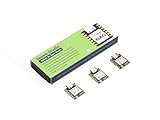
- Enhanced Connectivity: Combines 2.4GHz Wi-Fi 6 (802.11ax), Bluetooth 5(LE), and IEEE 802.15.4 radio connectivity, allowing you to apply the Thread and Zigbee protocols.
- Matter Native: Supports building Matter-compliant smart home projects thanks to its enhanced connectivity, achieving interoperability
- Security Encrypted on Chip: Powered by ESP32-C6, it brings enhanced encrypted-on-chip security to your smart home projects via secure boot, encryption, and Trusted Execution Environment (TEE)
- Outstanding RF performance: Has an on-board antenna with up to 80m BLE/Wi-Fi range, while reserving an interface for external UFL antenna
- Leveraging Power Consumption: Comes with 4 working modes, with the lowest being 15 μA in deep sleep mode, while also supporting lithium battery charge management.
SGP30 sensor
   ↓ I²C
XIAO ESP32C6
   ├── OLED display
   └── Zigbee
          ↓
Zigbee coordinator
          ↓
Home Assistant
Once paired, Home Assistant can display current readings and build historical graphs. The OLED can show Zigbee startup status, connection success and sensor values locally. The optional robot-shaped enclosure makes the project distinctive, but it is not required to test the electronics or firmware.
Important: eCO₂ is not direct CO₂
The SGP30 is a volatile-organic-compound and eCO₂ sensor. Its eCO₂ output is an estimated CO₂-equivalent value derived from gas-sensor behavior. It should not be presented as equivalent to a calibrated NDIR CO₂ measurement.
TVOC or eVOC readings are also affected by warm-up and baseline history, humidity, temperature, placement and nearby contaminants. Perfume, cleaning products, solvents, cooking fumes and other chemicals can produce large changes. For this reason, the device is useful for observing trends and experimenting with automations, but individual values should not be treated as laboratory measurements.
The Tool Desk
Outbyte PC Repair FREERepair Windows errors before they cause bigger problemsFix Now →Outbyte Driver Updater FREEScan for outdated or missing drivers - takes under a minuteDriver Scan →If the monitor will control ventilation, determine occupancy or verify an indoor-air standard, use a dedicated NDIR CO₂ sensor or a finished air-quality product with published calibration and accuracy information.
Why use Zigbee instead of Wi-Fi?
The XIAO ESP32C6 includes IEEE 802.15.4, the radio technology used by Zigbee and Thread, as well as 2.4-GHz Wi-Fi 6 and Bluetooth. That means the sensor node does not need an external Zigbee radio.
Zigbee is attractive for a small Home Assistant sensor because it joins the existing smart-home network and avoids configuring a separate Wi-Fi application for every node. The XIAO operates as a Zigbee end device; it is not the coordinator. A coordinator connected to Home Assistant is still required.
Rank #2
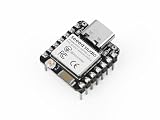
- Enhanced Connectivity: Built-in Wi-Fi 6 (2.4 GHz), Bluetooth LE, and IEEE 802.15.4 radio for Zigbee and Thread applications.
- Matter-Ready: Suitable for developing Matter-based smart home devices with broad protocol support.
- On-Chip Security: Secure boot, flash encryption, and trusted execution environment help enhance product security.
- Optimized RF Design: Onboard antenna offers long-range performance, with an option for an external U.FL antenna.
- Low Power Consumption: Includes multiple power modes, reaching as low as 15 μA in deep sleep. Integrated lithium battery charging support.
Seeed’s XIAO ESP32C6 Zigbee and Home Assistant tutorial demonstrates this general arrangement.
Quick wins for a faster PC:
Scan for outdated or missing drivers - takes under a minuteDriver Scan →Clear out junk files and repair common Windows errorsFree Scan →Fix the driver behind crashes, sound loss and screen glitchesFind Drivers →The trade-off
- You need a coordinator and a working Zigbee integration.
- Firmware must expose suitable endpoints, clusters and attributes.
- Discovery and debugging are more involved than opening a local ESP32 web page.
- ESP32-C6 Zigbee development is less familiar than the mature Wi-Fi Arduino ecosystem.
- Compatibility may depend on the Arduino-ESP32 version and the exact Home Assistant integration.
Parts required
| Part | Purpose | Notes |
|---|---|---|
| Seeed Studio XIAO ESP32C6 | Microcontroller and Zigbee radio | The official board is 21 × 17.8 mm and supports Zigbee, Thread, Wi-Fi 6 and Bluetooth. |
| XIAO Expansion Board | Accessible wiring, Grove connections and OLED support | Convenient for prototyping; a custom PCB may be preferable for a final product. |
| Grove VOC and eCO₂ Gas Sensor SGP30 | TVOC and eCO₂ sensing | Not a direct NDIR CO₂ sensor. |
| OLED display | Local status and readings | Shown in the project; confirm the exact module and connector. |
| USB-C data cable | Initial programming and power | A charge-only cable will not upload firmware. |
| Pin headers | Connection to the expansion board | The standard XIAO ESP32C6 is supplied without headers; a pre-soldered version is available. |
| Zigbee coordinator | Bridge between the sensor and Home Assistant | The original used ZBT-1. For a new installation, consider current ZBT-2. |
| Home Assistant host | Integration, dashboards, history and automations | Existing installations can use a Raspberry Pi, mini PC, NAS or virtual machine; Home Assistant Green is optional. |
See the official XIAO ESP32C6 product page, the SGP30 product page and the XIAO Expansion Board page.
Coordinator choice in 2026
The original build used Home Assistant Connect ZBT-1, formerly SkyConnect. Home Assistant identifies ZBT-1 as discontinued and replaced by ZBT-2. Readers starting a new system should not make ZBT-1 the default purchase recommendation, although an existing ZBT-1 can remain useful.
ZBT-2 supports Zigbee 3.0 and Thread. Home Assistant recommends dedicating the adapter to one protocol rather than relying on experimental simultaneous Zigbee and Thread operation. If you already have a functioning Zigbee coordinator, buying another one is unnecessary.
Hardware assembly
- Prepare the XIAO. If yours has no headers, solder them before mounting it on the expansion board. Confirm orientation before soldering.
- Mount the board. Fit the XIAO ESP32C6 to the expansion board and check that every pin is aligned.
- Connect the SGP30. Use the Grove I²C connection or the expansion-board connection specified by the board documentation.
- Connect the OLED. The display and SGP30 can share an I²C bus when their addresses and wiring are compatible.
- Provide power and ground. Check the sensor and display voltage requirements before connecting them.
- Position the sensor in ventilated space. Do not seal it in a small cavity or place it directly beside the MCU, regulator or display heat source.
The expected architecture is:
XIAO ESP32C6
   │
   ├── I²C ── Grove SGP30
   │
   └── I²C ── OLED
Do not guess the GPIO numbers. The exact SDA and SCL assignments depend on the board revision, expansion-board routing and firmware. Confirm them using the expansion-board schematic, the display pinout and the project’s complete source code. The accessible project material identifies the I²C architecture but does not provide enough information to guarantee a pin-by-pin wiring table.
Set up Arduino IDE
Seeed’s official getting-started guide provides the supported setup path.
Rank #3
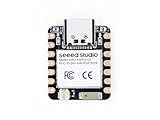
- Enhanced Connectivity: Combines 2.4GHz Wi-Fi 6 (802.11ax), Bluetooth 5(LE), and IEEE 802.15.4 radio connectivity, allowing you to apply the Thread and Zigbee protocols.
- Matter Native: Supports building Matter-compliant smart home projects thanks to its enhanced connectivity, achieving interoperability
- Security Encrypted on Chip: Powered by ESP32-C6, it brings enhanced encrypted-on-chip security to your smart home projects via secure boot, encryption, and Trusted Execution Environment (TEE)
- Outstanding RF performance: Has an on-board antenna with up to 80m BLE/Wi-Fi range, while reserving an interface for external UFL antenna
- Leveraging Power Consumption: Comes with 4 working modes, with the lowest being 15 μA in deep sleep mode, while also supporting lithium battery charge management.
- Install the current stable Arduino IDE.
- Open Arduino IDE preferences and add Espressif’s board-manager URL:
https://espressif.github.io/arduino-esp32/package_esp32_index.json- Install the ESP32 board package. Seeed documents a package version greater than
2.0.8and notes that the XIAO ESP32C6 variant is available when the package is greater than3.0.0. - Select
XIAO_ESP32C6as the board. - Select the correct serial port.
- Upload the standard Blink example before installing the air-monitor firmware.
Required software and libraries
- Arduino IDE
- Espressif Arduino-ESP32 board package
- Arduino ESP32 Zigbee API/library
- SGP30 or Sensirion support library
- U8g2 OLED graphics library
- Wire/I²C support
- Home Assistant with ZHA or another Zigbee integration
The visible project code begins with:
#ifndef ZIGBEE_MODE_ED
#error "Zigbee end device mode is not selected in Tools->Zigbee mode"
#endif

#include "Zigbee.h"
#include "sensirion_common.h"
#include "sgp30.h"
#include <U8g2lib.h>
#include <Wire.h>
This confirms that the firmware expects Zigbee end-device mode, uses the Arduino Zigbee API, communicates with the SGP30 over I²C and uses U8g2 for the display. The retrieved project page does not expose enough complete source or version information to guarantee that every library and menu label remains identical in current Arduino-ESP32 releases.
Configure Zigbee firmware
Before compiling, select the XIAO ESP32C6 and configure the board for Zigbee end-device operation. The relevant settings normally include:
- Board:
XIAO_ESP32C6 - Zigbee mode:
ZIGBEE_MODE_ED - A partition scheme compatible with Zigbee
Menu wording can change between Arduino-ESP32 package versions. Use the currently installed package’s Zigbee and partition labels, and verify that the firmware is not being compiled accidentally as a coordinator or router.
Before placing the electronics in the enclosure, test the following independently:
- The board uploads reliably.
- The OLED initializes and displays text.
- The SGP30 is detected and returns values.
- The device enters pairing mode.
- Home Assistant discovers the device and its sensor entities.
Pair it with Home Assistant
- Connect the Zigbee coordinator to Home Assistant using a USB extension cable.
- Open Settings → Devices & services.
- Configure or open the Zigbee integration, such as Zigbee Home Automation.
- Open the Zigbee network to new devices.
- Power the XIAO and put the custom firmware into its join or pairing mode.
- Pair the device close to the coordinator for the first connection.
- Confirm that the discovered device exposes sensor entities for eCO₂ and TVOC/eVOC.
- Watch the OLED for its transition from startup status to connection success and readings.
- Add the entities to a dashboard and allow time for history graphs to accumulate.
Keep the coordinator away from USB 3.0 ports, hubs, storage devices and metal objects. Home Assistant documents USB 3.0 interference as a possible cause of pairing failures, timeouts and dropouts.
ZHA and Zigbee2MQTT
The project and Seeed’s documentation focus on Home Assistant’s Zigbee workflow, particularly ZHA. Zigbee2MQTT is a possible alternative, but custom devices may require correct cluster exposure, device definitions or manual configuration. Do not assume automatic support for both integrations.
Rank #4

- 【ESP32-C3 RISC-V Development Board】 Built with the ESP32-C3 32-bit RISC-V chip (160MHz), featuring Arduino/CircuitPython support and multiple development ports. Ideal for IoT and edge AI projects.
- 【Outstanding RF & Long-Range Connectivity】 Equipped with U.FL antenna for stable Wi-Fi/BLE5.0 communication over 100m. Complete RF performance ensures reliable IoT connectivity.
- 【Ultra-Low Power & Battery-Friendly】 4 working modes, including deep sleep at 44μA. Onboard battery charge IC supports Li-ion/LiPo, perfect for wearables and wireless IoT.
- 【Thumb-Sized & Production-Ready】 Compact 21x17.5mm design with SMD/Breadboard-friendly layout. Single-sided component mounting ensures sleek integration into wearables.
- 【Rich I/O & Edge Computing】 11 digital I/O (PWM) + 4 analog I/O (ADC), plus UART/IIC/SPI/IIS ports. Optimized for TinyML and edge AI applications.
For interoperability, inspect the firmware’s endpoint, device type, cluster IDs, attribute IDs and reporting configuration. Espressif documents a standard carbon-dioxide measurement cluster, 0x040D, but that does not prove this particular project uses it. Confirm the actual firmware before describing the device as standards-compatible.
Recommended Free Tools
Sensor conditioning and interpretation
The SGP30 is a gas sensor, so placement and operating history matter. Allow the sensor to condition according to its documentation and firmware behavior before drawing conclusions from the readings. Avoid exposing it unnecessarily to solvents, aerosols, fragrances or cleaning chemicals.
Before relying on the data, inspect the source code for answers to these questions:
- Does it call the SGP30 baseline functions?
- Is baseline data stored and restored after reboot?
- Is there a warm-up or conditioning state?
- Are humidity and temperature supplied for compensation?
- Are raw readings smoothed?
- How often are measurements taken and reported?
- What happens when I²C initialization fails?
The accessible project information does not establish all of these details. Treat the first build as a trend monitor until you understand the firmware’s conditioning and reporting behavior.
Independent reader supportYour contribution helps us test, update, and keep practical guides available for everyone.Power and battery expectations
The XIAO ESP32C6 supports USB-C 5-V input and a 3.7-V battery input. Seeed lists approximate MCU or board operating figures including about 30 mA in modem sleep, 3.1 mA in light sleep and 15 µA in deep sleep. These figures are not the consumption of the assembled monitor.
The SGP30, OLED, regulator, Zigbee activity, reporting interval and sleep schedule all affect current draw. The project does not provide a measured average current, battery capacity, sleep schedule or runtime. Therefore, do not advertise the completed device as battery-powered or low-power without measuring the complete assembly.
Best Value

- ESP32-C6 is a micro-controller development board with small size and various digital interfaces
- ESP32-C6FH4 chip is adopted, which is equipped with RISC-V 32-bit single-core processor
- supports clock frequency up to 160 MHz, and has built-in 320KB ROM, 512KB HP and 16KB LP
- It is compatible to expand a variety of peripheral devices, making it more convenient to use.
- In terms of software, you can choose ESP-IDF development environment or For Arduino IED for development
Troubleshooting
| Symptom | Likely cause | What to do |
|---|---|---|
| No serial port | Charge-only cable, missing driver or board not in bootloader mode | Use a known data cable and try bootloader recovery. |
| Upload fails | Wrong board, port or outdated package | Select XIAO_ESP32C6, recheck the port and update the ESP32 package. |
| Device will not enter bootloader | Board was not reset correctly | Hold BOOT while connecting, or hold BOOT, press RESET once and then upload. |
| Firmware compiles but Zigbee settings fail | Wrong mode or partition scheme | Select Zigbee end-device mode and a Zigbee-compatible partition option. |
| Home Assistant cannot pair | Coordinator interference, wrong mode or device not joining | Use an extension cable, move the devices close together, select Zigbee-only coordinator firmware and reopen the network. |
| Device pairs but entities are missing | Unsupported cluster, endpoint or attribute | Inspect the firmware’s Zigbee descriptors and confirm integration support. |
| OLED works but sensor values are blank | I²C wiring, address, power or library problem | Check SDA, SCL, power, ground, address and SGP30 initialization. |
| Readings look implausible | Baseline, conditioning, enclosure or chemical exposure | Allow conditioning, improve ventilation and interpret trends rather than isolated eCO₂ values. |
| Random Zigbee dropouts | USB 3.0 interference, distance, metal or weak routing | Relocate the coordinator, reduce obstructions and review end-device sleep and reporting behavior. |
Enclosure and construction choices
The robot shell is an optional mechanical project. Build and test the electronics on the bench first; only then commit to a 3D-printed enclosure or custom PCB.
The original author placed the sensor on the right side of the enclosure and separated it from the MCU with a thick wall. That may be a sensible physical-layout choice, but it is not evidence of a measured improvement in accuracy. Leave openings that allow room air to reach the SGP30, avoid trapping heat near the sensor and keep the sensing area away from adhesives, paints and fresh printed materials until they have fully off-gassed.
Useful extensions
The project author suggests adding more sensors and using Home Assistant automations, such as controlling ventilation or a dehumidifier. Those are future directions rather than demonstrated capabilities of the published build.
Windows Errors? Fix Them Before They Spread
Repair common Windows errors and clear accumulated junk for a smoother, more stable PC - no reinstall needed.Free scan · no reinstallOutdated Drivers Are Slowing You Down
One free scan finds every outdated or missing driver and matches the right update for your exact hardware.Free scan · exact hardware matchPractical upgrades include:
- Add temperature and humidity sensing for environmental context and possible compensation.
- Replace or supplement the SGP30 with an NDIR CO₂ sensor when direct CO₂ measurement matters.
- Add particulate-matter sensing for PM2.5 monitoring.
- Add presence detection, a buzzer or status LED.
- Design a custom PCB instead of using the expansion board.
- Measure sleep current and reporting intervals before attempting battery operation.
- Use standard Zigbee VOC and carbon-dioxide clusters where the firmware and integration support them.
- Plan a firmware-update strategy before sealing the enclosure.
Build versus buy
Build it if you already use Home Assistant, want local Zigbee connectivity, enjoy custom firmware and 3D printing, or plan to extend the sensor with your own automations.
Choose a finished sensor if you need calibrated CO₂ readings, documented accuracy, predictable battery life, warranty support or pairing without compiling firmware and diagnosing Zigbee clusters.
The XIAO controller may be inexpensive—the cited product listing showed an unsoldered version at $5.20 and a pre-soldered version at $6.20 when checked—but that is not the project’s total cost. The sensor, display or expansion board, coordinator, cable, power supply, enclosure and Home Assistant host all contribute. It is not automatically cheaper than a commercial monitor.
Quick Recap
Product prices and availability are accurate as of the date/time indicated and are subject to change. Any price and availability information displayed on Amazon at the time of purchase will apply.

