Yes—you can build a Wi-Fi-controlled RGB lamp with WS2812B LEDs and an ESP8266. The most practical route is to install WLED instead of writing a complete lighting application. WLED provides effects, color control, brightness limits, presets, OTA updates, a web interface, and optional Home Assistant integration.
An ESP8266 is suitable when you already own one. For a new WLED installation, however, WLED’s current documentation recommends an ESP32 because ESP8266 support is approaching end-of-life. The wiring and configuration below remain useful for an existing NodeMCU or Wemos D1 mini.
As an Amazon Associate I earn from qualifying purchases.
What you are building
The lamp has five parts:
- Light source: individually addressable 5 V WS2812B LEDs.
- Controller: an ESP8266 development board such as a NodeMCU or Wemos D1 mini.
- Firmware: WLED.
- Power system: a regulated 5 V supply, wiring, and— for larger lamps—a fuse and power-injection connections.
- Housing: a diffuser, shade, frame, or lamp body.
Unlike an ordinary RGB strip, each WS2812B pixel contains its own controller. One data signal can therefore assign a different color to every LED. WLED supports WS2812B and related addressable devices; the Adafruit NeoPixel library also documents compatible WS2811, WS2812, WS2812B, and SK6812 hardware.
Quick wins for a faster PC:
Repair Windows errors before they cause bigger problemsFix Now →Scan for outdated or missing drivers - takes under a minuteDriver Scan →Clear out junk files and repair common Windows errorsFree Scan →Choose the right build size
| Use case | Typical pixels | Power approach |
|---|---|---|
| Desk or bedside lamp | 30–60 | 5 V, 3–5 A supply; single-end power may be sufficient |
| Brighter decorative lamp | 100–150 | 5 V, 8–12 A supply; inject power at additional points |
| Large sculpture or light box | 150–300 | Carefully distributed power, fusing, heavier wiring, and ventilation |
For a new controller, choose an ESP32 where possible. It provides more headroom for large effects, matrices, multiple outputs, and advanced WLED features. Reusing an ESP8266 is still reasonable for a small lamp.
#1 Best Overall
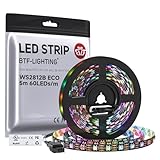
- 【Individually Addressable LED Strip】 Fully programmable WS2812B ICs embedded in 5050SMD LEDs deliver true addressable RGB performance—each pixel independent with 24-bit color depth and 256 brightness levels for stunning dynamic effects: chasing, rainbow, meteor, and beyond. Plug-and-play ready with pre-installed 3-pin JST-SM connectors and separable power wires.
- 【Smart Value Engineering】 BTF-LIGHTING's alloy wire WS2812B strips offer the same 24-bit color and 256-level brightness as pure gold-wire versions, but at a fraction of the cost. Achieve professional-grade dynamic effects—chasing, rainbow, meteor—with entry-level pricing. For premium applications, pure gold wire variants are also available.
- 【UL Listed】UL-certified LED strip for guaranteed safety, featuring 3M double-sided adhesive, UL-approved wires and circuit boards.IP30/IP65 versions come with 3M double-sided adhesive for easy mounting; IP67versions require fastening clips (no adhesive included).
- 【Parameter】Flexible and cuttable 16.4ft LED strip 60LEDs/m (300LEDs=300ICs=300Pixles total).10mm Width.Black PCB. Cuttable every 50cm (at solder joints) for flexible customization.
- 【Versatile Functions】Compatible with multiple controllers: DIY Projects (SP803E,SP805E,ESP32, ESP8266,WLED, Rasp Pi, UNO R3 etc.), Tuya APP (DR03W), BanlanX APP (SP630E/SP530E/SP611E/SP602E/SP608E/SP107E/SP105E etc.),industrial-grade (K1000C, K8000C, etc.). Choose the right controller per your project.Recommended power supply: DC5V 10A 50W (for 16.4FT 300LED strip).
Parts and tools
- ESP8266 NodeMCU, Wemos D1 mini, or equivalent board
- 5 V WS2812B strip, ring, matrix, or individual pixels
- Regulated, enclosed 5 V DC power supply
- 74AHCT125 or equivalent 3.3 V-to-5 V logic-level shifter
- 220–470 Ω resistor for the data line
- 500–1,000 µF electrolytic capacitor rated for at least 5 V
- Fuse and holder for larger builds
- Wire sized for the current and cable length
- USB data cable, soldering tools, connectors, and strain relief
- Translucent diffuser and a heat-tolerant enclosure
Check the strip’s voltage, pixel density, color order, connector labels, and data-direction arrows. Products marketed as “WS2812” are not always electrically identical, so verify the product documentation.
Plan the power before wiring
Use the correct voltage
Standard WS2812B strips are generally 5 V. Never connect a 12 V supply directly to a 5 V strip. If you use a 12 V or 24 V addressable product, confirm how its controller and LED groups are arranged before choosing the WLED configuration.
Estimate current
A conservative planning estimate for full-brightness white is approximately 60 mA per RGB pixel, although the actual value varies by strip revision, LED package, manufacturer, brightness, and firmware limits.
| Pixels | Planning estimate | Example supply |
|---|---|---|
| 30 | 1.8 A | 5 V, 3 A |
| 60 | 3.6 A | 5 V, 5 A |
| 100 | 6.0 A | 5 V, 8 A |
| 150 | 9.0 A | 5 V, 12 A |
| 300 | 18.0 A | 5 V, 20–25 A with careful distribution |
Set WLED’s maximum-current or automatic-brightness limit so the supply, connectors, and wiring are not continuously operated at their theoretical maximum. For larger installations, use the WLED power and wiring calculator.
Prevent voltage drop
Voltage drop makes the far end of a strip dimmer, discolored, or unstable. A short low-current lamp can usually be powered at the input. Longer or brighter lamps should also receive +5 V and ground at the far end, and sometimes at several intermediate points.
Power injection adds power connections; it does not add a second data signal. Do not casually parallel separate regulated supplies unless the design prevents backfeeding and properly handles current sharing. Use appropriately sized wire and place a fuse close to the supply. WLED’s wiring guidance gives further advice; 22 AWG is only a rough lower bound for typical injection wiring, not a universal answer.
Rank #2

- Individually Addressable LED Strip: You can control each LED individually! Each SMD 5050 LED has an integrated driver IC that allows you to control color and brightness independently or add sophisticated lighting effects to your project. 256-bit luminance displays and 24-bit color display. Chasing Lighting, Rainbow, Fire, Meteor, rhythm, etc all kinds of scenes and special effects.
- Compatible with Multiple Controllers: Our ws2812b ic led strip is compatible with RB3+SP630E, SP611E, SP608E, SP602E etc Bluetooth music Controllers, SP530E, WT-SPI, SP511E etc smart 2.4GHz Wi-Fi Alexa music controllers, and you can design DIY effects according to different requirements.Chasing Lighting, Rainbow, Fire, Meteor, rhythm, etc all kinds of scenes and special effects. Dream full color Programmable LED Strip.
- Connectable&Easy Installation: RGB LED light has a 3-pin JST connector and separate power/ground wires at both ends. Each WS2812B LED light bar can be easily connected end-to-end through the 3-pin JST connector, power/ground wires is used to feed power when the voltage drops.You can cut or connect the led strips to meet your needs.
- Wide Applications: DC5V LED strips is safe for children and pets.These LED lights can be used in hotels, karaoke TV, bars, gambling halls, Christmas decorations to improve atmosphere, for cars/shops/homes, etc. use. Note: IP30 not waterproof, only suitable for indoor decoration; IP65 silicone coating waterproof, can be exposed to water for short time.
- Please Note: Only Supports DC5V Power Supply. Never use 12V or 24V power supply. Please do not use higher voltage than 5 V, otherwise the entire strip will be damaged. Light up 1 color(red or green or blue or pure white) 0.1W/LED. Light up 2 colors (red+green) 0.2W/LED, Light up 3 colors (red+green+blue=mixed white) 0.3W/LED. In addition, each LED can be switched off individually without damaging the residual strip.
Recommended wiring
5 V supply positive ── WS2812B +5V
                   └── ESP8266 5V/VIN input, only if supported by the board

5 V supply negative ── WS2812B GND
                    └── ESP8266 GND

ESP8266 GPIO2 / D4 ── 74AHCT125 input
74AHCT125 5 V output ── 220–470 Ω resistor ── WS2812B DIN
74AHCT125 VCC ── 5 V
74AHCT125 GND ── common ground

500–1,000 µF capacitor: across WS2812B +5V and GND
GPIO2 is commonly labeled D4 on NodeMCU and Wemos ESP8266 boards, but labels vary. Check your board’s pinout. Connect the data wire to DIN, follow the strip’s arrow away from the controller, and never use DOUT as the input.
The Tool Desk
Outbyte PC Repair FREERepair Windows errors before they cause bigger problemsFix Now →Outbyte Driver Updater FREEScan for outdated or missing drivers - takes under a minuteDriver Scan →The ESP8266, LED strip, and power-supply negative must share a common ground. Without it, the data signal has no dependable reference and the LEDs may remain dark, flicker, or show random colors.
Some WS2812B strips accept a 3.3 V signal in short, favorable setups. It is not a reliable assumption for every strip or cable length. A 74AHCT125 level shifter is strongly recommended, especially for long data wires or unknown LED batches. Keep the resistor close to the first LED and the capacitor near the strip power entry.
Do not power a substantial LED strip through the ESP8266 board’s 3.3 V regulator or thin jumper wires. The LED power path should run directly from the 5 V supply.
Build the lamp enclosure
Mount the strip behind an optical diffuser rather than exposing the individual LED points. Frosted acrylic, opal plastic, translucent 3D-printed material, or a carefully spaced shade can produce a more even glow. Greater distance between the LEDs and diffuser reduces hotspots; a white reflective interior can improve brightness.
Keep the LED chamber, controller, supply, and cable entry organized. Provide strain relief, access to connectors, and ventilation around the ESP8266 and power supply. For a beginner-friendly design, use a certified enclosed external 5 V adapter and bring only low voltage into the lamp. Do not place exposed mains terminals inside a casual 3D-printed enclosure.
Rank #3

- 【Pure Gold Wires】High-quality LED Chip. Instead of others' alloy chip wire or copper chip wire, This WS2812B RGB LED use Pure Gold Wires inner, which more stable, have exceptional quality, ultra bright, less light decay and longer life.
- 【Individually Addressable WS2812B IC】 WS2812B IC Built-in 5050 SMD .Supporting SPI individual addressing, each LED is independently programmable; 24-bit color depth and 256-level brightness control enable smooth, precise full-spectrum lighting effects including static, chasing and dynamic modes
- 【UL Listed】UL-certified LED strip for reliable safety, equipped with 3M double-sided adhesive; UL-approved wires, 3-pin connectors and circuit boards included. IP30/IP65 versions come with 3M tape for easy mounting; IP67 version requires fastening clips (3M tape not included)
- 【Parameter】Flexible and cuttable 16.4ft LED strip 300LEDs=300IC=300Pixle.3-pin connectors pre-installed on either end for easy daisy chain connection.10mm Width.Black PCB.
- 【Versatile Functions】Compatible with multiple controllers: DIY Projects (SP803E,ESP32, WLED, Rasp Pi, UNO R3 etc.), Tuya APP (DR03W), BanlanX APP (SP630E/SP530E/SP611E/SP602E/SP608E/SP107E/SP105E etc.),industrial-grade (K1000C, K8000C, etc.). Choose the right controller per your project.Recommended power supply: DC5V 10A 50W (for 16.4FT 300LED strip).
Install WLED
- Confirm the ESP8266 board model and pinout.
- Use a data-capable USB cable and connect the board.
- Disconnect the LED strip while flashing if the power wiring is not yet verified.
- Open the WLED web installer.
- Select the appropriate current stable ESP8266 firmware shown by the installer. Do not flash an ESP32 image to an ESP8266.
- After installation, reconnect the controller and wait for startup.
Use the official releases page for current firmware information rather than relying on an old fixed version number.
Connect WLED to Wi-Fi
- Join the temporary
WLED-APnetwork. - Use the default password
wled1234. - Open
http://4.3.2.1. - Open the configuration gear and choose WiFi Setup.
- Enter your home Wi-Fi name and password.
- Optionally set the device’s mDNS name, then choose Save & Connect.
- Reconnect your phone or computer to the home network and open the device’s new address.
Menu wording can change between WLED releases. If the device does not appear, check your router’s DHCP client list or use the WLED app. If configuration fails, reboot and search again for WLED-AP.
Configure the LEDs
In WLED’s LED settings:
- Choose the LED type normally listed as WS281x for WS2812B.
- Enter the exact pixel count.
- Select the data GPIO, normally GPIO2/D4 for this ESP8266 layout.
- Choose the correct color order, commonly RGB or GRB.
- Set a sensible brightness or maximum-current limit.
- Save and reboot if WLED requests it.
WLED’s quick-start documentation describes an initial bright-orange test on the first 30 LEDs. Treat that as a useful expected test, not a guarantee for every strip and configuration.
If colors are swapped, try RGB, GRB, or BRG. Select RGBW only when the strip genuinely has a fourth white channel. A wrong RGB/RGBW setting can produce incorrect output or unreliable behavior.
Independent reader supportYour contribution helps us test, update, and keep practical guides available for everyone.Optional Home Assistant integration
WLED works independently through its web interface, so Home Assistant is not required. If you use it, the official integration requires WLED 0.14.0 or newer and can normally discover the device automatically.
For manual setup, open Settings → Devices & services → Add Integration → WLED. Depending on the configuration, Home Assistant can expose color, brightness, effects, presets, LED count, estimated current, uptime, and network sensors. WLED segments may appear as separate light entities.
Rank #4

- 【3mm Ultra Narrow Design for Space-Limited Applications】Measuring only 3mm wide, this ultra slim COB strip fits into tight spaces where standard strips cannot. Perfect for cabinets, shelves, mirrors, models, displays, and creative DIY projects
- 【Individual Pixel Control for Dynamic Lighting Effects】Powered by WS2812B smart IC technology, each LED pixel can be controlled independently to create flowing rainbows, chasing effects, gradients, and multi-color animations with smooth transitions
- 【Complete Smart Controller Kit, Multiple Control Options】Includes USB controller and remote control for easy operation. Customize colors, brightness, and lighting effects through the controller, app, or compatible voice assistants like Alexa and Google Assistant
- 【Easy Installation with Ready-to-Use Setup】The kit includes a 5V power adapter, controller, remote, and adhesive-backed strip for convenient installation. Simply connect, peel, and stick to clean surfaces for quick indoor lighting upgrades
- 【Creative Lighting for Gaming, Home & DIY Projects】Create immersive environments for gaming rooms, TV backlights, desks, bedrooms, home theaters, photography, crafts, and display decorations with programmable RGB lighting effects
An automation can use a WLED effect like this:
action: light.turn_on
target:
  entity_id: light.wled
data:
  effect: "Rainbow"
Effect names depend on the WLED version and device. Use the entity’s available effect_list instead of assuming every effect exists. Home Assistant also has limitations with mixed RGB/CCT channels, usermods, some 2D and sound-reactive features, secondary effect colors, and complex multi-segment transitions.
Recommended Free Tools
Troubleshooting
Nothing lights
- Confirm the supply is switched on and measures approximately 5 V.
- Check +5 V and GND polarity at the strip.
- Confirm the data wire is on DIN and follows the arrow direction.
- Verify the ESP8266 and strip share ground.
- Check WLED’s GPIO, LED type, and pixel count.
- Confirm the product is actually a 5 V WS2812B-type strip.
- Test for a damaged first pixel.
Flicker or random colors
Check common ground, supply voltage under load, wire connections, cable length, data direction, and voltage drop. Add the AHCT level shifter, series resistor, and bulk capacitor if they are missing. These symptoms are commonly associated with a marginal 3.3 V data signal, long data wiring, poor connections, or inadequate power.
Only part of the strip works
Recheck the configured count and data direction. A failed pixel can interrupt the data chain. Also inspect the data wire and measure voltage at the far end; powering only one end may cause enough voltage drop to affect distant pixels.
The ESP8266 will not boot
A boot-strapping GPIO may be pulled into the wrong state, or the supply may collapse during startup. GPIO2/D4 is WLED’s documented ESP8266 default, but the physical pin and behavior depend on the board. Test the controller without the strip and verify the board’s pinout.
The access point disappeared
Wait for boot to finish, reboot the controller, and search for WLED-AP. Check the router’s DHCP list. If the device remains unresponsive, disconnect the LEDs and reflash the correct firmware target.
WLED or custom Arduino firmware?
Choose WLED when you want a working lamp quickly, a browser interface, effects, presets, OTA updates, and Home Assistant support. Choose Arduino with the NeoPixel library when the main goal is learning embedded programming or implementing highly specialized offline behavior. Custom firmware requires you to build the Wi-Fi control, persistence, animation system, OTA process, and recovery behavior yourself.
Quick Recap
Alternatives
- SK6812 RGBW: better when useful warm or neutral white matters.
- 12 V addressable strips: potentially easier to distribute over long distances, but often address groups rather than individual LEDs.
- APA102: separate clock and data lines can improve tolerance of timing and cable issues, at the cost of extra wiring.
- Purpose-built WLED controllers: suitable for permanent or large installations because they may include level shifting, fuses, connectors, and power distribution.
- Commercial smart lamps: better for polished ecosystems and mains-safety certification, but less flexible for custom shapes and pixel-level effects.
Safety and maintenance
- Use an enclosed, regulated, appropriately rated 5 V adapter.
- Fuse larger LED power branches near the supply.
- Use wire and connectors rated for the expected current.
- Keep the supply ventilated and away from moisture.
- Inspect connections for heat, discoloration, or looseness.
- Do not enclose exposed mains wiring in a beginner-built lamp.
- Be cautious with strobe, lightning, noise effects, and high animation speeds; WLED warns that these may present a risk to people prone to photosensitive epilepsy.
Product prices and availability are accurate as of the date/time indicated and are subject to change. Any price and availability information displayed on Amazon at the time of purchase will apply.

