Do these 3 things before closing this tab:
1Clear out junk files and repair common Windows errors2Scan for outdated or missing drivers - takes under a minute3Repair Windows errors before they cause bigger problemsA DIY pinball machine can be a small tabletop build, a retrofit of an existing playfield, or a full scratch-built arcade-style machine. The right route depends on the tools and experience you have—and on whether you want to design the mechanics, electronics, and game software from the ground up. For a documented starting point, MIT’s Edgerton Center offers a maker-scale project with fabrication files, printable parts, micro:bit instructions, and sample games.
Choose a build scale before choosing parts
“DIY pinball machine” describes projects with very different scopes. A tabletop maker build is not a miniature version of a universal arcade-machine plan: it has its own dimensions, mechanisms, and electronics. A retrofit reuses an existing playfield or machine, while a scratch build requires you to coordinate the cabinet, playfield, mechanisms, controls, and rules.
| Build path | What it involves | Main tradeoff |
|---|---|---|
| Tabletop maker project | A compact fabricated base, mechanical features, controller wiring, and game code. MIT’s Edgerton Center project is a documented example. | Accessible plans and a smaller scope; follow the specific guides and files rather than assuming arcade-machine dimensions. |
| Existing-playfield conversion or retrofit | Adding or replacing control electronics while retaining an existing playfield and mechanisms. | Less new mechanical fabrication, but you inherit the machine’s wiring, coils, and hardware. A general overview is not a substitute for machine-specific wiring documentation. |
| Full scratch build | Designing and fabricating the cabinet, playfield, mechanisms, electronics, and game rules as one system. | Maximum design freedom and the greatest coordination, fabrication, and electrical work. |
Before settling on a route, inventory your access to woodworking tools, a laser cutter, a 3D printer, and electronics equipment. Then decide what you want to reuse, what you can fabricate, and how complex you want the rules, display, sound, and lighting to be.
What the MIT starter project includes
The MIT K-12 Maker Lab at the Edgerton Center presents its DIY Pinball project as a starter project for makers in classrooms and elsewhere. The work spans laser-cutting a plywood playfield, cutting lumber and assembling the base, printing flippers and buttons, creating obstacles and decorations, and coding scoring, sounds, lights, motion, and two-player play. Its project page links the assembly and micro:bit guides, fabrication files, feature files, and code examples.
#1 Best Overall

- BUILD IT, THEN ACTUALLY PLAY IT: Most STEM kits get built once and shelved. This one becomes a real working arcade machine with spring launcher, flippers and scoring targets that gets played for months after build day.
- LEARN REAL ENGINEERING BY DOING: Assemble levers, springs and ramps and see momentum, energy transfer and mechanical advantage work in your hands.
- FOR KIDS, TEENS AND ADULTS ALIKE: A satisfying mechanical model kit for ages 8 to 99. Kids build it with a parent, teens build it solo, and adults get a genuinely absorbing screen-free project with a real payoff at the end.
- FUN FAMILY AND PARTY GAME: Once built, take turns and compete for high score. A tabletop arcade game that turns into game night entertainment for the whole family, not a toy that only one person uses.
- THE ULTIMATE BIRTHDAY GIFT: A thoughtful birthday or holiday gift for boys, girls, teens and adults who love building. Trusted by families in 33+ countries, winner of the 2022 Innovative Toy of the Year in the Netherlands and a 2022 TOTY Finalist.
Build the physical playfield and base
The project provides base parts for laser cutting from 1/8-inch plywood and suggests acrylic as an alternative. It also links printable STL files for flippers and pushers, plus starter features such as spinners, targets, and ramps. The page describes using shop tools to cut lumber and assemble the base. Use the dimensions and instructions in the files for the specific build; those material suggestions are not a universal specification for larger machines.
Wire and code the starter game
For this project, the micro:bit is the documented controller path. The linked wiring and coding guide and example programs cover one- or two-player games. A micro:bit is a controller component, not a complete pinball kit: the physical parts, wiring, and mechanisms still need to match the chosen plan.
Rank #2

- Classic Arcade Pinball Action at Your Fingertips: Pull the spring-loaded launcher to fire steel balls across three elevated tracks. Use the side control buttons to activate the flippers and keep the ball in play, recreating the fast-paced thrill of retro arcade pinball in a compact desktop form
- Smart Scoring with Immersive Light & Sound: Built-in infrared sensors track every score across the tracks and bumper zones. Each successful hit lights up a star on the central display and triggers clear celebratory sound effects, delivering that satisfying arcade feedback with every shot
- Intricate Multi-level Track Challenges: Navigate winding tunnels, elastic bumpers, and three ringing copper bells across a layered course. Built-in restart channels send stray balls straight back to the launcher, keeping the action smooth and uninterrupted for hours of replay fun
- Nostalgic Circus-style Desk Display: Ornate vintage carvings, top-hat soldier figures and warm integrated lighting bring classic carnival charm to any space. It doubles as an eye-catching decorative piece for desks, man caves, game rooms and living room shelves
- Rewarding Build & Unique Gift: Precision laser-cut wooden pieces assemble into a fully working pinball machine for a satisfying screen-free project. It makes a standout gift for birthdays, Christmas, or family game nights, loved by puzzle fans, retro gamers and kids alike
Plan the mechanical, electrical, and software work together
Pinball is a useful cross-discipline construction project because the playfield’s geometry, moving mechanisms, switches, electrical controls, and game rules affect one another. A feature is not finished just because it is printable or fits the base: it must work with the ball path, register reliably, and suit the controller and driver hardware you selected.
- Fabrication: Match sheet material, lumber, printed parts, and fasteners to the dimensions and instructions for your chosen build.
- Mechanics: Plan flippers, pushers, targets, spinners, ramps, or other features around the playfield and intended ball movement.
- Controls: Choose a controller and any required driver hardware that support the switches, lights, motors, and actuators in your design.
- Software: Decide whether you want simple starter-game code or a framework for more elaborate rules, modes, scoring, and displays.
- Serviceability: Leave a practical way to reach wiring and mechanisms for adjustment or repair, especially if the build uses components inherited from an existing machine.
For larger machines, consider a separate software and hardware path
The Mission Pinball Framework (MPF) is a free, Python-based framework for controlling real pinball machines. It runs on a computer, including Windows, Mac, Linux, or Raspberry Pi, and supports game features such as scoring, modes, multiballs, and ball saves alongside control of machine electronics. Its documented mechanisms include flippers, pop bumpers, slingshots, drop targets, and spinners. MPF is a different design path from the micro:bit starter project, not a drop-in replacement for its wiring or code.
Free tools Windows power users keep installed
One-click scans. No signup required.
Rank #3

- Build Your Own Pinball Machine: Kids can build a fully functional pinball and then enjoy hours of exciting gameplay. A hands-on engineering kit that combines construction and play for a fun and rewarding experience
- STEM Learning Made Fun: Introduces basic concepts of engineering and physics through interactive play. Helps develop problem-solving and fine motor skills while keeping kids engaged without screens
- Exciting Arcade Game Experience: Features working flippers, ramps, and moving parts that create a true pinball experience. Kids can launch, play, and score just like an arcade game at home
- Eco-Friendly and Easy Build: Made from environmentally friendly engineered wood for safe play. No glue required for easy building. Step-by-step illustrated instructions make it easy for kids to build with confidence
- Great Gift for Kids Ages 8-14: Suitable for birthdays and holidays. Designed for boys and girls who enjoy building, 3D puzzles, and hands-on activities, with added fun for family bonding
MPF supports multiple control systems, including FAST Pinball, CobraPin, P3-ROC, and Arduino Pinball Controller. Its hardware documentation describes the framework as hardware-independent across compatible platforms; that does not mean every board is suitable for every machine. Check whether the chosen system meets the project’s input, output, and driver requirements. For open hardware design resources, Mission Pinball Hardware provides PCB designs and schematics, CAD models, and some printable parts and mechanisms; some components are off the shelf, while others are specific to a machine.
At the time of the official MPF overview, version 0.80.0 and long-term-support version 0.57.5 were reported as released on April 25, 2026. Version availability can change, so check the official page when selecting software.
Rank #4
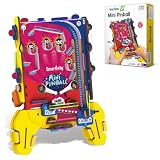
- BUILD YOUR OWN ARCADE. HOLD IT IN YOUR HANDS: This is a handheld, pocket-sized pinball machine — kids build it themselves from precision-cut wooden parts, then play it anywhere. No table needed, no electricity, no batteries. Flip the launcher, watch the ball navigate the obstacles, aim for the highest score. Arcade action that fits in a backpack. Ages 6 to 12.
- REAL MECHANICAL PINBALL — NOT A DIGITAL IMITATION: Gravity, momentum, and mechanical flippers — this mini pinball machine works exactly like a real arcade machine, just at pocket scale. Every flip of the launcher is a live physics lesson: force, trajectory, gravity, and reaction. Kids feel the physics they're learning, rather than reading about it.
- BEAT YOUR HIGH SCORE — SOLO OR HEAD-TO-HEAD: Play alone to beat your own record, or pass it to a friend and challenge them to top your score. The game rewards practice — early sessions are chaotic and fun, but repeat players develop real precision and strategy. The kind of game that comes out at every sleepover, road trip, and waiting room.
- STEM SKILLS IN EVERY FLIP: Building the machine teaches structural assembly, spatial reasoning, and mechanical thinking. Playing it teaches gravity, force, momentum, and cause-and-effect — the same physics concepts covered in school science. Two STEM learning moments from one build-and-play kit, for kids aged 6 to 12.
- PERFECT TRAVEL TOY — COMPACT, SCREEN-FREE, ALWAYS READY: Small enough for a jacket pocket, engaging enough for a transatlantic flight. No charger, no Wi-Fi, no app. Kids pick it up, flip the launcher, and play. The screen-free alternative that parents reach for as readily as kids do. Built from safe, eco-friendly engineered wood that survives travel.
Coil-powered mechanisms require proper driver hardware
Never connect a pinball coil directly to a hobby controller’s GPIO pin. A logic pin is not a coil power stage. Coil-based mechanisms need a correctly rated external driver and actuator power supply, selected for the specific controller and coil. Use the control-board and coil documentation to determine wiring, voltage, current, fusing, and driver requirements; do not transfer pin assignments or power values from an unrelated example.
MPF’s official P-ROC/P3-ROC coil documentation warns that logic and coil power must share a common ground before high voltage is turned on. It cautions that ignoring this can leave coils energized, overheat them, cause a fire, or cause a fatal shock. Follow the safety instructions for your actual hardware, and do not energize a coil circuit until its grounding and driver arrangement have been verified.
Quick Recap
Best Value
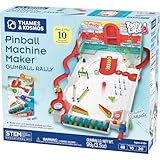
- Build your own customizable pinball machine that uses edible gumballs as the pinballs!
- The reconfigurable and reusable building system includes all kinds of obstacles like bumpers, slingshots, bells, ramps, and more; move them around to change up the playing field!
- A fun, gamified approach to learning about physics concepts like force, motion, gravity, simple machines, collisions, and more.
- Trial-and-error experiments promote hands-on learning, encourage creative problem-solving, and provide hours of open-ended play that’s different every time!
- Gumballs included! The kit comes with approximately 45 delicious standard machine-size gumballs.
A practical way to scope your project
- Set the scale. Choose a tabletop plan, a conversion, or a full scratch build before buying materials or electronics.
- Gather the project documentation. For the MIT-style starter, begin with the project page and its linked assembly, wiring, code, and fabrication files. For a larger build, consult the selected control system’s hardware documentation.
- Map features to hardware. List the mechanisms and effects you want—such as switches, lights, motors, or coils—and identify the controller and driver hardware required for each.
- Fabricate and test in stages. Build the base and playfield to the selected plan, then check mechanical movement and switch registration before adding more features or rules.
- Keep electrical safety specific. Verify the chosen board’s grounding and driver instructions and the coil manufacturer’s requirements before applying actuator power.
Product prices and availability are accurate as of the date/time indicated and are subject to change. Any price and availability information displayed on Amazon at the time of purchase will apply.