Do these 3 things before closing this tab:
1Repair Windows errors before they cause bigger problems2Fix the driver behind crashes, sound loss and screen glitches3Clear out junk files and repair common Windows errorsFor most home theaters, start with a horizontal viewing angle of 30° to 36°. Choose about 30° for a comfortable mixed-use room, or about 36° for a more cinematic presentation. Keep the screen’s center close to the primary viewer’s seated eye line, and treat roughly 15° above or below screen center as a practical upper limit for vertical offset.
There is no single perfect angle. The right choice depends on screen size, eye-to-screen distance, seating layout, content, display technology, room lighting, and how much eye movement you find comfortable.
As an Amazon Associate I earn from qualifying purchases.
What “viewing angle” means
In home theater planning, viewing angle usually means the width of the image as it appears from the viewer’s seat. It is not the same as physically tilting a television.
Free tools Windows power users keep installed
One-click scans. No signup required.
- Horizontal viewing angle: How wide the screen appears from the main seat.
- Vertical viewing angle: How far above or below the viewer’s eye line the screen center sits.
- Off-axis angle: How far a side seat is from the screen’s perpendicular centerline.
- Viewing distance: The distance from the viewer’s eyes to the screen plane.
Calculate the angle from the active image—not the bezel, wall opening, or black bars.
#1 Best Overall

- Projector Holder Compatible with QKK,DR.J,DBPOWER,Anker,VANKYO,AAXA,Jinhoo,PVO,TMY,AuKing and Most Other Mini Projector
30°, 36°, or 40°?
| Target | What it means | Good fit for |
|---|---|---|
| About 30° | Restrained and comfortable | Mixed TV, sports, news, gaming, subtitles, and multiple viewers |
| About 36° | More immersive and cinema-like | Movie-focused rooms and the farthest seat in a theater-style layout |
| About 40° or wider | Highly immersive but potentially tiring | Film enthusiasts and simulation gaming after testing the size personally |
SMPTE ST 2080-3:2017 describes a 30° maximum horizontal angle for its reference viewing environment. THX recommends 36° from the farthest seat for a cinema-style presentation. These are different design goals, not contradictory universal rules: SMPTE’s figure is a reference-viewing target, while THX’s is an immersive theater recommendation.
Calculate the correct screen size
Measure from the viewer’s eye position to the front plane of the display or projection screen. Do not measure from the back of the sofa.
For a flat 16:9 display:
Viewing angle = 2 × arctangent(screen width ÷ (2 × viewing distance))To calculate the required seating distance:
Viewing distance = screen width ÷ (2 × tangent(viewing angle ÷ 2))A 16:9 screen’s width is approximately its diagonal multiplied by 0.8716. For planning purposes, these distance-to-diagonal ratios are useful:
Quick wins for a faster PC:
Scan for outdated or missing drivers - takes under a minuteDriver Scan →Clear out junk files and repair common Windows errorsFree Scan →| Target angle | Approximate eye-to-screen distance |
|---|---|
| 30° | 1.63 × screen diagonal |
| 36° | 1.33 × screen diagonal |
| 40° | 1.19 × screen diagonal |
Distance chart for 16:9 screens
| Screen | 30° | 36° | 40° |
|---|---|---|---|
| 65 inches | 8.8 ft | 7.2 ft | 6.5 ft |
| 77 inches | 10.4 ft | 8.6 ft | 7.7 ft |
| 85 inches | 11.5 ft | 9.4 ft | 8.4 ft |
| 100 inches | 13.6 ft | 11.1 ft | 9.9 ft |
| 120 inches | 16.3 ft | 13.3 ft | 11.9 ft |
These are geometric estimates, not guarantees of comfort. For example, a viewer 10 feet from a 16:9 screen would need approximately 74 inches for 30°, 90 inches for 36°, or 101 inches for 40°. Round to a commercially available size, then test it in the room.
Rank #2

- 【Note】The projector mount used in this projector mount should have the following conditions: 1. The wall where the mount is installed should be a hard solid wall, not a hollow and weak wall; 2. The projector has 3-4 screws holes to install screws; 3. The diameter of screw holes is 3 mm or 4 mm.
- 【Universal Projector Wall Mount Bracket】Newly Designed 3-In-1 retractable projector mounts from ceiling, including Flush Ceiling Installation; Telescoping Arm Ceiling Installation; Wall Installation. Compatible most projectors,Not compatible with mini projectors.
- 【STABILITY AND DURABILITY】This wall mount projector bracket, with solid construction made entirely of high grade steel, supporting projectors up to 40 lbs, wall-hanging 20 lbs. Projector mount wall keeping your expensive equipment safe and secure.
- 【EASY TO ADJUST】The projector holder is fully adjustable with +/- 30 degree tilt, +/-30 degree swivel, hitting all the right viewing angles. The projector ceiling mount adjustable height extends from 16.9" to 25.6" from the ceiling surface and 13.8" to 22.5" from the wall. Flush ceiling mount with a minimum length of 5 inches.
- 【EASY TO INSTALL】Projector mount ceiling adjustable is easy installation with quick release hooks that attach and detach by tightening and loosening mounting bolts. All necessary hardwares and instructions are provided for assembly. NOTE: This projector screen ceiling mount does NOT support the vaulted ceiling and regular drywall.
Place the screen at the right height
Measure eye height while seated normally—or while reclined if the room uses reclining theater seats. The primary viewer’s line of sight should be close to the center of the image. Slightly below eye level is often more comfortable than above it.
THX advises keeping the viewing line roughly aligned with screen center and staying within approximately 15° above or below center as a practical limit. A screen can be fully visible yet still be uncomfortably high for long sessions.
- Use seated eye height, not standing height.
- Lower a television if viewers experience neck strain or lean backward to watch.
- Do not mount a TV above a fireplace by default; the fireplace often forces the display too high.
- In a multi-row room, check the front row’s upward sightline and the rear row’s clearance over the seats ahead.
- Use projector lens shift where available to position the image optically.
- Avoid relying on digital keystone correction to compensate for incorrect projector placement; it can reduce usable resolution and distort geometry.
A flat-panel TV should usually face the seating area directly rather than being sharply tilted downward. Physical tilt changes the screen plane and can worsen reflections and perceived uniformity. It is different from a viewer looking slightly above or below the screen center.
Plan for every seat
In a single-row room, design around the primary seat. In a theater with multiple rows, check both extremes: the farthest seat must not lose immersion, and the closest seat must not feel overwhelming.
Rank #3

- 【𝑼𝒑𝒈𝒓𝒂𝒅𝒆𝒅 𝑷𝒓𝒐𝒕𝒆𝒄𝒕𝒊𝒐𝒏 𝑫𝒆𝒗𝒊𝒄𝒆】: Projector Stands add a safety latch, which avoids the danger of falling. Laptop tripod is made of thickened aluminum metal to ensure overall stability. Metal top tray prevents warping in the transportation process.
- 【𝑺𝒊𝒎𝒑𝒍𝒆 𝑰𝒏𝒔𝒕𝒂𝒍𝒍𝒂𝒕𝒊𝒐𝒏 & 𝑺𝒕𝒂𝒃𝒍𝒆】: It may take you 5-10 min to install according to attached accessories and instructions manual(No extra tool to set up). Before using the projector tripod, tighten the lock for each connection to ensure more stability.
- 【𝑴𝒖𝒍𝒕𝒊𝒇𝒖𝒏𝒄𝒕𝒊𝒐𝒏𝒂𝒍 𝑺𝒄𝒆𝒏𝒆𝒔】: The enlarged top tray(15" x 11") supports various sized devices, such as projectors, laptops, music players, and DJ equipment. This tripod stand is suitable for home party, conference, speech, report, DJ, office.
- 【𝑾𝒊𝒅𝒆𝒍𝒚 𝑨𝒅𝒋𝒖𝒔𝒕𝒂𝒃𝒍𝒆 𝑯𝒆𝒊𝒈𝒉𝒕 & 𝑻𝒊𝒍𝒕】: The projector tripod stand is easily adjusted from 23 to 46 inches for height to meet personal needs. The top tray can be easily tilted within a range of 180° to provide a comfortable viewing angle. Maximum load capacity is 22 lb.
- 【𝑷𝒐𝒓𝒕𝒂𝒃𝒍𝒆 & 𝑭𝒐𝒍𝒅𝒂𝒃𝒍𝒆】: Detachable design makes the projector holder easier to store and carry out.After disassembled by section, they fit perfectly into the provided bag. Sponge pads and elastic belts enhance the stability of outdoor & indoor use.
Designing only for the back row can make the front row uncomfortable with subtitles, fast action, sports, or video-game interfaces. A projector may allow a smaller image mode for everyday use, but a fixed TV does not offer the same flexibility.
Also consider sightlines over the row in front, changes in eye height caused by reclining, aisle clearance, and the location of the center speaker. THX provides approximate room-size categories around 8, 10, 12, and 20 feet, but these are system and room examples—not a universal screen-size chart. See the THX room-size guide.
Account for side seats
Side seats experience an off-axis view. Depending on the display, they may also show reduced contrast, color shifts, or less consistent brightness. Exact performance varies by model and should be checked through model-specific testing.
- Keep the main seating area centered on the screen.
- Reduce the seating arc if outer seats look noticeably worse.
- Consider a display with stronger off-axis performance or fewer, better-positioned seats.
- For projection, check the screen’s viewing cone, gain, and potential hotspotting.
A curved screen does not automatically solve side-seat problems. It can introduce reflections or geometric compromises if the screen curvature, projector, and content are not properly matched. Room dimensions and seating position also affect the audio experience; Dolby’s home theater guide emphasizes that there is no single ideal layout for every room.
Rank #4

- Universal Compatibility: Fits most projectors (Note: Length <13.7'', Width <8.6'') with standard mounting interfaces. Projector Wall Mount supports a maximum load of 10kg/22LBS, suitable for home, office, cinema and other scenarios, and is compatible with mainstream device sizes, no compatibility concerns
- Flexible Adjustment: Enables multi-dimensional adjustment of height and angle based on usage scenarios. Projector Ceiling Mount adapts to different room layouts, projector models and screen configurations for both ceiling and wall installation, no need to purchase additional mounts, reducing costs
- Easy Installation: Includes a detailed step-by-step manual and full set of installation hardware for beginners to finish assembly and installation quickly. After assembly, only fixing operations are needed to place the device stably, saving much installation time
- Tidy Cable Management: Ceiling Projector Mount Features a built-in cable storage structure to organize device connecting cables effectively, avoiding tangles. It keeps the installation space neat, reduces cable damage risks and improves device usage safety and environmental coordination
- Adjustable Length: This projector mount delivers flexible length settings to adapt to different room layouts. It features 14.17''–22.44'' adjustable range for ceiling installation and 22.05''–31.5'' adjustable range with tray for wall mounting. The adjustable bracket matches various projectors and screens without extra purchases
TV or projector?
Flat-panel TV
A television is usually the simpler choice when you need high brightness, easy installation, minimal maintenance, or reliable performance in a room with windows and lamps. Check wall width, reflections, mounting height, pixel visibility at close range, HDR brightness, and off-axis behavior before choosing a very large panel.
A large TV is a poor fit if the front row is too close, the wall cannot accommodate it without raising the screen, or the required seating angle makes side seats unusable.
Projector and screen
Projection is attractive when you want a much larger image, flexible image sizing, or a dedicated dark room. But the angle calculation is only the first check. Before purchasing, verify:
Crashes, No Sound, or Screen Glitches?
Random freezes, missing sound and display glitches usually trace back to one bad driver. Find and replace yours safely.Free scan · under a minutePC Slower Than It Used to Be?
A free scan shows the junk files, broken settings and background clutter dragging Windows down - then fixes them in one click.Free scan · Windows 10 & 11- Projector throw distance and zoom range.
- Lens-shift limits and mounting position.
- Brightness at the intended screen size.
- Screen gain, viewing cone, and material.
- Ambient-light control.
- HDR performance, fan noise, and installation access.
- Whether the screen is fixed, retractable, or acoustically transparent.
Use the manufacturer’s calculator where possible, such as the BenQ projector calculator or Epson’s distance calculator. ProjectorCentral’s projector guide also explains why screen size must be considered alongside brightness and HDR. A screen can provide the correct viewing angle and still be impossible for the selected projector to fill properly.
Best Value
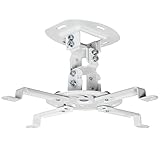
- Universal Projector Mount: Fits most projectors on the market, including mini projectors. Sturdy steel design supports up to 30 lbs (Please Note: Extension arms need to be removed for mini projectors)
- Compatibility: Distance between mounting holes on back of projector must be 5.25" to 12.5” with arms and 1.5" x 1.5" without arms. Not compatible with these models: Epson LS1100, 3010, 3200, 3700, 3800, 8350, 8500UB, 4010, Mitsubishi XL25U, or LG HU915QE
- Fully Adjustable: Features +15° to -15° tilt, +15° to -15° swivel, and 360° rotation. Hits all the right viewing angles so you and your guests can watch in comfort
- Low Profile: This mounting system holds your projector just 6” from the ceiling surface. The sleek powder-coated finish blends well with the majority of home and office environments
- Easy Installation: Quick release hooks attach and detach by tightening and loosening the mounting bolts. All hardware and instructions are provided for assembly
Aspect ratio changes the calculation
Viewing angle is based on image width, so diagonal sizes cannot be compared directly across formats. A 120-inch 16:9 screen is not the same width as a 120-inch 2.39:1 screen.
For a 2.35:1 or 2.39:1 cinemascope setup, calculate using the active widescreen image width. A wide screen may be excellent for movies but make 16:9 television, sports, and games appear smaller unless the system uses masking or a constant-image-height arrangement. Black bars do not contribute to the active image’s angle.
Match the angle to what you watch
- Movies: A wider 36° angle often creates a satisfying cinema feel; 40° can suit viewers who prioritize immersion.
- Sports: Around 30° to 36° usually makes it easier to follow the entire field or court.
- Competitive gaming: A moderate angle can reduce head movement and make status information easier to monitor.
- Simulation games: A wider angle can increase immersion, especially with a suitable ultrawide or multi-display arrangement.
- Subtitled films: An excessively large screen may make repeated movement between subtitles and action tiring.
- Mixed family viewing: Use the farthest important seat and the most sensitive viewer as constraints.
4K resolution may reduce visible pixel structure and support closer seating than older, lower-resolution displays, but it does not make every close seat comfortable. Compression, upscaling, motion processing, HDR brightness, panel uniformity, projector texture, eyesight, and source quality still matter.
The Tool Desk
Outbyte Driver Updater FREEFix the driver behind crashes, sound loss and screen glitchesFind Drivers →Outbyte PC Repair FREERepair Windows errors before they cause bigger problemsFix Now →Test before buying or building
- Put the seating in its intended final location.
- Sit normally and measure eye-to-screen distance.
- Measure seated eye height, wall width, and available wall height.
- Calculate sizes for 30°, 36°, and—if desired—40°.
- Mark the proposed image with painter’s tape or cardboard.
- For projection, test a temporary image at the intended size and aspect ratio.
- Watch a film, sports, subtitles, menus, and a game from every important seat.
- Recheck reflections, speaker placement, sightlines, cable routes, and mounting structure.
Calculators narrow the options; a temporary mock-up reveals whether your eyes and neck actually prefer the result.
Troubleshooting common problems
| Symptom | Likely cause | Practical fix |
|---|---|---|
| Neck discomfort | Screen too high or vertical angle too large | Lower the screen and recalculate from seated eye height |
| Front row feels overwhelmed | Screen too large or seats too close | Move the row back, reduce the image, or choose a smaller screen |
| Rear seats lack impact | Screen too small or seats too far away | Move seats forward or increase screen size |
| Side seats look washed out | Off-axis display or screen limitations | Narrow the seating layout or choose a display/screen with better off-axis performance |
| Projector image will not fill the screen | Throw range or lens-shift mismatch | Verify the exact projector and screen specifications before installation |
| Image is dim or HDR is disappointing | Screen too large, excessive ambient light, or insufficient projector output | Reduce image size, control light, or select a better-matched projector and screen |
| Close-up image looks noisy | Compression, poor upscaling, motion artifacts, or visible pixel structure | Improve the source, move farther back, or reduce screen size |
Construction and installation checklist
- Confirm the final eye-to-screen distance before framing or mounting.
- Leave sufficient wall width and height for the active image, masking, speakers, and ventilation.
- Check stud or masonry locations, mount weight ratings, VESA compatibility, tilt range, and cable clearance.
- Keep the center speaker acoustically aligned with the display; do not let screen height dictate an impractical speaker position.
- For projectors, confirm throw distance, lens shift, ceiling height, power, ventilation, wiring, and service access.
- For acoustically transparent screens, plan speaker depth and placement before closing the wall.
- Control windows and lighting before choosing an ambient-light-rejecting screen or very large image.
- Consider professional design or installation when the room has multiple rows, hidden wiring, complex aspect-ratio management, a projector, or acoustic treatment.
For larger installations, CEDIA’s integrator directory and THX certification information can help identify relevant professional services. A simple TV installation may not justify that expense, but complex sightlines and projector systems often benefit from experienced planning.
Quick Recap
Product prices and availability are accurate as of the date/time indicated and are subject to change. Any price and availability information displayed on Amazon at the time of purchase will apply.

