What’s actually slowing this PC down?
Pick the symptom - the matching free tool is one click away.
If you own a Samsung Galaxy S20 FE or S20 FE 5G and you are running out of room, the right microSD card is a simple, useful upgrade. The phone was sold with 128GB of internal storage in Samsung’s US materials, and it supports microSD expansion up to 1TB. That means you do not need a new phone just because photos, 4K clips, PDFs, receipts, and project albums are eating the original storage.
The best microSD card for most Samsung S20 FE users in 2026 is a genuine Samsung PRO Plus 512GB microSDXC UHS-I U3/V30/A2. It gives enough capacity for years of home project photos, inspection videos, warranty records, travel files, and offline media without paying the steep price of a 1TB card. If you want to spend less, a 256GB Samsung EVO Select, Samsung EVO Plus, or SanDisk Ultra is a sensible budget choice. If you shoot a lot of video or move large files to a computer often, the SanDisk Extreme 512GB or 1TB is the performance pick.
On our job sites, phone storage is not just convenience. A phone may hold framing photos before drywall, serial numbers on appliances, cabinet finish references, punch-list videos, paint labels, delivery tickets, and warranty documentation. Losing those files can cost real time. The card matters, but the backup habit matters just as much.
As an Amazon Associate I earn from qualifying purchases.
Recommended Free Tools
Quick Answer: What to Buy for a Galaxy S20 FE
Buy a microSDXC card, not an older low-capacity microSD or microSDHC card. For the S20 FE, the practical target is UHS-I, Class 10, U3, V30, A1 or A2. U3 and V30 are the key labels for reliable video writing. A1 or A2 helps with random access, though Samsung phones are still best treated as using the card for media and files, not as a full replacement for internal storage.
For capacity, 256GB is the value upgrade, 512GB is the long-term sweet spot, and 1TB is for heavy 4K video or users who keep large offline libraries. Do not buy a 2TB card for this phone. The published expansion ceiling is 1TB, and suspiciously cheap high-capacity cards are one of the most common ways people end up with fake storage.
#1 Best Overall

- READ/WRITE SPEEDS UP TO 180/130 MB/S: Load fast and play faster. With read and write speeds of up to 180 MB/s and 130 MB/s¹, you can sprint through load screens and quickly jump between games.
- STORAGE CAPACITIES FROM 128GB TO 1TB: Level up your gaming library with a wide range of storage options, from 128GB to 1TB—including your high-res files, photos, and 4K videos.
- EXTENSIVE COMPATBILITY: Sonic and his friends power up everything you play on from original Nintendo Switch and Steam Deck to action cams and drones. All Sonic the Hedgehog PRO Plus microSD cards include a full size SD adapter.
- 6-PROOF PROTECTION WITH 10-YEAR LIMITED WARRANTY: The Sonic the HedgehogTM PRO Plus microSD card stands up to life's biggest bosses—like water and extreme temperatures. ² ³ ⁴ ⁵ ⁶ ⁷ ⁸ ⁹
- MAGICIAN SOFTWARE: Samsung Magician Software helps you unlock unstoppable Sonic the HedgehogTM PRO Plus microSD card performance. It includes product authenticity verification and drive health monitoring.¹⁰
| Best for | Recommended card | Capacity | Useful specs | Typical 2026 US price range |
|---|---|---|---|---|
| Best overall | Samsung PRO Plus microSDXC | 512GB | UHS-I, U3, V30, A2 | About $30-$90; Samsung sale pricing has shown about $29.99, with list pricing around $59.99 |
| Budget photos and files | Samsung EVO Select/EVO Plus or SanDisk Ultra | 256GB | Class 10; choose U3/V30 if video matters | About $15-$50 |
| Frequent video | SanDisk Extreme microSDXC | 512GB or 1TB | UHS-I, U3, V30, A2 | 512GB about $30-$90; 1TB about $80-$240 |
| Large media offloads | SanDisk Extreme PRO | 256GB or higher | UHS-I, U3, V30, A2; faster transfer claims may require a compatible reader | 256GB listings can run around $70, depending on seller and bundle |
| Light use | Mainstream 128GB microSDXC | 128GB | Class 10 minimum | About $10-$25 |
Why the S20 FE Still Benefits From a microSD Card
The Galaxy S20 FE is still a capable phone for homeowners, project managers, estimators, and anyone who uses the camera hard. The problem is that 128GB disappears faster than it sounds. After the operating system, apps, cached media, messages, downloads, and camera folders, a phone can feel cramped long before the hardware is worn out.
One minute of high-resolution video can consume hundreds of megabytes depending on settings. A single job folder with 400 photos, 20 short videos, permit screenshots, finish selections, and PDF receipts can run several gigabytes. Multiply that by a kitchen remodel, a bathroom renovation, a deck repair, and a few years of personal use, and the storage pressure is predictable.
The Tool Desk
Outbyte PC Repair FREEClear out junk files and repair common Windows errorsFree Scan →Outbyte Driver Updater FREEFix the driver behind crashes, sound loss and screen glitchesFind Drivers →Our crews use phones as field notebooks. Before drywall goes up, we photograph wiring runs, blocking locations, plumbing penetrations, and mechanical chases. Those pictures are valuable months later when a homeowner asks where to mount a grab bar, a TV bracket, or shelving. A microSD card gives the phone more working room, especially when cellular service is poor and cloud upload is delayed.
That said, a card is not a backup by itself. It is removable storage. It can fail, get misplaced, or be damaged with the phone. The best setup is local card storage plus automatic cloud backup for camera folders and a clear project folder naming system.
The Specs That Matter: microSDXC, U3, V30, A1, and A2
Memory card packaging can be crowded with logos, speed claims, and marketing numbers. For the Samsung S20 FE, you can ignore most of the noise and focus on a few labels.
microSDXC capacity
For practical S20 FE upgrades, choose microSDXC. That is the card family used for 64GB through 1TB capacities. Older microSD and microSDHC cards are generally too small for modern phone photo and video storage. The S20 FE supports expansion up to 1TB, so a 256GB, 512GB, or 1TB microSDXC card is the right category.
Do these 3 things before closing this tab:
1Repair Windows errors before they cause bigger problems2Fix the driver behind crashes, sound loss and screen glitches3Clear out junk files and repair common Windows errorsUHS-I
UHS-I is the normal interface class for these cards and this phone use case. You may see cards advertised with very high read speeds, but the phone itself can be the bottleneck. Some headline speeds, especially numbers in the 180MB/s to 250MB/s range, may require a proprietary or specially compatible USB reader. That does not mean the card is bad. It means you should not pay extra expecting that exact number inside the S20 FE.
U3 and V30
For video, U3 and V30 are the practical sweet spot. V30 means the card is rated for at least 30MB/s sustained write speed under the SD Association video speed class system. That sustained write number matters more than a big advertised read speed when the phone is saving video files.
If you only store photos, PDFs, and music, you can get by with a slower mainstream card. If you shoot 4K video, project walkthroughs, or long clips, choose U3/V30. The price difference is usually small compared with the frustration of dropped recording, slow saves, or unreliable large files.
A1 and A2
A1 and A2 are application performance ratings tied to random read and write behavior. They are useful signals, but they should not be oversold. On Samsung phones, a microSD card works best for camera files, downloads, documents, and media. Some apps may be movable depending on Android behavior, app design, and carrier/software settings, but do not buy a card expecting it to behave like a second internal drive.
Best Overall: Samsung PRO Plus 512GB
The Samsung PRO Plus 512GB microSDXC card is the best all-around choice for the Galaxy S20 FE. It matches the phone brand, has the right performance class for photo and video storage, and sits in the value range where most users get a meaningful upgrade without paying 1TB pricing.
For a homeowner documenting a remodel, 512GB is a comfortable size. It can hold thousands of photos, many hours of compressed phone video, downloaded plans, appliance manuals, receipts, and personal media. It also gives breathing room so the phone does not constantly nag you about storage while you are trying to capture something useful.
In 2026 pricing, 512GB mainstream and performance microSDXC cards commonly run about $30-$90 depending on brand, seller, warranty, bundle, and sale timing. Samsung’s US store has shown the PRO Plus 512GB around $29.99 on sale with list pricing around $59.99, though availability and pricing can vary by date and ZIP code. Best Buy listings have shown Samsung PRO Plus 512GB around $49.99-$54.99. At those numbers, 512GB is usually the most rational long-term buy.
Rank #2

- 512GB Micro SD Card compatible with smartphones, tablets, cameras, GoPro/action cameras, laptops, desktop computers, DSLRs, drones, gaming consoles and more. This Micro SD card is not compatible with the Nintendo Switch 2
- Ideal for recording and storing Full HD/4K/5K videos, high resolution photos, and other data types
- Read speed up to 200MB/s. Write speed up to 150MB/s. For optimal smartphone experience includes UHS-I, U3, Class 10 and A2 speed classes. Note: to achieve 200MB/s read speeds (above UHS-I) this Micro SD Card needs Amazon Basics Micro SD Card Reader USB C 3.0 B0DB4YQPL1 (sold separately).
- Shockproof, IPX6 waterproof, temperature-proof (-10° to 80°), X-Ray-proof, and magnetic-proof
- Note: Actual storage capacity shown by different Operating Systems may be less than the capacity indicated on the product label due to different measurement standards. The available storage capacity is higher than 465GB. Read and write speeds are based on internal tests conducted under controlled conditions. Actual speeds may vary depending on the device used, interface, conditions of use, and other factors. Check whether your device is compatible with the microSD capacity; for example, if the device only supports a maximum capacity of 64GB, it may not recognize this Micro SD Cards’ full capacity of 512GB.
Choose this card if you want one answer that works for most people: family photos, jobsite documentation, 4K clips, offline music, project folders, and general phone storage relief.
Quick wins for a faster PC:
Scan for outdated or missing drivers - takes under a minuteDriver Scan →Clear out junk files and repair common Windows errorsFree Scan →Best Budget Pick: Samsung EVO Select, EVO Plus, or SanDisk Ultra 256GB
If your main problem is a full camera roll, a 256GB card is the best low-cost upgrade. In 2026, 256GB cards commonly run about $15-$50. That is a modest spend for doubling or tripling practical storage space compared with what is usually free on the internal drive after apps and system files.
For photos, screenshots, PDFs, scanned receipts, and casual video, Samsung EVO Select, Samsung EVO Plus, and SanDisk Ultra lines can make sense. If you plan to shoot 4K video regularly, look specifically for U3 and V30 on the package. Do not buy on brand name alone, because product lines change and retailers may list several speed variants under similar names.
A 256GB card is also a good company standard for light field use. If a business issues phones to estimators, service techs, or supervisors, standardizing on one approved 256GB card can simplify purchasing and replacement. Everyone gets enough room for photos and documents, and the office does not have to troubleshoot a mix of unknown marketplace cards.
Best Performance Pick: SanDisk Extreme 512GB or 1TB
The SanDisk Extreme line is a strong choice for users who record a lot of video and transfer files to a computer often. It is typically positioned with UHS-I, U3, V30, and A2 ratings in the capacities that make sense for the S20 FE. For real use, the value is not just peak speed. It is the combination of sustained write rating, broad compatibility, and availability from major retailers.
Outdated Drivers Are Slowing You Down
One free scan finds every outdated or missing driver and matches the right update for your exact hardware.Free scan · exact hardware matchPC Slower Than It Used to Be?
A free scan shows the junk files, broken settings and background clutter dragging Windows down - then fixes them in one click.Free scan · Windows 10 & 11Choose 512GB if you want performance without 1TB pricing. Choose 1TB if your phone is a serious field documentation tool or you keep large offline media libraries. In 2026, 1TB cards commonly run about $80-$240 depending on product line and seller. That is a wide range, and the low end should be checked carefully for seller quality.
For construction documentation, 1TB can be justified when a phone records frequent walkthroughs, before-and-after videos, delivery evidence, punch-list clips, and warranty files across multiple jobs. For most personal users, 1TB is more storage than they need. The better use of money may be a 512GB card plus a reliable cloud plan.
When a Premium Card Is Worth It
A premium card is worth buying when the phone is part of a real workflow. If you shoot short clips once a month, you do not need the most expensive card on the shelf. If you record 4K walkthroughs every week, collect hundreds of progress photos, or offload large folders to a laptop, a faster and better-rated card saves time.
SanDisk Extreme PRO and similar premium cards can make sense for large media offloads, especially when used with a good USB-C reader or SD adapter. Just understand the limit: advertised peak transfer speeds may not show up inside the phone. They often depend on the host device and the reader. Paying for a premium card is most rational when you also use a compatible computer transfer setup.
For continuous or very frequent recording, consider endurance-focused cards. Standard cards can have warranty exclusions for surveillance, dash-cam, or continuous recording use. A phone used like a site camera, security recorder, or long-duration video logger is a different workload than ordinary photo storage.
How Much Storage Do You Actually Need?
Start with how you use the phone, not the largest number on the package. A 128GB card is fine for light personal storage, but it is a short upgrade if you already feel cramped. A 256GB card is the best minimum for most S20 FE owners in 2026. A 512GB card is the better long-term choice for project documentation. A 1TB card is for heavy video, large offline libraries, or people who delay offloading files for months at a time.
| Capacity | Best use | Typical 2026 price | Our practical take |
|---|---|---|---|
| 128GB | Light photos, music, documents | About $10-$25 | Cheap, but often too small as a long-term upgrade |
| 256GB | Photos, receipts, project folders, casual video | About $15-$50 | Best low-cost choice for most owners |
| 512GB | Years of photos, 4K clips, remodel records, offline media | About $30-$90 | Best overall value for the S20 FE |
| 1TB | Heavy 4K video, field documentation archives, large media libraries | About $80-$240 | Useful for heavy users; unnecessary for many people |
As a rule of thumb, buy one capacity larger than your current pain point. If you think 128GB is enough, buy 256GB. If you think 256GB will solve it, buy 512GB. The cost difference is usually smaller than the hassle of replacing a card again in a year.
Setup: Installing and Formatting the Card Correctly
Before installing the card, back up anything already on the phone that matters. Formatting erases files. Swapping storage without a backup is how people lose the one photo that proves where a pipe, wire, shutoff, or framing block was located.
Rank #3

- Compatible with Nintendo-Switch (NOT Nintendo-Switch 2)
- Save time with card offload speeds of up to 190MB/s powered by SanDisk QuickFlow Technology (Up to 190MB/s read speeds, engineered with proprietary technology to reach speeds beyond UHS-I 104MB/s, requires compatible devices capable of reaching such speeds. Based on internal testing; performance may be lower depending upon host device interface, usage conditions and other factors. 1MB=1,000,000 bytes. SanDisk QuickFlow Technology is only available for 64GB, 128GB, 256GB, 400GB, 512GB, and 1TB capacities. 1GB=1,000,000,000 bytes and 1TB=1,000,000,000,000 bytes. Actual user storage less.)
- Pair with the SanDisk Professional PRO-READER SD and microSD to achieve maximum speeds (sold separately)
- Up to 130MB/s write speeds for fast shooting (Based on internal testing; performance may be lower depending upon host device interface, usage conditions and other factors. 1MB=1,000,000 bytes.)
- 4K and 5K UHD-ready with UHS Speed Class 3 (U3) and Video Speed Class 30 (V30) (Compatible device required. Full HD (1920x1080), 4K UHD (3840 x 2160), and 5K UHD (5120 X 2880) support may vary based upon host device, file attributes and other factors. See HD page on SanDisk site. UHS Speed Class 3 (U3) designates a performance option designed to support real-time video recording with UHS-enabled host devices. Video Speed Class 30 (V30), sustained video capture rate of 30MB/s, designates a performance option designed to support real-time video recording with UHS-enabled host devices. See the SD Association’s official website.)
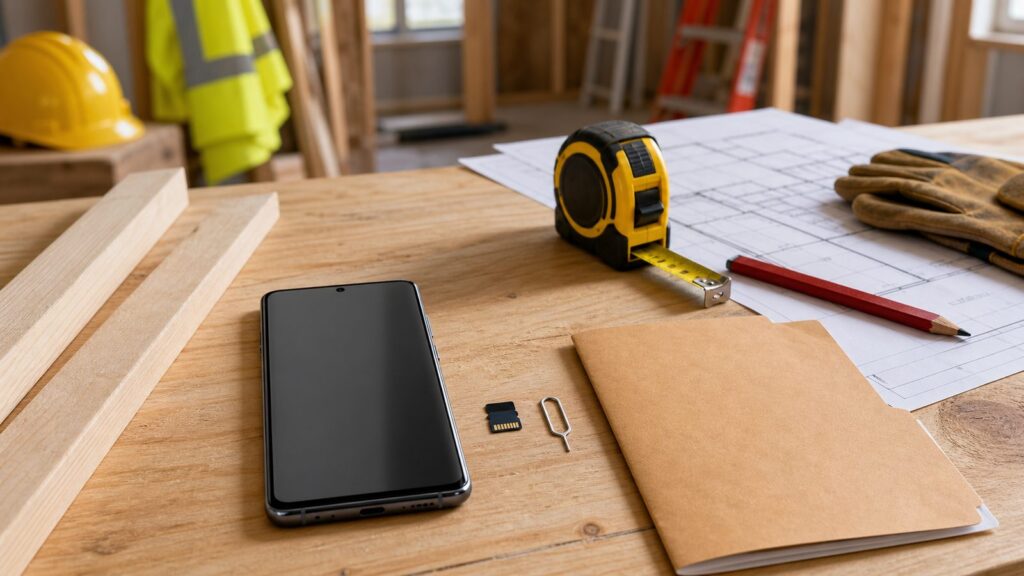
Use the SIM ejector tool to open the S20 FE tray. Seat the microSD card carefully in the tray, then reinsert it without forcing it. If the tray resists, stop and check alignment. Bent trays and damaged contacts are avoidable.
Once the phone recognizes the card, format it in the phone. Samsung guidance for Galaxy microSD compatibility points to FAT32 or exFAT, with exFAT preferred. FAT32 is limited because it does not support files over 4GB and is only available for cards under 32GB. For modern 256GB, 512GB, and 1TB cards, exFAT is the practical format.
Avoid formatting the card on a computer as NTFS or APFS. Those file systems are not the right choice for Galaxy compatibility. If you do use a computer for testing, let the phone handle final formatting before relying on the card.
Basic setup checklist
- Back up current photos, videos, and documents before changing storage.
- Install a genuine microSDXC card, seated flat in the SIM/microSD tray.
- Format the card in the Samsung phone, not as NTFS or APFS on a desktop.
- Open Samsung My Files and confirm the card appears with the expected capacity.
- Check Camera and Gallery settings for options to save future photos and videos to the SD card where available.
- Take several test photos and one test video, then confirm they save and open correctly.
Counterfeit Cards: The Most Expensive Cheap Card You Can Buy
Fake microSD cards are common because the package is small, the printed capacity is easy to lie about, and many buyers do not test the card until after important files are already on it. A fake 1TB card may appear as 1TB in the phone but only contain a small amount of real storage. Once that true capacity is exceeded, files corrupt or disappear.
Buy from manufacturer stores, Best Buy, B&H, major carrier stores, or clearly authorized Amazon and Walmart sellers. Be cautious with anonymous marketplace sellers, used cards, refurbished cards, and prices far below normal market range. In 2026, a real 1TB card at $80-$240 is normal depending on product line and sale timing. A supposed 1TB or 2TB card for a fraction of that should be treated as suspect.
Before trusting the card, test full capacity on a computer using H2testw on Windows or F3 on macOS/Linux. The test can take time, especially on 512GB and 1TB cards, but it is faster than reconstructing lost project records. After testing, format the card in the phone and start fresh.
Independent reader supportYour contribution helps us test, update, and keep practical guides available for everyone.Jobsite and Home Project Storage Tips
A larger card only helps if the files are organized. On our job sites, the best storage system is simple enough that crews will actually use it. We label folders by address, date, and purpose. For example: 2026-08-15_1420-Oak-Kitchen_Pre-Drywall. That naming style makes files searchable months later.
For homeowners, use folders for major categories: permits, receipts, finish selections, appliance labels, warranty photos, before photos, progress photos, and final photos. If you are documenting a bathroom renovation, take wide shots first, then close-ups of plumbing, electrical, waterproofing, tile layout, valve locations, and product labels. Storage is cheap compared with opening a wall later.
Free tools Windows power users keep installed
One-click scans. No signup required.
Keep automatic cloud backup turned on for camera folders tied to projects. The SD card is local working storage; the cloud is your second copy. For important projects, also offload a copy to a computer or external drive at major milestones: demolition, rough-in, pre-drywall, finish installation, and final walkthrough.
For company phones, standardize on one or two approved card models. That makes purchasing easier and reduces field support problems. A good standard is Samsung PRO Plus 512GB for heavy documentation phones and Samsung EVO Select/EVO Plus 256GB for lighter-use phones.
Common Mistakes to Avoid
The biggest mistake is buying by capacity alone. A cheap card with a huge number printed on it is not a bargain if it is fake, slow, or outside the phone’s supported range. The S20 FE supports up to 1TB, so avoid 2TB or larger claims for this phone.
The second mistake is buying by advertised read speed only. Read speed helps when copying files off the card, but sustained write speed matters when recording video. Look for U3 and V30 if video is part of your use.
The third mistake is keeping the only copy of important records on the card. Renovation photos, receipts, permits, serial numbers, and inspection videos should exist in at least two places. If a phone is lost, stolen, water-damaged, or crushed, the removable card may not save you.
Rank #4

- MASSIVE STORAGE: With capacities from 128GB to 1TB, there's no need to pick favorites or stress about space. Whether you're capturing hi-res photos, 4K videos or storing your favorite games and digital media, you'll have more than enough room to meet your everyday needs
- TAKE YOUR BURST SHOT: Capture high-resolution photos and record 4K video in real time. With transfer speeds up to 170MB/s¹, it's easy to transfer and access your content quickly. U3 and V30 ratings² support stable high-resolution video recording, while A2 performance³ helps apps load quickly. For gaming, load your games with ease and spend less time waiting
- WORKS WITH THE DEVICES YOU RELY ON EVERYDAY: Made for creators, gamers, and everyday users. It works across the devices you use most, including cameras, laptops, handheld gaming consoles or Android smartphones.⁴ Capture everyday photos and videos or store your game library with easy access across your devices
- PROTECTED FOR PEACE OF MIND: Designed for all of life's adventures, with 6-proof durability that protects your data from water, extreme temperatures, x-rays, magnets, drops and daily usage. It includes a 3-year limited warranty for added peace of mind⁵⁻¹²
- MAINTAIN YOUR MEMORY CARD HEALTH WITH MAGICIAN SOFTWARE 9.0: For added control and peace of mind, manage your memory card confidently with a suite of helpful tools built for everyday use. It helps you verify product authenticity, protect your photos and videos, and monitor card health with ease¹³
Also avoid removing the tray while the phone is writing files. If you need to remove the card, unmount it through the phone settings first. Pulling storage during a write can corrupt data. That is true whether the card is cheap or premium.
When to DIY vs. When to Hire a Pro
Installing a microSD card in a Samsung S20 FE is a DIY task for most people. The work takes about 5 to 10 minutes: back up files, open the tray, insert the card, format it, and test it. You need the phone, the card, a SIM ejector tool, and possibly a computer if you want to verify full capacity before use.
Hire help or ask your company’s IT support if the phone contains business records, legal documentation, client photos, insurance files, or regulated data. The card installation is simple, but the data handling may not be. A contractor, property manager, or business owner should care about where files sync, who can access them, and how long records are retained.
Recommended Free Tools
For homeowners, no building permit is involved in adding phone storage. For construction documentation, permits and building codes are not triggered by the SD card itself. The practical compliance issue is recordkeeping. If photos support an inspection, warranty claim, insurance claim, or change order, make sure they are backed up, dated, and stored where they can be retrieved later.
Bottom Line
For the Samsung Galaxy S20 FE, buy a genuine microSDXC card up to 1TB, preferably UHS-I U3/V30 with A1 or A2. The best overall pick is the Samsung PRO Plus 512GB because it balances capacity, price, brand fit, and video-ready performance. The best budget move is a 256GB Samsung EVO Select/EVO Plus or SanDisk Ultra, with U3/V30 preferred if you shoot video. The best performance choice is SanDisk Extreme 512GB or 1TB for heavy photo, video, and computer-transfer workflows.
Format the card in the phone using a Galaxy-compatible format, keep exFAT as the practical choice for modern large cards, and back up before formatting or swapping. Test new cards before trusting them. For home projects and construction records, use the SD card as working storage, not the only copy of your evidence.
Frequently Asked Questions
What is the maximum microSD card size for Samsung Galaxy S20 FE?
Samsung’s published materials list the Galaxy S20 FE and S20 FE 5G as supporting microSD expansion up to 1TB. Do not buy 2TB or larger cards for this phone.
Do these 3 things before closing this tab:
1Repair Windows errors before they cause bigger problems2Fix the driver behind crashes, sound loss and screen glitches3Clear out junk files and repair common Windows errorsShould I buy 256GB, 512GB, or 1TB for a Samsung S20 FE?
Buy 256GB for the best low-cost upgrade, 512GB for the best long-term value, and 1TB only if you shoot a lot of 4K video or keep large offline media and project archives.
Is SanDisk Extreme or Samsung PRO Plus better for Galaxy S20 FE?
Samsung PRO Plus 512GB is the best overall value for most users. SanDisk Extreme is a strong performance pick for frequent video recording and large file transfers.
What format should a Samsung S20 FE SD card use: FAT32 or exFAT?
Use exFAT for modern large cards. Samsung notes Galaxy compatibility with FAT32 or exFAT, but FAT32 does not support files over 4GB and is only available for cards under 32GB.
Can I move apps to the SD card on Samsung S20 FE?
Some apps may allow limited movement depending on Android, Samsung software, and the app itself, but microSD should mainly be treated as storage for photos, videos, documents, downloads, and media.
How can I tell if a microSD card is fake?
Buy from authorized sellers and test the full capacity before use with H2testw on Windows or F3 on macOS/Linux. Be skeptical of cards priced far below normal 2026 market ranges.
Quick Recap
Product prices and availability are accurate as of the date/time indicated and are subject to change. Any price and availability information displayed on Amazon at the time of purchase will apply.

