Do these 3 things before closing this tab:
1Fix the driver behind crashes, sound loss and screen glitches2Repair Windows errors before they cause bigger problems3Scan for outdated or missing drivers - takes under a minuteThe best HP LaserJet printer for a home office is not the biggest one on the shelf. It is the one that matches your monthly page count, color needs, scan workflow, and the space where the printer will actually live. For most homeowners, remote workers, and small construction offices, that means choosing between a compact monochrome LaserJet, a monochrome multifunction LaserJet Pro, or a Color LaserJet Pro all-in-one.
Our practical short list for 2026 is this: choose an HP LaserJet Pro MFP 3101fdw or 3101sdw class printer for everyday black-and-white paperwork, an HP Color LaserJet Pro MFP 3301fdw or 3301sdw class printer if you regularly print color packets or marked-up documents, and an HP LaserJet Pro 4000 or 4100 series model if several people share one printer and the monthly volume is closer to a small office than a spare-bedroom desk.
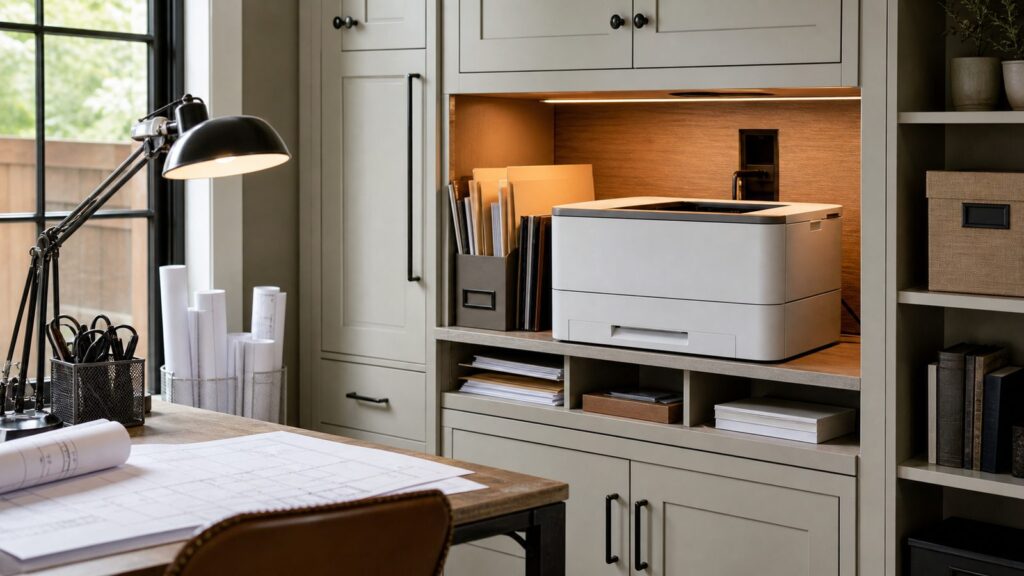
On our job sites and in our office work, the printer is not just an appliance. It affects where forms get signed, where permits get scanned, where invoices pile up, and whether the office stays clean enough to work in. A good printer setup needs power, data, ventilation, storage, and service clearance. If you are remodeling a home office, adding built-ins, or setting up a contractor desk in a basement, garage, trailer, or spare room, plan the printer zone before the cabinets are built.
As an Amazon Associate I earn from qualifying purchases.
Best HP LaserJet Picks for 2026
Here is the practical buying map. Prices move with sales, bundles, and toner availability, but the 2026 retail range for HP LaserJet home and small-office machines is roughly $120 to $250 for compact monochrome print-only models, $220 to $400 for monochrome all-in-one LaserJet Pro units, $380 to $550 for Color LaserJet Pro 3301-class multifunction printers, and $500 to $900 or more for heavier Pro 4000 and 4100 office configurations.
| Use Case | Best HP LaserJet Type | Typical 2026 Price Range | Best Fit |
|---|---|---|---|
| Light home printing | Compact monochrome LaserJet Pro | $120-$250 | Occasional forms, labels, shipping pages, school documents, and basic home-office use |
| Best everyday home office | HP LaserJet Pro MFP 3101fdw/3101sdw class | $220-$400 | Fast black-and-white printing, scanning, copying, contracts, estimates, invoices, and admin files |
| Best color home office | HP Color LaserJet Pro MFP 3301fdw/3301sdw class | $380-$550 | Client packets, color markups, permit exhibits, presentations, flyers, and occasional design documents |
| Small shared office | HP LaserJet Pro 4000/4100 mono series | $500-$900+ | Higher-volume monochrome printing for several users, larger paper capacity, and faster output |
| Construction plan sets | Not a standard LaserJet | Varies | Use outsourced large-format printing or a dedicated plotter for full plan sets |
Best Overall for Most Home Offices: HP LaserJet Pro MFP 3101fdw or 3101sdw
If your work is mostly black text, the HP LaserJet Pro MFP 3101fdw or 3101sdw class is the sensible center of the lineup. It is a monochrome multifunction machine, so it prints, scans, copies, and supports the kind of document workflow most home offices actually need.
#1 Best Overall

- FROM AMERICA'S MOST TRUSTED PRINTER BRAND – Perfect for small teams printing, scanning and copying professional-quality color documents and reports plus fax. Print speeds up to 26 ppm black/color.
- PROFESSIONAL PRODUCTIVITY – Proficiency with every print—next-generation TerraJet toner brings your business to life with more vivid colors
- UPGRADED FEATURES – Fast color printing, scan, copy, fax, auto 2-sided printing, 2-sided single-pass scanning, auto document feeder, and a 250-sheet input tray.
- AWARD-WINNING RELIABILITY – Performance you can count on page after page, and always ready for the high demands of business.
- WIRELESS PRINTING – Stay connected with dual-band Wi-Fi with self-reset, which automatically detects and resolves connection issues.
This is the printer class we would point most construction administrators, project managers, bookkeepers, and serious home-office users toward first. It is not glamorous, but it is exactly right for estimates, contracts, lien waivers, packing slips, insurance forms, inspection paperwork, tax documents, and signed PDFs. HP positions the Pro 3000 mono series for frequent black-and-white printing, up to 2,500 recommended pages per month, up to 35 pages per minute, up to 250-sheet capacity, and up to 7 users.
Those numbers matter. A household printing 50 pages a month does not need this much machine. A small office printing 40 to 100 pages per workday absolutely can use it. At 2,000 pages per month, a basic inkjet can become a maintenance problem, while a monochrome LaserJet is usually more predictable because toner does not dry out like liquid ink.
Recommended Free Tools
Where It Fits Best
Use this printer when color is rare, speed matters, and scanning is part of the daily workflow. It belongs in a home office, estimating room, basement office, jobsite trailer, or small admin area where documents come in, get signed, get scanned, and get filed.
The toner math is one of the stronger arguments. The HP 138A cartridge is listed around 1,500 pages, while the HP 138X high-yield cartridge is around 4,000 pages. If you print every business day, high-yield toner usually reduces the cost per page and cuts down on emergency supply runs. If you print only a few dozen pages a month, the standard cartridge may be easier on cash flow.
Best HP Color LaserJet for a Home Office: HP Color LaserJet Pro MFP 3301fdw or 3301sdw
Choose the HP Color LaserJet Pro MFP 3301fdw or 3301sdw class if you regularly print documents where color changes the usefulness of the page. That includes client packets, permit exhibits, highlighted schedules, marked-up plans, finish selections, sales sheets, simple flyers, and presentation documents.
HP positions the Color LaserJet Pro 3000 series for daily professional color printing and scanning, with up to 3,000 recommended pages per month, up to 26 pages per minute, up to 250-sheet capacity, and up to 7 users. In practical terms, this is a small-team color machine, not a photo printer and not a plan printer.
What’s actually slowing this PC down?
Pick the symptom - the matching free tool is one click away.
The major tradeoff is operating cost. Color toner is more expensive than black toner, and every color machine has four cartridges to manage. For the 3301fdw class, HP 218A cartridges are listed around 1,300 pages for black and 1,200 pages for each color. HP 218X high-yield cartridges are around 3,200 pages for black and 2,500 pages for each color. If your office prints color daily, the high-yield set usually makes more sense. If color is occasional, the upfront cost of a full cartridge set can still surprise people.
When Color Is Worth Paying For
Color is worth it when it reduces confusion or improves client communication. On construction documents, color can make revisions, scopes, finish selections, and schedule phases easier to read. For sales or design work, color can help a packet look finished enough to hand to a homeowner or property manager.
Color is not worth it if most of your printing is contracts, invoices, checklists, labels, tax forms, and internal paperwork. In that case, buy the better monochrome LaserJet and outsource the occasional color packet. Over three to five years, that often costs less and creates fewer cartridge-management headaches.
Best HP LaserJet for a Small Shared Office: HP LaserJet Pro 4000 or 4100 Series
For a small office where several people share one printer, step up to the HP LaserJet Pro 4000 or 4100 mono series. HP positions the LaserJet Pro 4000 mono series for heavier frequent black-and-white work, up to 4,000 recommended pages per month, up to 42 pages per minute, up to 900-sheet capacity, and up to 10 users.
Rank #2

- FROM AMERICA'S MOST TRUSTED PRINTER BRAND – Perfect for small teams printing, scanning and copying professional-quality color documents and reports. Print speeds up to 26 ppm black/color.
- PROFESSIONAL PRODUCTIVITY – Proficiency with every print—next-generation TerraJet toner brings your business to life with more vivid colors.
- ORIGINAL HP TONER CARTRIDGES – This HP printer uses Original HP 218A standard and 218X high yield LaserJet toner cartridges.
- UPGRADED FEATURES – Fast color printing, scan, copy, auto 2-sided printing, auto document feeder, and a 250-sheet input tray.
- AWARD-WINNING RELIABILITY – Performance you can count on page after page, and always ready for the high demands of business.
This is the better fit for a contractor office, property management desk, service department, accounting corner, or shared workspace where print jobs come from multiple computers all day. The extra speed and paper capacity matter less for one person and more when five people are waiting on permits, packets, work orders, or closeout documents.
In a remodel or office buildout, the 4000 and 4100 class machines also deserve more physical planning. Higher-capacity trays, service doors, rear clearances, and toner access can turn a tight cabinet opening into a daily nuisance. Always size the opening with the paper tray extended and service panels accessible, not from the closed product footprint alone.
Best Budget HP LaserJet for Light Home Use
If you print under 500 pages per month, a compact monochrome HP LaserJet Pro print-only model may be enough. These usually fall around $120 to $250 in the 2026 market, depending on sales and included toner. They are a good fit for shipping labels, school forms, return paperwork, recipes, boarding passes, and occasional work documents.
The limitation is workflow. Print-only sounds fine until you need to scan a signed document, copy a driver license, or send a contractor packet back as a PDF. If scanning is even a monthly requirement, pay for a multifunction model. The cost difference between a print-only unit and a monochrome all-in-one can be smaller than the frustration of relying on phone scans for business documents.
For very low volume, do not overbuy. A large office LaserJet in a small bedroom office adds noise, heat, and footprint without much benefit. A compact mono model on a sturdy shelf with a covered paper tray can be the cleanest solution.
What We Recommend for Construction Paperwork
For a construction office, the best setup is usually a monochrome LaserJet MFP for daily paperwork plus outsourced large-format printing for plan sets. Standard HP LaserJets are letter and legal document printers. They are not replacements for a wide-format plotter.
Daily construction paperwork is mostly black and white: contracts, estimates, change orders, lien waivers, purchase orders, packing slips, inspection forms, safety sheets, certificates of insurance, and job closeout files. A monochrome LaserJet Pro MFP handles that work well, keeps toner simpler, and avoids paying color costs for pages that do not need color.
Use a color LaserJet only when color is part of the workflow. If your team prints color markups, finish boards, sales packets, annotated schedules, or client-facing presentation sheets every week, the Color LaserJet Pro MFP 3301 class is a practical choice. If you only need color a few times a month, outsource those packets or use a local print shop.
Rank #3

- EVERYTHING SMALL TEAMS NEED – Print, scan and copy professional-quality color documents and reports plus fax. Auto 2-sided printing and auto document feeder for fast scan/copy. Perfect for up to 10 people
- BLAZING FAST COLOR – Up to 35 color pages per minute, with sharp details and incredible color
- STAYS CONNECTED – Intelligent Wi-Fi looks for the best connection to stay online and ready to print
- PROTECTS YOUR DATA – Includes HP Wolf Pro Security with customizable settings so your printer and information are always secure
- PRINT FROM ANY DEVICE – Wireless printing from any mobile device, PC or tablet. Ethernet and Bluetooth included. Works with Microsoft, Mac, AirPrint, Android, Chromebook and more
Do Not Buy a LaserJet for Full-Size Plans
Full plan sets often require 24-inch by 36-inch or 30-inch by 42-inch output. A standard HP LaserJet is not built for that. Trying to shrink construction drawings onto letter-size paper creates field mistakes because dimensions, notes, and details become hard to read. For plan production, use a dedicated plotter or send large-format drawings to a print provider.
Toner Cost, Cartridge Choice, and Dynamic Security
The purchase price is only the first cost. Toner is where the printer becomes either a good long-term tool or an expensive convenience. The right question is not simply, “How much is the printer?” It is, “What will this printer cost at 500, 1,500, or 3,000 pages per month?”
For monochrome printing, high-yield toner usually makes sense once your office prints several hundred pages per month. Using the HP 138A and 138X example, moving from about 1,500 pages to about 4,000 pages per cartridge reduces cartridge changes and usually lowers cost per page. For color, the decision matters even more because you are managing black, cyan, magenta, and yellow cartridges.
There is also a compatibility caveat. Many current HP LaserJet models include dynamic security, which can limit some non-HP cartridges or cartridges using non-HP chips. That may affect long-term operating cost if your buying plan depends on third-party toner. Before purchasing, check the specific model’s cartridge policy and firmware notes. For a business printer, we prefer making that decision up front instead of discovering it during a deadline.
The Tool Desk
Outbyte PC Repair FREEClear out junk files and repair common Windows errorsFree Scan →Outbyte Driver Updater FREEScan for outdated or missing drivers - takes under a minuteDriver Scan →How to Place a Laser Printer in a Home Office or Built-In
A printer zone should be designed like a small workstation. It needs the printer, paper, spare toner, recycling, a shredder if sensitive paperwork is handled, and enough counter space to sort documents. The cleanest home offices put all of that within one reach area instead of scattering supplies across the room.
For cabinetry, measure the printer with trays open, not just the listed closed dimensions. Leave room at the front for paper trays, at the top for scanner lids or automatic document feeder access, and at the rear for cables and ventilation. A good starting point is to allow at least 2 to 4 inches behind the unit for cords and airflow, more if the manufacturer’s manual requires it. If the printer is on a slide-out shelf, use full-extension hardware rated for the printer weight plus paper and a safety margin.
A full ream of 20 lb copy paper is 500 sheets and weighs about 5 lb. Ten reams weigh about 50 lb before you add toner, envelopes, labels, and files. That is why paper storage belongs on a real shelf or base cabinet, not a flimsy floating shelf.
Power, Data, and Noise
Most home-office LaserJets do not require a dedicated circuit, but they do need a properly located outlet. Do not plan on a permanent extension cord inside cabinetry. If you are remodeling, put the outlet behind or beside the printer bay and add a data drop if the printer will serve more than one person.
Rank #4

- Official Refurbished Program - From a renowned American brand, we offer superior refurbishment technology. Genuine parts and toner provide premium service for your work and life. A one-year official warranty provides peace of mind. All printers come with a brown box featuring the "Certified refurbished" logo.
- FROM AMERICA'S MOST TRUSTED PRINTER BRAND – Perfect for small teams printing, scanning and copying professional-quality color documents and reports plus fax. Print speeds up to 26 ppm black/color.
- PROFESSIONAL PRODUCTIVITY – Proficiency with every print—next-generation TerraJet toner brings your business to life with more vivid colors
- UPGRADED FEATURES – Fast color printing, scan, copy, fax, auto 2-sided printing, 2-sided single-pass scanning, auto document feeder, and a 250-sheet input tray.
- AWARD-WINNING RELIABILITY – Performance you can count on page after page, and always ready for the high demands of business.
Wi-Fi is convenient, but Ethernet is better for a shared office printer. Wired printing reduces connection problems, especially in houses with thick walls, detached offices, garages, or basement work areas. For small teams, one hardwired printer can save hours of support frustration over a year.
Noise also matters. Put the printer away from seated ear level and out of the main video-call background. Laser printers make warm-up, feed, fan, and output noise. That is fine in a copy nook and annoying beside a microphone.
Independent reader supportYour contribution helps us test, update, and keep practical guides available for everyone.Ventilation, Indoor Air, and Safety Notes
Laser printers produce heat and need airflow. Do not trap one in a tight, closed cabinet and then run 50-page jobs all afternoon. Older laser printers using corona-wire technology could produce significant ozone, and modern machines are generally improved, but we still avoid cramped, unventilated printer cavities.
For a built-in cabinet, provide open clearance around the printer, avoid sealing the rear of the bay completely, and keep paper dust under control. In dusty remodel offices, garages, or jobsite trailers, keep the printer off the floor and store paper in a covered cabinet or closed box. Dusty paper and dusty intake areas create jams and shorten equipment life.
Quick wins for a faster PC:
Fix the driver behind crashes, sound loss and screen glitchesFind Drivers →Clear out junk files and repair common Windows errorsFree Scan →ENERGY STAR imaging-equipment ratings use Typical Electricity Consumption, reported in kilowatt-hours over normal weekly operation. If the printer will sit in a small office running all week, certified models are worth comparing. Energy use is rarely the biggest cost with a LaserJet, but heat, standby behavior, and power management still affect comfort in a small room.
When to DIY vs When to Hire a Pro
Setting up the printer itself is usually a DIY job. Unbox it, install toner, load paper, connect Wi-Fi or Ethernet, update firmware, and test printing and scanning from every computer that will use it. Plan on 30 to 90 minutes for a clean setup, depending on the network and number of devices.
Hire a pro when the printer location needs electrical work, data wiring, cabinet modification, or a heavy slide-out shelf. A new outlet, a low-voltage Ethernet run, cabinet ventilation, or a reinforced pull-out tray is construction work, not printer setup. Depending on the house and local rules, adding an outlet may require a permit and should be handled by a licensed electrician. Low-voltage data wiring is often simpler, but it still needs clean routing, wall plates, and protection from damage.
Cabinet work deserves the same care. If the opening is too shallow, the tray will block a walkway. If the shelf is underbuilt, it will sag. If the printer is too high, scanning becomes awkward. For most adults, a printer surface around desk height, roughly 28 to 34 inches, is comfortable. Heavy shared-office printers are often better on a base cabinet or dedicated printer stand than on a high shelf.
PC Slower Than It Used to Be?
A free scan shows the junk files, broken settings and background clutter dragging Windows down - then fixes them in one click.Free scan · Windows 10 & 11Outdated Drivers Are Slowing You Down
One free scan finds every outdated or missing driver and matches the right update for your exact hardware.Free scan · exact hardware matchBest Value

- With Chip: These 218X toner cartridges 4 pack are already installed with chips, No need to transfer oem 218X toner chip to them
- Package contents: 218x toner cartridges 4 pack (1x 218X W2180X black toner, 1x 218X W2181X cyan toner, 1x 218X W2182X yellow toner, 1x 218X W2183X magenta toner) high yield compatible for HP mfp 3301fdw toner cartridges
- High Page Yield: Up to 3,200 pages for the 218X black toner cartridge and 2,500 pages for each 218X color toner cartridge (Letter/A4, at 5% coverage) for HP218X Toner
- Compatible for HP Printers: Color Laserjet Pro MFP 3201dw, Color Laserjet Pro MFP 3301fdw, Color Laserjet Pro 3301cdw, Color Laserjet Pro 3301sdw Printer
- High quality: Cool Toner 218x 218a toner compatible for 218x 218a toner cartridges set committed you with consistency, vibrant color, sharp printin
Our Bottom-Line Buying Advice
Buy the printer for the work you do every week, not for the rare job you imagine doing someday. For most home offices and small construction offices, a monochrome HP LaserJet Pro MFP is the best first choice. It is fast, practical, easier to feed with toner, and suited to the paperwork that keeps projects moving.
Move up to a Color LaserJet Pro MFP 3301 class printer when color documents are part of your regular business communication. Move up to a LaserJet Pro 4000 or 4100 class machine when several users share the printer and the monthly count approaches 3,000 to 4,000 pages. Stay compact if you print under 500 pages per month.
Finally, design the printer location with the same discipline you would use for a laundry room, mudroom, or tool storage wall. The best printer in the wrong location becomes clutter. The right printer in a well-planned zone makes the office quieter, cleaner, and easier to use every day.
Frequently Asked Questions
Which HP LaserJet printer is best for a home office in 2026?
For most home offices, the HP LaserJet Pro MFP 3101fdw or 3101sdw class is the best practical choice because it handles fast black-and-white printing, scanning, copying, and everyday paperwork without the higher toner cost of color.
Free tools Windows power users keep installed
One-click scans. No signup required.
Is an HP LaserJet better than an inkjet for occasional home-office printing?
Usually, yes, if the work is mostly documents. Laser toner does not dry out like liquid ink, so a LaserJet is often more reliable for intermittent forms, contracts, labels, and office paperwork. Inkjets are still better for glossy photo printing.
Should a contractor buy a color LaserJet or a black-and-white LaserJet?
Most contractors should start with a monochrome LaserJet MFP for estimates, contracts, lien waivers, invoices, and job paperwork. Buy a color LaserJet only if you regularly print client packets, color markups, finish selections, or presentation documents.
How much should I expect to spend on an HP LaserJet printer?
In 2026, compact monochrome HP LaserJets commonly run about $120-$250, monochrome all-in-one LaserJet Pro models about $220-$400, Color LaserJet Pro 3301-class MFPs about $380-$550, and heavier Pro 4000 or 4100 office models about $500-$900 or more.
Do HP LaserJet printers work with third-party toner?
Some may, but many current HP LaserJet models include dynamic security that can limit cartridges with non-HP chips or circuitry. Check the exact model’s cartridge policy before buying if third-party toner is part of your cost plan.
Recommended Free Tools
Does a printer built into cabinetry need special ventilation?
Yes. A laser printer should not be sealed into a tight cabinet. Leave clearance for heat, airflow, trays, cables, scanner access, and service panels. If you need a new outlet or cabinet modification, bring in the appropriate trade professional.
Quick Recap
Product prices and availability are accurate as of the date/time indicated and are subject to change. Any price and availability information displayed on Amazon at the time of purchase will apply.

