The best commercial thermostat is the one that matches your HVAC equipment and control system—not simply the one with the most features. Before buying, identify the equipment, wiring and control requirements, and whether your building uses standalone thermostats or a building automation system (BAS). A wall thermostat suited to one rooftop unit may not work with another, and larger or multi-zone buildings may need integrated controls instead of a standalone device.
Start by identifying the HVAC system and its controls
Record the HVAC make and model, system type, wiring, voltage, number of heating and cooling stages, zones, and any heat-pump or packaged rooftop-unit details. Then determine whether the thermostat controls equipment directly or must communicate with an existing building automation or energy management system (BAS/EMCS). Verify compatibility in the equipment documentation or with an HVAC professional before purchase; there is no universally compatible commercial thermostat.
The U.S. Department of Energy (DOE) describes simple packaged HVAC in homes and small commercial buildings as thermostat-controlled. More advanced building controls can coordinate systems through network protocols such as BACnet. DOE calls building controls “the intelligent nervous system of a building” because they can provide integrated management of building systems and components. DOE: About Building Controls
When a standalone thermostat may fit
A standalone unit may suit a small business with a compatible HVAC system and a limited number of zones. The thermostat still needs to support the system’s configuration and any required wiring, voltage, power, and accessories. Check the manufacturer’s documentation rather than assuming that a product labeled “commercial” will work with a particular rooftop unit or heat pump.
What’s actually slowing this PC down?
Pick the symptom - the matching free tool is one click away.
#1 Best Overall

- Large, clear display with backlight shows the current and set temperature and time--even in the dark
- Menu-driven programming make setup effortless
- Beautiful ergonomic design is smart and sophisticated to match your customers’ lifestyle
- Real-time clock keeps time during power failures and automatically updates to daylight savings
- Saving Changes notification lets you know when the schedule changes have been saved
When to consider integrated controls
A BAS or energy management system may be appropriate when a building has multiple zones, centralized monitoring needs, or control requirements beyond a local thermostat. Confirm which communication protocol and interfaces the existing system requires. A middle path can also be possible: DOE’s Arlington County case describes BACnet-enabled thermostats connected to central monitoring in smaller buildings where a full BAS was not economical. DOE: Arlington County uses smart thermostats to improve building efficiency
Choose scheduling features your staff will actually use
For a business that opens and closes on a predictable schedule, compare the thermostat’s scheduling options with actual operating hours. DOE’s commercial thermostat presentation specifies a minimum seven-day schedule and lists occupied/unoccupied control as an optional feature. Check that the unit supports the schedule pattern you need, including exceptions, holidays, and after-hours use. DOE: Commercial Thermostats presentation
Rank #2

- 7 day or 5+1+1 day programmable, or non-programmable digital thermostat
- Compatible with single stage, multi-stage (2 heat / 2 cool) and heat pump (4 heat / 2 cool) systems
- Easy-to-read 6 square inch Blue display; back light option
- Auto changeover with temperature set-point limits for added convenience
- Offers occupied damper or economizer control, locking cover and sub base for commercial use
- Schedule flexibility: Confirm that each day can be programmed as needed and that the schedule accommodates holidays and irregular hours.
- Occupied and unoccupied settings: Check whether the control supports separate occupied and unoccupied operation, and whether that function works with your HVAC equipment.
- Overrides: Understand how staff can temporarily change a setpoint, how long an override lasts, and whether the schedule resumes automatically.
- Programming: Choose an interface that the person responsible for daily operation can maintain. A schedule that is too cumbersome to update may not reflect real business hours.
Occupancy signals can complement schedules, but confirm which sensors or other inputs are required and whether they integrate with the existing system. In a DOE case study, Hilton Austin used a door-lock trigger and occupancy sensor to reduce HVAC operation in vacant guest rooms, while meeting-room HVAC setbacks were coordinated with reservation schedules. Those are examples of site-specific controls, not universal settings for other buildings. DOE: Hilton Austin Convention Center uses advanced controls to save energy
Compare standalone thermostats and integrated controls on different criteria
A standalone thermostat purchase is mainly an equipment-compatibility and operator-usability decision. An integrated controls project also depends on communication, commissioning, training, and long-term operation.
Free tools Windows power users keep installed
One-click scans. No signup required.
Rank #3

- EASY DIY INSTALLATION: Do it yourself fast with a built-in level and simple step-by-step instructions. Works with the HVAC equipment found in most homes
- COMMON WIRE REQUIREMENTS: Common wire(C-Wire) required for heat pump and heat/cool only systems. C-wire not required on most systems
- SAVE ABOUT 23% ON HVAC ENERGY: ENERGY STAR-certified and packed with features that help you save money, including flexible scheduling, geofencing, remote access and usage reports
- PRIVACY PROTECTION: Sensi won’t sell your personal information to third parties or leverage your thermostat activity data for targeting or advertising purposes
- CONTROL FROM ANYWHERE: The top-rated mobile app for Android and iOS devices makes it easy to control your comfort from a smartphone or tablet
| What to compare | Standalone thermostat | Integrated building controls |
|---|---|---|
| Equipment compatibility | HVAC type and configuration, stages, zones, wiring, voltage, power, and required accessories. | HVAC compatibility plus interfaces to the site’s existing control system. |
| Scheduling and operation | Seven-day scheduling, occupied/unoccupied options, ease of programming, and override behavior. | Central scheduling and monitoring, remote changes, and how control responsibilities are assigned. |
| Interoperability | Confirm whether sensors or other inputs are required and supported. | Confirm BACnet or other protocol and interface requirements with the BAS vendor or controls contractor. |
| Project requirements | Installation and setup requirements for the specific HVAC equipment. | Installation and commissioning scope, specialized expertise, staff training, and ongoing maintenance. |
| Cost and evaluation | Compare installed cost and needed features; a low device price alone does not establish project cost. | Include installed and lifecycle costs, training, and a plan to measure operating and comfort outcomes. |
DOE identifies installation and commissioning cost, specialized expertise, interoperability, training, and uncertain return on investment as barriers to energy management and control system adoption. For a larger retrofit, request a defined installation and commissioning scope, confirm who will maintain the controls, and plan how to assess performance after installation. Consider comfort and indoor-air-quality goals alongside energy use; controls have to manage occupant conditions as well as operating costs.
Independent reader supportYour contribution helps us test, update, and keep practical guides available for everyone.Do not treat broad energy-savings figures as thermostat guarantees
DOE reports average annual HVAC energy savings of 30% across a range of commercial building types from high-performance control sequences. That figure describes control sequences, not the guaranteed savings from replacing one thermostat. DOE also says the savings potential of controls in homes and small commercial buildings has not been quantified, and the potential for integrated control across multiple systems has not been quantified. DOE: About Building Controls
Rank #4
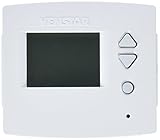
- Large, Easy to Read Display, Adjustable Backlight intensity, Backlit, Color Coded Buttons & Legends
- 4 Heat Stages & 2 Cool Stages, Choose 7-Day, 5+1+1 Day or 1-Day Programming, Up to 3 Occupied Periods Per Day, Holiday Mode, 365 Day Holiday Programming
- Adjustable Deadbands and Timers Between Stages, Outdoor Sensor Ready with High/Low Temps for the Day, Smart Fan Operation, Smart Recovery
- Add-A-Wire accessory (PN# ACC0410) may be necessary if only 4 wires are available for installation. installation video is available in youtube.
- Wifi Module (Part Number: ACC-VWF1) is necessary for Wi-Fi operation
Similarly, ENERGY STAR’s thermostat savings figures are based on homes, vary with climate, equipment, and occupancy, and should not be applied as a universal commercial estimate. Residential evidence is not a reliable forecast for a business’s utility bills. ENERGY STAR: Smart Thermostats FAQ
Before installation, establish a baseline for energy use and comfort. After the controls are installed and commissioned, compare actual results against that baseline. This helps distinguish the contribution of the thermostat or control sequence from changes in operating hours, occupancy, weather, or other building systems.
A practical commercial thermostat buying checklist
- Document the HVAC equipment. Record make and model, system type, wiring, voltage, heating and cooling stages, zones, and rooftop-unit or heat-pump details.
- Confirm the control architecture. Decide whether you need a standalone thermostat or a device that communicates with an existing BAS/EMCS. Ask the controls vendor about required protocols and interfaces.
- Map real operating hours. Note regular hours, exceptions, holidays, and after-hours use; match the schedule to what staff can keep current.
- Verify functions and compatibility. Check scheduling, occupied/unoccupied operation, override behavior, sensor requirements, display, and remote-control needs against the equipment documentation.
- Compare the full installed project. Include required accessories, installation, commissioning, operator training, maintenance, warranty, and data or security practices where relevant. Current prices and warranties depend on the product and project; compare the actual quotes and product documentation.
- Plan to assess results. Establish energy and comfort baselines, then evaluate outcomes after installation and commissioning instead of assuming a thermostat alone will deliver a particular saving.
Which type should you buy?
For a compatible, straightforward system with predictable business hours, start by comparing commercial programmable thermostats with seven-day scheduling and the occupied/unoccupied functions you need. Treat “commercial” as a category label, not proof of compatibility. For multi-zone sites, central monitoring, or a required BAS connection, evaluate the thermostat as part of a controls project and confirm interoperability and commissioning needs before choosing hardware.
Quick Recap
Product prices and availability are accurate as of the date/time indicated and are subject to change. Any price and availability information displayed on Amazon at the time of purchase will apply.