What’s actually slowing this PC down?
Pick the symptom - the matching free tool is one click away.
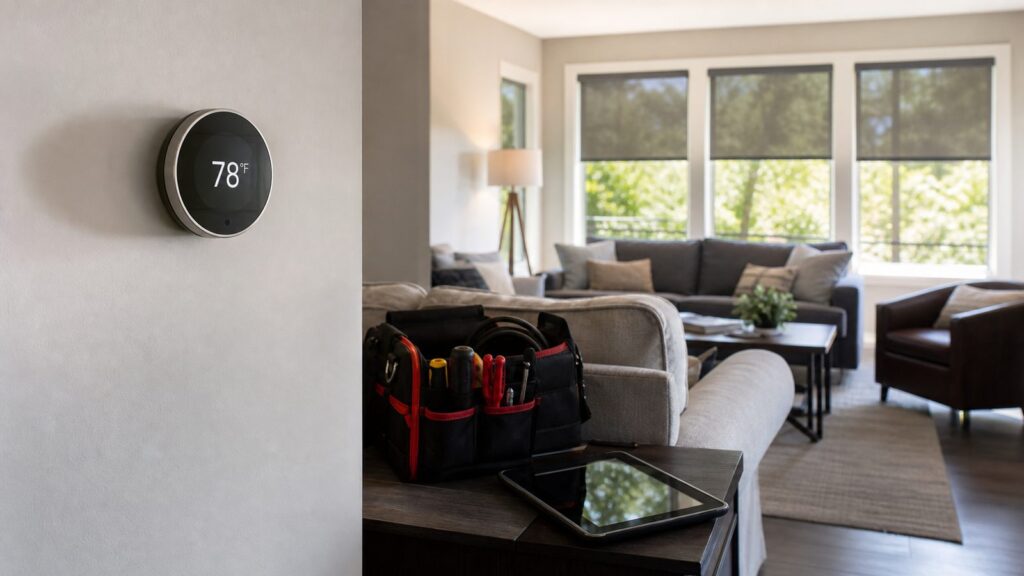
For most U.S. homes, set your air conditioner around 78°F when people are home and awake, then adjust in 1-degree steps until the house feels comfortable. That is the practical starting point, not a rule carved into the thermostat. Many households land between 75°F and 78°F during the day, 80°F to 85°F when away for several hours, and roughly 72°F to 76°F for sleeping, especially with a ceiling fan or bedroom fan moving air.
The mistake is chasing one magic number while ignoring the rest of the house. A well-sealed home at 78°F and 45% relative humidity can feel better than a leaky house at 75°F and 60% humidity. On our job sites, comfort complaints often come down to airflow, duct leakage, attic heat, blocked returns, thermostat location, dirty filters, or an AC system that is the wrong size for the load.
Use 78°F as your baseline. Then look at health, humidity, electric rates, room-to-room temperature differences, and whether the system can actually maintain the setting without running nonstop.
Best Summer Thermostat Settings by Situation
A good summer schedule keeps the home comfortable when occupied and avoids paying to overcool an empty house. The numbers below work for many homes, but climate and house condition matter. A newer tight home with shaded windows may tolerate a higher setpoint. An older house with attic ductwork, west-facing glass, and weak insulation may need more help from air sealing, duct repair, or equipment service.
The Tool Desk
Outbyte Driver Updater FREEScan for outdated or missing drivers - takes under a minuteDriver Scan →Outbyte PC Repair FREERepair Windows errors before they cause bigger problemsFix Now →#1 Best Overall

- Wellness Indicator: This humidity meter with humidity level icon indicates air conditions - DRY/COMFORT/WET, allowing this humidity sensor to ensure you’re always aware of changes to your home/household with just a quick glance
- High Accuracy & Quick Refresh Rate: This inside thermometer features a high accuracy of +/-2 to 3%RH and +/-1°F, making it ideal for measuring fluctuating readings like those found in a greenhouse, data measurements are updated every 10 seconds to give you the latest updates on your environment
- High & Low Records: This hygrometer digital thermometer displays high/low temperature and humidity levels to allow you to make proper comparisons using your home’s data
- Healthier Home & Environment: This thermometer hygrometer with temperature and humidity monitor ensures proper indoor humidity that achieves important health benefits for skin and allergen, can also serve as a refrigerator thermometer, freezer thermometer, reptile thermometer, soil thermometer, humidor hygrometer, cigar hygrometer, and more
- Practical Design: This indoor room thermometer features a tabletop stand and a magnetic back, place the temperature monitor on your counter or fridge; °F/°C selector; Includes 1 AAA battery
| Situation | Recommended AC Setting | What to Watch |
|---|---|---|
| Home and awake | 75°F to 78°F | Start at 78°F. Lower by 1°F only if humidity, health, or comfort requires it. |
| Away for 4+ hours | 80°F to 85°F | Avoid shutting AC off completely in humid climates because moisture can build up indoors. |
| Sleeping | 72°F to 76°F | Use fans and breathable bedding before dropping the thermostat several degrees. |
| Extreme heat warning | Health-first setting | Older adults, infants, and people with medical conditions may need cooler indoor air. |
| High indoor humidity | Often 75°F to 78°F plus humidity control | Target 30% to 50% relative humidity. Persistent 55% to 60% or higher needs attention. |
The U.S. Department of Energy has long advised setting cooling as high as comfortable. Its guidance also says homeowners can save as much as 10% per year on heating and cooling by adjusting the thermostat 7°F to 10°F for 8 hours a day. In summer, that means raising the setpoint while you are away or asleep if comfort allows.
There is also a real cost difference between 72°F and 78°F. DOE guidance indicates that running AC at 78°F instead of 72°F can save about 6% to 18% on cooling bills. A common rule of thumb is that every degree below 78°F may add roughly 3% to 8% to summer cooling cost, depending on your climate, insulation, duct leakage, humidity, equipment efficiency, and electric rate.
Why 78°F Is a Starting Point, Not a Mandate
The 78°F recommendation is useful because it balances comfort and energy use for a broad range of homes. It is not the right number for every person or every room. A thermostat measures temperature at one wall, not comfort across the whole house.
Comfort is affected by at least six things: air temperature, humidity, air movement, radiant heat from windows and ceilings, activity level, and personal health. A living room with afternoon sun can feel several degrees warmer than a shaded hallway where the thermostat is mounted. A second-floor bedroom may run 4°F to 8°F hotter than the first floor if duct balancing is poor or attic insulation is weak.
We usually recommend testing settings in small steps. Set the thermostat to 78°F for a normal afternoon. If the house feels sticky or warm, check the indoor humidity before lowering the setting. If humidity is in the 30% to 50% range and the air still feels warm, drop to 77°F. Give the house at least 2 to 3 hours to stabilize. Repeat only if needed.
Do not set the thermostat to 65°F to cool faster. Most residential central AC systems do not cool faster because you chose a lower number. They run at their designed capacity until the thermostat is satisfied. A very low setting usually means longer runtime, higher electric use, more wear, and sometimes a frozen evaporator coil if airflow or refrigerant charge is already marginal.
Humidity Can Matter as Much as Temperature
Indoor relative humidity should generally stay around 30% to 50% where possible. That range improves comfort and helps reduce mold risk. When humidity climbs above 55% to 60% for long periods, a house can feel clammy even at lower thermostat settings.
Here is the practical difference: 78°F at 45% relative humidity can feel acceptable to many people. 75°F at 60% relative humidity can feel sticky, and it may encourage condensation on cold surfaces or inside poorly insulated building cavities.
Signs the AC Is Not Removing Enough Moisture
Watch for damp odors, sweating supply registers, condensation on windows, musty closets, swollen interior doors, or a thermostat that says 74°F while the room still feels uncomfortable. Those symptoms can point to short cycling, oversized equipment, dirty coils, weak airflow, duct leakage, or an AC system that needs service.
If you live in a humid climate, avoid turning the system completely off while you are away for the day. Letting the house climb into the upper 80s with high humidity can load the building with moisture. A setback to 80°F to 85°F is usually safer than a full shutdown.
Measure Before You Spend Money
Before replacing equipment, place a separate thermometer/hygrometer near the main living area for 24 to 48 hours. Compare it with the thermostat reading. If the thermostat is off by 2°F or more, or if humidity stays above 55% with long AC runtimes, you have better information for an HVAC technician.
How Much the Thermostat Setting Affects Your Summer Bill
Electricity prices make thermostat habits more noticeable in 2026. The U.S. average electricity revenue was reported at 13.83 cents per kWh in May 2026, with residential prices up 6.2% year over year. Forecasts also pointed to 5.7% annual growth in nominal residential electricity prices for 2026. Summer electricity spending was projected near $800 per household on average, up 10.5% from summer 2025.
Rank #2

- Face Icon Comfort Indicator: Humidity temperature gauge features face icons to indicate DRY/COMFORT/WET air conditions, quickly informs you how to adjust your humidifier or dehumidifier to achieve optimal comfort.
- Highly Accurate Sensors: This temperature humidity sensor features a high accuracy of +/-1°F/°C and +/-2% to 3%RH, making it ideal for measuring dynamic environments like greenhouses.
- Fast Refresh Rate: This digital indoor thermometer refreshes every 10 seconds to provide the latest updates for temperature and humidity readings.
- Compact Display with Large Digits: This digital thermometer indoor outdoor features a compact LCD display with large bold digits, allowing you to read the room thermometer indoor from any angle and distance.
- Mini Size, 3-Way Mount, Use Anywhere: Compact mini humidistat with 3 placement options — Tabletop Stand / Magnetic Back / Hanging Mount, easily fits a nursery, baby room, craft room, grow tent, greenhouse, chick brooder, RV, outdoor patio, kitchen, guitar room, office or cellar.
Your actual bill may be far above or below that. A 1,400-square-foot shaded home in a mild climate is a different load than a 3,200-square-foot house with old ducts in a hot, humid region. But the direction is consistent: lower AC setpoints increase runtime, and runtime drives cost.
| Change | Typical Cost Impact | Best Use |
|---|---|---|
| Raise occupied setting from 72°F to 78°F | About 6% to 18% cooling savings | Homes where occupants are comfortable at 78°F with fans and humidity control |
| Raise thermostat 1°F below 78°F baseline | Often 3% to 8% less cooling cost per degree raised | Fine-tuning comfort without a major lifestyle change |
| Set back 7°F to 10°F for 8 hours | Up to 10% per year on heating and cooling | Workday schedules, vacations, and smart thermostat programs |
| Use time-of-use pre-cooling | Depends on rate plan | Homes with expensive late-afternoon or evening peak pricing |
If your utility uses time-of-use rates, the best setting may change by hour. In that case, pre-cool the house by 2°F to 4°F before peak pricing starts, then raise the setpoint during the expensive window. For example, cool to 74°F or 75°F before a 4 p.m. peak period, then let the thermostat rise to 78°F to 80°F until rates drop. This works best in homes with decent insulation, sealed ducts, and window coverings that reduce afternoon heat gain.
What to Set the AC to When You Are Away
For a normal workday or several hours away, set the thermostat around 80°F to 85°F. That reduces runtime while keeping the house from becoming an overheated, humid box. In very humid regions, we lean toward the lower end of that range because moisture control is part of protecting the home.
For a weekend away, 82°F to 85°F is usually reasonable if no pets, heat-sensitive belongings, or vulnerable occupants are in the home. For longer trips, consider a smart thermostat alert, a humidity alert, and a trusted person who can check the house if the system fails.
Free tools Windows power users keep installed
One-click scans. No signup required.
Pets change the calculation. Many healthy dogs and cats tolerate indoor temperatures around the upper 70s to low 80s, but breed, age, coat, weight, and health matter. If you have pets, ask your veterinarian for the safe range and do not use energy savings as the only factor.
Best AC Temperature for Sleeping
Many people sleep better with the thermostat around 72°F to 76°F. That does not mean the whole house needs to stay at 72°F all night. Start with airflow and bedding first. A ceiling fan or bedroom fan can make a room feel 2°F to 4°F cooler because moving air helps sweat evaporate.
Use lightweight bedding, keep bedroom doors undercut or open enough for return airflow, and make sure supply registers are open and not blocked by furniture. If the bedroom is still warm while the hallway thermostat is satisfied, the problem may be duct balance, return air, attic insulation, or sun exposure rather than the thermostat setting.
A programmable thermostat can step the temperature down before bedtime, then raise it slightly after the deepest sleep period. For example, 76°F in the evening, 74°F from 10 p.m. to 3 a.m., and 77°F after 5 a.m. may be more efficient than holding 72°F for 9 straight hours.
Recommended Free Tools
When a Higher Thermostat Setting Is Not Safe
Energy savings should never override heat safety. Older adults, infants, pregnant people, people with chronic illness, and anyone taking medications that affect heat tolerance may need cooler indoor temperatures. During extreme heat events, pay attention to indoor temperature, not just the thermostat schedule.
The CDC warns that fans are only appropriate when indoor temperature is below 90°F. Above that, fans can increase body temperature instead of cooling the person. If your AC cannot keep the indoor temperature safe during a heat wave, use a cooled public space, cooling center, family member’s home, or other air-conditioned location.
Rank #3

- Face Icon Comfort Indicator: Humidity temperature gauge features face icons to indicate DRY/COMFORT/WET air conditions, quickly informs you how to adjust your humidifier or dehumidifier to achieve optimal comfort
- Highly Accurate Sensors: This temperature humidity sensor features a high accuracy of +/-1°F/°C and +/-2% to 3%RH, making it ideal for measuring dynamic environments like greenhouses
- Fast Refresh Rate: This digital indoor thermometer refreshes every 10 seconds to provide the latest updates for temperature and humidity readings
- Compact Display with Large Digits: This digital thermometer indoor outdoor features a compact LCD display with large bold digits, allowing you to read the room thermometer indoor from any angle and distance
- Multiple Placement Options: This humidistat has 3 placement options - Tabletop Stand / Magnetic Back / Hanging Mount, place the wall thermometer anywhere you wish such as living room, baby room, kitchen, greenhouse, guitar room, office or cellar
If a house is 88°F inside and someone is dizzy, confused, vomiting, faint, or has hot dry skin, treat that as urgent. Move to a cooler place and seek medical help as needed.
Why Your House Feels Hot Even When the Thermostat Looks Right
When a homeowner says, “The thermostat says 75°F, but the house feels hot,” we do not start by blaming the thermostat setting. We look at the system and the building together.
Outdated Drivers Are Slowing You Down
One free scan finds every outdated or missing driver and matches the right update for your exact hardware.Free scan · exact hardware matchWindows Errors? Fix Them Before They Spread
Repair common Windows errors and clear accumulated junk for a smoother, more stable PC - no reinstall needed.Free scan · no reinstall| Symptom | Likely Direction | What to Do First |
|---|---|---|
| Thermostat says 75°F but air feels sticky | Control humidity | Check RH with a hygrometer. Target 30% to 50%. |
| One room is 5°F hotter than another | Improve airflow | Check open registers, return path, duct dampers, and attic insulation. |
| AC runs constantly and never reaches setpoint | Service the system | Check filter, condenser clearance, coil condition, refrigerant charge, and duct leakage. |
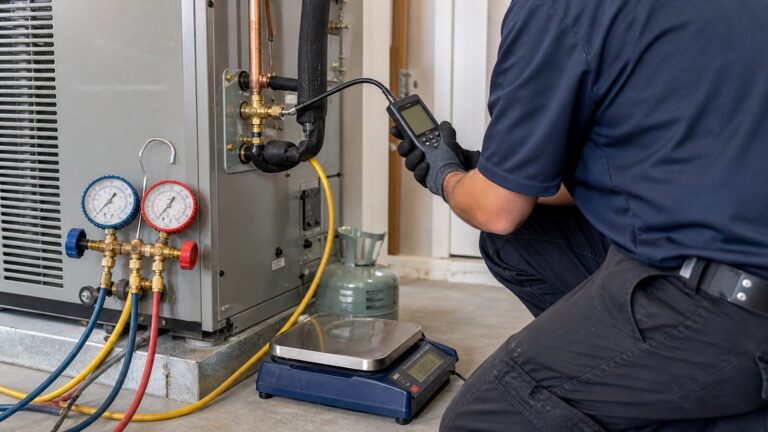
| Breaker trips or refrigerant line has ice | Hire a pro | Shut the system down and call a licensed HVAC contractor. |
| Energy bills jump without a weather change | Inspect equipment and envelope | Look for dirty filters, duct leaks, failed capacitors, low charge, or attic heat gain. |
| System is 12 to 18+ years old with major repairs | Consider replacement | Compare repair cost, efficiency, refrigerant type, warranty, and permit requirements. |
Check the Basics First
Replace or clean the air filter if it is dirty. During peak cooling season, many homes need filter checks every 30 days, especially with pets, renovations, or dusty conditions. Keep supply and return vents open and unblocked. Closing too many supply vents can increase static pressure, reduce airflow, and contribute to coil freezing.
Outside, the condenser needs room to reject heat. Keep grass, weeds, stored items, and fencing away from the unit. As a working rule, maintain about 2 feet of clear space around the sides and 5 feet above the fan discharge, unless the manufacturer’s installation manual requires more.
Also look at thermostat location. Lamps, TVs, direct sun, kitchen appliances, or a hot exterior wall can make the thermostat read warmer than the main living area. That can cause overcooling in some rooms and still leave other areas uncomfortable.
AC Performance Limits During Very Hot Weather
A central AC system is commonly expected to deliver about a 15°F to 20°F temperature difference between return air and supply air when operating properly. That does not mean it can always hold any indoor temperature you choose. In 100°F weather, a 72°F setpoint may be unrealistic in many homes, especially older homes with attic ductwork, air leaks, low insulation, or high solar gain.
Do these 3 things before closing this tab:
1Fix the driver behind crashes, sound loss and screen glitches2Repair Windows errors before they cause bigger problems3Scan for outdated or missing drivers - takes under a minuteIf it is 100°F outside and your system maintains 78°F indoors, it may be doing its job. If it runs nonstop and the house climbs into the mid-80s, that is different. The issue may be dirty coils, low refrigerant, weak blower performance, undersized ductwork, duct leakage, a failing capacitor, or equipment that was never sized correctly.
Correct sizing is not guesswork. Reputable HVAC contractors use load calculations, commonly based on Manual J principles, to account for square footage, insulation, windows, orientation, air leakage, climate, occupancy, and internal heat gains. Replacing a 3-ton unit with another 3-ton unit just because that is what was there before can repeat the original problem.
Smart Thermostats, Schedules, and Peak Pricing
A thermostat upgrade can help if your current control is inaccurate, hard to program, or poorly matched to your schedule. Basic programmable thermostats commonly cost about $20 to $100. Smart thermostats are often around $120 to $400. Installation commonly runs about $113 to $264, with a national average near $183.
Smart thermostats are most useful when they are programmed with realistic limits. Do not let the device create large temperature swings that make the system fight to recover during the hottest part of the day. In humid climates, make sure humidity control features are configured correctly if the thermostat and HVAC system support them.
Rank #4

- This 2-pack indoor hygrometer thermometer helps monitoring room temperature and humidity in real time. Temperature range: -58 ~ 158 ℉( -50 ~ 70℃ ), Humidity range: 10%~99%
- Separate temperature and humidity sensors ensure a more accurate reading over time. After turning on, its reading will rapidly fluctuate in seconds for 3~5 minutes until stabilize at a value closest to your room air conditions. Temperature accuracy: +/-2℉ (+/-1℃), Humidity accuracy: +/-5%RH. Design for home use
- The bigger digital letters on the larger LCD screen make it easier to read from any angle and distance. It comes with CR2032 button battery, providing long-last using. You can turn it off to extend battery lifespan when not in use
- It features durable kickstand and strong magnets. Simple to place it wherever you want. Stick on metal surface, place on bedside table, or just put on top of square doorbell on the wall. You will be proud to use this great product for years to come
- Pack of 2, worth every cent! One for bedroom table, another one for baby nursery, living room, kitchen refrigerator, sauna, bathroom, warehouse, greenhouse, garage, vehicle, guitar room, basement, greenhouse, vacuum-seal jar, jewelry box, gun case, egg incubator, reptile terrarium, tortoise house, aquarium, hermit crab habitat, snake / frog tank, crawl pet terrarium, cellar, or office
A practical weekday schedule might look like this:
- 6 a.m. to 8 a.m.: 75°F to 77°F while the home is active.
- 8 a.m. to 4 p.m.: 80°F to 84°F while away.
- 4 p.m. to 9 p.m.: 76°F to 78°F while occupied.
- 10 p.m. to 5 a.m.: 72°F to 76°F for sleeping, adjusted for humidity and health.
If you have peak electric pricing, shift that schedule. Pre-cool before peak hours, then raise the setpoint during peak. Keep the swing moderate. A 2°F to 4°F adjustment is usually more comfortable than a 10°F swing.
Independent reader supportYour contribution helps us test, update, and keep practical guides available for everyone.When to DIY vs. When to Hire a Pro
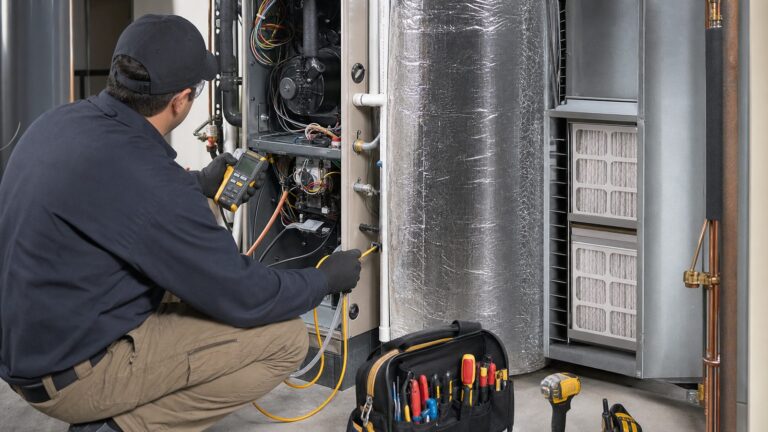
There are several homeowner checks worth doing before scheduling service. There are also clear lines where a licensed HVAC contractor is the right call.
Good DIY Checks
Replace the filter, confirm the thermostat is set to cooling, check that supply and return vents are open, move heat sources away from the thermostat, and clear the outdoor condenser. Use a $10 to $30 thermometer/hygrometer to verify temperature and humidity in the rooms where people actually spend time.
You can also inspect visible duct connections for disconnected sections, crushed flexible duct, or missing insulation. Do not crawl through unsafe attic spaces or disturb suspect insulation, vermiculite, asbestos-containing materials, or damaged electrical components.
Call a Licensed HVAC Contractor
Call for service if the AC runs constantly and cannot maintain a reasonable indoor temperature, airflow is weak, the evaporator coil or refrigerant line has ice, the breaker trips, the outdoor unit will not start, the system short cycles, indoor humidity stays high, or rooms differ by more than a few degrees after basic airflow checks.
Typical HVAC repair costs in 2026 are often around $350 on average, with common ranges from about $130 to $2,000 depending on the part and labor. AC repair commonly falls around $172 to $664. Service call fees often run $75 to $200, and emergency after-hours labor can reach about $250 per hour.
For major repairs on older systems, compare the repair against replacement. Full HVAC replacement can range from about $5,000 to $22,000, averaging around $7,500. Central AC-only replacement commonly falls around $3,500 to $14,000, depending on tonnage, SEER2 efficiency, ductwork, access, local labor, and home size.
Replacement, Permits, SEER2, and Refrigerant Changes
Replacing central air is not just swapping a box outside. Most jurisdictions require permits for central AC replacement because the work can involve electrical connections, refrigerant handling, condensate drainage, equipment anchoring, duct connections, and code-required efficiency. Skipping the permit can create inspection problems, warranty issues, insurance headaches, and trouble during a future home sale.
Quick wins for a faster PC:
Fix the driver behind crashes, sound loss and screen glitchesFind Drivers →Clear out junk files and repair common Windows errorsFree Scan →Budget for add-ons. Permits, ductwork, thermostat upgrades, insulation, zoning, electrical work, and asbestos-related work can add roughly $250 to $3,100 to a replacement project. Attic or crawlspace access can also change labor cost quickly.
Efficiency standards are now expressed using SEER2 ratings, and regional requirements vary. Hotter regions generally require higher minimum cooling efficiency than cooler regions. Refrigerant rules have also been changing, so equipment selection, availability, and future service costs should be part of the conversation with your contractor.
Best Value

- Wellness Indicator: This humidity meter with humidity level icon indicates air conditions - DRY/COMFORT/WET, allowing this humidity sensor to ensure you’re always aware of changes to your home/household with just a quick glance
- High Accuracy & Quick Refresh Rate: This inside thermometer features a high accuracy of +/-2 to 3%RH and +/-1°F, making it ideal for measuring fluctuating readings like those found in a greenhouse, data measurements are updated every 10 seconds to give you the latest updates on your environment
- High & Low Records: This hygrometer digital thermometer displays high/low temperature and humidity levels to allow you to make proper comparisons using your home’s data
- Healthier Home & Environment: This thermometer hygrometer with temperature and humidity monitor ensures proper indoor humidity that achieves important health benefits for skin and allergen, can also serve as a refrigerator thermometer, freezer thermometer, reptile thermometer, soil thermometer, humidor hygrometer, cigar hygrometer, and more
- Practical Design: This indoor room thermometer features a tabletop stand and a magnetic back, place the temperature monitor on your counter or fridge; °F/°C selector; Includes 3 AAA batteries
On our projects, we want three things before recommending replacement: a real load calculation, a ductwork assessment, and a clear scope that includes permits. A high-efficiency unit connected to leaky, undersized, or poorly insulated ducts will not deliver the comfort the homeowner paid for.
A Practical Decision Guide for Your Thermostat
If you are trying to decide whether to raise the thermostat, fix airflow, control humidity, schedule service, or replace equipment, use the symptoms instead of guessing.
The Tool Desk
Outbyte PC Repair FREEClear out junk files and repair common Windows errorsFree Scan →Outbyte Driver Updater FREEFix the driver behind crashes, sound loss and screen glitchesFind Drivers →| Your Situation | Best Next Step | Why |
|---|---|---|
| House feels fine at 76°F | Try 77°F for two days, then 78°F | Small changes show whether you can save money without losing comfort. |
| House feels sticky at any setting | Measure humidity and inspect AC operation | Lowering temperature alone may not solve moisture problems. |
| Bedrooms are hot but main floor is cool | Check duct balance, returns, attic insulation, and sun load | The thermostat may be satisfied while remote rooms are under-served. |
| AC cannot keep up in extreme heat | Confirm filter, airflow, condenser clearance, and service history | The system may be at its design limit or may need repair. |
| System needs an expensive repair and is old | Price repair versus replacement | Efficiency, warranty, refrigerant, and remaining service life matter. |
The best summer AC setting is the highest temperature that keeps the people in the home safe and reasonably comfortable while keeping indoor humidity controlled. For many homes, that means starting at 78°F, using 80°F to 85°F setbacks when away, and using a slightly cooler sleep schedule only where needed.
If 78°F feels bad, do not assume the recommendation is wrong or that you need a bigger AC unit. Measure humidity, check airflow, look for heat gain, and verify the system is clean and properly maintained. The thermostat number is only one part of the cooling system. The house around it matters just as much.
Frequently Asked Questions
What temperature should I set my AC to in the summer?
Start at 78°F when people are home and awake. If that feels too warm, adjust down in 1°F steps while also checking indoor humidity, airflow, and sun exposure. Many homes are most comfortable between 75°F and 78°F.
What should I set my thermostat to when I am away?
For several hours away, 80°F to 85°F is a practical range. In humid climates, avoid turning the AC completely off because indoor moisture can rise and make the home harder to cool later.
Quick wins for a faster PC:
Clear out junk files and repair common Windows errorsFree Scan →Fix the driver behind crashes, sound loss and screen glitchesFind Drivers →What is the best AC temperature for sleeping?
Many households sleep well around 72°F to 76°F, especially with a ceiling fan or bedroom fan. If only the bedrooms are uncomfortable, check airflow, return air paths, attic insulation, and duct balance before overcooling the whole house.
Does lowering the thermostat cool the house faster?
Usually no. Most central AC systems cool at a fixed capacity. Setting the thermostat to 65°F generally makes the system run longer; it does not make it produce colder air faster.
Why does my house feel hot even when the thermostat says 75°F?
High humidity, poor airflow, direct sun, duct leakage, weak insulation, or a poorly located thermostat can make a home feel warmer than the setpoint suggests. Check indoor relative humidity and room temperatures with a separate thermometer/hygrometer.
Do I need a permit to replace my central air conditioner?
In most areas, yes. Central AC replacement often involves electrical, refrigerant, condensate, efficiency, and equipment-location requirements. A licensed contractor should confirm local permit and inspection rules before work starts.
Quick Recap
Product prices and availability are accurate as of the date/time indicated and are subject to change. Any price and availability information displayed on Amazon at the time of purchase will apply.