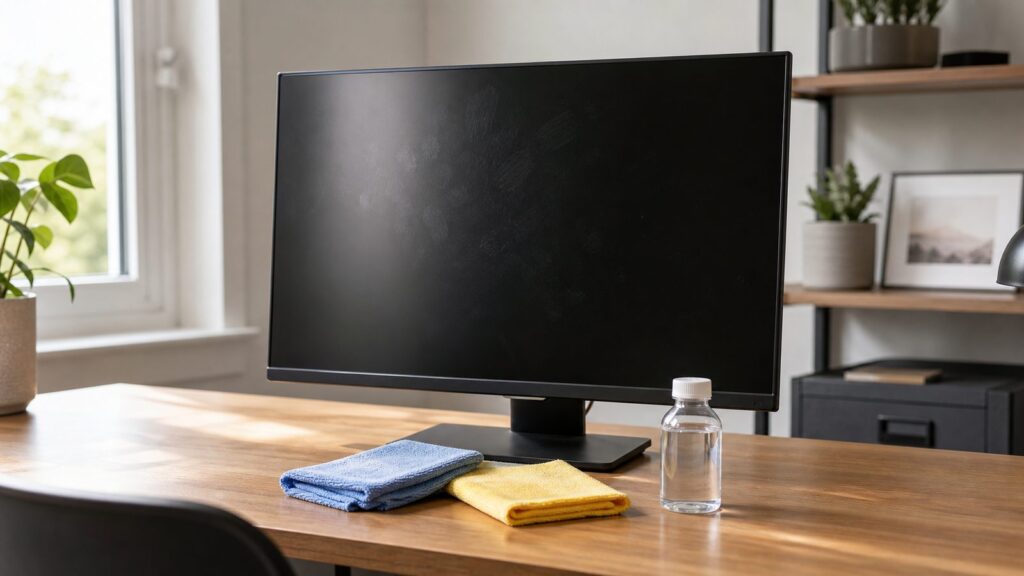
The safest way to clean a computer monitor without streaks is simple: turn it off, unplug it, dust it with a clean microfiber cloth, wipe smudges with a barely damp microfiber cloth using distilled water, then immediately polish with a second dry microfiber cloth. Do not spray the screen directly. Do not use Windex, ammonia, acetone, bleach, bathroom cleaner, paper towels, or pressure.
That is the short answer. The longer answer matters because modern displays are not just glass. Many monitors have anti-glare coatings, matte finishes, touch layers, OLED panels, curved surfaces, or specialty textures that can haze, scratch, or permanently mark if you clean them like a window. On our job sites, especially during punch-list and post-remodel cleanup, we treat monitors and wall-mounted displays like finished surfaces. The goal is not aggressive cleaning. The goal is controlled dust removal, very light moisture, and no grit dragged across the panel.
For most homeowners, this is a 5- to 10-minute task that costs less than $1 per cleaning if you already own microfiber cloths and distilled water. A basic screen-cleaning kit usually runs about $10 to $20 in the U.S. in 2026, and a gallon of distilled water is typically about $1 to $3. The expensive mistake is not the cleaner. It is damaging a $150 to $1,500 monitor coating with the wrong product or too much pressure.
What You Need for a Streak-Free Monitor Cleaning
You do not need a cabinet full of specialty products. For routine home use, use the least aggressive setup that works.
Do these 3 things before closing this tab:
1Fix the driver behind crashes, sound loss and screen glitches2Repair Windows errors before they cause bigger problems3Scan for outdated or missing drivers - takes under a minute- Two clean microfiber cloths: one for damp wiping, one for drying and polishing. Multi-packs usually cost about $5 to $12.
- Distilled water: preferred over tap water because hard-water minerals can leave spotting, haze, or streaks. A gallon usually costs about $1 to $3.
- Optional monitor-safe cleaner: useful for stubborn oils, but choose alcohol-free and ammonia-free unless your monitor manufacturer says otherwise. Most kits with a cloth cost about $10 to $20.
- Optional 70% isopropyl alcohol: use only when the manufacturer allows it for your display. It is better reserved for stubborn residue or disinfecting, not weekly cleaning.
- Optional hand air blower or compressed air: helpful around bezels, stands, vents, and keyboard areas. Keep liquid propellant away from the screen.
Use a dedicated screen cloth if you can. A microfiber towel that has been used on counters, sawdust, drywall dust, paint residue, furniture polish, or automotive work should not touch a monitor. Even a clean-looking cloth can hold grit that acts like fine sandpaper.
#1 Best Overall

- Glasses cleaner - Sourced from the highest quality microfiber that absorbs and removes dust, oil, smudges, fingerprints, dirt, and more. Leaves no scratches, streaks, marks, or lint behind. The perfect eyeglass cleaner for reading glasses, women, men, adults, him, her, teens, and more.
- Screen cleaner: Our Microfiber cloth accommodates all your screen cleaning needs. It's the perfect eyeglass cleaning cloth, glasses wipes, glass cleaning cloth, lens cleaning cloth, screen cleaning cloth, and even tv cleaning cloth.
- Quality protection: Each MagicFiber lint free cloth comes in its own polybag so that they are always new and ready to use. Includes MagicFiber Microfiber Cleaning Cloth (5 black, 1 grey) 6 x 7 inches (15cm x 18 cm).
- Designed for all products: The delicate craftsmanship of our Microfiber Cleaning Cloth allows for the most versatile use cases. It can be used on any delicate surface such as LCD, OLED, laptop, phone, car, tablet, dvd, mirror, glass, glasses, cameras, lenses, gaming, toys and more!
- MagicFiber: Magical results for the things you care about most
What Not to Use on a Computer Monitor
Most monitor damage starts with a product that seems harmless because it works on glass. A computer monitor is different. Many screens have coatings that household cleaners can strip, soften, cloud, or smear.
Avoid these materials on the screen surface:
- Glass cleaner, including ammonia-based window cleaner
- Acetone, nail polish remover, paint thinner, mineral spirits, or solvents
- Bleach, disinfecting bathroom cleaner, kitchen degreaser, or all-purpose spray
- Vinegar unless your monitor maker specifically allows it
- Paper towels, napkins, tissues, shop rags, T-shirts, or rough towels
- Magic eraser pads or any abrasive sponge
- High-concentration alcohol unless approved for that exact display
The other major mistake is spraying liquid directly onto the panel. Liquid can run under the bezel, into vents, ports, speakers, buttons, or between display layers. Apply water or cleaner to the cloth first, away from the monitor, and keep the cloth barely damp rather than wet.
The Best Method: Two-Cloth Cleaning
The most reliable streak-free workflow uses two microfiber cloths. One lifts the soil. The other removes the moisture before it dries into streaks.
The Tool Desk
Outbyte PC Repair FREERepair Windows errors before they cause bigger problemsFix Now →Outbyte Driver Updater FREEFix the driver behind crashes, sound loss and screen glitchesFind Drivers →1. Power Down and Unplug
Turn the monitor off and unplug the power cable. If it is connected to a laptop dock, desktop tower, or power strip, shut everything down enough that the monitor is dark and cool. A dark screen makes fingerprints and streaks easier to see, especially if you aim a lamp or window light from the side.
Do not clean a warm monitor if you can avoid it. Warm panels dry moisture faster, which increases streaking. Give the display 5 minutes to cool if it has been on all day.
2. Dust First With a Dry Microfiber Cloth
Fold the cloth into quarters so you have a flat, padded wiping surface. Use light passes across the screen to remove loose dust. Do not press into the panel. On a typical 24- to 32-inch monitor, this dry dusting pass should take about 30 to 60 seconds.
If there is grit near the lower bezel, tilt the monitor slightly back if the stand allows it and brush the dust away from the panel edge. For a wall-mounted or arm-mounted display, support the monitor so it does not flex while you clean.
Crashes, No Sound, or Screen Glitches?
Random freezes, missing sound and display glitches usually trace back to one bad driver. Find and replace yours safely.Free scan · under a minuteWindows Errors? Fix Them Before They Spread
Repair common Windows errors and clear accumulated junk for a smoother, more stable PC - no reinstall needed.Free scan · no reinstall3. Dampen the Cloth, Not the Screen
For fingerprints, oily smudges, food specks, or cleaner residue, dampen one corner of a microfiber cloth with distilled water. The cloth should feel barely damp. If you can wring out a drop, it is too wet.
Wipe in one direction from top to bottom or side to side. Do not scrub circles into one spot. Straight, overlapping passes are easier to polish out and reduce the chance of dragging grit repeatedly across the same area.
4. Dry and Polish Immediately
Before the damp path dries on its own, follow with the second clean microfiber cloth. Use light pressure and the same direction of travel. This is the step many people skip, and it is often the reason the monitor still looks streaky after using the right liquid.
Rank #2

- Premium Materials: Extremely high-quality, soft, microfiber material absorbs and removes dust, oil, smudges, fingerprints, and dirt. Leaves no scratches, streaks, marks, or lint. Makes the perfect stocking stuffers for adults, men, women, him, her, teens, and more.
- Protective: Each pack of MagicFiber comes in their own polybag so that they are always like new and ready to use.
- Safe to use anywhere: Can be used on any delicate surface like LCD TV screens, smart phones and other touch screens, camera lenses and filters, etc. Stores perfectly flat in your tablet case without adding any bulk. Awesome for a camera bag, purse, or eyeglass case.
- Larger Size: Includes three oversized black 16”x16” that are the perfect size for cleaning larger surfaces, screens, and devices. Makes a great holiday or birthday gift for anyone with a tablet, camera, TV, or smartphone. (Also includes one gray 6”X7”.)
If you still see faint streaks, rotate to a fresh section of the dry cloth and make one more polishing pass. Do not keep adding water. Most streaks after cleaning are leftover moisture, old cleaner residue, tap-water minerals, or oil trapped in a dirty cloth.
Cost Comparison: DIY Supplies vs Screen Kits
Cleaning a monitor is a no-permit, low-cost home-care task. The main cost decision is whether you use reusable microfiber and distilled water or buy disposable wipes or a screen-cleaning kit.
| Option | Typical 2026 U.S. Cost | Best For | Watch Out For |
|---|---|---|---|
| Two microfiber cloths + distilled water | Usually under $1 per cleaning if supplies are already on hand | Routine dust, fingerprints, light smudges, anti-glare screens | Dirty cloths and tap water can still leave streaks |
| Microfiber multi-pack | About $5 to $12 | Home offices with several screens, laptops, TVs, and tablets | Launder without fabric softener or dryer sheets |
| Monitor-safe spray kit | Commonly about $10 to $20 | Oily residue, shared workstations, homeowners who want a labeled product | Must be ammonia-free and safe for your screen type |
| Disposable electronics wipes | Commonly about $9 to $16 per small or mid-size pack | Occasional disinfecting or shared equipment | May contain alcohol; check coating compatibility |
| Premium polishing cloth | About $19 to $20 for Apple-style specialty cloths | Nano-texture displays or owner-preferred manufacturer accessories | Overkill for most standard monitors |
For a single homeowner cleaning one monitor every 2 to 4 weeks, distilled water and two good cloths are usually enough. For a home office with two monitors, a laptop, a tablet, and a wall-mounted TV, a dedicated $10 to $20 kit can be reasonable as long as it is compatible with coated screens.
How to Handle Specific Screen Problems
Not every mark should be cleaned the same way. Start with the mildest method and move up only when needed.
Dry Dust
Use only a dry microfiber cloth. If the screen is just dusty, liquid increases the chance of streaking. Dust first, then decide whether moisture is needed.
Quick wins for a faster PC:
Fix the driver behind crashes, sound loss and screen glitchesFind Drivers →Clear out junk files and repair common Windows errorsFree Scan →Fingerprints and Oily Smudges
Use the two-cloth method with distilled water. Fold the damp cloth into a flat pad and rotate to a clean face as it picks up oil. For a 27-inch monitor with normal fingerprints, expect 2 to 3 damp passes and one dry polishing pass.
Old Cleaner Residue
Old glass cleaner, tap-water minerals, or oily screen spray can leave a cloudy film. Use a barely damp distilled-water pass, then polish immediately with a clean dry microfiber cloth. You may need to repeat once, but do not keep pressing harder. If haze remains after two light rounds, stop and verify the manufacturer’s guidance for that display.
Food Spots or Dried Splatter
Hold the barely damp cloth against the spot for 10 to 20 seconds to soften it. Then wipe gently. Do not pick at the screen with a fingernail or plastic scraper. For dried debris along the bezel, clean the plastic frame separately so grit does not migrate back onto the panel.
Streaks That Keep Coming Back
Recurring streaks usually come from one of four things: tap water, too much liquid, a contaminated cloth, or skipped dry polishing. Switch to distilled water, use less moisture, launder or replace the cloth, and polish immediately after wiping.
OLED, Matte, Anti-Glare, Touchscreen, and Nano-Texture Displays
Specialty screens need extra restraint. The cleaning motion is similar, but the margin for error is smaller.
Rank #3

- Glasses cleaner - Sourced from the highest quality microfiber that absorbs and removes dust, oil, smudges, fingerprints, dirt, and more. Leaves no scratches, streaks, marks, or lint behind. The perfect eyeglass cleaner stocking stuffers for adults, men, women, him, her, teens, and more.
- Screen cleaner: Our Microfiber cloth accommodates all your screen cleaning needs. It's the perfect eyeglass cleaning cloth, glasses wipes, glass cleaning cloth, lens cleaning cloth, screen cleaning cloth, and even tv cleaning cloth.
- Quality protection: Each MagicFiber lint free cloth comes in its own polybag so that they are always new and ready to use. Includes MagicFiber Microfiber Cleaning Cloth (1 black, 1 grey) 6 x 7 inches (15cm x 18 cm).
- Designed for all products: The delicate craftsmanship of our Microfiber Cleaning Cloth allows for the most versatile use cases. It can be used on any delicate surface such as LCD, OLED, laptop, phone, car, tablet, dvd, mirror, glass, glasses, cameras, lenses, gaming, toys and more!
- MagicFiber: Magical results for the things you care about most
For OLED monitors, use moisture rather than pressure. Lightly dampen a microfiber corner with distilled water for oily marks and keep the cloth barely damp. OLED panels can be more sensitive to pressure marks, so do not chase one fingerprint by rubbing hard in place.
For matte and anti-glare screens, avoid household cleaners and repeated alcohol cleaning unless approved by the manufacturer. These coatings are designed to control reflections, and harsh cleaner can leave shiny patches or uneven haze.
For touchscreens, fingerprints are heavier because the screen is meant to be touched. Clean more often, but still avoid spraying directly. If disinfecting is needed, check whether 70% isopropyl alcohol is approved for that device. Alcohol can be appropriate for some hard surfaces and some displays, but it is not a universal routine cleaner for all coated panels.
Free tools Windows power users keep installed
One-click scans. No signup required.
For Apple nano-texture displays, use the manufacturer-specified polishing cloth. This is one of the cases where the higher-priced specialty cloth, often around $19 to $20, is not just a luxury accessory. Specialty glass can require specialty handling.
Cleaning Construction Dust Off a Monitor After Remodeling
Construction dust deserves its own process. Drywall dust, sawdust, tile dust, and fine debris can scratch or haze a monitor if you wipe too soon or use a dirty cloth. On our remodel projects, we protect electronics before dust starts. If the monitor was left exposed, slow down before touching the screen.
First, let airborne dust settle. After sanding drywall, cutting trim, or running a saw indoors, give the room time to calm down. If you clean while dust is still floating, the monitor can look dirty again within 10 minutes.
Second, clean the room around the monitor. Vacuum with a proper filter, wipe the desk, clean the stand, and remove dust from nearby shelves or window sills. A monitor sitting on a dusty desk will keep getting re-contaminated.
Recommended Free Tools
Third, remove loose grit without pressure. Use a clean dry microfiber cloth with light passes. A hand air blower can help around bezels, buttons, seams, vents, and the stand. Avoid blasting compressed air so close that propellant hits the screen or forces dust into openings.
Only after loose dust is gone should you use distilled water on a cloth for smudges. If you see drywall film on the cloth, rotate to a clean section often. One cloth face can load up quickly after a remodel.
How to Clean the Bezel, Stand, Cables, and Desk Area
The screen is the sensitive part, but the surrounding parts matter because they feed dust back onto the display.
Rank #4

- Elite Screens Efficiency: Experience the superior cleaning capabilities of the Elite Screens Microfiber Cleaning Cloth, ideal for eyeglass cleaning cloths and maintaining electronic screens. This oversized 12" x 12" cloth ensures a streak-free and scratch-resistant finish
- Effortless Vision Clarity: Elevate visibility with our eye glasses cleaner cloth, expertly designed to remove oils and fingerprints seamlessly. This microfiber cleaning cloth for glasses adapts perfectly to eyeglasses and tablets for flawless results
- Portable and Practical: Each eyeglass cleaning cloth is individually packaged, providing a convenient solution for on-the-go use. Easily stow away these eyeglass cleaning cloths in a pocket or eyewear case for immediate access when needed
- Durable and Reusable Design: Crafted for longevity, our microfiber eyeglass cleaning cloth withstands frequent use and is quick-drying for efficient reuse. Hand washable and resilient, these lens cloths for eyeglasses maintain their functionality over extended periods
- Versatile Cleaning Solution: These microfiber glasses cloths excel in cleaning not only eyeglasses but also electronic screens and camera lenses. Their multifunctional application and compact size make them an indispensable tool for professionals and travelers
Clean the plastic bezel and stand separately from the screen. A slightly damp microfiber cloth is usually fine for plastic and metal surfaces, but keep moisture away from ports, buttons, speakers, and ventilation slots. For the stand base, where dust, skin oils, and coffee rings collect, use a different cloth than the one you use on the screen.
For cables, unplug first and wipe the outside jacket with a lightly damp cloth. Do not wet connectors. Allow everything to air-dry fully before reconnecting. A safe wait time is 10 to 15 minutes if you used only a barely damp cloth; longer if any moisture touched the desk, stand joints, or cable ends.
This is also a good time to check placement. OSHA workstation guidance focuses on reducing awkward posture, glare, and strain. A clean monitor still performs poorly if it faces a bright window or sits too high. As a practical homeowner rule, place the top of the screen near eye level, keep the monitor about an arm’s length away, and angle it to reduce glare so you are not constantly touching or tilting it.
Disinfecting a Monitor Without Ruining the Screen
Disinfecting is different from cleaning. Cleaning removes dust, fingerprints, and residue. Disinfecting is about reducing germs, usually on shared equipment. The tradeoff is that disinfectants can be harder on coatings.
If the monitor is used by one person in a home office, routine disinfecting is usually unnecessary. Clean the screen gently and disinfect the keyboard, mouse, desk surface, chair arms, and phone more often. Those surfaces handle stronger products better than the screen.
If you need to disinfect the monitor, check the manufacturer’s page for that exact display type. Some manufacturers allow 70% isopropyl alcohol on certain displays or hard-to-remove smudges. Others are stricter, especially for coated, matte, OLED, or specialty-texture panels. When allowed, apply a small amount to the cloth, never the screen, and avoid repeated wet passes. Let the surface air-dry completely before powering back on.
Do not mix cleaners. Do not follow alcohol with ammonia or another disinfectant. If you are unsure, use distilled water for the screen and reserve disinfectant for the desk, mouse, keyboard, and other high-touch surfaces.
Independent reader supportYour contribution helps us test, update, and keep practical guides available for everyone.How Often Should You Clean a Monitor?
For a typical home office monitor, dusting every 1 to 2 weeks and damp cleaning every 2 to 4 weeks is enough. A gaming monitor, shared family computer, touchscreen, or kitchen desk setup may need cleaning weekly. A monitor in a construction-adjacent room, garage office, or workshop may need dust protection more than frequent wiping.
After a remodel, repainting project, flooring installation, or drywall repair, inspect the monitor before using it. If the screen has visible dust, clean the room first, then the monitor. If you know sanding or cutting will happen nearby, cover electronics with clean plastic or move them out of the room. A $2 plastic cover is cheaper than replacing a damaged anti-glare panel.
What’s actually slowing this PC down?
Pick the symptom - the matching free tool is one click away.
When to DIY vs When to Hire a Pro
Monitor cleaning is almost always a DIY job. There is no permit, no inspection, and no reason to hire a contractor just to clean one home monitor. The materials are inexpensive, the process takes under 10 minutes, and the risk is manageable if you use the right cloth and liquid.
Best Value

- UNPARALLELED CRYSTAL-CLEAR PERFORMANCE: The only obsessively engineered, best-in-class microfiber cleaning cloth, meticulously crafted from proprietary, ultra-dense, super-absorbent Japanese woven fabric, effortlessly absorbing the toughest dirt, grime, and oils - leaving your lenses spotless - every time.
- EXPERIENCE THE POWER OF JAPANESE MICROFIBER: Not all microfiber is created equally. Actually, our biggest competitor is our own relentless drive for next-level performance. Koala cloth is engineered from our ultra-fine, super-dense, and totally lint-free Japanese micro fiber cloth, woven in our max performance honeycomb matrix.
- PRECISION CARE FOR ALL OPTICS: From anti-reflective and anti-glare coatings to polarized sunglasses, professional camera lenses, and touch screens - our microfiber cloth offers unparalleled performance on all surfaces. We're best-in-class for AR / VR smart glasses and headsets, telescopes, binoculars, and all other optical precision devices.
- UNRIVALED DURABILITY KEEPS ON CLEANING: Washable and reusable dozens of times each, our performance cleaning cloth outperforms other reusable and disposable alternatives, reducing waste, while maximizing value. Simply wash by hand with cold water and mild soap, then hang to air dry!
- JOIN THE KOALA FAMILY – INTEGRITY MATTERS: When you choose Koala, you're joining a thriving community of millions who rely on us for their precision lens and device care needs. We believe lenses and screens have integrity too, and deserve supercharged, long lasting performance. We exist to serve that vision.
DIY is the right choice when the monitor has normal dust, fingerprints, light streaks, or small food spots. It is also fine for most home-office refreshes, seasonal cleaning, and basic post-remodel dusting after the room has already been vacuumed and cleaned.
Consider professional help only when monitor cleaning is bundled into a larger service. Examples include a post-construction cleanup after a remodel, office move-in cleaning, IT equipment detailing for a home business, or restoration after heavy dust exposure. In those cases, labor minimums drive the price more than materials. The actual screen-cleaning supplies may cost only a few dollars, but a cleaning crew, IT visit, or post-construction detail visit can involve minimum charges based on time, travel, number of rooms, and scope.
If the screen appears damaged, cloudy under the surface, delaminated, cracked, or blotchy after improper cleaning, a cleaner will not fix it. Stop wiping and contact the manufacturer or a repair technician. Repeated pressure can turn a repairable issue into a permanent panel problem.
Quick wins for a faster PC:
Clear out junk files and repair common Windows errorsFree Scan →Fix the driver behind crashes, sound loss and screen glitchesFind Drivers →Repair Windows errors before they cause bigger problemsFix Now →Safety Notes Before You Start
Unplugging the monitor is not just a formality. It reduces electrical risk, prevents accidental button presses, and gives you a dark screen that shows smudges clearly. Keep liquid away from ports, vents, power bricks, surge protectors, and wall outlets.
Use a stable work position. If the monitor is on an adjustable arm, hold the side of the monitor housing while wiping so the arm does not swing. If the display is wall-mounted, do not lean your body weight into it. For large monitors over 32 inches, it is often easier to clean in two halves rather than reaching across the whole panel.
There are no building permits or code inspections for cleaning a computer monitor. The practical safety issue is electrical equipment and surface damage. Power down, control moisture, and give the monitor time to air-dry before turning it back on.
Final Checklist for a Streak-Free Screen
- Turn the monitor off and unplug it.
- Use side lighting to see fingerprints and streaks.
- Dust first with a clean dry microfiber cloth.
- Use distilled water only when dry wiping is not enough.
- Dampen the cloth, never the screen.
- Keep the cloth barely damp, not wet.
- Wipe in straight overlapping passes with light pressure.
- Polish immediately with a second dry microfiber cloth.
- Clean bezels, stands, and desk dust separately.
- Launder microfiber without fabric softener or dryer sheets.
The best monitor-cleaning method is controlled and boring, which is exactly what you want around expensive electronics. Use clean microfiber, distilled water, and patience. Most streaks disappear when you stop over-wetting the screen and start finishing with a dry polishing pass.
The Tool Desk
Outbyte Driver Updater FREEScan for outdated or missing drivers - takes under a minuteDriver Scan →Outbyte PC Repair FREERepair Windows errors before they cause bigger problemsFix Now →Frequently Asked Questions
What is the safest way to clean a computer monitor without streaks?
Turn the monitor off and unplug it, dust with a dry microfiber cloth, wipe smudges with a barely damp microfiber cloth using distilled water, then immediately polish with a second dry microfiber cloth.
Can I use Windex or glass cleaner on a monitor screen?
No. Most glass cleaners contain ingredients such as ammonia or solvents that can damage anti-glare, matte, OLED, or specialty screen coatings. Use distilled water or a manufacturer-approved screen cleaner instead.
Is distilled water better than tap water for cleaning a monitor?
Yes. Distilled water is preferred because it does not contain the minerals found in tap water that can leave spots, haze, or streaks on coated screens.
Can I use 70% isopropyl alcohol on a computer monitor?
Only if the monitor manufacturer allows it for that specific display. Some screens permit 70% isopropyl alcohol for stubborn smudges or disinfecting, but others can be damaged by repeated alcohol use.
Why does my monitor still look streaky after cleaning?
Common causes include using too much liquid, using tap water, wiping with a dirty microfiber cloth, leaving old cleaner residue behind, or skipping the final dry polishing pass.
How should I clean construction dust off a monitor after remodeling?
Let airborne dust settle, clean the surrounding desk and room first, remove loose grit with a dry microfiber cloth or hand air blower, then use a barely damp distilled-water pass only if smudges remain.
Quick Recap
Product prices and availability are accurate as of the date/time indicated and are subject to change. Any price and availability information displayed on Amazon at the time of purchase will apply.