You can mount a projector off-center if its lens has enough horizontal shift for the distance between the projector and screen. Check the exact model’s manual or manufacturer placement calculator before fixing the mount. If it lacks sufficient lens shift, moving the projector closer to the screen’s centerline is usually preferable to relying on substantial horizontal keystone correction.
Can you put a projector to the side of the screen?
Yes, provided the projector can shift the projected image sideways far enough to reach the screen while keeping the projector aimed squarely at it. Horizontal lens shift moves the image relative to the projector; it does not require swiveling the projector toward the screen. ProjectorCentral explains that this can allow an off-center position without horizontal keystone correction (ProjectorCentral’s mounting guide).
Whether the placement works depends on the specific lens and installation geometry. A projector being only slightly off the screen centerline may be within its shift range; another model may not accommodate the same offset.
Check horizontal lens shift and its limits
Find the horizontal lens-shift specification in the manual for the exact projector model. Manufacturers may express the range as a percentage of image width or height, and diagrams in installation manuals are examples—not universal allowances. Do not use another projector’s shift figures to plan your mount.
#1 Best Overall
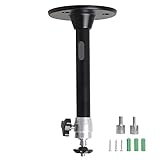
- Projector Holder Compatible with QKK,DR.J,DBPOWER,Anker,VANKYO,AAXA,Jinhoo,PVO,TMY,AuKing and Most Other Mini Projector
Check whether horizontal and vertical shift can be used together at their maximum values. On some projectors, using vertical shift near its limit reduces the horizontal shift available. The usable range and how it is measured are model-specific; consult the manual’s lens-shift diagram and instructions. For example, one installation manual describes using lens-shift controls to center the image on the screen (Epson installation instructions).
Plan the position before installing the mount
Use the intended screen size and location, the lens-to-screen throw distance, and the proposed projector position to verify that the image will fit. A manufacturer’s placement calculator or the exact model’s manual is the appropriate reference; general diagrams or specifications for a different lens cannot confirm your installation.
Rank #2

- 【Note】The projector mount used in this projector mount should have the following conditions: 1. The wall where the mount is installed should be a hard solid wall, not a hollow and weak wall; 2. The projector has 3-4 screws holes to install screws; 3. The diameter of screw holes is 3 mm or 4 mm.
- 【Universal Projector Wall Mount Bracket】Newly Designed 3-In-1 retractable projector mounts from ceiling, including Flush Ceiling Installation; Telescoping Arm Ceiling Installation; Wall Installation. Compatible most projectors,Not compatible with mini projectors.
- 【STABILITY AND DURABILITY】This wall mount projector bracket, with solid construction made entirely of high grade steel, supporting projectors up to 40 lbs, wall-hanging 20 lbs. Projector mount wall keeping your expensive equipment safe and secure.
- 【EASY TO ADJUST】The projector holder is fully adjustable with +/- 30 degree tilt, +/-30 degree swivel, hitting all the right viewing angles. The projector ceiling mount adjustable height extends from 16.9" to 25.6" from the ceiling surface and 13.8" to 22.5" from the wall. Flush ceiling mount with a minimum length of 5 inches.
- 【EASY TO INSTALL】Projector mount ceiling adjustable is easy installation with quick release hooks that attach and detach by tightening and loosening mounting bolts. All necessary hardwares and instructions are provided for assembly. NOTE: This projector screen ceiling mount does NOT support the vaulted ceiling and regular drywall.
- Fix the screen location and size. Measure the screen area where the image needs to land.
- Measure the proposed throw distance. Measure from the projector lens to the screen, not simply from the mount point to the wall.
- Record the projector’s horizontal and vertical offset. Use the lens position and screen centerline to describe how far the projector will sit to the side and above or below the image.
- Verify the combined placement. Use the exact model’s manual or manufacturer calculator to check image size, throw distance, and available lens shift, including any interaction between horizontal and vertical adjustment.
- Choose the mount only after confirming fit. Check the projector’s mounting pattern, weight, orientation, and the mount’s installation instructions. If a fixed ceiling offset leaves the image too high, an extension pole or drop tube may help lower the projector, but confirm compatibility with both the mount and projector.
When should you use keystone correction?
Horizontal keystone correction can make an image appear rectangular when the projector is aimed from an angle. It is not equivalent to optical lens shift: digital correction scales the image and can reduce the pixels used to display it. First consider whether you can move the projector nearer the screen centerline or use the lens shift available on that model. If you need keystone correction, consult the projector manual for its supported range and image-quality tradeoffs (ProjectorCentral’s keystone explanation).
Independent reader supportYour contribution helps us test, update, and keep practical guides available for everyone.Choose a workable mounting arrangement
A ceiling mount can work for an off-center installation if the projector’s verified lens-shift range reaches the screen and the throw distance produces the required image size. Treat the mount and any extension hardware as model- and installation-specific: verify projector pattern, supported weight, mounting orientation, and instructions rather than assuming a particular mount will fit. If the required offset exceeds the optical range and the projector cannot be repositioned, an AV installer can assess the room and equipment before holes are drilled.
Quick Recap
Best Value

- Compatibility Note: Not compatible with Aurzen D1 MAX projector model
- Wide Projector Compatibility: Compatible with projectors from Aurzen, TMY, HAPPRUN, Yaber, Epson, and most other brands. Only for projectors featuring a centered 1/4-inch thread (off-center holes, M6/M8, or non- threads not supported) and weighing 5.5 lbs (2.5KG)
- Full Motion Adjustability 360 Rotation & 90 Tilt: Upgraded adjustable projector mount supports 360 rotation and 90 vertical tilt for optimal viewing angles in home theater or office setups
- Telescopic Pole Adjustable from 9" to 15": This telescoping projector mount extends from 9 to 15 inches, providing height flexibility for various ceiling projector mount installations
- Safe Weight Support Ceiling 2.5KG / Wall 1KG: Securely supports up to 2.5KG (5.5 lbs) when used as a ceiling bracket for projectors, and 1KG for wall installations. For safety, mount only on solid wood, brick, or concrete surfaces
Rank #4

- Universal Compatibility: Fits most projectors (Note: Length <13.7'', Width <8.6'') with standard mounting interfaces. Projector Wall Mount supports a maximum load of 10kg/22LBS, suitable for home, office, cinema and other scenarios, and is compatible with mainstream device sizes, no compatibility concerns
- Flexible Adjustment: Enables multi-dimensional adjustment of height and angle based on usage scenarios. Projector Ceiling Mount adapts to different room layouts, projector models and screen configurations for both ceiling and wall installation, no need to purchase additional mounts, reducing costs
- Easy Installation: Includes a detailed step-by-step manual and full set of installation hardware for beginners to finish assembly and installation quickly. After assembly, only fixing operations are needed to place the device stably, saving much installation time
- Tidy Cable Management: Ceiling Projector Mount Features a built-in cable storage structure to organize device connecting cables effectively, avoiding tangles. It keeps the installation space neat, reduces cable damage risks and improves device usage safety and environmental coordination
- Adjustable Length: This projector mount delivers flexible length settings to adapt to different room layouts. It features 14.17''–22.44'' adjustable range for ceiling installation and 22.05''–31.5'' adjustable range with tray for wall mounting. The adjustable bracket matches various projectors and screens without extra purchases
Rank #3
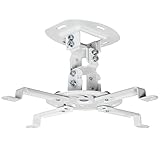
- Universal Projector Mount: Fits most projectors on the market, including mini projectors. Sturdy steel design supports up to 30 lbs (Please Note: Extension arms need to be removed for mini projectors)
- Compatibility: Distance between mounting holes on back of projector must be 5.25" to 12.5” with arms and 1.5" x 1.5" without arms. Not compatible with these models: Epson LS1100, 3010, 3200, 3700, 3800, 8350, 8500UB, 4010, Mitsubishi XL25U, or LG HU915QE
- Fully Adjustable: Features +15° to -15° tilt, +15° to -15° swivel, and 360° rotation. Hits all the right viewing angles so you and your guests can watch in comfort
- Low Profile: This mounting system holds your projector just 6” from the ceiling surface. The sleek powder-coated finish blends well with the majority of home and office environments
- Easy Installation: Quick release hooks attach and detach by tightening and loosening the mounting bolts. All hardware and instructions are provided for assembly
Product prices and availability are accurate as of the date/time indicated and are subject to change. Any price and availability information displayed on Amazon at the time of purchase will apply.