Free tools Windows power users keep installed
One-click scans. No signup required.
An edge finder locates a mill workpiece edge so you can set a work coordinate accurately. With a mechanical finder, approach the edge at the model’s specified spindle speed, identify its contact cue, then account for the probe radius when setting zero. The key is to set the coordinate for the part edge—not the probe’s centre.
What an edge finder does
An edge finder establishes a reference between the milling machine’s coordinate system and a workpiece edge. It helps locate the edge; you still need to enter the appropriate work offset so the machine’s programmed coordinates correspond to the part.
Mechanical finders are held in the spindle. As the rotating probe touches the workpiece, its motion changes. Depending on the design, it may stop rotating and then slide along the surface, or appear to settle before slipping aside with a fine feed. These are model-specific cues, not a universal sequence. Use the instructions for your finder.
How to locate an edge with a mechanical finder
- Check the setup. Confirm that the finder’s shank fits the holder, identify the probe diameter, and read the maker’s instructions for spindle speed and contact procedure.
- Start the spindle at the specified speed. Speed recommendations differ among products. FUJI TOOL lists 450–600 rpm for some steel models and 500–750 rpm for other models; Li-Hsun specifies 400–600 rpm and cautions against exceeding 600 rpm. These are product-specific recommendations, not a universal setting. See FUJI TOOL’s edge finder information and Li-Hsun’s edge finder instructions.
- Approach gently. Advance the finder toward the workpiece at a controlled feed and watch for the contact cue specified by its maker. Do not force the probe or drag a bent section across the part; contamination on sliding surfaces can also interfere with operation.
- Use the model’s contact reference. Once the probe indicates contact, use the position or movement described in that model’s directions to establish the machine coordinate. Do not assume that every finder signals contact in the same way.
- Apply the probe-radius correction. Convert the probe-centre position into the actual edge coordinate before setting the work offset. The correction’s sign depends on which face you touched and the direction of travel.
How to set X or Y zero correctly
The probe centre is separated from the contacted edge by the probe radius. For a 10 mm diameter probe, the radius is 5 mm. If the machine coordinate at contact represents the probe centre, the workpiece edge lies one radius away along the approach axis. Apply that correction in the direction that matches the contacted face and your machine’s coordinate convention; there is no single sign that works for every setup.
PC Slower Than It Used to Be?
A free scan shows the junk files, broken settings and background clutter dragging Windows down - then fixes them in one click.Free scan · Windows 10 & 11Crashes, No Sound, or Screen Glitches?
Random freezes, missing sound and display glitches usually trace back to one bad driver. Find and replace yours safely.Free scan · under a minute#1 Best Overall

- Precision at Your Fingertips - The Starrett 827 Edge Finder is the perfect tool for anyone looking for an accurate work location. With its fast, simple design, it's easy to get the job done right every time.
- Ideal Use - To locate edges on any surface including flats, straight edges, shoulders and grooves as well as round work such as dowels or centers of circles. Also used to scribe lines on surfaces such as studs or wallboard.
- Outstanding Quality - The body and contacts are made of tool steel, hardened, ground and lapped to close tolerances for diameter and concentricity. It has a furnished in attractive, protective case.
- Reliable - Edge Finders are easy to use. It is designed to be lightweight and handy, making it the trusted tool used by machinists to locate the centers and scribed lines.
- The Standard for Excellence - Proudly made in the USA, Starrett combines over 140 years of American heritage and innovation with globally sourced materials to deliver exceptional quality tools and products.
For example, when locating a vertical face along X with a 10 mm probe, the probe centre is 5 mm from that face at the relevant contact position. Determine whether the face is on the positive or negative side of the probe and whether X increases toward or away from it. Then enter the edge coordinate—or a specified distance from the edge—in the appropriate work offset. Use the same reasoning for Y. FUJI TOOL gives a 5 mm reference for its 10 mm probe, while Li-Hsun describes adding the 5 mm radius to the sensor coordinate to obtain the end-face position; follow the procedure and sign convention for your own tool and machine.
A small setup sketch can prevent sign mistakes: mark the contacted face, the probe centre, the approach direction, the axis direction, and the intended work zero. If your zero is not on the edge, include the required distance from that edge as well as the radius correction.
Rank #2
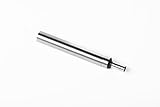
- 3/8” Shank x 0.200” Tip: Standard single-end cylindrical contact design that fits common collets, chucks and tool holders. Ideal for most manual and CNC milling setups.
- High-Precision Positioning: Accurately and rapidly locates starting points, working edges, shoulders, and center points for all types of machine work and jig boring.
- Hardened & Precision Ground: Made from high-quality tool steel, fully hardened and ground for long-term accuracy and durability in demanding shop environments.
- Reliable Mechanical Performance: Simple, battery-free operation trusted by machinists for consistent, repeatable results without electronics.
- Trusted Legacy: Backed by PEC Tools' long-standing reputation for delivering reliable, industrial-grade mechanical measuring and setup instruments.
Choosing an edge finder for the job
Different finder types suit different machines and workpieces. The available product information does not support a universal ranking for accuracy or value across these categories.
Quick Recap
Best Value

- Swiftly locates working edges, shoulders, grooves, center points, and scribe lines with precision and ease.
- Hardened, ground, and lapped to close tolerances for exceptional accuracy in both diameter and concentricity.
- Features a Cone Double End measuring 1/2" x 3/16" and a Single End measuring 3/8" x 3/16" for versatile applications.
- Designed for efficiency and convenience, saving valuable time in machining operations.
- Crafted from high-quality materials to ensure durability and long-lasting performance.
Rank #4

- Precision at Your Fingertips - The Starrett 827 Edge Finder is the perfect tool for anyone looking for an accurate work location. With its fast, simple design, it's easy to get the job done right every time.
- Ideal Use - To locate edges on any surface including flats, straight edges, shoulders and grooves as well as round work such as dowels or centers of circles. Also used to scribe lines on surfaces such as studs or wallboard.
- Outstanding Quality - The body and contacts are made of tool steel, hardened, ground and lapped to close tolerances for diameter and concentricity. It has a furnished in attractive, protective case.
- Reliable - Edge Finders are easy to use. It is designed to be lightweight and handy, making it the trusted tool used by machinists to locate the centers and scribed lines.
- The Standard for Excellence - Proudly made in the USA, Starrett combines over 140 years of American heritage and innovation with globally sourced materials to deliver exceptional quality tools and products.
Rank #3

- High Accuracy:With a measuring range of 10 mm and an accuracy of 0.02-0.01 mm, this edge finder machinist ensures high precision in machining operations and provides effective assistance during machining. coordinate measuring machines avoids the need for rework due to inaccurate positioning,This product does not come with a battery. Before use, 2 LR1(1.5V) batteries are required
- Probe and Sensor: The edge detector's probe is hardened and finely ground for without rotation measurement, while the spring-loaded sensor protects against accidental damage, ensuring long-lasting performance and reliability
- Overall Stainless Steel:Made from high quality stainless steel, this photoelectric edge finder is a practical and convenient tool for your machining needs. Its rugged construction ensures that it will withstand the rigours of use in a variety of industrial environments,This product does not come with a battery. Before use, 2 LR1 (1.5V)batteries are required
| Type | How it signals or works | What to check |
|---|---|---|
| Mechanical rotating finder | Uses a change in probe motion at contact and requires the spindle to run at the selected model’s prescribed speed. | Holder and shank compatibility, probe diameter and radius correction, and the maker’s speed and contact instructions. A straightforward choice for a manual mill when the operator can observe the probe. |
| Electronic contact finder | The Haas Tooling model lights and beeps at contact and is used with the spindle off. | Follow its handling instructions: move slowly and do not let the workpiece touch the shaft. Haas lists a 10 mm ball and advertised accuracy of ±0.005 mm; that is a product specification, not a guaranteed result in every setup. Details are in the Haas Tooling product listing. |
| Optical/acoustic finder | Signals contact without spindle rotation. | Paulimot says this type relies on electrical contrast and is intended for conductive or slightly conductive surfaces. Confirm the specific model’s material requirements in its product information. |
| 3D sensor-style tool | Another tool category for mills without built-in probing. | Compare it when the machine and workflow call for its capabilities. The cited Haas Tooling category listing does not establish operating instructions or a price for a particular model. |
Common setup errors to avoid
- Setting the probe centre as the edge: Apply the probe-radius correction in the direction dictated by the contacted face and axis convention.
- Assuming one speed fits every finder: Use the speed stated for the specific model; manufacturers’ recommendations vary.
- Advancing too aggressively: Gentle feed helps avoid damaging or displacing a mechanical probe. For electronic tools, observe the maker’s shaft-clearance and movement instructions.
- Applying the wrong contact cue: A stop-and-slide motion, a stationary-looking sensor, or an electronic signal depends on the finder design.
- Skipping the work offset: Finding an edge does not, by itself, make the machine’s programmed coordinates refer to that edge. Set the intended work coordinate after applying the necessary correction.
Product prices and availability are accurate as of the date/time indicated and are subject to change. Any price and availability information displayed on Amazon at the time of purchase will apply.