The Tool Desk
Outbyte PC Repair FREEClear out junk files and repair common Windows errorsFree Scan →Outbyte Driver Updater FREEScan for outdated or missing drivers - takes under a minuteDriver Scan →If your galaxy projector night light has stopped working, start with checks you can do without opening it: confirm the power source and cable, try the controls on the unit, and inspect the lens or removable projection disc. The right fix depends on the exact model; similar-looking projectors can have different power requirements and controls. If you notice smoke, a burnt smell, liquid damage, exposed wiring, a swollen battery, or severe heat, unplug it and stop.
First, identify the symptom and the exact model
Before trying a fix, note what the projector does. A unit with no response needs a different check from one that lights up but shows no stars.
| Symptom | Start with |
|---|---|
| No light or response | Outlet, cable connections, adapter rating, and the projector’s own power button |
| Remote does nothing | Remote batteries and the projector’s body controls |
| Blurry or dim image | Lens film, external lens cleaning, focus, room brightness, and disc placement |
| Stars or nebula work, but no night light | Dedicated night-light control, brightness, timer, and correct power |
| Projection does not rotate | Rotation setting, timer, and whether a removable disc is seated correctly |
| Flickering, sudden shutdown, or unusual noise | Power connections and signs of overheating; stop if it is excessively hot or smells abnormal |
Find the brand and model number on the base, rear label, packaging, or manual. Record the marked input voltage and current, connector type, battery details, seller, purchase date, and order number. USB-C describes the connector, not the projector’s full power requirements. For example, one galaxy-projector manual specifies DC 5 V, 2 A and warns against self-disassembly; that rating applies to that model, not every projector: Kogan galaxy-projector manual. Another manual likewise specifies 5 V, 2 A for its model: BL-DQY02 user manual.
Stop if there are signs of damage or electrical risk
Unplug the projector and do not test it further if you see smoke, sparks, scorching, exposed wire, a cracked housing that reveals internal parts, a swollen or leaking battery, or liquid inside. Stop if it becomes excessively hot, makes crackling sounds, or develops a burnt or chemical smell. Do not repeatedly reconnect a damaged unit or open it to investigate. A manufacturer’s manual instructs users to stop using a damaged projector and contact support rather than disassemble it: Kogan galaxy-projector manual.
Free tools Windows power users keep installed
One-click scans. No signup required.
#1 Best Overall

- 🏡【𝐔𝐩𝐠𝐫𝐚𝐝𝐞𝐝 𝟑-𝐢𝐧-𝟏 𝐆𝐚𝐥𝐚𝐱𝐲 𝐏𝐫𝐨𝐣𝐞𝐜𝐭𝐨𝐫】Watch the splendid aurora views without chasing around or hiking far away, turning your home into a mini planetarium room or cozy bedroom. Place yourself in a peaceful environment with natural white noises echoing in your ears, relaxing both your mind and body. Enjoy immersive sound while playing your favorite music through the built-in Bluetooth speaker and lamp-style ambient effect.
- 🌈【𝐑𝐨𝐦𝐚𝐧𝐭𝐢𝐜 𝐆𝐚𝐥𝐚𝐱𝐲 𝐀𝐮𝐫𝐨𝐫𝐚 𝐏𝐫𝐨𝐣𝐞𝐜𝐭𝐨𝐫】 Featuring four colors (red/green/blue/white), this dual-lens star projector creates 33 lighting atmospheres, 3 modes, and 16 northern light effects, bringing the starry ceiling back home. With 4-level flow speed and brightness adjustment, it performs beautifully in both bright and dark rooms, ideal for kids, adults, and mood decor lovers.
- 🌲【𝐒𝐨𝐨𝐭𝐡𝐢𝐧𝐠 𝐖𝐡𝐢𝐭𝐞 𝐍𝐨𝐢𝐬𝐞 𝐒𝐥𝐞𝐞𝐩 𝐀𝐢𝐝】Equipped with 8 natural white noises, from ocean waves, forest birds to rivulet and lullaby, it provides calming sound therapy for relaxation and sleep, making it perfect for night use in the bedroom, nursery, or relaxation corner. It also helps soothe crying kids and create peaceful bedtime routines.
- 🎶【𝐁𝐥𝐮𝐞𝐭𝐨𝐨𝐭𝐡 𝐒𝐩𝐞𝐚𝐤𝐞𝐫 & 𝐑𝐡𝐲𝐭𝐡𝐦 𝐌𝐨𝐝𝐞】 Serve as a Bluetooth speaker when paired with your Bluetooth-enabled devices to play music. Stars and aurora move with the beat, turning any place into an engaging, immersive party environment — great for birthdays, Christmas, and holiday celebrations.
- 🎁【𝐏𝐞𝐫𝐟𝐞𝐜𝐭 𝐆𝐢𝐟𝐭 & 𝐇𝐨𝐦𝐞 𝐃𝐞𝐜𝐨𝐫】Designed as an adorable elephant-shaped decor lamp, it fits perfectly as stylish room decor or cozy bedroom decor, suitable for gaming setups, home theaters, reading nooks, and relaxation corners. A thoughtful gift idea for girls, boys, babies, couples, and elders, blending relaxation, aesthetics, and warm lights. Certified by FCC, CE & RoHS, ensuring safety for all-age home use.
Work through the safe external checks
1. Check the outlet, cable, adapter, and batteries
- Test the wall outlet with another working device, then try a different outlet.
- Turn the projector off and reconnect its cable at both ends. Look for a loose connector, bent plug, exposed conductors, melting, or damage; stop using a damaged cable.
- Read the projector’s label or manual and match the adapter’s voltage and required current. Do not choose an adapter just because its plug fits, and do not guess at a voltage or keep trying random chargers.
- If the projector uses replaceable batteries, check their type, orientation, and contacts. Stop if a battery is swollen, leaking, or corroded.
- If it has an internal rechargeable battery, use the charging method and timing stated in its manual. Do not open the unit to reach the battery.
A charger that worked with another device is not necessarily suitable for this projector. The cable, adapter, charging circuit, or projector itself may be at fault. If the projector gets hot, smells abnormal, or repeatedly switches on and off, unplug it rather than continuing to test it.
2. Try the projector’s own controls, then power-cycle it
Press the physical power button on the projector rather than relying only on the remote. If it remains frozen or unresponsive, turn it off, unplug it, remove remote batteries and any user-removable batteries, and leave it disconnected for several minutes. Reconnect only the correct power source and start it from the unit’s own button. One galaxy-projector manual recommends cutting power, waiting several minutes, and replacing batteries if the unit remains unresponsive: galaxy-projector manual troubleshooting guidance. This is a power cycle, not a guaranteed factory reset.
Rank #2
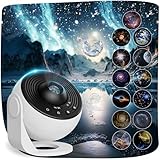
- 【13-IN-1 Planetarium Projector Pro 2026】 - Explore 13 space scenes, including the Solar System, Earth, Moon, Virgo Supercluster, Centaurus A, Black Hole, Antennae Galaxies, Wormhole, the Milky Way, Mystic Mountain, Sharpless 2-308, Small Magellanic Cloud, and Laniakea Supercluster. Each projection disc includes a brief introduction to the featured subject, turning this solar system projector into an engaging astronomy display for kids and adults. Includes 13 discs, with 1 pre-installed.
- 【Ceiling Projector for Bedroom】 - Use this star projector for ceiling, wall, or floor displays from up to 16.4 ft away; a distance within 9.84 ft is the recommended distance. Coverage ranges from 135 to 754 sq ft, allowing it to create immersive projections across large ceiling areas. The top focus knob helps sharpen the image. If the focus knob reaches the end of its range, turn it in the opposite direction to continue adjusting.
- 【360° Rotating Starry Sky】 - Adjust the projection angle through 360° and choose from 2 rotation speeds to create a smooth starry sky projection night light. This space projector adds celestial decor and mood lighting to bedrooms, kids’ rooms, parties, weddings, or holiday gatherings without overly fast movement.Keep the “UP” mark facing upward when inserting a disc.
- 【Night Light with Timer】- Set the galaxy projector night light to turn off after 1 or 2 hours, or rely on the default 4-hour auto-off. Quiet operation makes it suitable as a kids night light projector or relaxing bedroom light for adults. Turn off other lights for clearer projection, as bright rooms can reduce image clarity.
- 【USB-Powered Complete Set】 - Includes the starry night projector, 13 projection discs (1 pre-installed), USB-C cable, Cleaning Cloth and user manual. Use a 5V/2A adapter for power (adapter not included). Do not use high-voltage adapters to avoid potential damage to the device. If you encounter any issues during installation or receive a defective product, please contact our customer service team. We will provide assistance and work to resolve your concern within 24 hours.
3. Check the remote separately
If the projector responds to its body controls but not the remote, fit the correct new batteries and check their polarity. Remove any battery-isolation tab, aim the remote directly at the projector, and make sure nothing blocks its infrared window. Some phone cameras can show a remote’s infrared output when you press a button, but the test may not work reliably with iPhones. A visible signal indicates the remote is emitting infrared; it does not prove the projector’s receiver works. See LG’s projector power and remote checks for that camera-test caveat and other basic diagnostics.
Replacement remotes are model-specific. Confirm compatibility with the exact projector model before buying one.
Rank #3

- 【13 IN 1 Realistic Planetarium Projector】:This galaxy projector for bedroom is equipped with 13 different HD galaxy discs, including the Solar System, Earth, Moon, Virgo Supercluster, Centaurus A, Black Hole, Antennae Galaxies, Wormhole, the Milky Way, Mystic Mountain, Sharpless 2-308, Small Magellanic Cloud, and Laniakea Supercluster. These realistic galaxy film discs make the star projector an ideal choice for room decor for kids, teen girls, and adults. Note: There are a total of 13 projection cards, with one of them built-in the galaxy projector
- 【Upgraded Galaxy Light Projector】With enhanced brightness and an enlarged projection area, this bedroom galaxy light projector can now fill an entire ceiling or wall with a dazzling starry sky. Admire the lifelike constellation patterns and detailed nebula textures, which accurately replicate the movements of celestial bodies in the universe. For children and adults who are fascinated by the cosmos, the star projector galaxy light is a special gift that creates an enchanting atmosphere. As a decorative night light, it also serves as a unique and heartwarming Mother’s Day gift, like a skylight moon lamp bringing the universe home
- 【360° Rotation & Upgraded Projection Distance and Area】:The 360° rotation feature allows users to easily change the projection angle. This bedroom light projector can project stars and the solar system onto walls, floors, and ceilings, with a projection distance of 1.5 to 16 feet (the optimal projection distance is 9.84 feet). The space projector covers an area of 135 to 754 square feet. The ceiling projector is USB-powered. Simply place the film disc into the slot, press the switch, and adjust the focus. It is recommended for use in a dark indoor environment. As a part of home decor, this planetarium projector is perfect for creating a cosmic atmosphere in your bedroom
- 【Timing Night Light for Kids】—The galaxy light projector in the bedroom can be set to automatically turn off after 1 hour or 2 hours. If you forget to set the timer, it will also automatically turn off after 4 hours (default) to prevent you from forgetting to turn off the light when you fall asleep. In addition, this noiseless ceiling projector can serve as an ambient night light, creating a quiet and peaceful environment to help you fall asleep
- 【Package & Prompt Customer Service】- Package includes a starry night projector, 13 film discs (1 discs built into the projector), a USB C cable, and a user manual. If you still have any issues during installation or defective items, please contact our customer service e-mail for a prompt solution, we will get it resolved within 24 hours.
4. Improve a blurry, dim, or missing projection
- Remove any protective film from the lens and wipe its exterior gently with a clean, dry microfiber or lens cloth.
- Adjust the projector’s focus wheel or ring, if it has one. Put it at the distance recommended by its manual and darken the room to check whether the image is simply too faint in ambient light.
- Make sure the lens and star aperture are not blocked. If your model has a removable projection disc or decorative cap, check its placement and reseat it gently as directed by the manual.
- Do not force a disc tray or rotating mechanism, spray cleaner onto the lens, or use solvents, abrasive cleaners, or paper towels.
A galaxy-projector manual identifies incorrect focus and improperly inserted projection discs as possible causes of poor or incorrect projection: model-specific galaxy-projector troubleshooting guidance. Guidance about cleaning sensors or using keystone controls on smart projectors may not apply to a simple decorative lamp; use those features only if your own model has them. Samsung’s instructions are specific to its projectors: Samsung projector image troubleshooting.
5. Check a separate night-light mode or a stalled rotation
If stars or nebula still work but the night light does not, confirm that your model has a separate night-light function. Try its dedicated button or documented control combination, check brightness and any timer setting, and test while connected to the correct power source. A manual for one model lists an inactive night-light function and inadequate power as possible causes: model-specific night-light checks. If one mode keeps failing while others work, an LED, driver, wiring connection, or control-board fault is possible, but that symptom alone cannot identify which part failed.
Rank #4

- 2-in-1 Galaxy Projector & Night Light: Experience the perfect blend of a vibrant starry sky projector and a soft night light in one compact device. Seamlessly switch between modes to create either an immersive galaxy atmosphere for entertainment or a gentle, soothing environment for a restful night's sleep.
- Vivid Patterns & Multiple Projection Films: Equipped with premium optical lenses and interchangeable projection films, this mini galaxy light delivers crisp, clear, and enchanting visuals onto your ceiling or walls. Easily transform your space with diverse themes to keep your room decor fresh and captivating.
- Adjustable Brightness & Flexible Angles: Customize your visual experience with user-friendly control. Featuring multiple brightness levels to suit sleeping, reading, or relaxing, the projector also supports flexible angle adjustments, allowing you to direct the stunning nebula effects exactly where you want them.
- USB-Powered & Highly Portable: Designed for modern convenience, this lightweight star projector is powered by a standard USB cable. It is fully compatible with power banks, laptops, and wall adapters, making it effortless to bring the starry magic into your bedroom, home office, gaming setup, or even on trips.
- Perfect Room Decor & Thoughtful Gift: With its sleek, space-saving design and mesmerizing lighting effects, this projection lamp serves as an effortless decor solution for any indoor space. It is an ideal gift for kids, friends, and family who love unique home aesthetics and relaxing night-time ambiance.
If projection rotation stops, check whether rotation is disabled or a timer has ended. Switch the projector off and unplug it before inspecting a removable disc. Remove or reseat it only as the manual allows, and check for an obvious obstruction. Do not oil the mechanism or force it by hand unless the manufacturer specifically instructs you to do so.
Independent reader supportYour contribution helps us test, update, and keep practical guides available for everyone.What you can reasonably handle—and what to leave alone
Beginner-level maintenance should stay external: changing remote or user-replaceable batteries, replacing a detachable cable with one that meets the stated requirements, cleaning the lens or disc, correcting battery orientation, reseating a removable disc, and checking the outlet and controls.
Quick wins for a faster PC:
Repair Windows errors before they cause bigger problemsFix Now →Scan for outdated or missing drivers - takes under a minuteDriver Scan →Best Value

- 【Galaxy Projector】LED red, green, blue and stars, multiple color mix for your choice, project the star projector onto the wall or ceiling, comes with beautiful flow effect, create bedroom living room family atmosphere.
- 【Stars Projector 】It build in 7 types LED background colors,This Stars Projector Lamp make romantic feeling stays with you as long as you want.it can produce different lights from different angle, creating a brilliant atmosphere, enjoy the beauty of different colors. it can bring you unexpected visual experience.
- 【Remote Control 】It operate not only with the buttons of the aurora projector itself, but also with the remote control by long distance, changing colors, adjust brightness, lighting mode, light effects, aurora light move speed, turn on/off,When the light is under sound mode, the sound controls the light. If there is no sound, the light is off. (Press"Auto Mode"again to enter modes.)
- 【Timing Function & Sleep mode】Northern Lights projector built-in timing function (0.5H,1H, 2H,3H,4H),Also when you choose sleep mode,it can automatically shutdown with no operation in 1H, It's more energy-saving and environmentally friendly.The soothing aurora effects will create a warm .
- 【Create Ambiance】It really sets the right mood,when you get home from a long day,turn this galaxy projector on,It makes your whole room feel so relaxing and comfy,It is very suitable for decorating bedrooms, walls, ceilings, birthdays, weddings, parties, and Christmas decorations. The best choice for family and friends.
Opening the housing, soldering, replacing an LED or motor, changing an internal rechargeable battery, repairing a power board, or bypassing a protection circuit is not a safe next step for someone without appropriate electronics training. Some manuals expressly prohibit user disassembly. For example, the Kogan manual directs users away from self-repair. A warm projector is not automatically faulty, but keep vents clear and follow its instructions. If heat is excessive or comes with odor, flickering, shutdown, or discoloration, unplug it. LG also cautions against self-repair for certain projector faults: LG projector noise and heat guidance.
Choose support, repair, or replacement
After the external checks, use the model, warranty status, and likely fault to choose a next step. A low-cost sealed unit may not be economical to diagnose professionally; a branded or more expensive model may justify authorized service. Compare actual repair, shipping, and replacement costs rather than assuming either option is always cheaper.
- Recently bought or possibly covered: Contact the seller or manufacturer before opening the projector or paying for third-party repair.
- Detachable cable or remote issue: Ask for the correct replacement for your exact model. Do not substitute an unverified adapter, battery, or remote.
- Internal fault suspected: Seek authorized or qualified repair if the unit’s value warrants it; otherwise, consider replacement.
- Liquid, battery, or mains damage: Keep the unit unplugged and follow manufacturer or local guidance for safe handling and recycling.
When contacting support, provide the model number, purchase date, receipt or order number, a concise description of the symptom, and a photo or video if safe to make. Include the adapter’s output rating and say whether the projector’s body buttons work, whether an indicator appears, and whether it was dropped or exposed to liquid. Brand support paths are model- and region-specific; for example, LG provides manuals, warranty details, repair options, and support contacts for particular products on its PH30N support page. Check the terms for your own product and location.
Use the projector safely around children
Follow the exact model’s age guidance and warnings. Keep cables, small removable parts, and the projector itself out of reach where they could create a hazard. Avoid looking directly into bright projected light, and check whether the manual warns about flashing effects for people sensitive to them. One galaxy-projector manual includes warnings about direct viewing, small parts, and flashing lights: galaxy-projector safety guidance.
What’s actually slowing this PC down?
Pick the symptom - the matching free tool is one click away.
Quick Recap
Product prices and availability are accurate as of the date/time indicated and are subject to change. Any price and availability information displayed on Amazon at the time of purchase will apply.