You do not need to design a complete Nixie clock to make one. This project repurposes an old AMF frequency counter: an ESP32 synchronizes the time with NTP, converts the time into a number such as 173118, and sends that many pulses to the counter during its measurement interval. The counter then displays the number on its existing Nixie tubes.
It is an elegant shortcut—but “easy” means easier than designing the tube drivers and high-voltage display electronics from scratch. A vintage counter still requires model-specific research, signal-interface checks, and careful electrical safety work.
As an Amazon Associate I earn from qualifying purchases.
The idea in one sentence
A frequency counter does not understand time; it only counts incoming pulses. The ESP32 supplies a deliberately chosen pulse count whose decimal digits represent the current time.
Free tools Windows power users keep installed
One-click scans. No signup required.
The project was reported by Hackaday on August 7, 2025 as an entry in the 2025 One Hertz Challenge. The builder is identified in the available article text as Simon.
#1 Best Overall

- [Custom Display Color & Mode] Adopts RGB light source enable you to customize each display group color with RGB full color selection and support Check mode, Single color mode, Monochrome alternate display mode, Breathing mode, Rainbow flashing mode, Water flowing mode,suitable for a variety of places like bedroom and office.
- [Alarm Set and 12/24h format] This new style tube clock support to switch between 12 hours to 24 hours and alarm setting.
- [Timer Function]The new style has a timer function, maximum time is 99 minutes, which can match the needs of daily life perfectly.
- [Wifi Timing] Support link wifi to calibrate time, and can use mobile phone to set the color, mode, Very user-friendly!
- [No Assembly Required] This clock don't require any assembly, Just plug in the Type-c to start using.
How a frequency counter becomes a clock
A conventional frequency counter opens a gate for a defined period, counts the input cycles, and shows the result. In this project, the ESP32 turns the current time into an integer using the format HHMMSS.
| Time | Encoded value | Meaning |
|---|---|---|
| 5:31:18 PM | 173118 |
17 hours, 31 minutes, 18 seconds |
| Midnight | 000000 |
00:00:00 |
| 7:13:05 AM | 071305 |
07 hours, 13 minutes, 05 seconds |
At 17:31:18, the ESP32 generates 173,118 pulses during the counter’s measurement window. The counter simply reports the measured total, so its six Nixie digits appear to show the time. The digits do not inherently represent hours, minutes, or seconds.
Why reuse a Nixie frequency counter?
Building a conventional Nixie clock usually involves tube sockets, a high-voltage supply, cathode or anode drivers, digit multiplexing, a clock source, an enclosure, and firmware. A salvaged counter may already contain the most difficult parts:
The Tool Desk
Outbyte PC Repair FREERepair Windows errors before they cause bigger problemsFix Now →Outbyte Driver Updater FREEScan for outdated or missing drivers - takes under a minuteDriver Scan →- Nixie tubes and their sockets
- Digit-driving electronics
- A power supply and enclosure
- The counting and display circuitry
That makes the project attractive to makers who want the vintage appearance without designing a complete tube-display system. It also creates a distinctive result: a real piece of test equipment being used as a clock.
The hardware path
NTP time server
      ↓
ESP32 timekeeping and HHMMSS conversion
      ↓
Pulse-count generator
      ↓
Signal-level interface
      ↓
AMF frequency-counter input
      ↓
One-second gate and internal counter
      ↓
Existing Nixie display
The minimum conceptual hardware is an AMF Nixie-tube frequency counter, an ESP32 development board, a regulated ESP32 supply, wiring, network access, and an appropriate interface between the ESP32 output and the counter input.
Do not assume that the ESP32 can be connected directly. The available project coverage confirms that the ESP32 was connected to the counter, but it does not document the exact AMF model, GPIO, waveform, voltage, impedance, grounding arrangement, or protection circuit.
Rank #2

- [Custom Display Color & Mode] Adopts RGB light source enable you to customize each display group color with RGB full color selection and support Check mode, Single color mode, Monochrome alternate display mode, Breathing mode, Rainbow flashing mode, Water flowing mode,suitable for a variety of places like bedroom and office.
- [Alarm Set and 12/24h format] This new style tube clock support to switch between 12 hours to 24 hours and alarm setting.
- [Timer Function]The new style has a timer function, maximum time is 99 minutes, which can match the needs of daily life perfectly.
- [Wifi Timing] Support link wifi to calibrate time, and can use mobile phone to set the color, mode, Very user-friendly!
- [Product Dimensions] Size: 10*2.4*3.2in Weight: 1lb
Check the counter before connecting the ESP32
Obtain the exact model and revision, then find its schematic or service manual. Confirm:
- Input voltage range and maximum safe voltage
- Input impedance and coupling arrangement
- Whether the input expects TTL, CMOS, sine-wave, or another waveform
- Trigger threshold and sensitivity
- Gate period and measurement mode
- Whether the input is isolated from the counter’s internal high-voltage circuitry
- Whether a common ground is safe and appropriate
Depending on those findings, the interface may need a resistor network, transistor, open-collector stage, comparator, logic buffer, level shifter, or galvanic isolation. Those are design possibilities, not verified details of the original build.
Firmware logic
The reported design uses an ESP32 and an NTP time server. The general firmware sequence is:
- Connect to Wi-Fi.
- Synchronize the clock with NTP.
- Apply the intended time zone and daylight-saving rules.
- Read the local time.
- Format it as six digits in
HHMMSSorder. - Convert those digits to the required pulse total.
- Generate the pulse train during the counter’s measurement interval.
- Repeat once per second.
The source does not identify the GPIO, timer peripheral, pulse duty cycle, pulse frequency, or synchronization method. Those details must be established from the counter documentation and the original project files if they are available.
The one-second gate is the critical timing problem
The concept depends on the counter measuring over the interval assumed by the firmware. Before attempting a reliable build, determine when the gate opens, when it closes, whether the counter resets between readings, and how the ESP32 learns or predicts that timing.
The project description says the counter counts pulses over one second, but it does not document the instrument’s internal timing architecture. If the pulse train starts too early, ends too late, or overlaps the wrong gate, the displayed value can be wrong even when the ESP32’s pulse count is correct.
Rank #3
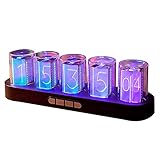
- 【Combining Technology And Fashion】The Clock Has A Built-In Stable Chip, With Small Time Accuracy Error, Long Life, Rich And Clear Colors . Easy-To-Operate Buttons And Diy Design Make People Reluctant To Put It Down
- 【Built-In Full-Color Led, Rich Colors】There Are 16 Million Colors In The Rgb Clock, And Each Number Can Be Adjusted To A Different Color, Showing Your Unique Personality And Adding A Beautiful Landscape To Your Desktop
- 【Multiple Mode Adjustment】The Rgb Full-Color Clock Supports 9 Cool Display Modes, Which Can Be Switched Freely Through 4 Buttons To Meet The Needs Of Different Moments And Give Yourself A Good Mood Every Day.
- 【Power-Off Memory Function】The Clock Is Powered By Usb, No Battery Is Required, And The Clock Has A Built-In Button Battery, So There Is No Need To Repeatedly Set The Time When The Power Is Disconnected In Time
- 【No assembly required&Beautiful packaging】No complicated installation required—just plug it in and you're ready to go.The clock comes with beautiful packaging, you can give it directly as a gift to yourself, friends, family. And it's an all-in-one clock, you don't need to go through the tedious installation process.
Higher totals also deserve testing. A six-digit value such as 173,118 must be generated and accepted consistently within the available interval. The counter’s input bandwidth, trigger circuit, and maximum count may limit the practical design.
NTP makes it convenient, not self-sufficient
NTP provides synchronization, but it does not automatically solve time-zone configuration, daylight-saving changes, Wi-Fi loss, or startup behavior. A robust implementation should:
- Show an unsynchronized state after boot.
- Wait for a valid time before displaying it as authoritative.
- Apply the correct local time-zone rules.
- Continue from the last valid time if Wi-Fi temporarily fails.
- Resynchronize periodically.
- Use a real-time clock if accurate offline operation matters.
The published description confirms NTP use but does not specify the library, server, time-zone configuration, synchronization interval, or offline behavior.
Recommended Free Tools
Why the project is harder than the headline suggests
The shortcut eliminates much of the custom Nixie electronics, but it does not necessarily eliminate high voltage. A vintage counter may contain hazardous voltages, aging capacitors, unsafe mains wiring, damaged insulation, or undocumented modifications.
Before powering a salvaged unit, identify the model, inspect the mains wiring, fuse, connectors, insulation, covers, protective earth, and visible capacitors, and use an appropriate current-limited startup procedure. Do not casually probe energized high-voltage sections. Keep the ESP32, its USB connection, and user-accessible wiring isolated from hazardous circuitry.
In practical terms, this is an easy way to obtain a Nixie display—not necessarily an easy way to turn an unknown vintage instrument into a safe, dependable clock.
Rank #4

- 【IN14 Glow Tube Clock】IN14 glow tube was invented in the 1950s and widely used in the 60s and 80s, with its unique orange-red glow, beautiful glyphs, and a warm feeling under the haze.
- 【Solid wood base】Natural solid wood is used and finely processed and polished, preserving the natural texture of the clock, with a stainless steel base plate made of thin base to highlight the charm of the clock.
- 【Two control modes】The clock is equipped with a remote control, but also through the connection of WIFI more convenient to control the clock, simple, humanized settings interface allows you to say goodbye to the cumbersome button settings.
- 【A variety of practical functions】The clock can automatically adjust the brightness of the glow tube according to the external light, can be adjusted for daylight saving time, support for four countries voice chime, automatic switch on/off, set the alarm, 12/24 hours switching and other functions, so that your clock to become your assistant to manage time.
- 【Exquisite gift box packaging】The package contains IN14 clock *1, remote control *1, charger *1, and the clock you receive is already assembled, you can use it when you plug it in, say goodbye to the cumbersome installation process. If your friend is a time lover or someone who loves desktop decoration, you can give it to him as a gift!
Reproduction checklist
- Identify the exact AMF counter model and revision.
- Find its service documentation and determine its display capacity.
- Confirm whether it supports leading zeroes and the intended six-digit format.
- Verify the input type, voltage, impedance, sensitivity, and maximum count rate.
- Determine the actual gate interval and reset behavior.
- Design any required level shifting, buffering, protection, or isolation.
- Test the counter with a controlled, low-risk pulse source.
- Verify the interface electrically before attaching the ESP32.
- Configure NTP, time zone, and daylight-saving behavior.
- Test midnight, leading zeroes, Wi-Fi loss, reboot recovery, and high pulse totals.
Common failure modes
The display shows the wrong number
Check the gate-time assumption, input threshold, signal amplitude, impedance, grounding, pulse noise, missed or doubled transitions, overflow, and the firmware’s zero-padding and digit order.
What’s actually slowing this PC down?
Pick the symptom - the matching free tool is one click away.
The time jumps or drifts
Look for incorrect NTP or time-zone handling, stale timestamps, unsynchronized pulse generation, network loss, counter time-base error, or a mismatch between the assumed and actual gate interval.
It works at some times but not others
This may indicate a pulse-rate limit, a six-digit or overflow problem, a rollover bug, or unreliable operation near the counter’s maximum input rate.
Who should choose this approach?
This method suits someone who values the Nixie aesthetic, enjoys vintage test equipment, can inspect and restore electronics, and wants a memorable display piece. It is less suitable for someone seeking a documented, compact, low-power appliance.
A purpose-built Nixie kit is likely better when you need an RTC, predictable documentation, dimming, alarms, date functions, replacement parts, or straightforward long-term maintenance. An LED or VFD clock is generally the easier choice for low voltage, sourcing, brightness control, and beginner experimentation.
Bottom line
The cleverness is not in inventing a new timekeeping algorithm. It is in recognizing that a Nixie frequency counter already contains much of a clock’s expensive and difficult display hardware. Feed it a pulse count that encodes HHMMSS, and its measurement display becomes a clock.
Just verify the particular counter before copying the wiring. The AMF model, input circuit, gate timing, display format, and electrical condition determine whether this is a neat weekend conversion or a demanding vintage-electronics restoration.
Quick Recap
Product prices and availability are accurate as of the date/time indicated and are subject to change. Any price and availability information displayed on Amazon at the time of purchase will apply.




