Crashes, No Sound, or Screen Glitches?
Random freezes, missing sound and display glitches usually trace back to one bad driver. Find and replace yours safely.Free scan · under a minutePC Slower Than It Used to Be?
A free scan shows the junk files, broken settings and background clutter dragging Windows down - then fixes them in one click.Free scan · Windows 10 & 11Verify the worker through the Building and Other Construction Workers (BOCW) Welfare Board for the state where the registration was issued. Use that board’s official labour-department portal, select the service that matches the case—application tracking for a pending request or beneficiary/status verification for an issued registration—and enter the acknowledgement, registration or beneficiary number requested. Then check renewal or current-validity information; possession of a card alone does not prove that registration is active.
India does not have one confirmed public lookup that covers every state board. Portal names, identifiers, authentication and assisted-service arrangements differ by state, so never substitute an unofficial national-looking website for the issuing board’s own service.

As an Amazon Associate I earn from qualifying purchases.
What “state welfare board” means here
In this guide, “state welfare board” means an Indian Building and Other Construction Workers (BOCW) Welfare Board. These boards register eligible construction workers, issue identity or labour cards, collect renewal information and administer welfare claims. Registration functions are assigned to the board for the relevant state or Union Territory, so the correct authority is normally the place where the worker registered—not necessarily the state where the employer’s head office is located or where the worker is currently working.
Ask the worker which state board issued the card or accepted the application. If the worker moved between states, verify each registration with the board that issued it; do not assume that one state’s record automatically appears in another state’s system.
#1 Best Overall

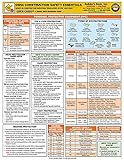
- 2024 OSHA Construction Safety Book is the seventh edition with the new OSHA HazCom final rule on 5/20/24. While the rule takes effect 7/19/24, the compliance dates don’t begin until 1/19/26 per 29 CFR 1910.1200(j).
- Construction Site Book offers quick access to essential OSHA regulations, jobsite hazards, and practical safety tips. It also helps employees identify hazards and prevent injuries and illnesses.
- Features easy-to-read format, full-color images, chapter quizzes with answer key, and comes in a compact size making it a convenient reference for employees.
- Critical topics include Confined Space Entry; Cranes & Derricks; Electrical Safety; Emergency Response; Ergonomics & Back Safety; Excavations; Fall Protection; First Aid & Bloodborne Pathogens; HazCom; Health & Wellness; Jobsite Exposures; Lockout/Tagout; Ladders & Stairways; Materials Handling/Storage; Motor Vehicles; PPE; Scaffolds; Site Safety & Security; Slips, Trips & Falls; Tool Safety; Welding, Cutting & Brazing; and Work Zone Safety.
- Specifications: 5 1/4” x 7 1/4", English, Soft bound. 7th Edition. Copyright 2024.
Choose the verification route before entering any details
Most mistakes happen because a person uses an application-tracking service for an already issued card, or tries to verify a card without the identifier the portal expects. Decide which record you are checking first.
| Situation | Correct service to look for | Typical identifier or evidence | What the result should establish |
|---|---|---|---|
| Application has been submitted but no card has been issued | “Track Application,” “Registration Status” or a similar pending-application service | Acknowledgement or application number from the receipt | Whether the application is received, under scrutiny, approved, rejected or awaiting action |
| Registration has been approved and a card was issued | “Beneficiary Verification,” “Worker Status,” “E-Card” or digital identity-card service | Registration, beneficiary or card number; some states also require a login or OTP | Whether the board can retrieve the beneficiary record and display its current details |
| Card is old or the worker is unsure whether membership continues | “Renewal,” “Validity,” or current-status service | Registration/card details and any state-specific authentication | Whether renewal is due, completed, pending or missing |
| Portal cannot be used | Official board or labour-office assistance; an authorized service centre where the state permits it | Original documents, acknowledgement or card details | Confirmation through an official assisted channel, not an informal agent |
Delhi’s official service listings illustrate this separation: “Track Application,” “Renewal” and “E-Card” are separate functions. Other states may use different labels or combine services, so use the wording on the issuing board’s current website.
Information to gather before checking
- Issuing state: identify the state or Union Territory board that accepted the registration.
- Application evidence: for a pending request, keep the acknowledgement receipt and application number exactly as printed.
- Registration evidence: for an issued record, have the labour card, e-card, beneficiary number or registration number available.
- Worker identity details: the portal may ask for name, date of birth, mobile number or other details. Enter them exactly as held by the board.
- Authentication access: some state systems use an OTP, state login or an identity-verification step. The worker should control the phone or account receiving the code.
- Renewal information: note any renewal date shown on the card or previous receipt, but treat it as a prompt to check the live board record rather than proof of present validity.
Do not photograph or upload Aadhaar, OTPs or other identity documents to an intermediary merely because it offers to “check” a status. Wait until you are on a government domain or at a service centre that the board confirms is authorized.
Step-by-step: verify a pending BOCW application
- Open the issuing board’s official website. Start from the state labour department or BOCW Welfare Board website. Confirm the domain and the board name before entering personal information.
- Find the application service. Look for “Track Application,” “Application Status,” “Registration Status” or equivalent wording. Do not select “Renewal” or “E-Card” unless that is the record you intend to check.
- Select the service type if required. Some portals ask whether the request concerns registration, renewal, a claim or an amendment. Select the category printed on the acknowledgement or submitted by the worker.
- Enter the acknowledgement number. Use the application number from the receipt, preserving letters, zeroes and hyphens. If the portal requests a mobile number or other field, use the details associated with the application.
- Complete the portal’s authentication. Enter a one-time password only on the official page. Never share the OTP with a caller or agent who says it is needed to release the result.
- Read the status and record the result. Save the displayed status, date, application number and any instruction about missing documents or an in-person visit. A screenshot is useful, but retain the original receipt as well.
- Escalate an unclear or stalled record. If the number is rejected, the status has not changed for an unreasonable period, or the result conflicts with a receipt, use the board’s published contact or labour-office channel. Ask what correction or document is required; do not submit a second application simply to create a new number.
Step-by-step: verify an issued registration and renewal
- Choose beneficiary or worker verification. On the official state portal, look for a beneficiary search, worker status page, digital card or e-card option. A card-download page may show identity details without confirming that renewal is current, so find the status or renewal service too.
- Enter the board’s identifier. Use the registration, beneficiary or card number requested by that state. If the portal requires a state login, use the worker’s own account rather than an agent’s credentials.
- Complete only the state’s stated identity check. Some systems may use an OTP or another identity-verification process. Haryana pages describe Family ID and Aadhaar OTP steps in a registration-verification workflow; Telangana documentation describes Aadhaar authentication. Those are examples of state-specific procedures, not a universal requirement.
- Compare the returned details. Check the worker’s name, photograph or other displayed identifiers against the card and the worker’s documents. A mismatch should be reported to the board rather than “corrected” by editing a screenshot.
- Open renewal or validity information. Confirm whether renewal is current, due, pending or absent. If the portal presents only an e-card image, continue to the separate renewal/status function or ask the board to confirm the live record.
- Preserve an official result. Download the e-card or acknowledgement if the portal provides it, and note the date of the check. Keep it with the physical card and renewal receipt, subject to the worker’s privacy.
How to interpret the result
“Approved,” “registered” or a beneficiary record is found
This indicates that the board can retrieve a registration record. Read the renewal or validity field before treating it as active for a contract, benefit or site-access decision. Record the board name, registration number and date checked.
“Pending,” “under scrutiny” or “awaiting document”
The application is not the same as an approved beneficiary record. Follow the portal’s instruction about a missing document, fee, inspection or office visit. Keep the acknowledgement number because it is the reference for subsequent contact.
“Rejected,” “cancelled,” “expired” or “renewal due”
Do not represent the worker as currently registered on the basis of the old card. Read the stated reason and deadline, then contact the board about appeal, correction or renewal options. Eligibility and fees can vary by state and by the applicable rules.
Rank #3

- 2024 OSHA Construction Safety Book is the seventh edition with the new OSHA HazCom final rule on 5/20/24. While the rule takes effect 7/19/24, the compliance dates don’t begin until 1/19/26 per 29 CFR 1910.1200(j).
- Construction Site Book offers quick access to essential OSHA regulations, jobsite hazards, and practical safety tips. It also helps employees identify hazards and prevent injuries and illnesses.
- Features easy-to-read format, full-color images, chapter quizzes with answer key, and comes in a compact size making it a convenient reference for employees.
- Critical topics include Confined Space Entry; Cranes & Derricks; Electrical Safety; Emergency Response; Ergonomics & Back Safety; Excavations; Fall Protection; First Aid & Bloodborne Pathogens; HazCom; Health & Wellness; Jobsite Exposures; Lockout/Tagout; Ladders & Stairways; Materials Handling/Storage; Motor Vehicles; PPE; Scaffolds; Site Safety & Security; Slips, Trips & Falls; Tool Safety; Welding, Cutting & Brazing; and Work Zone Safety.
- Specifications: 5 1/4” x 7 1/4", Spanish, Soft bound. 7th Edition. Copyright 2024.
No record or invalid number
Check that you selected the correct service, entered the number accurately and used the issuing state’s portal. A no-result message can also reflect a migration, data-entry difference or a portal outage. Ask the board to confirm the record through its official channel before concluding that registration never existed.
What state systems show about the differences
| State or territory | Documented route or feature | How to use the example safely |
|---|---|---|
| Delhi | The board’s service listing includes new registration, renewal, application tracking and downloadable e-card functions. The Delhi MyScheme guidance describes selecting a service type and entering the acknowledgement application number. | Use the Delhi labels as a model for separating tracking, renewal and e-card access; do not assume another state uses the same fields. |
| Haryana | The National Government Services Portal lists online beneficiary registration and certificate availability through a user login after processing. Haryana Labour Department material shows Family ID and Aadhaar OTP in a registration-verification workflow. | Use the current Haryana Labour Department portal, not an old or pre-production address that may appear in search results. Do not generalize Family ID or Aadhaar OTP to every state. |
| Telangana | National Informatics Centre project documentation describes bilingual QR-coded identity cards, a mobile application for registration, renewal and claim-status checks, Aadhaar authentication, SMS workflow alerts and service entry through MeeSeva centres. | These features demonstrate possible digital and assisted routes in Telangana. The documentation does not guarantee that every feature is currently available to every worker, so confirm the live service. |
| West Bengal | Government scheme information says successful verification results in an identity card and passbook and identifies Assistant Labour Commissioners or Beneficiary Registering Officers in the registration route. | Check the current West Bengal instructions, office jurisdiction and any applicable fee before advising an application or renewal. |
The examples establish variation, not a national standard. QR verification, bilingual cards, Aadhaar authentication, Family ID, SMS alerts and a particular card format should be described only when the issuing state’s current service confirms them.
When the online check does not work
Use an official board or labour-office channel
Find the telephone number, email address or office location published on the state labour department or BOCW Board website. Provide the application or registration number and ask what channel handles status disputes, renewal questions or corrections. A board may direct the worker to a district labour office or registering officer.
Ask about an authorized service centre
The central rules document allows boards, employers or contractors to use Common Service Centres and other state-approved agencies to facilitate registration, renewal and updates. Telangana documentation specifically describes MeeSeva-assisted entry. Authorization is state-specific: confirm the centre through the board before handing over documents or paying a fee, and request a receipt for any permitted charge.
Prepare for an office visit
- Carry the original card or e-card printout, acknowledgement or registration number.
- Bring the worker’s identity documents and the mobile phone used for the application if the office requests them.
- Take renewal receipts, correction requests and any portal error screenshot.
- Ask for a written acknowledgement or diary number when submitting a correction or status request.
Privacy and fraud precautions
- Use the state government or board domain reached from an official department page; a logo alone is not proof that a website is official.
- Never disclose an OTP, password or full identity number to a caller who claims to be from a board.
- Share only the fields required by the official service. Avoid sending complete identity documents through messaging apps when an official upload or office channel is available.
- Do not pay an unlisted “verification” or “activation” charge. Ask the board or authorized centre for the fee, purpose and receipt.
- When an employer is checking a worker’s status, obtain the worker’s consent and redact unnecessary identity information in copies retained for site records.
Eligibility and the legal context
A central labour-ministry rules document surfaced in the official material states, for the provision described there, that a worker must be at least 18 and under 60 and must have completed at least 90 days of building or construction work in the preceding 12 months. The document is labelled as a draft central rules document, and state implementation or operative rules may govern the actual procedure. Treat those figures as context to verify against the current law and the relevant state board’s guidance—not as a universal, current eligibility test for every state.
The same document contains this proposed identity-card wording: “Every registered building worker shall be issued a digital identity card bearing his photograph and other details as may be specified by the State Government or the Board referred to in sub-rule (1) which shall be downloadable from the portal of the State Government or such Board.” Because the document is identified as a draft, confirm its legal status before relying on the sentence as a current statutory rule.
Best Value

- Updated Compliance: While the new rule takes effect on 7/19/2024, training and compliance dates don’t start until 1/19/2026, giving your team ample time to prepare with this thorough guide to OSHA regulations (29 CFR 1910.1200(j)).
- Comprehensive Safety Training Handbook: Prepares your employees for 25 of OSHA’s hottest safety topics, from Confined Space Entry to Workplace Violence, ensuring they are equipped with vital safety knowledge for a safer work environment.
- In-Depth, Easy-to-Understand Content: Each chapter tackles key workplace hazards like Electrical Safety, Lockout/Tagout, Respiratory Protection, and more, helping to prevent injuries and illnesses while promoting safe practices.
- Interactive Learning with Quizzes: Engaging chapter review quizzes reinforce safety concepts, making it easier for employees to retain and apply the knowledge, with downloadable answer keys for easy tracking.
- Specifications: English, Softbound, full-color pages (272 pages) offer clear, visually appealing safety information for a diverse workforce, with home safety details included throughout.
Employer or contractor checklist
If you are checking a worker before assigning work or submitting a welfare-related record, use a documented, consent-based process:
- Ask which state board issued the registration.
- Ask whether the worker is showing a pending acknowledgement, an issued card or a renewal receipt.
- Use the matching official service: application tracking for a pending request, beneficiary/status verification for an issued record, and renewal status for continuing validity.
- Compare the returned name and registration details with the worker’s consented documents.
- Record the date, board, service used and result without storing unnecessary identity data.
- Escalate discrepancies to the board or labour office instead of relying on an agent’s verbal assurance.
Common errors and the quickest correction
| Problem | Likely cause | Correction |
|---|---|---|
| The portal says the number is invalid | Wrong state, wrong service, transposed digits or an application number entered in a registration-number field | Return to the issuing state’s official site, select the matching service and copy the number from the original receipt or card. |
| A card downloads but validity is unclear | The e-card function displays identity details without a live renewal decision | Open the separate renewal/status service or ask the board to confirm current validity. |
| OTP never arrives | Wrong mobile number, network delay, expired session or a state portal problem | Check the registered phone, restart the official session and contact the board if repeated attempts fail. Never use an unofficial “OTP recovery” service. |
| Details do not match the worker | Data-entry error, name variation, old record or possible misuse of a number | Stop relying on the record and request correction or verification from the issuing board. |
| An agent promises instant approval | Unofficial intermediary or misrepresentation of a pending process | Retain the acknowledgement and verify directly with the board or an authorized service centre. |
What a reliable verification record contains
For your internal file, note the issuing state, official portal or office used, service type, identifier checked, date and time, displayed status and any renewal date. Keep only the minimum personal information needed to prove what was checked. A screenshot can document the result at that moment, but it does not replace the board’s live record if status changes later.
When no official portal result is available, write “not confirmed” rather than “unregistered.” The distinction matters: a technical failure, migrated database or incorrect service selection can produce the same no-result message as a genuinely absent record.
Quick wins for a faster PC:
Repair Windows errors before they cause bigger problemsFix Now →Scan for outdated or missing drivers - takes under a minuteDriver Scan →Quick Recap
Product prices and availability are accurate as of the date/time indicated and are subject to change. Any price and availability information displayed on Amazon at the time of purchase will apply.

