Do these 3 things before closing this tab:
1Repair Windows errors before they cause bigger problems2Scan for outdated or missing drivers - takes under a minute3Clear out junk files and repair common Windows errorsThe most reliable way to cut diesel use without sacrificing production is to remove wasted engine time before buying new equipment: measure each machine’s idle and productive hours, coordinate deliveries and work fronts, maintain equipment to the manufacturer’s schedule, repair faults quickly, and coach operators on efficient work methods. Then compare retrofits, repowers, replacements, alternative fuels, and electric or hybrid machines against the actual duty cycle, site infrastructure, required uptime, and emissions rules. Track completed work as well as fuel, because no single percentage saving or productivity gain applies to every fleet.
Start with a fleet-specific baseline
A daily fuel total cannot tell you whether a change worked. A busy project can consume more fuel while producing far more work; a weather delay can make a simple before-and-after comparison look artificially good. Establish a baseline for each machine and task under comparable conditions.
As an Amazon Associate I earn from qualifying purchases.
Record the measures that explain fuel use
- Equipment type, engine tier, model year, attachments, and operating location.
- Fuel dispensed and engine hours for every shift or workday.
- Idle hours or idle percentage, separated from required warm-up, cool-down, safety holds, and operating time.
- Productive output, such as cubic yards moved, tons loaded, linear feet installed, lifts completed, or another task-specific unit.
- Maintenance and repair events, fault codes, emissions-control warnings, and unplanned downtime.
- Shift pattern, haul distance, material conditions, weather, queue time, and other factors that change the duty cycle.
Use like-for-like comparisons: the same machine on similar work, or a normalized measure such as fuel per completed unit. Fleet telematics, hour meters, fuel records, and a maintenance-management system can automate much of this collection, but verify that a device is compatible with the specific off-road machine before purchase. The U.S. Environmental Protection Agency’s construction guidance emphasizes inventory and tracking rather than a universal measurement formula; the method must fit the work you actually perform (EPA construction and agriculture guidance, updated August 4, 2026).
Set a fair comparison period
Choose a period long enough to include normal variation in shifts and tasks. Note changes in crew, material, haul route, attachment, weather, or project phase. If a machine is reassigned from excavation to light grading, compare each task separately rather than blending the results. A baseline is useful only when managers can explain why the workload changed.
#1 Best Overall

- Diagnose Heavy-Duty Truck Problems Fast — Read and clear fault codes and diagnose warning light issues on many Class 4–8 diesel trucks including Freightliner, Peterbilt, Kenworth, Volvo, Mack and Cummins-powered vehicles
- Help Reduce Downtime & Repair Costs — It offers full system diagnostics for major trucks meeting standard protocols, along with complete OBD2 functionality. Quickly check engine faults, view live truck data and identify issues before expensive repair shop visits or unnecessary repairs
- No complicated setup required — Simple menus and built-in DTC explanations make this truck code reader easy to use for owner-operators, mobile mechanics and small fleet maintenance
- Live Data & Built-in DTC Lookup — View real-time engine data and built-in truck fault code definitions directly on the scanner to help understand vehicle problems faster without searching through manuals
- Free Lifetime Updates & Technical Support — Includes free software updates plus responsive technical support for setup, compatibility and everyday truck diagnostics
Cut avoidable idling without interrupting necessary operation
Idling burns fuel while producing little or no task output and adds emissions. EPA identifies reducing unnecessary idling as a practical clean-diesel measure. It also recommends improving vehicle flow so equipment travels fewer idle miles or spends less time waiting while performing the same job (EPA, “Learn about Verified Technologies for Clean Diesel,” updated January 6, 2026).
Write an idle policy around the production cycle
Do not impose one arbitrary cutoff on every engine. Define when warm-up, cool-down, hydraulic pressure, cold-weather operation, regeneration, visibility, or another manufacturer requirement makes running necessary. The operator’s manual and the equipment manufacturer’s instructions control those exceptions.
- Identify the recurring idle situations: truck queues, waiting for a grade check, shift changes, breaks, refueling, attachment changes, and standby during another crew’s work.
- Decide which situations require the engine to remain on and which permit shutdown.
- Post the rule in the cab and at the site entrance, and explain the safety and production reasons during orientation.
- Have supervisors observe compliance and review idle data with the operator rather than treating every idle minute as misconduct.
- Check the policy whenever work methods, seasons, or equipment models change.
Bob Lanham, vice president of Williams Brothers Construction, described the company’s approach in a January 19, 2007 phone conversation recorded in an EPA report: “We approach our idle reduction policy from a behavioral standpoint. If you get off of the equipment, you turn it off. You enforce that through supervision. If you are not burning fuel, you are saving money. It’s good for the environment. From a safety standpoint there is no chance for a piece of equipment to accidentally engage.” The quote illustrates a management practice, not a guaranteed saving for every fleet.
Quick wins for a faster PC:
Repair Windows errors before they cause bigger problemsFix Now →Fix the driver behind crashes, sound loss and screen glitchesFind Drivers →Clear out junk files and repair common Windows errorsFree Scan →Remove waiting from the work plan
Idling is often a scheduling symptom. Stagger truck arrivals so loaders do not wait with buckets raised and trucks do not queue with engines running. Match the number of trucks to the excavator, loader, or paver’s actual cycle. Stage materials, fuel, and attachments close enough to reduce dead travel without creating a safety hazard. Sequence inspections, surveying, and deliveries so a machine is not held ready for a task that is not yet available.
Keep safety ahead of fuel savings
Never shut down a machine when doing so would compromise visibility, traffic control, hydraulic stability, emergency readiness, cold-weather protection, or a manufacturer-required process. An idle policy should eliminate wasted time, not encourage unsafe starts and stops or premature shutdown during an emissions-control regeneration cycle.
Rank #2

- [Wide Compatibility Heavy Duty Truck Scanner] Compatible with a wide range of 12V & 24V heavy-duty trucks across North America, including major truck brands such as Freightliner, Peterbilt, Kenworth, International, Volvo, and Western Star, with support for common diesel engines from Cummins, Detroit, and PACCAR. Whether you're an owner-operator, fleet manager, or repair technician, HD601 helps simplify routine inspections, preventive maintenance, and everyday fault checks. Vehicle coverage may vary by model year, system, and configuration
- [Full-System Diagnostic Truck Scanner] This heavy duty diagnostic scanner supports full-system diagnostics for heavy-duty trucks, including Engine, Transmission, ABS, and more.It helps quickly identify faults, pinpoint problem areas, troubleshoot faster, and understand which systems need attention before repairs. Compatible light-duty vehicles support OBD2 diagnostics only
- [DTC Library + Live Data] This truck diagnostic scanner's built-in DTC library helps truck drivers, DIY users, and more quickly understand fault information. You can also manually enter standard SPN and FMI codes to look up fault details. For roadside situations without internet access, it helps identify possible problem areas
- [2-in-1 Heavy Duty & OBDII Diagnostics] This heavy duty scanner supports both HDOBD and OBDII diagnostics. It provides essential functions including Quick Scan, Full Scan, Live Data, Freeze Frame Data, Fault Code Reading and Clearing, and more. It supports HDOBD protocols such as J1939 and J1587/J1708 for reliable vehicle communication
- [Supports Multiple Vehicle Types] Suitable for various commercial vehicles, including heavy-duty trucks, semi-trucks, buses, and more. This truck scanner diagnostic tool features 6/9/16-pin connectors to support common vehicle interfaces, making it suitable for different vehicle applications and transportation needs
Use workflow changes to produce more work per engine hour
EPA describes improving the flow of vehicles as reducing idle time or miles while performing the same task. Apply that principle to the whole production cell, not just the operator in one cab.
Design the cycle before changing equipment
- Map the full cycle from loading to haul, dumping, return, and repositioning.
- Measure queue time at each handoff and identify which machine sets the pace.
- Move stockpiles, dump points, or access routes when a safe layout can shorten travel.
- Schedule maintenance and refueling outside the critical production window where practical.
- Use radios or dispatch software to prevent several machines arriving at the same constrained location.
Evaluate fuel per completed task, not fuel per calendar day. A workflow change that lowers idle time but creates rehandling, longer haul distances, or more equipment movements is not an improvement. Confirm output and quality before declaring success.
Make maintenance a fuel and emissions control
Proper maintenance protects fuel economy, engine life, and emissions-control equipment. EPA recommends manufacturer-recommended service schedules, quality maintenance records, and prompt repair of malfunctioning components (EPA clean-diesel maintenance guidance).
Build a schedule the crew can execute
- Load the manufacturer’s hour- and calendar-based intervals into the fleet maintenance system.
- Assign responsibility for daily inspections, lubrication, filter checks, tire or track condition, and fluid levels.
- Record engine hours, parts, fluids, technician findings, and deferred work.
- Use trend data to plan service before a component fails during a critical shift.
- Audit overdue work weekly and escalate equipment that is operating with a safety or emissions-critical defect.
Dirty air filters, incorrect tire or track condition, leaking hydraulics, poor injector performance, and cooling problems can make an engine work harder. A fault in an after-treatment system can also increase emissions or trigger a derate. Diagnose the actual cause instead of bypassing a warning or removing an emissions component. A diesel diagnostic scanner may help, but compatibility is machine-specific; a general vehicle scanner should not be assumed to support construction equipment.
Repair promptly when a fault can spread
Separate cosmetic defects from faults that affect combustion, cooling, fuel delivery, exhaust after-treatment, or safe operation. A small leak or sensor fault can become an expensive failure if the machine continues working under load. Establish a clear stop-work threshold for red warnings, loss of power, abnormal smoke, overheating, repeated regeneration failure, or an emissions-system derate.
Rank #3

- REDUCE DOWNTIME WITH ON-SITE DPF REGEN - Warning light on? Power dropping? Truck in derate? Run a parked DPF regen right in your yard or service bay instead of waiting for a dealer appointment. This heavy duty truck scanner supports DPF regen on select Cummins, PACCAR, Caterpillar, Detroit, Volvo, Mack, International, and MaxxForce applications to help get your truck back to work faster
- ADJUST SPEED LIMIT & IDLE SETTINGS FOR MORE CONTROL - Adjust supported vehicle speed-limit and idle parameters to meet different operating needs. Set speed limits, control high idle, and configure supported Cummins, Detroit, Volvo, and International applications. Take greater control of how your truck operates on the road, at the dock, or on the job site with this heavy duty diesel diagnostic tool
- GO BEYOND GENERIC CODE READERS - Don’t stop at a fault code. Get manufacturer-specific codes, live data, ECU information, and deeper heavy-duty truck diagnostics for supported engine, transmission, ABS, and other systems. Diagnose supported Freightliner, Peterbilt, Kenworth, Western Star, Mack, International, Volvo, and more to better understand the problem before starting repairs
- DIAGNOSE MORE TRUCKS WITH ONE TOOL - Multi-protocol support lets one HD7000 cover compatible North American commercial trucks, helping reduce the need for separate scan tools. Supports SAE J1939, J1708, J1850 PWM/VPW, ISO 14230-4, ISO 9141-2, ISO 15765-4, ISO 27145-4, and UDS. Includes Detroit Pro with UDS support for newer compatible Detroit engines. Coverage varies by vehicle, engine, and ECU
- FIND COMMUNICATION ISSUES FASTER - Troubleshoot difficult electrical and communication problems with live topology, Pin Detect, and wiring diagrams. Visualize module communication, identify possible network faults, and locate CAN, K-Line, power, and ground connections faster. Built-in Cummins wiring diagrams help this truck diagnostic scanner speed up circuit troubleshooting
Train operators to protect both output and fuel
Operator training is an operational measure, not an equipment purchase. EPA’s March 2007 report lists training alongside idle reduction and preventive maintenance as strategies for reducing fuel use and emissions (EPA, “Cleaner Diesels: Low Cost Ways to Reduce Emissions from Construction Equipment,” March 2007).
Recommended Free Tools
Train on the machine’s actual work
- Select the correct machine and attachment for the material and required finish.
- Use smooth acceleration, appropriate engine speed, and the machine’s efficient power range rather than maximum throttle by habit.
- Avoid overfilling buckets or trucks when it causes spillage, rehandling, or extra passes.
- Position machines to reduce unnecessary swinging, reversing, and travel.
- Shut down during approved nonproductive periods and follow the documented exceptions.
- Recognize fault indications and report them before performance deteriorates.
Use coaching and measured results rather than a competition that rewards only the lowest fuel number. Compare fuel per productive unit, quality, safety incidents, and downtime. The 2007 EPA report is a historical strategy framework; it does not establish a universal current productivity uplift from training.
Choose fuel and technology for the duty cycle
Fuel and equipment decisions must match the engine, duty cycle, emissions objective, and local rules. The EPA identifies ultra-low-sulfur diesel (ULSD), biodiesel blends, certified alternative-fuel engines, verified retrofit devices, repowering, replacement, and electric or hybrid equipment as possible approaches. Its regulatory overview states that ULSD has a maximum sulfur concentration of 15 parts per million (EPA heavy-equipment diesel regulations).
ULSD and biodiesel blends
Confirm the fuel specification required by the engine maker, the fuel supplier, and the jurisdiction. Biodiesel blend limits, cold-weather behavior, storage life, contamination control, and warranty conditions vary by engine and blend. Keep separate records of fuel type and blend so any change in fuel economy, filter plugging, or maintenance can be traced to a specific machine and batch.
Verified retrofit devices
A diesel oxidation catalyst, particulate filter, selective catalytic reduction component, crankcase control, or another retrofit can target particular pollutants on eligible engines. Verification status, installation requirements, duty-cycle limits, backpressure, regeneration needs, and maintenance obligations differ by device. Check the EPA’s current verified-technology information and the engine manufacturer’s approval before ordering. A retrofit that does not fit the engine or operating pattern can reduce availability rather than improve it.
The Tool Desk
Outbyte Driver Updater FREEFix the driver behind crashes, sound loss and screen glitchesFind Drivers →Outbyte PC Repair FREERepair Windows errors before they cause bigger problemsFix Now →Rank #4
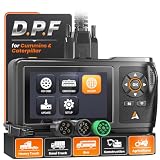
- D.P.F Regen to Help Reduce Downtime: ANCEL HD430 heavy duty truck scanner supports D.P.F regeneration and reset on compatible Cummins and Caterpillar engines. Help address soot buildup caused by extended idling, short trips, stop-and-go driving, and PTO use, and get your truck back to work with less hassle
- Full-system Diagnostics for Faster Troubleshooting: Go beyond basic engine codes. Diagnose Engine, ABS, Transmission, SCR, Fuel System, and more. Quickly identify system faults and get the data you need to make informed repair decisions
- Wide Heavy-duty Truck Compatibility: Designed for 12V/24V vehicles with Cummins, Caterpillar, Detroit, PACCAR, and more. This truck scanner diagnostic tool includes CAT-9, 6-pin, 9-pin, and OBDII 16-pin connectors, plus SAE J1939/J1708 protocols for mixed fleets. For light-duty trucks and pickups, it supports OBD diagnostics through the standard OBDII port
- Read & Clear Fault Codes: When a warning light comes on, read and clear supported HDOBD, OBD2, and EOBD fault codes. Use the diagnostic information to narrow down potential issues and determine the next step in troubleshooting
- Live Data to Diagnose, Verify & Document Repairs: This diesel scan tool monitors real-time vehicle data to check system performance and spot abnormal readings. Capture screenshots and save diagnostic reports to document findings, compare readings, verify repairs, and monitor recurring issues over time
Repower or replace
Repowering replaces the engine while retaining some of the machine; replacement purchases a newer complete machine. Compare certification, physical fit, controls, hydraulic integration, warranty, parts support, expected uptime, and the remaining life of the chassis. The EPA’s 2007 report notes that these equipment strategies can require significant initial investment. Its historical cost examples are not current prices, so obtain present quotes and calculate total cost of ownership.
Electric and hybrid equipment
Electric or hybrid machines can eliminate or reduce on-site diesel use, but the duty cycle determines whether they can maintain production. Check rated capacity, shift length, charging time, charger location, available electrical service, temperature effects, battery warranty, fire procedures, and backup plans. A machine that must leave the site to recharge may create more downtime than it removes. Hybrid systems also require maintenance and controls support suited to the model.
Compare options with one decision table
Use the same criteria for every candidate. The table below is a framework; it does not assign a universal winner.
| Option | Best fit to investigate | Questions to verify | Primary risk |
|---|---|---|---|
| Operational controls | High idle share, queues, avoidable travel, inconsistent work methods | Can scheduling and supervision remove wasted time without affecting safety or output? | Rules fail if exceptions, training, and follow-up are unclear. |
| Preventive maintenance and repair | Overdue service, recurring faults, declining power, excessive smoke, or after-treatment warnings | Which manufacturer intervals, diagnostics, and parts will restore performance? | Deferred work can become downtime or emissions-system damage. |
| Verified retrofit | Existing engines that must remain in service and have a defined pollutant target | Is the device verified for this engine, duty cycle, installation, and jurisdiction? | Backpressure, regeneration, maintenance, or incompatibility can reduce uptime. |
| Repower | Sound chassis with an obsolete or high-emitting engine | Will the new engine integrate with controls, hydraulics, certification, and warranty requirements? | Integration cost and downtime can exceed the expected benefit. |
| New diesel replacement | High annual hours, poor reliability, or a machine near the end of useful life | What are the certified emissions, fuel use per task, availability, financing, and service support? | Capital cost and delivery lead time. |
| Electric or hybrid | Predictable cycles, suitable shift length, and dependable charging access | Can it meet capacity, runtime, charging, safety, and cold-weather requirements? | Infrastructure or recharge downtime can interrupt production. |
Follow a staged implementation plan
- Inventory the fleet. List engines, tiers, hours, tasks, attachments, fuel types, emissions controls, and replacement dates.
- Baseline performance. Capture fuel, idle time, productive hours, output, service events, and downtime by machine and task.
- Fix obvious waste. Address queues, poor staging, unnecessary travel, overdue service, leaks, and known faults before making capital purchases.
- Launch the idle and operator program. Define safe shutdown rules, train crews, supervise consistently, and record approved exceptions.
- Pilot one change. Choose a representative machine or work cell, keep the task and measurement method stable, and document any workload changes.
- Review output and cost. Compare fuel per productive unit, idle percentage, quality, uptime, maintenance events, and emissions-relevant faults.
- Scale only what survives the test. Update the standard operating procedure, train other crews, and continue monitoring after the initial improvement.
- Evaluate capital options. For machines that remain inefficient or noncompliant, compare retrofit, repower, replacement, alternative fuel, and electric or hybrid scenarios using current supplier data.
Use contracts, grants, and rules as project controls
Project owners can put emissions-performance requirements, idle policies, reporting duties, and equipment documentation into contracts. Contractors should state who supplies fuel, who records hours and idle time, how faults are reported, and what happens when a machine cannot meet the specification.
Crashes, No Sound, or Screen Glitches?
Random freezes, missing sound and display glitches usually trace back to one bad driver. Find and replace yours safely.Free scan · under a minuteWindows Errors? Fix Them Before They Spread
Repair common Windows errors and clear accumulated junk for a smoother, more stable PC - no reinstall needed.Free scan · no reinstallEPA’s Diesel Emissions Reduction Act (DERA) state-grant guidance includes construction nonroad equipment and lists eligible categories such as certain replacements, engine upgrades, idle-reduction and retrofit technologies, and alternative-fuel conversions. Eligibility, match requirements, deadlines, and equipment lists depend on the program cycle and state or territory. Check the current guide and application window at EPA State Grants: Diesel Emissions Reduction Act (DERA) before including grant money in a project budget.
Best Value

- FULL-SYSTEM TRUCK DIAGNOSTICS, LESS GUESSWORK: Check supported Engine, Transmission, ABS, Aftertreatment, Instrument Cluster, Body Control, and other electronic systems with the ANCEL HD100 heavy duty truck scanner. Read standard and manufacturer-specific fault codes, clear codes after repairs, and rescan for returning faults. Get a clearer starting point for troubleshooting warning lights before replacing parts. Available systems vary by truck and ECU configuration
- PARKED DPF REGEN FOR CUMMINS & CATERPILLAR: Address DPF warnings with supported parked regeneration, DPF reset, and related aftertreatment diagnostics on compatible Cummins and Caterpillar engines. Access available functions through the ANCEL Trucker App and follow the on-screen instructions when required operating conditions are met. Handle eligible regen work without immediately scheduling a shop visit. Functions vary by engine and ECU configuration
- EXPANDED CAT EQUIPMENT DPF REGEN COVERAGE: Bring phone-based DPF regeneration to the jobsite. The HD100 now includes Caterpillar and Caterpillar Pro software for manual DPF regeneration on compatible Caterpillar construction equipment, including selected excavator, wheel loader, dozer, and backhoe loader applications. Check your equipment model, engine, ECU, and diagnostic connection before purchase. Coverage applies to supported DPF functions and does not imply full-system equipment diagnostics
- LIVE DATA TO HELP NARROW DOWN TRUCK PROBLEMS: Go beyond reading a fault code. View supported real-time parameters, such as engine RPM and coolant temperature, to check operating conditions while troubleshooting. Use DTC Lookup to review available code definitions and diagnostic reports to keep a record of your findings. Combine fault information with live readings to guide further checks. Available parameters vary by vehicle and system
- BLUETOOTH PHONE ACCESS & CLEAR COMPATIBILITY: Plug into a compatible 9-pin or 16-pin diagnostic port, connect your iPhone or Android phone via Bluetooth, and open the ANCEL Trucker App. The compact, vehicle-powered HD100 needs no separate scanner battery to recharge. Supports J1939/J1708 communication and HDOBD/OBD2 diagnostics on compatible heavy-duty trucks. Truck-brand coverage does not guarantee DPF support. Confirm your engine and required functions. NOT FOR PICKUP TRUCKS
The information and rules cited here are U.S.-focused. Other countries and jurisdictions may set different fuel specifications, emissions standards, verification systems, and incentives. Confirm local requirements with the applicable regulator and the equipment manufacturer.
Common mistakes and corrections
Setting a universal idle cutoff
Problem: One number ignores warm-up, cool-down, regeneration, weather, and safety requirements.
Correction: Define equipment-specific exceptions from the manual, then target clearly avoidable waiting.
Judging success by fuel purchased
Problem: A different workload makes the comparison meaningless.
Correction: Track fuel per completed unit with idle time, operating hours, and conditions.
Buying a retrofit before checking compatibility
Problem: The device may not be verified for the engine or duty cycle.
Correction: Confirm verification, installation, maintenance, backpressure, regeneration, and warranty requirements first.
Deferring a warning to finish the shift
Problem: A small fault can damage after-treatment equipment or cause a derate and longer outage.
Correction: Use a documented escalation and stop-work rule for critical warnings.
Assuming old savings examples still apply
Problem: The EPA construction report published in March 2007 contains historical examples, and its authors noted that detailed quantitative studies were often unavailable; some cost and benefit information was anecdotal or extrapolated.
Correction: Use the report for strategy ideas, not current prices or guaranteed percentages. Validate every estimate with your own duty-cycle data.
What a credible result looks like
A credible improvement report names the machines, tasks, measurement period, workload, and operating conditions. It shows idle time, fuel consumed, productive hours, output, maintenance events, downtime, and any change in emissions equipment or fuel. It explains exceptions and reports when production, safety, quality, or availability changed. Because the available EPA sources do not establish one current fuel-saving or productivity percentage for all construction fleets, a site-specific result is more useful than a headline target.
Free tools Windows power users keep installed
One-click scans. No signup required.
Quick Recap
Product prices and availability are accurate as of the date/time indicated and are subject to change. Any price and availability information displayed on Amazon at the time of purchase will apply.

