Windows Errors? Fix Them Before They Spread
Repair common Windows errors and clear accumulated junk for a smoother, more stable PC - no reinstall needed.Free scan · no reinstallCrashes, No Sound, or Screen Glitches?
Random freezes, missing sound and display glitches usually trace back to one bad driver. Find and replace yours safely.Free scan · under a minuteBuild a compact temperature-and-humidity sensor that sends readings to Home Assistant over Zigbee. The project uses Seeed Studio’s XIAO ESP32-C6, a Grove SHT31 sensor and a XIAO Grove base. It is a practical alternative to a finished sensor when you want customizable firmware, a repairable design and control over the enclosure.
This is a reference implementation rather than a validated commercial product: published battery runtime, complete-device sleep current, long-term accuracy, Zigbee range and cross-integration compatibility are not established. The XIAO’s low-power specification and the SHT31’s sensor specifications should not be mistaken for measured performance from the assembled device.
As an Amazon Associate I earn from qualifying purchases.
What you will build
The signal path is straightforward:
SHT31 sensor
   ↓ I2C
XIAO ESP32-C6
   ↓ Zigbee
Zigbee coordinator
   ↓
Home Assistant
The SHT31 measures temperature and relative humidity over I2C. The XIAO ESP32-C6 publishes those readings through a Zigbee end-device endpoint. Home Assistant receives the data through a Zigbee coordinator such as the Home Assistant Connect ZBT-1.
What’s actually slowing this PC down?
Pick the symptom - the matching free tool is one click away.
The sensor does not need Wi-Fi for its connection to Home Assistant. Home Assistant still needs its normal network connection, and the Zigbee coordinator must be connected to the Home Assistant system.
#1 Best Overall

- Compact and lightweight design. 1.895in × 1.055in × 0.38in, 9 grams
- Fully breadboard compatible for seamless prototyping and testing
- All ports, buttons, and connectors remain fully accessible
- 3D printed in matte PETG at 0.12mm layer height for durability and a refined
- PETG construction offers UV resistance, impact strength, and thermal stability
Parts and tools
| Part | Purpose |
|---|---|
| Seeed Studio XIAO ESP32-C6 | Microcontroller and Zigbee radio |
| Grove Temperature & Humidity Sensor SHT31 | Temperature and humidity measurement |
| Grove Shield/Base for Seeeduino XIAO | Grove connector and easier assembly |
| USB-C data cable | Programming and initial power |
| Zigbee coordinator | Connects the sensor to Home Assistant |
| Optional protected Li-ion or LiPo battery | Portable operation |
| Optional 3D printer, screws and filament | Enclosure |
You may see the expansion hardware called a “XIAO expansion board” in the original project. The linked BOM and enclosure identify the relevant accessory as the Grove Shield/Base for Seeeduino XIAO. Confirm the product and connector layout before ordering.
The standard XIAO ESP32-C6 may arrive without headers. Beginners should consider the pre-soldered version, or solder headers to the standard board before fitting it to the Grove base. The pre-soldered board has the same controller and Zigbee capability; the extra cost is for convenience.
Prices, availability, tax and shipping change by region. Treat the historical product-page prices—approximately $5.20 for the standard board and $6.20 for the pre-soldered version—as price signals, not current quotations.
Do these 3 things before closing this tab:
1Clear out junk files and repair common Windows errors2Fix the driver behind crashes, sound loss and screen glitches3Repair Windows errors before they cause bigger problemsWhy these components?
The XIAO ESP32-C6 is a small 21 × 17.8 mm board built around a 160 MHz RISC-V processor, with 512 KB SRAM and 4 MB flash. Its ESP32-C6 platform supports Wi-Fi 6, Bluetooth Low Energy, Zigbee and Thread. Seeed lists a deep-sleep figure of 15 μA, but that is a board specification, not the expected consumption of this sensor with its SHT31, regulator, expansion board, battery and Zigbee activity. See the current Seeed setup documentation for specifications and revisions.
Seeed lists typical SHT31 accuracy of approximately ±0.3 °C for temperature and ±2% RH for relative humidity. Those are sensor specifications. Actual readings can be affected by enclosure heat, poor airflow, condensation, the battery, charging circuitry and the sensor’s position relative to the ESP32-C6. A higher-specification alternative is the Grove SHT35, which Seeed lists at approximately ±0.1 °C and ±1.5% RH; it requires corresponding firmware and library changes.
Assemble and wire the hardware
- If necessary, solder headers to the XIAO ESP32-C6.
- Insert the XIAO into the Grove base, checking orientation and pin alignment.
- Connect the Grove SHT31 to the base’s I2C Grove port.
- Power the board from USB-C for initial testing.
- Connect a battery only after the board uploads and operates correctly.
The Grove cable carries the same essential signals:
| SHT31 signal | Connection |
|---|---|
| VCC | 3.3 V-compatible supply |
| GND | Ground |
| SDA | I2C SDA |
| SCL | I2C SCL |
Use the labels printed on your particular base. If you bypass the Grove base, connect the SHT31 directly to the XIAO’s 3.3 V, GND, SDA and SCL pins. Do not assume that every third-party XIAO accessory routes the same physical pins.
Use a battery and charging arrangement designed for the board. Do not connect an unprotected cell, reverse the polarity or feed a voltage outside the board’s documented input range.
Rank #2

- The expansion board allows for the connection of an external 3.7V lithium battery and supports charging the battery via USB
- The ESP32-C3 SUPERMINI expansion board is specifically designed for the ESP32-C3 SUPERMINI development board. It addresses many limitations of the ESP32C3 SUPERMINI development board.
- If a higher voltage output is required, you can short the PCB (as shown in the image below). In this case, VCC1 and VCC2will output the power supply voltage of 3.7V.
- The expansion board provides a better power supply solution, featuring two power outputs: VCC1 and VCC2 for ESP32-C3/ ESP32-S3 /ESP32-H2 /ESP32-C6
- All 10 GPIO pins are extended, making it convenient for users to connect various sensors.
Install Arduino support
Seeed’s current documentation requires Arduino IDE 2.0.8 or newer for its documented setup and an ESP32 Arduino platform above 3.0.0. Package requirements can change, so check the current XIAO ESP32-C6 guide if menu labels differ.
- Install a current stable Arduino IDE.
- Open File → Preferences.
- Add this URL to Additional boards manager URLs:
https://espressif.github.io/arduino-esp32/package_esp32_index.json - Open Tools → Board → Boards Manager.
- Search for and install the Espressif ESP32 platform.
- Select the XIAO ESP32-C6 variant under Tools → Board.
- Select the correct USB port under Tools → Port.
Before installing Zigbee firmware, upload Arduino’s Blink example. This separates cable, USB, bootloader and board-selection problems from sensor and Zigbee problems. A charge-only USB cable can power the board without creating an upload port; use a known data-capable cable.
Select Zigbee End Device mode
This sensor is intended to operate as a Zigbee end device, not as a coordinator or router. In Arduino’s Tools menu, select the ESP32-C6 Zigbee mode corresponding to Zigbee End Device. The exact menu wording depends on the installed ESP32 core version.
The source project deliberately includes:
#ifndef ZIGBEE_MODE_ED
#error "Zigbee end device mode is not selected in Tools->Zigbee mode"
#endif
If compilation stops there, select End Device mode and compile again. The error is a configuration check, not a sensor fault.
Install the SHT31 library
Install the exact SHT31 library used by the project source through Arduino’s Library Manager, and record the installed version. Several libraries have similar names and different method signatures. If Arduino reports duplicate libraries, remove or rename older copies and confirm which library is selected in the compile output.
The original project is available on Hackster. Use its complete source sketch as the API reference for the selected library and ESP32 Arduino core; Zigbee and sensor-library APIs can change between releases.
Firmware essentials
The implementation uses a temperature endpoint and adds humidity support:
Recommended Free Tools
ZigbeeTempSensor zbTempSensor = ZigbeeTempSensor(10);
SHT31 sht31 = SHT31();
The important firmware stages are:
- Initialize the SHT31 and stop with a diagnostic if initialization fails.
- Configure the ESP32-C6 radio pins and Zigbee end-device mode.
- Register the Zigbee temperature endpoint.
- Add the humidity sensor cluster.
- Start Zigbee and wait for network connection.
- Read the SHT31, validate the result and update the Zigbee attributes.
- Report at a sensible interval.
- Provide a long-press factory-reset path.
At minimum, add initialization handling similar to this, adjusted to the return type of your installed SHT31 library:
Rank #3
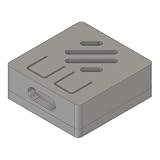
- Compact and lightweight design. 1.05in × 0.96in × 0.48, 4 grams
- Fully breadAll ports, buttons, and connectors remain fully accessible
- All ports, buttons, and connectors remain fully accessible
- 3D printed in matte PETG at 0.12mm layer height for durability and a refined finish
- PETG construction offers UV resistance, impact strength, and thermal stability
if (!sht31.begin()) {
  Serial.println("SHT31 initialization failed");
  while (true) {
    delay(1000);
  }
}
Also reject invalid readings before publishing them. A disconnected sensor should produce a clear serial error, not stale or nonsensical values.
The original code uses:
zbTempSensor.addHumiditySensor(0, 100, 1);
zbTempSensor.setReporting(1, 0, 1);
In the source implementation, the first call describes a 0–100 humidity range with a tolerance of 1. The second configures reporting around a change threshold; the delta is expressed in tenths of a degree Celsius, so a temperature delta of 1 represents 0.1 °C. Confirm the meaning against the Zigbee library version you install rather than treating these arguments as universal API settings.
The demonstration task reads and calls report() every second. That is useful for bench testing, but unnecessarily chatty for many battery installations. A normal indoor-monitoring interval is usually 30–60 seconds; a battery-oriented design should wake, measure, report and enter a tested low-power state on a longer schedule. Replacing delay(1000) with vTaskDelay(pdMS_TO_TICKS(1000)) can be a more RTOS-friendly refinement, but it does not by itself create deep-sleep operation.
Upload and check the serial output
- Connect the XIAO by USB-C.
- Select the XIAO ESP32-C6 and its serial port.
- Confirm Zigbee End Device mode.
- Compile and upload the sketch.
- Open Serial Monitor at 115200 baud.
Startup output should be similar to:
Starting Zigbee...
Zigbee started successfully!
Connecting to network
The sketch should also print temperature and humidity readings. If it cannot initialize the sensor, check the Grove port, cable, power and I2C routing before troubleshooting Zigbee.
Pair the sensor with Home Assistant
You need Home Assistant, a supported Zigbee integration and a coordinator. The original project uses Home Assistant Connect ZBT-1 as an example. The sensor is not automatically guaranteed to work identically with every coordinator stack.
- Open your Home Assistant Zigbee integration.
- Enable permit-join or add-device mode.
- Power or reset the sensor near the coordinator.
- Wait for discovery to complete.
- Assign the device to an area and rename its entities.
A successful pairing should expose temperature and humidity entities. Change the surrounding temperature or humidity gradually, then confirm that values update and history graphs begin populating. Test a restart before installing the sensor permanently.
Compatibility depends on the endpoint, clusters, attributes, manufacturer and model metadata, coordinator firmware and integration. The source project demonstrates Home Assistant operation but does not provide a complete interoperability matrix for ZHA, Zigbee2MQTT and other coordinator stacks.
Factory reset and re-pairing
The source firmware provides a boot-button reset path:
Rank #4

- ESP32-C6-Touch-AMOLED-2.16 development board equipped with ESP32-C6 32-bit RISC-V processor, up to 160MHz main frequency. Supports Wi-Fi 6, Bluetooth 5 and IEEE 802.15.4 (Zigbee 3.0 and Thread) wireless communication, onboard antenna
- Built-in 512KB HP Static RAM, 16KB LP Static RAM, 320KB ROM, and external 16MB Flash memory
- Onboard 2.16inch AMOLED capacitive touch display for clear color picture display, 480 × 480 resolution, 16.7M color, QSPI communication interface. Type-C port. Suitable for various smart device development, and can realize human-machine interaction function
- Onboard QMI8658 6-axis IMU (3-axis accelerometer and 3-axis gyroscope), PCF85063 RTC chip, TF card slot, Dual microphone array, Low power audio codec chip, MX1.25 Lithium Batt header, etc. (without Lithium Batt)
- Onboard KEY and BOOT programmable buttons for easy custom function development. Adapting 1 × I2C, 1 × UART and 1 × USB pads for external devices connection and debugging. Adopts AXP2101 IC for efficient power management
- Hold the boot button for more than three seconds.
- Release it.
- Allow the device to reboot.
- Enable permit-join in Home Assistant.
- Add the device again as a new Zigbee device.
Reset APIs and reboot behavior can vary with the exact board and library version. If the button does not behave as expected, watch the 115200-baud serial output and verify the reset implementation in the source sketch.
Enclosure and sensor placement
The published enclosure is approximately 60 × 30 × 30 mm and includes separate top, bottom and middle connector parts. Files are listed through the enclosure listing.
- Leave the SHT31 vent open.
- Provide openings for airflow; do not seal the sensor in an airtight box.
- Keep it away from the ESP32-C6, regulator, charger and battery where practical.
- Avoid direct sunlight, radiators, HVAC outlets and condensation-prone locations.
- Allow readings to thermally settle after installation.
Printed fit depends on printer calibration, filament shrinkage, board variant, battery dimensions and the chosen expansion board. The enclosure’s nominal dimensions are not a guarantee that every assembly will fit.
Free tools Windows power users keep installed
One-click scans. No signup required.
Troubleshooting
Upload fails or no serial port appears
Try a known data-capable USB cable, another USB port and the correct XIAO board variant. Confirm that the board has headers if the Grove base requires them. Upload Blink before investigating the application sketch.
The SHT31 is not detected
Check VCC, GND, SDA and SCL, then verify that the Grove cable is connected to the base’s I2C socket. Confirm that the installed library matches the code. If the sensor is disconnected, the firmware should report initialization or reading errors over serial.
Pairing fails
- Move the sensor close to the coordinator.
- Enable permit-join before powering or resetting it.
- Confirm that the firmware was compiled as a Zigbee End Device.
- Factory-reset it using the three-second button procedure.
- Check serial output at 115200 baud.
A powered board is not necessarily a joined Zigbee device. If it repeatedly remains at “Connecting to network,” it has not joined or is not in the expected pairing state.
Temperature appears but humidity is missing
Inspect the device’s exposed clusters and integration logs. The coordinator may recognize the temperature endpoint but not the humidity cluster as implemented, or the firmware may not be producing valid humidity readings. Do not assume that missing humidity means the Grove wiring is wrong.
The Tool Desk
Outbyte PC Repair FREEClear out junk files and repair common Windows errorsFree Scan →Outbyte Driver Updater FREEFix the driver behind crashes, sound loss and screen glitchesFind Drivers →Readings are inaccurate
Check airflow, sensor orientation, condensation, supply voltage and heat from nearby electronics. Let the sensor stabilize after startup. The SHT31’s ±0.3 °C and ±2% RH figures are product specifications, not independent accuracy measurements inside this enclosure.
Best Value
- Compact and lightweight design. 1.05in × 0.96in × 0.48, 4 grams
- Fully breadAll ports, buttons, and connectors remain fully accessible
- All ports, buttons, and connectors remain fully accessible
- 3D printed in matte PETG at 0.12mm layer height for durability and a refined finish
- PETG construction offers UV resistance, impact strength, and thermal stability
The device disappears on battery
Possible causes include voltage sag, battery or expansion-board current draw, poor Zigbee routing, repeated reports, unexpected rejoining and the absence of a genuine low-power state. The XIAO’s 15 μA deep-sleep figure excludes the complete assembly and radio wake cycles. Measure the finished device if runtime matters.
Power and reporting trade-offs
| Profile | Suggested behavior | Use |
|---|---|---|
| Fast testing | Read and report every 1 second | Bench demonstrations |
| Normal monitoring | Read every 30–60 seconds | Room dashboards and alerts |
| Battery-oriented | Wake, measure, report and sleep on a longer schedule | Portable installations |
Do not publish a battery-life estimate without measuring battery capacity, average current, complete-device sleep current, reporting frequency, chemistry, protection circuitry and actual runtime. “Battery-powered” describes the hardware arrangement here, not a verified operating duration.
DIY build or finished sensor?
Choose this project if you value firmware control, learning, repairability, custom enclosures and future expansion. The same platform could later support pressure, air-quality sensing, a display or custom Home Assistant alerts.
A finished Zigbee sensor is the better choice when you need immediate pairing, a tested battery compartment, a polished enclosure, manufacturer support and minimal maintenance as coordinator software changes. A Wi-Fi/ESPHome or Bluetooth sensor may also be preferable if your existing network and power requirements favor those technologies.
The Grove base is easier for beginners and reduces wiring mistakes. Direct wiring can make the final device smaller and provide more control over power switching, but requires careful pin mapping and a redesigned enclosure. Do not substitute an SHT35, AHT20, DHT20, DHT22 or BME280 without changing and testing the library, initialization, measurement calls, error handling and any voltage or address configuration.
Verdict
The XIAO ESP32-C6 and Grove SHT31 make a sensible Zigbee learning project for Home Assistant users who want a small, customizable environmental sensor. The Grove connection keeps assembly approachable, while the ESP32-C6 leaves room for future Zigbee and Thread experiments.
Its limits are equally important: the demonstration firmware reports too frequently for many battery builds, complete-device runtime is unverified, enclosure placement affects readings and coordinator compatibility should be tested rather than assumed. Build and pair it first over USB, validate the sensor and Zigbee entities, then optimize reporting, power and enclosure airflow for the location where it will operate.
Quick wins for a faster PC:
Repair Windows errors before they cause bigger problemsFix Now →Scan for outdated or missing drivers - takes under a minuteDriver Scan →Clear out junk files and repair common Windows errorsFree Scan →Quick Recap
Product prices and availability are accurate as of the date/time indicated and are subject to change. Any price and availability information displayed on Amazon at the time of purchase will apply.

