Technology links habitat design to what people can understand, what contractors can build, and what the finished site can be measured against. In a restoration or habitat-creation project, the most useful workflow combines GIS and CAD data, 3D visualization, digital terrain surfaces, machine-control files, and real-time kinematic (RTK) field measurements. Each serves a different decision: visualization explains alternatives, surface models turn those alternatives into drawings, and RTK equipment checks whether construction matches the design.
The American Society of Landscape Architects (ASLA) described this workflow in “Designing Habitats with Technology – Part II,” published July 28, 2015. The article is a professional workflow overview rather than a current software comparison or accuracy study, so product names and capabilities below are presented in their historical context. Current software, licensing, file formats, correction services, and hardware compatibility must be confirmed before procurement.
As an Amazon Associate I earn from qualifying purchases.
How is technology used to design and build habitats?
A habitat project uses technology in three connected stages:
Free tools Windows power users keep installed
One-click scans. No signup required.
- Make change understandable. Three-dimensional scenes show planners, elected officials, clients, and residents how grading, water, vegetation, and habitat patches could alter a familiar place.
- Turn the preferred concept into buildable information. GIS and CAD surface models provide contours, breaklines, elevations, and existing features for construction documents.
- Transfer and verify the design in the field. Exported 3D surfaces guide RTK-equipped machinery, while handheld RTK measurements check grades and produce as-built surfaces.
The workflow is not a substitute for ecological judgment or a project survey standard. It is a way to keep design intent, construction instructions, and field evidence connected.
#1 Best Overall

- 【Wide Protocol Compatibility】 SMA26 Plus GNSS RTK capable of receiving and broadcasting signals compatible with CSS(Lora),Transparent, TT450S,Trimtalk, TRMMARK3, SOUTH, SATEL standard radio protocols. ensuring compatibility with a wide range of rover&base stations
- 【Tilt Compensation】 The SMA26 Plus RTK offers tilt measurement accuracy of up to 2.5 cm (at tilt angles ≤30°), after simple initialization, it is suitable for precise measurements in locations with limited signal or restricted space. The maximum tilt measurement angle is 60°
- 【High Capability & Compatibility】The SMA26 Plus is an full-constellation RTK GNSS receiver with wide protocol compatibility, making it compatible with multiple RTK brands. Supporting PPP, PPK, and RTK technologies, it delivers versatile, high-precision performance for a wide range of surveying applications
- 【Smart Handheld Collector】The SMA26 Plus GPS receiver is paired with an Android 14 handheld with 5.45" HD screen, dual SIM, 9000mAh battery, NFC, IP68 protection, dual-band RTK support, and 13MP rear camera
- 【All-in-One Integration】 The SMA26 Plus RTK GNSS receiver features built-in Bluetooth, UHF radio, WiFi, IMU, antenna, and 32GB of storage. It allows for easy switching between base station and rover modes with a single device
Part II follows ASLA’s July 14, 2015 overview, “Designing Habitats with Technology – Part I,” which discusses site analysis and design development. Part I identifies typical inputs such as georeferenced photographs, tablets and smartphones for mapping and notes, open imagery and topography, soils and flood-zone data, RTK or GPS surveys, bathymetry, and LiDAR point clouds. Those inputs become useful only when their resolution, coordinate system, and especially vertical datum are understood.
How can 3D visualization help people understand a restoration project?
Most non-specialists cannot infer the experience of a future wetland, stream, woodland, or floodplain from contour lines and plan symbols alone. A navigable or animated 3D model gives them a spatial reference: where the ground rises, where water may spread, which views change, and how habitat alternatives differ. That makes public meetings and approvals more concrete and can expose conflicts while changes are still inexpensive.
Use visualization as a communication layer
A useful scene starts with a defensible base: terrain, water surfaces, important structures, access routes, and existing vegetation or habitat polygons. The team can then display proposed landforms and planting zones without implying that the rendering is a measured prediction. Showing two or more alternatives in the same viewpoint helps a client discuss trade-offs rather than react to an isolated “final” image.
Model change through time
Animation keyframes can depict changing water levels, seasonal conditions, or vegetation development. A sequence can show a flood event, a drawdown, or the difference between an initial planting and a mature canopy. Time-based imagery is particularly useful when the project’s value depends on processes that are not visible on opening day. The animation remains an explanatory model; it does not establish that a site will follow the represented timeline.
Rank #2
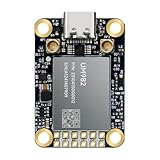
- Equipment Feature:MJRTK-UM982 supports GPS/BDS/GLONASS/Galileo/QZSS All-constellation Multi-frequency, supports on-chip RTK positioning and dual-antenna heading solution, GPS antenna is designed with π-type network impedance matching (50Ω), VSWR below 1.78, and it can converge quickly within 20 seconds to achieve centimeter-level positioning
- Anti-Jamming:Built-in advanced anti-interference unit,60 dB narrowband interference suppression and interference detection, delivers reliable and accurate positioning data even in complex electromagnetic environments.
- Application Areas:26*38*7.6mm compact size is designed for easy integration. Ideal choice for high-precision applications such as UAVs, autonomous machines, gps and gnss for land surveyors and precision agriculture.
- Connection Interface:MJRTK-UM982 GNSS Receiver integrates TYPE-C and XH2.54x6PIN dual interface connection. The TYPE-C interface can realize plug-and-play and convenient connection, and the PIN interface is easy to integrate.
- Product Support: You will get MJRTK-UM982 module×1, SMA cable×2, Heat sink×1, Pins×2; Rich software documentation will provide extensive visualization and evaluation features. Professional technical support team ensures worry-free after-sales.
Historical software examples and present-day caution
ASLA’s 2015 article names several approaches:
| Example described in 2015 | Role in the workflow | What to verify today |
|---|---|---|
| ArcScene | Integrating GIS and CAD information, rendering landforms, and placing three-dimensional objects. | Whether the current GIS platform offers the same 3D tools, supported file formats, and licensing terms. |
| Visual Nature Studio (VNS) | GIS-based visualization that can be updated as concepts change and can represent ecosystems. | Current product status, operating-system support, data exchange, and maintenance. |
| Vue | Photorealistic digital nature environments and procedural vegetation. | Current availability, rendering requirements, and compatibility with the project’s model and animation pipeline. |
| Plant Factory | Creation of vegetation assets associated with Vue. | Whether an equivalent vegetation-generation tool is supported and whether its assets can be used under the required license. |
These examples illustrate categories, not recommendations. A simpler GIS-to-render workflow may be appropriate for a small public meeting, while a large, highly visible project may justify detailed vegetation, lighting, and animation. The correct choice depends on the decision the image must support, not on realism for its own sake.
How should a team choose a visualization workflow?
Bring the 3D modeling team into project planning before scope and fees are fixed. Late visualization requests often arrive after the terrain is already modeled, forcing duplicated work or an unrealistic delivery date. Establish the intended audience, number of alternatives, viewpoints, animation needs, and update frequency in the project plan and bid.
| Project constraint | Planning question | Likely implication |
|---|---|---|
| Budget | Is the goal a quick comparison, a public-facing animation, or a high-detail presentation? | Controls asset detail, rendering time, and the number of iterations. |
| Schedule | How often will terrain, planting, or water assumptions change? | Favors linked, updateable data over labor-intensive manual remodeling. |
| Staff and hardware | Who can build, revise, render, and present the model? | Determines whether the team can support complex scenes and large point clouds. |
| Client expectations | Does the audience need technical accuracy, an immersive experience, or both? | Sets the appropriate balance between analytical diagrams and photorealistic imagery. |
| Data integration | Must GIS layers, CAD surfaces, and field observations remain synchronized? | Requires agreed coordinate systems, exchange formats, and version control. |
Set a visual standard before production: identify which elements are measured, inferred, or illustrative; label alternatives; and preserve the date and source of terrain and habitat data. This prevents a polished image from being mistaken for a construction document or a validated ecological forecast.
How can terrain and habitat data generate alternatives?
Link terrain and habitat polygons
A model can be connected to updated terrain or habitat-polygon data so that a revised surface or boundary refreshes the scene. This is more repeatable than redrawing every object after each concept change. It also makes it easier to compare a baseline with alternatives that alter grading, water extent, or habitat distribution.
Rank #3
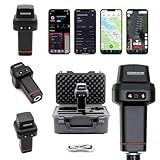
- 【Centimeter-Level RTK Accuracy】GEO-MEASURE delivers real-time centimeter-level positioning (8mm + 1ppm horizontal, 15mm + 1ppm vertical) powered by GEODNET, the world’s largest RTK correction network — no base station required, NTRIP or CORS network connection required. Connect, acquire fix, and start collecting survey-grade data in seconds. Immediate RTK Usage with 21,000+ RTK base stations globally
- 【Built for Professional Surveying】Multi-frequency GNSS tracks GPS, GLONASS, Galileo, and BeiDou across L1/L2/L5 bands with up to 1040 channels for fast initialization and stable RTK lock — even under tree canopy and near structures.
- 【Works With iOS & Android】 Pairs instantly via Bluetooth LE to iPhone and Android — download free on the App Store or Google Play. The GEO-MEASURE app handles satellite monitoring, point collection, path collection, project management, and data export to CSV, KML, GeoJSON, and GPX. No expensive data collector needed. Constantly updated with new features via OTA updates. Cellular connection required for RTK corrections.
- 【Easy for Everyone】 No complicated RTK configuration, no base station setup, no technical expertise required. Turn on, connect to your phone, and you're collecting centimeter-accurate data in under a minute. Professional survey-grade accuracy usable by anyone.
- 【All-Day Battery, All-Weather Tough】 6800 mAh battery delivers up to 24 hours of active use. IP67 rated for dust and water protection, Shock resistance up to 2 meters operational from –30°C to +65°C. USB-C PD charging works from any portable battery pack in the field.
Use environmental rules to place habitat
Elevation, slope, azimuth (aspect), and inundation thresholds can be used to identify areas suitable for a conceptual habitat type. For example, a rule may select lower elevations that are inundated within a defined range, then filter the result by slope or solar exposure. The thresholds must be developed with local biologists and reflect the target species, hydrology, soils, and management regime; they should not be copied from a generic template.
Keep natural variation
Natural habitat is not arranged in perfectly uniform bands. A rules-based model can therefore include varied, irregular, or fractal patterns rather than repeating identical shapes. This improves visual plausibility, but visual plausibility is not ecological validation. A communication model should be checked against field knowledge and, where decisions depend on predicted performance, appropriate hydrologic and ecological analysis.
How do GIS and CAD models support construction drawings?
Once a concept is selected, the digital surface model becomes a source for construction information. Existing and proposed contours can be extracted from GIS or CAD surfaces, and key breaklines can define the edges where the ground changes direction or grade. Existing trees, structures, utilities, shorelines, or other features intended for preservation or reference should be digitized so they appear consistently in the drawings.
Outdated Drivers Are Slowing You Down
One free scan finds every outdated or missing driver and matches the right update for your exact hardware.Free scan · exact hardware matchWindows Errors? Fix Them Before They Spread
Repair common Windows errors and clear accumulated junk for a smoother, more stable PC - no reinstall needed.Free scan · no reinstallPrepare the surface model
- Collect the approved survey, LiDAR, bathymetry, and other terrain sources, recording their horizontal and vertical datums and resolutions.
- Clean and reconcile the sources before combining them. A visually smooth surface can still be wrong if datasets use different vertical references.
- Build the existing-ground surface and document the points, breaklines, boundaries, and exclusions used to create it.
- Create the proposed surface from the approved grading, water, paths, and habitat features. Keep existing and proposed surfaces distinguishable.
Extract drawing information
- Generate contours at the intervals required for the project and jurisdiction.
- Extract or draw breaklines along berms, channels, basins, banks, paths, and other grade transitions.
- Digitize existing features that must remain, be protected, or be shown for reference.
- Review the plan, sections, spot elevations, and notes together so that the drawing communicates the same surface model used for visualization and field export.
The extraction process reduces transcription between model and drawing, but it does not remove the need for professional review. A designer must check constructability, drainage intent, access, tolerances, and conflicts that an automated contour operation cannot resolve.
Rank #4

- 【60°Tilt Surveying】E1 Lite GNSS Surveying System with IMU, can initializes in 5 seconds and supports tilt measurements up to 60°, and compatible with regular 5/8" thread poles.
- 【20 Hours Endurance 】E1 Lite rtk handheld gps provides 6700mah over 20 hours of continuous operation on a single charge, with fast Type-C charging. It employs a base station and rover with the (GPS) to attain Centimeter-Level Precision Measurement, High precision with low power consumption, small size easy to carry and operate.
- 【10-15 Kilometers】E1 Lite GNSS RTK Survey equipment with IMU has a long transmission distance, radio range between the rover and the base can reach 10-15 kilometers (6.21-9.32miles). Also E1 Lite can compatible with base stations of other brands in both Radio and CORS mode. Support RTCM v3/CMR correction data transmission.
- 【Robust Signal Tracking】E1 Lite RTK support Full-Constellation Tracking: GPS/GLONASS/Galileo/BDS/QZSS/IRNSS/SBAS etc, an easily obtain fixed RTK solution in seconds even in challenging environments like multipath, trees, and city canyons.
- 【Various Interfaces】E1 Lite gps rtk Innovative integration of multiple connection methods: NFC (Touch connection) /Bluetooth/USB Type-C/WiFi/TNC Connector/RS232 Serial Port. Easily access static data download, Configuration, device Status check, and Firmware Upgrade.Improve your work efficiency by 30%!!
What is RTK equipment used for in habitat construction?
RTK, or real-time kinematic, equipment connects a survey coordinate system to construction equipment and field measurements. ASLA describes machine-mounted antennas and receivers calibrated to the elevation of a blade or bucket. A display can then show the equipment’s position relative to the proposed grade. An onsite base station may provide the correction support needed for accurate grade construction; contractors may also use GPS or laser levels, depending on their established workflow and project requirements.
Guide machinery with an exported surface
- Export the approved 3D surface and relevant project elements, such as breaklines or design boundaries, in a format the machine-control system accepts; the article gives DXF as an example.
- Load and verify the coordinate system, units, vertical reference, and file version in the machine-control setup.
- Calibrate the antenna or receiver to the blade or bucket elevation according to the equipment manufacturer’s procedure.
- Confirm the base station or correction source, then check the displayed machine position against known control before production grading.
- Construct the grade while monitoring the display, with the operator and site supervisor retaining responsibility for safe operation and design interpretation.
The source does not provide a numeric accuracy specification, test method, or universal tolerance. Required tolerances, control checks, and correction services must come from the surveyor, engineer, contract documents, and local standards.
Collect grade checks and as-built data
A handheld RTK rover can be carried by a person or mounted to a four-wheeler, cart, or car. The operator records grade breaks and elevations across the constructed landform. Those points can be compared with the designed grade, imported into CAD or GIS, and used to build an updated surface. New contours and breaklines extracted from that surface support as-built documentation and reveal where additional work is needed.
Quick wins for a faster PC:
Clear out junk files and repair common Windows errorsFree Scan →Scan for outdated or missing drivers - takes under a minuteDriver Scan →| Field activity | Recorded information | Office deliverable |
|---|---|---|
| Control and setup check | Known control point, coordinate reference, equipment setup, and correction status. | Validated basis for collecting construction points. |
| Grade-break survey | Locations and elevations at toes, tops, channel edges, benches, and other changes in grade. | Updated surface, contours, and breaklines. |
| Spot checks | Measured elevations at representative points compared with design values. | Compliance record or targeted correction list. |
| As-built capture | Final measured features and survey metadata. | CAD/GIS record of constructed conditions for operations and future design. |
What field data and quality controls matter?
Technology cannot correct an inconsistent reference framework. Before modeling or exporting files, establish the project’s horizontal coordinate system, vertical datum, units, survey control, and metadata requirements. Part I’s reminders about imagery, topography, soils, flood zones, RTK/GPS surveys, bathymetry, and LiDAR are especially important where datasets have different resolutions or vertical datums.
Best Value
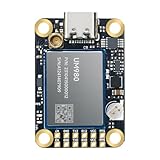
- Equipment Feature:MJRTK-UM982 supports GPS/BDS/GLONASS/Galileo/QZSS All-constellation Multi-frequency, supports on-chip RTK positioning and dual-antenna heading solution, GPS antenna is designed with π-type network impedance matching (50Ω), VSWR below 1.78, and it can converge quickly within 20 seconds to achieve centimeter-level positioning
- Anti-Jamming:Built-in advanced anti-interference unit,60 dB narrowband interference suppression and interference detection, delivers reliable and accurate positioning data even in complex electromagnetic environments.
- Application Areas:26*38*7.6mm compact size is designed for easy integration. Ideal choice for high-precision applications such as UAVs, autonomous machines, gps and gnss for land surveyors and precision agriculture.
- Connection Interface:MJRTK-UM982 GNSS Receiver integrates TYPE-C and XH2.54x6PIN dual interface connection. The TYPE-C interface can realize plug-and-play and convenient connection, and the PIN interface is easy to integrate.
- Product Support: You will get MJRTK-UM982 module×1, SMA cable×2, Heat sink×1, Pins×2, TYPE-C cable×1; Rich software documentation will provide extensive visualization and evaluation features. Professional technical support team ensures worry-free after-sales.
- Check source lineage: record who collected each dataset, when, at what resolution, and for what purpose.
- Separate measured from interpreted information: label habitat assumptions, modeled inundation, and illustrative vegetation distinctly from surveyed features.
- Version every surface: identify the approved design, export date, coordinate reference, and revision so machine operators do not use an obsolete file.
- Close the loop: compare RTK observations with the design surface, investigate outliers, and preserve the final measured surface as part of the project record.
- Coordinate with specialists: local biologists establish meaningful habitat thresholds, while surveyors and engineers establish control, tolerances, and construction acceptance criteria.
A practical end-to-end workflow
- Define decisions and audiences. Decide whether the immediate need is public explanation, design comparison, permitting, construction, or as-built verification.
- Assemble and qualify data. Inventory imagery, terrain, soils, flood information, surveys, bathymetry, LiDAR, habitat polygons, and existing features; document datums and resolution.
- Build the existing model. Reconcile sources into a defensible surface and digitize features that must be preserved or referenced.
- Generate alternatives. Link terrain and habitat data where possible, apply biologist-developed elevation, slope, aspect, and inundation rules, and introduce realistic spatial variation.
- Visualize and review. Use 3D scenes, viewpoints, sections, or animation to explain the alternatives. Clearly identify illustrative content.
- Approve one design basis. Freeze the selected surface, breaklines, boundaries, and metadata before preparing construction exports.
- Produce documents and machine files. Extract contours and breaklines for drawings and export a coordinate-checked 3D surface for compatible RTK machinery.
- Construct and check. Calibrate machine receivers, verify control, build the grade, and collect handheld RTK points at grade breaks and representative locations.
- Update the record. Import measured points into CAD or GIS, create the as-built surface, and retain the design-versus-built comparison with its survey metadata.
Common failure modes and fixes
A realistic image is treated as a promise
Fix: label assumptions, dates, alternatives, and modeled water or vegetation behavior; pair renderings with plans, sections, and explanatory notes.
Data layers do not line up
Fix: reconcile coordinate systems, units, and vertical datums before combining surfaces. Recheck control points after every major import or export.
Visualization is added after the budget is set
Fix: involve the modeling team during planning and price the required iterations, views, animation, and data preparation explicitly.
What’s actually slowing this PC down?
Pick the symptom - the matching free tool is one click away.
Machine control uses the wrong revision
Fix: use controlled filenames and revision logs, verify the displayed surface against project control, and require a supervisor check before grading.
Rules-based habitat placement looks uniform or biologically implausible
Fix: consult local biologists, include spatial variation, and treat the output as a communication model until ecological analyses validate the proposed conditions.
Quick Recap
Product prices and availability are accurate as of the date/time indicated and are subject to change. Any price and availability information displayed on Amazon at the time of purchase will apply.

