Lennox alert code 201 on the S40 and related communicating-system alert tables means the system has lost communication with the indoor blower motor. It does not, by itself, confirm that the motor has failed. Record the full alert and its displayed priority, then use the steps below to decide whether to call for service. If your Lennox-powered-by-Samsung mini-split displays E201 or C201, that is a different alert with a different meaning.
What does Lennox error code 201 mean?
In Lennox S40 and related system alert tables, code 201 is an indoor blower motor fault: the system has lost communication with the indoor blower motor. Lennox labels it “IU Blower Motor Fault” in the S40 table and “ID Blower Motor Fault” in another alert table. The alert clears automatically when communication is restored; that does not mean a reset will fix whatever interrupted communication. Lennox’s alert-code table and the S40 alert guide list possible causes rather than a confirmed diagnosis for a particular system.
Possible causes listed by Lennox include a power outage or brown-out, the motor not receiving power, loose wiring, condensation on a system component control, or a problem on the motor or system component control side. Those possibilities do not establish that the blower motor itself needs replacement.
Easy, safe steps to troubleshoot code 201
- Record the exact alert. Write down the code, complete wording, displayed priority, and whether the system is still heating, cooling, or ventilating. Note the thermostat or system type and equipment model if you can see them without opening the equipment. Lennox recommends recording the alert code before seeking help; see its support guidance.
- Confirm the equipment and code family. Check that the display shows 201 on a system matching Lennox’s S40 or related alert tables. Do not treat E201 or C201 on a Lennox-powered-by-Samsung mini-split as the same fault. Lennox’s bulletin identifies those codes on VRF and WATER systems as an indoor-to-outdoor communication error: mini-split error-code information.
- Consider whether power was recently interrupted. A recent outage or brown-out is one of the possible causes in Lennox’s code table. This observation may be useful to the service technician, but it does not prove the cause or mean the fault has been repaired.
- Follow the priority shown on the thermostat. Lennox uses “Service Soon / Service Urgent” for this alert. If the display says Service Urgent, or the system has stopped heating, cooling, or ventilating, contact a licensed HVAC contractor promptly. Lennox says a Service Urgent alert means no heat, no cool, or no ventilation and calls for contractor service within 24 hours; see Lennox alert guidance.
- Arrange qualified service if the alert remains or returns. Give the contractor the recorded alert, priority, equipment details, and any recent power interruption. The possible causes include electrical and control-system faults that require equipment-specific diagnosis.
What not to do
- Do not open the blower compartment, handle wiring, or probe a live circuit to investigate the fault.
- Do not change dealer configuration settings or treat a reset as a repair. Lennox describes the Dealer Support Center as intended for dealers and trained professional technicians, and says it is not recommended for other users: Dealer Support Center guidance.
- Do not order a replacement blower based on code 201 alone. Lennox’s alert table does not identify a universally failed part or replacement; compatibility and repair depend on the equipment model and confirmed diagnosis.
When to call an HVAC contractor
Contact a licensed HVAC contractor if the alert says Service Urgent, the system is no longer providing heat, cooling, or ventilation, or code 201 persists or returns. For a Service Urgent alert, Lennox specifies contractor service within 24 hours. If the system still operates and displays Service Soon, record the alert and contact a dealer or qualified contractor for equipment-specific advice, especially if the fault recurs.
Quick Recap
Best Value
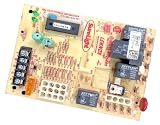
- Manufacturer Authorzed 32M8801 Furnace Control Board Direct Replacement for Lennox 50A65-121 White Rodgers Integrated Fan Control Circuit Board
Rank #4

- This is a Brand New OEM Replacement Furnace Control Board
- Top Qualty OEM Replacement Part!
Rank #3

- This is a Brand New OEM Replacement Furnace Control Board
- Top Qualty OEM Replacement Part!
Rank #2

- 【Exact Fit Replacement】Compatible with Lennox BCC1, BCC2, and BCC3 furnace control boards. Designed to restore furnace operation quickly and reliably.
- 【Full System Control】Controls the inducer fan motor, blower motor, and monitors limit switches for dependable heating performance.
- 【Smart Microprocessor】Advanced microprocessor-driven design delivers accurate control, stable operation, and improved system reliability.
- 【Thermostat Ready】Compatible with all standard 24 VAC thermostats for easy installation and seamless system integration.
- 【Reliable Performance】Helps maintain safe, efficient furnace operation with continuous system monitoring and consistent heating cycles.
#1 Best Overall

- 【Compatibility】The 94w83 furnace control board is specifically designed for the Lennox single-stage gas furnace system. It can be used as a direct replacement part for the original factory components, and the compatible models include 81W11, 103085-01, 103085-02, 103085-03, and 1012-977A-I.
- 【Control Function】It uses a microprocessor to achieve precise control, including ignition sequence, flame correction sensing, and delay control of the blower motor. It enables rapid startup and maintains a safe, stable, and efficient operating state.
- 【Easy Installation】The clearly marked terminal connections enable each user to complete the installation easily. It is recommended to take photos of the wiring before removing the old control panel to ensure the accuracy of the new connections and reduce the risk of installation errors.
- 【Durable Materials】It is made of high-precision PCB circuit boards, industrial-grade long-lasting relays, and precise welding techniques, featuring excellent anti-interference ability, electrical stability, and durability.
- 【Working Voltage】It supports a wide voltage input range of 18-30VAC, enabling it to maintain stable operation even when facing voltage fluctuations.
Product prices and availability are accurate as of the date/time indicated and are subject to change. Any price and availability information displayed on Amazon at the time of purchase will apply.
Independent reader supportYour contribution helps us test, update, and keep practical guides available for everyone.



