For a JLG scissor lift fault, start with the exact model and serial number, record the symptom and any displayed diagnostic trouble code (DTC), then check JLG’s guidance and the service manual for that machine. A code is a diagnostic lead—not a universal repair instruction. Keep the lift out of service if a component is damaged, missing, or malfunctioning, and do not bypass safety devices.
How to troubleshoot a JLG scissor lift safely
- Make the area safe. Follow the lift’s operator manual and your site procedures. Do not operate the machine if a component is damaged, missing, or not working correctly; JLG says it must be repaired before use. JLG’s electric scissor-lift maintenance guidance explains why inspections and procedures must match the machine.
- Identify the lift. Record its model and serial number. These details help you find information for the correct configuration and serial range.
- Describe the problem precisely. Note what the lift will or will not do—power up, drive, steer, raise, or lower—and record the exact display message, flash pattern, or DTC. Do not guess at a code’s meaning.
- Look up the symptom or code. Search JLG Troubleshooting Tools by fault code or symptom, then confirm the applicable procedure in the service manual for your model and serial range.
- Use only the procedure suited to the task. An operator manual covers operator-level information; a service manual provides model-specific maintenance and repair procedures. Electrical, hydraulic, or safety-system diagnosis may require a trained technician and special tools.
- Verify the repair. Confirm the underlying issue has been corrected and the lift is back in good working order before clearing a DTC or returning the machine to service.
What a JLG fault code means
JLG calls its diagnostic trouble codes DTCs. A DTC provides more detail about a detected malfunction than a general alert, and diagnostic information can be retrieved from machine memory. It narrows the investigation; it does not, by itself, establish that a particular part has failed or authorize a repair procedure.
JLG’s article Fault Codes, DTC Lookup Codes and Other Troubleshooting, published May 10, 2023, states: “A DTC lookup code will not be cleared until the issue has been addressed and the machine has been restored to good working order.” Do not clear or bypass a code merely to resume operation.
Where to find the right troubleshooting information
JLG Online Express
JLG Troubleshooting Tools describes a searchable library of more than 1,500 articles, with lookup by fault code or symptom. JLG also lists technical publications and interactive hydraulic troubleshooting renderings. The page describes access through a free Online Express login. Because resource libraries can change, check the portal for current availability and the information relevant to your lift.
Do these 3 things before closing this tab:
1Clear out junk files and repair common Windows errors2Scan for outdated or missing drivers - takes under a minute3Repair Windows errors before they cause bigger problems#1 Best Overall

- Tire Size: 12-3/4" x 4" Tire | Color: Gray
- Material: Non-Marking Rubber | Rim Size: 4" x 10"
- Rim/Center Color: White | Tread Pattern: Lug
- Replaces OEM Part No.: 2915012 | Includes: 5 Bolt Holes
- Fitment: Scissor Lift 1230ES, 1930ES, 2646ES, 1930E2, 1932E2
Model- and serial-specific manuals
JLG provides service, operator, and parts manuals online through its manuals resource. Use the publication that covers your machine’s model and serial range. Controls, wiring, components, code meanings, and service steps vary; a code list or procedure for one JLG lift is not a universal guide to another.
Analyzer readers
JLG describes analyzer readers as a common way to retrieve DTCs. If using or sourcing a JLG handheld analyzer, verify compatibility with the exact model and serial range; the name alone does not establish that a particular analyzer will work with your machine. Retrieving a code is not a substitute for the matching manual or appropriate technical training.
Rank #2
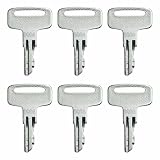
- Replace Part Number: 2860030, 9901
- Compatible with J-LG Electric Scissor Lift 25AM, 30AM, 41AM, T350, 1532E2, 1932E2, 1932E3, 2032E2, 2033E3, 2632E2, 2646E2, 2646ES, 3246E2, 400S, 600A, 600AJ, 460SJ.
- Precise Fit: Designed to fit specific ignition systems for a secure and reliable connection.
- Easy Replacement: Allows for quick and convenient replacement of lost or damaged keys.
- Package Includes:6 pack 9901 2860030 lgnition Keys.
Examples from one JLG ES service manual—not universal codes
The following examples come from JLG service manual 3121166, which covers specified ES models and serial ranges. Confirm that the manual applies to your lift before interpreting these codes or following its checks. The examples are diagnostic context, not instructions for other models.
| Code in manual 3121166 | What the manual describes | How to use the information |
|---|---|---|
| DTC 253 / 254 | Motion prevention while the charger is connected: driving, or driving and lift-up, depending on configuration. | Check the applicable manual and configuration. Do not assume the same code behavior or remedy applies to another model. |
| DTC 255 | The load-sensing system measured excessive platform load. The manual lists removing excess weight and checking whether the platform is caught among its checks. | Follow the manual’s model-specific procedure. Do not continue operating an overloaded lift. |
| DTC 256 | Pothole protection did not engage; driving while elevated is prevented. The manual discusses obstruction or mechanical issues and relevant switches and wiring. | Switch and wiring checks are service information for the covered range, not generic DIY directions. Refer the work to a qualified technician when the procedure or tools require it. |
These descriptions are from JLG ES Scissor Lift Service Manual 3121166. The manual’s coverage is limited to the models and serial ranges it identifies.
Windows Errors? Fix Them Before They Spread
Repair common Windows errors and clear accumulated junk for a smoother, more stable PC - no reinstall needed.Free scan · no reinstallCrashes, No Sound, or Screen Glitches?
Random freezes, missing sound and display glitches usually trace back to one bad driver. Find and replace yours safely.Free scan · under a minuteRank #3

- Compatibility- This part is compatible with JLG Electric Scissor Lift 1932R, 1532R, 1230ES, 1930ES, 2030ES, 2032ES, 2630ES, 2632ES, 2646ES, 3246ES.
- OEM Part Number- 1001091153, 0272778.
- Fuction- This Control Box is a reliable replacement for your original part, which is a platform joystick controller box designed to lift, control, or maneuver scissor lifts.
- Reliable Performance- this is a brand new direct-fit replacement control box, which has been tested before leaving the factory. Ensuring that it can work well on your scissor lifts and has a longer service life.
- Notice- Please confirm the model and OE number before purchasing carefully. If there are any quality or inCompatible with issues, please send us a message to help you at any time.
Checks that help narrow the symptom
Record what happened before the fault appeared and what the machine is doing now. The details help match the symptom to the right manual section or JLG lookup result.
- No power or unexpected shutdown: Record the display indication and whether the issue arose during charging, startup, or operation. Use the applicable manual’s battery and electrical-system guidance; do not open or probe electrical components unless qualified and authorized.
- Will not drive or lift: Note whether the platform is elevated, whether a charger is connected, and any displayed DTC. Do not defeat interlocks to test movement.
- Overload indication: Keep people clear of the platform and follow the manual’s load-sensing guidance. Do not exceed the lift’s rated capacity.
- Hydraulic or mechanical concern: Note visible leaks, unusual movement, obstruction, or damage without reaching into moving parts or attempting an unapproved repair. Use the model-matched procedure and escalate work beyond operator-level checks.
When to stop and call a technician
Stop troubleshooting at operator-level checks if the next step involves electrical testing, wiring, hydraulic components, safety switches, disassembly, or special tools and you are not trained and authorized for that work. JLG recommends using service and maintenance manuals for specific procedures and points technicians seeking hydraulic and electrical troubleshooting skills toward credible industry service training.
Rank #4

- Condition: New Replacement JLG Scissor Lift Parts
- Part Name: JLG HARNESS, PLATFORM CABLE 26/3246
- Part Number: 1001096707 JLG 1001096707, JLG-1001096707
- Applicable Models for: Compatible with JLG scissor lift 2646ES、3246ES.....1930ES 2030ES 2630ES 2646ES 3246ES 1230ES 2032ES 2632ES...
- Hanfork provides 100% satisfaction. Please make sure the part number matches the part you are replacing, any problem please feel free to contact us, thanks.
JLG’s inspection guidance covers electrical and hydraulic systems, wiring, mechanical fasteners and locking pins, guardrails, and loose or missing parts. It also addresses battery cleanliness, charge, and water levels where applicable. The correct inspection and service procedure depends on the lift; use its original manuals rather than treating a general checklist as a replacement.
Quick Recap
Best Value
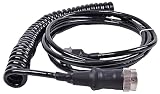
- Product Name:Platform Cable Harness
- Part Number:1001096705 1001096706 1001096707
- for JLG Scissor Lift 1930ES 2030ES 2630ES 2646ES 3246ES 1230ES 2032ES 2632ES
- Warranty: 1 Year
Product prices and availability are accurate as of the date/time indicated and are subject to change. Any price and availability information displayed on Amazon at the time of purchase will apply.
Quick wins for a faster PC:
Repair Windows errors before they cause bigger problemsFix Now →Fix the driver behind crashes, sound loss and screen glitchesFind Drivers →Clear out junk files and repair common Windows errorsFree Scan →