Start with the symptom, your Pod generation, and the Hub’s LED—not a factory reset. Check power and Wi-Fi first, use the app’s model-specific prompts, and contact Eight Sleep Support if a fault persists. Water instructions differ by generation: Pod 5 and earlier use distilled water; Pod 6 uses tap water.
Start with the symptom and your Pod generation
Eight Sleep troubleshooting steps can differ by Pod generation, particularly for Wi-Fi compatibility, Backup Mode, water refills, and resets. Before changing settings, note your model and whether you recently changed your router, Wi-Fi name or password, internet provider, or home setup.
- Check that the Hub’s power cord is firmly connected and that your home Wi-Fi works on another device.
- Make sure the Eight Sleep app is up to date and note the Hub’s LED color and pattern.
- Use the instructions shown in the app for your model. Do not use a reset step intended for another generation.
If the app says the Pod is offline
Eight Sleep uses “offline” to describe a failure of the app to communicate with the Hub over Wi-Fi. A recent network change, temporary connection loss, or a Hub that needs restarting can cause it. Follow the steps below in order, stopping if the app reconnects.
Restart the Hub
- Unplug the Hub from the wall for 30 seconds.
- Plug it back in and allow 2–3 minutes for it to restart.
- Check the app and the front LED. Eight Sleep says a steady white light indicates successful reconnection; white also indicates that heating or cooling is off.
Reconnect the Hub to Wi-Fi
If the restart does not restore the connection, or you have changed your network, use Eight Sleep’s current app instructions for your model. The offline guide’s flow is Controls > menu > Manage Pod > WiFi > Network > Reconnect WiFi. In that procedure, hold the large button on the back of the Hub for 20 seconds until the LED flashes blue to enter pairing mode. Do not confuse this button with the small reset button. The guide specifies 2.4 GHz Wi-Fi for this reconnection procedure; compatibility can vary by generation, so follow the current in-app instructions for your Pod.
Free tools Windows power users keep installed
One-click scans. No signup required.
#1 Best Overall

- Mattress Cover Design May Vary* Excel Sleep 8" Graphite Cooling Gel Memory Foam Mattress "Our Mattresses are proudly handcrafted in the United States of America!" Compressed and compact mattress in a box for efficient shipping and handling. Perfect for your RV/Camper!
- 6" of High Density Base Foam + 2" Graphite Infused Memory Foam
- Graphite is a natural mineral used in the latest cooling technologies providing a cooler nights sleep! Provides more strength and durability to the mattress. Non-Chemical form of flame retardant.
- CertiPur US Certified Designed to contour to the human body and bounces back more quickly than other memory foams. Graphite Infused provides a higher quality mattress!
- Allow the mattress 72 hours to expand for the best results.
If the Hub keeps dropping its connection
Weak signal can be addressed by moving the Hub or router, reducing obstructions, or trying an extender or mesh network. These are possible remedies, not guaranteed fixes. A phone hotspot can provide a temporary connection; reconnect the Hub to home Wi-Fi when it is available.
For Pod 3 through Pod 6, Eight Sleep says Backup Mode activates automatically after more than five minutes without Wi-Fi. Bluetooth then allows limited app controls, but Autopilot and automatic temperature adjustments do not run while offline, and reports may be delayed.
Rank #2
- Mattress Cover Design May Vary* Excel Sleep 8" Graphite Cooling Gel Memory Foam Mattress "Our Mattresses are proudly handcrafted in the United States of America!" Compressed and compact mattress in a box for efficient shipping and handling. Perfect for your RV/Camper!
- 6" of High Density Base Foam + 2" Graphite Infused Memory Foam
- Graphite is a natural mineral used in the latest cooling technologies providing a cooler nights sleep! Provides more strength and durability to the mattress. Non-Chemical form of flame retardant.
- CertiPur US Certified Designed to contour to the human body and bounces back more quickly than other memory foams. Graphite Infused provides a higher quality mattress!
- Allow the mattress 72 hours to expand for the best results.
Factory reset is a last resort in Eight Sleep’s offline guide because it requires setting up the Pod again through the app. The guide says account data, sleep history, and preferences are stored in the cloud and sync after reconnection.
Use the Hub LED to narrow down the problem
Check both the light’s color and whether it is solid, pulsing, or flashing. These are the states described in Eight Sleep’s LED guidance:
Rank #3
- Mattress Cover Design May Vary* Excel Sleep 8" Graphite Cooling Gel Memory Foam Mattress "Our Mattresses are proudly handcrafted in the United States of America!" Compressed and compact mattress in a box for efficient shipping and handling. Perfect for your RV/Camper!
- 6" of High Density Base Foam + 2" Graphite Infused Memory Foam
- Graphite is a natural mineral used in the latest cooling technologies providing a cooler nights sleep! Provides more strength and durability to the mattress. Non-Chemical form of flame retardant.
- CertiPur US Certified Designed to contour to the human body and bounces back more quickly than other memory foams. Graphite Infused provides a higher quality mattress!
- Allow the mattress 72 hours to expand for the best results.
| Hub light | What it indicates |
|---|---|
| Solid white | Connected, with heating or cooling off. |
| Solid aqua, blue, or teal | Cooling. |
| Solid pink or red | Heating. |
| Pulsing blue | Setup or pairing mode. |
| Solid orange | Attempting a Wi-Fi connection or temporarily disconnected. |
| Pulsing orange | A stuck connection state. |
| Pulsing red | A sensor cable may not be fully connected. |
| Flashing red on Pod 2 | A serious hardware issue, according to Eight Sleep’s model-specific guide. |
| Flashing green | A reset is in progress. Do not unplug the Hub while it is flashing. |
| No light | The LED may be disabled in app settings; check there before assuming the Hub has lost power. |
If the indicated state remains after the relevant connection or restart check, contact Support rather than attempting an unverified repair.
If the app crashes, freezes, or behaves unexpectedly
- Update the Eight Sleep app.
- Confirm that your phone or tablet has a working network connection and that you are using the correct network credentials.
- Restart the Hub using the model-appropriate instructions.
- Try the app on another device to see whether the issue is limited to one phone or tablet.
Eight Sleep’s app guide identifies factory reset as a last resort for Pod 2 only. Check current model-specific support instructions before resetting any Pod.
Rank #4
- Mattress Cover Design May Vary* Excel Sleep 8" Graphite Cooling Gel Memory Foam Mattress "Our Mattresses are proudly handcrafted in the United States of America!" Compressed and compact mattress in a box for efficient shipping and handling. Perfect for your RV/Camper!
- 6" of High Density Base Foam + 2" Graphite Infused Memory Foam
- Graphite is a natural mineral used in the latest cooling technologies providing a cooler nights sleep! Provides more strength and durability to the mattress. Non-Chemical form of flame retardant.
- CertiPur US Certified Designed to contour to the human body and bounces back more quickly than other memory foams. Graphite Infused provides a higher quality mattress!
- Allow the mattress 72 hours to expand for the best results.
If the Pod is not heating or cooling as expected
- In the app, confirm that temperature control is on and check the selected setting or schedule.
- Check the Hub LED. Solid white can mean the Hub is connected but heating and cooling are off.
- Consider the room environment. Eight Sleep says room temperature affects whether the Pod can reach a desired setting.
Eight Sleep states that the Pod adjusts the circulating water temperature from 55°F to 110°F (13°C to 43°C). This is the water-temperature range, not a promise that the bed will reach a particular feel in every room. The company describes the Pod as a supplementary comfort system, not a replacement for home heating or air conditioning. Its schedule phases are Bedtime, Night, Dawn, and an optional Alarm; automatic behavior may also depend on settings and membership. If the temperature remains abnormal after these checks, contact official support rather than attempting an unverified repair.
Refill or prime the water system correctly
Use the instructions for your Pod generation; the water requirements are not interchangeable.
Quick wins for a faster PC:
Clear out junk files and repair common Windows errorsFree Scan →Fix the driver behind crashes, sound loss and screen glitchesFind Drivers →Repair Windows errors before they cause bigger problemsFix Now →Best Value
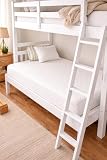
- "Our Mattresses are proudly handcrafted in the United States of America" - * White fabric cover design may vary --Please note: This is a 6" Economy Mattress. If you are looking for a luxury feel mattress you will need to go to an 8, 10 or 12 inch mattress. At Excel Sleep we take pride in our work and promise to provide you with the best comfort at the best price point! ----Ideal weight per sleeper is 250 lbs. or less for a 6 inch mattress.
- We use only CertiPUR US certified foams
- 6" height perfect for bunks, day beds, trundles, campers, hospital beds etc. Adjustable Bed Friendly! Quality Medium Firm Mattress - offers ideal level of comfort. Breathable foam, helping to regulate your body temperature while you sleep. Increases the density of the memory foam, creating a surface that's soft, yet firm.
- Like traditional memory foam, gel-infused foam will still mold to your body, but you won't experience that hot, sinking feeling. Wicks away heat, keeping you cool throughout the night. High Density Base Layer – For a longer-lasting and durable mattress.
- Compressed and compact mattress in a box for efficient shipping and handling. Allow the mattress 72 hours to expand for the best results.
| Pod generation | Water and priming guidance |
|---|---|
| Pod 5 and earlier | Use distilled water. Eight Sleep says initial priming takes about 2 L. |
| Pod 6 | Use regular tap water and follow the app-guided fill process. |
The app monitors water level and notifies you when a refill is needed. Follow the prompts for the exact model. If the app says priming is complete but the process continues, leave the app open for at least 30 seconds so the session can finish. Contact support if priming lasts more than one hour.
Independent reader supportYour contribution helps us test, update, and keep practical guides available for everyone.If the Adjustable Base is unresponsive or stuck inclined
Check connections and power-cycle the Base
- Check that cords are securely connected to the control box and that the labeled connectors match: 1 to 1 and 2 to 2.
- Unplug both the Hub and Base, then wait 30–60 seconds.
- Plug the Hub in first, then plug the Base in second.
- If needed, re-pair the Base through the app. For speaker issues, Eight Sleep’s guide says to remove and add the Base in the app.
Use the emergency flat procedure if the Base remains inclined
- Unplug power to the Hub, but leave the Base plugged in.
- Wait one minute.
- Open Pod controls in the app, select the Base tile, and choose “Go to flat.”
If the Base remains unresponsive or the problem continues, contact Eight Sleep Support.
When to contact Eight Sleep Support
Escalate an issue that persists after the relevant model-specific checks, especially a recurring offline connection, persistent LED error pattern, abnormal temperature, priming that exceeds one hour, or an unresponsive Base. For an offline issue, Eight Sleep recommends including:
- Your Pod model.
- The Hub LED color and whether it is solid, pulsing, or flashing.
- Your router and Wi-Fi setup.
- Recent network or home changes.
Eight Sleep’s support center lists email, chat, and phone options; current availability and hours can vary, so check the support site for contact methods. Warranty coverage also depends on the product, purchase channel, membership, region, and current terms. The help-center article describes a standard two-year warranty for qualifying direct purchases of Pod, Base, and Blanket with active membership, and a possible five-year extended warranty with an active Enhanced Autopilot Membership. Review the terms for your exact product before assuming a repair or replacement is covered.
Quick Recap
Official Eight Sleep guides
- Why does the app say my Pod is offline?
- Why is my app experiencing issues?
- What do the lights on my Hub mean?
- How do I refill my Pod?
- How do I troubleshoot my Base?
- What is the temperature range of the Pod?
- Warranty information
- Contact Eight Sleep
Product prices and availability are accurate as of the date/time indicated and are subject to change. Any price and availability information displayed on Amazon at the time of purchase will apply.




