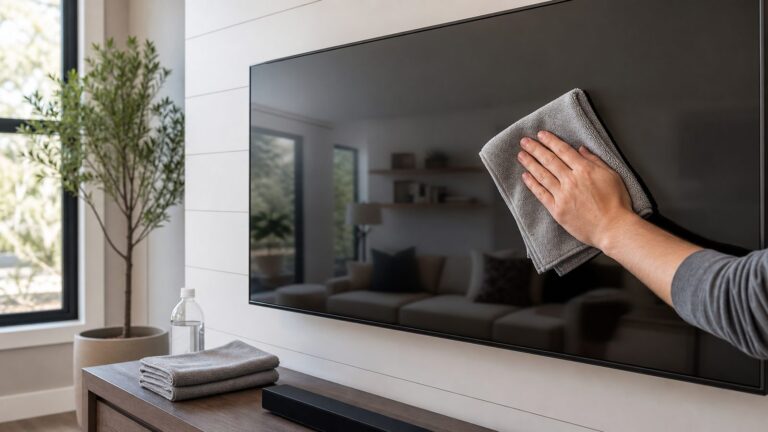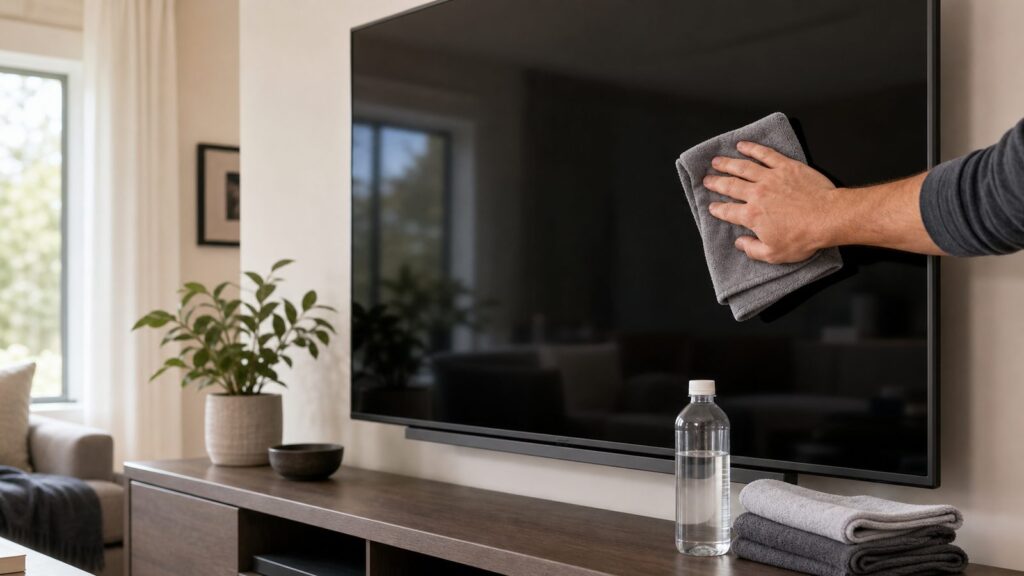
To clean a TV screen safely, turn the TV off and let it cool for 10 to 15 minutes, dust it with a clean dry microfiber cloth, then spot-clean fingerprints with a barely damp microfiber cloth using distilled water. Finish by buffing with a second dry microfiber cloth. That is the safest basic method for most OLED, QLED, LCD, LED, and flat-screen TVs.
The two rules that matter most are simple: do not spray liquid directly on the screen, and do not use paper towels, glass cleaner, all-purpose cleaner, vinegar, bleach, or heavy pressure. Modern TV panels are thin, flexible, and often coated with anti-glare or anti-reflective films. The screen may look like glass from across the room, but it does not behave like a window.
On our job sites, we see TV screens get dirty in two different ways. In an occupied home, the usual problems are fingerprints, dust, cooking film, and fireplace residue. After remodeling, the problem is more serious: drywall dust, sawdust, tile dust, and fine grit can scratch a screen if someone wipes too aggressively. The method below keeps the work cheap, fast, and safe.
What You Need Before You Clean
You do not need a large cleaning kit for one TV. Most homeowners can do the job for about $1 to $30, depending on what is already in the house. If you already own clean microfiber cloths, a gallon of distilled water usually costs about $1 to $3. A microfiber cloth pack commonly runs about $5 to $15. A one-time electronics screen-cleaning kit is typically around $10 to $25, with some retail kits listed near $10.99 to $24.95.
Windows Errors? Fix Them Before They Spread
Repair common Windows errors and clear accumulated junk for a smoother, more stable PC - no reinstall needed.Free scan · no reinstallCrashes, No Sound, or Screen Glitches?
Random freezes, missing sound and display glitches usually trace back to one bad driver. Find and replace yours safely.Free scan · under a minuteThe best setup is a three-cloth workflow: one dry cloth for dust, one barely damp cloth for smudges, and one clean dry cloth for final buffing. That reduces streaks and keeps grit from being dragged around the screen.
| Item | Typical 2026 Cost | Use | Notes |
|---|---|---|---|
| Clean microfiber cloth pack | $5-$15 | Dusting, damp wiping, drying | Use soft, lint-free cloths only. Avoid shop towels, paper towels, tissues, and napkins. |
| Distilled water | $1-$3 per gallon | Most fingerprints and light smudges | Preferred over tap water because it leaves fewer mineral streaks. |
| Alcohol-free, ammonia-free screen cleaner | $10-$25 | Oily smudges, kitchen film, stubborn marks | Use only if labeled safe for TV screens and compatible with your panel type. |
| Soft electronics brush or compressed air | $5-$15 | Remote buttons, ports, shallow crevices | Use lightly. Do not force dust deeper into vents or openings. |
| Small vacuum with soft brush attachment | Already owned to $40+ | Media console, shelves, wall-mount area | Use around the TV, not pressed against the screen. |
Before choosing any cleaner, check the TV manual. Some manufacturers allow very specific cleaning chemistry, including limited isopropyl alcohol use on a cloth for certain screens. Others give more conservative guidance and call for water only. For a homeowner trying to avoid warranty and coating damage, the safe universal sequence is dry microfiber first, distilled water second, and screen-safe cleaner only when the manual and cleaner label both support it.
#1 Best Overall

- Premium Materials: Extremely high-quality, soft, microfiber material absorbs and removes dust, oil, smudges, fingerprints, and dirt. Leaves no scratches, streaks, marks, or lint. Makes the perfect stocking stuffers for adults, men, women, him, her, teens, and more.
- Protective: Each pack of MagicFiber comes in their own polybag so that they are always like new and ready to use.
- Safe to use anywhere: Can be used on any delicate surface like LCD TV screens, smart phones and other touch screens, camera lenses and filters, etc. Stores perfectly flat in your tablet case without adding any bulk. Awesome for a camera bag, purse, or eyeglass case.
- Larger Size: Includes three oversized black 16”x16” that are the perfect size for cleaning larger surfaces, screens, and devices. Makes a great holiday or birthday gift for anyone with a tablet, camera, TV, or smartphone. (Also includes one gray 6”X7”.)
Step 1: Turn the TV Off, Unplug It, and Let It Cool
Start by turning the TV off. If you can safely reach the plug, unplug it. Let the screen cool for 10 to 15 minutes before cleaning. A dark, cool screen makes fingerprints, haze, and streaks easier to see. It also reduces the chance that moisture flashes dry before you can buff it away.
For a tabletop TV, clear a stable working area around the stand. Remove picture frames, candles, game controllers, soundbar remotes, and anything else that could bump the panel. For a wall-mounted TV, make sure you can reach the screen without leaning your body weight into it. If the screen is above a fireplace or mounted high on a feature wall, use a stable step stool or ladder rated for your weight. Do not stand on furniture.
Free tools Windows power users keep installed
One-click scans. No signup required.
If the TV is large, work with one hand lightly on the frame when needed for control. Do not press on the display surface to brace yourself. Many modern panels are thin enough that a hard fingertip or knuckle can distort the image layer or leave a pressure mark.
Electrical and Cord Safety
Cleaning is also a good time to look at the TV area, but keep the inspection practical. Make sure cords are not pinched behind the stand, trapped under furniture legs, or stretched tight to reach an outlet. If you are using a power strip, it should be accessible, properly rated, and not buried under rugs or overloaded with high-draw devices.
One construction-related warning matters here: do not run a standard TV power cord inside the wall just to hide it. Flexible power cords are not a substitute for permanent wiring. If you want a clean wall-mounted look, use a proper in-wall power relocation kit listed for that purpose or have an electrician install a receptacle behind the TV. Low-voltage cables such as HDMI may have their own in-wall rating requirements, so use CL2 or CL3-rated cable where applicable.
Step 2: Remove Dust With a Dry Microfiber Cloth
Use a clean, dry microfiber cloth and wipe the screen with very light pressure. Start at the top and work downward in straight overlapping passes. Do not scrub in circles over grit. The goal in this step is to lift loose particles before any moisture touches the panel.
This matters most after remodeling. Drywall dust, sawdust, grout dust, and sanding residue are more abrasive than ordinary household dust. If you rub that material across the screen, it can leave fine scratches or cloudy patches. On our projects, we clean the room first, let airborne dust settle, then clean the TV last. That order keeps dust from landing on the screen right after you finish.
If the screen has visible construction dust, use the lightest possible passes with a clean microfiber duster or cloth. Shake the cloth out away from the TV or switch to a fresh cloth when it loads up. For the wall-mount area, media console, vents, and shelves, use a small vacuum with a soft brush attachment. Keep the vacuum tool off the screen itself.
Do Not Use Paper Towels or Shop Towels
Paper towels, tissues, napkins, and blue shop towels are too risky for modern screens. They can leave lint, drag dust, or create fine scratches. A TV screen should be treated more like a camera lens than a window. The cloth should be soft, clean, and used only for electronics or delicate surfaces.
Rank #2
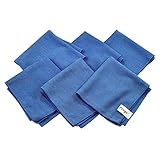
- Perfect for Flat Panel TV's, Monitors and other Household, Auto and Marine Surfaces
- Also for Polish Plated Metals, Lenses, Appliances, Electronics and Glass
- Size: 12 inch x 12 inch
- Package includes 6 pcs pack
Microfiber cloths also need care. Wash them separately from heavy laundry. Do not use fabric softener or dryer sheets, because residue can transfer to the screen and cause streaks. If a cloth has touched furniture polish, glass cleaner, grease, or construction grit, retire it from TV cleaning.
What’s actually slowing this PC down?
Pick the symptom - the matching free tool is one click away.
Step 3: Spot-Clean Smudges, Then Dry Buff
For fingerprints and light smudges, dampen a second microfiber cloth with distilled water. The cloth should feel barely damp, not wet. If you squeeze it and water drips out, it is too wet for a TV screen. Wipe the smudged area gently in small sections, then immediately buff that section with a third clean, dry microfiber cloth.
Never spray water or cleaner directly onto the screen. Liquid can run behind the bezel and enter vents, ports, speaker openings, or the panel edge. That kind of damage may not show up immediately. It can appear later as streaking, clouding, dark spots, failed pixels, or electrical problems.
For oily marks that distilled water does not remove, use a manufacturer-approved screen cleaner that is labeled alcohol-free and ammonia-free unless your TV manual specifically allows another formula. Spray the cleaner onto the cloth, not the TV. Wipe gently, then dry buff right away.
How Much Pressure Is Safe?
Use less pressure than you would use on a window, countertop, or cabinet door. A good rule is this: if the screen surface visibly flexes, you are pressing too hard. For large screens, clean a 12-inch to 18-inch section at a time. Support the TV by the frame only when needed, and keep your fingers off the active display area.
Do these 3 things before closing this tab:
1Fix the driver behind crashes, sound loss and screen glitches2Repair Windows errors before they cause bigger problems3Scan for outdated or missing drivers - takes under a minuteIf a dried spot does not lift after two or three gentle passes, stop and check the manual before escalating. Do not scrape with a fingernail, plastic card, razor blade, sponge, or magic-eraser-style pad. The cost of supplies is small; the cost of damaging a panel can be the price of a new TV.
What Not to Use on a TV Screen
The wrong cleaner can turn a five-minute task into permanent damage. Most TV screens should not be cleaned with Windex, ammonia-based glass cleaner, vinegar, bleach, rubbing alcohol, disinfecting wipes, all-purpose cleaner, furniture polish, or kitchen degreaser unless the manual specifically permits the exact chemistry. Even then, use the mildest effective option first.
Glass cleaner is a common mistake because older tube TVs had glass fronts. Modern flat screens often have plastic layers, coatings, bonded films, and sensitive edges. Ammonia and harsh solvents can strip or haze anti-glare coatings. Alcohol can also be risky on some panels, especially if the manual does not clearly allow it. When in doubt, distilled water and microfiber are the safer starting point.
Avoid anything abrasive. That includes paper products, stiff brushes, scrub pads, powdered cleaners, and dried dirty cloths. Also avoid soaking the cloth. Excess moisture is one of the fastest ways to create damage near the bezel and lower edge of the screen.
Rank #3
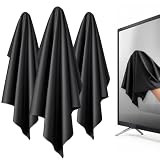
- 【XL Screen Cleaning Cloth】 Oversized 16 x 16 inches Screen Cleaning Cloth TV Screen Cleaner Cloth, computer screen cleaner microfiber cleaning cloths help remove dust, fingerprints and smudges from smart TV screens, Computer monitors, Laptops, MacBooks, desktop displays, iPads, iphone, Car touchscreens, or any other electronic device — leaving every screen surface clean, lint-free and streak-free.
- 【Safe for all Screens】Made from ultra-soft, non-abrasive Extra Large computer screen cleaning cloth is gentle on OLED, LED, LCD, glass, mirrors, gaming monitor, e-readers and touch screens. Designed to clean delicate screen surfaces without lint, streaks or scratches when used properly.
- 【3-Pack Convenience】Home, Office, Car — All Sorted. Keep one at home, one at your office desk & one in the car. Each Extra Large microfibre cloth is individually packed for cleaner storage, making daily screen care simple and ready every day, anywhere — Enjoy Crisp Screen Clarity!
- 【Hand Washable】Reusable Microfibre screen cleaning cloths with stands up to 500+ hand washes without losing its softness or absorbency. Wash with mild soap, air dry and use again. Avoid bleach, fabric softener and rough debris to maintain the cloth’s soft cleaning performance.
- 【Value Pack】Perfect Size for electronic cleaning, Larger than standard small lens cloths. Best for home living room TVs, Office monitors, and premium car displays — Makes a great holiday or birthday gift for loved ones.
Cleaning Different TV Types
The basic process is the same for most TV types, but the risk level varies by panel and coating. OLED, QLED, LED, and LCD are often used loosely in everyday conversation, but the front surface and coating are what matter most for cleaning.
OLED TVs
OLED panels are thin and can be more sensitive to pressure. Use dry microfiber first, then distilled water only on a barely damp cloth for fingerprints. Avoid alcohol, vinegar, ammonia, and disinfecting wipes unless the manufacturer manual for that exact model allows them. Do not press on dark spots or fingerprints.
QLED and LED-LCD TVs
QLED and LED-LCD TVs should still be treated gently. The panel may feel rigid, but the front surface can scratch or haze. Distilled water handles most household smudges. If the TV is in a kitchen or near a fireplace, an alcohol-free and ammonia-free screen cleaner may be useful for oily film.
Anti-Glare and Matte Screens
Anti-glare screens deserve extra caution. Coatings can react badly to cleaners that seem harmless on glass. Use a dry microfiber cloth for routine dusting. For smudges, use distilled water sparingly and dry buff immediately. If streaking remains, check the manual before trying anything stronger.
Quick wins for a faster PC:
Clear out junk files and repair common Windows errorsFree Scan →Scan for outdated or missing drivers - takes under a minuteDriver Scan →Repair Windows errors before they cause bigger problemsFix Now →Special Situations: Kitchens, Fireplaces, and Remodel Dust
A TV in a clean bedroom may only need dusting every two to four weeks. A TV above a fireplace, in a kitchen, or near a busy family room may need attention every one to two weeks because heat-driven airflow carries soot, cooking film, and dust. The screen may not look dirty while it is on, but the haze shows up when the room lights hit it at an angle.
For kitchen film, start with distilled water. If the smudge feels greasy and moves around instead of lifting, use a screen-safe cleaner on the cloth. Work in small sections and change cloths if the cloth starts spreading residue.
For fireplace locations, be careful with both cleaning and heat. A TV mounted too high above a mantel often collects dust and residue faster, and it may be harder to clean safely. If you need a ladder every time, build that into your maintenance plan. Do not reach across a hot fireplace, and do not clean the screen while the fireplace is operating.
After remodeling, clean in this order: vacuum shelves and floors first, wipe nearby hard surfaces second, let dust settle for at least 30 to 60 minutes, then clean the TV last. If the TV was exposed during sanding or demolition, inspect the top edge, bezel, vents, soundbar, and wall mount. Dust left in those areas will migrate back to the screen.
Recommended Free Tools
How to Clean the Remote, Vents, and TV Area
The screen is only part of the system. A dusty remote, media console, soundbar, or wall shelf will re-contaminate the TV within a few days. After the screen is done, wipe the TV frame and stand with a dry microfiber cloth. For the remote, remove batteries if you plan to use any moisture. Wipe the surface with a lightly damp microfiber cloth or electronics-safe wipe, keeping liquid out of button seams. Cotton swabs can help around buttons, but they should be damp at most, never wet.
Rank #4

- Glasses cleaner - Sourced from the highest quality microfiber that absorbs and removes dust, oil, smudges, fingerprints, dirt, and more. Leaves no scratches, streaks, marks, or lint behind. The perfect eyeglass cleaner for reading glasses, women, men, adults, him, her, teens, and more.
- Screen cleaner: Our Microfiber cloth accommodates all your screen cleaning needs. It's the perfect eyeglass cleaning cloth, glasses wipes, glass cleaning cloth, lens cleaning cloth, screen cleaning cloth, and even tv cleaning cloth.
- Quality protection: Each MagicFiber lint free cloth comes in its own polybag so that they are always new and ready to use. Includes MagicFiber Microfiber Cleaning Cloth (5 black, 1 grey) 6 x 7 inches (15cm x 18 cm).
- Designed for all products: The delicate craftsmanship of our Microfiber Cleaning Cloth allows for the most versatile use cases. It can be used on any delicate surface such as LCD, OLED, laptop, phone, car, tablet, dvd, mirror, glass, glasses, cameras, lenses, gaming, toys and more!
- MagicFiber: Magical results for the things you care about most
Use a soft brush or light vacuuming around vents and ports. Do not push compressed air hard into the TV, because that can drive dust deeper into the housing. The goal is to remove loose debris from the outside, not blast the electronics clean.
For wall-mounted TVs, check the cable path while you are there. Cords should have gentle bends, not sharp kinks. HDMI cables should not be under tension. If the mount tilts or articulates, move it slowly and make sure cords have enough slack for the full range of motion.
Cost: DIY vs Professional Cleaning
For one TV screen, hiring a professional just to clean the display usually does not make financial sense. The DIY cost is usually $1 to $30. The work takes about 10 to 20 minutes for a typical 55-inch to 75-inch TV, including setup and drying. A professional visit only starts to make sense when TV cleaning is part of a larger service: post-construction cleaning, move-in cleaning, whole-house cleaning, or AV/home-theater work.
| Option | Typical Cost | Best For | Watch-Out |
|---|---|---|---|
| DIY with microfiber and distilled water | $1-$15 | Dust, fingerprints, light smudges | Use separate clean cloths and minimal moisture. |
| DIY with screen-cleaning kit | $10-$25 | Oily fingerprints, kitchen film, routine home theater care | Confirm the cleaner is TV-safe, alcohol-free, and ammonia-free unless your manual says otherwise. |
| Bundled house cleaning | Varies by home and scope | General dusting and maintenance | Make sure the cleaner knows not to use glass cleaner or paper towels. |
| Post-construction cleaning | Varies by dust level, home size, and access | Remodel dust, drywall dust, move-in cleaning | Loose grit must be lifted first before wiping the screen. |
| AV or home-theater service | Varies by equipment and access | High-mounted TVs, complex wiring, large panels | Useful if the TV needs adjustment, dismounting, or cord corrections. |
The expensive mistake is not buying the wrong cloth. It is damaging the coating or panel. A permanently hazed or scratched OLED, QLED, LCD, or LED screen may not be repairable in a practical way. Panel replacement can approach the cost of replacing the TV, especially on large displays.
Independent reader supportYour contribution helps us test, update, and keep practical guides available for everyone.When to DIY and When to Hire a Pro
DIY is the right choice when the TV is easy to reach, the screen has normal dust or fingerprints, the panel is stable on its stand or mount, and you can clean it with microfiber and distilled water. Most homeowners can handle that safely in under 20 minutes.
Bring in a professional when access is the problem, not the cleaning itself. A 75-inch or 85-inch TV mounted high over a fireplace, a screen on a long articulating arm, or a display surrounded by built-in cabinetry may require two people or AV experience. If the TV needs to be removed from the mount to clean behind it, do not guess. Large panels are awkward, fragile, and easy to twist.
A pro also makes sense after heavy construction dust if the home is already getting post-construction cleaning. In that case, screen cleaning should happen at the end of the dust-control sequence. If there are wiring concerns, hidden cords, overloaded strips, or a desire to hide cables properly, hire the right trade. Cleaning does not require a permit, but adding a receptacle, moving electrical wiring, or installing in-wall power generally falls under electrical work and local code requirements.
The Tool Desk
Outbyte PC Repair FREERepair Windows errors before they cause bigger problemsFix Now →Outbyte Driver Updater FREEScan for outdated or missing drivers - takes under a minuteDriver Scan →Quick Troubleshooting for Streaks and Smears
If the screen looks streaky after cleaning, the usual cause is too much liquid, tap-water minerals, residue from a dirty cloth, or cleaner that was not fully buffed dry. Turn the TV off again, let it cool, and dry buff with a clean microfiber cloth. If streaks remain, use a fresh cloth barely dampened with distilled water, wipe a small section, and immediately dry it.
If the screen looks cloudy, stop using cleaners until you check the manual. Cloudiness can be residue, but it can also be coating damage. Do not keep adding stronger chemicals. Repeated cleaning with the wrong product can make the problem worse.
Best Value

- Screen cleaner spray and cloth. Screen cleaner spray and cloth are designed for high-end devices and work flawlessly on all electronic screens, including LCD, LED & OLED flat TVs, smartphones, iPhone, iPad (Pro), laptops, MacBook, MacBook Air & Pro, computers, touchscreens, monitors, e-readers, gaming monitors, projectors, tablets, car touchscreens, and other electronic device screens, screen protectors, and displays. Can be used as a TV cleaner spray and cloth, OLED TV cleaning kit, laptop cleaning kit for MacBook, tv screen cleaner or iPad cleaner.
- Advanced formula. Works gently on delicate screens without causing scratches. Effectively removes dust, stains, fingerprints, and grime from the screen surface. It also forms a protective layer that helps repel dirt and reduce static electricity, leaving a streak-free, smudge-free, like-new shine. Compatible with Kindle, Sharp, LG, SONY, Samsung, Apple, Belkin, Rocketfish, Dell, Optix, HP, Android devices, and both curved and flat PC monitors.
- We care. Our 100% biodegradable formula is safe for the environment. It is non-toxic and contains no alcohol, ammonia, or phosphates. Safe to use around family and pets. The solution also provides anti-static and anti-glare benefits.
- TV screen cleaner for smart TV for everyday use. Ideal for daily screen care at home, in the office, classrooms, or while traveling. Whether you’re using a cell phone, laptop, or multiple monitors, this cleaner helps keep all your screens spotless.
- In the cleaning kit you will find a convenient recyclable bottle, two interchangeable nozzles—a push-button sprayer for small devices and a trigger sprayer for larger screens—and a premium microfiber cloth for a professional-quality finish. Perfect for polishing glass surfaces. Use the screen cleaner spray and cloth as a MacBook cleaner, Tesla car touchscreen cleaner, computer, keyboard and mouse cleaner, tv cleaner, anti-static monitor mist, tv screen cleaner for smart TV, anti-glare monitor spray, laptop screen cleaner, monitor cleaner or electronic cleaner spray.
If dust keeps coming back within a day or two, clean the surrounding sources: shelves, vents, soundbar, remote, game consoles, cable boxes, and the top edge of the TV. Airflow across warm electronics moves dust. A clean screen in a dusty media area will not stay clean for long.
The Bottom Line
The safest way to clean a TV screen is a three-step process: power down and cool the screen, remove loose dust with a dry microfiber cloth, then spot-clean with a barely damp microfiber cloth and dry buff immediately. Use distilled water for most smudges. Save screen cleaner for oily residue, and only use a formula that is safe for your TV type.
For homeowners, this is a low-cost maintenance task, not a construction project. The construction mindset still helps: control dust first, protect finished surfaces, avoid shortcuts around electrical cords, and use the least aggressive method that gets the job done.
Frequently Asked Questions
Can you use Windex on a TV screen?
No. Do not use Windex or ammonia-based glass cleaner on a modern TV screen unless your TV manual specifically allows it. Ammonia and other solvents can damage anti-glare coatings and leave permanent haze.
Can you clean a TV screen with water?
Yes, but use distilled water on a microfiber cloth, not tap water sprayed on the screen. The cloth should be barely damp and should not drip when squeezed.
Is distilled water better than tap water for cleaning a TV?
Yes. Distilled water is better because it does not contain the minerals found in tap water, so it is less likely to leave streaks or spots.
Can you use alcohol or disinfecting wipes on a TV screen?
Only if the TV manual specifically allows it. Many screens and anti-reflective coatings can be damaged by alcohol, disinfecting wipes, vinegar, ammonia, bleach, and all-purpose cleaners. Distilled water is the safer first choice.
How do you clean fingerprints off an OLED or QLED TV?
Turn the TV off, let it cool for 10 to 15 minutes, dust with a dry microfiber cloth, then wipe fingerprints gently with a barely damp microfiber cloth using distilled water. Dry buff immediately with a second clean cloth.
Do wall-mounted TVs need special safety steps before cleaning?
Yes. Use a stable ladder or step stool if needed, support only the frame, avoid pressing on the panel, and check that cords are not pinched or stretched. Do not run a standard TV power cord behind the wall to hide it.
Quick Recap
Product prices and availability are accurate as of the date/time indicated and are subject to change. Any price and availability information displayed on Amazon at the time of purchase will apply.