The Tool Desk
Outbyte Driver Updater FREEScan for outdated or missing drivers - takes under a minuteDriver Scan →Outbyte PC Repair FREERepair Windows errors before they cause bigger problemsFix Now →Short answer: this is a DIY, open-source ESP32-controlled synchronous-buck solar charge controller—not a certified commercial 1 kW product. Its published design targets up to 80 V PV input, 30 A input, 50 V output and 35 A output, with Wi-Fi/Bluetooth telemetry and Blynk integration. However, the project describes a 640 W solar installation test and efficiency testing only up to 270 W, so “1 kW” should be treated as a design target rather than a demonstrated continuous rating.
That makes it an interesting educational platform for experienced power-electronics builders, but a poor choice for an unattended or safety-critical battery installation unless the hardware, firmware, protection and thermal performance are independently validated.
As an Amazon Associate I earn from qualifying purchases.
What the project actually is
The project combines four systems:
- PV input: voltage and current sensing, input capacitors and protection.
- Synchronous buck converter: high- and low-side N-channel MOSFETs, an IR2104 gate driver, inductor and output capacitors.
- Control and sensing: ESP32, ADS1015 or ADS1115 ADCs, ACS712 current sensing and temperature monitoring.
- User interface: 16×2 I²C LCD, buttons, nonvolatile settings, Wi-Fi/Bluetooth and Blynk telemetry.
The original design and build documentation are published on Instructables, with additional project information and test footage in the project video. The original firmware is available in the FUGU Arduino repository.
What’s actually slowing this PC down?
Pick the symptom - the matching free tool is one click away.
It is explicitly hobby-grade. The presence of a PCB, display and phone dashboard does not make the controller certified, production-ready or suitable for replacing a listed battery charger.
#1 Best Overall

- MPPT High-Efficiency Charging: Built-in MPPT (Maximum Power Point Tracking) helps maximize solar panel charging efficiency; MPPT SET DIP switch lets you match the setting to your panel's voltage for better harvesting
- Dual Input (Do Not Charge from Both at Once): Supports charging via 5-24V solar panel (DC-044 jack or terminal block) or 5V USB-C input-flexible for outdoor solar and indoor adapter testing
- Regulated Outputs: USB 5V + 5V/3.3V Headers: Two 5V output ways: USB female port (5V/2A) plus 2.54mm headers offering 5V/2A and 3.3V/1A; total output power up to 10W
- Charge & Discharge Simultaneously + Flexible Battery Options: Supports simultaneous charging and discharging; onboard 18650 holder plus PH-2P battery connector for external 3.7V Li battery/pack expansion
- Comprehensive Protections + Status Indicators: Multi-protection (over-charge, over-discharge, over-current, reverse connection) with LED indicators; CHRG/DONE status pins and VBAT pins are brought out for MCU monitoring
Published specifications versus demonstrated performance
| Parameter | Published figure | Evidence status |
|---|---|---|
| PV input voltage | Up to 80 V | Project specification; allow margin for cold-weather Voc and transients |
| PV input current | 30 A | Stated design limit |
| Output voltage | Up to 50 V | Stated design limit |
| Output current | 35 A | Stated or theoretical limit, not a general continuous guarantee |
| Efficiency | Up to 98% | Project claim; available testing covers only a limited power range |
| Battery profiles | Li-ion, LiFePO₄, lead-acid and others | Requires chemistry-specific validation and settings |
| Telemetry | Wi-Fi, Bluetooth, LCD and Blynk | Dependent on firmware, network and cloud configuration |
The headline can also be misleading electrically. The published input ceiling of 80 V × 30 A equals 2,400 W theoretically, while 50 V × 35 A equals 1,750 W theoretically. Those are boundary products, not proof that the converter can process either condition continuously.
The project video describes testing on a 640 W solar setup, while reported efficiency testing reached only 270 W. Consequently, there is no basis for presenting this design as an independently validated continuous 1 kW controller.
What “1 kW” means for the battery
Power is calculated as:
P = V × I
At 1 kW, the ideal battery current is approximately:
| Nominal battery voltage | Current before conversion losses |
|---|---|
| 12 V | 83 A |
| 24 V | 42 A |
| 48 V | 21 A |
Real current is higher after accounting for converter losses. This is why a 24 V or 48 V battery system is much more practical than a 12 V, 1 kW system. At 12 V, cables, fuses, connectors, MOSFETs, PCB copper, battery terminals and disconnects all carry very high current.
Before building, specify the actual:
- PV maximum-power voltage and cold-weather open-circuit voltage;
- battery nominal and maximum charging voltage;
- maximum charge current;
- battery chemistry and BMS limits;
- cable, fuse, disconnect and enclosure requirements; and
- required continuous power, rather than a title or peak figure.
How the MPPT buck converter works
The firmware combines maximum-power-point tracking with constant-current and constant-voltage charging. An MPPT controller measures PV voltage and current, calculates power and adjusts converter duty cycle to keep the array near its maximum-power operating point. It then changes charging behavior as the battery approaches its configured voltage.
This is different from a simple PWM charger, which connects the panel more directly to the battery and tends to pull panel voltage toward battery voltage.
The project is a buck-only converter. It can reduce PV voltage, but it cannot raise a PV voltage that is too low for the battery’s required charging voltage. The array must therefore remain sufficiently above the battery charge voltage, including switching losses, control headroom and wiring losses. A nominal panel voltage is not enough information; use the array’s operating voltage and cold-temperature Voc.
Recommended Free Tools
Rank #2
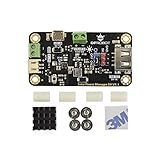
- MPPT SOLAR CHARGER FOR 5V SOLAR PANELS: Based on CN3165 MPPT technology, this module optimizes solar energy harvesting for 5V solar panels up to 10W. It provides up to 900mA charging current for 3.7V Li-ion/LiPo batteries and improves charging performance under changing light conditions.
- STABLE 5V OUTPUT FOR IOT DEVICES: Built-in DC-DC converter delivers a regulated 5V 1A output with a convenient ON/OFF switch. Easily power Arduino, ESP32, LoRa boards, sensors, and other 5V logic devices without an additional voltage converter.
- DUAL CHARGING OPTIONS FOR FLEXIBLE POWER: Supports solar charging through the panel terminal or USB charging through the onboard Micro-USB port. Convenient for outdoor deployment, indoor testing, and backup battery charging.
- ULTRA-LOW POWER & SAFE OUTDOOR DESIGN: Features less than 1mA standby current for long-term operation in remote sensor nodes, weather stations, and unattended LoRa systems. Includes multiple protection features against overcharge, over-discharge, overcurrent, reverse polarity, and short circuits.
- COMPACT DESIGN FOR EASY INTEGRATION: Measuring only 33×63mm, this compact solar power manager fits easily into waterproof enclosures and 3D printed cases. Ideal for maker projects, IoT devices, and renewable energy applications.
Hardware that determines whether it survives
MOSFETs and synchronous rectification
The low-side MOSFET replaces the freewheel diode. This can reduce conduction loss at high current, but it makes timing critical. The controller needs appropriate dead time, reliable shoot-through prevention, safe startup and shutdown behavior, and correct handling of reverse current and battery removal.
The original design uses CSD19505 devices. Texas Instruments provides the current product and datasheet information for the CSD19505KCS and its datasheet. Do not select replacements from a marketplace description alone. Check:
- drain-source voltage rating with transient margin;
- RDS(on) at the actual gate voltage and temperature;
- total gate charge and switching loss;
- body-diode behavior and safe operating area;
- thermal resistance, heatsinking and airflow; and
- genuine part sourcing.
A part with a higher advertised current rating may perform worse because of greater gate charge, higher resistance or poorer switching behavior. Substitution can invalidate the original thermal and gate-drive design.
Gate driver and layout
The IR2104 high/low-side driver must be supplied and laid out correctly. Pay attention to bootstrap limitations, driver decoupling, gate resistors, dead time, ground bounce and negative switching-node transients. The ESP32 must not drive the power MOSFET gates directly.
Do these 3 things before closing this tab:
1Scan for outdated or missing drivers - takes under a minute2Repair Windows errors before they cause bigger problems3Fix the driver behind crashes, sound loss and screen glitchesThe high-current switching loop should be physically compact, with short gate and power-return paths. At this power level, a correct schematic can still fail because of PCB parasitics, ringing, electromagnetic interference or poor current-return routing.
Inductor
The inductor is not a generic coil. It must be rated for DC current and ripple current without saturating, while keeping copper and core losses within the thermal budget at the selected switching frequency. Also consider temperature rise, insulation, mechanical security and audible noise.
Saturation is particularly dangerous: inductance can collapse while current rises rapidly, potentially destroying MOSFETs, tracks or connectors before firmware current limiting reacts.
Rank #3

- 65W PD/QC Fast Charge: Type-C port supports PD/QC/FCP/PE/SFCP protocols (9V/12V input), charging efficiency up to 94%
- Dynamic MPPT Tracking: Auto-optimizes solar input (5-24V) via dial switch, 77% solar conversion efficiency
- Dual Battery Expansion: Connect 18650 batteries via 3.5mm terminal or PH2.0-4P port, supports simultaneous charge/discharge
- Smart Power Management: 5V/3.1A regulated output (USB-A + terminal) for powering Arduino/STM32 projects
- 6-Layer Protection: Overcharge/over-discharge (4.2V1% cutoff, 3.0V1% protection) + reverse polarity alarm + low-voltage lock
Sensing and ADC performance
The original design uses an ACS712-30A and an ADS1015 or ADS1115. Validate sensor range, polarity, offset and bandwidth. Sampling must be coordinated with the switching waveform and filtered without making the control loop too slow.
The newer Fugu firmware documentation notes that noise increases with power and that filtering and loop speed must be balanced. Excessively fast control can respond to switching noise and cause nuisance trips; excessively slow control can allow larger voltage transients.
Firmware choices
Original Arduino firmware
The original project uses a collection of Arduino .ino files. The build guide says to place all files in one correctly named sketch folder so the Arduino IDE displays them as tabs, then install the listed libraries, including Blynk for ESP32, an I²C LCD library and the Adafruit ADS1x15 library.
This path should be treated as version-sensitive. Current Arduino-ESP32 documentation describes Core 3.3.10, based on ESP-IDF 5.5, but that does not establish compatibility with an older project sketch. Use the versions documented by the project where possible, and expect API or library changes when using a modern toolchain. The current reference is the Arduino-ESP32 documentation.
Newer Fugu firmware
The independent Fugu rewrite is a different software path, not simply a drop-in Arduino update. It supports ESP32 and ESP32-S3 hardware, uses ESP-IDF tooling, and documents filtering, PID control, periodic global MPPT scans and improved lithium charge termination.
Windows Errors? Fix Them Before They Spread
Repair common Windows errors and clear accumulated junk for a smoother, more stable PC - no reinstall needed.Free scan · no reinstallOutdated Drivers Are Slowing You Down
One free scan finds every outdated or missing driver and matches the right update for your exact hardware.Free scan · exact hardware matchIts documented ESP32-S3 build sequence is:
git clone -b v5.5 --recursive https://github.com/espressif/esp-idf.git esp-idf-v5.5
cd esp-idf-v5.5
./install.sh esp32s3
. ./export.sh

git clone --recursive https://github.com/fl4p/fugu-mppt-firmware
cd fugu-mppt-firmware
idf.py set-target esp32s3
idf.py build
idf.py flash
Use those commands for the newer firmware path only. They do not convert the original Arduino project automatically, and hardware pin assignments, sensing circuits and configuration must still match.
Wi-Fi and Blynk telemetry
The ESP32 can provide local connectivity and send measurements to Blynk. Blynk officially supports ESP32, ESP32-S2, ESP32-S3, ESP32-C3 and ESP32-C6 boards. Its platform provides dashboards, provisioning, historical data, notifications and remote control; current details are documented at Blynk Docs and the supported boards page.
Rank #4

- BOOST YOUR SOLAR EFFICIENCY: Powered by a smart industrial microcontroller, this MPPT controller automatically optimizes your charging process, significantly outperforming standard controllers. Plus, enjoy true "set it and forget it" convenience: the built-in memory function safely saves all your settings even if your battery runs completely dry.
- SEAMLESS COMPATIBILITY & USB CHARGING: Versatile power for all your needs. It seamlessly auto-adapts to both 12V and 24V systems. Need to power your devices quickly? The convenient dual USB ports (5V/2.5A max) allow you to charge your smartphone, tablet, or PC directly from the controller without needing an extra inverter.
- PROTECT YOUR EXPENSIVE BATTERIES: Operate with total peace of mind. Extend the lifespan of your batteries and prevent costly damage. This robust 30A controller automatically guards your entire system against overcharging, short-circuits, reverse polarity, and low voltage, ensuring safe and reliable energy management day and night.
- TOTAL CONTROL AT A GLANCE: Monitor your energy effortlessly. Never guess how your solar setup is performing. The crystal-clear LCD screen provides real-time system data and makes it incredibly easy to tweak parameter configurations. It's the perfectly intuitive energy manager for your home, RV, or commercial setup.
- RELIABLE WARRANTY & SUPPORT: Buy with complete confidence. We stand behind our products with a solid 12-month warranty and dedicated lifetime technical support. If you ever have a question or issue, our responsive support team is just an Amazon message away, ready to help you keep your power running smoothly.
Wi-Fi is monitoring infrastructure, not a safety interlock. The charger must remain safe when the router, credentials, cloud service or ESP32 network connection fails. Local over-voltage, over-current, temperature and battery-disconnect protection must operate without Blynk.
Independent reader supportYour contribution helps us test, update, and keep practical guides available for everyone.Critical failure modes
PV voltage above the rating
Do not treat 80 V as a recommended operating voltage. Calculate cold-weather PV Voc and include switching overshoot, wiring inductance, disconnect events and surge protection. An array described nominally as 72 V can exceed 80 V when cold and unloaded.
Battery or load disconnect
Removing the battery while energy is flowing can create a dangerous output transient. The newer firmware documentation reports one measured transient from 28.5 V to 36 V lasting about 400 ms under a particular test condition and warns that a fault could expose the battery terminal to maximum solar voltage.
For a high-consequence installation, consider independent protection such as an appropriately selected TVS or crowbar, fast fusing, battery-present detection, contactor sequencing, conservative shutdown logic and a separate protection stage. These measures must be designed for the actual battery voltage and fault energy; they are not universal component recommendations.
Synchronous shoot-through
If both MOSFETs conduct simultaneously, the input can be nearly shorted. Verify dead time and safe GPIO defaults with an oscilloscope. Include gate pull-downs, driver undervoltage behavior, proper PWM initialization and short gate loops.
Noise, resets and false measurements
Switching noise can cause false over-current trips, incorrect MPPT decisions, unstable charge termination, battery over-voltage or ESP32 brownouts. Wi-Fi bursts can further stress a weak logic supply. Separate noisy power paths from measurement paths, provide suitable decoupling and confirm that PWM outputs are disabled during reset.
Battery chemistry errors
A list of supported chemistries is not proof that one profile is safe for every battery. Validate absorption voltage, float behavior, charge termination, temperature compensation, low-temperature charging lockout, maximum current and BMS coordination for the particular battery.
Best Value

- Advanced MPPT Solar Charging: Utilizes true MPPT technology to maximize solar energy conversion (up to 77% efficiency). Supports 5V-24V solar panels, ensuring efficient power harvest for your off-grid projects.
- High-Speed USB C Fast Charge: Equipped with a USB C port supporting PD/QC fast charging protocols. Delivers a stable 5V/3.1A output to rapidly charge smartphones, tablets, and other USB devices.
- Comprehensive 18650 Battery Protection: Specifically designed for 18650 lithium battery management. Built-in safety circuits prevent overcharge, over-discharge, reverse polarity, and short circuits, extending battery lifespan.
- Dual-Mode Power Supply (UPS): Features unique simultaneous charging and discharging functionality. Acts as a backup power supply, allowing continuous operation of your devices even when the battery is charging.
- Ideal for Raspberry Pi Projects: Provides a stable 5V power source perfect for Raspberry Pi and Arduino microcontrollers. Compact design with a DC jack and status LEDs for easy monitoring and setup.
Thermal derating
Even excellent efficiency produces substantial heat at 1 kW:
- 98% efficiency: approximately 20 W of loss;
- 95% efficiency: approximately 50 W of loss;
- 90% efficiency: approximately 100 W of loss.
Heatsinks, airflow, enclosure temperature and PCB hot spots must be designed around worst-case operating conditions, not the best efficiency figure.
A safer commissioning procedure
- Define the operating point. Record PV Voc at the lowest expected temperature, PV operating voltage, battery charge voltage, maximum current, chemistry, BMS behavior and protection requirements.
- Inspect the assembled power stage. Check polarity, clearances, capacitor voltage ratings, MOSFET orientation, inductor construction, fusing and connector torque.
- Test logic without power conversion. Confirm ADC readings, current-sensor offset, temperature sensing, LCD controls, PWM initialization and fault handling.
- Check gate waveforms. With a suitable oscilloscope and differential measurement method, verify high- and low-side drive, dead time, bootstrap behavior and absence of shoot-through.
- Use a low-energy, current-limited source. Start at low input voltage with a protected electronic or resistive load—not an expensive battery bank or full-size PV array.
- Calibrate all measurements. Check PV voltage, battery voltage, current and temperature at more than one operating point.
- Exercise the state machine. Test startup, MPPT, constant-current, constant-voltage, termination, PV removal, battery removal, over-temperature, over-current, over-voltage, sensor failure, ESP32 reboot and Wi-Fi loss.
- Increase power gradually. Log input and output power, efficiency, temperatures, switching-node ringing and PCB hot spots. Allow enough thermal soak time at every step.
Do not connect a full PV array or high-energy lithium battery until low-power behavior and independent protection have been demonstrated.
Original project or newer firmware?
| Area | Original project | Newer Fugu direction |
|---|---|---|
| Toolchain | Arduino sketch and libraries | ESP-IDF-oriented |
| MCU support | ESP32-WROOM32 project basis | ESP32 and ESP32-S3 |
| Control | Perturb-and-observe with CC-CV | PID, filtering and global MPPT scans |
| Noise handling | Project-specific measurement and filtering | Additional filtering and control-loop work |
| Lithium charging | Multiple intended profiles | More explicit charge-termination improvements |
| Safety documentation | Hobby-grade warning | Explicit battery-disconnect transient and maximum-voltage failure warnings |
The rewrite may be a better starting point for a new development effort, but it does not remove the need to validate the actual PCB, sensors, gate driver, protection circuits and battery behavior.
Should you build it?
Build or modify it if you have switching-power experience, an oscilloscope, a current-limited source, thermal measurement tools and a non-critical experimental application. It can be a valuable learning platform and a basis for custom monitoring or control.
Do not use it as-is for an unattended home, RV, boat or remote battery system, especially with lithium batteries, where a failed converter could cause fire, equipment damage or battery overcharge. It is also unsuitable where a battery manufacturer requires a certified charger or where warranty, regulatory compliance and predictable support are important.
A certified commercial controller is usually the better engineering decision when the system is valuable, unattended or safety-critical. Compare controllers by verified PV voltage margin, continuous current, battery compatibility, protection behavior, monitoring, support and warranty—not by a nominal wattage printed on a product page.
Quick wins for a faster PC:
Fix the driver behind crashes, sound loss and screen glitchesFind Drivers →Repair Windows errors before they cause bigger problemsFix Now →Scan for outdated or missing drivers - takes under a minuteDriver Scan →Verdict
This ESP32 Arduino MPPT project is best understood as an open-source experimental reference. The synchronous-buck architecture, programmable charging and Wi-Fi telemetry are technically useful, but the available evidence does not establish continuous 1 kW operation. The original hardware and firmware also require careful attention to noise, thermal design, battery-disconnect transients, chemistry settings and toolchain compatibility.
For an experienced builder, it is worth studying and possibly revising. For a dependable construction, residential or off-grid installation, buy a certified MPPT controller unless you can perform—and document—your own complete electrical, thermal and fault testing.
Quick Recap
Product prices and availability are accurate as of the date/time indicated and are subject to change. Any price and availability information displayed on Amazon at the time of purchase will apply.

