Some links on this page are affiliate links: if you buy through them we may earn a commission, at no extra cost to you.
The Xiaomi Smart Laser Measure is a compact, Bluetooth-connected distance meter designed mainly for indoor measuring. Xiaomi specifies a 5 cm–40 m range and accuracy of ±(3 mm + 5 × 10⁻⁵D), where D is the measured distance. Its main distinction is not a uniquely high accuracy rating: it is the way Xiaomi Home/Mi Home can save, annotate, calculate, and organize readings. It is a practical fit for room planning and routine DIY, but sunlight, reflective or dark targets, and incorrect setup can undermine readings. It is not a substitute for professional surveying equipment.
What the Xiaomi Smart Laser Measure does
This is a handheld laser distance meter with a physical display and Bluetooth connection to Xiaomi Home/Mi Home. The device measures from 0.05 to 40 m, displays readings in meters or feet, and charges through USB-C. Xiaomi lists a 1.23-inch LCD, a 370 mAh battery, approximately 100 minutes to charge, and a claimed capacity of about 3,000 measurements per charge. Those are manufacturer specifications, not independently verified results. The product is roughly 80 × 35 × 21 mm and weighs about 60 g, making it easy to keep in a tool bag or drawer. Xiaomi’s product specifications describe the device and its features.
Its smart functions depend on a phone and app. The rangefinder can make and display measurements on its own, but syncing, notes, calculations, drawing tools, and remote control require Xiaomi Home/Mi Home, Bluetooth, and compatible app support. The international manual specifies app version 6.9.200 or later; menus and availability can vary by region and later app updates.
How accurate is it?
Xiaomi’s detailed accuracy specification is ±(3 mm + 5 × 10⁻⁵D). That is more informative than the shorthand “±3 mm”: the permitted error grows slightly with distance. Applying the formula gives theoretical examples of about ±3.5 mm at 10 m, ±4 mm at 20 m, and ±5 mm at 40 m. These are calculations from Xiaomi’s specification, not results from an independent test, and they do not guarantee that every real-world reading will fall within those limits.
#1 Best Overall
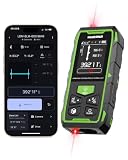
- 395FT Dual-Laser Measurement & 1/16" Accuracy – This professional laser distance meter supports bidirectional and unidirectional measurement with quick mode switching. It measures up to 395 ft/120 m. Double-head measurement accuracy: ±1/8-inch / 2 mm, Single-head measurement accuracy: ±1/16-inch / 1 mm, helping contractors, remodelers, electricians, appraisers, and inspectors measure rooms, hallways, warehouses, framing, and renovation layouts efficiently
- Flexible One-Way and Two-Way Measurement – Switch between unidirectional and bidirectional modes to match different tasks. Two-way mode is ideal when measuring from the center of a room, hallway, or workspace, while one-way mode handles standard point-to-point measurements. Easily measure tight spaces, long spans, furniture layouts, framing, flooring, ceilings, and hard-to-reach endpoints
- Huepar APP Control & Smart Project Management – Connect this Huepar laser measure to the mobile app to instantly sync measurement data, create project groups, add annotated photos, draw sketches, and share results wirelessly. Ideal for interior designers, real estate agents, contractors, and home improvement users who need to organize room measurements, renovation plans, floor layouts, and project documentation more efficiently
- Point-to-Point Measuring & Stake-Out with HUEPAR App – Connect the laser distance meter to the HUEPAR App to unlock point-to-point measurement, stake-out, and other advanced functions. Measure the distance between two selected points and transfer preset intervals for fast layout marking, helping professionals complete framing, flooring, ceiling, piping, equipment installation, and construction layout tasks more efficiently
- Bidirectional Measuring from One Position – Unlike a standard single-laser measure, the dual-laser design measures in two directions from one position, reducing walking, repositioning, and reference-point adjustments. It is ideal for wall-to-wall distances, large rooms, long hallways, warehouses, and open spaces, helping professionals complete layouts, inspections, and estimates faster
Actual reliability depends on the target and how the measurement is taken. A steady reading on a clearly visible, matte indoor wall is a more suitable use than aiming at glass, a mirror, water, a dark surface, or a target in direct sunlight. Strong ambient light can make the red laser difficult to see and interfere with detection. Xiaomi’s support guidance also identifies dirty optical windows, rapid movement, low battery, temperature outside the rated range, and targets beyond the device’s range as possible causes of errors or failed readings.
Measure correctly: check the reference point
A repeatable method matters as much as the headline accuracy figure:
Rank #2

- Brighter Green Laser & 1/16" High Accuracy** – Equipped with advanced green beam laser technology, this laser measuring tool is 4X brighter than standard red lasers, providing clearer visibility for indoor measuring, dim rooms, workshops, warehouses, and renovation projects. With up to 1/16-inch accuracy and a 395 ft measuring range, it helps contractors, remodelers, appraisers, and DIY users complete precise distance, area, volume, and layout measurements with confidence.
- Bluetooth APP Control & Smart Project Management** – Connect this Bluetooth laser measure to the mobile app to instantly sync measurement data, create project groups, add annotated photos, draw sketches, and share results wirelessly. Ideal for interior designers, real estate agents, contractors, and home improvement users who need to organize room measurements, renovation plans, floor layouts, and project documentation more efficiently.
- Remote Measuring for Less Deviation & More Comfort** – APP remote control lets you trigger measurements from your phone, helping reduce measurement deviation caused by pressing the physical button. It is especially helpful for long measuring sessions, reducing repeated bending, squatting, or holding the tool in difficult positions. Great for measuring tight corners, long hallways, high or low positions, and areas that are hard or inconvenient to access.
- Multiple Measuring Modes for Jobsite & Home Projects** – Supports distance, angle, area, volume, continuous measurement, addition/subtraction, and 4 Pythagorean modes. Automatically calculates area and volume, stores up to 30 groups of data, and switches between m/ft/in/ft+in. Perfect for room planning, flooring, painting, cabinet installation, ceiling height checks, property inspections, and material estimation. Laser class: Class 2, 490560nm, <1mW
- Durable, Stable & Easy-to-Use Design** – Features front/middle/rear reference points for flexible measuring in different work conditions. The 1/4" threaded mount supports tripod use for longer-distance, remote, or more stable measurements, while the IP54 dust- and water-resistant design with TPE rubberized housing provides a secure grip, scratch resistance, and durability for workshops, garages, renovation sites, and everyday measuring tasks.
- Clean the transmitting and receiving windows gently with a soft cloth.
- Choose a flat, clearly visible target, preferably a matte surface.
- Place the meter firmly against the starting surface and check whether it is set to measure from the front or rear of the device.
- Hold it still, aim the laser at the target, and take a reading. Repeat if the dimension matters.
- For critical work, compare the result with a suitable tape measure or another independent method.
The factory default is rear-reference measurement. A quick double-press of the power/measure button switches to the front reference, and the selection resets to rear after the device is powered on again. The difference is approximately the length of the body—about 80 mm—so choosing the wrong datum can create a consistent error close to that amount. Check the reference icon on the display rather than assuming the previous setting carried over.
Do these 3 things before closing this tab:
1Scan for outdated or missing drivers - takes under a minute2Repair Windows errors before they cause bigger problems3Fix the driver behind crashes, sound loss and screen glitchesBasic operation
- Press and hold the power/measure button for about two seconds to turn on the meter.
- Press the button briefly to start continuous laser measurement.
- Aim at the target while the display updates; keep the meter steady.
- Press the button again to stop and retain the final reading.
When connected, readings can synchronize to the app’s measurement list. To change units, Xiaomi’s documented workflow is to connect the meter, open its product control page, tap the three-dot menu, open settings, and select feet. Keep the meter on and connected while changing units. The available labels can differ as app versions change.
Rank #3

- ★ HIGH ACCURACY & UNIT SWITCHABLE ★ With unique 2 Bubble Levels, providing more precise measurement compared to one bubble;With laser precision technology, accuracy ups to ±1/16inch, measuring distance extends to 165 feet; Switchable among M/In/Ft for free adjustment
- ★ LCD BACKLIGHT & MUTE SETTING ★ Large backlight screen provides you with a better visibility in dark areas; Mute setting allows you turn on or off the measure beep at your will, suitable for using in library, classroom and other quite places,the laser level is ideal for home, construction and industries, especially in large areas such as rooms, apartments, buildings, real estates, factories, warehouses, etc
- ★ MULTIPLE MEASUREMENT FEATURES ★ Area, distance, length, volume, continuous measurement, Pythagorean method-three points; Addition and subtraction; Low battery indication; 20 groups data memory; Manually delete data; Auto shut down after 150s without any operation to save power
- ★ DURABLE AND HANDY DESIGN ★ IP54 waterproof level and dust-proof function protect the laser distance measure to the maximum extent; Portable size provides a good grip; Wrist strap lets you hold the meter steady and carry easily
- ★ WHAT YOU GET ★ Rockseed Laser Measuring Device 165Ft; 1.5V AAA Batteries; User Manual; Hand Strap; Package Box; (Ideal thanksgiving gifts and christmas gifts for family and friends)All ROCKSEED products are certified by international standards including CE, FCC, FDA, and ROHS, with an IP54 rating (splash and dust resistant). We provide 2 years of technical support and after-sales service for laser measuring tools in the United States.
Pairing with Xiaomi Home or Mi Home
- Install or update Xiaomi Home/Mi Home and open it.
- Tap the + icon and choose Add Device, or scan the QR code in the manual.
- Turn on the laser measure, then hold its power button for more than seven seconds until the Bluetooth icon flashes.
- Follow the pairing prompts. A steady Bluetooth icon indicates an active connection.
If pairing fails, confirm that Bluetooth is enabled, update the app, and repeat the pairing-mode step. The manual specifies app version 6.9.200 or later, but the interface and device availability may differ by country, region, language, and app version. The stated Bluetooth transmission distance is approximately 8 m without obstacles, so keep the phone close during syncing.
What the app adds—and what it does not
- Records and notes: Sync measurements, add remarks, copy or delete records, and share them. This is useful for tracking room dimensions or keeping measurements tied to a furniture or renovation task.
- Calculations: Use saved readings for length, area, and volume calculations. Xiaomi says the calculator supports addition, subtraction, multiplication, and division, but not combined multi-operation expressions in one calculation.
- Drawing and floor-plan records: Start from a photo or a manually drawn graphic, add lines or frames, select a line, and attach a stored or new measurement. The drawing can be corrected, saved, shared, and reopened for editing. It is an annotated visual record—not automatically generated, survey-grade geometry. The result depends on correctly drawing, measuring, and labeling the relevant parts.
- Remote measurement: The app can remotely control the paired rangefinder and save a single measurement. The phone does not replace the laser sensor; this can help when the meter is positioned somewhere awkward to reach.
- Room visualization: Xiaomi describes a feature for photographing a TV wall, defining its dimensions, and previewing or recommending TV sizes. Treat this as a specific room-planning convenience, not a general-purpose augmented-reality design system.
When disconnected, the meter stores no more than 10 sets of data; those can sync after reconnection. That limit is worth remembering if you plan to measure many rooms without a phone nearby. The meter also cannot be used while charging, because it enters a safety mode. Xiaomi recommends charging it once every three months during long-term storage.
Rank #4

- Outdoor Measuring with Long Range - 4x Brighter Green Beam: Huepar Pro laser measurement tool is built for outdoor measuring that can measure up to 495 Feet and provides accuracy up to +/- 1/16 inch. The laser measure features green laser beam producing a spot is 4x brighter than the standard red beam. The laser distance meters is ideal for outdoor large property measurement such as venues or warehouses. Class II Laser, <1 mW
- Digital Viewfinder Camera: The laser meter has a built-in pointfinder camera with adjustable 1x/2x/4x zoom to locate the laser spot at far distances. The auxiliary camera helps get accurate outdoor measurements in bright sunlight conditions. Anti-interference lens enhance signal transmission and reception to ensure accurate measurement
- Advanced P2P Technology & 22 Measure Modes: With 22 intelligent modes, including Point-to-point, Staking-out, Camera area, Height Tracking, Distance, Continuous measurement, Area, Volume, Wall area, 5 Pythagoras Measurements, Triangle&Trapezium Area, Section, Slope, Level Bubble, Circle Area, Cylindrical Volume, Virtual Tape Measure - without hassle of switching tools to handle any scenario. Point-to-Point (P2P) mode lets you accurately measure the distance between any two points in space
- Measure on Huepar APP with Bluetooth: This Bluetooth-enabled laser distance meter can pair with Huepar APP (free to download) to deliver precise, real-time control. Through Huepar APP on your phone, you can instantly switch measurement modes, select units, set reference points, save unlimited data and group the data. The Huepar APP also provides functions of floor plan drafting, photo marking and notes
- 3 Reference Points, 6 Switchable Units & More Features: Flexible measuring made easy—switch between 3 reference points (front, tripod screw-to suit for tripod, rear) and 6 unit formats (0.000m, 0.00m, 0.00ft, 0.0in, 1/32in, 0'00"). The laser measure also includes an electronic level, real-time angle sensor, and addition/subtraction capability. Whether you're measuring from tight corners, mounted setups, or tricky angles, you’ll get fast and accurate results every time
Common measurement problems and fixes
| Symptom | Likely cause | What to try |
|---|---|---|
| No result or a horizontal-line display | Out of range, unstable positioning, movement, or a target that reflects too little or too much light | Move within the rated range, hold the meter still, and aim at a suitable matte target. A reflective board may help with a weakly reflective surface. |
| Unreliable reading on a dark surface | Low reflectivity | Measure to a brighter nearby target or use a reflective board, then account for the actual dimension being measured. |
| Laser dot is hard to see outside | Sunlight interference | Move indoors or shade the target if practical. Do not assume dependable performance in bright outdoor conditions. |
| Err01 | Battery is too low to emit the laser | Recharge the meter. |
| Err02 | Temperature is outside the specified operating range | Return the device to its rated operating range of −10°C to 50°C. |
| App does not show a reading | Bluetooth is disconnected or syncing has not completed | Reconnect and allow time to sync; remember the offline limit of 10 stored sets. |
| Reading is wrong by roughly the device length | Front/rear reference point is set incorrectly | Check the reference icon and select the intended datum. |
| Screen is blurred or blank | Possible static-electricity interference | Restart the device. If the problem persists or the unit is damaged, contact support rather than relying on it for important measurements. |
Glass, mirrors, and water can create weak, multiple, or misleading reflections. Highly reflective surfaces are also a poor target. If a result looks implausible, change the target or setup and repeat it instead of treating a displayed number as automatically trustworthy.
Free tools Windows power users keep installed
One-click scans. No signup required.
Laser safety and handling
Xiaomi specifies a Class II laser, wavelength 630–680 nm, with maximum output of 1 mW. Do not point the beam at anyone’s eyes or body, and avoid aiming it at highly reflective surfaces. Keep the optical windows clean without corrosive cleaning liquids. After a hard drop, check the device for damage; do not use it if the laser housing appears compromised. For an important measurement, verify the result independently.
Best Value

- [Reliable and Efficient] Upgraded electronic level with accuracy up to +/-0.3°and laser tape measure with accuracy up to +/-2mm, MILESEEY D5 delivers more accurate and faster measurements of angle and distance than bubble level meters. And with real-time display of electronic angle, it is much easier for users to find the horizontal direction, which guarantees high-accuracy measure results
- [UNIQUE FUNCTIONS] The high precision laser head component can be measured quickly and accurately in 0.5s, Auto-Level: Only measure the hypotenuse, the horizontal distance and vertical height will be calculated automatically; Auto-height: Only measure 2 hypotenuses, the vertical height will be calculated automatically; Fast measurement: automatic calculation of area and volume with one button operation
- [PRACTICAL MULTIPLE Measurements] 70M laser distance measure accuracy +/-1/16 inch (+/-2mm), and it offers automatic calculation of area, volume and distance, continuous measurement, pythagorean method-3points to meet your different measuring needs.; good laser measuring device for covering large area:home decoration, especially in large areas such as apartments, buildings, real estates, factories, warehouses, construction and industries
- [UNITS SWITCH & 30 DATA RECORDS & Energy-saving Design] freely switch the units in M/ FT/IN/ft+in; 30 data records and recall function which are useful for reviewing and calculating; portable Pocket-sized, non-slip design; 180s of automatic shutdown to save the power, can work up to 5000 times
- [24 MONTHS+ INTERNATIONAL CERTIFICATE] 1 x digital measure laser, 2 x 1.5 V AAA, 1 x user manual, 1 x portable bag, 1 x portable bracelet; CE / FDA / ROHS/ WEEE certification, IP54(splash-proof and dust-proof), We always provide 2-year assurance and technical support for laser measurement tool
Laser measure or tape measure?
A laser meter is particularly convenient for long straight spans, ceilings, room dimensions, and measurements that are awkward for one person to hold at both ends of a tape. A digital display and app record can make it faster to collect and organize several dimensions.
A tape measure remains useful for curved surfaces, edges, short spans where the laser cannot get a clear path, and situations where a target cannot return a reliable laser signal. For cabinetry, cutting material, or other work where a small error has consequences, confirm the relevant dimensions with an appropriate second method. The two tools complement each other rather than making the same situations easy.
Who should consider it?
A good fit: homeowners, renters, decorators, and DIY users who mostly measure indoors and want a compact meter with a display plus app-based notes, calculations, drawings, and sharing. It is most appealing if Xiaomi Home/Mi Home already fits your workflow and you are comfortable with its regional and version dependencies.
The Tool Desk
Outbyte PC Repair FREERepair Windows errors before they cause bigger problemsFix Now →Outbyte Driver Updater FREEFix the driver behind crashes, sound loss and screen glitchesFind Drivers →Look elsewhere: if you need reliable readings in bright sun, rugged job-site equipment, a built-in optical viewfinder, a broader range of professional measurement modes, extensive onboard history, or independently validated accuracy. Do not use it as the sole basis for surveying, structural work, or legal or compliance-sensitive measurements.
When comparing it with Bosch GLM, Leica DISTO, Milwaukee, or other Bluetooth rangefinders, compare the exact model’s documented outdoor visibility, durability, measurement modes, app workflow, warranty, local service, and independently verified performance. These are product families rather than direct equivalents, and current availability and specifications vary by model and market. The Xiaomi’s particular strength is integration with its own app, not evidence of professional superiority. Check the relevant manufacturer’s regional product information before choosing; prices and stock can also vary by country.
Quick Recap
Product prices and availability are accurate as of the date/time indicated and are subject to change. Any price and availability information displayed on Amazon at the time of purchase will apply.


Leave a Reply