Some links on this page are affiliate links: if you buy through them we may earn a commission, at no extra cost to you.
A Roomba does not automatically become useless if iRobot shuts down, is acquired, or abandons a model—but important features may disappear with the company’s servers. Basic cleaning may survive through physical controls, while local integrations and Matter can preserve some control on supported models. The trade-off is that unofficial software creates its own security, privacy, and maintenance risks.
“iRobot falls” can mean several different things
A bankruptcy, acquisition, cloud shutdown, product sunset, expired security support, or authentication failure would affect owners differently. iRobot could continue operating while retiring the servers or app needed by one older Roomba. Conversely, a buyer could keep cloud services running but change features, pricing, or support policies.
The practical question is: if iRobot’s app vanished tomorrow, what could this exact model still do?
Recommended Free Tools
What might stop working?
| Function | Offline outlook | Why it matters |
|---|---|---|
| Physical Clean button | Often remains available | Provides the simplest fallback, depending on model and firmware. |
| Basic autonomous cleaning | Often model-dependent | The robot may still clean and return to its dock. |
| Scheduling | Variable | Schedules may be stored locally or controlled through the app and cloud. |
| Room-specific cleaning | Variable | Advanced map and room features are commonly tied to proprietary software. |
| Map editing and history | Variable | Maps may remain inaccessible even if the robot still runs. |
| Remote access and notifications | Usually cloud-dependent | These normally require vendor servers or a separate secure remote-access service. |
| Matter control | Supported models only | Matter may preserve basic local smart-home control, not every Roomba feature. |
| Firmware updates | Usually vendor-dependent | A cloud failure can end both feature updates and security patches. |
Exact behavior varies by model, firmware, app generation, and network configuration. iRobot currently separates the newer Roomba Home app from the iRobot Home Classic app; the newer app covers certain Roomba 100, 200, Plus 400, and Plus 500 models sold after March 2025, while other models use the classic app.
#1 Best Overall

- Well Fit –Working great fit for iRobot Roomba 600 500 series 692 694 676 595 610 675 677 671 655 645 614 620 630 635 650 660 665 680 690 695 536 551 552 564 585 589 Vacuum Cleaner
- Works Great – These Accessories are made of PC, it is sturdy enough to use many times, Compatible and work just like the original one, To keep robot running at best performance, The parts are recommended to be replaced every 2-4 months
- Tips – If the side brushes are bent or curled due to shipping, Please recover them by simply soaking them in warm water for several minutes. It will not affect the quality and performance
- Package Include – 2 x Bristle and Flexible Beater Brush, 6 x Filters, 6 x Side Brush, 1 x Set Cleaning Tools, 1 x Screw Driver, 6 x Screw
- After service – Our product have been well tested, Examined and package before sending off, Please just feel free to contact us if you have any problem for the products or the service,We will do the best to give you a satisfactory solution
Who are the “hackers”?
The word covers several very different groups:
- Security researchers look for authentication weaknesses, exposed data, and unsafe update mechanisms, usually with responsible disclosure.
- Reverse engineers and open-source developers study device protocols to build local dashboards, automations, or replacement control layers.
- Home-automation users connect supported robots to systems such as Home Assistant.
- Malicious attackers may seek account credentials, home maps, occupancy information, network access, or the ability to deny the owner control.
There is no verified basis for saying that hackers are preparing to commandeer every Roomba. The real story is about both maintainability and security: independent developers may help preserve a robot after cloud failure, but unauthorized access remains a separate threat.
How local Roomba control works
On a supported setup, the robot joins the owner’s Wi-Fi network. A local integration identifies the robot, uses robot-specific credentials, and sends commands across the home network—sometimes through Home Assistant.
Home Assistant documents a native Roomba integration for several established Wi-Fi models, including the s9+, 980, 960, 890, and Braava jet m6, among others. Its documented setup path is Settings → Devices & services → Add Integration. The integration can discover a robot or allow manual setup, then use its identifier and password.
The Tool Desk
Outbyte Driver Updater FREEScan for outdated or missing drivers - takes under a minuteDriver Scan →Outbyte PC Repair FREEClear out junk files and repair common Windows errorsFree Scan →Home Assistant also says that some robots answer credential queries only while actively cleaning, recommending that owners try the physical Clean button before considering a factory reset. Its documentation warns that the Roomba MQTT server permits only one connection. The official app and a local integration can therefore compete with one another rather than work as seamless substitutes.
Rank #2
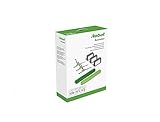
- Everything you need to perform regular maintenance on your Roomba Roomba e, i, and j series robots and Roomba Combo i5 and j5 Series robot.
- 3 High-Efficiency Filters: The filter attaches to the dustbin to catch particles and trap 99% of dog and cat dander allergens. A dirty filter weakens your robot’s suction power.
- 3 Edge-Sweeping Brushes: Specially designed at a 27-degree angle to sweep debris away from edges and corners and into the cleaning path to be suctioned off your floors. Worn brushes don’t grab debris as effectively.
- 1 set of Dual Multi-Surface Rubber Brush: The Dual Multi-Surface Rubber Brushes stays in contact with carpets and hard floors ensuring consistent suction of dirt and debris. Brushes don't get tangled with pet hair. A worn brush doesn’t clean effectively.
- Compatible with: Roomba e5, Roomba e6, Roomba e7, Roomba i1, Roomba i1+, Roomba i2, Roomba i3, Roomba i3+, Roomba i4, Roomba i4+, Roomba i6, Roomba i6+, Roomba i7, Roomba i7+, Roomba i8, Roomba i8+, Roomba j6+, Roomba j7, Roomba j7+, Roomba j8+
Compatibility is not universal. At the time of the cited Home Assistant documentation, newer x05 models such as the Roomba 105, 405, and 505 were listed as unsupported by that native integration. A similar product name does not guarantee the same protocol or local-control path.
Matter helps, but it is not a complete escape hatch
Matter is a standards-based control layer, not a guarantee that every proprietary feature will survive a manufacturer’s collapse. A Matter-enabled robot may expose start, stop, dock, or status controls while leaving mapping, room logic, cleaning history, diagnostics, and firmware management in the manufacturer’s app.
iRobot says the Roomba Max 705 Vac supports Matter-based Apple Home connectivity and local control with an iPhone or iPad running iOS/iPadOS 18.4 or later. A home hub is required for automations, notifications, and remote access. Requirements and availability should be checked on the current product page.
Home Assistant explains that Matter uses local IP or Thread networking and encrypted communication, but its Matter setup has infrastructure requirements, including a Matter Server component and IPv6 enabled in supported configurations. Its documentation also cautions that a native local integration may be preferable when one exists.
Rank #3

- Fit Model: Fit for iRobot Roomba i7+(7550)/i7 i3+(3550) i4+(4550 4552) i6+(6550) i8+(8550) E5(5150) E6(6198) j7 Combo i5+j5+ I & E & J Series Vacuum Cleaner (Not Fit for J7+/Plus)
- Material: These replacement parts are made of high quality PC, Compatible and work just like the original one, The side brush will not scratch the floor and furniture, greatly ensure the safety and cleaning effect during the process of the use
- Easy to Maintain: These relacement vacuum parts can washable and reusable, It is suggested to replace the replacement parts every 2-4 months to keep your Robotic cleaner working with high-performance. If the side brushes are bent or curled due to shipping, please recover them by simply soaking them in warm water for several minutes
- Valuable Package: Includes 2 Set of Multi-Surface Rubber Brushes, 8 Pack Filters, 8 Pack Side Brushes, 1 Pack Cleaning Tools, 1 Pack Screwdriver
- Customer Service: If you meet any quality or other problems after the purchase we will solve it in 24 hours
Local control is useful—and can be dangerous
A properly configured local setup can reduce cloud dependence, improve responsiveness, keep ordinary commands inside the home, and preserve some operation after a server outage. Home Assistant says local protocols can operate without internet access, although optional remote-access and voice-assistant services may still use the cloud.
But self-hosting does not automatically mean private or secure. Robot credentials, maps, cleaning history, and status data may be exposed through poorly secured automation software, backups, logs, integrations, or remote-access services. Unofficial code can become abandoned, vulnerable, or incompatible after a firmware update.
Safer practices
- Keep the robot and automation server behind the home firewall.
- Never port-forward the robot directly to the public internet.
- Use strong, unique account credentials and protect robot credentials in configuration files.
- Update Home Assistant and its integrations.
- Use a separate IoT network where practical.
- Do not post credentials in screenshots, logs, forums, or public repositories.
- Review which services can access maps, history, and occupancy-related data.
- Remove abandoned integrations and revoke credentials you no longer use.
- Keep the official app available until local control has been tested.
The map may be more sensitive than the vacuum
A robot map can reveal floor-plan geometry, room names, device location, household routines, and when a home is likely occupied. Camera-equipped models may collect additional image or object-recognition data.
Quick wins for a faster PC:
Fix the driver behind crashes, sound loss and screen glitchesFind Drivers →Repair Windows errors before they cause bigger problemsFix Now →iRobot states that it treats maps as sensitive, confidential information and protects map data in transit and at rest with access controls and monitoring. Those are the company’s stated practices, not proof that every future service or third-party integration will protect data identically.
Rank #4

- This replacement parts kit compatible for Roomba E series E5 (E5134) E6 (E6198) E7 I series i7(7150) i7+ i7 plus(7550) i1+(1552) i4+(4550 4552)i3+(3550) i6+(6550) i8+(8550) j7+ (7550).
- Easy to clean and install, clean by hand washing in warm water and let it completely air dry before reusing them.
- This rubber brushes are perfectly matched, one for peeling off dirt and the other for sweeping dirt, and the side brush reaches deep into corners and edges to remove more dirt, dust and debris.
- For best results, edge-sweeping brushes and filters should be replaced every 2 - 3 months, rubber brushes should be replaced every 6 months.
- Package Includes - 8 pack High-efficiency HEPA filters, 8 pack Edge-sweeping brushes, 2 set of Multi-surface rubber brushes
Before choosing a connected robot, ask whether you can delete or export maps, operate without cloud storage, transfer data to another platform, and continue using the robot after closing the account.
Support has an expiration date
iRobot says it cryptographically signs robot software updates, operates security and responsible-disclosure programs, and will notify customers at least six months before security support ends for a connected product. This is a stated policy—not a promise of indefinite support for every legacy model.
Its support documentation lists at least five years of security updates for the Roomba j7 and j7+, measured from the model’s U.S. iRobot Store sales date. The listed j7 date is September 9, 2021, with a listed support date of September 9, 2026. Owners should check iRobot’s current j7 support page for any later notice, extension, or clarification rather than assuming what happens after that date.
A practical survivability test
- Record the exact model, serial number, firmware, dock, and app generation.
- Check the model against the current Home Assistant Roomba documentation and iRobot’s Matter information.
- Back up Home Assistant before adding an integration.
- Install the official integration through Settings → Devices & services → Add Integration.
- Keep the robot on the local network and do not expose its port directly.
- Test status, start, pause, and dock commands.
- Disconnect internet access while leaving the LAN active, then test what still works.
- Keep using the official app until the local setup is reliable.
- If pairing fails, start a physical cleaning job and retry before resetting the robot.
- Remove the integration if it causes connection conflicts or unexpected behavior.
Should you buy for future-proofing?
Prefer a model with a physical-control fallback, clearly stated security-support dates, available replacement parts, and either official Matter support or a maintained local integration. Treat “Matter compatible” as a useful interoperability feature—not a guarantee that maps, room cleaning, firmware, or diagnostics will survive iRobot.
Best Value

- Wide Compatibility – These replacement brushes are perfectly compatible with iRobot Roomba i3, i3+, i4, i4+, i5, i5+, i6, i6+, i7, i7+, i8, i8+, E5, E6, E7 and all Plus versions. Precise size fits your vacuum exactly without modification.(Not compatible with the Combo J7+),This set works as great as the original ones, precision fit and easy install.please confirm your model before purchasing.
- Premium Quality Material – Made of high elastic rubber and durable material, wear-resistant, anti-deformation and long service life. The rubber brush effectively avoids hair tangling and keeps stable cleaning performance.
- Deep Efficient Cleaning – The main rubber roller brush picks up dust, dirt, pet hair and food crumbs from hardwood floors, tiles and carpets. Side brushes reach corners, edges and wall gaps for full coverage cleaning with no dead ends.
- Easy Installation & Maintenance – No additional tools required for installation. Simply replace the old and worn brushes in minutes. Regular replacement keeps your Roomba vacuum strong suction and original cleaning power.
- Package Contents – Come with 1 set rubber brush, 4 side brushes and 4 Filters. Ideal spare replacement parts for daily upkeep, household use and robot vacuum maintenance.
Home Assistant is a strong option for owners who already maintain a home server and are comfortable managing credentials, updates, and network security. It is a poor fit for households that need fully supported setup without technical maintenance.
A basic non-Wi-Fi robot has fewer smart features but also less cloud-dependency risk. Competitors may offer better or worse long-term resilience; the meaningful comparison is their local protocol, support lifetime, update process, data policy, parts availability, and app dependence—not simply their brand or cleaning claims.
Observed U.S. iRobot prices also vary by date, sale, and availability. For example, the cited store pages showed the Roomba 105 Vac with AutoEmpty dock at $279.99 and the Max 715 Vac with AutoEmpty dock at $699.99 when retrieved. These are time-specific prices, not permanent product valuations.
Quick Recap
Product prices and availability are accurate as of the date/time indicated and are subject to change. Any price and availability information displayed on Amazon at the time of purchase will apply.


Leave a Reply