Quick wins for a faster PC:
Repair Windows errors before they cause bigger problemsFix Now →Scan for outdated or missing drivers - takes under a minuteDriver Scan →Clear out junk files and repair common Windows errorsFree Scan →Some links on this page are affiliate links: if you buy through them we may earn a commission, at no extra cost to you.
Robot vacuums find their charger in stages: onboard navigation helps them travel toward the dock’s expected location, a dock-specific signal or visual marker helps with the final approach, and electrical contacts confirm that charging has begun. The exact system varies by model—many use infrared, while some rely on visual markers—so neither Wi-Fi nor a single sensor is the whole answer.
The four stages of returning to the dock
- The robot decides to go home. It may return when a cleaning run ends, its battery falls below a model-specific threshold, or you select a Home, Dock or Recharge command. Some models can recharge and resume cleaning; others cannot.
- It navigates toward the dock’s general area. Depending on the model, it may use a saved map, LiDAR, a camera, gyroscope readings, wheel-rotation data, wall references or a combination. Starting a job from the dock can give the robot a useful reference point. Manually moving it or relocating the dock can make that reference less reliable.
- It detects and approaches the station. Many docks emit an infrared signal that a front-facing robot sensor can detect. Other systems use visual markers. The robot makes steering corrections to line up with the station; the approach may involve a guide or ramp, and some models make several attempts.
- It confirms the electrical connection. The robot must meet the dock’s charging contacts correctly and detect power. Reaching the station—or appearing to touch it—does not necessarily mean it is charging.
Manufacturers describe different implementations. iRobot says some Roomba models use LiDAR to return to the station, while Roomba Essential models use gyroscopes, an optical caster wheel, physical landmarks and an infrared signal. Roborock refers to a signal-transmission area on the dock and a corresponding front sensor. Dyson describes a vision-based system that aligns with checkered dock markers and completes docking when it detects power at the contacts. These examples illustrate why it is best to check the manual for your particular model.
What the sensors do—and don’t do
- Infrared dock receiver: Detects a signal from many charging stations during the final approach. It is different from infrared obstacle or cliff sensors, which detect nearby objects or drops.
- LiDAR: Scans the room to help build or use a map and estimate the robot’s location. It can guide the robot toward the dock’s mapped area, but does not by itself guarantee precise contact alignment.
- Camera or visual navigation: Uses visible features for localization; some systems also recognize markers on the dock. Camera-based navigation may need adequate light, and a dirty lens or obscured marker can interfere.
- Gyroscope and wheel sensors: Estimate heading and movement between landmarks. Wheel slip or accumulated movement error can affect how accurately the robot reaches its target.
- Obstacle sensors and bumper: Help the robot avoid objects and respond to contact. They are not, on their own, a precise locator for the charger.
- Charging contacts: Carry power and let the robot verify the connection. They are part of docking even though they do not help it navigate to the station.
For instance, iRobot’s description of Roomba navigation distinguishes between models and technologies. Dyson’s guidance for its vision-based system describes dock markers, lighting and contact detection. These are model-specific examples, not a claim that every robot uses the same hardware.
Recommended Free Tools
Does it use Wi-Fi or GPS?
Usually, neither is the robot’s primary physical docking guide. Wi-Fi supports app commands, schedules, map syncing, updates and status reporting; the robot generally uses onboard sensors to make the actual approach. A robot may still dock autonomously if the internet connection is unavailable, although app functions may not work. GPS is generally unsuitable for aligning an indoor robot with a small dock. Maps can help with localization, but the final approach still depends on the model’s local sensing and docking system.
#1 Best Overall

- Reliable Recharge Base Charger Station: Designed for use with for MAMNV BR150 / BR151, for GTTVO BR150 / BR151, for ONSON BR150 / BR151, for MANVINS G20, and for Kilgone G20 robot vacuums, offering a stable charging home that keeps your device powered and ready for the next cleaning task.
- Fast-Charging Efficiency: The Charger Dock delivers power replenishment so your robot vacuum spends less time charging and more time cleaning, keeping floors spotless with minimal downtime.
- Safe Charging Technology: Built with advanced electronics to insure protection against overcharge and overheating, extending the service life of your robot vacuum and maintaining consistent performance.
- Long Lasting Build Quality: Crafted from robust materials, this Replacement Docking Station withstands daily use while maintaining stable contact and secure positioning for hassle-free charging.
- Easy Plug-and-Charge Operation: Simply your robot vacuum with the dock and automatic charging begins, making the process effortless for all household members without complicated setup.
Why a robot may miss its charger
- The dock moved: A saved map or remembered home position may still reflect the old location.
- The robot started elsewhere: Some models rely partly on the mission’s starting point or physical landmarks, so manually placing the robot in a different spot can complicate its return.
- The route or approach is blocked: Furniture, toys, cables, rugs, pet bowls or a closed door may prevent access or final alignment.
- The signal or sensor window is obstructed: Dust, grime or leftover shipping film can obscure a dock beacon, optical marker or robot sensor.
- Sunlight or reflections interfere: Direct sun, mirrors, glass or shiny surfaces may affect some infrared or camera-based systems. ECOVACS, for example, warns about reflective objects near the station.
- The floor is soft or uneven: Thick carpet or an uneven surface can change the robot’s angle and height, making alignment harder. ECOVACS also cautions that carpet can affect return-to-charge success.
- The dock has no power: A disconnected adapter, faulty outlet or dock fault can prevent beacon detection or charging.
- The contacts are dirty or misaligned: The robot may find the station but fail to detect power, then back away or retry.
- Navigation or software has become confused: A temporary error, map change or relocation may call for a restart or model-specific map recovery.
How to troubleshoot a robot that will not dock
- Check dock power. Confirm the adapter is firmly connected, the outlet works and any expected dock indicator is on. Later, verify charging in the app or on the robot; do not assume it is charging just because it is parked nearby.
- Clear the approach. Remove obstacles from in front of the station, its sides and the route to it, including objects in doorways. Clearance requirements vary by model, so follow its manual rather than treating a generic measurement as universal.
- Clean the sensing surfaces and contacts. With a soft cloth, clean the robot’s front sensor window and the dock’s signal or marker area. Clean any camera lens or LiDAR cover according to the manual. Clean both sets of charging contacts using the manufacturer’s recommended method. For example, Roborock advises checking its dock signal area and robot front sensor, and iRobot provides model-specific contact and docking guidance. Don’t spray liquid into sensor openings, electronics or the dock.
- Look for protective film or stickers. Check the dock’s beacon or marker, robot sensor and contacts for shipping material or other obstruction.
- Run a close-range test. Put the robot facing the dock about 1–2 metres away and select its return command. ECOVACS recommends a test from about 1 metre; iRobot advises facing some Roomba models toward the dock from within roughly 1.8 metres. Follow your model’s instructions where they differ. If it docks from nearby but not across the home, investigate the route, map or localization. If it cannot detect the dock nearby, suspect power, a blocked or dirty sensor, a beacon problem or a software fault. If it reaches the station but backs away, check alignment, flooring and contacts.
- Restart and retry if appropriate. Restart procedures differ widely, so use the manual rather than a universal button combination. If the dock has moved, consult the model’s instructions for updating its map or home location; not every robot updates automatically.
- Manually dock it if its battery is low. Position it on the contacts and confirm it begins charging rather than allowing repeated searches to drain the battery further. ECOVACS describes manual docking in its support instructions.
- Contact the manufacturer if it still fails. Escalate if the dock has power but the robot cannot detect it at close range, it charges only when held in place, a fault code appears, or the problem followed a fall, liquid exposure, damage or update.
Where to place the dock
Choose a hard, level surface against a wall, near a working outlet, with a clear route in and out. Keep the approach free of furniture and loose objects; avoid placing the station under furniture or overhangs. Camera-based models may need adequate light, while direct sunlight, mirrors, glass and shiny metal can be troublesome for some systems. A thick or soft rug is a less dependable base than hard flooring.
There is no universal clearance number. Manufacturer guidance differs: one Roborock support page gives at least 0.5 m at each side and 1.5 m in front, while ECOVACS gives roughly 1 m at each side and 2 m in front. Other model guidance may specify different spacing. Use the instructions for your exact dock and robot. See Roborock’s placement guidance and ECOVACS’s station recommendations.
Rank #2

- Compatible Models: iRobot Roomba E5, E6, I1, I3, I4, I6, I7, I8 Series Vacuum Cleaners
- Compatible Models: Suitable for iRobot Roomba 510/520/521/525/527/529/530/531/542/550/555/560/562/563/570/ 580/ 581/ 590/595 series, compatible with iRobot Roomba 600 610 614 618 620 630 631 635 650 653 654 655 660 671 675 679 680 690 series, Compatible with iRobot Roomba 700/760/770/780/790 series, Compatible with iRobot Roomba 800/860/861/870/871/880/885 series, Compatible with iRobot Roomba 900/960/980/981 series.
- Parameters: Input 100V-240V, Output Voltage: 20.5V-1.25A, Power: 33W
- Multiple options: 1 iRobot vacuum robot charging base + 1 US-spec charging cable (Model: ADF-N1 17070 17064), or 2 iRobot vacuum robot charging bases + 1 US-spec charging cable, or 1 US-spec charging cable
- Packaging Safety If you have any questions, please leave us a message. We will respond to you as soon as possible.
If you move the dock, put it in a suitable new location and follow the maker’s instructions for updating the map or home position. Depending on the model, it may help to start a run from the new dock location; some robots may instead need relocation, remapping or map recovery in the app. Don’t assume every model will automatically recognize the move.
Docking reliability comes from the whole system working together: navigation gets the robot near home, a local signal or marker can guide the final approach, and electrical contact confirms success. If it finds the dock but will not charge, focus first on power, alignment, flooring and clean contacts.
Quick Recap
Best Value
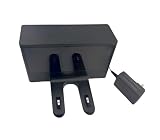
- ✅Compatibility: Compatible with RV2402WD, RV2402WXUS, RV2600WD, RV2610WD, RV2610WFUS, RV2610WZUS, RV2620WD, RV2620WFUS, RV2620WZUS, UR2450WD Robot Vacuum Cleaner.
- ✅What In Box: 1x Charging Dock.
- ✅Quality Satisfaction Your satisfaction is our greatest wish. We will provide you with the best quality products and services. If you are not satisfied, please feel free to contact us.
Rank #4

- Fits Shark ION RV700 RV720 RV750 Robot Vacuum
- DK18-190060H-U
- 19V, 0.6A, 110-120V
Rank #3
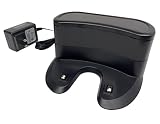
- ✅ Compatibility: Replacement Charging Dock Base Compatible with Shark ION RV700 RV720 RV750 RV755 RV700N RV720N RV725N RV750N RV725N RV761 RV850 RV850BRN RV850C RV850WV RV851 Robot Vacuum Cleaners
- ✅ What In Package: 1x Charging Dock
- ✅Quality Satisfaction Your satisfaction is our greatest wish. We will provide you with the best quality products and services. If you are not satisfied, please feel free to contact us.
Product prices and availability are accurate as of the date/time indicated and are subject to change. Any price and availability information displayed on Amazon at the time of purchase will apply.


Leave a Reply