Some links on this page are affiliate links: if you buy through them we may earn a commission, at no extra cost to you.
Alistair Francis reverse-engineered the Bluetooth Low Energy (BLE) protocol used by the Husqvarna Automower 305 and built the AutoMower-BLE Python library. What began as a project for controlling a mower without Wi-Fi, cellular service, or Husqvarna’s cloud has since become a built-in Home Assistant integration. Owners can control a supported mower locally, provided Home Assistant has a Bluetooth adapter or a suitably placed Bluetooth proxy and the mower is properly paired.
An offline mower that still has Bluetooth
The Automower 305 discussed in Francis’s project does not offer Wi-Fi, cellular, or cloud connectivity. It does, however, have Bluetooth Low Energy, which enables a nearby phone to communicate with it. That distinction opened a path to local smart-home control: the mower need not reach the internet if Home Assistant can reach it over Bluetooth.
In this setup, “local” means the control link runs between the mower and a nearby Bluetooth adapter or proxy, with Home Assistant handling the integration. It does not provide internet-based control when the local network is down, and Bluetooth range remains a practical constraint. The local implementation does not require a Husqvarna account or cloud connection, but it is not the same as an official, vendor-supported cloud service.
Free tools Windows power users keep installed
One-click scans. No signup required.
How the reverse engineering worked
Francis set out to understand the BLE exchanges between the Automower and Husqvarna’s Android app. The historical account describes using an nRF52840 dongle to capture Bluetooth traffic and Wireshark to inspect it. Because the traffic was encrypted, he reset the mower and phone pairings and captured a new pairing exchange. According to the write-up, that allowed Wireshark to obtain the legacy Bluetooth encryption key and decrypt the captured traffic.
#1 Best Overall

- Wire-Free Robotic Lawn Mower with Dual-LiDAR Navigation - GOAT A3000 LiDAR PRO is a wire-free robotic lawn mower that requires no perimeter wire or RTK antenna. The HoloScope 360° Dual-LiDAR system automatically maps your yard and maintains precise 2 cm positioning accuracy — even under trees, along fences, or in shaded areas where GPS-based mowers lose signal.
- Edge-to-Edge Cutting with Built-In TruEdge Trimmer - This robotic lawn mower features an integrated edge trimmer for clean borders along sidewalks, driveways, fences, and flower beds. Designed to reduce manual string trimming after mowing and deliver a consistent, finished lawn appearance.
- 32V High-Power System for Thick American Grass - Built to handle Bermuda, Zoysia, Fescue, and St. Augustine grass. The 32V high-performance platform and dual-blade disc system provide strong cutting torque and fast blade rotation, helping the mower cut through dense, fast-growing grass and uneven terrain.
- 7500 mAh Large-Capacity Battery with 189W Fast Charging - Engineered for medium to large yards, GOAT A3000 is equipped with a 7500 mAh high-capacity battery and 189W fast charging system. It fully recharges in approximately 70 minutes, allowing extended runtime and reduced downtime for efficient, scheduled lawn maintenance.
- Smart App-Controlled Lawn Care with Custom Zones - Manage your robotic lawn mower through the ECOVACS app. Edit maps, create multiple mowing zones, set no-go areas, adjust cutting height and speed, and define travel paths between zones. Ideal for complex yard layouts and personalized lawn care schedules.
He also decompiled the Android application and examined its Java code to understand how it generated and transmitted BLE packets. This combination of packet capture and application analysis helped him build a Python library capable of communicating with the mower. The account describes a specific reverse-engineering process; it should not be read as a general claim about the security of current Husqvarna apps, other mower models, or Bluetooth devices.
The resulting technical write-up and AutoMower-BLE project made the protocol work usable without requiring ordinary Home Assistant users to repeat the packet-sniffing investigation.
From a personal library to a built-in integration
AutoMower-BLE is an unofficial, open-source Python library for communicating with Automowers locally. Its package description identifies the Automower 305 as the model it was developed and tested against. It suggests that other models may work, but that is not equivalent to verified compatibility across every Automower generation or regional revision. Check current reports for your exact model before relying on it.
Home Assistant added its built-in Husqvarna Automower BLE integration in version 2024.11. The integration is documented as local polling: Home Assistant communicates with the mower over Bluetooth rather than retrieving mower data through Husqvarna’s cloud. The current setup path is in Home Assistant’s integration documentation.
Rank #2

- No Wires, No Hassle, Just a Perfectly Mapped Lawn - The GOAT O1000 RTK robotic lawn mower leverages cutting-edge AI technology to recognize and memorize your lawn’s boundaries, eliminating the need for physical wires or manual setup. Its advanced automated mapping system quickly generates a precise layout of your yard, making lawn maintenance effortless and efficient.
- Avoids Obstacles, Protects Pets & Property - Equipped with AIVI 3D obstacle avoidance, the GOAT O1000 intelligently detects and navigates around objects, pets, and even small wildlife like hedgehogs. GOAT lawn mower ensures your garden stays safe and unharmed, delivering peace of mind with every cut.
- Flawless Lawn Coverage, No Missed Spots or Manual Trimming - The TruEdge Consistent Edge Mowing feature guarantees precise, edge-to-edge cuts, eliminating the need for manual trimming. With zero-edge cutting and LELS navigation, the GOAT O1000 follows boundaries seamlessly and mows in efficient U-shaped patterns, ensuring complete coverage and a professionally manicured lawn every time.
- Conquers Tight Spaces & Steep Slopes - Thanks to its ultra-slim 1.31ft design and smart edge recognition, the GOAT O1000 effortlessly maneuvers through narrow paths as tight as 2.3ft. Its robust 45% (24°) climbing ability ensures it reaches every corner of your yard, while the IPX6 waterproof rating keeps it running reliably in any weather condition.
- Smart App Control for Customized Lawn Care - The editable map allows you to easily add, merge, split, or delete areas, giving you full control over your lawn layout. You can set multiple paths for the robot to travel between zones and define no-go areas. Customize settings for different zones, including cutting speed, cutting height, obstacle avoidance height, and mowing direction, to match your personal preferences and schedule.
The built-in integration is now the natural starting point for most Home Assistant users. The original library remains relevant for people building their own Python tools or investigating the protocol, but the original nRF52840 capture equipment is not a requirement for a normal integration setup.
What you need before pairing
- A supported mower: The project was tested on the Automower 305. Treat compatibility with other models as unconfirmed unless current reports or documentation verify yours.
- Home Assistant with a Bluetooth path to the mower: This can be a Bluetooth controller available to the Home Assistant host or an ESPHome Bluetooth proxy.
- Reliable placement: If the server is indoors or far from the garden, a proxy near the mower’s charging area may provide a more dependable connection. Walls, metal structures, distance, and antenna placement all affect BLE reception.
- The mower’s Bluetooth MAC address: Home Assistant may ask for it during setup. The official instructions describe ways to locate it, including ESPHome logs or a Bluetooth-scanning phone.
An ESPHome Bluetooth proxy relays Bluetooth access to Home Assistant over the local network; it does not give the mower internet access. The ESPHome documentation explains the proxy platform. You generally do not need to buy a separate proxy if the Home Assistant host already has a reliable Bluetooth connection to the mower.
Set up the Automower 305 in Home Assistant
- Confirm Bluetooth coverage. Check that Home Assistant can use a Bluetooth adapter, or install and configure an ESPHome Bluetooth proxy within reliable range of the mower. Start with one known-good Bluetooth path if you have several adapters or proxies.
- Find the mower’s Bluetooth MAC address. Use the Home Assistant integration instructions, ESPHome logs, or a phone-based Bluetooth scanner. A device appearing in a scan does not mean it is paired or ready for control.
- Reboot or power on the 305 just before setup. Home Assistant documents a three-minute pairing window for the Automower 305 after power-on. Have the integration screen ready so you can work within that window.
- Open the integration flow. In Home Assistant, go to Settings → Devices & services → Add Integration, search for Husqvarna Automower BLE, and select it.
- Enter the MAC address and complete pairing. Follow the prompts while the mower is discoverable. Home Assistant cautions that the mower must be paired, not merely visible or connected. If pairing fails, reboot the mower and try again.
- Check the resulting device and entities. Confirm that setup completed and review the controls and state information your installed version exposes. Test a command only when it is safe for the mower to act.
The three-minute period is the documented pairing window for the 305, not a general statement about every Automower model. If your model behaves differently, follow the model-specific guidance rather than assuming the 305 timing applies.
Do these 3 things before closing this tab:
1Scan for outdated or missing drivers - takes under a minute2Clear out junk files and repair common Windows errors3Fix the driver behind crashes, sound loss and screen glitchesWhat Home Assistant can—and cannot—promise
The integration is intended to make local mower control and state information available in Home Assistant. Depending on the installed Home Assistant version and the underlying library, available controls may include starting or resuming mowing, pausing, or returning the mower to its base; battery and operating-state information may also be exposed.
Rank #3

- Dual AI Vision System with NRTK Technology:The M5 robotic lawn mower, featuring Adaptive Cruise Control (ACC) and RTK positioning system, delivers centimeter‑level precision through its integrated dual‑camera vision system. M5 easily adapts to diverse lawn layouts and maintains reliable performance even in challenging environments
- Package Contents: This set includes 1 ANTHBOT M5 robotic lawn mower, 1 charging base station, 1 blade set (5 blades in total), and 1 RTK reference station.Your items will be shipped in multiple separate packages
- Efficient Mowing Performance: Handles slopes up to 45% gradient, M5 is suitable for over 99% of residential yards. Features adjustable cutting height (1.2-2.7in) and 5 Free-Rotating Blades design to create a carpet-like lawn. Intelligent path planning allows selection of multiple mowing paths via the app
- Multi-Zone Management & App Control: Easily manage up to 20 work zones via the app. Create seamless paths between different areas and set customizable no-go zones for a tailored lawn care experience. Its self-charging feature ensures it returns to recharge and resumes work automatically, while the ANTHBOT app allows you to monitor your yard anytime, anywhere.
- Beginner-Friendly Design: The ANTHBOT M5 robot lawn mowers is ideal for small to medium-sized yards, max mowing size 0.15 Acre. Powered by advanced AI vision technology, M5 creates a virtual map all by itself in the ANTHBOT app in only 10 minutes-no need to manually drive it around the property anymore, making setup a breeze
Do not assume the integration mirrors every feature in Husqvarna’s official app. Scheduling, configuration, detailed error information, firmware management, and other app functions may not be exposed. Feature availability can change as Home Assistant and AutoMower-BLE evolve. Check the device’s actual entities and the current integration documentation before designing automations around a particular control.
Troubleshooting by symptom
The mower is not discovered
Move the proxy or Bluetooth adapter closer to the mower’s charging area and try again after rebooting the mower. Make sure you are searching during the 305’s documented pairing window. A scan from a phone can help distinguish a range problem from a Home Assistant setup problem.
The mower appears, but setup or commands fail
Detection is not pairing. Repeat the integration flow and complete pairing while the mower is discoverable. If the first attempt fails, Home Assistant recommends rebooting the mower and trying again. Check that you entered the correct MAC address.
Authentication fails or Home Assistant cannot find a backend
Multiple adapters or proxies can complicate which Bluetooth backend handles the connection. Community issue reports include authentication failures and errors where no available backend can reach the address. For diagnosis, temporarily reduce the setup to one known-good adapter or proxy, put the mower near it, and reload or reconfigure the integration. Once a single-path setup is stable, add other Bluetooth hardware back one piece at a time.
Rank #4
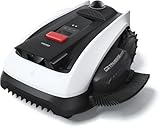
- Wire-Free Robotic Lawn Mower with LiDAR Navigation - GOAT O1000 LiDAR PRO is a wire-free robotic lawn mower that requires no perimeter wire or RTK antenna. The HoloScope 360° Dual-LiDAR system automatically maps your yard and delivers precise 2 cm positioning — even under trees, near fences, or in shaded areas where GPS mowers lose signal.
- Built-In Edge Trimming for Clean Borders - Unlike standard robot lawn mowers, this model features an integrated TruEdge trimmer for true edge-to-edge cutting. It trims along driveways, sidewalks, flower beds, and irregular lawn borders — reducing the need for manual string trimming after mowing. (For highly complex corners, narrow gaps, or raised edges, occasional manual trimming may still be needed.)
- Advanced 3D Obstacle Detection for Safer Mowing - Powered by AI Vision and 3D ToF LiDAR, GOAT O1000 LiDAR PRO accurately identifies and navigates around more than 200 types of obstacles — from kids’ toys and patio furniture to pets and small wildlife. With detection precision down to 5 cm, it maintains safe clearance while mowing closely around objects, helping protect your lawn, landscaping, and loved ones.
- Easy App Setup with Custom Zones & No-Go Areas - Use the ECOVACS app to create mowing zones, adjust schedules, and customize no-go areas for challenging sections of your yard. Initial setup and fine-tuning may require a few adjustments to optimize performance for unique lawn layouts.
- Designed for Tight Spaces Others Can’t Reach - Built with a super-narrow body, GOAT O1000 LiDAR PRO easily passes through tight paths and narrow lawn corridors as slim as 0.8 m. Perfect for compact yards, side lawns, and complex layouts where larger robotic mowers struggle.
The connection is intermittent through a proxy
Improve the proxy’s placement before changing software. A proxy near the charging station may work better than one inside the house behind walls or metalwork. Check power, network stability, and antenna position. If a direct adapter works but a proxy does not, focus troubleshooting on the proxy path rather than assuming the mower protocol is at fault.
It stopped working after an update
Home Assistant, ESPHome, Bluetooth components, and the Python dependency can change independently. A reported ESPHome update caused failures for at least one Automower BLE installation; that report does not establish that every installation was affected. Record working versions, update one component at a time, and check current integration issue reports before making changes during a period when you depend on the mower. Keep a practical rollback plan.
Do not copy installation commands, Python requirements, or automation service names from an older post without checking the release you intend to use. Package requirements and integration behavior are version-sensitive, and the built-in Home Assistant route does not require a user to manually install the Python package.
The Tool Desk
Outbyte Driver Updater FREEScan for outdated or missing drivers - takes under a minuteDriver Scan →Outbyte PC Repair FREEClear out junk files and repair common Windows errorsFree Scan →Trade-offs and alternatives
The built-in BLE integration is the most direct route for a Home Assistant user seeking local control. It avoids cloud dependence but relies on short-range Bluetooth, successful pairing, and a compatible software stack.
Best Value

- Centimeter-Level RTK Cloud Accuracy: Commercial-grade RTK Cloud technology delivers centimeter-level positioning for this robotic lawn mower with no local antenna installation and no additional cloud costs.
- Auto Mapping for More Complete Coverage: Vision AI helps the robot lawn mower understand lawn shapes and boundary types, then automatically maps your yard for smooth paths, closer edge-following, and fuller coverage from day one.
- AI Obstacle Avoidance with Neural Processing: Vision AI recognizes and understands common yard objects, using a trained neural network and up to 10 trillion operations per second to help mowing stay smooth, safe, and uninterrupted.
- Infinite Zone Mowing & App Remote Control: Create unlimited mowing zones, set custom paths, define no-go areas, edit your map, and monitor your remote control lawn mower from the app anytime.
- Reliable Navigation Even in Shade: RTK Cloud provides centimeter-level accuracy in open areas, while V-SLAM sensor fusion with Vision AI helps maintain precise navigation in shaded or partially covered lawn spaces.
Direct Python use of AutoMower-BLE may suit developers who want custom scripts or a standalone service rather than Home Assistant entities. Follow the current repository and package instructions; requirements differ by release.
A Raspberry Pi and MQTT bridge is another community-developed architecture. It can place a dedicated BLE client near the mower and forward data to the rest of a smart home, but it is a third-party alternative rather than Home Assistant’s documented built-in path. One example is the community Husqvarna Automower BLE project.
Official connected Automower services may be preferable if your model supports them and you want vendor-backed features or remote access. Availability and connectivity options vary by mower, market, and service. Do not infer that the 305 has those capabilities simply because another Automower does.
Outdated Drivers Are Slowing You Down
One free scan finds every outdated or missing driver and matches the right update for your exact hardware.Free scan · exact hardware matchPC Slower Than It Used to Be?
A free scan shows the junk files, broken settings and background clutter dragging Windows down - then fixes them in one click.Free scan · Windows 10 & 11Safety and suitability
This approach is a good fit for an owner who already runs Home Assistant, wants local control without a cloud account, can provide dependable Bluetooth coverage, and is comfortable with occasional troubleshooting. It is a poor fit if you need control from outside the local network, expect full official-app parity, require vendor support, or cannot tolerate an unofficial protocol and model-dependent compatibility.
As with any remote start or schedule, build automations around safe operation. Do not start mowing based only on presence or a time trigger if people, pets, or obstacles may be in the cutting area. Local connectivity makes control possible; it does not replace supervision or the mower’s safety procedures.
Quick Recap
Product prices and availability are accurate as of the date/time indicated and are subject to change. Any price and availability information displayed on Amazon at the time of purchase will apply.


Leave a Reply