Recommended Free Tools
Some links on this page are affiliate links: if you buy through them we may earn a commission, at no extra cost to you.
A homemade phone “hologram projector” is usually a Pepper’s Ghost illusion, not a true hologram. A bright image on a phone or tablet reflects off clear plastic arranged like a small pyramid, making the image look as though it floats inside the enclosure. It is an inexpensive way to explore reflection and visual perception—but it works best in a dim room, from a limited viewing area, with video made for the four-sided layout.
What you are actually building
The familiar DIY pyramid has four transparent sloping faces and sits over a screen showing four copies of an animation. Each face reflects one copy toward a viewer on that side. The screen supplies the light; the plastic redirects some of it. The image appears at a virtual position behind the reflector, rather than being emitted into empty air.
This is the broad optical family of Pepper’s Ghost, an illusion also used in theatrical displays. A research prototype called Pepper’s Cone explores a related inexpensive display using transparent material, including PETG. The DIY pyramid’s “3D” quality comes from reflected views and visual cues, not from a volumetric image you can walk around and see from every direction.
Three devices often called hologram projectors
- Phone or tablet pyramid: A low-cost, no-moving-parts demonstration. It needs a dark setting and has a limited viewing zone.
- LED hologram fan: Rotating LED arms rapidly update an image, which appears continuous to the eye. It can create a larger-looking, brighter display, but has moving blades, noise, and a visible hardware footprint. HOLOFAN says its product accepts common image and video formats through app-based Wi-Fi content management; its product page also says there is no built-in speaker. These are manufacturer claims, not independent comparative test results: HOLOFAN product details.
- Light-field or other dedicated display: Purpose-built hardware sends different views toward viewers rather than relying on the simple pyramid reflection. Looking Glass distinguishes its light-field and Hololuminescent display families. Such systems are a different class of equipment, generally not a cut-plastic home project.
“Hologram” is often used loosely in product names and marketing. Check what the device actually does: a fan uses rotating LEDs, a DIY pyramid reflects a screen, and a light-field display uses dedicated display architecture.
#1 Best Overall
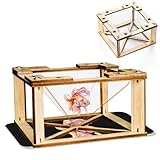
- 1.【360 Degree 3D Visuals】Assemble the DIY display stand to observe lifelike, floating hologram effects.
- 2.【You Will Get】The package contains all snap together parts required to build the holographic projector: sturdy wooden frames, clarity hologram films, and straightforward instructions.
- 3.【Materials】The 3D holographic projector made with quality wooden and acrylic material.
- 4.【Compatibility and Portable】It works flawlessly with any smartphone by placing the assembled pyramid bracket on the screen, its mini and lightweight design allows for easy carrying in a backpack.
- 5.【 Kids Science Educational】This kit combines education with entertainment, fostering creativity, problem solving skills, and a love for science through interactive holographic Display.
How the illusion works
- The screen shows a bright subject against a black background. Black pixels emit little visible light compared with the subject.
- A sloping clear face reflects some of the bright image toward the viewer. The image seems to come from a virtual location inside or behind the pyramid.
- Four faces and four appropriately oriented copies let viewers on different sides see the subject from different directions.
- The dark enclosure and room suppress distractions, helping the reflection read as a floating object.
The clear material does not project light into open air. The image is angle-dependent, and ambient light makes the faces and surroundings more visible, weakening the effect. A good animation can make the illusion convincing, but it cannot give the basic pyramid unlimited viewing angles or touchable, free-space imagery.
Materials and a sensible first build
- A smartphone or small tablet with a bright screen
- Clear thin PET/PETG, acrylic, or polycarbonate sheet; thin glass is possible but less forgiving
- Ruler, marker, and a paper or cardboard template
- A suitable scoring tool or scissors for the chosen sheet
- Clear tape or transparent adhesive
- Black card or foam board for a hood or enclosure
- Optional black tape to conceal seams and stray light
Make a cardboard prototype before cutting plastic. There is no universal template size: phone and tablet screens differ, and the useful display area, viewing distance, and intended angle all affect the fit. Test the proportions and screen alignment with a paper or cardboard version first. The Ontario Science Centre’s classroom activity also demonstrates a Pepper’s Ghost pyramid using transparent sheets.
Rank #2

- Eco-Sustainable Wonder: With glue-free assembly and sustainable wooden materials, our 3D Holographic Projector delivers guilt-free entertainment. Enjoy high-quality TV projection in a safe and reusable package for a responsible home theater experience.
- Easy to Carry: Display stunning holographic anytime, anywhere outdoors. Enjoy an enhanced entertainment experience with a lightweight design that's easy to carry around.
- Scientific Learning: Witness the wonders of science by assembling our 3D Holographic Projector together, promoting education and creating a fun atmosphere of cooperation.
- Holiday : Transform your home into a creative oasis with this 3D holographic projector, perfect for children's holidays, offering a theater experience and a technological charm, making it an excellent gift for friends or colleagues.
- Immersive Visual Experience: Leveraging the reflection principle, this 3D Holographic Projector melds acrylic film and advanced technology to project a holographic image that appears to float mid-air, enhancing your visual experience directly from your mobile phone screen.
Build and align the pyramid
- Measure the usable screen. Note the width and height of the area where the four-way animation will appear, not just the device’s outside dimensions. Account for black bars, controls, or unused portions of the screen.
- Mock up four matching trapezoids. Each face has a narrow top edge, a wider bottom edge, and equal sloping sides. Assemble the cardboard version and check that the lower opening covers the active image area without wasting too much of the screen’s brightness. Avoid relying on a generic online template without checking it against your device.
- Cut the clear faces. Keep all four pieces as identical and flat as possible. Follow the tool and material maker’s cutting guidance, protect your hands and eyes, and cover or smooth sharp edges. Thin plastic is generally easier for a beginner than glass. Avoid scratched, cloudy, warped, or fingerprint-covered material.
- Join the faces symmetrically. The sides should meet with minimal gaps, and the top opening should sit centered over the screen. Keep tape and adhesive out of the areas the viewer looks through.
- Center it over the display. Place the screen horizontally beneath or at the base of the pyramid, according to your design. Make sure the pyramid is stable and that its faces are not tilted differently.
- Block stray light. Add a matte-black hood or enclosure around the unused screen area. Masking the bright room and visible device edges helps the reflection appear to float.
- Set up playback. Raise the screen brightness; disable auto-brightness if it dims unexpectedly and prevent auto-lock from interrupting the animation. Silence or suppress notifications, and avoid battery-saving settings that lower brightness. Do not enclose a device so tightly that it overheats.
Choose or make the right video
A normal rectangular video is not automatically suitable. A standard pyramid needs four copies of a subject arranged around a center point—typically one for each side. The panels may need individual rotation or mirroring so the reflected subject appears upright. A wrongly oriented panel can look upside down even when the pyramid is assembled correctly.
Start with content that has:
- A pure or near-black background and a bright white or saturated subject
- A clear silhouette, slow motion, and no fine text
- Space around the subject so it does not touch the edges of its panel
- Four copies positioned and oriented for the pyramid, rather than one ordinary full-screen clip
A rotating logo, planet, wireframe model, flame, or character is a better first test than a scene with gray haze or a detailed rectangular background. Preview the four panels on the screen before assembly or final export. If the animation is too large, it may be clipped; if it is too small or dim, the reflected image can be hard to see.
Rank #3

- Compatible with all brands of smartphone.
- Turn your smartphone into a miniature hologram projector
- Made of durable high quality material with a holographic film, this hologram projector works best in a darkened room and bright screen to create crisp, 360 degree images.
- Simply attach the pyramid to your phone using the provided suction cup and you're ready to start playing a pseudo-hologram with your smartphone.
- Small size,mini,durable and portable.
Troubleshooting
| Symptom | Likely cause | What to try |
|---|---|---|
| Image is too dim | Bright room, low screen brightness, gray background, cloudy plastic, poor viewing angle, or pyramid too large for the display | Dim the room, raise screen brightness, use a black background, clean or replace the sheet, and check the pyramid-to-screen fit. |
| Image looks doubled | Two reflecting surfaces in thick material, warped plastic, uneven faces, or a screen that is off-center | Try thinner, flatter, clearer material; remake matching faces; and center the pyramid over the active display. |
| One side is upside down | That video panel has the wrong rotation or mirror orientation, or a face was installed inconsistently | Adjust that panel in the video layout and check the marked top and bottom of each face. |
| It does not seem to float | The screen, enclosure, or room is visible; the clip has a visible background; or the viewer is outside the intended zone | Use a black hood, mask unused screen area, switch to black-background content, and move to the designed viewing position. |
| Image is blurry | Dust, fingerprints, scratches, low-resolution video, flexing sheet, or double reflections | Clean with a method suitable for the material, stabilize or replace warped plastic, and try sharper content. |
| Looks good on camera but not in person (or the reverse) | Camera exposure, focus, image processing, lighting, and human viewing conditions differ | Test direct viewing and the intended recording device separately, changing brightness and angle as needed. |
| Only works from one angle | This is a normal limitation of the basic Pepper’s Ghost arrangement | Move the viewer to a working position, or choose a display designed for a broader shared viewing experience. |
Which approach fits your goal?
| Your goal | Best starting point | Trade-off |
|---|---|---|
| Learn optics or make a small science demonstration | DIY pyramid | Inexpensive and educational, but small, dimmer, and angle-dependent. |
| Show a bright, larger-looking image at an event, shop, or booth | LED hologram fan | Brighter-looking display, but moving blades, noise, hardware, and safety precautions matter. Check the model’s guard and manufacturer guidance. |
| Show 3D content to several viewers with a dedicated display | Light-field or other commercial display | More purpose-built, but substantially more expensive and not a DIY pyramid. |
| Run a managed business installation or communication display | Commercial enclosure such as Proto M2 | Designed for managed content and applications; it is a different product category and entails account/connectivity and commercial costs. |
For a sense of scale, HOLOFAN’s catalog has shown a starting-price signal of $199, while a product listing has displayed €1,200.98 for a particular variant; these are not interchangeable universal prices, and configuration and region matter. Check the catalog and specific product listing for current details. Its suggested viewing distances are manufacturer recommendations, not independent measurements. Looking Glass’s HLD page has listed models and prices in the thousands of dollars, and availability can change; consult its current product information. Proto describes the M2 as a connected tabletop system for live or prerecorded content; its page directs prospective buyers to its shop or demo process rather than publishing a clear price. These are examples of different technologies, not hands-on rankings.
Independent reader supportYour contribution helps us test, update, and keep practical guides available for everyone.Safety and realistic expectations
- Do not leave an uncovered spinning LED fan within reach of children, pets, hair, jewelry, or loose clothing. Use a supplied guard and follow the manufacturer’s instructions.
- Do not use cracked glass or leave sharp plastic edges exposed. Secure the reflector so it cannot fall onto someone or onto the device.
- Keep cables out of walkways, avoid overheating a phone or tablet in a closed box, and do not stare into bright LEDs at close range.
The home pyramid is worthwhile as a low-cost optical demonstration: it can make an animated object appear to float and reveal how reflection, virtual images, contrast, and perception work together. It cannot create a genuine image in empty air, offer unrestricted viewing angles, or substitute for a dedicated 3D display. Expect an illusion—and enjoy the fact that a simple piece of clear plastic can make it so convincing.
Quick Recap
Best Value
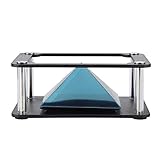
- Clear 360 degree Images:Works best in dark rooms and bright screens to create clear 360 degree images. The four planes project an image of the four angles of the object. You only need to open the hologram and place the phone on the stand , and a 3D hologram will appear
- Holographic Pyramid Projector:The most popular holographic pyramid projector. Use with any Smartphone for entrancing 3D hologram projection. Be enthralled and amaze your friends as beautiful 3D images appear to in space your smartphone. Four design minimizes the ring grain effect and vibration
- Stable Performance and High Reliability:Imaginative and charming , ideal family or friends. Holographic video displays can be a calming , relaxing , colourful and meditative aid to mindfulness. It is commonly used for corporate product display , cartoon interaction and entertainment. Large 3d HD visuals with a realistic holographic effect is far more sharking than other
- Operating:Download the hologram (or you can scan the QR code in the user manual for resources). Play the video , place the phone on the stand , point the video at the middle of the Pyramid FOR Phone and search for Mixture. You can download the resource from the Store APP
- Quality Service:This product has been professionally and strictly inspected and tested.We have a 24-hour online professional customer service team.If the product has any quality problems or you have any questions about this product, you can us at any time,we will try our best to solve your problem in time,please rest assured to buy
Rank #4

- for all brands of smartphone.
- 360-degree ImageThis projector's most popular pyramid projector works best in dark rooms and bright screens, creating clear 360-degree images.
- This display stands has reliability, and the four planes respectively project images of the object from four angles.
- Suitable for corporate product display, cartoon interaction and personal entertainment.
- You only need to open the hologram and place the phone on the stand, and a 3D hologram will appear.
Product prices and availability are accurate as of the date/time indicated and are subject to change. Any price and availability information displayed on Amazon at the time of purchase will apply.
Free tools Windows power users keep installed
One-click scans. No signup required.


Leave a Reply