Some links on this page are affiliate links: if you buy through them we may earn a commission, at no extra cost to you.
Yes, some smart smoke alarms contain microphones—but that alone is not evidence they record conversations. Google documents a microphone in second-generation Nest Protect, used during Sound Check or Safety Checkup to hear the alarm’s own test sounds and verify its speaker and horn. Google’s published documentation does not describe Nest Protect as a general-purpose voice assistant or establish that it routinely records household conversations.
If you heard a voice, it may simply be a spoken hazard warning, maintenance announcement, or message from another connected device. Here’s how to tell what the alarm can hear, what information it collects, and what to check next.
| # | Preview | Product | Price | |
|---|---|---|---|---|
| 1 |

|
First Alert Battery Smoke Alarm | $50.59 | Buy on Amazon |
| 2 |

|
First Alert Battery Smoke Alarm | $16.99 | Buy on Amazon |
| 3 |
|
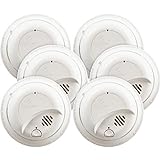
First Alert BRK SMI100-AC Hardwired Smoke Detector with Battery Backup, 6-Pack | $102.10 | Buy on Amazon |
| 4 |

|
First Alert Battery Smoke Alarm | $29.99 | Buy on Amazon |
| 5 |

|
First Alert Hardwire Smoke Alarm | $104.90 | Buy on Amazon |
Why would a smoke detector speak?
Many alarms use only a beeping horn. Voice-enabled models can say what the danger is and where it was detected—for example, announcing smoke in a bedroom or carbon monoxide in a basement. Some give an early warning before reaching the full alarm threshold, while others speak to report a low battery, failed test, or end-of-life condition.
Nest Protect was designed to provide spoken warnings as well as phone alerts. Its interconnected alarms can also communicate across a home: the unit you hear may be announcing a hazard detected by a different alarm. A nearby smart speaker, camera, doorbell, television, or phone could be the actual source, too. Google’s Nest Protect product information describes voice alerts and interconnected warnings.
#1 Best Overall
- First Alert's Precision Detection advanced sensing technology complies with new industry standards to reduce cooking nuisance alarms and provides early warning in the event of a home fire emergency
- Battery-operated alarm allows for easy installation and maintenance
- Front access battery compartment makes for easy battery replacements
- End-of-life warning lets you know when it’s time to replace the alarm
- Test/silence button for efficient testing to ensure alarm is working properly
Does Nest Protect have a microphone?
Yes. Google says second-generation Nest Protect includes a microphone. The documented purpose is an audio self-test. During Safety Checkup or Sound Check, the alarm makes test sounds and uses its microphone to capture those sounds, checking that the speaker and horn work. See Google’s Nest device privacy information and its Nest privacy statement.
That confirms the microphone exists and has a stated test function. It does not establish that Nest Protect is listening for voice commands or continuously recording conversations. Equally, a privacy statement is not an independent technical audit; it cannot prove every possible behavior of every software version. The careful conclusion is that the cited Google documentation does not support the claim that Nest Protect secretly records ordinary household conversations.
Rank #2
- First Alert's Precision Detection advanced sensing technology complies with new industry standards to reduce cooking nuisance alarms and provides early warning in the event of a home fire emergency.
- Battery-operated alarm allows for easy installation and maintenance
- Front access battery compartment makes for easy battery replacements
- End-of-life warning lets you know when it’s time to replace the alarm
- Test/silence button for efficient testing to ensure alarm is working properly
Google’s broader Nest privacy information discusses microphones across multiple connected-home products. It should not be read as a device-specific technical description of Nest Protect or proof that it behaves like a smart speaker.
What information can a connected alarm collect?
Audio is only one part of the privacy picture. Google’s published materials describe Nest Protect collecting safety and device information, including:
Rank #3
- 6 pack of hardwired smoke alarms, includes battery backup for power outages
- Tamper resistant locking pins, single button silence/test and loud 85Db alarm
- 120-Volt AC power with 9-volt battery backup (included) to keep alarm functioning during power outage
- Open mounting design for easy installation with side load battery compartment for quick replacement and interconnect able up to 18 units (12 smoke, 6 co/heat/relay)
- 10-Year limited
- Environmental readings: smoke, carbon monoxide, temperature, humidity, ambient light, and movement-related information.
- Device and network details: model and serial information, software version, sensor status, Wi-Fi connectivity, and battery status.
- Setup information: details such as the home address or ZIP code and the room assigned to the alarm.
- Audio capability: a microphone used for the documented alarm self-test.
These categories are not interchangeable. Movement-related sensing does not mean a camera is present, and a microphone’s ability to detect sound does not itself establish that recordings are stored or uploaded. A connected alarm may send hazard events and technical data to a service without sending ambient speech. Check the privacy documentation for the exact model you own; a policy describes the manufacturer’s stated practices, not necessarily every behavior that independent technical testing might uncover.
What to do if you hear an unexplained voice
- Respond to possible danger first. If the message warns of smoke or carbon monoxide, treat it as real. Check for signs of danger, leave if needed, and contact emergency services if there is an actual emergency.
- Locate the source. Listen beneath each alarm and check nearby smart speakers, cameras, doorbells, phones, and televisions. The nearest device may not be the one speaking.
- Check for an ordinary alarm message. Look for a smoke or CO warning, an early “Heads-Up,” a low-battery announcement, a test or sensor warning, or an end-of-life message.
- Test the alarm using its instructions. Use its test button or the manufacturer’s procedure. For a connected model, check the app’s notifications or event history for hazard, test, battery, or maintenance notices.
- Consider interconnected alarms. Find out whether a different alarm detected the event and the unit you heard was relaying its location.
- Check the manufacture date and condition. Nest Protect second-generation units must be replaced 10 years after manufacture, according to First Alert’s Nest Protect replacement information. Follow the replacement interval printed on your own alarm.
- Review account access. Remove former residents, guests, or unfamiliar users from the home account. Change the account password and enable multifactor authentication if available.
- Review connected services and app permissions. Check what accounts and integrations can access the device and its alerts.
- Decide whether to keep it online. Disconnecting Wi-Fi may reduce remote data exchange, but it can also remove phone alerts, remote testing, app controls, or other smart features. Exact effects depend on the model.
- Replace a malfunctioning unit. If it produces unexplained audio repeatedly or fails a test, contact the manufacturer or replace it. Do not remove your only working smoke or CO alarm without installing a compliant replacement immediately.
Do not assume that every alarm offers the same microphone switch or app menu. Confirm available controls and their effects in the manual for your model and current app version. Google describes microphone controls in its broader connected-home privacy commitments, but that is not a universal Nest Protect-specific menu path.
Rank #4
- First Alert's Precision Detection advanced sensing technology complies with new industry standards to reduce cooking nuisance alarms and provides early warning in the event of a home fire emergency
- Battery-operated alarm allows for easy installation and maintenance
- Front access battery compartment makes for easy battery replacements
- End-of-life warning lets you know when it’s time to replace the alarm
- Test/silence button for efficient testing to ensure alarm is working properly
Choosing between connected and conventional alarms
| Type | What it offers | Privacy trade-off |
|---|---|---|
| Conventional, non-connected alarm | Local warning from the alarm; generally straightforward operation | Usually the smallest cloud-data footprint, but no remote alerts or app features |
| Connected alarm with voice alerts | Spoken hazard and location messages, potentially with phone notifications | Requires consideration of the account, app, network connection, and vendor data practices |
| Alarm with a microphone or sound detection | May support a self-test or detect another alarm, depending on the model | Audio capability warrants checking the model-specific policy and documentation |
| Alarm integrated with speakers or cameras | More connected-home features | More accounts, integrations, and potential exposure if access is poorly secured |
A false alarm or odd sound is not proof of spying. Dust, steam, insects, aging sensors, wiring, humidity, or a network or software fault can also cause problems; follow the model’s troubleshooting guidance rather than inferring a cause from the sound alone. If minimizing connected-device data is your priority, a properly certified conventional alarm is a simpler choice. If remote alerts and spoken location warnings matter more, review the precise data and audio practices for the smart model before buying.
Recommended Free Tools
If your Nest Protect is nearing its replacement date
Google’s U.S. store marks Nest Protect as discontinued, so it is not a dependable current purchase recommendation. Check the manufacture date before considering a used or refurbished unit; second-generation Protect units have a 10-year replacement life.
Best Value
- First Alert's Precision Detection advanced sensing technology complies with new industry standards to reduce cooking nuisance alarms and provides early warning in the event of a home fire emergency
- Through early warning interconnect, when one alarm sounds, all compatible alarms will soun
- Battery backup provides continuous protection during power outages
- Alarm indicator visually identifies the unit that initiated the alarm
- Quick Connect Plug included allows for easy installation with no need to rewire
First Alert’s SC5 is promoted as a smart replacement path for Nest Protect installations, with voice alerts, phone notifications, app testing and silencing, wireless interconnection, and Google Home compatibility. Compatibility and installation details can depend on whether your existing alarm is battery-powered or hardwired and on your location. Check the SC5 product details and SC5 overview for your configuration. The battery product page showed a price of $129.99 and was marked unavailable or backordered when checked on August 18, 2026; availability and price can change. If you need an alarm now, choose a currently available, properly certified model rather than leaving an expired unit in service.
Bottom line on the microphone
A microphone inside a smoke alarm is worth asking about, but its presence does not prove surveillance. For second-generation Nest Protect, Google documents the microphone as part of an audio self-test, and its published materials do not establish routine recording of household conversations. Identify the source of any voice, take hazard warnings seriously, review the exact model’s privacy information, and keep a compliant working alarm installed.
Quick Recap
Product prices and availability are accurate as of the date/time indicated and are subject to change. Any price and availability information displayed on Amazon at the time of purchase will apply.
What’s actually slowing this PC down?
Pick the symptom - the matching free tool is one click away.


Leave a Reply