Some links on this page are affiliate links: if you buy through them we may earn a commission, at no extra cost to you.
Yes—you can build a lamp that Google Home or Alexa controls. The practical version is a custom lamp body with an ESP32, Home Assistant, and a low-voltage LED system or certified smart bulb. Your existing Google Nest or Amazon Echo handles voice recognition.
Building a lamp that is itself a complete Google Home or Echo is much harder. It requires far-field microphones, echo cancellation, wake-word detection, speech processing, cloud authentication, and platform support that is limited or restricted for hobby projects.
Choose the right project before buying parts
“Google Home or Alexa lamp” can mean three different things:
| Build | What it does | Difficulty | Best for |
|---|---|---|---|
| Smart lamp endpoint | A custom lamp responds to commands from an existing Nest or Echo. | Low to medium | Most makers |
| Home Assistant voice satellite | The lamp includes a microphone and speaker for Home Assistant Assist. | Medium to high | Privacy and local-control projects |
| Embedded Google Assistant or Alexa device | The lamp attempts to operate as a complete commercial assistant speaker. | High and restricted | Developers and experimental projects |
For a useful, safe construction project, choose the first option. Add voice hardware only after the lamp itself is reliable.
#1 Best Overall

- RGBICWW Technology & Upgraded Illumination: Enjoy multi-color displays, 500lm brightness (higher than previous models), and adjustable 2700k-6500k warm/cool whites. With Upgraded Illumination and Design, a pure visual feast whenever the smart table lamp is turned on.
- Newly Preset Modes: With 64+ diverse preset scenes and 8 music syncing modes, this smart table lamp can enrich your party experience, immersing yourself in relaxation or entertainment moments.
- Matter Suppported: Beyond Alexa, Google Home, and SmartThings, the bedside lamp supports HomeKit via Matter. Seamlessly control your entire smart lighting setup with a single voice command. Plus, AI Lighting Bot 2.0 turns speak, text, or snap into personalized effects, and refines them through conversation—making lighting smarter and truly bespoke.
- Newly Pat-to-Wake Mode: A new wake-up way to illuminate your room with just one pat, for turning the RBGIC table lamp on easily at night when light is needed. (Requires Turn on The "Bedtime Switch" in the App first & Only Support Turn on)
- DIY Creation Supported: This smart night light supports fun and sharable DIY customized lighting effects with the App so that children expand their imagination and adults create brilliant surprises for parties and anniversaries.
The recommended architecture
Voice command
   ↓
Google Nest/Home or Amazon Echo
   ↓
Google Home or Alexa service
   ↓
Home Assistant integration
   ↓
ESPHome device
   ↓
LED controller or certified smart bulb
   ↓
Custom lamp
For example, “Hey Google, turn on the desk lamp” or “Alexa, set the bedside lamp to 30 percent” passes through the assistant ecosystem and ultimately changes the lamp entity in Home Assistant.
This approach gives you mature voice recognition without having to tune microphones, implement wake-word detection, or reproduce a commercial speaker’s audio system. The trade-off is that voice control generally depends on the relevant Google, Amazon, Home Assistant, and network services.
What each layer does
- Physical object: the enclosure, diffuser, speaker cavity, microphone opening, buttons, status lights, power input, and thermal protection.
- Smart-home endpoint: the ESPHome light, Matter device, Zigbee light, smart relay, or commercial bulb that actually controls illumination.
- Voice service: Google Home, Alexa, Home Assistant Assist, or another speech system that interprets commands.
A lamp can be compatible with Google Home or Alexa without containing Google Assistant or Alexa. That distinction prevents many misleading DIY designs.
Do these 3 things before closing this tab:
1Fix the driver behind crashes, sound loss and screen glitches2Repair Windows errors before they cause bigger problems3Scan for outdated or missing drivers - takes under a minuteHardware for a practical build
Minimum smart-lamp build
- ESP32 development board.
- 5 V or 12 V LED strip, puck, or low-voltage lamp module.
- Certified, correctly sized power adapter.
- Logic-level MOSFET and suitable gate components for DC LED dimming, if required.
- Physical push button and optional rotary encoder.
- Optional status LED or addressable LED ring.
- Custom body made from wood, acrylic, fabric, or 3D-printed parts.
- Strain relief, diffuser, ventilation, and an accessible programming or reset opening.
For a Home Assistant voice version
- ESP32-S3-class hardware with enough memory for the selected firmware.
- Supported microphone.
- Small speaker and, where necessary, a Class-D amplifier.
- Hardware microphone-mute switch.
- Acoustic separation between the microphone and speaker.
Confirm the exact board and peripheral support against the current ESPHome and Home Assistant documentation. ESPHome warns that voice and audio functions use substantial CPU and memory and can become unstable when combined with too many other components, particularly Bluetooth features.
The safer lighting choice: low voltage or a commercial bulb
For a first build, use a low-voltage LED system or place a compatible commercial smart bulb inside the custom lamp. This keeps the maker project focused on the enclosure and control logic while avoiding unnecessary mains wiring.
Suitable approaches include:
- A 5 V USB-powered LED module.
- A 12 V LED strip with a certified adapter and MOSFET controller.
- A preassembled low-voltage LED puck.
- A commercial smart bulb listed for Google Home, Alexa, Matter, or Home Assistant.
A commercial bulb is especially useful when you need dependable mains switching, dimming, or color control. Check whether it needs a hub, cloud account, Matter controller, or particular ecosystem.
Electrical and construction safety
Do not treat software control as electrical protection. Exposed mains terminals, improvised dimmers, uncertified power supplies, and poorly enclosed relays can create shock and fire hazards.
- Prefer 5 V or 12 V construction for beginner projects.
- Use a certified power adapter and match its voltage exactly.
- Size the supply for the LED load with reasonable margin.
- Fuse circuits where appropriate.
- Enclose conductive parts and prevent access to live terminals.
- Keep mains and low-voltage wiring physically separated.
- Provide strain relief for every external cable.
- Do not rely on a 3D-printed enclosure as the only electrical or fire barrier.
- Check heat buildup during extended operation.
- Keep electronics and microphones away from hot bulbs and poorly ventilated cavities.
For fixed mains wiring or any uncertain installation, use a qualified electrician. Avoid high-temperature bulbs inside unventilated printed, fabric, or wooden housings; low-temperature LEDs are the better choice.
Control options: on/off, dimming, and color
On/off
Use a commercial smart bulb, certified smart relay, low-voltage MOSFET module, or DC LED controller. The ESP32 should not power a high-current LED strip directly.
Dimming
For low-voltage LEDs, PWM through a suitable MOSFET can provide dimming. Keep the high-current LED path separate from the ESP32 supply path, and investigate wiring, power quality, and software smoothing if the LEDs flicker.
Rank #2
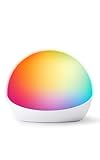
- Smart lamp and nightlight for kids - Pair with compatible Alexa devices like Amazon Echo Dot, Echo Dot Kids or Echo Pop Kids to control color and brightness with your voice.
- Make routines colorful - Create lighting cues for chore and task reminders or set a color-changing countdown timer.
- The perfect bedside lamp - Use Echo Glow as a sunrise alarm and gradually get brighter to wake you up in the morning or fade off in the evening to wind you down for bedtime.
- Mood light - With million colors to choose from, create ambient lighting to fit any mood.
- Dynamic modes - Set special modes and routines to create special light shows and lighting that reacts to music and sound.
For mains lamps, use a commercial dimmable smart bulb or certified dimmer rather than designing a mains dimmer from scratch.
Color and status lighting
Addressable LEDs are useful for color effects and voice-assistant status feedback, but they are not automatically a good primary room light. A separate warm-white lamp source plus a small status ring usually produces a more useful result.
Keep physical controls
A physical control should continue working when Wi-Fi, Home Assistant, or a cloud assistant is unavailable. A sensible mapping is:
- Short press: toggle the lamp.
- Long press: change brightness or enter a pairing/reset mode.
- Double press: activate a night-light setting.
- Hardware mute switch: disconnect microphone power or signal.
Software-only muting may not satisfy someone who wants a clear, physical privacy guarantee.
Build in this order
- Install Home Assistant on supported hardware.
- Add the ESPHome integration.
- Create the ESPHome device and connect the ESP32.
- Define the lamp as a light entity.
- Test the LED load and power supply on the bench.
- Add the physical button and verify it locally.
- Confirm operation after a power cycle and simulated Wi-Fi outage.
- Expose the light to Google Home or Alexa if desired.
- Choose a simple name such as “Desk Lamp” or “Bedside Lamp.”
- Add automations only after basic control is dependable.
- Build the final enclosure after the electronics pass testing.
Bench-test first, enclosure second. This makes it much easier to diagnose wiring, power, firmware, and network problems before the electronics are difficult to access.
Windows Errors? Fix Them Before They Spread
Repair common Windows errors and clear accumulated junk for a smoother, more stable PC - no reinstall needed.Free scan · no reinstallCrashes, No Sound, or Screen Glitches?
Random freezes, missing sound and display glitches usually trace back to one bad driver. Find and replace yours safely.Free scan · under a minuteHome Assistant and ESPHome workflow
The finished light should appear in Home Assistant, respond to local on/off commands, report its state correctly, reconnect after a power cycle, and remain physically controllable. Give the entity a stable, unambiguous name before connecting voice services.
Decide how the lamp behaves after a power failure. It might remain off, restore its previous state, start at low brightness, or use a safe night-light setting. A bedroom lamp and a hallway light may need different choices.
Connect Google Home
Home Assistant can expose its devices to Google Assistant so a Nest or Google Home device can control them. The official Home Assistant Google Assistant integration documents the available setup paths. Home Assistant Cloud can simplify setup, but its documentation states that the service has a 30-day trial followed by a paid subscription.
Google’s support documentation covers voice control and setup, while the compatible-device directory shows that features can vary by product, region, account, and software rollout.
Representative commands include:
- “Hey Google, turn on the desk lamp.”
- “Hey Google, turn off the desk lamp.”
- “Hey Google, set the desk lamp to 40 percent.”
- “Hey Google, set the desk lamp to warm white.”
These are examples, not guaranteed phrases. The available commands depend on how the entity and its capabilities are exposed.
Rank #3

- 【Dynamic RGBICWW Color Technology】Experience the future of lighting. Unlike traditional lamps that can only display one color at a time, our RGBICWW smart table lamp allows for multiple colors to be displayed simultaneously. This creates stunning, animated multi-color effects and flowing gradients, letting you DIY your lamp with light for a truly personalized and dynamic atmosphere
- 【Intuitive Touch & Smart App Control】Seamlessly integrated for a modern lifestyle. A simple tap on the top lets you power on/off or adjust brightness instantly. For full customization, connect to the "Giant Home" app via Bluetooth to unlock 16 million colors, 30+ scene modes, music sync, timers, and advanced DIY features. A streamlined experience with no extra remote to lose
- 【30+ Vibrant Scenes & Functional Lighting】From tranquil relaxation to an energetic party, switch your room's vibe in a second. Choose from over 30 preset animated scenes or create your own. This touch bedside lamp is more than just for mood; with a bright 500lm output and a wide 2700K-6500K tunable white range, this dimmable night light is also perfect for reading or as a primary light source on your desk
- 【Immersive Music Sync Experience】Bring your entertainment to life. Dynamic lighting that reacts in real-time allows the LED desk lamp to react and dance to the beat of your music, movies, or game audio. The lights change in perfect sync, creating a captivating audio-visual experience that elevates your gaming sessions and parties into something truly spectacular
- 【Smart Schedules & Modern Design for Any Room】Automate your lighting and complement your decor. Use the app to set schedules for the lamp to turn on/off, helping you wake up gently or fall asleep peacefully. Its sleek, minimalist design makes it a perfect fit for modern bedside tables, gaming setups, or living rooms
Google’s ecosystem also includes Gemini for Home voice-assistant rollouts. Google says Gemini for Home works with Google Home and Nest speakers and displays released since 2016, but availability and features vary by location and rollout. Do not assume that Google Assistant, Gemini for Home, the Google Home app, and Home Assistant integrations provide identical behavior.
Connect Alexa
The practical route is usually:
DIY lamp → Home Assistant or Matter-compatible endpoint → AlexaAmazon’s smart-home overview describes cloud-connected devices and local protocols such as Matter, Thread, Zigbee, and Bluetooth mesh. Its development-options documentation distinguishes connected devices, Alexa Built-in products, and other development paths.
For a private lamp, you normally want the lamp exposed as a light or power-control device—not a complete Alexa Built-in speaker. Representative commands include “Alexa, turn on the desk lamp,” “Alexa, turn off the desk lamp,” and “Alexa, set the desk lamp to 25 percent brightness.” Exact behavior depends on the exposed device capabilities.
Recommended Free Tools
Amazon’s smart-home add-on tutorial describes creating an integration, implementing the endpoint, configuring the service, setting up account linking, and testing it. That process is generally excessive for a private DIY lamp and is more relevant to a developer building a cloud-connected product.
Why not simply embed Google Assistant or Alexa?
A Raspberry Pi with a microphone is not automatically an Echo or Google Home. A skill or smart-home integration controls an endpoint; it does not grant the lamp the complete assistant experience.
Google’s Raspberry Pi-oriented Assistant SDK documentation describes the SDK as experimental and for non-commercial use. It should not be presented as a straightforward, future-proof way to build or sell a Google Home replacement.
Amazon’s current documentation emphasizes connected-device integrations, Matter, Alexa Connect Kit, Alexa Built-in development, and certification-oriented paths rather than a general hobbyist method for installing full Alexa on arbitrary hardware. Avoid relying on old guides that present obsolete or restricted SDKs as current.
Quick wins for a faster PC:
Scan for outdated or missing drivers - takes under a minuteDriver Scan →Repair Windows errors before they cause bigger problemsFix Now →Fix the driver behind crashes, sound loss and screen glitchesFind Drivers →Make the lamp its own voice satellite with Home Assistant Assist
If the lamp itself must contain a microphone and speaker, Home Assistant Assist is the most realistic modern route for a maker project.
User speaks
   ↓
DIY microphone and speaker satellite
   ↓
ESPHome Voice Assistant
   ↓
Home Assistant Assist pipeline
   ↓
Lamp entity or automation
ESPHome’s Voice Assistant component streams microphone audio to Home Assistant for processing. Depending on the pipeline, wake-word detection, speech-to-text, intent processing, and text-to-speech may be local, remote, or a combination.
This can reduce dependence on Google and Amazon, but it is not automatically a replacement for an Echo or Nest. It may have limited general-knowledge answers, weaker music playback, more setup, and more maintenance. Microphone sensitivity, speaker feedback, echo cancellation, room reflections, Wi-Fi reliability, false wake-ups, and response latency all matter.
Rank #4

- Note: Power adapter not included for this rechargeable lamp. Only compatible with 5VDC adapters (5VDC 2A+ recommended). When unplugged, smart power-saving mode automatically dims the light to extend battery life. The device still consumes power under standby status.
- RGBIC+WW Technology: Enjoy multi-color displays. Govee table lamp features 8 LED chips (3 LEDs per chip), 500lm brightness, and adjustable 2700K–6500K warm/cool whites—easily switch between relaxing warmth for Nightlight and focused cool light for any scene.
- Take It Anywhere with Long-Lasting Power: This rechargeable table lamp features a 4800mAh lithium battery & USB-C charging, providing 5-30 hours of light and fully charging in just 3.5 hours. As a cordless table lamp, easily move from bedroom to living room, patio, or anywhere.
- Rich Scene Modes & DreamView: Explore 72 Scene Modes, 3 Music Modes, or DIY via Govee Home App. Sync with other Govee lamps via DreamView—perfect for gatherings or cozy nights. Plus, Auto-Run Feature lets you set colors/states by time of day to match your circadian rhythm.
- Matter Support & AI Lighting Bot 2.0: Govee smart lamp works with Matter and SmartThings. Control via Alexa, Google Assistant, or Govee Home App. AI Lighting Bot 2.0 supports multi-turn conversations, helping you find the right lighting solution.
Do not combine audio features with a crowded ESP32 configuration without checking resource use. ESPHome warns that voice and audio components can consume substantial RAM and CPU and may cause crashes when too many other components are enabled.
Free tools Windows power users keep installed
One-click scans. No signup required.
Voice-satellite enclosure design
- Place the microphone opening away from the speaker port.
- Use acoustic separation between microphone and speaker cavities.
- Avoid sealing the microphone behind thick fabric or a narrow decorative slot.
- Keep the speaker away from resonant panels that distort speech.
- Provide a visible status indicator and a physical microphone-mute switch.
- Test at the intended listening distance, not only beside the workbench.
- Expect performance to worsen near hard walls, background music, or loud machinery.
A microphone and speaker do not by themselves provide commercial-speaker performance. Good voice interaction also needs noise suppression, gain control, echo cancellation, wake-word handling, and careful acoustic design.
Troubleshooting
The lamp is not discovered
- Confirm the ESP32 has stable power.
- Check serial logs and the device’s network address.
- Confirm Home Assistant and the ESP32 can reach each other.
- Check VLANs, guest Wi-Fi, multicast filtering, and client isolation.
- Try a USB reflash if OTA access has failed.
- Remove audio, Bluetooth, and other resource-heavy components temporarily.
The lamp appears in Home Assistant but voice control fails
- Test the entity directly in Home Assistant first.
- Confirm the entity is exposed to Google Home or Alexa.
- Check account linking and resync devices.
- Rename duplicate devices and avoid confusing room-like names.
- Test a simple on/off command before brightness, color, scenes, or routines.
Home Assistant documents Google Assistant synchronization issues in some configurations, including possible project-ID mismatches and a request_sync 404. Use the current integration documentation rather than assuming every account setup follows the same path.
The ESP32 reboots or the LEDs flicker
LED strips can cause voltage drops and electrical noise. Check the power supply rating, wiring, grounding, connections, and separation between the LED current path and controller supply. Brownouts can cause reboots, lost OTA access, random disconnects, and startup failures.
Voice commands work intermittently
Check microphone placement, speaker volume, enclosure openings, room reflections, user distance, Wi-Fi reliability, and whether the speaker is hearing its own response. A DIY voice satellite should be tested in its final location and at normal operating volume.
The Tool Desk
Outbyte PC Repair FREEClear out junk files and repair common Windows errorsFree Scan →Outbyte Driver Updater FREEScan for outdated or missing drivers - takes under a minuteDriver Scan →The lamp is unreliable offline
Keep basic lighting control local. A physical button should operate the lamp when Wi-Fi, Home Assistant, Google, Alexa, or an internet service is unavailable. Distinguish between offline button control, local Home Assistant control, local voice recognition, and cloud voice commands.
Privacy and maintenance
Google and Amazon integrations may send voice data to vendor cloud services. A Home Assistant Assist design can be more local, but only if the selected wake-word, speech-to-text, intent, and text-to-speech components are actually local.
Plan for ongoing maintenance. Home Assistant and ESPHome releases, account-linking behavior, cloud subscriptions, firmware support, network changes, and assistant platform policies can all affect the project. Label the enclosure, keep a recovery USB connection available, document the firmware configuration, and leave access to the reset button.
Which approach should you choose?
| Priority | Best choice |
|---|---|
| Reliable voice lighting in a weekend | ESPHome or a commercial smart bulb controlled by an existing Google Home or Echo |
| Privacy and local automation | Home Assistant Assist voice satellite |
| Low cost and low power | ESP32 for lighting control |
| Linux audio processing or media playback | Raspberry Pi, accepting greater size, power use, and software complexity |
| Safe custom enclosure with minimal electrical work | Commercial smart bulb inside the lamp body |
| Complete Google Home or Echo replacement | Not recommended for most hobbyists |
Final recommendation
Build the lamp yourself, use ESPHome or a certified smart bulb for lighting, and let an existing Google Nest or Amazon Echo handle voice input. Add a Home Assistant voice satellite only when local control and privacy justify the extra hardware and tuning.
What’s actually slowing this PC down?
Pick the symptom - the matching free tool is one click away.
The strongest DIY result is not a homemade Echo clone. It is a well-built lamp with safe low-voltage electronics, a physical fallback control, a serviceable enclosure, reliable Home Assistant integration, and clearly defined boundaries between the lamp, the smart-home endpoint, and the voice assistant.
Quick Recap
Product prices and availability are accurate as of the date/time indicated and are subject to change. Any price and availability information displayed on Amazon at the time of purchase will apply.


Leave a Reply