Recommended Free Tools
Some links on this page are affiliate links: if you buy through them we may earn a commission, at no extra cost to you.
Short answer: an MQ-2, ESP8266, and Blynk can make a useful connected prototype that reports smoke or combustible-gas trends and sends threshold alerts to a phone. It is not a certified smoke alarm, carbon-monoxide alarm, or replacement for an independently installed residential life-safety alarm.
The most reliable design uses three separate layers: local sensing and buzzer operation, a visible local status indicator, and Blynk cloud notifications. If Wi-Fi, the internet, or Blynk fails, the local alarm should still operate.
What the MQ-2 project can—and cannot—detect
The MQ-2 is a heated tin-oxide semiconductor sensor with a broad response to combustible gases and smoke. Manufacturer information lists responses including LPG, propane, hydrogen, methane, alcohol vapors, and related substances. See the MQ-2 manufacturer specifications and datasheet.
Quick wins for a faster PC:
Scan for outdated or missing drivers - takes under a minuteDriver Scan →Clear out junk files and repair common Windows errorsFree Scan →Fix the driver behind crashes, sound loss and screen glitchesFind Drivers →That broad response is useful for a learning project, but it creates important limitations:
#1 Best Overall

- Double the Detection: Alerts you to both smoke and carbon monoxide (CO)
- Real-Time Ring App Notifications: Home or away, get smoke, CO or low battery warnings (no subscription required)
- Over 25% faster smoke detection (based on internal testing vs a leading competitor)
- Optional Ring subscription (sold separately) with 24/7 smoke and CO monitoring for $5/month
- No Wiring Needed: Operates on 2-AA alkaline batteries (included) for simple use throughout your home
- It may respond to smoke, solvents, alcohol, cooking vapors, and other contaminants.
- It does not selectively identify one gas.
- A raw analog reading is not automatically a concentration in parts per million.
- It should not be described as a dependable carbon-monoxide detector.
- It is not the same sensing technology or approval category as a listed residential smoke alarm.
Use the finished device for experimental, relative, or threshold-based monitoring. For fire protection, install and maintain certified smoke alarms. For carbon monoxide, use a dedicated certified CO alarm.
Recommended system architecture
MQ-2 module
   |-- Analog output -- voltage scaling/protection -- ESP8266 ADC
   |-- Digital output -- optional GPIO comparator input

ESP8266 / NodeMCU
   |-- buzzer and warning LED
   |-- optional OLED
`-- Wi-Fi -> Blynk Cloud -> mobile/web notification- Local detection: the ESP8266 reads the MQ-2 and decides whether the filtered value exceeds the project threshold.
- Local indication: a buzzer and LED provide an alarm even if the network is unavailable.
- Remote notification: Blynk displays telemetry and sends an event notification when the alarm state changes.
Blynk lists ESP8266 among its supported boards. Its documentation covers sensor datastreams, virtual pins, events, and notifications: supported boards, sensor data, and notification management.
Parts and prerequisites
- ESP8266 NodeMCU development board.
- MQ-2 sensor or breakout module with a published pinout.
- Regulated 5 V supply capable of powering the heater.
- Buzzer, LED, and current-limiting resistor.
- Voltage-divider or level-shifting components for the analog signal where required.
- Breadboard, jumper wires, and stable USB power.
- Optional OLED display, enclosure, and environmental sensor.
- Blynk account, Arduino IDE or another supported development environment, and Wi-Fi credentials.
MQ-2 modules are not electrically identical. Confirm the supply voltage, analog-output range, digital-output behavior, pin labels, and potentiometer polarity for the exact board you bought.
PC Slower Than It Used to Be?
A free scan shows the junk files, broken settings and background clutter dragging Windows down - then fixes them in one click.Free scan · Windows 10 & 11Outdated Drivers Are Slowing You Down
One free scan finds every outdated or missing driver and matches the right update for your exact hardware.Free scan · exact hardware matchElectrical safety and ADC compatibility
The MQ-2 heater is normally operated from approximately 5 V and can consume substantial power. Published specifications differ between sensor versions and documents; one Hanwei listing gives heater power below approximately 950 mW, while an older datasheet gives below 800 mW. Use the exact component documentation rather than designing from a generic module diagram.
Some NodeMCU boards include an onboard divider and expose a wider A0 range; bare ESP8266 ADC inputs may have a much lower limit. Verify the board documentation and calculate a suitable divider or level shifter. Also:
Rank #2

- Real-Time Ring App Notifications: Home or away, get smoke or low battery warnings (no subscription required)
- Over 25% faster smoke detection (based on internal testing vs a leading competitor)
- Optional Ring subscription (sold separately) with 24/7 smoke monitoring for $5/month
- No Wiring Needed: Operates on 2-AA alkaline batteries (included) for simple use throughout your home
- Whole Home Smart Connectivity: Get mobile alerts for every Kidde alarm in your home through wire-free interconnectivity — when one alarm sounds, they all do. (Check the user guide for more information)
- Connect sensor and controller grounds together.
- Use a regulated supply with enough current for the heater and controller.
- Drive a buzzer through a suitable transistor or driver if its current exceeds the GPIO rating.
- Drive the LED through a resistor.
- Keep the heated sensor away from combustible-gas release points, sparks, and flames.
- Provide airflow to the sensing element without creating an unsafe ignition source in a flammable atmosphere.
MQ-2 warm-up and conditioning
Do not confuse a short startup delay with proper conditioning. Published guidance varies: one datasheet specifies more than 24 hours, a current product listing specifies at least 48 hours, and some module documentation recommends 48–168 hours.
For repeatable prototyping, allow at least the time specified by the exact sensor documentation; a 24–48-hour initial conditioning period is a practical minimum, with longer operation sometimes beneficial. After each power-up, readings can still drift while the heater and sensing element stabilize. Treat the device as warming up rather than ready to trigger an alarm immediately.
Do these 3 things before closing this tab:
1Repair Windows errors before they cause bigger problems2Fix the driver behind crashes, sound loss and screen glitches3Clear out junk files and repair common Windows errorsWiring reference
Module labels vary, so verify every connection against the module documentation.
| MQ-2 connection | Project connection | Important note |
|---|---|---|
| VCC or heater supply | Regulated 5 V | Confirm the module specification and supply capacity. |
| GND | ESP8266 GND | All grounds must be common. |
| AO | ESP8266 A0 through safe scaling if needed | Check the exact ADC voltage limit first. |
| DO | Optional ESP8266 GPIO | Use only if the logic level is safe. |
| Buzzer | GPIO through a suitable driver where needed | Do not exceed GPIO current limits. |
| LED | GPIO through a resistor | Never connect the LED directly without current limiting. |
Analog mode gives a changing value for filtering, trending, and relative thresholds. Digital mode is simpler: the module comparator changes state when its potentiometer threshold is crossed. That potentiometer sets a comparator point; it does not calibrate the sensor in ppm.
Create the Blynk device
Blynk interface labels can vary between the web console, mobile app, and product revisions, but the underlying workflow is stable:
Rank #3
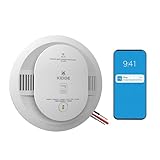
- Double the Detection: Alerts you to both smoke and carbon monoxide (CO)
- Real-Time Ring App Notifications: Home or away, get smoke, CO or low battery warnings (no subscription required)
- Over 25% faster smoke detection (based on internal testing vs a leading competitor)
- Optional Ring subscription (sold separately) with 24/7 smoke and CO monitoring for $5/month
- Whole Home Smart Connectivity: Get mobile alerts for every hardwired alarm in your home by adding just one Kidde smart detector; check the user guide for more information
- Create or open a Blynk account.
- Create a device template for the ESP8266.
- Create typed datastreams, for example
V0for the filtered sensor value,V1for alarm state,V2for warm-up or fault status, andV3for optional temperature or humidity data. - Add value and chart widgets to the dashboard.
- Create an alarm event or automation.
- Enable the desired push, email, or SMS notification channel.
- Provision the device and place its credentials in the firmware.
- Test notifications using a simulated software threshold before exposing the sensor to any hazardous material.
Datastream types matter. Blynk documents Integer, Double, and String types and warns that a value with the wrong type may be ignored. Configure a decimal sensor stream as a suitable numeric type rather than sending decimal data to an integer stream. See the Blynk datastream type documentation.
Firmware logic that does not create false confidence
The firmware should not read and upload without limits inside loop(). Use a timer, filter the sensor, and separate local alarm behavior from cloud reporting. Blynk specifically warns that excessive writes can consume message capacity or cause connection problems; its basic virtual-pin pattern is documented here.
A robust control flow looks like this:
read at a fixed interval

if warming_up:
    show WARMING UP
    keep safety alarm logic disabled
else:
    filtered = average_or_median(recent_samples)

    if filtered >= alarm_on_threshold
       for alarm_persistence_time:
        turn_on_local_buzzer_and_LED()
        set_alarm_state(true)
        send_one_Blynk_event()

    if filtered <= alarm_off_threshold
       for clear_persistence_time:
        turn_off_local_alarm()
        set_alarm_state(false)
        optionally_send_recovery_event()

    send_datastream_update_on_a_timer()
Use a lower clear threshold than the alarm threshold to provide hysteresis. Require the reading to remain high for a defined interval so a brief spike does not create an alarm. Add a cooldown so one sustained event does not generate repeated notifications.
Include explicit states for warming up, normal, alarm, sensor fault, Wi-Fi disconnected, and last successful cloud update. A disconnected sensor must not be silently interpreted as clean air.
Calibration and threshold selection
Calibration is not simply adjusting the onboard potentiometer until its LED changes state. A defensible prototype procedure is:
What’s actually slowing this PC down?
Pick the symptom - the matching free tool is one click away.
Rank #4

- Compatible with Google's Nest Protect Alarm
- Sends alerts to your phone if smoke and CO are detected through the First Alert app
- Interconnect so when one alarm sounds, all compatible alarms in the home sound
- Notifies when the batteries are low, eliminating late night chirps
- Voice alerts with Heads-Up warning tells you the type and location of danger in your home
- Complete the manufacturer-recommended conditioning period.
- Place the sensor in clean air in the intended environment.
- Record a baseline over time rather than relying on one reading.
- Measure normal noise and environmental drift.
- Use only a controlled, safe test stimulus—or simulate the alarm in software.
- Choose an alarm threshold above normal variation for the specific sensor and installation.
- Add hysteresis and a persistence interval.
- Test the clear condition and notification cooldown.
- Repeat checks after changes in temperature, humidity, power supply, or enclosure.
Do not convert a single ADC value into a universal ppm result. MQ-2 response depends on the target gas, temperature, humidity, oxygen concentration, sensor history, load circuit, and conditioning. The published sensitivity curves are gas-specific; they do not establish one accurate formula for every module and environment.
Alert design and cloud limitations
Useful Blynk states include:
- Alarm notification when the threshold remains exceeded.
- Recovery notification after the value remains below the clear threshold.
- Warm-up status that is clearly different from normal.
- Sensor-fault notification.
- Device-offline or stale-data indication.
- Last-update timestamp.
- Notification cooldown and rate limiting.
A Blynk notification is not instantaneous or guaranteed. Power loss, Wi-Fi failure, internet outages, cloud interruptions, phone settings, event configuration, and message limits can prevent delivery. The buzzer and local indicator must therefore remain independent of Blynk.
Test the complete system
| Test | Expected result |
|---|---|
| Power-on | The controller boots and shows warm-up. |
| Clean-air baseline | The reading settles within a documented range. |
| Small normal environmental change | No immediate alarm occurs. |
| Software threshold test | The local alarm and Blynk event operate. |
| Sustained high reading | The alarm remains active as designed. |
| Reading below clear threshold | The alarm clears only after the persistence period. |
| Wi-Fi disconnected | The local alarm still works and cloud status becomes offline. |
| Blynk unavailable | The device does not falsely claim a successful remote alert. |
| Controller reboot | The system reconnects and returns to the correct state. |
| Sensor disconnected | A sensor fault is reported rather than clean air. |
| Power interruption | The system restarts safely and shows warm-up. |
Never casually release LPG, propane, methane, alcohol vapor, or other flammable material indoors. Do not test near flames, switches, relays, heated elements, or other ignition sources. A safe software-generated threshold test is usually sufficient to validate the Blynk and alarm paths.
Independent reader supportYour contribution helps us test, update, and keep practical guides available for everyone.Troubleshooting
The reading is always high
Check whether the sensor was conditioned, contaminated, incorrectly wired, overvoltage-exposed, or supplied by an inadequate 5 V source. Verify the exact module pinout, ADC scaling, load circuit, and clean-air baseline. Remove hazardous test sources and allow the sensor to stabilize.
Free tools Windows power users keep installed
One-click scans. No signup required.
The reading is always low or unchanged
Confirm heater voltage, ground continuity, the AO connection, firmware pin selection, ADC configuration, and module condition. A missing common ground can produce apparently meaningless readings.
Best Value

- 【6-Pack + 1-Gateway Kit & UL 217 10th Certified】Upgrade your safety with the first-of-its-kind kit featuring 6 wireless interconnected smart smoke detectors and 1 smart hub. Certified to UL 217 10th Edition, CSFM, and FCC, this wireless smoke detector system meets strict housing codes, this fire alarm package gives landlords, homeowners, and contractors complete peace of mind.
- 【Wireless Interconnected + Smart Gateway Bundle - Whole-Home Fire Protection】One Starts, All Sounds! Two protection modes available. Without Wi-Fi, smoke alarms can wirelessly interconnect locally: when one detects smoke, all linked units trigger instantly. Paired with the included gateway, the system upgrades to smart monitoring — receive instant mobile phone alerts remotely. Integrate all Heiman interconnected safety sensors to build unified whole-house protection.
- 【Smart Smoke Detector with Real-Time App Support】Using the Heiman WS3GW-R Gateway, you will instantly receive smartphone or email notifications once an alarm occurs. Simply read the manual, download the Heiman Home App, and quickly add the device via a 2.4GHz Wi-Fi network (not compatible with 5GHz). The Gateway can also connect to other Heiman devices, such as S1-R Smoke Alarms, HS3HT-2R Temperature/Humidity Sensors, HS2DS-R Door/Window Sensors, C1-R CO Detectors, HS2WL-R Water Leak Detectors, etc. Easily group up to 24 wireless interlinked smoke detectors, or link to the gateway to build a complete fire detector suite tailored for multi-story residences, offices, and apartments.
- 【10-Year Long-Life Battery Power & Massive Cost Savings】Eliminate annual battery changes with a smoke detector 10 year battery powered solution. Powered by a 10-year CR123A lithium battery, this smoke detector 10 year battery model eliminates midnight low-battery chirps and hardwiring labor. It is a cost-effective smoke detector battery powered choice that keeps real estate investments fully protected while saving substantial money over time.
- 【Advanced Dual-Beam Photoelectric Sensor Cuts False Alarms】No more panic over burnt toast! Using dual-beam photoelectric sensing, this dual sensor smoke detector tracks slow-smoldering hazards while filtering out non-hazardous cooking vapors and dust. As a highly accurate smoke alarm for open kitchens, living rooms, bedrooms, offices, hallways, dorms, garages, and basements, these fire detectors for home spaces deliver reliable 24/7 protection with significantly reduced false alerts.
There are false alarms
The MQ-2 may respond to cleaning products, alcohol, solvents, cooking vapors, smoke, and changing environmental conditions. Increase baseline observation time, use filtering, widen the threshold margin, and add persistence and hysteresis. Do not present the result as identification of a particular gas.
Blynk notifications do not arrive
Confirm that the device is connected, the event is enabled, the datastream type matches the transmitted value, the threshold is actually crossed, phone notifications are enabled, and the event has not been rate-limited. Also check that the firmware is not flooding Blynk with writes. Blynk provides additional guidance on message usage.
The local alarm works but remote monitoring does not
This is the expected failure mode when Wi-Fi or Blynk Cloud is unavailable. Keep the local path operational, expose an offline indicator, and never describe a stale cloud dashboard as a live safety status.
Is this safe to use as a real smoke alarm?
No—not as the home’s only safety device. An MQ-2/Blynk build is a useful educational and supplementary monitoring project, but it lacks the certification, selective behavior, controlled alarm characteristics, independence from Wi-Fi, and validated life-safety performance required of a residential alarm.
Install certified smoke alarms according to local requirements and manufacturer instructions. Install a certified CO alarm where carbon-monoxide risk exists. If remote monitoring is needed, use an approved accessory or alarm interface that preserves the certified alarm’s operation rather than replacing its sensing element with an MQ-2.
Quick Recap
Possible upgrades and alternatives
- ESP32: useful when more peripherals, processing, or connectivity options are needed.
- Gas-specific sensor: preferable when the target gas is known and selective measurement matters.
- OLED and data logging: make local diagnosis easier and preserve readings during network outages.
- Temperature and humidity sensing: helps document environmental conditions, though it does not automatically correct MQ-2 readings.
- Cellular backup: reduces dependence on local Wi-Fi but increases cost, power use, and service requirements.
- Certified alarm integration: the appropriate route for combining life-safety detection with smart-home reporting.
Product prices and availability are accurate as of the date/time indicated and are subject to change. Any price and availability information displayed on Amazon at the time of purchase will apply.


Leave a Reply