Some links on this page are affiliate links: if you buy through them we may earn a commission, at no extra cost to you.
For a conventional 24VAC steam boiler with dependable thermostat power, the ecobee Smart Thermostat Premium is the strongest all-around option to investigate; the Google Nest Learning Thermostat (4th gen) is a compelling alternative if you want learning schedules or may need a no-C-wire solution. Neither is a safe blanket recommendation for every steam system. Confirm the exact boiler controls, voltage, wiring and manufacturer compatibility before buying—“boiler compatible” or “no C-wire required” does not prove a thermostat will work with your setup.
Safety first: Stop if the existing thermostat or wiring is marked 120V, 240V or millivolt, or if you cannot identify the control circuit. High-voltage, millivolt, proprietary and unfamiliar relay systems need model-specific guidance from the manufacturer or a qualified HVAC professional.
The short answer
| Pick | Consider it if… | Important qualification |
|---|---|---|
| ecobee Smart Thermostat Premium | You want remote room sensing and broad smart-home features, and your system can provide approved, reliable 24VAC power. | ecobee lists boilers and radiant heating, but verify the exact steam controls with its compatibility tool or an installer. Its included Power Extender Kit (PEK) is not proof that every steam relay is compatible. |
| Google Nest Learning Thermostat (4th gen) | You want Google Home integration and learning schedules, or your system lacks a C-wire and you are willing to check its power needs. | Google lists heat-only systems as a compatible category for this generation, but compatibility depends on the exact wiring and boiler controls. Some systems need a C-wire or Nest Power Connector. |
| Honeywell Home T9 | Remote room sensors are your main priority. | Check the exact T9 model and wiring with Honeywell Home’s compatibility checker; do not treat the product family’s sensor features as confirmation of steam compatibility. |
| Installer-approved heat-only thermostat | Your system is old, unusual or poorly documented, and dependable simple control matters more than automation. | Confirm the exact model’s manual, power requirements and steam support. Product names and specifications vary by model and region. |
These are conditional recommendations based on the documented features and compatibility guidance—not a claim that each model has been tested on every kind of steam boiler. If you cannot verify the controls, keep the existing thermostat until an HVAC professional identifies them.
Recommended Free Tools
Why steam heat changes the decision
A steam boiler heats water until it produces steam, which travels to radiators. In a typical one-pipe system, steam and returning condensate use the same pipe; in a two-pipe system, they use separate pipes. Gas- and oil-fired boilers may use different controls, and not every system uses the same thermostat voltage or wiring.
#1 Best Overall
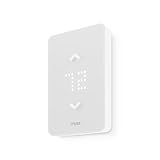
- SAVE UP TO 26% ON HEATING COSTS: Create custom schedules for every day of the week, reduce temperature when you're away, and warm up the house before you get home. Mysa's in-app scheduling cuts electric-heat bills without sacrificing comfort.
- CONTROL FROM ANYWHERE: Connects directly to your home WiFi — no hub required. Use the free Mysa app (iOS & Android) to change temperature, set schedules, and monitor every room from your couch, your office, or while on vacation.
- WORKS WITH VOICE ASSISTANTS: Pair with Apple HomeKit, Amazon Alexa, or Google Home for hands-free temperature control. Say 'set the living room to 20°C' and Mysa handles the rest.
- 120V & 240V COMPATIBLE: Works with 120V, 208V, and 240V electric baseboard heaters, fan-forced heaters, wall heaters, and convector units. Supports single-pole and double-pole configurations.
- 15-MINUTE DIY INSTALLATION: Step-by-step guide in the Mysa app walks you through every wire. No electrician needed for most homes. Requires 4 wires (neutral or second live wire) — check your existing wiring before ordering.
In a conventional installation, the wall thermostat calls for heat through a control circuit; it does not directly regulate steam pressure or operate each radiator valve. The boiler and its controls determine how heat is produced. Radiators and rooms then respond gradually, so steam generally delivers heat more slowly than a forced-air system. A thermostat or schedule designed around quick forced-air recovery may not behave as expected in a steam-heated home.
That is why generic labels are insufficient. Support for “24VAC,” “boilers,” “radiant heat” or “heat-only” does not, by itself, establish that a product works with your particular steam controls. Confirm steam compatibility for the exact thermostat and system using a manufacturer checker, an installation manual that names steam boilers, or advice from a qualified installer.
Check these four things before buying
1. Identify the voltage and system type
Look at the existing thermostat’s label, terminals and wiring, and identify what those wires connect to at the boiler. Do not assume that two wires mean low voltage. Note whether the equipment or controls indicate 24V, millivolt, 120V, 240V or a proprietary system. Thick conductors, wire nuts or high-voltage warnings are reasons to stop and get professional help.
Quick wins for a faster PC:
Repair Windows errors before they cause bigger problemsFix Now →Fix the driver behind crashes, sound loss and screen glitchesFind Drivers →Google notes that high-voltage thermostats may be marked 110, 115, 120 or 240 VAC and advises professional handling. Its guidance also warns that millivolt systems generally cannot provide the power a Nest thermostat needs. See Google’s thermostat compatibility and wiring guidance. Do not connect a standard 24VAC smart thermostat to a millivolt or high-voltage system without an expressly approved interface and installation method.
2. Find out how the thermostat gets power
A C-wire is a common return path that lets a thermostat receive continuous power; it does not itself call the boiler for heat. Many basic heat-only thermostats work with just two wires, so older steam installations often lack a C-wire. Smart thermostats may need continuous power for their display, Wi-Fi and electronics.
A two-wire system might work with a smart thermostat, but wire count alone cannot tell you whether it will. Depending on the model and controls, power may come from a C-wire, an approved adapter, a separate transformer or power sharing through the heating circuit. Power sharing can cause trouble with some gas valves, boiler relays and zone panels. Google says some systems cannot supply enough power and may need a C-wire or Nest Power Connector; ecobee says its thermostats use dedicated 24VAC power and includes a PEK with Premium. Read the manufacturers’ guidance: Google and ecobee Premium.
Do not add a generic adapter or separate transformer by trial and error. Its suitability depends on the thermostat, transformer, relay and wiring arrangement. Follow the manufacturer’s diagram and have a professional assess unfamiliar controls.
Do these 3 things before closing this tab:
1Scan for outdated or missing drivers - takes under a minute2Repair Windows errors before they cause bigger problems3Fix the driver behind crashes, sound loss and screen glitches3. Locate any relay, zone panel or extra transformer
The thermostat wires may terminate at a boiler relay, zone-control panel or other controller rather than at the boiler itself. One building may have multiple zones, thermostats or transformers. A thermostat that works on one zone is not automatically suitable for another. Identify the exact control equipment and check its compatibility before ordering.
4. Verify the exact model—not just the brand or feature label
Use the manufacturer’s current checker with your actual wiring, or find a current installation manual that explicitly covers your system. If neither settles the question, ask the manufacturer or a qualified HVAC installer to confirm the exact thermostat and control circuit. This is especially important for steam: hot-water radiator support is not the same as steam support. Compatibility also varies by market; Google distinguishes North American Nest hardware from European systems in its regional hardware guidance.
Rank #2

- PRIVACY PROTECTION*: Sensi won’t sell your personal information to third parties
- EASY DIY INSTALLATION: Use the built-in level and step-by-step app instructions for a quick installation. Works with HVAC equipment found in most homes. Common wire (c-wire) is not required in most applications
- SAVE ABOUT 23% ON HVAC ENERGY*: The ENERGY STAR-certified Sensi smart thermostat can help you save energy with features like flexible scheduling, remote access and usage reports
- SIMPLE CONFIGURATION: Looks and feels like a thermostat. Has buttons and fits the same space as a traditional thermostat so you don’t have to patch and paint your walls
- SMART MAINTENANCE: Sensi can help monitor the performance and efficiency of your HVAC system by delivering valuable usage reports, alerts about your equipment, and maintenance reminders like filter replacement
Smart thermostat picks, with the caveats that matter
ecobee Smart Thermostat Premium: best feature-rich choice when power is sorted
Best for: A homeowner with confirmed compatibility and reliable 24VAC power who wants a remote room sensor and a broad smart-home feature set.
ecobee lists boilers and radiant heating among the supported equipment for Premium. It includes one SmartSensor and a PEK, has a color touchscreen, and supports Apple HomeKit, Amazon Alexa, Samsung SmartThings and IFTTT. Its product page lists a three-year limited warranty. These features can be useful in a home where the thermostat’s location does not represent the temperature in the room you care about most.
Free tools Windows power users keep installed
One-click scans. No signup required.
Power and steam check: ecobee says its thermostats use dedicated 24VAC power through a C-wire and that the included PEK can provide power without running a fifth wire. Its product page’s boiler and radiant language is not, on its own, a specific confirmation for every steam control circuit. Run the ecobee compatibility check or obtain installer confirmation before purchase.
Subscription and fit: Core thermostat control is presented separately from ecobee Smart Security features, which require a subscription. Premium may be more thermostat than needed if you want only dependable heat-only control, and its power solution may not suit every relay or transformer arrangement. Check the current ecobee product details for current inclusions and terms.
Google Nest Learning Thermostat (4th gen): a learning option, not a wiring shortcut
Best for: A household invested in Google Home that wants a learning schedule and is prepared to verify the boiler controls and power supply.
Google lists heat-only systems among the compatible system categories for the 4th-generation Learning Thermostat. Nest thermostats may operate without a C-wire in many installations, and Google offers the Nest Power Connector for some systems that need an approved power solution.
Power and steam check: Google warns that some gas valves and relay panels need a C-wire, and an underpowered system can slowly drain the thermostat battery. Its guidance addresses forced hot water or steam as a distinct category, so do not infer that every Nest generation or every system labeled “radiant” will work. Check the exact model with Google’s compatibility guidance and use its 4th-gen product information. If the checker flags the setup or the controls are unfamiliar, get professional help.
Fit: Consider another option if you need Apple HomeKit support, have high-voltage or millivolt controls, or cannot identify the relay and power arrangement. “May work without a C-wire” is not a guarantee for a two-wire steam circuit.
Honeywell Home T9: consider it for room sensing, after model-level verification
Best for: A homeowner whose priority is using remote room sensors to make the thermostat’s temperature reading more representative.
Rank #3

- About this item Before You Buy: Mysa works only with high/line voltage electric heating systems, including 120–240V electric baseboards and fan-forced heaters. It does not work with low-voltage systems or two-wire installations. Mysa supports loads up to 1900W at 120V or 3800W at 240V, and requires at least four wires, including a neutral or a second live wire, for proper functionality. Ensure compatibility before purchase—especially if you have an older or two-wire baseboard system
- 40% Smaller + New Features, Including Adaptive Display Technology.
- Adaptive Brightness Technology - Use Sleep and Wake on Approach to Set Your Preferred Display Brightness
- Smart Integrations — Mysa works with Alexa, Google Assistant, and Apple HomeKit. Stay cozy and connected with Mysa.
- Use the app to set a schedule for your thermostat in less than a minute.
Honeywell Home’s compatibility checker helps match existing wiring to Resideo/Honeywell Home thermostat options. Use it with the exact model and wiring information; then confirm steam support and power requirements in that model’s current manual or with the manufacturer. The name “Honeywell Home” covers multiple products with different specifications, so the T9’s sensor concept alone is not evidence that a particular T9 configuration is right for a steam boiler. Start with the Honeywell Home wiring checker.
PC Slower Than It Used to Be?
A free scan shows the junk files, broken settings and background clutter dragging Windows down - then fixes them in one click.Free scan · Windows 10 & 11Outdated Drivers Are Slowing You Down
One free scan finds every outdated or missing driver and matches the right update for your exact hardware.Free scan · exact hardware matchAn installer-approved heat-only thermostat: often the sensible choice for unusual controls
If the system has an older relay, proprietary controls, uncertain voltage or multiple zones, a simpler heat-only thermostat recommended for that exact circuit may be a safer choice than a flagship smart model. Verify the exact product manual and installation method. Model availability, Wi-Fi features, C-wire requirements and steam support vary; do not rely on a family name or retailer description alone.
If no smart thermostat is confirmed compatible, keep the existing thermostat and add a separate temperature-monitoring device, or ask an installer about an approved programmable thermostat or control upgrade. Monitoring room temperature is not the same as controlling the boiler, but it avoids risking an unverified connection.
Independent reader supportYour contribution helps us test, update, and keep practical guides available for everyone.ecobee Premium vs. Nest Learning Thermostat (4th gen)
| Question | ecobee Premium | Nest Learning Thermostat (4th gen) |
|---|---|---|
| What makes it attractive? | Included SmartSensor, broad listed smart-home integrations and a PEK in the box. | Learning schedules and Google Home integration; Google lists heat-only systems as a compatible category for this generation. |
| What should you verify first? | Exact steam-control compatibility and a suitable dedicated 24VAC power method. | Exact model and steam/control compatibility, plus whether the boiler circuit can supply adequate power. |
| No C-wire? | The included PEK may help where its installation is approved for the system; it is not universal. | Some setups work without one; others need a C-wire or Nest Power Connector. |
| Remote sensing? | One SmartSensor is included, according to ecobee’s product page. | Check the current model’s official information for the sensing options that suit your household. |
| Subscription? | Core thermostat control is separate from optional Smart Security features, which require a subscription. | Check Google’s current terms for any optional services; do not assume a paid service is needed for basic heat control. |
The power question should decide before the feature comparison. A well-integrated app cannot compensate for a thermostat that is underpowered or incompatible with the boiler relay.
If there is no C-wire
First, identify what the existing thermostat wires connect to and verify voltage. Then consider only a power method approved for the thermostat and boiler controls:
- Run a C-wire: A new conductor can provide a direct power path when the equipment and wiring route support it. An installer can check the existing cable and controls.
- Use the thermostat maker’s power accessory: ecobee includes a PEK with Premium; Google offers the Nest Power Connector for some installations. Follow the model-specific instructions and confirm that the relay and transformer arrangement is supported.
- Have the transformer or relay evaluated: A professional may determine that a control upgrade or a different thermostat is appropriate.
- Do not assume power sharing will work: Drawing power through the heat-call circuit can be unsuitable for some valves and relay panels.
Do not connect a separate transformer or move wires based on terminal names alone. Multiple transformers, zone panels and boiler relays can make an apparently simple installation unsafe or unreliable.
Which smart features help with steam?
- Remote temperature sensors: Helpful when the wall thermostat is in a warm hallway, beside a radiator, near a draft or in a room that is not your priority. Check whether the thermostat controls from one chosen room, averages readings or follows a scheduled priority; those behaviors differ.
- Schedules and vacation modes: Useful for planned absences and modest temperature changes. Steam responds slowly, so test a small setback rather than assuming a large overnight drop will recover quickly or save money. Results depend on weather, insulation, boiler condition, fuel and household routine.
- Alerts: Low-temperature or connectivity alerts can help you notice a problem, but delivery may depend on power, Wi-Fi and the manufacturer’s service. Check what remains available without internet access.
- Local manual control: Before buying, confirm how the thermostat behaves during a Wi-Fi outage, whether it retains schedules and allows a local temperature change, and whether setup or some alerts depend on the cloud.
- Simple heat-only operation: For steam, clear schedules and reliable calls for heat matter more than fan, air-conditioning or heat-pump functions a home does not use.
A sensor can improve the thermostat’s measuring point, but it cannot balance radiators or repair the heating system. It will not correct a poorly pitched radiator, blocked or faulty air vent, inadequate main venting, excessive boiler pressure or an oversized boiler. If the boiler cycles rapidly or rooms heat unevenly, have the steam system assessed rather than expecting an app setting to solve it.
Installation and setup checklist
- Record what is installed: thermostat model, terminal labels, wire count, boiler make and model, relay or zone-panel model, and any voltage markings. Take clear photos before touching anything.
- Confirm the system: establish whether the heat is steam or hot water and whether the control circuit is low voltage, millivolt, high voltage or proprietary.
- Check compatibility: use the manufacturer’s current checker with the exact model and wiring, then consult the installation manual for steam and power requirements.
- Plan power before purchase: determine whether an existing C-wire works, a manufacturer-approved accessory is suitable, or professional wiring work is needed.
- Follow the official instructions: shut off power as directed and never rewire a live boiler circuit. Do not guess at terminals, jumpers or transformer connections.
- Configure for heat-only operation: select the correct equipment type and settings specified by the thermostat maker and installer; do not invent a steam cycle-rate or minimum-time setting that the manual does not support.
- Test the result: confirm that the thermostat calls for heat correctly, maintains power and operates without repeated cycling or unexpected shutdowns. If it loses power or the boiler does not respond, stop and check the manufacturer’s instructions with a professional rather than trial-and-error rewiring.
When to call an HVAC professional
Get professional help before installation if the thermostat or wiring is high voltage, millivolt or proprietary; if there are multiple transformers, a zone panel or an unfamiliar relay; if wire labels do not match the manufacturer’s diagram; or if the compatibility checker does not clearly accept the setup. Also call if a new thermostat repeatedly loses power, the boiler fails to call for heat, or the system short-cycles or overshoots after installation. A thermostat replacement is not a substitute for boiler and steam-system maintenance.
Quick Recap
Which one should you choose?
- Confirmed 24VAC and an approved, dependable power method? Investigate ecobee Premium first if you want its included remote sensor and broad platform support.
- No C-wire, but a standard low-voltage system? Check the Nest Learning Thermostat (4th gen) and Google’s compatibility guidance; be prepared to use an approved Power Connector if the controls require it.
- Room sensing is your main need? Compare ecobee Premium and Honeywell Home T9 only after confirming the exact steam setup and sensor behavior.
- Old, unusual, millivolt, proprietary or unidentified controls? Do not buy based on a generic compatibility claim. Ask a steam-qualified installer to identify the circuit and recommend an approved heat-only thermostat.
Product prices and availability are accurate as of the date/time indicated and are subject to change. Any price and availability information displayed on Amazon at the time of purchase will apply.
The Tool Desk
Outbyte PC Repair FREEClear out junk files and repair common Windows errorsFree Scan →Outbyte Driver Updater FREEFix the driver behind crashes, sound loss and screen glitchesFind Drivers →

Leave a Reply