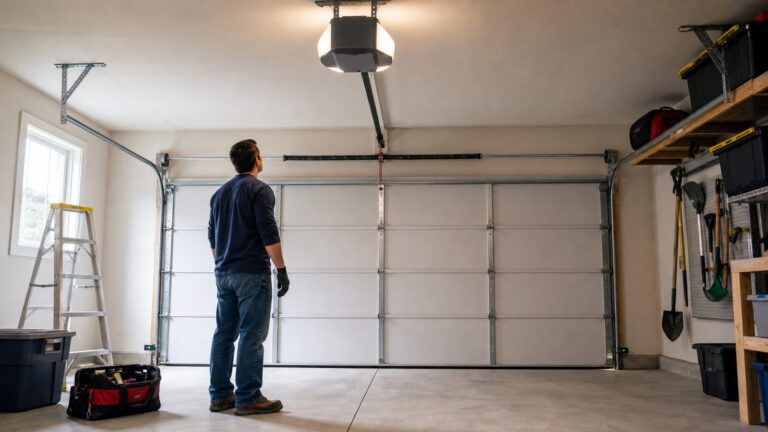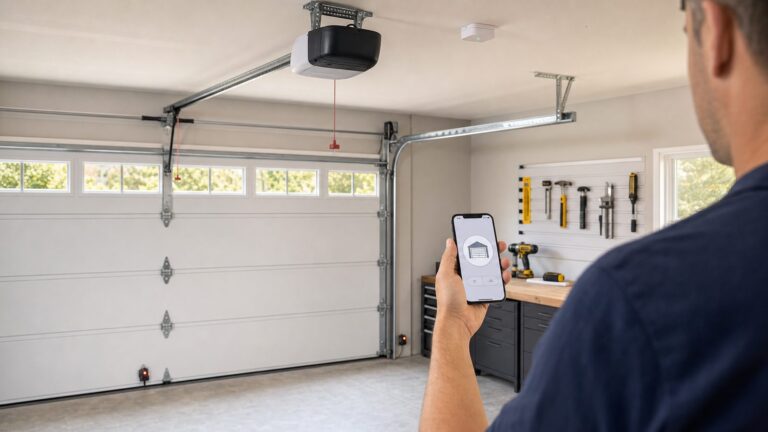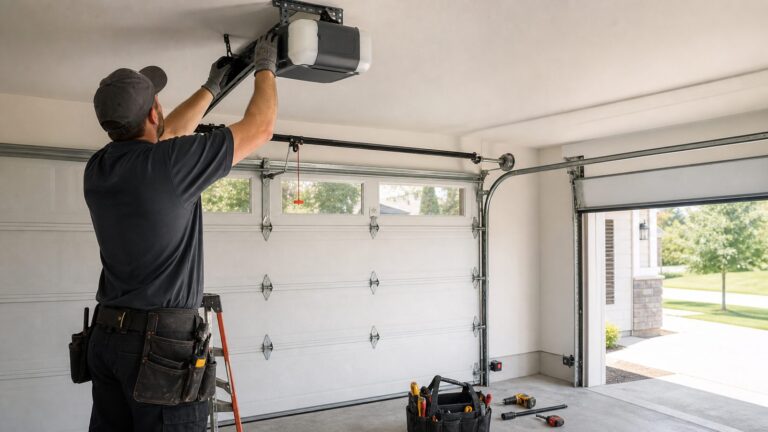
Yes, Google Home can open and close some garage doors from the Google Home app in 2026. The practical answer is more specific: it works when your garage door opener, smart controller, manufacturer account, safety sensors, and Google Home integration all support the right controls. Some homeowners get a clear open/close button. Others only see status. Some devices show up as a switch. Some require a PIN for voice control. Some popular garage systems still need a workaround or a different platform path.
On our job sites, we treat this as a home-system upgrade, not a gadget install. A garage door is a 150- to 300-pound moving wall. Before we recommend app control, we look at the opener age, photo-eye sensors, door balance, spring condition, ceiling outlet, GFCI protection, Wi-Fi signal, and who has digital access to the house. If any of those are wrong, the smart feature can become unreliable or unsafe.
This guide explains what Google Home can do, what it cannot do, what it typically costs in 2026, and how to decide between a camera-only setup, an add-on smart controller, a new smart opener, or a full door and opener upgrade.
What Google Home Garage Door Control Actually Does
Google’s garage-device model supports the basics a homeowner expects: open, close, report whether the door is open, and show problem states such as obstruction or locked status. In the real world, the exact behavior depends on how the opener or controller manufacturer exposes the device to Google Home.
Recommended Free Tools
#1 Best Overall

- “Did I shut the garage” No more worrying.
- Open or close your garage from anywhere. Simply download the free myQ app for iPhone or Android and get connected with your very own Smart Garage
- Works with Amazon Key In-Garage Delivery—an exclusive Prime member benefit that protects your Amazon packages.
- Give access to family or friends while on the go
- Never worry if the garage is closed at night by setting a close schedule
That distinction matters. Two products can both advertise smart-home compatibility and still behave differently in the Google Home app. One may show a dedicated garage door tile with status and controls. Another may show only open/closed status. Another may appear as a generic switch. Another may allow app control but restrict voice control unless you use a PIN or a separate security step.
Garage door controls started rolling out in the Google Home app in 2023. By 2026, this is no longer a brand-new feature. The continuing homeowner problem is compatibility. The garage door industry has a mix of older openers, proprietary wall consoles, security protocols, cloud integrations, bridges, add-on controllers, and brand-specific apps. That means the question is not simply whether Google Home has a button. The better question is whether your exact door system can be controlled safely and reliably through Google Home.
Detection Is Not the Same as Control
Google Nest garage door detection is useful, but it is not the same thing as controlling the door. Compatible Nest cameras can detect whether a garage door opens, closes, or is left open. That can be a good solution for homeowners who only want awareness, especially on a detached garage, rental property, or older opener that should not be modified.
Camera detection does not motorize the door. It will not press the wall button, close the door after a delivery, or replace a properly installed opener. It is a status and notification tool.
Crashes, No Sound, or Screen Glitches?
Random freezes, missing sound and display glitches usually trace back to one bad driver. Find and replace yours safely.Free scan · under a minutePC Slower Than It Used to Be?
A free scan shows the junk files, broken settings and background clutter dragging Windows down - then fixes them in one click.Free scan · Windows 10 & 11We like camera-based detection in a few cases: when the opener is too old for smart control, when the homeowner does not want remote operation for security reasons, when the garage houses tools or equipment and status alerts are enough, or when a full opener replacement is planned later. A camera also gives visual confirmation, which is valuable because app status can lag when Wi-Fi is weak or a cloud integration is delayed.
Your Four Practical Upgrade Paths
Most homeowners fall into one of four paths. The right choice depends on the age and condition of the opener, the door hardware, the electrical setup, and how much control you actually need.
| Option | Best for | Typical 2026 cost | Key limitation |
|---|---|---|---|
| Camera detection only | Homeowners who want alerts but not remote operation | Often the cost of a compatible camera or subscription, if needed | Does not open or close the door |
| Add-on smart garage controller | Newer openers with compatible wall-button wiring and working safety sensors | About $30-$150 for hardware, plus labor if installed professionally | May need adapters for proprietary wall consoles |
| New Wi-Fi smart opener | Older, noisy, or unreliable openers that are otherwise on a sound door | Commonly $218-$540 for pro installation, with Homewyse benchmarking $498-$859 per door | Electrical, sensor, or door repairs can add cost |
| Door, opener, and system upgrade | Heavy, damaged, unbalanced, poorly insulated, or outdated garage doors | Many single doors run about $600-$2,000; double or mid-range doors often $1,600-$4,500; custom doors can exceed $5,000-$10,000 | Larger scope, longer lead times, and more trade coordination |
Option 1: Camera-Based Detection
This is the least invasive path. A compatible camera watches the door and sends alerts when it opens, closes, or remains open. It is a good fit when the door is mechanically questionable or when the homeowner wants to avoid giving an app the ability to move the door.
Plan the camera location carefully. The camera needs a clear sightline to the full width of the door panel, not just a corner of the garage. We usually avoid aiming directly into bright exterior daylight because contrast can reduce reliable detection. In a typical two-car garage, a camera mounted 7 to 9 feet high on the rear or side wall often gives a better view than one tucked beside the opener rail.
Option 2: Add-On Smart Controller
An add-on controller connects to the existing opener and simulates the wall-button command. Consumer hardware often runs $30-$150. The installed cost can rise if the opener uses a proprietary security wall console, if an adapter is required, if the controller needs a better mounting location, or if the Wi-Fi signal is poor.
Before buying one, check whether your wall button is a standard dry-contact type or a proprietary console. Many basic openers work well with add-on controllers. Some Chamberlain, LiftMaster, Genie, and other branded systems require specific compatibility checks. Do not assume a controller will work just because the opener was made after 1993.
Option 3: Replace the Opener
If the opener is noisy, slow, missing modern safety features, or more than 15 to 20 years old, replacement is often the cleaner route. Retail smart openers commonly run about $150-$450 or more for the unit. Google Assistant-ready examples at large retailers commonly appear around $219, $299, $304, $423, and higher for multi-packs or premium configurations.
Rank #2

- 🧠 SMARTEN YOUR GARAGE: Universal adapter connects to existing openers & connects to WiFi to allow monitoring and control from your mobile device or voice assistant.
- 🔈 WORKS WITH ALEXA, GOOGLE HOME, IPHONE, SIRI, ANDROID: Use any device including voice assistants, like Alexa, Ok Google, Siri, or even on smart watches.
- 🏡❓👍 WORKS ON MOST OPENERS** (adapter maybe required): Not sure if your openers compatible? It likely is! If it isn't we now have an adapter that expands compatibility - contact us for an adapter 📩 **Sorry RYOBI, the eKyro opener doesn't work with you 😞
- 🏠🏠 WORKS TOGETHER: Multiple eKyro Openers can be paired together if you have more than 1 Garage Door Opener!** **Each Door will need its own eKyro Smart Garage Door Controller
- 💰 NO FEES**: All features come without monthly fees attached including Alexa, Google Assistant (OK Google), Siri, Scheduling, Automatic Door Closing and the ability to open/close the door or monitor anywhere your phone has service! **Additional alerts like SMS messages or phone calls may cost extra, but are not needed for device functions
Professional opener installation varies by market and scope. Angi’s 2026 data puts professional garage door opener installation at $218-$540, with an average around $379. Homewyse’s May 2026 benchmark is higher at $498-$859 per door for installing an automatic opener. The spread is real. It depends on opener type, ceiling height, old opener removal, wiring, accessories, door weight, and whether the installer is correcting unsafe conditions at the same time.
The Tool Desk
Outbyte Driver Updater FREEFix the driver behind crashes, sound loss and screen glitchesFind Drivers →Outbyte PC Repair FREEClear out junk files and repair common Windows errorsFree Scan →Option 4: Full Garage Door and Opener Upgrade
If the door is warped, cracked, dented, rusted, poorly insulated, or hard to lift by hand, do not start with the app. Start with the door. A new opener will not fix bad springs, bent tracks, damaged rollers, or a door that is out of balance.
In 2026, many single-door replacement projects fall around $600-$2,000. Double doors and mid-range doors commonly land around $1,600-$4,500. Custom wood, glass, oversized, high-wind, or premium insulated doors can run $5,000-$10,000 or more. A smart opener is only one line item in that larger system.
The Pre-Install Checklist We Use Before Adding Smart Control
Before we recommend Google Home control, we want the garage system to pass a basic field check. This is the same practical checklist we use when evaluating a garage during a remodel, addition, or opener replacement.
1. Opener Age and Safety Labeling
If the opener predates modern safety requirements, replacement is usually the right answer. Openers manufactured before 1993 are a red flag because modern external entrapment protection became standard around that period. Many myQ-compatible systems assume the opener has safety sensor eyes, which most openers made after 1993 usually have.
Quick wins for a faster PC:
Fix the driver behind crashes, sound loss and screen glitchesFind Drivers →Clear out junk files and repair common Windows errorsFree Scan →Look for the opener label, model number, date, and any UL 325 safety information. If the label is missing, painted over, or unreadable, treat the opener as unknown until a garage-door professional inspects it.
2. Photo-Eye Sensors
Photo eyes should be installed near the bottom of the door opening, typically around 4 to 6 inches above the floor depending on manufacturer instructions. They must be aligned, secured, and wired correctly. If the door will not close unless someone holds the wall button, the system is telling you there is a sensor or obstruction problem. Do not bypass the sensors to make app control work.
3. Door Balance
A balanced sectional garage door should stay roughly in place when disconnected from the opener and lifted halfway by hand. If it slams down, shoots upward, binds, or feels unusually heavy, the springs or hardware need service. This is not a homeowner adjustment. Garage door springs are under serious tension and can cause severe injury.
4. Tracks, Rollers, Hinges, and Springs
Smart control adds remote use, which means the door may run when you are not standing next to it. That makes mechanical condition more important, not less. We look for cracked hinges, loose fasteners, worn rollers, frayed lift cables, bent vertical tracks, rubbing panels, and spring corrosion. Coastal and high-humidity garages need extra attention because salt air and moisture are hard on metal hardware and electronics.
Do these 3 things before closing this tab:
1Repair Windows errors before they cause bigger problems2Scan for outdated or missing drivers - takes under a minute3Clear out junk files and repair common Windows errors5. Ceiling Outlet and GFCI Protection
Many garages have a ceiling receptacle near the opener. It should be properly located, securely mounted, grounded, and compliant with current local electrical requirements. Modern garages commonly require GFCI protection for receptacles. A nuisance-tripping GFCI can make a smart opener appear unreliable because the opener loses power and drops offline.
If there is no properly located receptacle, do not run an extension cord across the ceiling. Have a licensed electrician price a dedicated receptacle or circuit correction. Electrical work is not automatically included in a standard opener quote.
Rank #3

- SINGLE DOOR SMART CONTROL KIT: This kit is designed to upgrade one garage door opener with everything you need for smart control. Simple, streamlined setup for one door.
- CONTROL & MONITOR FROM ANYWHERE: Open, close, and quickly check your garage door status from anywhere using your smartphone. Compatible with iOS, and Android.
- DELIVERS PEACE OF MIND: Get notified if you door is open late at night or open for a long time.
- WORKS WITH ALEXA, RING, AND MORE: Works with smart home systems and products you already own including most security systems.
- WORKS WITH AMAZON KEY: Prime customers can have their packages securely delivered in the garage.
6. Wi-Fi Signal at the Opener
Smart garage systems usually need reliable 2.4 GHz Wi-Fi at the opener or controller. Garages are often weak-signal areas because of fire-rated walls, masonry, metal doors, appliances, vehicles, and distance from the router. A weak signal causes delayed status updates, failed close commands, and false open or closed states.
We like to see a stable signal at the opener location before mounting hardware. If the homeowner’s phone drops to one bar in the garage, the opener probably needs a mesh node, better router placement, or a hard look at network coverage before smart control is added.
Free tools Windows power users keep installed
One-click scans. No signup required.
Google Home, myQ, and Compatibility Reality
Chamberlain and LiftMaster myQ systems are common in American garages, so homeowners naturally ask whether myQ works directly with Google Home. The careful answer is: check Chamberlain’s current supported integrations before promising direct Google Home control. myQ compatibility with openers and myQ support for specific platforms are separate issues.
myQ says most garage door openers made after 1993 are generally compatible with myQ technology because they usually have safety sensor eyes. That does not mean every myQ setup exposes full open and close control in Google Home exactly the way a homeowner expects. Supported partners, integrations, subscriptions, bridges, and app behavior can change.
The same caution applies to other brands. Do not assume every Chamberlain, LiftMaster, Genie, Meross, Tailwind, Wyze, or Matter-labeled device behaves the same way in Google Home. The phrase “works with” may mean status, control, voice support, a cloud link, a hub requirement, or partial functionality.
What It Costs in 2026
Smart garage door costs vary because the opener is only one part of the system. Door weight, opener type, ceiling height, electrical condition, Wi-Fi coverage, accessories, and door hardware all affect the final number.
| Scope | Typical 2026 price range | What can raise the price |
|---|---|---|
| Add-on smart controller hardware | About $30-$150 | Adapter kits, proprietary wall consoles, labor, poor Wi-Fi, sensor replacement |
| Retail smart opener unit | About $150-$450+ | Battery backup, camera, lighting, belt drive, wall-mount jackshaft design, higher horsepower |
| Professional opener installation | About $218-$540, with an average around $379 in some 2026 data | Old opener removal, tall ceilings, heavy doors, accessories, wiring changes |
| Homewyse opener installation benchmark | $498-$859 per door as of May 2026 | Location, labor market, site conditions, project complexity |
| Single garage door replacement | Often about $600-$2,000 | Insulation, windows, wind rating, finish, hardware condition |
| Double or mid-range door replacement | Often about $1,600-$4,500 | Door size, material, insulation, opener upgrade, framing or trim work |
| Custom or premium door | $5,000-$10,000+ | Wood, glass, oversized doors, specialty tracks, custom finish, high-performance insulation |
For a straightforward newer opener with good wiring and good Wi-Fi, an add-on controller may be the cheapest path. For a 20-year-old opener with a loud chain drive, weak light, worn wall button, and questionable sensors, replacement is usually better value. For a door that is hard to lift or has failing hardware, budget for garage-door service before smart controls.
Safety, Code, and Permit Notes
A garage door opener is both electrical equipment and a moving mechanical system. Local requirements vary, so the right answer is not the same in every jurisdiction. For construction planning, we look at three areas: opener safety standards, electrical code, and any state-specific rules.
Modern residential garage door openers are expected to have entrapment protection such as photo-eye sensors and auto-reverse behavior. If a door fails the reversal test, remote control should not be added until the system is repaired. App control increases the chance that the door moves when the operator cannot see the opening.
Electrical work may require a licensed electrician. Adding or relocating a ceiling receptacle, correcting ungrounded wiring, extending a circuit, or addressing GFCI problems should not be treated as a casual handyman task. In many garages, GFCI protection is expected for receptacles, and local inspectors may have specific interpretations.
California has an additional issue: battery backup. State law requires battery backup capability for certain newly sold or installed residential garage door openers. That rule came after wildfire-related power outage concerns. If you are replacing an opener in California, battery backup is not just a convenience feature; it may be part of compliance.
Rank #4

- Smartphone control: Control, secure and monitor your garage door from anywhere.
- Universal: Works with all major brands of garage door openers manufactured after 1993 that use photoelectric sensors that do not change to a low power mode.
- New design: Compact modern design with a white finish that blends in with ceilings, walls and garage doors. New mounting plate simplifies install.
- Improved setup: Bluetooth Low Energy (BLE) integration makes setup easier than ever. Download the myQ App and follow the in-app instructions to get set up in minutes.
- Works with Amazon Key: Enables convenient and secure In-Garage Delivery.
Security Settings Homeowners Should Not Skip
Garage access is house access in many homes. If the garage has an interior door to the kitchen, mudroom, laundry room, or hallway, smart garage control should be managed like a front-door lock.
Use unique passwords and PINs. Turn on account security features where available. Remove old users after a move, remodel, rental turnover, divorce, service visit, or contractor access period. Do not leave previous owners, tenants, pet sitters, or tradespeople in the app because nobody remembers to clean up shared garage access later.
Be careful with location-based automations that open the garage automatically when a phone approaches the house. They can be convenient, but they can also trigger when someone walks by with your phone, when GPS drifts, when a family member arrives unexpectedly, or when the car is parked outside. If you use them, set tight rules and test them thoroughly.
For families with children or pets, set household rules. No standing under a moving door. No racing under the door. No app operation when someone is in the garage opening. Remote control should include audible and visual warning behavior from the opener or controller, and the sensors should be kept clean and aligned.
Independent reader supportYour contribution helps us test, update, and keep practical guides available for everyone.When to DIY vs. When to Hire a Pro
A competent homeowner can sometimes install an add-on smart controller in 30 to 90 minutes. That assumes the opener is modern, the wall-button wiring is accessible, the controller is compatible, the photo eyes work, and the Wi-Fi signal is strong. The work is usually low-voltage wiring and app setup, not spring adjustment or electrical circuit work.
DIY is reasonable when the opener is newer, the door passes a basic balance check, the wall button uses simple compatible wiring, there is a strong 2.4 GHz Wi-Fi signal, the ceiling outlet already exists, and the homeowner is comfortable following the manufacturer’s instructions exactly.
Hire a garage-door pro when the door is heavy, uneven, noisy, binding, missing photo eyes, failing reversal tests, or showing spring, cable, roller, hinge, or track problems. Hire a licensed electrician when you need a new receptacle, circuit work, grounding corrections, GFCI troubleshooting, or wiring cleanup. Hire both trades when the garage is being remodeled, finished, insulated, or converted into a higher-use space.
What’s actually slowing this PC down?
Pick the symptom - the matching free tool is one click away.
For new garages and major remodels, plan the opener location early. We typically want a properly located ceiling receptacle near the opener, a clean path for the rail or wall-mounted unit, enough headroom and side room for the door hardware, good lighting, reliable Wi-Fi coverage, a logical keypad location, and service access around the opener. If a camera is desired, plan the sightline and power before drywall.
Troubleshooting Common Google Home Garage Door Problems
Google Home shows status but no open or close button
The device may expose only sensor status to Google Home, or the manufacturer integration may not support direct control. Check the device’s native app and the manufacturer’s current Google Home support details.
Voice control asks for a PIN
That is normal for many security-sensitive devices. Garage doors and locks may require extra authentication because accidental voice commands can create access risk.
The garage door appears as a switch
Some integrations expose the device in a generic way. It may still work, but the labeling can be confusing. Confirm that “on” and “off” correspond to the intended open and close behavior before relying on it.
Best Value

- SMART GARAGE CONTROL Open and close your garage door from anywhere with your smartphone through the Alexa,Google home .Make your existing garage door smart. Remote and Voice Control, just tapping the smartlife app from anywhere or speaking to your Alexa, Google Assistant or SmartThings devices. To let in your family, guests or couriers through the garage door while you are cooking or not at home
- Compatibility : our smart garage door controller can compatible most of the brand garage openers. Scroll down and check your model compatibility in the "Technical Specification - Application Guide"
- Guest Smartphone control: Control, secure and monitor your garage door from anywhere and receive real-time notifications when your garage door is opening or closing.
- Only work with 2. 4 GHz WIFI CONNECTION ,5G is not supported! offers quick and easy installation without the need for a professional.
- BEST IN CLASS SECURITY SIMPLE SETUP Wireless installation with easy step by step instructions and video provided it's means you’ll be able to enjoy smart garage control in minutes
The app says obstructed or locked
Check the photo-eye sensors, door path, manual lock, trolley position, and opener error lights. Do not keep sending close commands. If the obstruction message returns after clearing the opening, have the system inspected.
Commands are delayed or fail
Test Wi-Fi at the opener, not just inside the house. Rebooting the router may help once, but repeat failures usually point to weak coverage, cloud-service issues, power interruptions, or a device integration problem.
The door works from the wall button but not the smart controller
The opener may use a proprietary wall console, the controller wiring may be wrong, or the opener may require an adapter. Stop before experimenting with random terminals. Check the opener model and controller compatibility chart.
Our Bottom Line
Google Home garage door control is a useful upgrade when the underlying garage system is ready for it. The best installations are boring in the right way: the door is balanced, the opener is modern, the photo eyes work, the outlet is right, the Wi-Fi is strong, and the app permissions are cleaned up.
If your opener is fairly new and compatible, an add-on controller can be a low-cost improvement. If the opener is old, loud, unreliable, or missing modern safety behavior, replace it. If the door itself is worn, heavy, corroded, or poorly insulated, solve the door system before adding smart controls.
The app button is the visible part. The quality of the upgrade is everything behind it.
Frequently Asked Questions
Can Google Home open and close my garage door in 2026?
Yes, Google Home can control some compatible garage doors through the Google Home app. Whether you get full open and close control depends on the opener, smart controller, manufacturer integration, account setup, and safety status.
Why does my garage door show in Google Home but not open or close?
The device may be exposing only status, not control. Some integrations show open or closed state but do not provide direct commands in Google Home. Check the manufacturer’s current compatibility details and the device’s native app.
Does myQ work directly with Google Home?
Do not assume it does. Many openers made after 1993 are generally compatible with myQ technology, but that is different from direct Google Home control. Check Chamberlain’s current supported integrations before buying hardware.
Do I need a new opener or just a smart garage-door controller?
Use an add-on controller if the opener is modern, compatible, safe, and reliable. Replace the opener if it is old, noisy, missing working photo eyes, failing reversal tests, or uses incompatible controls. Repair the door first if it is out of balance or has worn springs, rollers, cables, or tracks.
How much does smart garage door opener installation cost in 2026?
Add-on smart controllers often cost about $30-$150 for hardware. Smart opener units commonly run about $150-$450 or more. Professional opener installation often ranges from about $218-$540, while Homewyse benchmarks automatic opener installation at $498-$859 per door as of May 2026.
Is Nest garage door detection the same as controlling the garage door?
No. Compatible Nest cameras can detect and notify you when a garage door opens, closes, or is left open. That is status awareness, not motorized control. You still need a compatible opener or controller to open and close the door.
Quick Recap
Product prices and availability are accurate as of the date/time indicated and are subject to change. Any price and availability information displayed on Amazon at the time of purchase will apply.