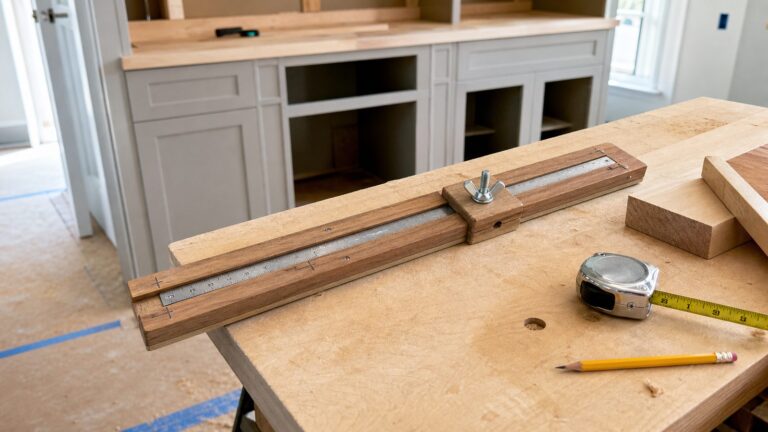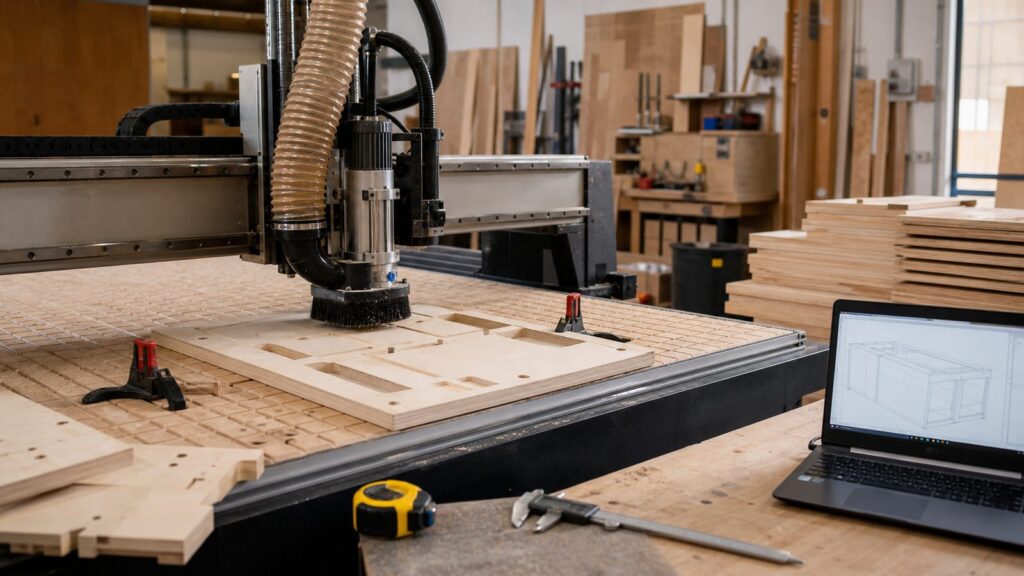
A CNC router can turn a clean digital drawing into repeatable wood parts, but the machine is not the whole story. For home projects, the real workflow starts before software: measure the space, understand what the part needs to do, choose the right material, plan installation, then cut a test piece before committing to finished stock.
On our job sites, the best CNC work is not the most complicated carving. It is the part that fits the wall, clears the outlet, lands on studs, accepts finish cleanly, and can be repeated without hand-layout errors. That may be a cabinet side panel, a closet shelf template, a drilling jig for cabinet pulls, a garage wall organizer, a stair skirt pattern, or a set of decorative wall panels.
If you are getting started with CNC, begin with 2D and 2.5D design. That means profiles, pockets, holes, dados, rabbets, signs, panels, shelving parts, and templates. Leave full 3D carving for later. It adds longer run times, more expensive bits, harder sanding, and more opportunities to ruin material.
The Beginner CNC Workflow, Start to Finish
A reliable CNC process follows the same sequence every time. Skipping steps is how a perfect-looking file becomes a bad part.
Quick wins for a faster PC:
Clear out junk files and repair common Windows errorsFree Scan →Fix the driver behind crashes, sound loss and screen glitchesFind Drivers →#1 Best Overall

- All-Aluminum Structure & Enhanced Stability: Engineered with an all-metal framework and linear rail Z-axis, the FoxAlien Masuter Pro offers superior precision, durability, and stability for detailed engraving and cutting on wood, acrylic, MDF, nylon, and more.
- Upgraded Dust-Proof Controller & User-Friendly Design: Features a compact, dust-resistant controller box with easily accessible emergency stop and home buttons for safer, more convenient operation.
- Versatile Spindle Compatibility & Customization: Includes two spindle clamps (52mm & 65mm) compatible with 60W and 300W spindles, as well as custom upgrade options like 65mm router or 1.5KW spindle for advanced carving needs. It also supports the 69mm spindle clamp, please buy separately.
- Quick Assembly & Pre-Wired Components: Main parts are pre-assembled with pre-wired wiring to the controller, plus a detailed step-by-step manual—set up in just 10-15 minutes, ideal for hobbyists and DIY enthusiasts.
- Large Working Area & Expandability: Features a generous 15.75” x 15.75” x 2.36” (400 x 400 x 60mm) engraving surface, with optional Y-axis extension kit, perfect for larger projects and versatile woodworking applications.
- Measure the space or part. Record finished dimensions, wall conditions, obstacles, hardware locations, and material thickness.
- Draw clean 2D geometry in CAD. Use simple lines, arcs, circles, rectangles, and accurate dimensions. Close your shapes.
- Choose material and tooling. Confirm stock thickness, bit diameter, grain direction, and whether cuts are inside, outside, or on the line.
- Create CAM toolpaths. Set cut depth, pass depth, feeds, speeds, tabs, pockets, profiles, and drilling operations.
- Simulate the job. Check that the bit cuts the correct side of the line and does not remove the wrong area.
- Post-process G-code. Export the machine-readable file for your specific CNC controller.
- Set up the machine. Secure the stock, install the bit, zero X/Y/Z, turn on dust collection, and verify clearance.
- Run a test cut. Use scrap material or a small section first, especially for fit-critical parts.
- Cut the production part. Stay nearby, listen for chatter, and pause if the material shifts or the bit overheats.
- Sand, finish, and install. Confirm fit before final paint, stain, fasteners, adhesive, or caulk.
For a first useful home project, we usually recommend something flat, functional, and forgiving: a garage tool organizer, a cabinet pull drilling jig, a house-number sign, a closet shelf template, or a floating shelf bracket template. These teach measurement, toolpaths, workholding, sanding, and installation without risking a full room of expensive cabinetry.
Start With a Simple Design That Solves a Real Problem
The first mistake beginners make is designing for the machine instead of the home. A CNC router can cut elaborate patterns, but a home project has to survive handling, finishing, movement, fasteners, and daily use.
A good first design has these traits:
- It fits on your machine bed with at least 1 in. of safe margin around clamps or screws.
- It uses one material thickness, such as 1/2 in. MDF, 3/4 in. plywood, or 1/4 in. hardboard.
- It uses one or two bits, such as a 1/4 in. end mill and a 60-degree or 90-degree V-bit.
- It has no tiny fragile details narrower than the bit diameter.
- It can be sanded and finished without hours of handwork.
- It can be installed with normal fasteners, anchors, cleats, or screws into framing.
For example, a garage wall organizer cut from 3/4 in. plywood might be 24 in. wide by 36 in. tall, with 1/4 in. mounting holes, 3/8 in. slots for hooks, and a 1/8 in. roundover after cutting. A cabinet pull jig might be 4 in. by 18 in., cut from 1/4 in. acrylic or hardboard, with holes spaced at 3 in., 3-3/4 in., 5 in., and 6-5/16 in. centers. Those are not flashy projects, but they build the skills you need for built-ins and cabinetry.
Think in 2D Before 3D
Most home CNC work is 2D or 2.5D. A profile cut follows the outside or inside edge of a shape. A pocket removes material to a set depth. A drill operation makes holes. A V-carve uses a V-shaped bit for lettering or decorative grooves. These operations cover signs, shelf parts, drawer fronts, cabinet panels, templates, wall panels, inlays, and jigs.
Recommended Free Tools
Full 3D carving uses surface models and many small stepovers. It can look impressive on screen, but it may take 2 to 8 hours to cut, then another 1 to 3 hours to sand. For residential work, that usually makes sense only when the detail is worth the labor, such as a custom mantel detail, furniture component, or specialty panel.
Measure Twice Digitally Before You Draw
CNC accuracy does not help if the field measurements are wrong. Houses are rarely square, flat, or level. A wall that looks straight may bow 1/4 in. over 8 ft. A floor may drop 3/8 in. across a closet. A nominal 3/4 in. plywood panel may actually measure 0.703 in., 0.720 in., or 0.750 in. depending on supplier and grade.
Before CAD, make a field checklist:
- Overall dimensions: width, height, depth, diagonal measurements, and finished clearances.
- Obstacle map: outlets, switches, vents, baseboards, casing, registers, plumbing cleanouts, access panels, and thermostats.
- Wall condition: bow, hump, out-of-plumb corners, tile thickness, drywall build-up, and baseboard projection.
- Framing and anchorage: stud locations, blocking, masonry, concrete, or metal framing.
- Material thickness: measure actual stock with calipers, not the label on the shelf.
- Hardware locations: hinges, drawer slides, shelf pins, pulls, brackets, cleats, and fastener zones.
- Finish allowance: paint, primer, veneer, laminate, edge banding, and clear coat can change tight fits.
For built-ins, we often leave 1/8 in. to 1/4 in. of scribe allowance at walls, depending on the condition of the room. For cabinet doors and drawer fronts, reveal targets may be tighter, often around 1/8 in., but that assumes square openings and consistent hardware. A CNC part still needs room for the realities of installation.
CAD and CAM: What Each Step Actually Does
CAD is where you draw the part. CAM is where you tell the machine how to cut it. Some programs combine both. Others require moving files between tools.
In CAD, define the geometry: finished size, hole spacing, slot widths, radii, panel outlines, dado locations, and reference points. In CAM, define the machining: bit diameter, cut depth, pass depth, feed rate, spindle speed, ramping, tabs, and whether the tool cuts inside or outside the line.
Rank #2

- 【Precise CNC Engraving Machine】This CNC router machine uses a 32-bit STM32 processor and GRBL control, achieving 0.1mm engraving accuracy and speeds up to 1500mm/min. It's perfect for detailed work on wood, plastics, acrylic, and soft metals like copper and aluminum.
- 【Desktop engraving machine】With a overall size of 420x355x280mm and a spacious 300x180x40mm work area, this compact CNC mill is a perfect desktop workshop for beginners and creators, ideal for education, prototyping, and personal projects.
- 【User-Friendly CNC Machine】Wood carving machine operate easily via USB connection. Compatible with popular software like Artcam and Fusion360, this engraving machine is officially supported on Windows XP through Win 10 systems.
- 【Versatile CNC Router & Mill】CNC wood cutting machine with a 775 spindle (7000-9000 RPM) and an ER11 collet that supports 0.5-7mm bits, this machine functions as both a capable CNC router for woods/plastics and a light-duty CNC mill for soft metals.
- 【Peace of Mind: Certified Assurance and Professional Support】The product holds multiple international safety certifications including CE-EMC, CE-LVD, CE-MD, CE-RED, ROHS, FCC-Sdoc, and FCC-ID, guaranteeing quality assurance. The main components are pre-assembled with clearly labelled cables, ensuring straightforward and swift installation. Our dedicated customer service team provides 24-hour technical support, ensuring a seamless experience from assembly to operation.
Common beginner-friendly software choices include Vectric VCarve, Autodesk Fusion, Carbide Create, Easel, SketchUp with CAM plugins, and machine-specific control software. VCarve is widely used for sign, cabinet, and 2.5D woodworking. Fusion is stronger for parametric design and integrated CAD/CAM, especially when dimensions need to update across several related parts.
| Software or Cost Item | Typical 2026 US Cost | Best Fit |
|---|---|---|
| Free or limited CNC software | $0, often with feature limits | Simple signs, basic profiles, learning workflow |
| Vectric VCarve Desktop | $349 | Small signs, plaques, 2.5D parts up to 24 in. x 24 in. |
| Vectric VCarve Pro | $699 | Larger signs, cabinet-style work, projects beyond Desktop size limits |
| Autodesk Fusion Personal | $0 for qualifying non-commercial users, with limited CAM functionality | Learning parametric design and personal projects |
| Autodesk Fusion commercial | $680/year standard price, with promotional pricing sometimes shown around $510/year | Professional CAD/CAM, parametric parts, contractor workflows |
Do not pick software only by price. Pick the program you can use accurately. A $0 tool that causes repeated scrap can cost more than paid software after one sheet of cabinet-grade plywood and a weekend of rework.
Material, Bits, and the Details That Decide Cut Quality
Your design should define the stock before CAM begins. MDF, plywood, Baltic birch, hardwood plywood, prefinished panels, solid hardwood, acrylic, and composite panels all cut differently. Sheet goods also vary by supplier and region, so price locally and include waste. For visible built-ins, add test material for finish samples, grain matching, and one full-scale prototype when the fit matters.
If you are cutting composite wood products for interior use, pay attention to formaldehyde emission compliance. In the United States, composite wood products such as hardwood plywood, MDF, and particleboard are subject to federal formaldehyde emission standards. For a home interior, especially bedrooms, closets, offices, and children’s spaces, buy labeled compliant materials from reputable suppliers.
Basic Router Bit Choices
For plywood and MDF, bit choice affects tearout, chip evacuation, heat, and edge quality. A few practical rules help:
- Downcut bit: cleaner top edge, useful for visible faces, but chips are pushed downward, so deep cuts need care.
- Upcut bit: better chip evacuation, useful for deeper cuts and slots, but it can tear the top veneer.
- Compression bit: clean top and bottom edges when the cut depth and machine rigidity allow the compression geometry to engage properly.
- Straight bit: simple and common, but often less efficient at chip removal than spiral bits.
- V-bit: used for lettering, chamfers, decorative grooves, and V-carving.
Quality individual carbide bits commonly run about $20 to $100 or more each. Budget starter sets may cost $20 to $60, but the edge quality and tool life are inconsistent. A dull bit creates heat, fuzzy edges, smoke, chatter, and bad dimensions.
Plan for Round Inside Corners
A CNC router spins a round tool, so it cannot cut a sharp square internal corner. If a square-edged board needs to fit into a CNC-cut slot, add dogbone or T-bone fillets. For a 1/4 in. bit, the relief must be large enough for the mating corner to clear. This is one of the most common beginner mistakes in tab-and-slot furniture, shelving, and cabinet jigs.
What’s actually slowing this PC down?
Pick the symptom - the matching free tool is one click away.
Machine Setup: Accuracy Comes From the Whole System
A CNC file can be perfect and still cut poorly if the setup is weak. Accuracy depends on stock flatness, spoilboard condition, bit sharpness, machine rigidity, feeds and speeds, workholding, dust extraction, and calibration.
Before the first cut, check the basics:
- The spoilboard is flat and surfaced.
- The stock is not cupped, twisted, or rocking.
- Clamps, screws, tape, or vacuum hold-down are outside the toolpath.
- The bit is fully seated with proper collet engagement.
- The machine is zeroed to the correct corner or center point.
- The Z-zero matches the CAM setup: top of stock or machine bed.
- Dust collection is running and the hose will not snag.
- The first pass is shallow enough for the machine and material.
For small routers, a 1/4 in. bit cutting 3/4 in. plywood may need several passes, often 1/8 in. to 1/4 in. per pass depending on rigidity, spindle power, and bit quality. Do not force a light-duty desktop machine to behave like a production cabinet-shop router.
Rank #3

- Small home machine for light-duty work, with a robust and rigid structure. Repeatability accuracy ±0.01mm and cutting accuracy of 6061 aluminum plate ±0.05mm
- [800w Trim Router & Upgradeable 1.5kw Spindle ] Comes with 800W trim router & Er11-1/8" collet with 6-speed settings (8000-24000 RPM). Can easily cut metals such as aluminum, copper, etc. Software-controlled run/stop functionality, with speed adjustment requiring manual dial control. Comes with ⌀65mm spindle mount, it can be directly upgraded to our 1.5kw spindle kit for greater cutting capacity, precision and improved efficiency
- [Dual Linear Guides & Upgradeable Ball Screws] Each axis (X, Y, Z) is equipped with MGN-15 dual linear guides and T8 lead screws. It has high precision, high rigidity and high load for metal cutting, and improved dust protection for X and Y axes. 1204 ball screw kit available for upgrade.
- [Nema 17 stepper & Upgradable Closed-loop Motor] The 3030-Evo Max employs a higher-torque 650mN·m stepper motor compared to the common Nema17 motor (420mN·m), significantly enhancing its capability to process metallic materials. Upgradeable Nema17 closed-loop motor to obtain greater torque and achieve no step loss.
- [Easy Assembly & Upgradeable 3060 Table] Major components pre-assembled with clear cable management, accompanied by a detailed paper user manual and assembly/demo video for quick setup. The 3060 extension table base can be upgraded. The steps are simple, just remove the original base and replace it.
Tabs matter too. A small part cut fully loose can move into the bit and become scrap. For a 6 in. by 12 in. plywood part, two to four tabs might be enough. For larger profiles, use more. Make tabs thick enough to hold, commonly around 1/8 in. to 3/16 in. for 3/4 in. plywood, then trim and sand them after cutting.
What CNC Costs in 2026
The machine is only part of the budget. A realistic beginner setup includes software, bits, workholding, dust collection, measuring tools, hearing and eye protection, finishing supplies, scrap material, and sometimes electrical work.
Free tools Windows power users keep installed
One-click scans. No signup required.
| Setup Level | Typical 2026 Cost | What It Can Handle |
|---|---|---|
| Desktop hobby CNC router | $500-$3,000 | Small signs, templates, craft-scale parts, light-duty wood and plastics |
| Small prosumer CNC, about 2 ft. x 4 ft. to 4 ft. x 4 ft. | $2,000-$6,000+ | Furniture parts, larger templates, small cabinet components, repeatable home projects |
| Entry-level 4 ft. x 8 ft. router | $5,000-$15,000+ | Full sheet goods, cabinet parts, wall panels, larger built-in components |
| Professional cabinet-shop package | Tens of thousands of dollars | Production cabinetry, automatic tool changes, vacuum tables, nested sheet workflows |
Hidden costs are real. Budget for a dust collector or upgraded shop vacuum, dust shoe, clamps, spoilboard, replacement collets, surfacing bit, starter bits, PPE, layout tools, finishing supplies, software, shipping, training, and support. Some larger machines may require a dedicated 120V or 240V circuit. Freight and setup can also change the actual cost by hundreds or thousands of dollars.
Beginners should also plan a failure budget. Expect scrap, broken bits, sanding time, finishing samples, and at least one prototype for visible or built-in work. For a built-in wall panel or cabinet component, one bad 3/4 in. cabinet-grade plywood sheet can cost more than a good bit.
Safety, Dust, and Permits Homeowners Should Not Ignore
A CNC router is a cutting machine, not a printer. It creates noise, dust, chips, heat, and moving-tool hazards. Eye protection, hearing protection, dust control, proper guarding, and a reachable emergency stop are basic requirements.
Wood dust is also a respiratory and fire concern. Fine dust from MDF and hardwoods should not be treated casually, especially in garages attached to living spaces. Use dust extraction at the tool, clean the work area regularly, and avoid letting dust collect around motors, electronics, outlets, and heaters. Combustible dust risk increases when fine particles accumulate and an ignition source is present.
Do these 3 things before closing this tab:
1Scan for outdated or missing drivers - takes under a minute2Clear out junk files and repair common Windows errors3Fix the driver behind crashes, sound loss and screen glitchesMaterial choice matters for indoor air quality. Use compliant composite wood products, especially for permanent interior work. If you cut MDF, particleboard, or plywood, manage dust and finish all exposed surfaces where appropriate.
When CNC Work Can Trigger Code or Permit Questions
Decorative signs, freestanding furniture, garage organizers, and removable jigs usually do not require permits. Built-ins can be different. If CNC-cut work affects electrical devices, HVAC vents, plumbing access, stair or guard components, fireblocking, egress, structural anchorage, or accessibility clearances, treat it as construction work, not just a woodworking project.
Examples that deserve professional review include wall panels around outlets, built-ins that cover registers or access panels, stair skirt templates, rail parts, closet systems attached to questionable framing, and cabinets near appliances or plumbing. Local rules vary by city and county, so confirm requirements before cutting finished material.
Rank #4
- 710W Spindle: Whether you're working with solid wood, metal, acrylic, carbon fiber, soft titanium, or more, the upgraded spindle with a 1/8” ER11 collet has you covered. The adjustable speed range (6500-30000 RPM) with 6-speed settings and constant torque control delivers consistent performance
- All-Metal: Built with solid all-metal construction, the 3020-PRO Ultra CNC router features the X-axis with dual linear rails and a lead screw, while the Z-axis uses 10mm and the Y-axis 12mm polished rods with T8 trapezoidal lead screws. Enclosed mold materials and a reinforced X-axis backplate ensure exceptional stability and precise performance.
- Unmatched Cutting Power: The XYZ-axis of this milling machine is equipped with powerful 60mm stepper motors, delivering an impressive 7.3 Nm of torque. Achieve deeper cuts in aluminum up to 1.5mm in one pass, making tough jobs faster and easier
- Simple & Safer: Eliminates the heavy power box and incorporates a cooling fan with the motherboard, integration is now more streamlined and secure than ever. The machine features a modular assembly design, allowing you to complete the installation in just two simple steps.
- Versatile Compatibility: Easily switch between different spindles and laser modules with the included Φ65mm spindle holder and Φ52mm adapter. Also compatible with Φ69mm spindle brackets, giving you the flexibility to expand your machine’s capabilities effortlessly
Finishing and Installation Should Shape the Design
Many beginner CNC projects look good in the preview and then become tedious after cutting. Tiny grooves collect paint. Deep V-carving can be hard to sand. Sharp inside corners trap finish. Fragile details chip during handling. A good home-design workflow plans finishing before toolpaths.
If the part will be painted, MDF can be a good choice for smooth faces, but edges need sealing. If the part will be stained, use a veneer or hardwood that matches the room and plan grain direction before nesting parts. For prefinished plywood, use the right bit and protect the face from scratches. For visible cabinet work, decide where edge banding, solid lipping, filler strips, scribes, and fasteners will go before cutting.
Installation also changes the design. A floating shelf bracket template may need holes at 16 in. on center for studs. A wall panel may need clearance around outlets and a removable panel for access. A built-in cabinet side may need a 3 in. toe kick, a 1/4 in. scribe strip, and screw zones that will be hidden by trim.
On our projects, we prefer to dry-fit CNC parts before final finish when possible. A part that needs a 1/16 in. adjustment is easier to tune before primer, paint, veneer, or clear coat.
Independent reader supportYour contribution helps us test, update, and keep practical guides available for everyone.When to DIY vs. When to Hire a Pro
CNC is a good DIY entry point when the project is small, removable, and not tied to building systems. It becomes a professional job when the material is expensive, the installation is permanent, or the tolerances affect safety and code compliance.
Crashes, No Sound, or Screen Glitches?
Random freezes, missing sound and display glitches usually trace back to one bad driver. Find and replace yours safely.Free scan · under a minutePC Slower Than It Used to Be?
A free scan shows the junk files, broken settings and background clutter dragging Windows down - then fixes them in one click.Free scan · Windows 10 & 11Good DIY CNC Projects
- House-number signs and name plaques
- Garage organizers and tool holders
- Cabinet pull drilling jigs
- Closet shelf templates
- Small drawer organizers
- Decorative panels that do not cover utilities
- Simple floating shelf bracket templates
Better for a Carpenter, Cabinetmaker, Electrician, or Contractor
- Full-sheet nested cabinet parts
- Large built-ins attached to walls, floors, or ceilings
- Panels that surround outlets, switches, vents, or plumbing access
- Stair, rail, guard, or egress-related components
- Expensive hardwood, veneer, or prefinished panels
- Projects requiring tight reveals across an uneven room
- Anything requiring new electrical circuits, dust collection ducting, or code-aware installation
Outsourcing does not mean giving up control. A homeowner can sketch the idea, measure the space, choose the finish direction, and even prototype a small version. A pro shop or contractor can then handle sheet optimization, tooling, code concerns, anchorage, and installation.
What Most Beginner CNC Guides Miss
The missing piece in many beginner CNC explanations is construction context. The first successful cut is not the same as a finished home project. A CNC part has to fit real walls, real materials, real fasteners, real finishes, and real safety rules.
Before you commit to a built-in or visible project, answer these questions:
- Have you verified the actual room dimensions, not just the plan dimensions?
- Does the design avoid outlets, vents, access panels, and required clearances?
- Will the material meet indoor-use expectations for emissions and durability?
- Can the part be sanded, painted, stained, or cleaned without unreasonable labor?
- Are there tolerances for scribing, caulk, reveal, and finish thickness?
- Do you know where the fasteners land and what they are fastening into?
- Have you budgeted for scrap, test cuts, broken bits, and one prototype?
- Would a permit, licensed trade, or contractor review be required locally?
The best CNC work is disciplined. Build a material and tooling library early. Record your known-good bit, feed rate, pass depth, spindle speed, material, and result. Label what worked and what failed. Reusing proven settings is one of the fastest ways to reduce scrap.
The Tool Desk
Outbyte Driver Updater FREEScan for outdated or missing drivers - takes under a minuteDriver Scan →Outbyte PC Repair FREEClear out junk files and repair common Windows errorsFree Scan →Best Value

- Engineered for Precision: The 3020 Nova features an industrial-grade drive system, each axis (X, Y, Z) is equipped with 1204 ball screws and HG-15 linear guides that eliminate backlash, ensuring every engraving is perfectly precise. The max movement speed can reach 5000mm/min, and the accuracy is±0.05mm.
- 800W Spindle: An all-metal frame provides superior durability, enhanced stability, and reliable performance over time. The LUNYEE 3020 Nova is equipped with 800W spindle, from solid wood, to metal, acrylic, Plastics, and beyond—the spindle handles it all with ease. With a 6,000–30,000 RPM range, six speed settings, and constant torque control, the spindle ensures stable and accurate performance.
- Unleash Your All-Material Creativity: The LUNYEE 3020 Nova can bring your ideas to life on any material, metal, wood, acrylic, PCB, leather, and more. Endless materials, endless possibilities.
- Wide Software Support: Works with all GRBL firmware software such as ugs, fusion 360, easel, candle, turn your ideas into precise creations across all materials.
- Versatile & Powerful: Supports engraving modules and works seamlessly with a 20×10 cm CNC vise for all your desktop projects.
A Practical First Project: Cabinet Pull Drilling Jig
If you want a first project with real value, make a cabinet pull drilling jig. It is small, useful, and teaches accuracy.
Use 1/4 in. acrylic, hardboard, or Baltic birch. Make the jig 4 in. wide by 18 in. long. Add a straight reference edge that hooks over the top or side of a door. Drill hole patterns for common pull spacing: 3 in., 3-3/4 in., 5 in., and 6-5/16 in. Label each pattern with a V-bit or shallow engraving. Add a 1/4 in. hanging hole near one end.
Design rules for this project:
- Measure the actual drill bit size you will use for hardware screws.
- Keep holes at least 3/4 in. from the edge so the jig stays strong.
- Cut the outside profile last so the piece remains stable.
- Use tabs or double-sided tape to prevent movement.
- Test the jig on scrap before drilling finished cabinet doors.
This small project teaches CAD layout, hole spacing, engraving, profile cutting, material hold-down, and real-world use. More importantly, it prevents bad hardware holes in finished doors, which is exactly the kind of practical value CNC should bring to home work.
The Bottom Line
Getting started with CNC is not about buying the biggest machine or drawing the most complex model. It is about building a reliable workflow: measure carefully, draw clean geometry, choose the right material and bit, simulate the cut, secure the stock, make a test part, then finish and install with the real home conditions in mind.
For homeowners, CNC is most useful when it creates repeatable, accurate parts for practical improvements: built-ins, cabinet doors, wall panels, shelving, trim templates, signs, jigs, and organizers. For contractors, the value is repeatability: fewer layout errors, faster templates, consistent parts, and cleaner installation planning. Start simple, document what works, and let each project improve the next one.
Frequently Asked Questions
What is the basic CNC workflow from design to finished part?
The basic workflow is field measurement, CAD drawing, material and tool selection, CAM toolpaths, G-code export, machine setup and zeroing, simulation or test cut, production cut, sanding, finishing, and installation.
What is the easiest CNC project for a beginner homeowner?
A cabinet pull drilling jig, garage organizer, house-number sign, or closet shelf template is a good first project. These are flat, useful, inexpensive, and teach accurate layout without requiring complex 3D carving.
Do I need CAD and CAM software to use a CNC router?
Yes. CAD creates the part geometry, and CAM creates the toolpaths the machine follows. Some programs combine both functions, while others require exporting files between separate tools.
Outdated Drivers Are Slowing You Down
One free scan finds every outdated or missing driver and matches the right update for your exact hardware.Free scan · exact hardware matchWindows Errors? Fix Them Before They Spread
Repair common Windows errors and clear accumulated junk for a smoother, more stable PC - no reinstall needed.Free scan · no reinstallHow much does it cost to get started with CNC woodworking in 2026?
Desktop hobby CNC routers commonly cost about $500-$3,000. Small prosumer machines run about $2,000-$6,000+. Entry-level 4 ft. x 8 ft. routers are often $5,000-$15,000+, before dust collection, bits, software, freight, and setup.
What router bit should I use first for plywood or MDF?
A 1/4 in. carbide end mill is a practical starting point. Use a downcut bit for a cleaner top edge, an upcut bit for better chip evacuation, and a compression bit when you need clean top and bottom edges and the machine is rigid enough.
Do CNC-cut built-ins require a building permit?
Small decorative or removable items usually do not. Built-ins may raise permit or code questions if they affect electrical devices, vents, plumbing access, stairs, rails, egress, structural anchorage, or required clearances. Confirm local requirements before cutting finished material.
Quick Recap
Product prices and availability are accurate as of the date/time indicated and are subject to change. Any price and availability information displayed on Amazon at the time of purchase will apply.