Quick wins for a faster PC:
Repair Windows errors before they cause bigger problemsFix Now →Scan for outdated or missing drivers - takes under a minuteDriver Scan →The best garden planner app depends on what you are trying to build. A vegetable gardener needs spacing, frost dates, crop rotation, and planting reminders. A homeowner redesigning a backyard needs measurements, drainage thinking, hardscape layouts, material quantities, and a way to explain the idea to a contractor. Those are not the same job.
For most homeowners in 2026, the best shortlist is this: GrowVeg Garden Planner for vegetable beds, Almanac Garden Planner for planting calendars, VegPlotter for simple edible layouts, Planter or Seedtime for mobile crop timing, iScape for quick photo and AR landscape concepts, Planner 5D for low-cost 2D and 3D visualization, Realtime Landscaping Pro for a stronger homeowner desktop design tool, SketchUp for accurate outdoor structures and hardscape massing, and PRO Landscape+ for contractors or design-build firms.
On our job sites, we like any tool that helps a homeowner make decisions before materials are ordered. A clean garden plan can reduce change orders, help phase work, and make budget conversations more specific. But no app replaces measuring the site, checking utilities, planning drainage, confirming setbacks, or understanding whether a retaining wall, pergola, patio, fence, or outdoor kitchen can be built legally and safely.
Quick Comparison: Best Garden Planners, Programs, and Apps
If you only want the short answer, start with the type of project. Vegetable garden apps are excellent for plants and calendars. Landscape visualization apps are useful for style decisions. CAD and professional landscape programs are better when dimensions, elevations, structures, and installation planning matter.
#1 Best Overall

- Complete Garden Planner Journal and Log Book – This gardening planner helps gardeners plan layouts, record seeds and plants, track care routines, log harvests, and review each growing season in one organized garden planner and log book
- Designed for Beginner & Everyday Gardeners – A practical garden journal and planner for backyard gardeners, plant lovers, vegetable growers, flower gardeners, and anyone who wants an easy way to stay organized from seed starting to harvest
- Organized Sections for Real Garden Use – Includes garden layout pages, seed starting tracker, seed inventory, plant profile, watering schedule, soil pH tracker, sunlight tracker, pest and disease logs, harvest log, budget pages, monthly planner pages, and notes
- Large A4 Spiral Bound Gardening Journal Notebook – The A4 size gives more writing space for planning, sketching garden beds, tracking plants, and recording notes. Black twin-wire spiral binding helps the garden journal spiral bound notebook lay flat while writing
- Durable Cover & Smooth Writing Paper – Made with a transparent PVC protective cover, black spiral binding, and 100 GSM recyclable paper designed for everyday garden planning. A useful garden log book for home gardens, raised beds, containers, and seasonal planning
| Tool | Best For | Typical 2026 Cost | Best User | Construction Limit |
|---|---|---|---|---|
| GrowVeg Garden Planner | Vegetable beds, crop rotation, spacing, planting schedules | 7-day free trial; $35/year auto-renew, $50 for 1 year, or $85 for 2 years | Home vegetable gardeners | Not a hardscape or permit drawing tool |
| Almanac Garden Planner | Vegetable, herb, fruit, and flower planning with frost-date guidance | Typically paid after trial period | Beginners who want planting calendars | Limited for patios, walls, drainage, and grading |
| VegPlotter | Simple drag-and-drop edible garden layouts | Free and paid tiers vary by feature | Gardeners who want a simple browser-based tool | Not intended for construction documents |
| Planter | Mobile bed planning, crop spacing, companion planting | Often free or freemium, with paid features around common app subscription pricing | Raised-bed gardeners using a phone in the yard | Limited site accuracy and construction detail |
| Seedtime | Crop timing, seeding schedules, planting reminders | Free or subscription-based depending on features | Gardeners focused on timing and production | More calendar than landscape design program |
| iScape | Photo and AR landscape visualization | Free tiers to paid plans depending on features | Homeowners exploring landscape concepts | Conceptual only; not permit-ready |
| Planner 5D | Simple 2D and 3D layouts, including outdoor spaces | Commonly free to roughly $10-$60/month depending on plan | Homeowners who want visual design without CAD complexity | Scale accuracy depends on user inputs |
| Realtime Landscaping Pro | Detailed homeowner landscape plans and 3D visualization | One-time purchase, often less than annual pro CAD suites | Serious DIY planners using Windows | Still needs field verification and contractor review |
| SketchUp | Patios, pergolas, outdoor kitchens, grade studies, structures | SketchUp Pro commonly around $299/year | Advanced homeowners, builders, designers | Learning curve is higher than garden apps |
| PRO Landscape+ | Professional landscape design, proposals, plant databases, presentations | Currently shown around $90/month | Contractors and design-build firms | Overkill for casual weekend gardeners |
How to Choose the Right Garden Planning Tool
Before opening an app, walk the site with a tape measure, notebook, and your phone camera. Measure the house walls that face the yard, doors, windows, hose bibs, downspouts, existing patios, fences, trees, sheds, steps, gates, and driveway access. Mark slopes, low spots, shade patterns, utility meters, cleanouts, electrical panels, and any place where water currently collects after a storm.
That field information matters more than the prettiest rendering. A 12-foot patio shown in an app may look comfortable until you realize the grill door, basement stair, and downspout extension all occupy the same zone. A row of shrubs may look full in year one, but if each plant reaches 5 feet wide, it can block windows, rub siding, and crowd a walkway by year three.
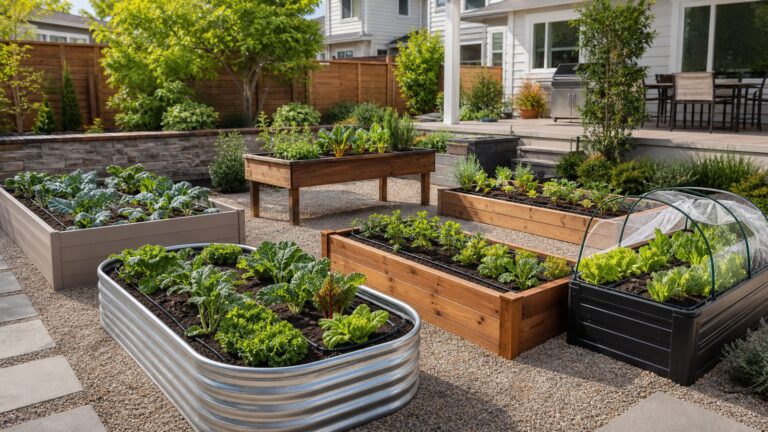
For raised vegetable beds, plan around reach first. A bed with two-sided access is usually comfortable at about 3 to 4 feet wide. Against a fence or wall, keep it narrower, often 2 to 2.5 feet, so you are not stepping into the soil to harvest or weed. Leave walking paths wide enough for the way you actually work: 24 inches is tight, 30 inches is better, and 36 inches is more comfortable if you use a cart or wheelbarrow.
For landscape and hardscape planning, separate the pretty concept from the buildable plan. A concept design helps you decide style, plant masses, patio location, and general flow. A buildable plan needs dimensions, slopes, drainage paths, base preparation, material thicknesses, steps, wall heights, lighting runs, irrigation zones, and access for equipment. That is where a contractor or landscape designer earns their fee.
What’s actually slowing this PC down?
Pick the symptom - the matching free tool is one click away.
1. GrowVeg Garden Planner
GrowVeg is one of the strongest choices for homeowners planning vegetable beds, square-foot gardens, and seasonal crop rotations. It is built around edible gardening, so it handles the details that generic landscape apps often miss: plant spacing, sowing windows, transplant timing, harvest periods, and companion planting.
The current pricing shown by GrowVeg is a 7-day free trial, $35 per year with auto-renewal, $50 for a 1-year subscription, or $85 for 2 years. That puts it in the normal paid garden planner range for 2026, where many homeowner garden apps sit around $20 to $60 per year.
Use GrowVeg when the goal is production: tomatoes, peppers, greens, herbs, root crops, succession planting, and crop rotation. It is especially useful if you have several raised beds and want to avoid planting the same crop family in the same soil every year.
Its limitation is construction. GrowVeg can help you decide what grows where, but it will not replace a site plan for a patio, pergola, retaining wall, irrigation trenching, drainage correction, or fence layout. If your vegetable garden includes carpentry, masonry, lighting, or grading, treat GrowVeg as the planting layer, not the whole project file.
2. Almanac Garden Planner
Almanac Garden Planner is another excellent choice for edible gardens, especially for homeowners who want planting guidance tied to frost dates and growing windows. It includes more than 250 vegetables, herbs, fruits, and flowers, which is enough for most backyard gardeners.
The main advantage is timing. Many failed gardens are not caused by a bad app or bad seed; they are caused by planting too early, too late, too close together, or in the wrong light. A frost-date-aware planner helps keep cool-season crops, warm-season crops, and succession plantings in a logical order.
Almanac Garden Planner is best for a homeowner who wants to know when to start seeds, when to transplant, and how to space a practical kitchen garden. It is less useful for designing full outdoor living areas. If your project includes a 400-square-foot patio, retaining walls, outdoor lighting, or a pergola, you will need a design tool with better dimension control or a professional plan.
3. VegPlotter
VegPlotter is a good fit for homeowners who want a simple, visual, drag-and-drop vegetable garden planner. It is browser-based, easy to understand, and useful for checking a plan from your phone while standing in the garden.
Free tools Windows power users keep installed
One-click scans. No signup required.
Its strength is simplicity. You can lay out beds, organize crops by month, and keep a basic plan without learning CAD. That matters for gardeners who want a working layout, not a design-school project.
The tradeoff is precision. VegPlotter is not meant to produce contractor-ready drawings. It will not tell you whether your raised bed lumber should be 2×10 cedar, whether your gravel path needs edging, or how to route overflow water away from the foundation. Use it for crop organization, then verify the physical garden layout in the yard with string lines, stakes, and real measurements.
4. Planter
Planter and similar GrowIt-style mobile garden apps are useful for quick bed planning, plant spacing, watering reminders, fertilizing guidance, climate-based planting calendars, and companion planting checks. The phone-first format is helpful because garden planning often happens outside, not at a desk.
Rank #2

- ''Plant Log'' pages allow you to track each plant you choose, from its beginnings in your garden through the growing season and beyond.
- Note successes for next year.
- Note what didn't work and why, so you won't repeat mistakes.
- Includes general gardening tips, lists of helpful websites, and dot matrix grid pages for laying out your vision.
- Opaque smooth-finish pages take pen or pencil.
For raised beds, Planter is most useful when you are deciding how many plants fit in a fixed footprint. If you have a 4-by-8-foot bed, spacing mistakes get expensive fast. Six tomato plants, a squash vine, basil, peppers, and lettuce may fit on screen, but airflow, harvest access, and mature plant size still matter in the real bed.
Use Planter for practical crop-level decisions. Do not use it as your only planning tool for built features. A mobile garden app usually will not account for fence clearance, frost depth for posts, drainage stone under paths, irrigation pressure, or whether a wheelbarrow can make the turn through a side gate.
5. Seedtime
Seedtime is best understood as a crop timing and garden management tool. It is useful for gardeners who start seeds indoors, succession plant, or manage a longer growing calendar across multiple beds.
If you have ever planted everything on one spring weekend and then harvested too much lettuce at once, you understand the value of a schedule. Seedtime helps break the garden into actual tasks: seed starting, transplanting, direct sowing, feeding, and harvest windows.
For homeowners, this is a strong companion to a physical garden layout. Use a layout app to decide where beds, paths, compost, water, and fencing go. Use Seedtime to decide when crops move through those beds. That division keeps the plan more realistic.
Do these 3 things before closing this tab:
1Fix the driver behind crashes, sound loss and screen glitches2Repair Windows errors before they cause bigger problems3Scan for outdated or missing drivers - takes under a minute6. iScape
iScape is one of the better homeowner-facing landscape visualization apps because it helps you work from photos and augmented reality concepts. If you are trying to compare a curved bed against a straight bed, test shrub masses, or explain a front-yard refresh to a spouse, HOA, or contractor, this type of tool can save a lot of back-and-forth.
Its value is communication. A homeowner can stand in the yard, capture a view, and test ideas before buying plants or asking for a proposal. That makes meetings more productive because everyone can see the intended look.
The hard limit is that a visual concept is not a construction document. iScape cannot verify soil bearing, drainage, slope, utility conflicts, base depth, or local code. For a planting bed, that may be fine. For a retaining wall, patio, pergola, steps, electrical lighting, or outdoor kitchen, the app view needs to be followed by actual measurements, material specifications, and permit review.
7. Planner 5D
Planner 5D is a low-cost 2D and 3D visualization tool that can include outdoor spaces. It is not a dedicated horticultural planner, but it can help homeowners understand layout, circulation, furniture scale, patio placement, and how indoor and outdoor areas connect.
Recommended Free Tools
This is useful when the garden is part of a larger backyard plan. For example, a 12-by-16-foot patio, grill zone, 4-foot planting border, and 3-foot walkway need to work together. Seeing those pieces in plan and perspective can prevent tight layouts before they are installed.
The caution is scale. Any 3D tool is only as accurate as the measurements entered. If the fence line is off by 18 inches, the patio may look comfortable in the model and feel cramped in the yard. Measure twice, include fixed obstacles, and remember that outdoor furniture needs clearance. Dining chairs often need about 3 feet behind them to pull out comfortably, and main walking routes should usually be at least 36 inches wide.
8. Realtime Landscaping Pro
Realtime Landscaping Pro is a Windows-based, one-time-purchase landscape design program that gives serious DIY homeowners more capability than simple phone apps. It is often a good middle ground for people who want richer 2D and 3D landscape planning without paying for a professional CAD subscription.
This type of program is useful for full-yard concepts: patios, walkways, planting beds, lawns, pools, fences, decks, lighting, and outdoor rooms. It can help a homeowner compare options before meeting with a contractor, especially when the project will be phased over several seasons.
The Tool Desk
Outbyte Driver Updater FREEScan for outdated or missing drivers - takes under a minuteDriver Scan →Outbyte PC Repair FREEClear out junk files and repair common Windows errorsFree Scan →For example, a homeowner might build a plan that includes a patio in year one, planting beds in year two, and lighting or irrigation in year three. Phasing matters because landscaping costs add up quickly. Standard-lot professional landscaping averages around $3,516 in 2026, while larger or more complex projects can exceed $14,800. Labor commonly represents about 40% to 65% of the total cost, so sequencing work efficiently can make a real budget difference.
9. SketchUp
SketchUp is the best option on this list for homeowners, builders, and designers who need accurate massing and layout for outdoor structures. It is not the easiest garden app, but it is strong for patios, pergolas, decks, outdoor kitchens, walls, steps, terrain, and relationships between the house and yard.
Rank #3

- PLAN YOUR GARDEN WITH CONFIDENCE – Keep every planting detail in one place, from seed selection to garden layout, companion planting, and crop rotation. Perfect garden log book for beginners and seasoned gardeners.
- TRACK ALL SEASON LONG – This gardening notebook helps you stay on top of seasonal to-dos, garden maintenance, and planting schedules for every stage of growth. Never miss a watering, pruning, or fertilizing task again.
- FROM FIRST SEED TO FINAL HARVEST – Use this gardening calendar to record germination, growth milestones, pollination needs, and harvest dates to ensure maximum yield and healthy plants.
- KEEP DETAILED GARDENING NOTES – Log essential information for each plant, including variety, supplier, cost, planting date, and soil and pest control practices.
- MANAGE EXPENSES WITH EASE – This gardening journal planner and log book helps you track your garden purchases in one organized log to make budgeting simple and efficient.
SketchUp Pro is commonly around $299 per year. That is more than most garden apps, but far less than many professional landscape and CAD suites that can run about $900 to $3,000 or more per year depending on licensing.
Use SketchUp when dimensions matter. A pergola post layout, stair run, seat wall, grill island, or sloped patio cannot be planned responsibly with plant icons alone. You need true measurements and clear relationships. On a job site, even small errors can create real problems: a post lands on a utility line, a step height is awkward, a door swing conflicts with furniture, or water pitches back toward the house.
The learning curve is real. If you only need to plant three raised beds, SketchUp is more tool than you need. If you are planning a $15,000 to $60,000 outdoor living project, the extra precision can be worth it.
10. PRO Landscape+
PRO Landscape+ is a professional landscape-design suite better suited to contractors, landscape designers, and design-build companies than casual homeowners. Current pricing shows about $90 per month, which makes sense for a business that uses it to prepare concepts, proposals, and client presentations.
For a homeowner, PRO Landscape+ may be excessive unless you are managing a large property, doing repeated projects, or working closely with a professional team. Its value is in presentation, plant libraries, business workflow, and design communication.
For contractors, tools like this can help turn a rough idea into a clearer scope. But the same rule still applies: software does not replace field verification. Before construction, a professional still needs to confirm grades, drainage, utilities, access, quantities, material selections, and code requirements.
What Garden Apps Are Good At Versus What a Contractor Must Verify
Garden software is very good at helping homeowners think. It is weaker at confirming what can be built. That distinction matters because many outdoor projects look simple until the first shovel hits soil.
| Apps Can Help With | A Contractor or Designer Must Verify |
|---|---|
| Plant spacing and bed layout | Mature plant size, root conflicts, access, and maintenance clearance |
| Vegetable planting calendars | Local soil conditions, irrigation, drainage, and water restrictions |
| Photo or AR visual concepts | Actual dimensions, elevations, slopes, and construction sequencing |
| Patio shape and furniture placement | Base depth, compaction, pitch, edge restraint, steps, and drainage discharge |
| Retaining wall appearance | Wall height, surcharge loads, geogrid, drainage stone, permits, and engineering |
| Budget placeholders | Local labor, demolition, access, utilities, soil, material waste, and inspections |
Water is the first thing we study in a yard. Downspouts, low spots, slope away from the foundation, soil infiltration, irrigation zones, and overflow paths should be resolved before planting beds are finalized. A beautiful planting plan installed in a wet corner can fail within one season. A patio pitched the wrong direction can send water toward the house, soften the base, or create freeze-thaw problems in colder climates.
Also design for mature size, not nursery size. A one-gallon shrub can look harmless at planting, but a 6-foot mature spread beside a 3-foot walkway is a maintenance problem. Leave access to hose bibs, cleanouts, meters, panels, vents, windows, gates, and fence lines. Plants should make the house easier to live with, not harder to service.
Independent reader supportYour contribution helps us test, update, and keep practical guides available for everyone.Costs to Plan Around in 2026
Garden planning software is inexpensive compared with construction. Many basic garden tools are free or freemium. Paid homeowner garden planners commonly run about $20 to $60 per year, with GrowVeg at $35 per year on auto-renew or $50 for one year. Visualization tools often range from free tiers to about $10 to $60 per month or around $60 per year. Some AI or rendering tools can run $29 to $149 per month depending on export quality and volume.
PC Slower Than It Used to Be?
A free scan shows the junk files, broken settings and background clutter dragging Windows down - then fixes them in one click.Free scan · Windows 10 & 11Outdated Drivers Are Slowing You Down
One free scan finds every outdated or missing driver and matches the right update for your exact hardware.Free scan · exact hardware matchProfessional design costs are a different category. In 2026, professional landscape design fees average about $4,200 nationally, with a common range of $2,200 to $6,180. A simple concept plan may be near $500. A complex design with grading, hardscape, lighting, irrigation, planting, and multiple outdoor rooms can reach $15,000 before installation.
Installation costs vary widely because yards vary widely. A basic landscape refresh may be a few thousand dollars. Standard-lot professional landscaping averages around $3,516, while complex multi-acre projects can exceed $14,800. Sprinkler systems commonly run about $1,700 to $3,550. Landscape lighting often falls around $2,000 to $6,000. Patio installation commonly ranges from about $2,000 to $5,800. Lawn grading may run about $1,025 to $3,300.
Hardscape materials can swing the budget fast. Concrete pavers may run roughly $2 to $25 per square foot for materials only. Brick can be around $4 to $15 per square foot. Natural stone often falls around $8 to $30 per square foot. Porcelain pavers can be about $12 to $35 per square foot. Those are material figures, not complete installed prices.
Retaining walls deserve special caution. Block materials may run roughly $10 to $28 per square foot, while installed retaining walls can range from about $25 to $110 or more per square foot depending on height, access, drainage, engineering, soil, and whether the wall is decorative or structural. A low garden border is not the same project as a structural wall holding back a driveway, slope, or patio.
The Tool Desk
Outbyte Driver Updater FREEFix the driver behind crashes, sound loss and screen glitchesFind Drivers →Outbyte PC Repair FREERepair Windows errors before they cause bigger problemsFix Now →Permits, Safety, and Code Notes Homeowners Should Not Skip
Garden beds usually do not need permits. Built outdoor features often do. Requirements vary by city, county, HOA, zoning district, flood zone, and site conditions, so check locally before buying materials.
Rank #4

- Complete Gardening Journal Planner and Log Book: This gardening journal planner and log book helps organize your growing season with yearly planning pages, 6 monthly sets, 8 weekly logs, plant profiles, harvest records, and garden review pages
- Durable Spiral Bound Garden Journal: Designed with black twin-wire spiral binding, this garden journal spiral bound notebook lays flat for easy writing while planning, tracking plants, recording harvests, and reviewing garden progress
- Protective PVC Cover & Quality Paper; Features a transparent waterproof PVC protective cover and 100gsm high-quality recyclable paper, made for smooth writing, everyday garden planning, and long-term record keeping
- Plant, Seed, Soil, Pest & Budget Tracking: More than a garden log book, this garden planner journal and log book includes plant profiles, seed records, soil amendment logs, watering schedules, pest notes, budget pages, and expense tracking
- Beautiful Gift for Gardeners: A watercolor garden journal and planner with plant tags, pollinator planner, seed packet photo notes, seasonal review pages, and favorite garden memories, ideal for gardeners and plant lovers
As a broad rule, ordinary planting beds, mulch, and small non-structural garden features are usually low-risk. Fences, decks, pergolas, patios, outdoor kitchens, electrical lighting, irrigation backflow devices, retaining walls, and grading changes deserve a closer look. Some jurisdictions exempt small retaining walls under certain heights, but the exemption may disappear when the wall supports a surcharge, driveway, slope, structure, or property-line condition.
Many local rules also care about setbacks, easements, stormwater runoff, fence height, frost depth for posts, deck attachment, stair geometry, guardrails, electrical burial depth, gas lines, and drainage discharge. A garden app will not reliably catch those requirements.
Before digging, use utility locating. Also look for private lines that public marking may not cover, such as irrigation, low-voltage lighting, gas grill lines, invisible fence wire, drainage pipe, septic components, and homeowner-installed electrical runs. In our experience, the problems that delay small outdoor projects are usually not the plants. They are utilities, water, access, and code.
Windows Errors? Fix Them Before They Spread
Repair common Windows errors and clear accumulated junk for a smoother, more stable PC - no reinstall needed.Free scan · no reinstallCrashes, No Sound, or Screen Glitches?
Random freezes, missing sound and display glitches usually trace back to one bad driver. Find and replace yours safely.Free scan · under a minuteWhen to DIY and When to Hire a Pro
DIY is reasonable when the project is mostly planting, small raised beds, simple mulched borders, annual vegetables, container gardens, or cosmetic refresh work. A homeowner with a good app, a tape measure, and a weekend can lay out a productive vegetable garden or redesign a small planting bed.
DIY also works well for planning. Even if you hire out the installation, using an app to prepare a wish list, rough layout, plant preferences, and budget priorities makes the first contractor meeting more useful. Bring dimensions, photos, sun notes, drainage concerns, and a rough phasing plan.
Hire a pro when the project changes drainage, adds hardscape, affects the house, includes walls over basic garden-border height, requires steps, touches electrical or plumbing, needs grading, or must pass an HOA or permit review. Also hire help when access is tight, the yard has significant slope, soil is unstable, or the project budget is large enough that mistakes would be expensive.
A practical line: if the mistake would cost less than a few hundred dollars and one weekend to fix, DIY may be fine. If the mistake could crack a patio, flood a basement, lean a wall, fail inspection, or require demolition, bring in a professional before construction starts.
Our Recommended Workflow
Start with measurement, not software. Draw the property area, house walls, fixed structures, gates, utilities, trees, slopes, downspouts, and wet spots. Then choose the app based on the job.
For vegetables, use GrowVeg, Almanac Garden Planner, VegPlotter, Planter, or Seedtime. For visual landscape ideas, use iScape or Planner 5D. For larger hardscape and outdoor living concepts, use Realtime Landscaping Pro or SketchUp. For professional design-build work, PRO Landscape+ belongs in the conversation.
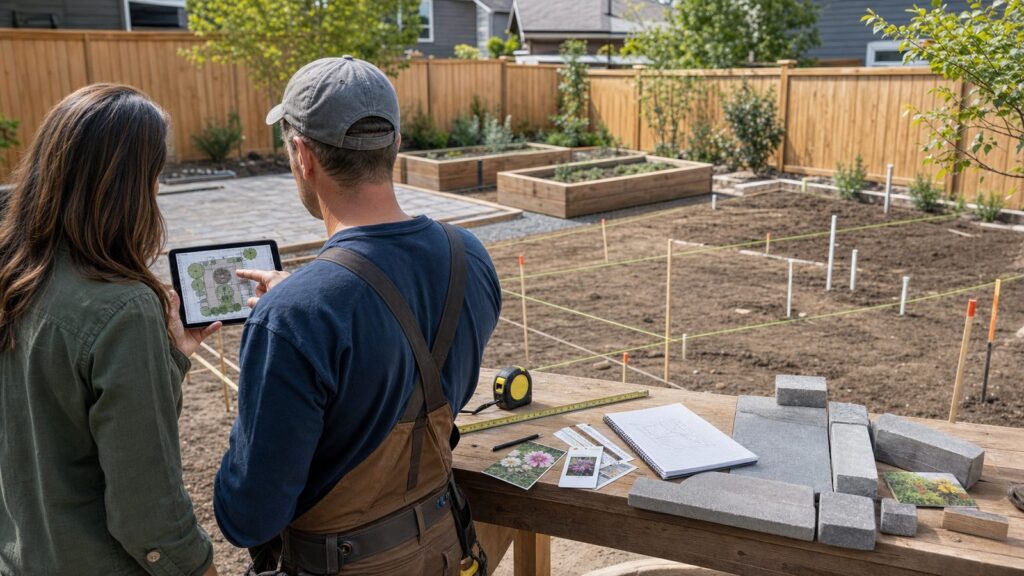
After the plan looks good, export or save a version with plant lists, quantities, spacing, hardscape areas, and phases. Then walk the yard again with the plan in hand. Mark the patio corners, bed edges, wall lines, and paths with paint, flags, stakes, or a hose. If it feels tight in real life, fix it before ordering materials.
The best garden planner is not the one with the prettiest screen. It is the one that helps you make better decisions early, keeps the work buildable, and gives your contractor enough information to price the job without guessing.
Frequently Asked Questions
What is the best garden planner app for beginners in 2026?
For vegetable gardens, GrowVeg and Almanac Garden Planner are the strongest beginner choices because they help with spacing, frost dates, and planting timing. For visual landscape ideas, iScape is easier for most homeowners than CAD-style software.
What is the best free garden planner app?
VegPlotter, Planter, Seedtime, Planner 5D, and iScape commonly offer free or freemium access depending on features. Free tools are fine for early planning, but paid versions may be needed for exports, larger plans, reminders, or advanced visualization.
Which garden planner is best for raised beds and vegetable gardens?
GrowVeg is the best overall pick for raised vegetable beds because it handles crop spacing, rotation, companion planting, and sowing or harvest timing. Almanac Garden Planner is also strong if planting calendars and frost-date guidance are your priority.
Can garden design apps create contractor-ready plans?
Most cannot. Apps can communicate ideas, plant lists, and rough layouts, but contractors still need verified measurements, elevations, drainage plans, material specifications, utility checks, and permit information for built features.
Do these 3 things before closing this tab:
1Scan for outdated or missing drivers - takes under a minute2Clear out junk files and repair common Windows errors3Fix the driver behind crashes, sound loss and screen glitchesDo I need a permit for a patio, pergola, fence, or retaining wall?
Maybe. Permit rules vary by location and project type. Planting beds usually do not need permits, but fences, retaining walls, decks, pergolas, grading, electrical work, plumbing, and outdoor kitchens often require local review.
How much does landscape design cost in 2026?
Professional landscape design averages about $4,200 nationally in 2026, with a typical range of $2,200 to $6,180. Simple concept plans may be near $500, while complex designs can reach $15,000 before installation.
Quick Recap
Product prices and availability are accurate as of the date/time indicated and are subject to change. Any price and availability information displayed on Amazon at the time of purchase will apply.