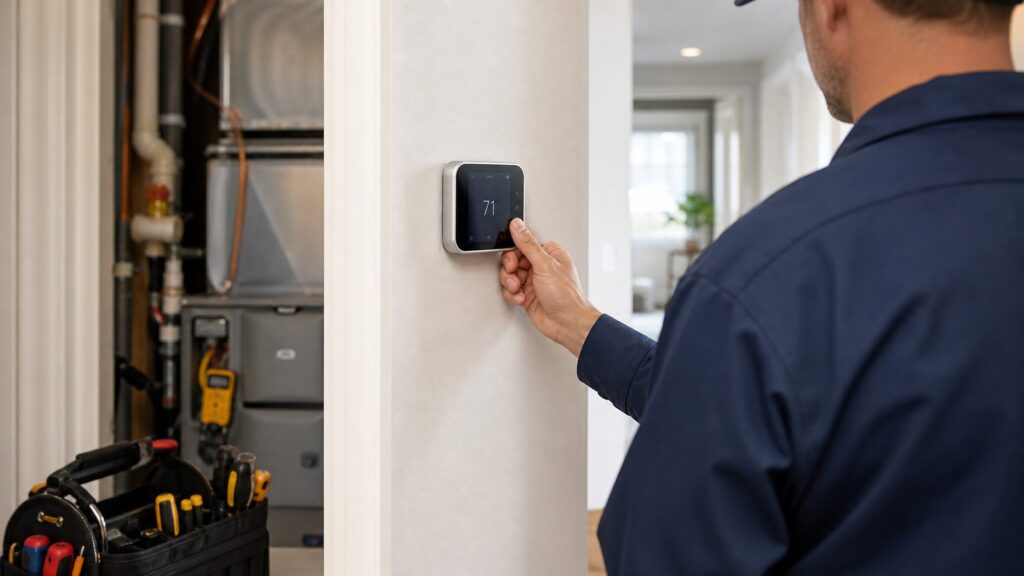
When a thermostat is not working, the first question is simple: is the thermostat actually bad, or is it losing power, reading the room incorrectly, or calling an HVAC system that cannot respond?
On our job sites, we treat a thermostat complaint as a control-system diagnosis, not a shopping trip. A blank screen may be dead batteries, but it may also be a furnace door switch, condensate float switch, low-voltage fuse, transformer, service switch, or breaker. A thermostat that says “cooling” while the house stays warm may be doing its job while the outdoor unit has a failed capacitor, contactor, or safety lockout.
Use the steps below in order. They will help you avoid replacing a $200 thermostat when the real issue is a $5 fuse, a clogged condensate drain, a wiring mistake, or an HVAC repair that needs a technician.
1. Dead Batteries or Failed Display Power
The easiest thermostat failure to understand is a dead display. Many basic and programmable thermostats use AA or AAA batteries. Some last 8 to 24 months, depending on the thermostat, battery quality, display backlight, and how often the system cycles. If the screen is blank, dim, flickering, or showing a low-battery icon, start here.
Recommended Free Tools
#1 Best Overall
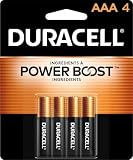
- POWERS YOUR COMPACT DEVICES: Compatible with wireless keyboards and mice, TV remotes, cordless phones, digital thermometers, glucose monitors, remote-control toys, bathroom scales, LED flashlights, electric toothbrush handles, smoke detectors, and any AAA/LR03 device.
- 12-YEAR STORAGE GUARANTEE: Guaranteed to last 12 years in storage. Stock your emergency kit, junk drawer, and holiday stash—these Duracell AAA batteries will be ready when you need them.
- POWER BOOST INGREDIENTS: Duracell's exclusive POWER BOOST Ingredients deliver dependable, long-lasting performance in your devices.
- QUALITY ASSURANCE: Every Duracell battery is guaranteed against defects in materials and workmanship. Trusted by families from everyday device to home safety use.
- CONVENIENT 4-COUNT PACK: Stored in a re-closable pack for organized access. Because AAA batteries power the small devices that matter most—keep Duracell stocked.
Replace the batteries with fresh alkaline batteries, matching the polarity marks inside the compartment. Do not mix old and new batteries. If the thermostat has been blank for weeks, inspect the battery contacts for corrosion. Light surface residue can sometimes be cleaned, but heavy corrosion often means replacement is the more reliable fix.
Many Wi-Fi and smart thermostats do not rely on batteries in the same way. They usually need steady 24V AC control power, often through a common wire, or C-wire. Some contain an internal rechargeable battery, but that battery is not meant to run the thermostat indefinitely. If a smart thermostat keeps restarting, dropping Wi-Fi, showing charging errors, or going blank after a few hours, the problem may be power quality rather than the thermostat itself.
Quick checks
Look for a removable faceplate, battery compartment, or reset button. Confirm the thermostat is fully seated on its wall plate; a faceplate that is 1/8 inch loose can lose contact with the terminals. If the display returns after reseating the thermostat, watch it through at least one heating or cooling cycle before calling the problem solved.
If a battery-powered thermostat stays blank after new batteries and proper seating, replacement is likely. A basic manual thermostat may cost under $50 for the device. Installed costs commonly run about $50 to $150 for a simple manual replacement, $85 to $250 for a programmable thermostat, and $150 to $500 for many Wi-Fi or smart thermostats.
The Tool Desk
Outbyte PC Repair FREEClear out junk files and repair common Windows errorsFree Scan →Outbyte Driver Updater FREEScan for outdated or missing drivers - takes under a minuteDriver Scan →2. Tripped Breaker, Service Switch, Door Switch, Float Switch, or Low-Voltage Fuse
A thermostat can look dead because the HVAC equipment feeding it has no power. Most residential thermostats are low-voltage controls, commonly 24V AC, but that 24V power usually comes from a transformer inside the furnace or air handler. If the equipment is off, the thermostat may be off too.
Start at the electrical panel. Look for a tripped breaker serving the furnace, air handler, heat pump, or AC equipment. A breaker handle may sit between ON and OFF when tripped. Reset it once by turning it fully OFF and then ON. If it trips again, stop. Repeated breaker trips are not a thermostat problem; they are an electrical or equipment fault.
Next, check the indoor-unit service switch. Many furnaces and air handlers have a wall switch nearby that looks like a light switch. It may be on the side of the furnace, above it, or near an attic or closet access. If someone changed a filter, moved boxes, or worked near the unit, that switch may have been turned off.
Also check the furnace or air-handler door. Most units have a safety switch that opens when the blower compartment panel is not seated correctly. A panel that is 1/4 inch out of place can cut power to the control board and make the thermostat appear dead.
Free tools Windows power users keep installed
One-click scans. No signup required.
In cooling season, a clogged condensate drain can trigger a float switch. This safety switch shuts the system down when water backs up in the drain pan or drain line. Homeowners often see a blank thermostat or an AC that refuses to run, but the real problem is water protection doing exactly what it should do. Look for water in the auxiliary pan, near the indoor unit, or around the condensate pump.
Finally, many furnace and air-handler control boards have a small automotive-style low-voltage fuse, commonly 3 amp or 5 amp. If thermostat wires short together during replacement, that fuse can blow. Replacing the fuse without fixing the short may only blow the next fuse. If the fuse fails more than once, call a pro.
3. Loose, Corroded, Mislabeled, or Missing Thermostat Wiring
Thermostat wiring looks simple until it is not. Most conventional systems use small 18-gauge thermostat cable with conductors landing on terminals such as R, C, W, Y, G, O/B, AUX, E, W2, or Y2. The terminal labels matter more than wire color. Red is often R and green is often G, but color is not a diagnostic rule. We have opened plenty of walls where the previous installer used whatever conductor was available.
Rank #2

- New Ultra Upgrade for the Digital Age – Technology advances, so do our batteries. That’s why we’ve upgraded our AAA premium batteries to new Ultra batteries, our advanced Ultra AAA alkaline formula delivers 30% more power than before.
- Nordic Swan Ecolabel Certified & Eco-Conscious – We are proud that our AAA batteries meet the strict environmental standards of the Nordic Swan Ecolabel. Our manufacturing process is mercury, cadmium and lead-free, and we offer reusable packaging options to help reduce waste.
- Reliable Power for Home, Office & Beyond – From household gadgets to business, educational, and office essentials, Voniko AAA batteries deliver lasting energy to a wide range of devices like digital cameras, remote controls, toys, wireless peripherals and more.
- Engineered for Long-Term Reliability – Voniko AAA batteries are built to endure, boasting a 10-year shelf life. They deliver power and runtime on par with leading national brands, ensuring professional-grade performance and outstanding long-term value.
- Built-in Safety for Total Peace of Mind – Don't worry about leaks damaging your devices. Our AAA batteries feature a double-layer internal structure and a stainless steel cover to guarantee 100% leak-proof protection.
Before removing a thermostat, turn off power at the breaker and at the indoor-unit service switch. Then take clear photos of the wiring and terminal labels at the thermostat. If you can safely access the furnace or air-handler control board, take photos there too. The goal is to verify both ends of the cable, not guess based on color.
Quick wins for a faster PC:
Repair Windows errors before they cause bigger problemsFix Now →Scan for outdated or missing drivers - takes under a minuteDriver Scan →Loose conductors can cause intermittent heat, cooling, fan operation, or display power. A wire may be under the screw but not clamped. Copper may be nicked from stripping. Paint, drywall dust, or corrosion may interfere with contact. If a thermostat was removed during painting or wall repairs, one conductor may have slipped behind the wall plate.
Smart thermostats add another layer: the C-wire. A C-wire provides continuous power. It does not call for heating or cooling by itself. Missing or unstable C-wire power can cause blank screens, Wi-Fi dropouts, charging errors, short cycling, or a thermostat that works during mild weather but fails when the system runs heavily.
A technician will often verify voltage between R and C. A typical residential low-voltage control circuit is about 24V AC. If there is no voltage between R and C, the thermostat may not be the failed part. The issue may be the transformer, board fuse, safety switch, wiring splice, or equipment power.
Smart thermostat compatibility issues
Compatibility is where many DIY installations go sideways. Heat pumps, dual-fuel systems, humidifiers, dehumidifiers, ventilation controls, multi-stage heating and cooling, zone panels, proprietary communicating equipment, and millivolt systems may need model-specific wiring or a professional setup.
What’s actually slowing this PC down?
Pick the symptom - the matching free tool is one click away.
For heat pumps, the O/B reversing-valve setting is especially important. The wrong setting can produce warm air in cooling mode or cold air in heating mode. For multi-stage systems, missing W2, Y2, AUX, or E configuration can reduce comfort, raise energy use, or cause backup heat to run incorrectly.
If new cable is being pulled, we prefer planning beyond the minimum. Pulling enough conductors for a C-wire, two-stage heating, two-stage cooling, humidifier, dehumidifier, ventilation, or outdoor sensor is cheaper while the wall or equipment area is already open than coming back later.
4. Wrong Mode, Schedule, Lockout, or Program Setting
Sometimes the thermostat is working exactly as programmed, just not the way the homeowner expects. This is common after daylight saving time changes, app updates, power outages, rental turnover, cleaning, or a child pressing buttons.
Check the basics first. Is the thermostat set to HEAT, COOL, AUTO, or OFF? Is the fan set to AUTO or ON? Is the setpoint at least 3 degrees above the room temperature for heat, or 3 degrees below room temperature for cooling? Many systems have built-in compressor delays of about 3 to 5 minutes, so do not assume failure the moment the outdoor unit does not start.
Crashes, No Sound, or Screen Glitches?
Random freezes, missing sound and display glitches usually trace back to one bad driver. Find and replace yours safely.Free scan · under a minuteWindows Errors? Fix Them Before They Spread
Repair common Windows errors and clear accumulated junk for a smoother, more stable PC - no reinstall needed.Free scan · no reinstallProgrammable thermostats can also follow schedules that override manual changes. A thermostat may hold 72 degrees for two hours, then resume an energy-saving schedule at 78 degrees. Smart thermostats may use occupancy sensing, geofencing, eco mode, utility demand-response events, or learning schedules. Those features can be useful, but they can also make a thermostat feel unpredictable if nobody in the home knows they are active.
Rank #3

- 1.5V power and 40 mAh capacity; offers reliable performance;Engraved with battery model for easy identification
- 10-pack of Premium Alkaline Battery; Each battery measures 11.6mm inch in diameter by 5.4mm thick
- Ideal for watches, clocks ,calculators, key fobs, Apple TV remotes, Games Controllers,Toys and other small electronics Devices
- The capacity is higher, the use time is longer
For vacation homes, rental properties, and multi-user households, also check keypad locks, app permissions, Wi-Fi status, and account ownership. A thermostat controlled by an old phone, previous homeowner account, or property manager schedule may keep changing back after you adjust it at the wall.
Resetting the schedule can solve some problems, but write down current settings first. For heat pumps, dual-fuel systems, and multi-stage equipment, avoid factory resets unless you know the equipment setup. A factory reset can wipe staging, fuel type, O/B orientation, lockout temperatures, and accessory settings.
5. Dirty, Miscalibrated, or Aging Temperature Sensor
If the thermostat turns the system on and off but the room temperature feels wrong, the sensor may be dirty, miscalibrated, or affected by air movement through the wall cavity. Dust, pet hair, smoke residue, and drywall debris can interfere with temperature sensing, especially on older thermostats.
Compare the thermostat reading with a reliable thermometer placed nearby, away from direct sunlight and supply air. Let the thermometer sit for at least 20 minutes. A 1-degree difference is usually not meaningful. A 3- to 5-degree difference is worth investigating.
Remove the thermostat faceplate only after following the manufacturer’s instructions and turning off power if wiring is exposed. Use gentle compressed air or a soft brush to clear dust. Do not spray household cleaner into the thermostat. Liquids can damage contacts and sensors.
Some thermostats allow temperature calibration or offset adjustment, often in 1-degree increments. Use that feature carefully. If the thermostat says 75 but a good thermometer says 72, an offset may help. If the reading jumps around several degrees in minutes, the sensor, wall location, or wiring may be the issue.
Also inspect the wall penetration behind the thermostat. A hole larger than necessary can allow hot attic air, cold wall-cavity air, or basement drafts to pass behind the thermostat. Sealing the cable opening with removable putty or approved low-expansion material can stabilize readings. Do not bury wiring connections in foam or make future service impossible.
6. Bad Thermostat Location
A thermostat can be perfectly functional and still control the house poorly if it is installed in the wrong place. Placement matters because the thermostat controls the system based on the temperature at one wall, not the average temperature of every room.
Good thermostat locations are usually on an interior wall, about 52 to 60 inches above the finished floor, in a room or hallway that reflects normal living conditions. The thermostat should be away from direct sun, exterior doors, windows, supply registers, return grilles, fireplaces, kitchens, televisions, lamps, and appliances that give off heat.
We often see comfort complaints after remodeling. A wall gets opened, a doorway changes, a supply register is added, a TV moves under the thermostat, or a thermostat that used to sit in a central hall now reads afternoon sun through new glass. The HVAC system did not change, but the thermostat’s information did.
Bad placement can cause short cycling, long run times, uneven rooms, and false satisfaction. For example, a thermostat above a supply register may satisfy quickly in cooling mode while bedrooms stay warm. A thermostat on an exterior wall may call for heat longer than needed because the wall surface is colder than the room air. A thermostat near a kitchen may shut off heat early when cooking raises the local temperature.
Do these 3 things before closing this tab:
1Repair Windows errors before they cause bigger problems2Scan for outdated or missing drivers - takes under a minute3Clear out junk files and repair common Windows errorsRank #4

- 12 pack of Energizer MAX AAA Alkaline Batteries, Batteries AAA Size
- Energizer's #1 longest-lasting MAX AAA batteries - up to 50% longer lasting than EVEREADY GOLD in home medical devices
- The power you depend on for your triple A devices, from toys and flashlights to everyday items like remotes
- This AAA battery pack contains long lasting batteries that hold power for up to 12 years in storage
- Energizer MAX AAA batteries are designed to protect your devices against damaging leaks for up to two years after fully used
Relocating a thermostat is more than patching drywall. A pro may need to fish new thermostat cable through wall cavities, protect penetrations, verify conductor count, and update equipment settings. Simple relocations may fit within a few hundred dollars. More complex work involving finished walls, attic access, crawlspace access, additional conductors, or smart thermostat compatibility can push the total into the $300 to $600+ range.
7. An HVAC Equipment Problem That Looks Like a Thermostat Problem
This is the most expensive mistake: replacing the thermostat when the thermostat is already calling correctly. A thermostat is a switch and control interface. It tells the system what to do. It does not make a failed blower motor spin, a bad ignitor glow, a weak capacitor start a compressor, or a refrigerant problem disappear.
If the thermostat says cooling and the indoor blower runs but the outdoor unit does not, possible causes include a tripped outdoor disconnect, failed capacitor, failed contactor, bad control board, pressure switch lockout, broken wire, or compressor issue. If the thermostat calls for heat but the furnace does not ignite, possible causes include an inducer problem, pressure switch issue, ignitor failure, flame sensor problem, gas valve fault, limit switch, or control-board fault.
Airflow can also fool homeowners into blaming the thermostat. A dirty 1-inch filter can restrict airflow quickly in a dusty home or during renovation. Closed registers, blocked returns, dirty coils, duct damage, and blower problems can all make the house uncomfortable even when the thermostat and equipment are communicating.
Ask what changed recently. We ask about power outages, HVAC service, filter changes, painting, pest activity, new routers, app updates, someone removing the thermostat from the wall, water near the indoor unit, and any error codes before power-cycling. Those details shorten the diagnosis.
If you see blinking diagnostic lights at the furnace or air handler, record the pattern before shutting power off. Many equipment doors have a fault-code chart. A sequence such as two short flashes and one long flash may point to a safety or ignition fault. Once power is cycled, some boards clear the code.
Thermostat Repair and Replacement Costs in 2026
For a straightforward thermostat issue, 2026 U.S. pricing is usually manageable. The bigger cost risk is misdiagnosis. If the thermostat is only the symptom, the final bill may include HVAC diagnostics and equipment repair.
| Work type | Typical 2026 cost | What affects the price |
|---|---|---|
| Thermostat repair | About $114 to $318 typical; national average around $215 | Diagnostic fee, model, parts availability, warranty status, wiring condition |
| Basic manual thermostat installed | About $50 to $150 | Simple low-voltage replacement, no new wiring, accessible location |
| Programmable thermostat installed | About $85 to $250 | Device cost, setup time, schedule programming, wiring verification |
| Wi-Fi or smart thermostat installed | About $150 to $500 | C-wire needs, app setup, compatibility, room sensors, trim plates |
| Smart thermostat installation starting range | About $115 to $244 before local options and minimums | Local labor, access, existing wiring, contractor minimum charge |
| C-wire addition or complex troubleshooting | About $300 to $600+ | Fishing cable, zone panels, heat pumps, dual fuel, attic or crawlspace access |
| HVAC repair if thermostat is not the cause | Minor repairs often $150 to $600; major components can exceed $1,000 | Failed capacitor, contactor, board, motor, compressor, ignitor, refrigerant issue |
Device-only costs vary widely. Basic manual models can be under $50. Programmable thermostats commonly run $30 to $150. Wi-Fi and smart thermostats often cost $100 to $300+, before accessories such as room sensors, power adapters, trim plates, or proprietary controls.
ENERGY STAR-certified smart thermostats can save about 8% on heating and cooling bills on average, roughly $50 per year, but savings vary by climate, utility rates, occupancy, comfort settings, and HVAC equipment. Many utilities still offer rebates in 2026. Some programs offer around $50 for qualifying smart thermostats, but availability is ZIP-code and utility specific.
Independent reader supportYour contribution helps us test, update, and keep practical guides available for everyone.When to DIY and When to Hire a Pro
DIY is reasonable for low-risk checks: replacing thermostat batteries, confirming mode and setpoint, reviewing the schedule, reseating the thermostat faceplate, checking the breaker once, replacing a dirty air filter, and looking for obvious water in the condensate pan. If you are comfortable and the manufacturer instructions allow it, you may also remove the faceplate to photograph wiring without disconnecting anything.
DIY replacement may be appropriate for a simple, low-voltage, one-stage furnace and AC system when the new thermostat is clearly compatible, the old wiring is well labeled, and no new cable is needed. Turn off power first, photograph every wire, label conductors, and keep the old thermostat until the new one has run through heating, cooling, and fan calls.
Best Value

- Multiple Applications – Each Voniko CR2032 batteries have nearly unlimited uses: AirTag, Food scale, Key fob, Thermometer, Watches, Computer motherboards, Dalculators, Digital voice recorders, Garage door openers, Pet collars, Stopwatches – they all take a battery coin cell.
- Maintains 7 Years Storage Life – Store with confidence: Voniko 2032 battery stays fresh for up to 7 years in storage, ensuring you always have reliable power on hand for emergencies or daily use.
- Performs in Extreme Temperatures – Our batteries stand up to both cold and heat, delivering reliable, long-lasting power across a wide range of -0.4°F to 122°F. Whether you’re out on an outdoor adventure, using them around the home, or powering devices at work, they’ll keep performing consistently.
- Child-Resistant Packaging – To help ensure the safety of your children, Voniko cr2032 comes in a child resistant package. These batteries have been designed with child-resistant packaging for added safety.
- Reliable, Safe, Leak-Proof – Voniko cr2032 lithium 3v coin battery is designed with double corrosion protection so you’ll never open your devices to find corrosion and leaking acid inside. Enjoy leak-proof construction & peace of mind you can’t get anywhere else. When you pop the blister, you know you can rely on Voniko.
Hire a licensed HVAC or electrical professional for line-voltage thermostats, electric baseboard heat, multi-zone systems, dual-fuel systems, heat pumps with auxiliary heat, communicating equipment, proprietary controls, millivolt systems, repeated fuse failures, burning smells, water near equipment, breakers that trip again after reset, or any wiring you cannot positively identify at both ends.
Recommended Free Tools
Permits depend on location and scope. A simple like-for-like thermostat swap usually does not require a permit in many areas, but running new thermostat cable, modifying electrical circuits, replacing HVAC equipment, or altering controls may trigger electrical, mechanical, or local inspection requirements. Local rules vary by city and county, so check with your building department before opening walls or changing system wiring.
Safety Notes: Low Voltage, Line Voltage, and Mercury Thermostats
Do not assume thermostat wiring is harmless. Most central HVAC thermostats are low voltage, commonly 24V AC, but some electric baseboard heaters, in-wall heaters, and radiant systems use line-voltage thermostats at 120V or 240V. Line-voltage wiring belongs in proper electrical boxes and should be handled with the same respect as any branch circuit.
Turn power off before removing thermostat wiring or opening the furnace or air-handler cabinet. Use the breaker, not just the thermostat’s OFF setting. The thermostat OFF setting does not necessarily de-energize the control board.
Older round or manual thermostats may contain mercury. Do not throw a mercury thermostat in household trash, break the glass ampoule, or leave it loose in a toolbox. Store it upright in a sealed container and take it to an approved collection or recycling program according to your state or local rules.
What’s actually slowing this PC down?
Pick the symptom - the matching free tool is one click away.
A Practical Diagnostic Order
If you want a clean sequence, use this order before buying a replacement thermostat:
- Confirm mode, setpoint, schedule, hold, lockout, and app settings.
- Replace batteries or confirm the display has steady power.
- Check the breaker once and confirm the indoor-unit service switch is on.
- Confirm the furnace or air-handler door is seated properly.
- Look for condensate pan water or a tripped float switch.
- Replace or inspect the air filter if airflow is weak.
- Photograph thermostat wiring and verify terminal labels before moving anything.
- For smart thermostats, verify stable 24V AC between R and C.
- Record equipment error codes before power-cycling.
- Call a pro if the system still does not respond or if a safety device trips again.
The best thermostat repair is the one that fixes the actual failure. Sometimes that is a $10 set of batteries. Sometimes it is a C-wire, a float switch issue, a low-voltage short, or an HVAC component that has nothing to do with the wall control. Work through the system in order and you will spend less money guessing.
Frequently Asked Questions
Why is my thermostat blank even after changing the batteries?
The thermostat may not be receiving equipment power. Check the breaker, indoor-unit service switch, furnace door switch, condensate float switch, and low-voltage fuse. A smart thermostat may also need stable 24V AC power through a C-wire.
Why does my thermostat say cooling but the AC is not running?
The thermostat may be calling correctly while the HVAC equipment is failing to respond. Possible causes include a tripped outdoor disconnect, failed capacitor, bad contactor, control-board fault, pressure safety lockout, or compressor issue.
Quick wins for a faster PC:
Scan for outdated or missing drivers - takes under a minuteDriver Scan →Repair Windows errors before they cause bigger problemsFix Now →How do I know if the thermostat is bad or the HVAC system is the problem?
If the thermostat has power, shows the correct mode, and sends a call for heat, cooling, or fan, the next step is equipment diagnosis. A pro can verify 24V signals at the equipment board and check safeties, motors, ignition, capacitors, and control components.
Do smart thermostats need a C-wire?
Many Wi-Fi and smart thermostats need a C-wire or approved power adapter for steady power. The C-wire does not call for heating or cooling; it provides continuous 24V AC return power. Missing or unstable C-wire power can cause blank screens, Wi-Fi dropouts, and charging errors.
How much does it cost to repair or replace a thermostat in 2026?
Thermostat repair averages around $215 nationally, with many homeowners spending about $114 to $318. Basic installed replacements often run $50 to $150, programmable thermostats $85 to $250, and Wi-Fi or smart thermostats $150 to $500, with complex wiring or C-wire work reaching $300 to $600+.
What should I do with an old mercury thermostat?
Do not throw it in household trash. Store it upright in a sealed container and take it to an approved mercury thermostat collection or recycling program according to your local or state requirements.
Quick Recap
Product prices and availability are accurate as of the date/time indicated and are subject to change. Any price and availability information displayed on Amazon at the time of purchase will apply.