What’s actually slowing this PC down?
Pick the symptom - the matching free tool is one click away.
Some links on this page are affiliate links: if you buy through them we may earn a commission, at no extra cost to you.
For most new Home Assistant systems, choose the Home Assistant Connect ZBT-2. It is an officially supported EFR32MG24 coordinator with Zigbee and Thread radios, USB-C, migration support and a $49 recommended U.S. MSRP. Dedicate one ZBT-2 to Zigbee or Thread; it is not a single-radio replacement for two simultaneous networks. If cost matters most, the pre-flashed SONOFF ZBDongle-E is the value pick. Large or interference-prone homes benefit from an Ethernet/PoE coordinator such as the SMLIGHT SLZB-06.
“Zigbee module” is not a standardized product category. In practice it means the coordinator, routers, sensors, switches, plugs, relays, bulbs and optional bridges that form a complete system. The right purchase is therefore an architecture decision, not simply a choice of the highest radio-power number.
Quick recommendations
| Reader profile | Recommended module or hub | Why |
|---|---|---|
| New Home Assistant user | Home Assistant Connect ZBT-2 | Official support, current EFR32MG24 radio, Zigbee or Thread, simple updates |
| Lowest-cost open setup | SONOFF ZBDongle-E | Pre-flashed EFR32MG21 USB coordinator, about $23.66 sale/$24.90 regular in SONOFF’s U.S. store during the research pass |
| Zigbee2MQTT or TI preference | SONOFF ZBDongle-P | Established CC2652P/Z-Stack route; do not confuse it with the E model |
| Large home or remote server | SMLIGHT SLZB-06 | Ethernet, Wi-Fi, USB and PoE allow the coordinator to sit near the network’s center |
| Hue-first lighting | Philips Hue Bridge | Preserves Hue scenes, remotes, entertainment features and an independent lighting path |
| Aqara-first household | Aqara hub, or validated direct pairing | More predictable for Aqara-heavy systems; direct routing requires model-specific checks |
Check current availability and regional pricing on the ZBT-2 page, ZBDongle-E page, ZBDongle-P page and SLZB-06 page.
What a Zigbee “module” actually is
- Coordinator
- The single radio that creates and manages one Zigbee network. A USB dongle needs a host such as Home Assistant; it is not a complete hub by itself.
- Router
- Normally mains-powered, it relays traffic and expands mesh coverage. Smart plugs, powered switches and many bulbs can be routers.
- End device
- Usually a sleeping battery sensor or remote. It saves power but generally does not extend the mesh.
- Hub or bridge
- A finished hardware-and-software ecosystem that may include a coordinator, app, cloud services and brand-specific features.
- In-wall module
- A relay or dimmer installed behind a switch or outlet. Neutral-wire availability, box depth and load type matter more than the Zigbee logo.
Choose the architecture first
Home Assistant with a USB coordinator
This is the lowest-cost open approach: local automations, broad cross-brand support and one central dashboard. It still requires a reliable computer or appliance, backups and firmware maintenance. “No hub” means no proprietary Zigbee bridge, not no host computer.
#1 Best Overall

- 【Super Tiny Size】The tiniest Zigbee smart switch can be easily fit in the smallest EU-type/86 type/120 type mounting box.
- 【Support External Switch】 Work with different type of external switches to control your devices, like rocker light switch, push button wall switch.etc, no neutral wire required for easy installation & simple use.
- 【Simple and Reliable】As a Zigbee 3.0 switch, ZBMINI Extreme can combine with Zigbee hubs to form a home LAN,No longer worry about no internet, you are able to freely control the appliances normally even the light is as low as 3W, no anti-flicker module is required.
- 【Application Scenes】ZBMINI Extreme can achieve two-way control for your staircase light; set countdown/scheduled/loop timers to create your situational life; work well with Amazon Alexa and Google home to turn on/off your light by voice command; support setting the smart scene to trigger connected devices to make your life easier.
- 【Note】ZBMINIL2 is a Zigbee End-Device.
Home Assistant with Ethernet or PoE
A network coordinator is useful when the server is in a basement, closet or rack, or when USB 3 noise and metal equipment cause trouble. It costs more and makes LAN and PoE reliability part of the automation design.
Proprietary hub
Hue, Aqara, SmartThings and other vendor hubs offer easier setup, certified combinations and brand-specific scenes. They can keep lighting or security routines working when a separate automation server is down, but add another Zigbee network, app and possible cloud dependency. A Hue bulb paired to its Bridge cannot simultaneously belong to another Zigbee network.
Coordinator comparison
Home Assistant Connect ZBT-2: best general-purpose Home Assistant choice
The ZBT-2 uses an EFR32MG24 radio, connects by USB-C and supports Zigbee or Thread. Home Assistant provides a startup wizard, updates and migration guidance, and lists a $49 recommended U.S. MSRP. It is particularly attractive to new Home Assistant owners who want official documentation. Use a separate coordinator if you need independent Zigbee and Thread networks.
Quick wins for a faster PC:
Repair Windows errors before they cause bigger problemsFix Now →Scan for outdated or missing drivers - takes under a minuteDriver Scan →Clear out junk files and repair common Windows errorsFree Scan →SONOFF ZBDongle-E: best budget USB coordinator
The E model uses Silicon Labs’ EFR32MG21, ships with EZNet coordinator firmware and advertises +20 dBm output gain and aluminum shielding. It works with Home Assistant, Zigbee2MQTT, openHAB and other platforms. SONOFF’s published direct-child figure is not a guaranteed household limit: routers, firmware, reporting traffic and software determine practical capacity. Keep it on a USB extension cable, away from USB 3 ports, Wi-Fi access points and metal.
SONOFF ZBDongle-P: established CC2652P route
The P model uses Texas Instruments’ CC2652P, CP2102/CP2102N USB bridge and pre-flashed Z-Stack coordinator firmware, with +20 dBm output gain. It remains a sound choice for established Zigbee2MQTT installations and guides that specifically require Z-Stack. The P and E are different radio families; firmware and flashing instructions are not interchangeable. See Zigbee2MQTT’s adapter documentation.
Rank #2

- 【Works With Zigbee Hub】After connecting Smart Switch to ZBBridge, you can control it through the eWeLink APP to realize remote control, timing, sharing control, smart scenes, and other functions.
- 【Hands-free Voice Control】Speak to Alexa, Hey Google and SmartThings, and it will perform your command to turn on/off your home devices.Does not support Apple Homekit.
- 【Compatibel With Other Zigbee Hub】Support Zigbee Amazon Echo Plus,Echo Plus 2nd Gen, Echo Show(2nd Gen), Echo Show 10(3rd Gen), Echo 4th Gen, Echo Studio, Hubitat Bridge, and SmartThings Hub.
- 【As A Zigbee Router To Extend Zigbee Network Range】The communication distance between two adjacent devices is 80m. Zigbee Switch is a Zigbee router that can extend the communication distance of the Zigbee network.
- 【Easily DIY Your Smart Home Appliances】Connect Zigbee Switch directly to the middle of the power supply and the appliance to quickly make your ordinary appliances smart without buying a new smart one.Maximum load current: 10A
SMLIGHT SLZB-06: best for flexible placement
The SLZB-06 combines Ethernet, Wi-Fi, USB and PoE with a CC2652P radio, external antenna and listed amplifier/antenna specifications. Depending on firmware it can operate as coordinator or router. It is a networked coordinator, not merely a repeater: configure it carefully, use reliable power and avoid treating headline range figures as an indoor-distance guarantee.
ZHA or Zigbee2MQTT?
Zigbee Home Automation (ZHA) is the simpler native Home Assistant path. It offers a graphical setup flow and supports many coordinators, including ZBT-2, ZBT-1, Home Assistant Yellow, ZBDongle-E, SMLIGHT adapters, CC2652/CC1352 devices and ConBee III.
Free tools Windows power users keep installed
One-click scans. No signup required.
Zigbee2MQTT is attractive when you want a large device database, detailed device-specific controls or MQTT access outside Home Assistant. It adds an MQTT broker and another service to maintain, and it is not automatically more reliable than ZHA.
One coordinator cannot be shared by ZHA and Zigbee2MQTT. Running both requires separate radios, uniquely identified serial paths and deliberately separated Zigbee channels; SONOFF documents this limitation and setup consideration.
Build a dependable mesh
- Place the coordinator centrally, elevated and in open air.
- Use a USB extension cable and keep USB radios away from computers, USB 3 equipment, Wi-Fi routers, metal cabinets and dense electrical gear.
- Add two or three known-compatible mains-powered plugs or switches before installing many battery sensors.
- Distribute routers through floors and rooms; a battery sensor normally is not a router.
- Allow the mesh time to recalculate routes after moving or adding routers.
- Plan Zigbee and Wi-Fi channels to reduce overlap, changing channels only after checking simpler placement and interference causes.
Home Assistant host
        |
 Zigbee coordinator
        |
   Powered router
    /     |
 Sensor  Plug   Switch
    |
Battery end device
Home Assistant explains why router devices provide coverage and capacity in its ZHA documentation. A powerful coordinator cannot compensate for a sparse or incompatible mesh.
Rank #3
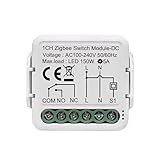
- Widely Compatible and Easy Setup: Input AC 110-240V, clean contact Zigbee on/off controller without voltage at output, you can contact 0-250V appliance on output, DIY smart garage door opener
- ZigBee3.0 Protocol with One-tap Pairing: Adopts ZigBee3.0 protocol, you can quickly add it to Tuya zigbee bridge, work with home assistant 2mqtt, getting them paired via a single tap on the app
- Timer and Schedule Functions: Set countdown/loop timer schedule for convenient life control, works with your smart home device for complete voice control, remote control and intelligent timing
- Voice Control Capability: Works with your smart home device for complete voice control, app remote control and intelligent timing
- Compact DIN Rail Design: Tiny and slim DIN Rail enclosure, support Power DC or AC, easy to smart your earlier circuit breaker. Power is not passed through to the relay circuit. It is an isolated dry contact on/off momentary relay ZigBee board with clean contact low voltage Zigbee on/off switch controller, work as zigbee button to DIY Smart garage door opener with momentary mode
Device modules worth buying
Smart plugs
Plugs are often the best first expansion: they provide a controllable load and usually route messages. Check router status, maximum and motor-load ratings, power-monitoring accuracy, local operation, outlet spacing and exact ZHA/Zigbee2MQTT support.
Do these 3 things before closing this tab:
1Fix the driver behind crashes, sound loss and screen glitches2Repair Windows errors before they cause bigger problems3Scan for outdated or missing drivers - takes under a minuteIn-wall relays and switches
Confirm neutral-wire requirements, minimum load, bypass needs for low-wattage LEDs, relay rating, box depth, dimmer versus on/off operation and compatibility with the physical switch. Turn off the breaker and follow product instructions; mains-voltage work may require a licensed electrician and must comply with local code.
Motion, presence and illuminance
PIR detects movement. mmWave can detect a stationary occupant but commonly uses more power and may be mains-powered. Illuminance readings enable daylight-aware automations. Verify reporting behavior and battery life for the exact model.
Contact, leak and temperature sensors
Check battery availability, tamper reporting, temperature accuracy, wet-location rating and local event reporting. Zigbee leak or smoke products do not automatically replace code-compliant life-safety equipment.
Smart bulbs
Check whether the bulb routes, its power-on behavior, color quality, dimming range and compatibility with remotes. If a wall switch removes power, the bulb disappears from the mesh; use a smart switch, relay mode or wireless scene controller when constant power is required.
Rank #4

- Easy set up,work with Tuya Smart life Zigbee Gateway hub.Once configured with tuya app,then link to alexa app,then you can voice control all 4 channel or individually remote each channel.If it's connected to alexa app directly through echo device with zigbee hub,it will be discovered as 1 channel only.
- Automate your Garage gate door shutter Blind Curtain,with 3 working mode,in latching mode works as wireless switch,momentary mode works as wireless button,Interlock mode wireless remote control shutter blind curtain,press the mode change button to set working mode you need. Protocol, One-tap Pairing: Adopts ZigBee3.0 protocol, you can quickly add it to tuya ZigBee Bridge, getting them paired via a single tap on the app
- Voice Control,works with Amazon Alexa and Google home devices for complete voice control, remote control and Intelligent timing. Free your hands.With 433Mhz RF receiver built in,support fixed learning code 433Mhz RF(don't included)
- Low voltage Smart Relay,Working voltage DC 5V or DC 7-32V,4 channel ZigBee dry contact relay,turn on/off 4 appliance individually. alexa integrate your home automation
- Timer and schedule.set countdown/loop timer schedule for convenient life,share control with your family,create smart scene with your other smart device
Setup, migration and firmware
ZHA
- Connect a compatible coordinator and restart Home Assistant if requested.
- Open Settings → Devices & services → Add integration.
- Choose Zigbee Home Automation, select the detected radio/serial device and create or join the network.
- Enable joining, reset the device according to its manual, then pair it near—but not directly against—the coordinator.
- Rename it, assign an area and test both the physical control and automation event.
Menu labels can change between Home Assistant releases; follow the current ZHA documentation if your screen differs.
Zigbee2MQTT
- Install an MQTT broker and Zigbee2MQTT using the method appropriate to your system (add-on, Docker, Linux package or appliance).
- Identify a stable serial path such as the system’s
/dev/serial/by-id/entry. - Select the correct adapter family—Z-Stack, EmberZNet, deCONZ or another supported type.
- Start the service, enable joining, pair the device and confirm it in the Zigbee2MQTT frontend.
- Disable joining after setup and expose entities through MQTT.
Use the current adapter documentation rather than copying an installation-specific YAML example.
Coordinator migration
Back up the existing network, verify that the destination radio and software support migration, and keep the old coordinator until the new network is proven. Do not delete every device first. Expect some proprietary or poorly supported devices to require re-pairing, then recheck bindings, groups, scenes and automations. The ZBT-2 advertises Zigbee and Thread migration, but migration behavior is not universal.
Firmware
Record radio family, coordinator/router role and firmware version before updating. Check whether flashing is browser-based, whether recovery is documented and whether an update can require re-pairing. SONOFF provides separate support and flashing resources at dongle.sonoff.tech.
The Tool Desk
Outbyte Driver Updater FREEFix the driver behind crashes, sound loss and screen glitchesFind Drivers →Outbyte PC Repair FREEClear out junk files and repair common Windows errorsFree Scan →Room-by-room starter set
- Entryway: contact sensor, PIR motion sensor and scene button or smart switch.
- Living room: routed smart plug, lighting module and remote; add presence sensing where useful.
- Kitchen/laundry: leak and temperature sensors, plus a correctly rated appliance-monitoring plug.
- Bedroom: temperature sensor, motion/presence sensor, wireless button and bulb or switch module.
- Utility area: leak and temperature sensors and a separately supported water-shutoff controller.
A sensible first purchase is one coordinator, a USB extension cable if applicable, two or three powered routers, one contact sensor, one motion sensor, one leak sensor and one smart plug. Add devices only after confirming exact-model compatibility.
Best Value

- The Shelly 1 Mini Gen4 is a compact smart switch with Wi-Fi, Zigbee, and Matter support - no hub required. It features dry contacts and supports loads up to 8A, making it perfect for lights, appliances, and office equipment. With an upgraded processor and 8 MB of memory, it offers fast, reliable performance. Its small size makes it ideal for retrofitting into tight spaces and standard switch boxes.
- Easily Make Any Small Appliance Smart - Upgrading your traditional electrical appliances is now simpler than ever with the Shelly 1 Mini Gen4. With an 8A power capacity, it’s ideal for converting small to medium-sized devices, like lamps, coffee makers, and more, into smart appliances. Its compact size allows for flexible installation: plug it into a socket or hide it neatly inside the appliance’s casing, all without the need for extra external wiring.
- Control Your Garage Door with Ease - The compact Shelly 1 Mini Gen4 fits seamlessly inside your garage door opener or near the motor, offering flexible installation options. With its 8A power capacity, it ensures reliable performance and lets you control your garage door remotely - no need for bulky external modules or complicated setups.
- Shelly Customer Service - Shelly is one of the fastest-growing Smart Home brands in the world with devices, providing solutions for the automation of private homes, buildings and businesses. We provide our customers with professional support and a 3 years device warranty.
- Shelly Smart Control App will help you control your Shelly devices remotely and will send notifications for all automated events in your home. You can easily configure devices and manage their settings individually, or you can create personalized scenes by combining Shelly devices to trigger certain actions in your home automation.
Common failures and fixes
Pairing fails
Reset the device fully, confirm joining is enabled, replace a weak battery, move it near (not touching) the coordinator and verify the exact model. A device still joined to another network, unsupported firmware or RF interference can block pairing.
Devices go offline
Restore unplugged routers, improve coordinator placement, add a compatible router near the affected area, check batteries and review logs. Re-pairing repeatedly without fixing the mesh rarely solves the cause.
Aqara works near the coordinator but not elsewhere
This often indicates a routing exception rather than weak radio power. Aqara/Xiaomi devices are known to be incompatible with some routers; check the current ZHA compatibility guidance and the exact model before changing hardware.
Internet outage
Zigbee radio communication can remain local, but results depend on your automation platform and cloud services. Separate local device control, local automations, remote mobile access, voice assistants and vendor-cloud routines when evaluating “offline” operation.
Bottom-line buying paths
- Choose ZBT-2 for the cleanest new Home Assistant start and current Zigbee/Thread flexibility.
- Choose ZBDongle-E for the lowest-cost open setup.
- Choose ZBDongle-P when your existing Zigbee2MQTT/Z-Stack plan specifically calls for CC2652P.
- Choose SLZB-06 when coordinator placement, PoE or a remote server matters more than minimum cost.
- Keep a Hue Bridge or Aqara hub when proprietary scenes, accessories, support or fallback operation justify a second network.
Reliability comes from supported exact models, good router placement, sensible channels, backups and a recovery plan—not from a coordinator’s advertised device count or output power alone.
Quick Recap
Product prices and availability are accurate as of the date/time indicated and are subject to change. Any price and availability information displayed on Amazon at the time of purchase will apply.


Leave a Reply