The Tool Desk
Outbyte Driver Updater FREEScan for outdated or missing drivers - takes under a minuteDriver Scan →Outbyte PC Repair FREERepair Windows errors before they cause bigger problemsFix Now →Some links on this page are affiliate links: if you buy through them we may earn a commission, at no extra cost to you.
For most buyers, the Ring Battery Doorbell Plus is the better camera and the more worthwhile upgrade. It offers a taller view that is more likely to show parcels at the doorstep, sharper video, and a removable battery that is easier to charge. The older Ring Video Doorbell (2nd Generation) still covers the basics at a lower price, but it is a less capable choice for package visibility and recorded detail.
There is a naming trap: the older Video Doorbell (2nd Generation) is not the current Battery Doorbell (2nd Gen). Ring also sells a current Battery Doorbell Plus (2nd Gen). This comparison focuses on the legacy 1080p Video Doorbell (2nd Generation) versus the Plus; where specifications differ by Plus generation, they are identified below. See Ring’s current battery doorbell comparison before buying to confirm the exact model.
At a glance
| Feature | Video Doorbell (2nd Generation), legacy | Battery Doorbell Plus |
|---|---|---|
| Video | 1080p HD | Earlier Plus: 1536p HD+; current Plus (2nd Gen): 2K (1920 × 1920), with up to 6× enhanced zoom |
| View | About 155° horizontal × 90° vertical | Tall Head-to-Toe framing; earlier Plus is specified at about 150° × 150° |
| Battery | Built-in rechargeable battery; remove the doorbell to charge | Removable Quick Release Battery Pack; charge the pack separately |
| Night vision | Black-and-white night vision | Color-oriented low-light viewing; current Plus can switch to black-and-white infrared in darker conditions |
| Wi-Fi | 2.4 GHz | Earlier Plus generally uses 2.4 GHz; current Plus (2nd Gen) supports dual-band Wi-Fi 6 |
| Core functions | Live View, two-way talk, motion notifications | Live View, two-way talk, motion notifications, plus model-dependent alerts |
| Recorded video | Requires a Ring Protect plan | Requires a Ring Protect plan |
Specs for the legacy model and earlier Plus appear in Ring comparison documentation. Ring lists the current Plus (2nd Gen) at 1920 × 1920 resolution. Do not treat 1536p HD+ and 2K as interchangeable: they refer to different Plus generations.
The differences that matter in everyday use
1. The Plus shows more of the doorstep
The most useful upgrade is often not resolution but framing. The legacy Video Doorbell (2nd Generation) has a relatively short vertical view. A visitor may be visible while a parcel placed below the camera is cut off. The Plus’s taller Head-to-Toe view is designed to include more of the area near the door, making it a stronger choice if deliveries are the reason you want a doorbell camera.
#1 Best Overall

- Capture it all with Retinal 2K video — From wide views to tighter focus, it’s easy to see your home or business in crisp clarity with Retinal 2K.
- Zoom in up to 6x — Catch details at a distance, inspect faces, and more with up to 6x Enhanced Zoom.
- True color, even in low light — Stay in color longer with Night Vision, and automatically switch to crisp black and white in total darkness.
- Connect to who’s there — See, hear, and speak in real time with improved quality using Live View and Two-Way Talk.
- Know the moment something moves — Get instant mobile alerts when your camera senses activity with Motion Detection.
That framing is not a guarantee that every package will appear. A low or poorly angled mount, deep porch, wall or overhang, parcel placed outside the frame, or a person standing in front of the parcel can still block the view. If you already own the older doorbell, check whether your missed-package problem is really a framing issue before replacing it.
2. Higher resolution can help, but it is not a promise of identification
The legacy doorbell records at 1080p. The earlier Plus is rated at 1536p HD+, while the current Plus (2nd Gen) is marketed as 2K at 1920 × 1920, with up to 6× enhanced zoom. More pixels can preserve more visible detail, but they do not guarantee that a face, label, or other detail will be identifiable. Distance, movement, lighting, camera angle, network quality, and compression all affect the recording. The advertised zoom is enhanced/digital zoom, not optical zoom.
Rank #2

- Capture it all with Retinal 2K video — From wide views to tighter focus, it’s easy to see your home or business in crisp clarity with Retinal 2K.
- Zoom in up to 6x — Catch details at a distance, inspect faces, and more with up to 6x Enhanced Zoom.
- Connect to who’s there — See, hear, and speak in real time with Live View and Two-Way Talk.
- Get real-time alerts — Receive real-time notifications on your phone when motion is detected.
- Easily recharge — Simply insert the included removal tool to detach your doorbell from the wall, then recharge the built-in battery via USB-C. (Cable not included.)
3. Charging is easier with the removable Plus battery
The legacy Video Doorbell has a built-in rechargeable battery, so routine charging means removing the whole unit from its mount. The Plus uses a removable Quick Release Battery Pack; Ring’s current instructions describe charging that pack via Micro-USB. With a spare compatible Plus battery, you can charge one while the other remains installed. The legacy model’s battery is built in and is not interchangeable with the Plus pack.
Battery run time varies with motion activity, Live View use, Wi-Fi strength, temperature, settings, doorbell presses, and any trickle charging from wiring. Avoid choosing between these models based on a single claimed number of months. If downtime matters, the spare-battery option is a practical advantage of the Plus.
Rank #3
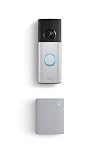
- Hear doorbell alerts throughout your home — Bundle Battery Doorbell Plus (2nd Gen), Nickel Silver and Chime (3rd Gen), White, to get notified inside when someone rings your doorbell or motion is detected.
- Retinal 2K with up to 6x Enhanced Zoom — From wide views to tighter focus, clarity stays intact with every pinch and zoom.
- See true color, even in low light — Stay in color longer with Night Vision on Battery Doorbell Plus (2nd Gen), and automatically switch to crisp black and white in total darkness.
- Connect to who’s there — See, hear, and speak to anyone at your front door in real time with Live View and Two-Way Talk.
- Real-time alerts, clear as a bell — With Chime’s upgraded speaker, get notified throughout your home with louder, clearer alerts.
4. Low-light performance is improved, with limits
The legacy model uses black-and-white night vision. Plus models add color-oriented low-light capability; the current Plus uses true-color low-light viewing and adaptive black-and-white night vision when conditions get darker. Color night vision needs some ambient light. In very dark conditions, expect infrared black-and-white video rather than full color.
5. Wi-Fi differs by generation
The legacy Video Doorbell is a 2.4 GHz device. The current Plus (2nd Gen) supports dual-band Wi-Fi 6, while the earlier Plus should not automatically be assumed to have that capability. A 5 GHz connection may offer more speed, but its signal generally reaches less far and passes through walls less effectively than 2.4 GHz. For a doorbell, a stable signal at the mounting point matters more than the band name. Ring recommends about 10 Mbps upload speed for its 2K devices; check your connection where the camera will actually be installed.
Rank #4

- Protect home inside and out — Bundle Battery Doorbell Plus (2nd Gen) and Indoor Cam Plus, White to know what’s happening at your front door and in one area inside in crisp 2K.
- Retinal 2K with up to 6x Enhanced Zoom — From wide views to tighter focus, clarity stays intact on both devices with every pinch and zoom. (Video quality may vary based on internet bandwidth and device temperature).
- See true color, even in low light — Stay in color longer with Night Vision on both devices, and automatically switch to crisp black and white in total darkness.
- Take control of your privacy — Block your Indoor Cam Plus lens with an easy-to-slide lens cover. Note: Microphone stays on when covered, and can be disabled in the Ring app.
- Connect to who’s there — Whether on the porch or in the kitchen, see, hear, and speak to anyone on camera in real time with Live View and Two-Way Talk.
What both models do—and what a subscription changes
Both doorbells support core functions such as app control, Live View, two-way talk, and motion notifications. Wiring may be an option depending on the exact model and installation, but battery models connected to existing doorbell wiring may use it for trickle charging; do not assume that hardwiring means continuous recording or battery-free operation.
For both models, Ring Protect is required for recorded-video access. Without a plan, you can still use live viewing and receive real-time alerts, but the doorbell generally cannot serve as a conventional camera with saved recordings to review later. Some person and package alerts also depend on a compatible plan and supported model. Package visibility and package detection are different things: seeing the doorstep in a clip does not guarantee that software will identify a parcel or send an alert.
Best Value

- See more of who’s there – Battery Doorbell Plus with Head-to-Toe HD+ Video gives you an expanded field of view so you can see more of who’s at your door.
- Stay in the know even at night – Enjoy motion detection, privacy zones and see who stops by at night with Color Night Vision.
- Person + Package Alerts — Know when a package is delivered with alerts that notify you when your package is detected within a specified zone or a person is spotted. Ring Protect subscription required (sold separately).
- Convenient power – Powered by a Quick Release Battery Pack for quick and easy recharging.
- Easy install – Easily setup by connecting your Battery Doorbell Plus to wifi through the Ring app and mounting with the included tools.
Ring Protect’s price and plan details vary by location and billing terms. Check Ring’s live plan page before buying. As a US price signal reported in August 2026, coverage listed plans from about $4.99 per month for one device; treat that as a dated indication, not a universal or guaranteed current price. Over time, subscription fees can outweigh the upfront price difference between doorbells, so include them in your decision if you need recordings.
Independent reader supportYour contribution helps us test, update, and keep practical guides available for everyone.Which one should you choose?
- Choose the Battery Doorbell Plus if parcels are often missed, you want a taller view and sharper footage, removing the whole doorbell to charge is inconvenient, or you value keeping a spare battery charged. It makes the most sense if you have good Wi-Fi at the door and are comfortable with Ring Protect’s recurring cost for recordings and eligible advanced alerts.
- Keep or choose the legacy Video Doorbell (2nd Generation) if it already works, the view captures the area you care about, you mainly want Live View and motion notifications, or it is substantially cheaper. It is still a basic, functional Ring doorbell, but less suited to close-to-the-ground package coverage and easy battery maintenance.
- Do not upgrade just for a resolution number or an “AI” alert label. Better framing may solve a missed-parcel problem more directly than extra pixels; alerts have model, plan, placement, and conditions to consider.
If you are buying new and want a lower-cost current Ring option, compare the separate Battery Doorbell (2nd Gen). It is not the old Video Doorbell (2nd Generation), despite the similar name. If you specifically need premium motion features such as 3D Motion Detection or Bird’s Eye View/Zones, compare a Pro model rather than assuming the Plus includes them; Ring’s lineup chart distinguishes the tiers. If local recording or avoiding an ongoing cloud plan is essential, compare model-specific alternatives from other brands on storage, subscription requirements, smart-home compatibility, and charging before switching; no one alternative is a universal match.
Installation checks before replacing an older doorbell
- Confirm the exact model and wiring. Check that product’s installation guide for wiring and transformer requirements, trickle-charging behavior, and mechanical or digital chime compatibility. Compatibility is model-specific; do not rely on a generic claim about Ring doorbells.
- Check Wi-Fi at the door. Test signal and upload performance at the intended mounting location, not beside the router. This is especially important if choosing the current 2K Plus and its higher-resolution streaming.
- Measure the mount and inspect the hardware. Do not assume mounting plates, dimensions, corner-kit needs, or screw holes match. Compare the new kit with the existing installation before removing the old unit.
- Plan the camera angle around the doorstep. Confirm the lower part of the image includes the usual parcel location. If the doorbell faces away from the approach, a corner kit may help redirect it, but the angle must be checked for your entryway.
- Review privacy and alerts. A taller view may capture more walkway, driveway, or neighboring property. Configure privacy zones and motion settings, and check applicable local rules for recording shared or public spaces.
For current product details, consult the Battery Doorbell Plus (2nd Gen) page and Ring’s comparison page against the exact product listing in your region.
Quick Recap
Product prices and availability are accurate as of the date/time indicated and are subject to change. Any price and availability information displayed on Amazon at the time of purchase will apply.


Leave a Reply