What’s actually slowing this PC down?
Pick the symptom - the matching free tool is one click away.
Some links on this page are affiliate links: if you buy through them we may earn a commission, at no extra cost to you.
Adaptive aims to speed construction payments by automating the work that happens before money is released: invoice intake and coding, purchase-order checks, approvals, compliance follow-up and payment scheduling. It is best understood as a construction project-accounting platform with payment workflows—not simply a digital payment processor. Faster processing can reduce administrative delays, but it does not guarantee that every bill will be approved or paid sooner.
Why construction payments get held up
A payment delay often starts well before anyone sends money. A bill must be tied to the right vendor, job and cost code; checked against a purchase order, subcontract or approved change order; reviewed by the people who know whether the work was done; and cleared for required documents such as lien waivers. Then someone with the right authority must release the cash and reconcile the payment.
Those steps connect the field, project management and accounting. When information is incomplete or inconsistent, bills wait for clarification. Adaptive’s premise is that automating and linking these steps can shorten the administrative queue while preserving human review and payment controls.
What Adaptive is building
Adaptive describes itself as an AI-native construction project-accounting platform. Its product spans job costing, accounts payable, progress billing, WIP forecasting, change orders, compliance, field updates and payments. The company says it works alongside existing accounting and project-management systems rather than requiring an ERP replacement; actual integrations and setup requirements should be confirmed for each customer. Adaptive’s construction accounting overview describes that broader scope.
#1 Best Overall

- WIDE UNIVERSAL FIT: This versatile POS terminal stand comes with adjustable clamping jaws that fit most countertop payment devices. Perfect for retail shops, cafes, diners and commercial counters, and no extra adapters are needed.
- FLEXIBLE ANGLE ADJUSTMENT: Our POS Swivel Stand supports 90°–270° horizontal swivel and 180° vertical tilt, enabling smooth viewing angle shifts for staff and guests; works well with scan to pay qr code sign for cashless counter operations.
- STABLE ANTI-SLIP BASE & CABLE ORGANIZATION: Thick weighted base with anti-slip rubber pads keeps your payment device holder steady during daily frequent use; hidden integrated slot tidies loose wires to maintain neat countertop space.
- DUAL INSTALLATION OPTIONS: This adjustable POS Terminal Stand supports two mounting methods including screw fixation and adhesive paste, quick assembly within minutes for salon, convenience store and food service counters without drilling damage.
- DURABLE CARBON STEEL & ABS CONSTRUCTION: Scratch-resistant sturdy frame delivers long service life; compact desktop size saves counter space, ideal permanent accessory for all businesses using countertop pos device setups.
That distinction matters. A payment processor primarily moves funds. Adaptive is trying to connect project and accounting information to the processes that determine whether an invoice is correct, approved and ready to pay.
How the invoice-to-payment workflow can work
Consider a subcontractor invoice. A representative workflow, based on Adaptive’s documented capabilities, could look like this:
- Capture the bill. An invoice arrives through an intake channel and the system extracts details such as vendor, amount and line items.
- Assign the cost. The bill is associated with a job and relevant cost code, cost type, phase or division. Unclear allocations may need review.
- Check the commitment. Adaptive says it can attempt to match an invoice to an open purchase order when references and totals align. A match can help establish that a bill relates to an authorized commitment, but it will not settle every discrepancy.
- Gather approvals and documents. The bill is routed to the relevant approver, while missing or expired compliance documents can be flagged or followed up.
- Authorize payment separately, if configured. Adaptive’s February 2026 release notes describe a separate payment-approval step from bill approval, with rules that can use amount, job, cost code, role or a named user. This lets a company distinguish “the bill is valid” from “release the cash.” Availability and configuration should be checked with Adaptive.
- Pay and reconcile. Adaptive’s help documentation describes vendor ACH payments through Adaptive and check payments through QuickBooks. Payment method, bank connection, permissions and accounting setup affect the actual process. See Adaptive’s bill-payment instructions.
This is an illustration, not a promise that every customer’s system will follow these exact steps. Invoice disputes, incomplete approvals, rejected bank details or a company’s own payment calendar can still delay release.
What the automation changes—and what it does not
| Workflow | What the software may help automate | What people still need to own |
|---|---|---|
| Invoice intake | Extracting bill details and routing records | Resolving unreadable, unusual or incomplete invoices |
| Cost coding | Assigning or suggesting jobs and cost codes | Reviewing ambiguous allocations, especially across jobs or cost types |
| PO matching | Matching bills when references and totals align | Investigating partial billings, retainage, change orders and mismatches |
| Compliance | Requesting and tracking waivers, insurance certificates, W-9s and expirations | Resolving incorrect forms, legal exceptions and disputed documents |
| Payment approval | Applying rules and routing requests for authorization | Making accountable cash-release decisions under company policy |
| Payment transmission | Scheduling and sending supported payments | Verifying vendor banking details, permissions and exceptions |
| Field information | Collecting updates and connecting them to accounting workflows | Validating field reports and acting on project risks |
Adaptive uses strong automation language on its website, including “zero manual data entry.” Treat that as product positioning, not a verified outcome for every contractor. A buyer should ask what share of their own invoices can be processed without intervention, what exceptions are common, and how corrections are logged.
Rank #2
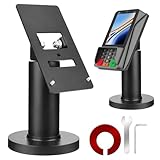
- Compatibility - This POS display stand is compatible for Pax A35, Pax S300. Note: Please carefully confirm the POS machine model before purchasing.
- Easy Installation - Installs quickly using the included type adhesive tape or can be permanently installed to any surface via a drilled hole and bolt mount. And can be removed by heating the area with a hairdryer and using string/thread to detach it if needed.
- Adjustable Card Terminal Mount - The 360-degree swivel allows cashiers to effortlessly turn the device left and right to assist customers without leaving their side, while the 65-degree tilt ensures the terminal is positioned at the optimal angle for various counter heights.
- Commercial Strength - Steel construction gives this universal POS stand durability for use as counter payment terminal in almost any setting.
- Perfect Height - The Pax A35 credit card payment machine stands' ideal height of 4.7" is designed for optimal counter alignment. It provides ample clearance for card insertion and can be adjusted using the tilt feature. Once the perfect tilt angle is set, secure it in place with the included Allen key and wrench to prevent unwanted movement.
Construction-specific details behind payment speed
Ordinary accounts-payable software may capture an invoice and route it for approval. Construction adds project controls that can determine whether a bill is payable at all: job and cost-code accuracy, committed costs, progress billing, retainage, change orders, field verification and lien documentation. Adaptive markets workflows across this broader set of needs, including WIP and forecasting. Whether those functions fit a contractor’s accounting practices should be tested against actual jobs, not inferred from a feature list.
Purchase-order matching can help surface bills that do not align with a commitment, and Adaptive’s release notes describe filters for bills linked to POs. But a mismatch should become an exception to investigate, not a reason to force a match. Progress payments, partial deliveries, unit-price arrangements, retainage, multiple POs and approved-but-not-yet-updated change orders can all complicate a simple total-to-total comparison.
Lien-waiver tracking can also reduce follow-up work and make missing documents visible before payment. Adaptive says it tracks waivers and other compliance items, and describes payment-release workflows that can hold a payment when required waivers are missing. Waiver rules vary by state, project and payment circumstance, however. A system reminder or block is not a substitute for reviewing the correct form, amount and legal requirements.
Quick wins for a faster PC:
Clear out junk files and repair common Windows errorsFree Scan →Scan for outdated or missing drivers - takes under a minuteDriver Scan →Repair Windows errors before they cause bigger problemsFix Now →Project Accounting Agents extend the idea
In June 2026, Adaptive announced “Project Accounting Agents,” describing AI agents intended to handle recurring project-accounting work. The company says the agents can call field workers for updates, code invoices, draft change orders, chase lien waivers and connect field information with accounting data. The announcement is available on Adaptive’s blog.
Rank #3

- 360° SWIVEL & 50° TILT FOR FLEXIBLE PAYMENT POSITIONING: The Hilipro POS Swivel Stand rotates 360° left and right and tilts up to 50°, making it easier for customers and employees to view and operate the payment terminal during transactions. Designed as a PAX S300 stand and PAX A35 stand for retail counters, restaurants, kiosks, hospitality businesses, and other point-of-sale environments.
- DURABLE METAL CONSTRUCTION FOR EVERYDAY POS USE: Built from sturdy metal, this countertop payment terminal stand provides a stable mounting solution for daily checkout and payment processing. The durable design functions as a POS terminal holder, payment terminal stand, card machine holder, and card reader mount, helping keep the compatible PAX S300 or PAX A35 securely positioned on the counter.
- CLEAN CABLE MANAGEMENT FOR AN ORGANIZED CHECKOUT: The integrated cable routing design helps guide the payment terminal cable neatly through the stand, reducing loose wires around the checkout area. This PAX payment terminal mount helps maintain a cleaner, more organized counter while providing convenient access to the terminal for customer payments.
- COMPLETE POS STAND KIT FOR SIMPLE INSTALLATION: The Hilipro PAX S300 and PAX A35 POS stand is designed as a complete mounting solution for checkout counters and payment stations. The kit includes the components needed for installation, providing a practical setup for businesses looking for a payment terminal holder, POS countertop mount, card reader stand, or PAX card machine stand.
- DESIGNED FOR PAX S300 & PAX A35 PAYMENT TERMINALS: Specifically designed for PAX S300 and PAX A35 payment terminals, this dedicated POS mount provides a practical fit for compatible devices. The 4.7-inch-tall countertop stand offers a convenient mounting position for card payments, contactless transactions, POS systems, checkout stations, and payment processing counters.
This points to a broader ambition than automating bill entry: bring field information into finance workflows so that project costs and obligations are less likely to remain stale. It should be described as agentic workflow automation, not as a replacement for accountants or project managers. Review, approval and exception handling remain essential, and the cited announcement does not establish independently measured accuracy, savings or payment-cycle improvements.
Where speed gains are plausible—and where they stop
- Processing: extraction and coding can reduce repeated entry when invoice formats and cost structures are consistent.
- Decision-making: approvers may get better job, PO and document context with the bill instead of chasing it separately.
- Compliance follow-up: reminders and tracking can make missing waivers or expiring certificates easier to spot.
- Cash release: scheduling and ACH can simplify the final step once the bill is approved and controls are satisfied.
None of these steps guarantees faster payment. A disputed scope item, an unapproved change order, missing documentation, incorrect coding, failed ACH details, owner-funding delays or a deliberate treasury policy can keep a payment on hold. Faster administrative processing also does not create cash or change contractual payment terms.
Risks and implementation realities
Data quality affects automation quality. AI coding can be unreliable when vendors serve multiple jobs, invoices combine labor and materials, project names differ from job numbers, cost codes are inconsistent or a change order has not been approved. Start with a sample of coded invoices, measure correction rates and keep a clear review path for uncertain items.
Recommended Free Tools
Payment controls deserve separate scrutiny. A bill can be legitimate while a payment request is not. Confirm who can change vendor banking details, approve a bill, authorize payment and override a compliance hold. Ask about segregation of duties, audit logs, ACH-change verification, failed-payment recovery and how credits, partial payments and retainage are handled. Adaptive release notes have mentioned ACH-change alerts; an alert alone should not be treated as comprehensive fraud protection.
Rank #4

- Optimal Visibility & Compact Design: Measuring 8 x 12 inches, this warning sign is ideally sized to deliver clear communication without overwhelming the surrounding area. This versatile metal sign strikes the perfect balance, ensuring your property warning is highly visible from a distance, ideal for both indoor and outdoor placement .
- Heavy-Duty Weatherproof Construction: Crafted from durable, rust-resistant aluminum, this outdoor sign is built to withstand harsh weather conditions, ensuring long-term performance and reliable service life . This robust aluminum composite material resists fading and corrosion, making it a reliable choice for years of use as a safety notice or decorative wall decor .
- Effortless Hanging & Safe Handling: This funny warning sign or serious safety placard comes ready to hang with four pre-drilled holes for easy installation . It can be mounted quickly with nails, screws, or command strips . The design features rolled edges and rounded corners for safe, snag-free handling, ensuring effortless decor and installation .
- Versatile Application & Novelty Gift Idea: Suited for a wide range of uses, this aluminum sign is perfect for industrial parks, residences, pools, gardens, or danger zones . It serves as a unique gift idea for men, women, neighbors, or friends, functioning as both a practical warning notice and a piece of character-filled wall art for birthdays, holidays, or anniversaries .
- Reliable After-Sales Support: Your satisfaction is our top priority. We stand behind the quality of our metal warning sign and are committed to providing responsive customer service. If you have any questions or concerns regarding your purchase, please reach out to us—we are here to assist and ensure you have a positive experience with our product.
Field information is only useful if it is reliable. Agents that collect updates cannot make late or incomplete field reporting accurate. Decide who owns responses, how the system records them and how project teams correct inaccurate information.
No ERP replacement does not mean no implementation. Contractors may still need to standardize cost codes, clean vendor records, improve PO discipline, define approval limits, organize compliance documents, set up banking and assign integration ownership. Poorly defined processes can simply make exceptions move faster from one queue to another.
Some features have been described as beta or rolling out over time. For example, Adaptive’s February 2026 release notes identified Procore Cost Sync as beta, while a February 2025 update described some payment upgrades as beta. Check current availability for the specific account, integration and configuration rather than assuming a feature is generally available. See the February 2026 release notes and February 2025 update.
The Tool Desk
Outbyte Driver Updater FREEScan for outdated or missing drivers - takes under a minuteDriver Scan →Outbyte PC Repair FREERepair Windows errors before they cause bigger problemsFix Now →Who should consider Adaptive?
Adaptive says it targets builders with roughly $5 million to $1 billion in revenue, including general contractors, specialty trades and developers. Its website also reports more than 700 contractors live on the platform. Those are company-reported figures, not independent market measurements. The product may be worth evaluating for a contractor with meaningful invoice volume, multiple active jobs, complex cost codes, frequent waiver follow-up or long gaps between field approval and accounting approval—particularly if it wants to add workflow automation without replacing its core accounting system.
Best Value

- 360° SWIVEL & 50° TILT FOR FLEXIBLE PAYMENT POSITIONING: The Hilipro PAX A3700 POS stand rotates 360° left and right and tilts up to 50°, allowing customers and employees to adjust the payment terminal for convenient viewing and easier transactions. This PAX A3700 stand, card machine holder, and payment terminal mount is designed for retail checkout counters, restaurants, cafes, kiosks, hospitality businesses, and other point-of-sale setups.
- DURABLE METAL CONSTRUCTION FOR EVERYDAY POS USE: Built from sturdy metal, the Hilipro PAX A3700 payment terminal stand provides a stable mounting platform for daily checkout and payment processing. The durable design functions as a POS terminal holder, payment machine stand, card reader mount, credit card machine holder, and countertop POS stand, helping keep the compatible payment terminal securely positioned.
- INTEGRATED CABLE MANAGEMENT FOR A CLEAN CHECKOUT: The built-in cable management system helps route the PAX A3700 payment terminal cable neatly through the stand, reducing loose wires around the checkout area. This PAX A3700 terminal mount helps maintain a more organized payment station while keeping the cable conveniently managed during everyday POS use.
- COMPLETE POS STAND KIT FOR CONVENIENT SETUP: Designed as a complete POS mounting solution, the Hilipro PAX A3700 stand provides the essential components needed to mount the compatible payment terminal at a checkout counter. Its practical design makes it suitable for retail stores, restaurants, cafes, hospitality counters, kiosks, and business payment stations
- DESIGNED FOR PAX A3700 PAYMENT TERMINAL: Specifically designed for the PAX A3700, this dedicated POS mount provides a practical solution for businesses using the PAX A3700 payment device. The countertop stand combines adjustable positioning, cable management, and durable construction for card payments, contactless transactions, checkout stations, POS systems, and payment processing counters.
It may be less compelling for a small firm with few invoices, simple billing and no formal PO or compliance workflow, or for a company seeking only a basic way to send payments. Businesses with highly customized treasury requirements should verify integrations, permissions and control design before proceeding.
Questions to ask in a walkthrough
- Accounting and project systems: Which exact QuickBooks edition, ERP and project-management integrations are supported? Which records sync, in which direction, and how are failed syncs surfaced?
- Construction accounting: Can the system handle your cost types and phases, retainage, progress billing, WIP, committed costs, change orders, draws, entities and divisions?
- Payment authority: Can bill approval and payment approval be separated? Can rules enforce thresholds or dual authorization? What is the audit trail for changes and overrides?
- Vendor and ACH security: How are bank-detail changes verified, who can make them, and how are failed or misdirected payments investigated?
- Waivers and compliance: Which waiver forms and state-specific workflows can be configured? How are conditional, unconditional, partial and final waivers handled? Can a hold be escalated or overridden with a record?
- Automation quality: Which fields can AI change without review? How are confidence, rationale and corrections exposed? What happens when the system is uncertain?
- Implementation and cost: What data cleanup, migration, banking setup and process redesign are required? What is the pricing structure, and which newly released or beta capabilities are included?
- Measured outcomes: Ask for definitions and customer-specific evidence for invoice touch rates, exception rates, correction rates and payment-cycle time. Do not rely on a generic automation claim without knowing how it is measured.
Adaptive’s site promotes booking a walkthrough rather than publishing standard pricing. Buyers should request a quote and confirm scope, implementation work and feature availability directly; no public price is established by the materials cited here.
How it differs from other options
The useful comparison is workflow coverage, not a raw feature count. Adaptive positions itself as broad project-accounting automation that includes payment operations. A specialized construction payment or waiver platform may go deeper on lien, notice and waiver processes without providing the same job-costing, WIP or forecasting scope. ERP-native AP may preserve familiar accounting controls but offer less field-to-finance coordination; general AP tools may capture invoices while lacking construction-specific treatment of retainage, change orders or cost codes. Bank bill pay can execute payments but typically does not solve the preceding project and compliance work.
Do these 3 things before closing this tab:
1Scan for outdated or missing drivers - takes under a minute2Repair Windows errors before they cause bigger problems3Fix the driver behind crashes, sound loss and screen glitchesFor example, Handle describes a focus on construction credit operations, liens, notices, waivers and payments. That makes it a category to compare when compliance and payment risk are the central need, rather than assuming it is a like-for-like project-accounting replacement. See Handle’s product overview.
The evidence available in the cited company materials is largely first-party. It does not establish independently audited reductions in payment-cycle time, processing errors, fraud losses, cost savings or implementation duration. Contractors should ask vendors for evidence relevant to their own workflow and use a controlled pilot or measured rollout where practical.
Quick Recap
Product prices and availability are accurate as of the date/time indicated and are subject to change. Any price and availability information displayed on Amazon at the time of purchase will apply.


Leave a Reply