Do these 3 things before closing this tab:
1Fix the driver behind crashes, sound loss and screen glitches2Repair Windows errors before they cause bigger problems3Scan for outdated or missing drivers - takes under a minuteSome links on this page are affiliate links: if you buy through them we may earn a commission, at no extra cost to you.
Short answer: a used business thin client can now be a better home-automation computer than a Raspberry Pi when you need x86 compatibility, replaceable storage, more memory, or several services in one enclosed machine. Raspberry Pi remains the better choice for GPIO, HATs, cameras, displays, compact embedded projects, and the simplest supported Home Assistant path.
The economics changed in 2026, but this is not a story about Raspberry Pi becoming obsolete. Raspberry Pi says memory costs and supply constraints have caused price increases affecting some Pi 4, Pi 5, and Compute Module products. The relevant comparison is therefore not a bare board against a used computer: it is the cost and capability of two complete, reliable systems.
The practical verdict
| Choose | When it makes sense |
|---|---|
| Raspberry Pi | GPIO, HATs, CSI cameras, DSI displays, compact embedded projects, integrated wireless, or the easiest official Home Assistant installation. |
| Used thin client | x86 software, multiple containers, replaceable SSD storage, more RAM, virtualization, or better value on the second-hand market. |
| New N-series mini PC | More CPU headroom, newer video hardware, NVMe storage, or several virtual machines. |
| Dedicated Home Assistant hardware | Minimal maintenance and a purpose-built appliance are more important than flexibility. |
For a modest Home Assistant installation, either platform can work well. A thin client’s advantage becomes clearer when Home Assistant is only one service among several: MQTT, Zigbee2MQTT, Node-RED, AdGuard Home, WireGuard, monitoring, backups, and small web services.
Why the Pi-versus-thin-client calculation changed
Raspberry Pi has not disappeared, and availability varies by country, distributor, model, and memory capacity. However, Raspberry Pi’s official announcements in 2026 describe constrained memory supplies and memory-driven price increases. Raspberry Pi also introduced a 1GB Pi 5 at $45. Those figures are not universal retail prices, and a board price is not the price of a ready-to-run server.
#1 Best Overall

- Compact and efficient: The Lenovo ThinkCentre M710q mini desktop PC is a compact and efficient mini desktop PC with reliable performance, plenty of memory, and efficient storage.
- Stable Processor - 6th Gen Intel Core i3-6100T, delivering reliable processing power for a variety of tasks including office productivity, web browsing and multimedia consumption.
- AMPLE CAPACITY - 8GB DDR4 RAM provides ample memory for seamless multitasking, smooth performance and runs multiple applications at the same time; 256GB solid state drive offers fast boot times, quick data access, and enough storage space for essential files, documents and applications.
- FLEXIBLE EXPANSION - USB Type-A, DisplayPort, RJ-45, headphone/microphone combo jack, ensuring easy connection to peripherals and accessories.
- Operating System: Windows 11 Pro - a powerful, secure, compatible and more manageable operating system that helps you better manage and protect your devices and data for greater productivity and security.
A complete Pi system may require a board, suitable USB-C power supply, case, cooling, storage, and possibly USB or NVMe accessories. A used thin client commonly arrives as an enclosed computer with RAM, Ethernet, cooling, USB ports, display outputs, and an external power brick. Some also include an SSD or eMMC storage.
Compare the complete bill of materials, including shipping and replacement parts. A thin client is not automatically cheaper, particularly if it arrives without storage, RAM, or its correct adapter.
Raspberry Pi’s pricing announcement, its later memory-cost update, and the Pi 5 product brief are the appropriate references for current model and pricing details.
Free tools Windows power users keep installed
One-click scans. No signup required.
What a thin client actually is
A thin client is a small business computer designed to connect to remote desktops or virtual desktop infrastructure. It may have shipped with ThinOS, ThinLinux, or Windows IoT rather than a general-purpose desktop operating system. Common repurposing targets include Dell Wyse, HP t-series, Fujitsu Futro, and Lenovo models.
The category is not a performance specification. A very old thin client may have a 32-bit processor, soldered storage, limited memory, or awkward firmware. A newer business endpoint may have a 64-bit Intel or AMD processor, replaceable RAM, SATA or M.2 storage, and enough power for several lightweight services.
The Dell Wyse 5070 as an example
The Dell Wyse 5070 illustrates why exact model research matters. Dell documents it as a quad-core Intel Gemini Lake system with Intel graphics, optional Wi-Fi and Bluetooth, and support for ThinOS, ThinLinux, and Windows IoT Enterprise. Depending on configuration, it can use 16GB or 32GB eMMC or an M.2 SATA SSD up to 512GB.
That documentation establishes the hardware options; it does not certify every second-hand configuration for Home Assistant. A used 5070 with 8GB RAM, a healthy SSD, and the correct power adapter can be a sensible low-cost server. A bare chassis with unknown storage and missing accessories may not be.
Rank #2

- 【Powerful & Efficient Performance】Powered by the Intel Celeron J3355 Processor (up to 2.5GHz), this Mini PC delivers a 25% performance boost over previous generations. Pre-installed with Windows 11 Home and supporting Linux/Ubuntu, it’s the ideal micro desktop for seamless web browsing, document editing, and efficient daily office tasks.
- 【Massive Storage & Unique Expansion】Equipped with 6GB LPDDR3 RAM and 128GB onboard storage for fast boot-ups. Stand out with our dual M.2 SSD slot design (1x SATA + 1x NVMe), allowing you to easily expand storage up to 2TB without replacing the original drive. Perfect for managing large digital libraries and intensive multitasking.
- 【Stunning 4K Dual HDMI Display】Boost your productivity with Intel HD Graphics 500 and dual HDMI ports, supporting 4K @60Hz high-definition visuals. Connect two monitors simultaneously to streamline your workflow—ideal for home office setups, stock trading, or enjoying a theater-like 4K media experience.
- 【Ultra-Compact & Space-Saving Design】Measuring only 4.2x4.1x1.4 inches and weighing just 0.49 lbs, this palm-sized mini computer fits anywhere. Use the included VESA bracket to mount it behind your monitor for a zero-clutter workspace. Features a smart silent fan and heat sink system for quiet, reliable 24/7 operation.
- 【Stable Connectivity & Smart Recovery】Stay connected with Dual-Band WiFi (2.4G/5G), Bluetooth 5.0, and Gigabit Ethernet. Exclusive One-Click Restore feature (via F9 key) allows for quick system recovery in minutes. Backed by Bmax's 12-month warranty and lifetime technical support for a worry-free purchase.
See Dell’s Wyse 5070 overview, storage specifications, and processor specifications before buying one.
Where thin clients have the edge
They are already complete computers
Used thin clients usually include an enclosure, cooling, Ethernet, USB ports, display outputs, RAM, and a power supply. That can remove several small purchases required to turn a Pi board into a dependable always-on machine.
The difference is especially important for Home Assistant installations that need a reliable boot drive. A Pi can use USB or NVMe storage, but many first-time installations begin with a microSD card. An SSD-equipped thin client starts with a more conventional server storage arrangement.
x86 can simplify software compatibility
Most thin clients use x86-64 processors. That can help with Linux distributions, Docker containers, hypervisors, virtual machines, and applications distributed primarily for x86. It does not make x86 inherently better: ARM software support is strong, and Home Assistant officially supports Raspberry Pi installations. The benefit is broader choice when the system grows beyond Home Assistant.
More room for additional services
A capable thin client may comfortably host Home Assistant alongside:
- Mosquitto MQTT
- Zigbee2MQTT and ESPHome
- Node-RED
- AdGuard Home
- WireGuard
- Uptime monitoring
- File synchronisation
- Lightweight web services
Older thin clients are not automatically suitable for camera recording, AI detection, video transcoding, NAS duties, or multiple demanding virtual machines. Those workloads justify a newer N100/N150-class mini PC, a business micro PC, or dedicated hardware with suitable acceleration.
Where Raspberry Pi remains the better tool
A thin client is a poor replacement when the project depends on hardware interfaces rather than general-purpose computing. Choose a Pi for:
Rank #3

- ❓Why Choose Mini PC: Reclaim 60% of your workspace with the ultra-compact Mini Computers 24GB 1TB. Small enough to slip into your backpack for travel, business trips, or remote work, it’s a powerhouse that defies its size. Designed to handle everyday professional tasks with ease, the Ryzen 9 6900HX provides smooth and stable responsiveness for multitasking and essential content creation. It’s an efficient solution for those who need a snappy, compact system for consistent daily workloads—at a price point far more accessible than bulky towers or laptops. it’s the ultimate high-value investment for good performance and total peace of mind.
- ⚡Unleash Powerful Performance with Ryzen 9 6900HX: Bosgame P6 mini pc ryzen 9 powers through demanding tasks with the AMD Ryzen 9 6900HX(8C/16T,up to 4.9GHz). It makes Handles smooth 1080p video editing in DaVinci Resolve, runs 2–3 lightweight virtual machines, and plays esports titles like CS2 at high settings.This CPU delivers powerful performance in a compact form factor—ideal for creators, developers, and power users who need speed without compromise.
- 🖥️ Experience Smooth Light Gaming & Multitasking on Three Monitors: Drive three 4K displays simultaneously via HDMI, DisplayPort, and USB-C (all supporting 4K@60Hz). The ryzen 9 mini desktop pc is perfect for light gaming, professional workflows, or content creation where every screen matters. Enjoy lag-free performance across all monitors with powerful integrated Radeon 680M graphics.
- 🚀 Fast Memory & Storage for Instant Responsiveness: Equipped with 24GB onboard LPDDR5X RAM (4800MT/s) and a 1TB M.2 NVMe PCIe 4.0 x4 SSD, this mini desktop computer ryzen 9 boots instantly and handles large files effortlessly. Great for office tasks, light photo editing (Photoshop), and 2D drafting in AutoCAD, ensuring seamless multitasking and zero slowdowns.
- 🌍 Future-Proof Expansion & Connectivity for Professional Needs: Expand storage up to 8TB with an additional M.2 NVMe drive. This ryzen mini pc features dual USB 3.2 Gen2 ports and a full-function USB-C (supports data, PD3.0, and DP). The dual 1Gbps Ethernet ports are purpose-built for advanced setups, including DIY soft routers (OpenWrt/pfsense), home servers, hardware firewalls, and high-speed network switching. With built-in Wi-Fi 6E and Bluetooth 5.3, it’s the ultimate hub for home offices, media streaming, or complex lab environments. {Please note: To activate Bluetooth 5.3, please download the latest driver from the official Intel website; otherwise, it defaults to Bluetooth 5.2.}
- 40-pin GPIO and electronics prototyping
- Pi HATs and the wider Pi accessory ecosystem
- CSI cameras
- DSI displays
- Battery-powered embedded builds
- Very small board-level integration
- Native compact Wi-Fi, Bluetooth, or BLE integration
The Pi 5 includes Bluetooth/BLE, dual micro-HDMI, USB 3.0 and USB 2.0, Gigabit Ethernet, and a pre-soldered 40-pin GPIO header. Raspberry Pi states that the Pi 5 is expected to remain in production until at least January 2036, which is valuable for long-lived embedded designs.
The Tool Desk
Outbyte Driver Updater FREEFix the driver behind crashes, sound loss and screen glitchesFind Drivers →Outbyte PC Repair FREEClear out junk files and repair common Windows errorsFree Scan →For Home Assistant, the Pi also has a straightforward route through Raspberry Pi Imager and Home Assistant OS. Home Assistant recommends a Pi 4 or Pi 5 with at least 2GB of RAM, a suitable power supply, and preferably A2-rated storage of at least 32GB. Its Raspberry Pi installation guide warns that generic phone chargers and computer USB ports may not supply enough power.
Match the computer to the workload
Light workloads
A Pi 4, Pi 5, or capable thin client is generally enough for Home Assistant, MQTT, a few integrations, basic dashboards, DNS filtering, and simple automations.
Medium workloads
A thin client or mini PC becomes more attractive for hundreds of entities, many integrations, Node-RED, Zigbee2MQTT, ESPHome compilation, long historical retention, several containers, VPN services, monitoring, and frequent backups. Eight gigabytes of RAM is a comfortable target for this class of system.
Heavy workloads
Do not casually assign an old thin client to multiple 24/7 camera streams, Frigate object detection, video transcoding, large databases, local AI, NAS duties, or several virtual machines. Look for a newer mini PC, a more capable business micro PC, a dedicated NAS, or compatible acceleration hardware.
Quick wins for a faster PC:
Repair Windows errors before they cause bigger problemsFix Now →Scan for outdated or missing drivers - takes under a minuteDriver Scan →Clear out junk files and repair common Windows errorsFree Scan →Pi versus thin client: the criteria that matter
| Criterion | Raspberry Pi | Used thin client |
|---|---|---|
| Architecture | ARM | Usually x86-64 |
| GPIO and electronics | Excellent | Generally absent |
| Storage | Often microSD by default; USB and NVMe options exist | eMMC, SATA, or M.2 depending on model |
| Wireless | Often integrated | Model-dependent; USB adapters may be needed |
| Expansion | Pi ecosystem and HATs | USB, SATA, M.2, and SODIMM options vary |
| Noise | Can be fanless or actively cooled | Often fanless, but small fans may be worn or noisy |
| Used-market value | Demand can keep prices high | Potentially strong, but condition varies |
| Long-term availability | Published production commitments | Finite, model-specific used supply |
How to choose a used thin client
- Check the exact processor. Prefer documented 64-bit systems. Gemini Lake models such as the Intel J4105 and J5005 can suit basic workloads; newer Intel N-series systems provide more headroom. Avoid listings that omit the CPU.
- Target enough memory. Four gigabytes can work for minimal Home Assistant. Eight gigabytes is a better baseline for containers. Sixteen gigabytes or more is preferable for virtualization. Confirm whether RAM is replaceable or soldered.
- Identify the storage interface. An M.2 slot may accept SATA rather than NVMe. Confirm the distinction in the service manual. Prefer a replaceable SSD over unknown second-hand flash storage.
- Confirm what is included. Check for the SSD, RAM, power adapter, mounting hardware, and regional plug. A missing adapter can erase the price advantage.
- Inspect firmware and boot options. Verify BIOS access, USB boot, UEFI behavior, Secure Boot settings, and whether the original thin-client restrictions can be bypassed.
- Check networking and radios. Gigabit Ethernet is strongly preferred. Wi-Fi and Bluetooth may be optional. Zigbee, Z-Wave, Thread, and Bluetooth devices may require USB radios.
- Plan for heat. Fanless is not automatically superior. Sustained compilation, transcoding, or camera processing can cause throttling. Maintain ventilation and check the manufacturer’s mounting guidance.
- Check storage health. If the drive is included, inspect SMART data where supported. Treat every second-hand SSD or eMMC module as replaceable and maintain backups.
Dell’s documentation, for example, specifies vertical mounting for the Wyse 5070. Placement matters for any fanless or passively cooled system; do not seal it inside a cramped cabinet simply because it is small.
Wireless and USB-radio details are easy to overlook
A Raspberry Pi’s integrated wireless hardware can be worth more than a modest CPU difference. A wired thin client may need separate USB hardware for Wi-Fi, Bluetooth, Zigbee, Z-Wave, or Thread.
Rank #4

- 12th Intel Alder Lake N95 Processor – The GMKtec G3 S Mini PC is powered by the 12th Gen Intel N95 processor with 4 cores, 4 threads, 6MB cache and a burst frequency up to 3.4GHz. Compared with N100/N5105/N5100/N5095, the N95 delivers up to 36% overall performance improvement. Perfect for routine tasks, office work, and home entertainment, this compact mini desktop is more convenient than traditional bulky PCs.
- 8GB RAM & 256GB SSD Storage – Pre-installed with 8GB DDR4 memory and a fast 256GB M.2 2242 SSD, the G3 S mini desktop offers quicker startup, smoother multitasking, and faster file transfers. Enjoy seamless performance whether you’re working on multiple applications, browsing, or streaming content.
- Rich Interfaces & Connectivity – The G3 S mini computer comes equipped with USB 3.2 (up to 10Gbps), dual HDMI 2.0 (4K@60Hz), and a 3.5mm audio jack. With support for WiFi 5, Bluetooth 5.0, and Gigabit Ethernet (RJ45 1000MbE), it connects easily with monitors, projectors, printers, office equipment, and other peripherals, making it versatile for both home and business use.
- Dual 4K Display Support – Featuring upgraded Intel UHD Graphics (up to 1000MHz), the G3 S supports 4K video playback and AV1 decoding for a smooth viewing experience. With dual HDMI outputs, you can connect two 4K@60Hz displays simultaneously, enabling efficient multitasking for work and entertainment.
- GMKtec WARRANTY - GMKtec offers a 1-year limited GMKtec's warranty for each mini PC, starting from the date of the purchase. All defects due to design and workmanship are covered. With a professional after sales team always ready to attend to your needs, you can simply relax and enjoy your mini PC.
USB radios should normally be positioned away from the computer and USB 3 interference. A short USB extension cable can improve reception and make replacement easier. Check regional radio requirements and current Home Assistant compatibility before choosing a coordinator. Do not assume that a backup will preserve every host-level USB path or radio association exactly.
Power: measure the complete system
Neither “low-power processor” nor “10W TDP” tells you the computer’s wall consumption. Actual usage depends on the CPU load, storage, USB radios, cooling, power-brick efficiency, BIOS settings, attached display, and whether the system is idle or busy.
Crashes, No Sound, or Screen Glitches?
Random freezes, missing sound and display glitches usually trace back to one bad driver. Find and replace yours safely.Free scan · under a minutePC Slower Than It Used to Be?
A free scan shows the junk files, broken settings and background clutter dragging Windows down - then fixes them in one click.Free scan · Windows 10 & 11Dell lists a 10W TDP for one Wyse 5070 processor configuration, but TDP is a thermal-design parameter, not a measurement of whole-system electricity use. Raspberry Pi likewise documents that consumption varies by model and connected peripherals; the Pi 5 documentation recommends a 27W USB-C supply.
For a meaningful comparison, use a wall meter and test:
- Bare idle
- Home Assistant operating normally
- One or more USB radios attached
- Typical peak activity
- Boot and update activity
- Any SSD, fan, or cooling accessories installed
annual kWh = average watts × 24 × 365 ÷ 1000
annual cost = annual kWh × local electricity price
A thin client may be more capable per watt, but it is not automatically lower-power than a Pi. Compare complete systems at the wall.
Independent reader supportYour contribution helps us test, update, and keep practical guides available for everyone.Storage and reliability
The important reliability question is not ARM versus x86. It is storage quality, power quality, cooling, firmware behavior, network stability, and backup discipline.
A used thin client with a healthy SSD can avoid the wear concerns of a heavily written microSD card. That is an advantage, not a guarantee. Included drives may have an unknown write history, while eMMC may be difficult or impossible to replace. A Raspberry Pi can also use USB or NVMe storage, so storage choice is a design decision rather than an absolute platform limitation.
Best Value
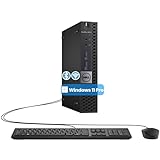
- The refurbished Dell OptiPlex 3040 mini PC with HDMI connectivity offers greater visibility into your tasks, even in multiple applications. This Dell desktop gives you reliable performance in your home or office
- CPU: Refurbished Dell OptiPlex i3 Desktop computers powered by 6th generation Intel Core i3-6100t processor (2 cores, 4 subprocessors, 3 MB, 3.2 GHz for increased power and productivity
- Rich Video Ports: Dell OptiPlex desktop pc 3040 Tiny comes with 2 x USB 2.0, 4 x USB 3.0, 1 x display ports, 1 x HDMI. Includes keyboard and mouse with cable
- Features: Stay connected to the Internet with the wireless technology installed and the network card built into the Dell OptiPlex i3 desktop computer with Windows 11 Pro that incorporates WIFI and Bluetooth. No need network cable, enjoy WIFI anywhere
Keep tested Home Assistant backups, and consider a separate backup destination or UPS if the automation system controls important household equipment.
Migration plan: Pi to thin client
- Record the current Home Assistant version, add-ons, integrations, network settings, and USB-radio mappings.
- Create and download a full Home Assistant backup, then verify that it is accessible.
- Confirm that the thin client can boot from its intended storage and that its Ethernet adapter is supported by the chosen installation method.
- Install the currently supported Home Assistant deployment for the selected hardware. Depending on the system, this may mean Home Assistant OS, a container, or a virtual machine; do not assume one image works for every thin client.
- Restore the backup.
- Reconnect Zigbee, Z-Wave, Thread, Bluetooth, and other USB devices. Recheck device paths, container permissions, and VM passthrough.
- Test automations, dashboards, notifications, and local network access before retiring the old machine.
- Keep the Pi powered off but available as a rollback system until the new host has operated normally for several days.
Home Assistant identifies Home Assistant OS as the recommended installation type for most users and supports Raspberry Pi, mini PC, and virtual-machine deployments. Consult the current official installation pages for the exact generic x86-64 procedure before installing.
Common failure modes
- No storage: budget for a compatible SATA or NVMe drive and verify the interface.
- No power adapter: match voltage, connector, polarity, current rating, and plug type.
- Locked firmware: confirm BIOS access and USB boot before purchase.
- Missing wireless: budget for USB radios and suitable extension cables.
- Old architecture: avoid undocumented or 32-bit systems with uncertain Linux support.
- Thermal throttling: leave ventilation around fanless cases and inspect fans for wear.
- Unknown storage health: test the drive and maintain a tested backup.
- Insufficient performance: do not mistake a thin-client enclosure for a camera, AI, NAS, or multi-VM server.
- Price parity disappears: add SSD, RAM, adapter, radios, shipping, and possible replacement parts before deciding.
Other alternatives
A Raspberry Pi 4 may be sufficient for Home Assistant and light services while requiring less cooling than a Pi 5. The Pi 5 offers stronger CPU and I/O performance but needs more careful power and cooling planning; Raspberry Pi recommends its 27W USB-C supply.
Recommended Free Tools
Used Lenovo ThinkCentre Tiny, HP EliteDesk Mini, and Dell OptiPlex Micro systems can deliver more CPU performance, replaceable RAM and storage, and better virtualization support than basic thin clients. They are usually larger and may consume more power at idle.
New N100/N150-class mini PCs provide a practical middle ground: newer processors, included RAM and storage, and better performance per watt than many old thin clients. Vendor firmware, component quality, warranty, and Linux support vary, so assess the exact model.
Home Assistant’s October 15, 2025 announcement about ending production of Home Assistant Yellow said that more users were moving toward mini PCs. Product availability is not the same as software support, and dedicated hardware remains attractive for users who value simplicity over expansion.
Decision checklist
Buy or keep a Raspberry Pi if:
- You need GPIO, HATs, cameras, displays, or a compact embedded design.
- You already own the board, power supply, storage, and case.
- Your workload is modest.
- Integrated wireless simplifies the installation.
- You want the most straightforward official Home Assistant path.
Buy a used thin client if:
- You need x86 compatibility or several lightweight containers.
- You want an enclosed computer with conventional storage.
- You can obtain at least 8GB RAM, a healthy SSD, and the correct power adapter.
- You do not need GPIO or Pi-specific accessories.
- You are comfortable checking firmware and second-hand hardware.
Buy a newer mini PC if:
- You expect several virtual machines, camera streams, transcoding, or local AI.
- The used thin-client price is close to a newer system.
- You want NVMe storage and greater CPU headroom.
The Bottom Line
A used thin client is not a universal Raspberry Pi replacement, but it is often the better low-power home server when the comparison is based on complete-system cost and the workload needs x86, SSD storage, RAM, or multiple services. Choose the Pi for hardware projects and the simplest supported Home Assistant route; choose a thin client for flexible software-defined automation; and step up to a newer mini PC when sustained workloads outgrow both.
What’s actually slowing this PC down?
Pick the symptom - the matching free tool is one click away.
Quick Recap
Product prices and availability are accurate as of the date/time indicated and are subject to change. Any price and availability information displayed on Amazon at the time of purchase will apply.


Leave a Reply